
Additional menu and banner
The module enables adding an additional menu to the portal header and placing a banner on the main page.

Activity for requesting additional information in a modal window
The HyperX Activity Window module enables requesting additional information directly during business process execution. The standard 'Request additional information' action in 1C-Bitrix24 typically opens only within the 'Automation' section or at the very start of the process, limiting usage scenarios. This solution introduces a new action that can be placed at any point in the workflow.
Income Media: Export and backup of business processes: XML, JSON, .bpt
The Income Media module enables exporting Bitrix business process templates in three formats: XML, JSON, and .bpt. After installation, a new page appears in the administrative section under Services → Export Business Processes. Standard Bitrix tools allow exporting only one process at a time in the binary .bpt format, which cannot be read or compared. This module addresses two primary tasks.

Select outgoing number in CRM
In the standard CRM workflow, employees cannot manually select a specific number for outgoing calls. Clicking a client's phone number in the entity card initiates a call using the number configured in the employee's telephony settings as the default outgoing number.

Extension for open lines
Extension for open lines functionality in Bitrix24 by Income Media. The tool optimizes inquiry processing, systematizes dialogues, and accelerates client response times. Chat pinning Allows pinning any chat to a separate block. Pinned chats always remain at the top of the list, even when new messages arrive in other threads.
Hiding phone numbers and e-mail in the Bitrix24 mobile application
The module protects customer contact data within the Bitrix24 mobile application. It hides phone numbers and email addresses in CRM cards, lists, tasks, notifications, and open lines. Flexible settings allow managing application areas, selecting employees and departments, creating white and black lists, and setting separate rules for phones and emails. Compliance with legislation Federal Law No.

Prohibition of creating tasks without a deadline and/or project
The 'Prohibit Creating Tasks Without Deadline and/or Project' module addresses issues where tasks are assigned without a deadline or project link, which often leads to delays and confusion. It enforces data completeness to improve workflow efficiency. Key features: 1. Blocking task creation without a deadline.
Income Media: Phone Number Masking for Bitrix24
The Income Media: Phone Number Hiding for Bitrix24 module restricts employee access to customer contact data and reduces the risk of unauthorized database copying. The solution masks phone numbers in the portal interface while preserving standard CRM and telephony logic. Data masking operates across all key CRM entities: leads, deals, contacts, companies, and open line chats.

Income Media: CRM Security Log and Audit
The CRM Security Log module maintains a complete audit trail of employee actions on system data, helping to detect customer base theft attempts in a timely manner. The component records operations with contacts, deals, leads, and companies: creation, modification with logging of changed fields and their previous and new values, deletion, as well as bulk views and exports.

VARS — AI Security Bot
VARS is a duty AI bot for portal security monitoring. It delivers notifications about suspicious activity and security incidents to the personal messages of responsible employees in Bitrix24. The bot's messages are concise, informative, and include a brief comment on the risk level, making them easier to read than standard system alerts.

Geo: Employee Birthdays
The standard 'Employee Birthdays' section is outdated and has not been developed for a long time. The widget on the main page displays only those with birthdays today, skipping employees whose birthdays fall on weekends. A birthday is a unique occasion for congratulations and creating a pleasant atmosphere.

Geo: Company Links
After implementing Bitrix24, many companies continue to rely on external web services. However, not all employees, especially new hires, are aware of every resource or keep them organized in browser bookmarks.
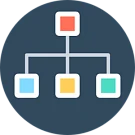
Geo: Company Structure
In companies with numerous departments, locating a specific unit using the standard visual structure can be difficult and time-consuming. The Ikigai Company Structure module adds a new section to the menu under 'Employees - More - Organizational Tree Structure'. It displays the hierarchy of departments as a clear, visual tree to simplify navigation.

Geo: Default Email for Employees
The 'Default Email for Employees' module by Geometriya simplifies email configuration in Bitrix24. After installation, all portal users receive preconfigured email accounts. Employees do not need to configure settings independently or contact administrators; upon first access to the 'Mail' section, they only need to enter their login and password.

Geo: Categories and Search for Lists and Business Processes
The module "Geo: Categories and Search for Lists and Business Processes" is designed for Bitrix24 users actively working with Lists and Business Processes. When the number of these items exceeds 10–20, common issues arise: long names do not fit into cells, there is no search functionality, and no built-in way to categorize them exists. The solution implements three key features.

Geo: Departments in Meetings
In the 'Time and Reports' section on the 'Meetings and Briefings' tab, individual users can be invited, but there is no option to add an entire department at once. When a department has around 10 to 20 employees, manually adding each person consumes significant time. Additionally, with a large number of participants, there is a high risk of accidentally omitting someone from the list.

Geo: My Subordinates
In the standard user profile, a department head sees only their direct subordinates and the employees of their own department. Information about subordinate departments and their staff is not displayed in the card, even though these departments are organizationally subordinate to the higher-level manager.
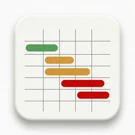
Interland: Resource Occupancy Chessboard
The Resource Occupancy Chessboard module provides a visual matrix for tracking resource availability. Rows correspond to assets (equipment, machinery, premises, rental objects), while columns represent dates. Colored bars display bookings and their statuses, offering an immediate overview of what is occupied and when.

Space Management: Office Map (Layout), Booking, Seating
The Office Management: Map, Booking, Seating module for Bitrix24 provides centralized space management and office load optimization. A unified interface supports booking, seating planning, navigation, and occupancy control. Employees can book spaces independently, while administrators monitor area usage and optimize distribution.
INSIDER - a system for monitoring, controlling, and comprehensively evaluating employee performance
INSIDER is a system for monitoring, controlling, and comprehensively evaluating employee work performance. The software enables tracking of employee actions on computers.

Monitoring BITRIX and B24 (Zabbix, Prometheus, Grafana, Kafka)
The module enables the collection of metrics from 1C-Bitrix and Bitrix24 systems that are unavailable through standard diagnostic and monitoring tools. These data points are critical for users, analysts, and management decision-making. A key feature is support for the open APDEX (Application Performance Index) standard.

INTERVOLGA: Migration to Box
This module is designed for migrating data from the cloud version of Bitrix24 to the on-premise version. Version 0.9.1, released on July 26, 2024, operates stably. It allows exporting system users, tasks, workgroups (projects), and task comments. Detailed installation information is contained in the instructions.

Business Process Scheduler
Business Process Scheduler is a module for automatically launching business process templates in the standard 1C-Bitrix version according to a specified schedule. The solution allows launching business processes without manual user intervention: by time, day of the week, day of the month, or at a specified interval.

Notification Banners
The ITECH 'Notification Banners' module is designed to place prominent informational banners directly within the Bitrix24 interface. It enables the delivery of news, policy changes, deadlines, and maintenance notices to employees without relying on email campaigns or separate chats, eliminating the risk of important messages getting lost in the notification stream.