Module
Geo: Tooltips in List Items and Business Processes
This module is designed for use with Lists and Business Processes in Bitrix24. It enables the addition of custom tooltips to element fields.
Аккаунт в General iT
Войдите или создайте аккаунт для управления услугами в личном кабинете.
Страны не найдены. Попробуйте другое название или код.
MODULE FOR 1C-BITRIX
Geometry
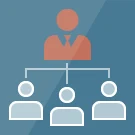
In the standard user profile, a department head sees only their direct subordinates and the employees of their own department. Information about subordinate departments and their staff is not displayed in the card, even though these departments are organizationally subordinate to the higher-level manager.
In the standard user profile, a department head sees only their direct subordinates and the employees of their own department. Information about subordinate departments and their staff is not displayed in the card, even though these departments are organizationally subordinate to the higher-level manager.
This module extends the profile functionality to display the hierarchy below the current level. Users can configure the depth of the display:
1. Select the number of levels to show for subordinate departments.
2. Select the number of levels to show for employees within those departments.
3. Exclude specific departments and their staff from the view. This allows hiding units such as those handling chatbots, open lines, or contractors.
4. Set the display mode to "All," which shows all employees from subordinate departments in the "Subordinate Employees" block.
The module defines the display mode for subordinates in a department head's profile. Three configuration options are available:
The 'Employees' mode displays all staff members of subordinate departments, excluding their managers.
The 'Managers' mode displays only the managers of subordinate departments, excluding their subordinates.
The 'Mixed' mode displays managers of subordinate departments without their subordinates. However, if a department lacks a manager (for example, due to maternity leave), the subordinates are displayed in the profile of the superior department's manager. This ensures accurate hierarchy representation even when a manager is temporarily absent.
Module installation and configuration take no more than three minutes.
When displaying subordinate departments, their nesting structure is automatically shown. Example structure:
- Directorate
-- Document Management Department No. 4
--- Document Management Department No. 41
---- Document Management Sector No. 32
The module disables the standard 'Additional Information' block in the user profile and replaces it with an extended version. The new block displays subordinate employees, subordinate departments, and managers (the manager structure remains unchanged). Departments to which the user belongs are additionally highlighted in bold.
General iT can connect “Geo: My Subordinates”, configure it and verify the integration with the existing website.
UPDATE HISTORY
Module update to version 0.9.10.
The subordinates block is displayed in the Air profile and in the old template: before the "Manager" and "Subordinates" headings, and if these headings are absent, at the beginning of the right column.
Module update to version 0.9.9.
The subordinate block is available only to an authorized user with profile viewing rights and with sessid verification.
Names, positions, and links in the employee card are escaped.
Module update to version 0.9.8.
Installation requires PHP 8.2 or later.
PHP 8.2 warnings when passing null to string functions have been removed.
USER EXPERIENCE
How does this solution work in a real project? Share your experience and help others choose.
There are no reviews of this solution on git.ru yet. Tell us what worked well and what could be improved.
Verified purchaseAdd a key if you wish. A verified review gets a badge, priority placement and more rating weight.
Open to every clientJust sign in to your account. A key is optional; all reviews are moderated.
YOUR PROJECT INFRASTRUCTURE
FROM THE SAME DEVELOPER
Geometry
This module is designed for use with Lists and Business Processes in Bitrix24. It enables the addition of custom tooltips to element fields.

Large organizations often face the challenge of determining who should have the right to create groups and projects to prevent the accumulation of numerous empty or irrelevant sections. It is recommended to grant these rights to department heads.

In the 'Time and Reports' section on the 'Meetings and Briefings' tab, individual users can be invited, but there is no option to add an entire department at once. When a department has around 10 to 20 employees, manually adding each person consumes significant time. Additionally, with a large number of participants, there is a high risk of accidentally omitting someone from the list.
MORE FOR YOUR WEBSITE

The SMSBiz module is designed for sending SMS notifications in online stores and corporate portals built on the Bitrix platform. Installation and usage do not require programming skills. The deployment process takes a few minutes. The solution is built on the SMSInt service, which has been operating in the market for over 19 years.

The module allows you to quickly add a New Year atmosphere to your website. The package includes falling snow effects and interactive Christmas ornaments positioned at the top of the page.
Order statuses, payments, delivery, products, order properties, and abandoned carts are synchronized with the CRM without manual data transfer. The module connects an online store built on the 1C-Bitrix platform with deals in the Bitrix24 CRM system, ensuring two-way real-time data updates.
BEFORE YOU ORDER
