Payments are experiencing issues due to temporary restrictions in Russia. If your payment does not go through, please submit a support request.Our support team is available 24/7 — we are always here to help with hosting and server issues.We are now accepting requests for dedicated server rental and colocation services in our data center.Reminder: we recommend enabling backups for additional data protection.A new VPS/VDS lineup with NVMe storage and improved performance is now available.Maintenance work on some servers has been completed. All services are operating normally.
Interland: Resource Occupancy Chessboard

MODULE FOR 1C-BITRIX

Interland

Interland: Resource Occupancy Chessboard

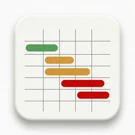
The Resource Occupancy Chessboard module provides a visual matrix for tracking resource availability. Rows correspond to assets (equipment, machinery, premises, rental objects), while columns represent dates. Colored bars display bookings and their statuses, offering an immediate overview of what is occupied and when.

Technical details

Published
13.08.2026
Version
1.2.0
Installed
Less than 50 times
Compatible editions
'First Site', 'Start', 'Standard', 'Small Business', 'Business', 'Corporate Portal', 'Enterprise', 'Online Store + CRM'
Responsiveness
No
Composite Mode Support
No
Compatible with Sites24
No
Developer
Interland

What this solution does

The Resource Occupancy Chessboard module provides a visual matrix for tracking resource availability. Rows correspond to assets (equipment, machinery, premises, rental objects), while columns represent dates. Colored bars display bookings and their statuses, offering an immediate overview of what is occupied and when.

Key features include a horizontal timeline with highlighting for weekends and the current day, alongside a fixed resource column. Editing is performed directly within the grid: clicking an existing booking opens an edit form, while selecting empty cells with the mouse creates a new booking. Updates are applied instantly without page reloads.

Two display modes are available: compact and detailed, with the latter showing tenant details and amounts within the bars. The system supports customizable statuses with specific colors (default: Free, Booked, On Rent, Maintenance) and resource grouping. Capacity management allows configuring the maximum number of simultaneous bookings per resource; exceeding this limit triggers a warning or blocks the action.

An administrative panel manages resources, groups, and statuses. A public component is available for embedding on websites, enabling occupancy viewing, period navigation, and caching with automatic invalidation upon booking changes.

Interland: Resource Occupancy Scheduler

A solution for managing bookings of equipment, machinery, and premises. Designed for daily rental scenarios, capacity planning, and checking availability by date.

The module is built on the D7 core (Bitrix\Main\ORM) and utilizes its own database tables. It is self-contained and installs out of the box without requiring prior InfoBlock configuration. The interface supports Russian and English localization.

General iT can install and configure this module and check how it works on your website.
USER EXPERIENCE

Solution reviews

How does this solution work in a real project? Share your experience and help others choose.

Be the first to share your experience

There are no reviews of this solution on git.ru yet. Tell us what worked well and what could be improved.

Verified purchaseAdd a key if you wish. A verified review gets a badge, priority placement and more rating weight.

Open to every clientJust sign in to your account. A key is optional; all reviews are moderated.

YOUR EXPERIENCE MATTERS

Your review

YOUR PROJECT INFRASTRUCTURE

A home for your website

BEFORE YOU ORDER

Let’s go through the details.

Is installation free?
The solution itself is free. Installation, configuration and customisation services are agreed separately. A compatible platform and an appropriate platform licence are required.
How do I check compatibility?
Compare the supported editions and solution version in the technical details with your project. Before installing on a live website, we recommend making a backup and checking the solution in a test environment.
Can you help with implementation?
We can help install the module, check its settings and verify how it works in your project. Compatibility with other customisations and the scope of work are assessed before we begin.

GENERAL iT

Let’s discuss your project

Получатель: ООО «Дженерал Ай Ти Рус»

1C-BITRIX

Install solution

Enter a domain with or without https://. The installer will open in your website control panel in a new tab.

Solution screenshots

Solution screenshot