
Search in chats (personal, group, open lines, collabs, tasks)
This module is designed for Bitrix24 users and administrators (cloud and on-premise versions) who need to locate specific messages across numerous chats, including personal, group, open lines, channels, and task chats. It is particularly valuable for companies with high internal communication volume where the built-in message search is missing or limited.

Email Preview in Mail
The 'Email Preview in Mail' module extends the functionality of the built-in 'Mail' application in Bitrix24 (cloud and on-premise versions). It is designed for employees who process large volumes of correspondence daily. The standard interface displays only the subject and sender, forcing users to open each message to read its content.

Delete messages from the Bitrix24 general chat
The module allows administrators and authorized employees to delete messages in the Bitrix24 general chat. A 'Delete' button appears in the chat interface, removing the message from the history for all users. The functionality operates within the 'General Chat' and 'Messages' sections.

Allow independent exit from observers in Bitrix24
The module allows employees to leave the observers list independently, even without rights to edit the entity item. A leave button appears on the object card if the current user lacks edit rights for that item. Clicking the button removes the employee from the observers list and refreshes the page data.

Hide task parameters
In the updated Bitrix24 interface, the task parameters panel has a fixed width. On screens with low resolution, such as laptops, it occupies nearly half of the workspace, significantly reducing the area available for communication, which is displayed as a chat. Often, task parameters do not require constant visual monitoring, yet they consume valuable screen space.
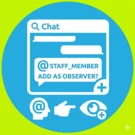
Adding an Observer to a task by tagging an employee in a comment
The module allows adding an Observer to a task by mentioning an employee in the task chat. This feature is available only in the updated Bitrix24 interface version.
Lead automation in Bitrix24 from website forms on 1C-Bitrix
The module provides integration between web forms on a 1C-Bitrix site and the Bitrix24 CRM system via webhook. It enables automatic data transfer from forms to CRM, allows detailed field mapping configuration, duplicate lead detection, and preservation of marketing information.
Sending email via external SMTP for 1C-Bitrix24
Sending mail via external SMTP for 1C-Bitrix24 This module resolves issues with email delivery and spam filtering when using the boxed version of "Bitrix24: Corporate Portal" with external email services. The standard sending mechanism often spoofs the sender address, which triggers security policies of email providers.
LeadSpace: Integration of orders from the 1C-Bitrix website into Bitrix24 CRM
The module provides two-way real-time synchronization of orders, sales pipelines, and statuses between an online store built on 1C-Bitrix and the Bitrix24 CRM system. Customer and deal data are consolidated in a single interface, eliminating data loss, duplicate records, and manual entry. The application automatically transfers order details from the online store to the CRM.
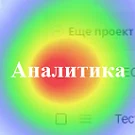
Website Click Analytics
The Website Click Analytics module is designed to evaluate interface usability, identify the most active elements, and detect areas that users mistakenly perceive as links. Click activity is visualized on a heatmap using a color gradient that reflects interaction frequency. The tool collects data on user clicks, page transition counts, and time spent on the site.
Feature Blocking
Functionality Blocking Module This tool allows restricting access to specific features of standard system modules. Currently, it supports disabling the display of comments in the feed of deal, lead, and smart process cards within the CRM module, as well as in the task list of the Tasks and Projects module. The feature operates based on the settings of the respective modules.
Boss Mode
The Boss Mode module enables users from selected groups to temporarily access resources of other groups' portals. Activation occurs via the employee's personal menu, after which the user is automatically added to the target groups for a specified duration. This fully automates the access granting process, saving portal administrators time on manual permission management.

Adding an observer from a comment (CRM)
The module automatically adds users mentioned in comments to the observers of a smart process instance. This eliminates the need to manually invite these individuals to the task discussion. Mentioned users continue to appear in the card's comment feed.

Refresh deal page (activity)
Sales departments often follow the HUNTER->FARMER model: deals move through one pipeline during the prospecting phase and through another during the sales negotiation phase. Changing the deal direction becomes necessary when a need is identified or a technical specification is received from the client.
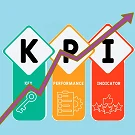
Stimuli
The Stimuli module is designed to motivate employees to achieve Key Performance Indicators (KPI). KPI is a quantitatively measurable indicator reflecting actual results of activities and progress toward specific goals. Effective planning and analysis of company operations require using indicators derived from business system requirements.
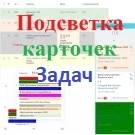
Task card highlighting
The module provides color highlighting for task cards across all available views: list, deadlines, my plan, calendar, and Gantt chart. To enable this functionality, a color code must be specified in the task field. The input method depends on the field type selected in the module settings for storing color codes.

Sending messages to Telegram
The solution allows sending messages generated in a business process to a Telegram user via a bot. It serves as an alternative notification channel, enabling instant delivery of messages regarding changes to leads, deals, and smart processes. The 'Telegram Message' activity is located in the 'Notifications' block of the business process generator.

Sending messages to Viber
The module enables automatic sending of messages generated by a business process robot to Viber users. It serves as an alternative notification channel, allowing instant alerts about changes to leads, deals, and smart processes.

Linker
Linker is a module for the on-premise version of Bitrix24, implemented as a chat bot. The tool converts long URLs pointing to internal CRM resources into compact and user-friendly links. This simplifies handling documents, reports, and files, making them easy to share with clients and colleagues.

Auto-task by template for new employees (Adaptation)
The module automatically generates tasks based on a predefined template when new employees are registered. The standard onboarding set may include reading company rules and history, reviewing the staffing schedule, and completing training on the corporate portal. The script monitors the event of a new user creation and generates the required tasks for them.

Business Process "Time Off"
The 'Time Off' business process enables users to submit requests for various types of workplace absence, including personal days, business trips, remote work, sick leave, and others. Users specify the start and end dates of the absence. Each request is approved by the employee's direct supervisor and subsequently by higher-level management.

Business Process "Dismissal"
The module regulates the procedure for employee dismissal. Upon launching the business process, the system automatically generates notifications. If HR department involvement is required, a task is created to prepare dismissal documents or revoke access to the company's information resources.

Office Map
The 'Office Map' module by MC Art transforms static floor plans into an interactive system for workspace management. The solution enables efficient employee placement, navigation, and space utilization analysis within a single building or a distributed network of offices. Functional capabilities: - Floor plan upload: support for plans of various formats and scales.

Comment Control
The module allows restricting comment deletion in tasks and feed messages for specific workgroups to preserve a complete history of discussions and actions. Configure this in the portal administration section: Settings — Comment Restriction. Create a new restriction profile by clicking 'Create'.