Module
CRM Card Highlighting
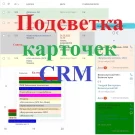
The module enables color highlighting of CRM entity cards — leads, contacts, deals, companies, and smart processes — across all available views: list, pipelines (Kanban), tasks, and calendar.
15,000 ₽
↗Аккаунт в General iT
Войдите или создайте аккаунт для управления услугами в панели.
Страны не найдены. Попробуйте другое название или код.

MODULE FOR 1C-BITRIX
lion
Sales departments often follow the HUNTER->FARMER model: deals move through one pipeline during the prospecting phase and through another during the sales negotiation phase. Changing the deal direction becomes necessary when a need is identified or a technical specification is received from the client.
Sales departments often follow the HUNTER->FARMER model: deals move through one pipeline during the prospecting phase and through another during the sales negotiation phase. Changing the deal direction becomes necessary when a need is identified or a technical specification is received from the client. After this change, a colleague with relevant expertise may take over the deal, or the current manager continues working on it but requires different business processes available in the new pipeline.
Bitrix24 allows changing the deal direction, but standard activities do not include an action that automatically refreshes the deal page upon such a change. The "Refresh Deal Page" module addresses this issue. When combined with properly configured robots, it ensures the necessary page reload.
The video tutorial demonstrates an example of using the "Refresh Deal Page" action. The portal is configured with three business processes:
The module manages tasks and deal transfers between the 'Database Warm-up' and 'Equipment Sales' deal directions. Tasks are generated for each stage of the 'Database Warm-up' direction. On the final stage, the user uploads files containing identified needs, specifies the expected delivery date for equipment or services, and clicks the 'Submit' button in the task card. In the 'Equipment Sales' direction, tasks are created for every deal stage.
The deal transfer functionality includes two actions: 'Update Deal Page' and 'Modify Document'. The 'Modify Document' action contains two fields: 'Deal Stage' (where the target stage from the 'Equipment Sales' direction is selected for transferring the deal from 'Database Warm-up') and a custom field of type 'Yes/No'. If the value is 'Yes', a robot starts to create a task on the new stage.
Two robots operate within deals. The first robot triggers automatically when a deal enters the first stage of the 'Equipment Sales' direction and initiates the 'Deal Transfer' business process.
2. The robot checks the value of the custom field 'Start robot?'. If the value is 'Yes' and the deal moves to the second stage of the 'Equipment Sales' direction, a business process is launched to create a task for the current deal stage.
Attention! This action is intended solely for updating the deal page when the sales funnel direction changes. It will not function with other entity types.
General iT can install “Refresh deal page (activity)”, configure its settings and verify its operation in the existing project.
USER EXPERIENCE
How does this solution work in a real project? Share your experience and help others choose.
There are no reviews of this solution on git.ru yet. Tell us what worked well and what could be improved.
Verified purchaseAdd a key if you wish. A verified review gets a badge, priority placement and more rating weight.
Open to every clientJust sign in to your account. A key is optional; all reviews are moderated.
YOUR PROJECT INFRASTRUCTURE
FROM THE SAME DEVELOPER
lion
The module enables color highlighting of CRM entity cards — leads, contacts, deals, companies, and smart processes — across all available views: list, pipelines (Kanban), tasks, and calendar.

The module enables automatic sending of messages generated by a business process robot to Viber users. It serves as an alternative notification channel, allowing instant alerts about changes to leads, deals, and smart processes.

The solution allows sending messages generated in a business process to a Telegram user via a bot. It serves as an alternative notification channel, enabling instant delivery of messages regarding changes to leads, deals, and smart processes. The 'Telegram Message' activity is located in the 'Notifications' block of the business process generator.
MORE FOR YOUR WEBSITE

The SMSBiz module is designed for sending SMS notifications in online stores and corporate portals built on the Bitrix platform. Installation and usage do not require programming skills. The deployment process takes a few minutes. The solution is built on the SMSInt service, which has been operating in the market for over 19 years.

The module allows you to quickly add a New Year atmosphere to your website. The package includes falling snow effects and interactive Christmas ornaments positioned at the top of the page.
Order statuses, payments, delivery, products, order properties, and abandoned carts are synchronized with the CRM without manual data transfer. The module connects an online store built on the 1C-Bitrix platform with deals in the Bitrix24 CRM system, ensuring two-way real-time data updates.
BEFORE YOU ORDER
