Module
CRM Card Highlighting
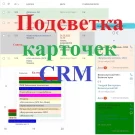
The module enables color highlighting of CRM entity cards — leads, contacts, deals, companies, and smart processes — across all available views: list, pipelines (Kanban), tasks, and calendar.
15,000 ₽
↗Аккаунт в General iT
Войдите или создайте аккаунт для управления услугами в личном кабинете.
Страны не найдены. Попробуйте другое название или код.
MODULE FOR 1C-BITRIX
lion
The module provides color highlighting for task cards across all available views: list, deadlines, my plan, calendar, and Gantt chart. To enable this functionality, a color code must be specified in the task field. The input method depends on the field type selected in the module settings for storing color codes.
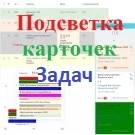
The module provides color highlighting for task cards across all available views: list, deadlines, my plan, calendar, and Gantt chart.
To enable this functionality, a color code must be specified in the task field. The input method depends on the field type selected in the module settings for storing color codes.
If the field type is set to 'String', highlighting applies only to tasks where the specified field contains a valid color code. Accepted values include HEX format or standard color names (e.g., yellow, green, cyan, lightsalmon).
If the field type is set to 'List', highlighting works for tasks where a specific list item is selected, and a color code value has been assigned to that item in the module settings.
Highlighting can be active for only one field type at a time.
When needed, General iT can implement “Task card highlighting”, configure the module and verify it against the current website setup.
UPDATE HISTORY
Updates have been made related to changes in the DOM elements of the "Tasks and Projects" section page. The ability to highlight task cards has been added for all pages in the "List" view.
Technical update.
Technical update.
Technical update.
Technical update.
USER EXPERIENCE
How does this solution work in a real project? Share your experience and help others choose.
There are no reviews of this solution on git.ru yet. Tell us what worked well and what could be improved.
Verified purchaseAdd a key if you wish. A verified review gets a badge, priority placement and more rating weight.
Open to every clientJust sign in to your account. A key is optional; all reviews are moderated.
YOUR PROJECT INFRASTRUCTURE
FROM THE SAME DEVELOPER
lion
The module enables color highlighting of CRM entity cards — leads, contacts, deals, companies, and smart processes — across all available views: list, pipelines (Kanban), tasks, and calendar.

The module enables automatic sending of messages generated by a business process robot to Viber users. It serves as an alternative notification channel, allowing instant alerts about changes to leads, deals, and smart processes.

The solution allows sending messages generated in a business process to a Telegram user via a bot. It serves as an alternative notification channel, enabling instant delivery of messages regarding changes to leads, deals, and smart processes. The 'Telegram Message' activity is located in the 'Notifications' block of the business process generator.
MORE FOR YOUR WEBSITE

The SMSBiz module is designed for sending SMS notifications in online stores and corporate portals built on the Bitrix platform. Installation and usage do not require programming skills. The deployment process takes a few minutes. The solution is built on the SMSInt service, which has been operating in the market for over 19 years.

The module allows you to quickly add a New Year atmosphere to your website. The package includes falling snow effects and interactive Christmas ornaments positioned at the top of the page.
Order statuses, payments, delivery, products, order properties, and abandoned carts are synchronized with the CRM without manual data transfer. The module connects an online store built on the 1C-Bitrix platform with deals in the Bitrix24 CRM system, ensuring two-way real-time data updates.
BEFORE YOU ORDER
