
Geo: Tooltips in List Items and Business Processes
This module is designed for use with Lists and Business Processes in Bitrix24. It enables the addition of custom tooltips to element fields.

Selection from list (activity)
The 'List Selection (Activity)' module is designed for use in business processes. When this activity is added to a process flow, the user who initiated the process can select multiple items from a list at the corresponding stage. The list is populated from data in an information block, the configuration of which is specified in the activity settings.

Retrieving details from the Dadata service
This module retrieves organization details by TIN via the Dadata service. The activity operates exclusively within the Business Process Designer environment and requires the corresponding platform module. The tool accepts a TIN entered manually or passed from a variable as input and returns organization data from the service.

Document Generator Pro
The 'Document Generator Pro' module automates file creation based on user-defined templates. The tool generates .docx files by inserting text, tables, and images into predefined fields. To begin, prepare a template document in .docx format. Define variable names within this template that will be replaced with actual data during generation.

Processes in CRM Cards
The module displays business process tasks directly within new CRM cards. Supported action types include requesting additional information, review, and approval. When a business process or robot awaits employee confirmation or new data, the notification appears within the card interface. Users can complete tasks without navigating to separate pages or opening new windows.

Connection to the dadata.ru service
This module integrates the Bitrix24 corporate portal with the dadata.ru service. It is designed to automatically validate and standardize address data entered by employees, reducing errors and typos while saving time. The DADATA activity is built for the Business Process Designer.

Business Process "Adding a New Employee to the Portal"
The 'Add new employee to portal' module automates the registration of new company users. After installation, a ready-made business process appears on the portal. Configure access rights in the process template and launch it by clicking 'New BP'. In the window that opens, fill in the required fields: full name, email, mobile phone, and job title.

Popup Activity
The module adds an activity to the business process editor for requesting additional information. When a task arrives, a popup window appears on top of all other windows, regardless of which Bitrix24 section you are in. If you were not active in the system when the task was created, the window opens immediately upon login.
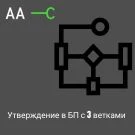
aac.approveactivitythree – triple approval
The module extends the standard capabilities of Bitrix24 business processes by introducing a three-branch routing tool for documents and tasks. The 'Triple Document Approval' activity features three customizable buttons with distinct response options, such as 'Approve', 'Reject', or 'Send for Revision'.

AWZ: Search by Business Process (BP) Templates
The module extends the standard bizproc functionality to enable advanced searching across business processes. Search capabilities cover business process actions, template names, action names (including modified ones), any process parameters (variables, values, constants, etc.), modules (lists, crm), and CRM entity types.

Business Processes Module Extension
This module extends standard business process execution capabilities. It enables searching for process templates by activity type, parameters, constants, and variables, including global ones. The module also provides tools for building analytics based on process execution history. Key features include: Configuring which business processes appear in CRM cards based on specific field values.

Business Process Start Agent Generator
The module enables the creation of agents to automatically trigger business processes on a schedule or by event. Agents function as periodic tasks linked to various system entities.

Dependent fields in business process tasks
The module enables configuration of field display conditions during the execution of business process tasks. It is compatible with standard activities: 'Request Additional Information' and 'Request Additional Information (with Rejection)'.

Bestrank AI Connector. Business Solutions
The Bestrank AI Connector module enables integration with AI models through business process activities. The portal's administrative section provides three configuration blocks. Model profiles allow working with various models and detailed configuration of each profile. Prompts define integration scenarios, ensuring flexibility and variability.

Update CRM card from business processes
The module adds an activity to send a request to the Push and Pull component. This enables background updates of detailed CRM object cards open to the user.

Activity: Request Document Fields
The module contains the 'Request Document Fields' activity. It creates a task to populate selected fields of an entity item, which may be a CRM object, a list, or a business process.

Automatic search and attachment of a contact to a lead (Activity)
Module for automatic search and attachment of a contact to a lead in Bitrix24. The tool links leads and contacts based on the phone number, eliminating the need for manual search. This improves data accuracy in the CRM and reduces time spent on administrative tasks.

Document Approval Business Process
The 'Document Approval Business Process' module (bg.bpapproval) by Background automates document routing. The approval process involves: a manager (initiator), designated participants, a lawyer, a signatory, and a secretary. The manager creates the process by filling out the item card (document name, approval reason, participant list, file) and starts the procedure using the 'Save' button.

Activity. Update fields in any CRM entity
An action for the Business Process Designer that enables updating fields in any CRM entity. It allows modifying fields of one entity directly from a business process triggered on a different entity. When developing complex business processes, users often encounter limitations of the standard functionality.

Smart Scenarios for Lists
The module enables running business processes simultaneously for multiple items in a universal list. It supports processes created in the Live Feed as well as processes associated with universal lists.

PUSK: Activity — Search for Files in a Task
The PUSK: Activity - Search Files in Task module is designed to automatically search for identifiers of all files associated with a task. The component covers files specified in the task body (description) as well as files attached to comments. This is an additional block for configuring business processes in CRM.

PUSK: Activity — Tasks related to the entity
The 'PUSK: Activities — Tasks Related to Entity' module is designed to search for all tasks, including completed ones, linked to a selected entity in CRM. The component supports searching by the following entity types: lead, deal, contact, company, invoice, and smart process.
Document signing action using electronic digital signature
The module adds a custom 'Electronic Signature' action to the Business Process editor. This action allows signing documents stored on Bitrix.Disk using either an attached or detached electronic digital signature (EDS). Supported signature types include NDS, KDS, and UKDS. System requirements: 1.

Electronic Signature Document Signing
The module enables signing documents with a qualified electronic signature (QES/UQES) directly within the on-premise version of Bitrix24. Cloud versions of the platform are not supported. Signed files are generated with a visual stamp in PDF format and retain full legal validity under Federal Law No. 63-FZ 'On Electronic Signatures'.