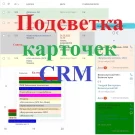
CRM Card Highlighting
The module enables color highlighting of CRM entity cards — leads, contacts, deals, companies, and smart processes — across all available views: list, pipelines (Kanban), tasks, and calendar.
Feature Blocking
Functionality Blocking Module This tool allows restricting access to specific features of standard system modules. Currently, it supports disabling the display of comments in the feed of deal, lead, and smart process cards within the CRM module, as well as in the task list of the Tasks and Projects module. The feature operates based on the settings of the respective modules.

Boss Mode
The Boss Mode module enables users from selected groups to temporarily access resources of other groups' portals. Activation occurs via the employee's personal menu, after which the user is automatically added to the target groups for a specified duration. This fully automates the access granting process, saving portal administrators time on manual permission management.
Auto-suggestions
The Hints module enables the display of interactive hints across all website pages. It demonstrates interface capabilities with automatic focus on elements and provides explanations for using specific tools. Hints are implemented as dialog windows containing a title, description, and control buttons.

Adding an observer from a comment (CRM)
The module automatically adds users mentioned in comments to the observers of a smart process instance. This eliminates the need to manually invite these individuals to the task discussion. Mentioned users continue to appear in the card's comment feed.
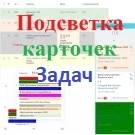
Task card highlighting
The module provides color highlighting for task cards across all available views: list, deadlines, my plan, calendar, and Gantt chart. To enable this functionality, a color code must be specified in the task field. The input method depends on the field type selected in the module settings for storing color codes.

Sending messages to Telegram
The solution allows sending messages generated in a business process to a Telegram user via a bot. It serves as an alternative notification channel, enabling instant delivery of messages regarding changes to leads, deals, and smart processes. The 'Telegram Message' activity is located in the 'Notifications' block of the business process generator.

Sending messages to Viber
The module enables automatic sending of messages generated by a business process robot to Viber users. It serves as an alternative notification channel, allowing instant alerts about changes to leads, deals, and smart processes.