Backup to Dropbox Cloud
Dropbox Cloud Backup Module for 1C-Bitrix The module enables automatic transfer of backup archives created by standard 1C-Bitrix tools to the Dropbox cloud storage. This solution ensures reliable off-site storage of website backups without manual intervention. How it works 1. Backup creation The process is performed via the standard script /bitrix/modules/main/tools/backup.php.

Backup to Edge Center
Backup module for Edge Cloud Center for 1C-Bitrix This module enables the automatic transfer of backups created by standard 1C-Bitrix tools to the Edge Cloud Center storage. It provides a reliable solution for website backup without requiring manual intervention. How it works 1. Backup creation The backup process is handled by the standard script /bitrix/modules/main/tools/backup.php.
Backup to Cloud Mail
Backup Module for Mail Cloud for 1C-Bitrix The module enables automatic uploading of backups created by standard 1C-Bitrix tools to the Mail Cloud storage. This solution ensures reliable website backup without the need for manual intervention. How it works 1. Backup Creation The process is executed via the standard script /bitrix/modules/main/tools/backup.php.
Backup to Reg. Cloud
Backup module for Reg Cloud for 1C-Bitrix This module enables the automatic transfer of backup archives created by standard 1C-Bitrix tools to the Reg Cloud storage. It provides a reliable solution for website backup without requiring manual intervention. How it works Backup creation is performed via the standard script /bitrix/modules/main/tools/backup.php.

Backup to Cloud Ru
Backup Module for Cloud Ru for 1C-Bitrix The module enables automatic transfer of 1C-Bitrix site backups to the Cloud Ru cloud storage. The solution leverages standard platform tools, eliminating the need for manual backup management. The backup process is initiated via the system script /bitrix/modules/main/tools/backup.php.
Backup to Selectel Cloud
Backup Module for Selectel Cloud for 1C-Bitrix The module enables automatic transfer of backups created by standard 1C-Bitrix tools to the Selectel cloud storage. This solution ensures reliable site backup without the need for manual intervention. The backup process is executed via the standard script /bitrix/modules/main/tools/backup.php.

Backup to VK Cloud
VK Cloud Backup Module for 1C-Bitrix The module provides automatic offloading of site backups created by standard 1C-Bitrix tools to the VK Cloud storage. This solution ensures reliable site backup without the need for manual intervention. How it works Backup is performed via the standard script /bitrix/modules/main/tools/backup.php.
Copy of Information Block Properties
The module enables copying infoblock properties from one source to another directly within the administration panel, eliminating the need to manually recreate each property. When managing numerous infoblocks, there is often a requirement to duplicate identical properties. Manual entry is time-consuming and prone to errors. This tool resolves the issue in just a few steps.

Yandex Disk - Backup
Yandex Disk Backup Module for 1C-Bitrix This tool automates the transfer of backups created by standard 1C-Bitrix utilities to the Yandex Disk cloud storage. The solution eliminates the need for manual file management and enhances the reliability of website data storage. How it works Backup creation is triggered by the standard script /bitrix/modules/main/tools/backup.php.

PrimeLabs | YandexDiskSync - File synchronization with Yandex Disk
The module synchronizes a folder on the website with a folder in the Yandex Disk cloud storage. File updates are based on the last modification date: if a file is missing on the website, it is downloaded from the disk. Synchronization extends to nested folders and subfolders. The module supports working with folders from shared drives.

Import and export of information blocks
The module is designed for managing information blocks. It enables creating copies of information blocks with a new name and symbolic code, as well as transferring them between sites via JSON files. The tool is suitable for quickly cloning structures for testing, development, or backup purposes.

Doctor Cards in Yandex — YML Feed for Clinics
The 'Yandex DOCTORS' module for 1C-Bitrix automatically generates a YML feed compliant with current Yandex requirements to display expanded specialist cards in search results. The solution collects data on doctors, clinics, services, and reviews directly from the site database and submits it to Yandex.Webmaster.

Webjack — integration with information blocks, web forms, and email events
The module enables integration between a 1C-Bitrix website and the Webjack service for automatic event transmission. Supported event types include sending new emails, adding infoblock elements, submitting web forms, and creating new orders. Processing can be configured as a single unified stream for all events or separately for each event type.
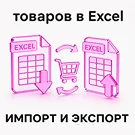
SCode: Import and export of products to Excel
The SCode module is designed for bulk export and import of 1C-Bitrix catalog products in XLSX and CSV formats. It is optimized for online stores where price lists are edited in spreadsheet applications, enabling rapid catalog updates without manual data entry in the admin panel.

ARAMA: Integration with Bitrix24, Avito, portals, and marketplaces via API. Query Builder
The module enables data transfer to Bitrix24 via webhooks. The following object types are supported: Orders. Main fields, properties, and cart contents are transmitted. Infoblock elements. Main fields and properties are transmitted. If the infoblock contains trade catalog fields, prices are also transmitted.

Sotbit: REST API
The 'Sotbit: REST API' module enables data retrieval and transmission from the server via API. It supports operations on order information, user data, and technical support messages. The module's architecture allows for the creation of custom API interfaces without conflicts with the core functionality.

WRP: Backup Storage
The module enables the upload of standard 1C-Bitrix backup archives to FTP and FTPS servers. These backups are created by the system's native mechanism and stored in the /bitrix/backup directory. The solution automatically detects new archives, selects them according to configured retention rules, and transfers them to a remote server.

Export to Ozon XML / YML with smart price and tax calculation
A module for automatic generation of YML and XML feeds for Ozon, Yandex Market, and other marketplaces. The tool ensures accurate price calculation accounting for marketplace commissions and tax obligations, protecting business profitability. Features include automatic formation of the price triad (current, old, and minimum price) with flexible rounding rules to the ruble, tens, or hundreds.
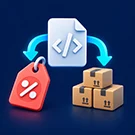
WBStudio: Update OZON (Ozon) prices and stock via feed
The module generates a YML feed to regularly update prices and stock levels for existing product cards in OZON. The solution integrates into the standard export mechanism of the 1C-Bitrix trading catalog. After installation, a new profile type named 'OZON: Prices and Stock via Feed' becomes available, which can be triggered manually, via agents, or by cron schedule.

BUSSOL DataBridge: catalog import, export, and automation
BUSSOL DataBridge is a unified center for importing, exporting, and automating data for 1C-Bitrix. The module replaces manual Excel file processing, scattered scripts, and routine integrations with managed exchange profiles. It handles products and SKUs, prices and warehouses, sections and SEO, Highload blocks, discounts, sets, and bundles.

Saving and restoring changes (versions) of elements, information blocks, and website pages (files)
The module ensures content safety during editing by preventing data loss due to system failures. It automatically saves versions of information block elements with every change, allowing content managers to restore previous states with a single click. The functionality also covers files, preserving their versions when edited via the administrator panel.

Import from Excel: products, prices, stock levels, and images
The WebEnot Import from Excel module transfers working catalogs from XLSX, XLS, ODS, and CSV files into 1C-Bitrix information blocks. Before writing data, the module displays the workbook structure, allowing the user to select a specific sheet and header row, verify column mapping, and perform a test check without modifying the database.

iPromo: Integration with Yandex Market API
The Yandex Market Integration module synchronizes the product catalog of an online store on the 1C-Bitrix platform with the Yandex Market trading platform. The solution automatically exports products, prices, stock levels, and specifications, while also processing orders received from the market.

iPromo: Catalog Export to Bitrix24
The module provides automatic synchronization of products and catalog sections from 1C-Bitrix to the Bitrix24 CRM. The solution ensures reliable transfer of product nomenclature, prices, stock levels, and images between the online store and the Bitrix24 CRM. It is ideal for organizations using Bitrix24 for sales that require the catalog to remain up-to-date within the CRM.