Payments are experiencing issues due to temporary restrictions in Russia. If your payment does not go through, please submit a support request.•Our support team is available 24/7 — we are always here to help with hosting and server issues.•We are now accepting requests for dedicated server rental and colocation services in our data center.•Reminder: we recommend enabling backups for additional data protection.•A new VPS/VDS lineup with NVMe storage and improved performance is now available.•Maintenance work on some servers has been completed. All services are operating normally.•
Payments are experiencing issues due to temporary restrictions in Russia. If your payment does not go through, please submit a support request.•Our support team is available 24/7 — we are always here to help with hosting and server issues.•We are now accepting requests for dedicated server rental and colocation services in our data center.•Reminder: we recommend enabling backups for additional data protection.•A new VPS/VDS lineup with NVMe storage and improved performance is now available.•Maintenance work on some servers has been completed. All services are operating normally.•
Аккаунт в General iT
Вход / Регистрация
Войдите или создайте аккаунт для управления услугами в личном кабинете.
Страны не найдены. Попробуйте другое название или код.
MODULE FOR 1C-BITRIX
Itees
Zabotix Chatbot Builder Box Edition. Edition with Integrated Editor
This edition of the Zabotix chatbot builder for the boxed version is designed for operation within a closed environment. All module components, including the editor, are installed on your server and do not require connection to external developer servers. The tool enables automation of customer service in Bitrix24 and allows creating chatbots for open lines without programming.
This edition of the Zabotix chatbot builder for the boxed version is designed for operation within a closed environment. All module components, including the editor, are installed on your server and do not require connection to external developer servers. The tool enables automation of customer service in Bitrix24 and allows creating chatbots for open lines without programming. It is suitable for sales, marketing, customer support, and other business processes. The functionality allows delegating routine tasks to the bot.
Zabotix Chatbot Builder (boxed version) with an integrated editor by Itees automates sales and customer support processes. The tool qualifies potential clients, collects data through personalized dialogues, and generates recommendations based on the gathered information. Data is automatically stored in Bitrix24 CRM, supporting flexible segmentation and further automation. The system moves deals and leads between stages, leveraging Bitrix24 capabilities for scheduling calls and meetings, as well as sending emails and messages. The chatbot replaces standard low-conversion web forms with engaging dialogues, increasing sales department efficiency without expanding the staff. Routine operations are delegated to the bot, freeing up employee time for productive client interaction. The solution optimizes service processes and accelerates response times to customer inquiries.
Zabotix Chatbot Builder (boxed version) with an integrated editor by Itees. The solution provides 24/7 customer support without breaks or downtime. The bot handles multiple conversations simultaneously without waiting for previous dialogues to finish, accelerating response times and increasing support team productivity. Automating routine inquiries frees up staff time for complex and non-standard tasks.
Integration with messengers is achieved via Bitrix24 open lines or external modules, ensuring compatibility with any platform. To utilize specific messenger features not supported by standard Bitrix24 tools, a chatbot token can be specified in the connection settings. This unlocks extended capabilities, such as custom keyboards in Telegram. The system also supports automating communications based on deal or lead stages.
Zabotix Chatbot Builder (boxed version, edition with integrated editor) by Itees. This module leverages Bitrix24 bots to automate individual dialogues with clients in messengers when a deal or lead reaches a specific stage. For instance, the chatbot can send detailed purchase information immediately after payment is received or collect additional data required for order processing or event registration. Dialogues can be initiated at any point following the client's first contact. The tool enables flexible configuration of service processes to enhance customer support quality.
When needed, General iT can implement “Zabotix Chatbot Builder Box Edition. Edition with Integrated Editor”, configure the module and verify it against the current website setup.
UPDATE HISTORY
What’s new
7 releases
2.0.28 (12.10.2026)Latest update
Added a setting for trusted addresses for requests to external APIs with support for domain names, IP addresses, ports, and CIDR subnets.
Added a setting for the background execution user with automatic fallback selection of an active administrator.
Fixed opening the full response of an external API from the testing interface and improved error output for requests.
2.0.27 (25.09.2026)
Improved module security and stability.
Added compatibility with PHP 8.2.
Fixed detected errors.
2.0.26 (18.03.2026)
Fixed an issue with unstable triggering of silence triggers.
Fixed an issue with launching the initial node in a new dialog.
2.0.25 (26.02.2026)
Fixed an issue with loading reference data in the editor.
Fixed an issue with checking the uniqueness of a group name.
Fixed an issue with triggering silence triggers.
Fixed an issue with attaching the chat to the feed of a CRM entity.
Fixed an issue with excessive truncation of text in VKontakte buttons.
Fixed an issue with matching the response from buttons with truncated text to answer options.
2.0.24 (02.02.2026)
Improved the stability of displaying bot messages in the chat.
2.0.23 (30.01.2026)
Fixed an issue with the bot ignoring the /start command.
Fixed an issue with the bot reacting twice when launched in Telegram via the /start command.
Fixed an issue with the incorrect order of sending messages in the chat.
Improved the bot's response speed when the "Prohibit direct calls to PHP in bot actions" parameter is disabled.
Fixed an issue with the naming of a file received via a link from VKontakte.
Added support for buttons and image sending in the MAX connector.
Added a system variable "Connector Code".
Fixed an issue with loading certain data in the chat-bot editor.
2.0.22 (16.09.2026)
Fixed an issue with employee access to the chat-bot settings component.
Fixed an issue with the availability of certain chat-bot actions in the editor.
Fixed an issue with opening the import of API settings.
Fixed an issue with displaying error text in the log.
USER EXPERIENCE
Solution reviews
How does this solution work in a real project? Share your experience and help others choose.
Be the first to share your experience
There are no reviews of this solution on git.ru yet. Tell us what worked well and what could be improved.
✓
Verified purchaseAdd a key if you wish. A verified review gets a badge, priority placement and more rating weight.
↗
Open to every clientJust sign in to your account. A key is optional; all reviews are moderated.
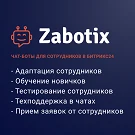
Chatbot builder for internal Bitrix24 chats. The solution enables automated employee notifications, internal request registration, and the management of training, testing, and onboarding processes directly within the messenger interface.
Bot capabilities:
- Employee training and testing.
- New hire onboarding.
The SMS.RU integration module sends SMS messages from the website triggered by events: order creation, payment, cancellation, status change, shipment, and user registration (including password delivery).
The module API allows modifying data before sending the message.
This module is available in the catalog for independent use without guarantees of its functionality.
The SaleScript Pro module automates scripted calls within a self-hosted Bitrix24 environment. The script text is displayed to the operator directly within the Bitrix24 call window, with the option to work with it in a separate window.
CRM Integration
Data can be pulled from Bitrix24 into the script text.
The SMSBiz module is designed for sending SMS notifications in online stores and corporate portals built on the Bitrix platform. Installation and usage do not require programming skills. The deployment process takes a few minutes.
The solution is built on the SMSInt service, which has been operating in the market for over 19 years.
The module allows you to quickly add a New Year atmosphere to your website. The package includes falling snow effects and interactive Christmas ornaments positioned at the top of the page.
Order statuses, payments, delivery, products, order properties, and abandoned carts are synchronized with the CRM without manual data transfer. The module connects an online store built on the 1C-Bitrix platform with deals in the Bitrix24 CRM system, ensuring two-way real-time data updates.
The displayed price covers the solution itself. Platform licensing, installation and customisation are checked separately. If the page offers bundles, select the required option before submitting a request.
How do I check compatibility?
Compare the supported editions and solution version in the technical details with your project. Before installing on a live website, we recommend making a backup and checking the solution in a test environment.
How much does this solution’s renewal cost?
The current renewal price is 210,000 ₽. Before you order, a manager will confirm the renewal period and whether it applies to your licence.
Can you help with implementation?
We can help install the module, check its settings and verify how it works in your project. Compatibility with other customisations and the scope of work are assessed before we begin.
Statistics and interaction recording
Public pages use basic statistics. Our recording and Yandex Webvisor require your permission. You can keep basic statistics or disable all analytics.
Operator: General IT Rus LLC, INN 2310208877. Statistics and recording help improve the website.
Basic statistics: pageviews, a random daily ID, a public URL and time. The ID lasts until Moscow midnight. Original records: up to 48 hours; totals: up to 7 years.
Campaign tags and a technical identifier are sent by our server to the existing Yandex tag. Visitor IP, User-Agent and cookies are not included in this transfer. If selected, its browser code collects technical data, cookies, actions and masked page snapshots; recordings last 15 days. Inputs, chat and account areas are hidden.
Interaction recording requires permission: clicks, scrolling, technical information and filtered public-page snapshots. Events: up to 7 years; IP and snapshots: up to 90 days.
Permission is remembered for up to 365 days; full opt-out remains until changed. Basic statistics only disables recording; Disable all analytics stops new analytics. Previously sent data is not automatically deleted. Withdrawal and requests: support@git.ru. Full terms are linked below.
Your browser requests no tracking: analytics is off.