Payments are experiencing issues due to temporary restrictions in Russia. If your payment does not go through, please submit a support request.•Our support team is available 24/7 — we are always here to help with hosting and server issues.•We are now accepting requests for dedicated server rental and colocation services in our data center.•Reminder: we recommend enabling backups for additional data protection.•A new VPS/VDS lineup with NVMe storage and improved performance is now available.•Maintenance work on some servers has been completed. All services are operating normally.•
Payments are experiencing issues due to temporary restrictions in Russia. If your payment does not go through, please submit a support request.•Our support team is available 24/7 — we are always here to help with hosting and server issues.•We are now accepting requests for dedicated server rental and colocation services in our data center.•Reminder: we recommend enabling backups for additional data protection.•A new VPS/VDS lineup with NVMe storage and improved performance is now available.•Maintenance work on some servers has been completed. All services are operating normally.•
Аккаунт в General iT
Вход / Регистрация
Войдите или создайте аккаунт для управления услугами в панели.
The Ozon Delivery for Business service handles order delivery while keeping all transactions and order management within your 1C-Bitrix online store. During checkout, the customer selects a delivery method—either a pickup point or a courier—and views the final cost and delivery time.
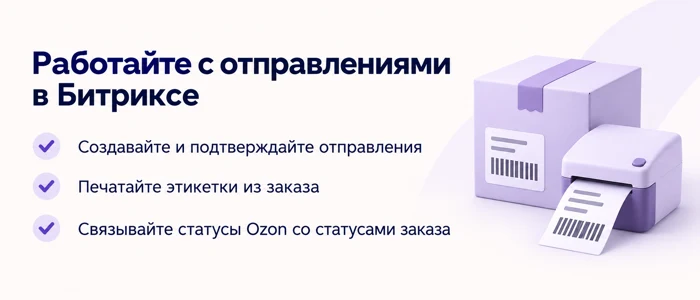
The Ozon Delivery for Business service handles order delivery while keeping all transactions and order management within your 1C-Bitrix online store. During checkout, the customer selects a delivery method—either a pickup point or a courier—and views the final cost and delivery time. A manager can create a shipment, print the label, and track the delivery status directly from the site's administrative panel.
This integration does not require listing products on the Ozon marketplace. The module communicates with the Ozon Delivery for Business service via the Delivery API. It is designed specifically for organizing delivery of orders from your website, not for exporting catalogs or inventory to the marketplace.
The customer chooses between two delivery options:
Ozon Pickup Point. Users can search and select from a list of points, or choose a location on a map if Yandex Maps is connected.
Courier Delivery. Addresses are entered with autocomplete suggestions provided by DaData or Yandex Geocoder.
The Top Man Digital: Ozon Delivery for Business module automatically requests delivery costs and timeframes from the Ozon service during order checkout. This eliminates the need to manually transfer the tariff table into store settings. The seller independently determines the final delivery amount for the buyer, using Ozon's calculation as a base. Settings allow for flexible adaptation of conditions: adding a markup in percentage or fixed amount, setting a minimum delivery cost, applying price rounding, accounting for insurance expenses, and configuring free delivery upon reaching a specific order total.
The Top Man Digital: Ozon Delivery for Business module allows configuring separate delivery rules for pickup points and couriers. For example, free delivery to a pickup point can be enabled once a specific order amount is reached, while courier delivery remains paid. The shipment card displays a price breakdown showing the Ozon calculation and the store rules applied. Shipment management is performed directly within the Bitrix order. In the 'Transport Request' section, users can create and confirm shipments, obtain labels, and cancel orders, provided these actions are permitted by Ozon.
The module links shipments with deliveries in Bitrix and supports tracking through the system's native mechanisms. Ozon order statuses can be mapped to order statuses within the system.
Automatic shipment creation is disabled by default. Transferring an order to the delivery service is initiated manually.
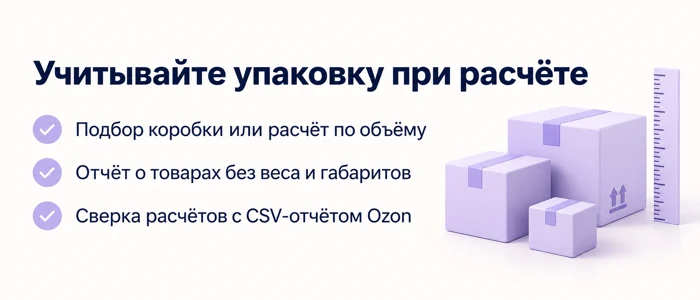
Packaging must be considered when calculating package dimensions. Three methods are available for determining dimensions:
- selecting a box from your catalog;
- calculating based on the total volume of goods with a packing coefficient;
- using a single predefined box.
A dedicated report identifies items missing weight and dimensions, allowing you to locate them and add the required data. To verify calculation accuracy, the system supports reconciliation with a financial CSV export from the Ozon personal cabinet. This helps detect discrepancies between estimated costs and actual charges, enabling adjustments to packaging settings.
Returns and diagnostics are managed within the administrative panel. Users can view return history, download and reissue barcodes, check the connection status to Ozon, monitor the status of the points of delivery directory, and inspect background tasks.
The exchange log assists in diagnosing why a request failed or why delivery was not calculated. Phone numbers and sensitive data are masked before being recorded in the log.
Before connecting, the 'Ozon Delivery for Business' service must be activated, and credentials for the Delivery API application must be obtained. The recipient must be registered in Ozon; delivery availability is verified via their phone number.
The cost calculation appears only during order checkout after the recipient's details are entered and a point of delivery or address is selected. Prices are not calculated on the standard shopping cart page. The cost provided by the API is an estimate; actual charges are reflected in Ozon's financial reports. One shipment in Bitrix corresponds to one Ozon parcel.
The widget automatically connects to the standard order checkout process identified as sale.order.ajax. Custom templates may require adaptation to function correctly.
Operation requires the 'Online Store' module of the Bitrix platform. The availability of delivery directions and the eligibility of specific products are determined by Ozon's terms and conditions.
This integration provides customers with an additional method to receive their order, including the selection of a pickup point or courier service with automatic delivery cost calculation directly on the website.
General iT can install “Top Man Digital: Ozon Delivery for Business”, configure its settings and verify its operation in the existing project.
UPDATE HISTORY
What’s new
11 releases
1.0.11 (28.09.2026)Latest update
- The address of the selected pickup point is immediately written to the Delivery Address field during order checkout.
- The address is verified against the pickup points directory before the order is saved.
- Changes from versions 1.0.9 and 1.0.10 are included.
1.0.10 (18.09.2026)
The "Problematic" tag no longer appears due to its own Ozon status update.
The core marks a shipment with a transport request upon each save, while the module changes the package status: previously, this caused every Ozon order to turn red, prompting the operator to update the request, which cannot be updated—shipments in Ozon cannot be edited, only cancelled and recreated.
Only this tag is removed, and only for Ozon shipments: other order tags remain in place, and the problematic flag for the shipment and order is cleared only when no remaining tags exist.
The update registers a new tracking event handler: the installer does not run during an update, and without this handler, it would remain dormant.
1.0.9 (17.09.2026)
The module records Ozon delivery dates: the planned date, the arrival time at the pickup point, and the delivery time; they are visible in the shipment card and in the transport request.
For the store code, the class Topman\OzonDelivery\Posting\Info has been added: shipment number, dates, deadline, and package status without contacting Ozon.
Variables #OZON_TRACKING_NUMBER#, #OZON_DELIVERY_DATE#, #OZON_DELIVERY_DAYS#, #OZON_ARRIVED_DATE#, #OZON_DELIVERED_DATE#, #OZON_STATUS#, #OZON_DELIVERY_ADDRESS# have been added to order emails; they are declared in the descriptions of email events.
In email HTML templates, variable values are escaped.
1.0.8 (14.09.2026)
The "Delivery Allowed" and "Shipped" marks and the order status are set when the parcel reaches the required Ozon status or has already passed it.
The tracking update button in the order card applies the same status rules as the automatic check.
The "Module Status" screen and the service card warn if automatic tracking update in the "Online Store" module is disabled.
Checking the pickup point no longer blocks transitions between order checkout steps - other delivery services are visible again.
The client secret is not displayed in the delivery service card; rounding options in the pickup method card are labeled.
The pickup point and courier address from the order form are validated on the server: the address is accepted only from the module's geocoder, and the pickup point only if it accepts parcels by weight, dimensions, and cost.
1.0.7 (11.09.2026)
- When the module is deleted without saving data, Ozon delivery services are deleted; services with existing orders are disabled.
- When the module is deleted, its restrictions are removed from the store's delivery services: the shipping card in the admin panel no longer crashes with an error.
- On the deletion completion page, it shows which services were deleted, which were disabled, and why.
1.0.6 (11.09.2026)
Paid build operation from the Marketplace. The installer and uninstaller no longer connect the module itself, but register its classes directly: in the paid build, module connection fails before the demo license is issued and after the demo period ends. The settings page and module sections distinguish between demo mode and the end of the demo period - instead of a blank page, the buyer sees an explanation, and in demo mode, a reminder. Removing the module after the demo period no longer leaves order properties, and installation and removal steps are not skipped silently: a failure stops the operation with a clear reason. Order properties removed by uninstallation are selected by the module tag, not by the general code - a foreign property with the same code will not be affected.
1.0.5 (10.09.2026)
The Pick-up Point directory no longer loses points. Previously, traversing the directory would stop at the first network hiccup, and a point not caught in one traversal would immediately be disabled - a check on the live cabinet showed that out of eight disabled points, seven continued to accept orders. Now: the traversal repeats the page instead of stopping; a point is disabled only if it is missing from the Ozon list for longer than the term from the 'Agents' tab (default two days); a point whose Ozon card was not provided is considered seen, not missing; a warning appears on the 'Pick-up Points' page during mass disabling. The traversal is faster: the directory has its own short timeout (4 seconds instead of the general ten - the list responds in two-tenths of a second, and a hung request does not revive), and the agent's working time per launch is now a setting, default two minutes instead of thirty seconds. Separately: Ozon rejections in live writing (same_delivery_point_error and others) are now recognized by the error catalog, and the buyer sees a clear phrase instead of the general 'calculation failed'.
1.0.4 (10.09.2026)
An order cannot be placed until a pickup point is selected. Previously, the buyer only learned about this after clicking 'Place Order': the order was not saved, and a message appeared. Now, the click is stopped directly in the form—the widget is highlighted, shows what is missing, and the page scrolls to it. The 'Back' button still works. Server-side validation remains in place: it protects templates where the order buttons are named differently.
1.0.3 (09.09.2026)
Delivery calculation when Ozon responds slowly or does not respond. The timeout for delivery calculation during checkout has been increased from 4 to 8 seconds: four seconds were insufficient during Ozon's slow periods, causing the calculation to fail, and the failed Bitrix calculation displayed a zero delivery cost, leading the buyer to see "free" where a price should be. For sites with a setting of less than five seconds, this update raises the value. The background response timeout has been increased from 5 to 10 seconds. A new setting "If Ozon does not respond" has been added on the "Price for buyer" tab: by default, the buyer sees a message that the cost cannot be calculated at this time, and as a second option, the price can be shown according to your own rules, such as a markup and the store's minimum cost. Ozon's refusal is not overridden by this setting: a refusal is a response and is displayed as is.
1.0.2 (08.09.2026)
Price field labels in the delivery service card. The markup and other price fields in the receipt method card work only when the "Set your own price rules instead of general ones" switch is enabled — this is now written directly in the labels, rather than being discovered through trial and error. The "Price for buyer" tab title in the module settings names this switch.
1.0.1 (07.09.2026)
Pickup point map: the selected point hides the map and shows the "Select another point" button — the form no longer jumps after selection. The map opens on the city selected during checkout and, if the buyer permits, moves to them. New setting "Phone for preliminary calculation": until the buyer enters their number, the cost is calculated using the store number, and after entry it is recalculated.
USER EXPERIENCE
Solution reviews
How does this solution work in a real project? Share your experience and help others choose.
Be the first to share your experience
There are no reviews of this solution on git.ru yet. Tell us what worked well and what could be improved.
✓
Verified purchaseAdd a key if you wish. A verified review gets a badge, priority placement and more rating weight.
↗
Open to every clientJust sign in to your account. A key is optional; all reviews are moderated.
Top Man Digital: Reviews module automates the transfer of reviews from external aggregator sites to your website. Simply insert a link to the organization's profile once: the system identifies the source, fetches reviews, avatars, and photos, then stores them in the 'Reviews' information block. The module then periodically checks for new reviews, requiring only your approval for publication.
In the standard Bitrix implementation, repeating data blocks are often constructed using multiple multiple-value properties: one for the name, another for the value, and a third for the image. The order of elements relies on matching indices, so if an editor deletes a row in the wrong place, the data can become misaligned.
The module generates and maintains an up-to-date YML feed for 'Doctors' for Yandex Webmaster. Clinic specialist cards appear in Yandex search results with prices, service lists, education details, and reviews.
Integration with existing data
Information about doctors, services, and reviews is extracted from infoblocks already present on the site.
SDEK integration module for 1C-Bitrix.
SDEK is one of Russia's largest logistics companies, providing courier delivery and operating a network of pickup points.
The module connects the online store with the SDEK personal account, offering the following capabilities:
Providing customers with delivery options: courier, pickup point, or postmat.
The module automatically determines the visitor's location based on their IP address and offers city selection in a stylish popup window. It is available in all platform editions.
Key features include automatic location detection by IP address, domain, or website, along with automatic redirection to specific domains and subdomains, including external resources.
The ipol.mailorder module extends email templates to include information about order properties, delivery options, and selected payment types. Standard platform tools do not allow transmitting critical details such as the user-specified delivery address or chosen payment system in notifications.
The displayed price covers the solution itself. Platform licensing, installation and customisation are checked separately. If the page offers bundles, select the required option before submitting a request.
How do I check compatibility?
Compare the supported editions and solution version in the technical details with your project. Before installing on a live website, we recommend making a backup and checking the solution in a test environment.
Is there a trial?
The developer lists a trial of 10 days. The trial button opens the installer in your website control panel. Check the required features and compatibility before purchasing.
How much does this solution’s renewal cost?
The current renewal price is 5,000 ₽. Before you order, a manager will confirm the renewal period and whether it applies to your licence.
Can you help with implementation?
We can help install the module, check its settings and verify how it works in your project. Compatibility with other customisations and the scope of work are assessed before we begin.
Your cookie choices
Necessary cookies support sign-in, your cart and security. Optional analytics helps improve the website and starts only with your permission.
Our metrika.git.ru system: public pages, a random identifier, device and interaction events. Form contents, account and payment pages are excluded. Raw events: up to 90 days. Operator: General IT Rus LLC, INN 2310208877.
Your browser requests no tracking: analytics is off.