Changes in this update:
New solution settings page: sections in the sidebar menu, site switcher, poisk (transliterated Russian) settings, save without reload, export and import settings to JSON. Requires the "UI Library" module version 22.0.0 or newer.
One-time code login and registration have been redesigned: a cascade of 1–3 code delivery methods (SMS via Bitrix providers, phone call, email) with manual transition to the next method, calls via SMS.RU, SMSC.RU, Unibell and i-Digital, email template with code. If email is the only method, login and registration occur via email address. Settings moved to the "polzovateli (transliterated Russian)" section of solution settings; on new installations, code login is enabled and works via email; on updated sites, previous behavior is preserved.
After login on /auth/, the buyer is immediately redirected to the personal cabinet or to the page specified in the backurl parameter, instead of seeing an intermediate success authorization message.
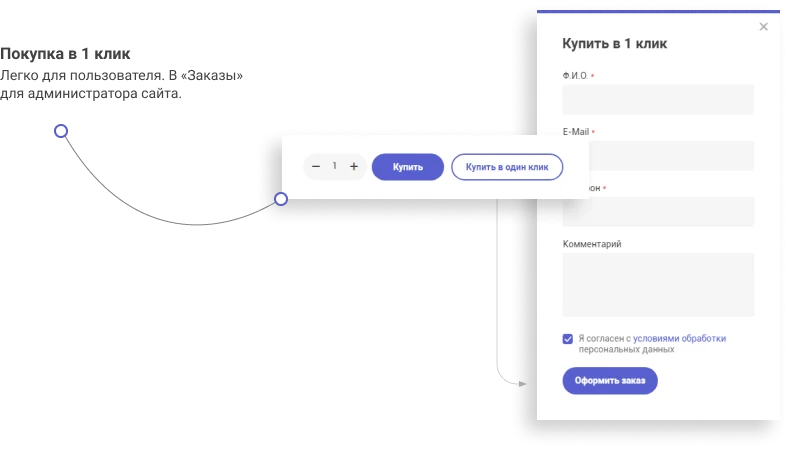
The code cascade is integrated with simplified checkout; in 1-click purchase, phone number confirmation via code can be enabled.
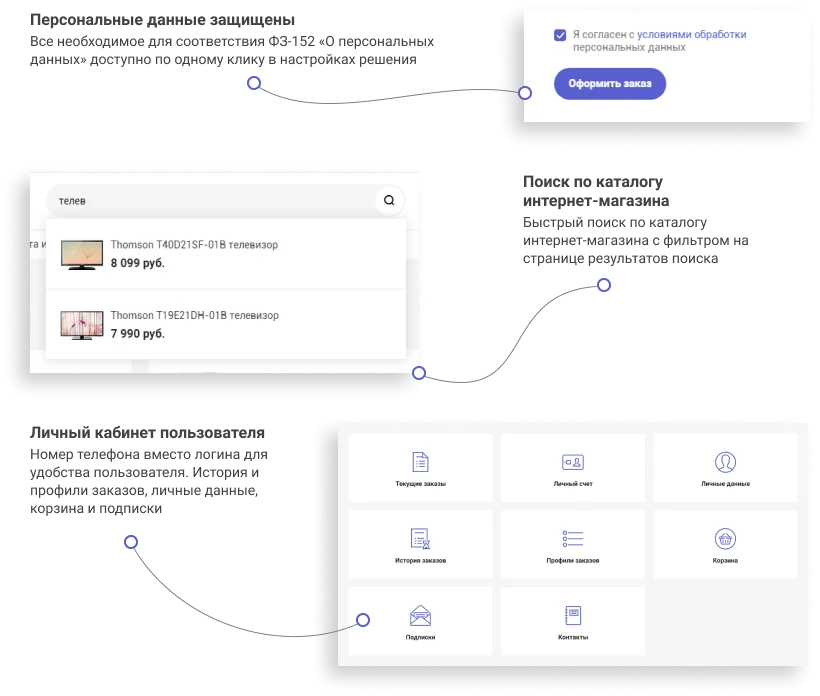
Smart poisk (transliterated Russian) for catalog: typo correction, incorrect keyboard layout and Latin script writing, poisk (transliterated Russian) for product properties and trade offers, section names, and partial article numbers, synonyms, query redirection, priority for in-stock items and items with photos, "chasto ishchut (transliterated Russian)" block. Works on top of the "poisk (transliterated Russian)" module; settings are in the new "poisk (transliterated Russian)" section of solution settings. After update, the catalog is re-indexed by a background agent.
New social networks in contacts: Telegram, MAX, RUTUBE, Dzen and TikTok. Icons are displayed in the footer, mobile menu, and emails.
"Share" button: services are selected in solution settings ("kontakty (transliterated Russian)" section), MAX added. If no service is selected, the button is hidden.
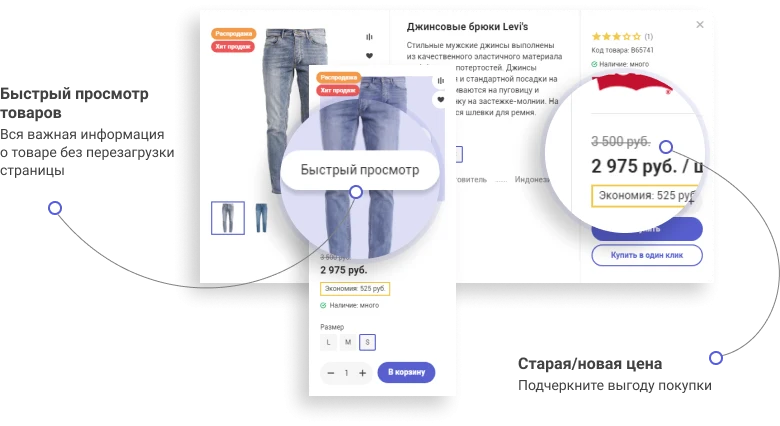
Photos in the product card within the list can be browsed: by swiping on a phone and by moving the mouse over the photo on a computer. The number of photos and the gallery property are configured in the catalog settings. On updated sites, browsing is disabled; it can be enabled in the solution settings or in "Site Settings".
Short video in the product card within the list: a new catalog property "Video for Preview" (mp4, webm) displays the clip as the first slide without sound.
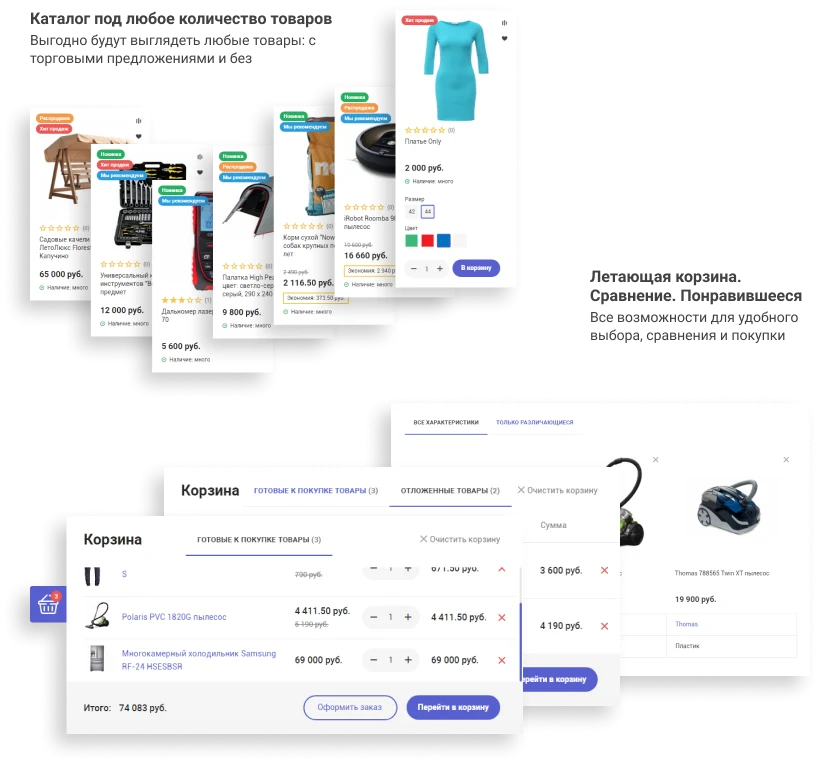
Product comparison by sections: products from different sections are separated into tabs. A new setting displays all comparison characteristics in the table, including empty ones.
Product landing pages: a "Landing Page" tab with a block editor (text, headings, lists, quotes, tables, images, YouTube, RuTube, and VK Video, gallery, advantages, "image left/right and text" blocks) has been added to the product card in the admin panel. A completed and active landing page is displayed on the site instead of the detailed description. The markup of any block can be overridden in the site template.
Enhanced product reviews: on new installations, this feature is enabled by default; the wizard creates a reviews repository and populates it with demo reviews. A new "Review Premoderation" setting in the "Catalog" section allows reviews to be published immediately without verification. On updated sites, the previous review version is retained.
New main page block "Customer Reviews": a carousel of recent reviews with ratings, photos, and links to products. Filtering by rating and the number of reviews are configured in the solution settings ("Main Page" section). On updated sites, the block is added in a disabled state; it can be enabled in the solution settings or in "Site Settings".
New main page block 'Collections and assortments': a tile of thematic collections ('For the dacha', 'Up to 3000 RUB') with links to sections and a filtered catalog. Collections are managed in the new information block 'Collections (Main page)'. The block view (tile or feed) and the number of collections are set in the solution settings (section 'Main page'). On updated sites, the block is added disabled; it can be enabled in the solution settings or in 'Site Settings'.
New main page block 'Stories': a feed of stories with full-screen viewing. A story can contain multiple slides — an image or video, with a title, text, and a button above or without them; viewed stories are marked. Stories are managed in the new information block 'Stories (Main page)'. The cover view (circle, square, or card), the number of stories, and the slide display time are set in the solution settings (section 'Main page'). On updated sites, the block is added disabled; it can be enabled in the solution settings or in 'Site Settings'.
New main page block 'Product of the day': one or more discounted products with a countdown and a remaining stock indicator 'N pcs left'. Promotions are managed in the new information block 'Products of the day (Main page)': product, discount percentage or promotional price, quantity, and period. Stock decreases based on site orders (all uncancelled or only paid) or is set manually; when it runs out, the discount is disabled. The solution applies the discount via a cart working rule, or an administrator configures it. The bar with the timer and remaining stock is also displayed on the product page. Settings are in the 'Main page' section. On updated sites, the block is added disabled; it can be enabled in the solution settings or in 'Site Settings'.
The site can be installed on a device as a Progressive Web App (PWA): the buyer adds the store to the home screen of their phone or computer and opens it without an address bar, and in the absence of an internet connection, they see a page with a "Retry" button instead of a browser error. The application name and icon are set in the solution settings (new section "Application (PWA)"). By default, the feature is disabled; HTTPS is required for it to work.
Loyalty program: the buyer accumulates bonuses for orders and uses them to pay for part of subsequent purchases. When placing an order, they choose whether to deduct bonuses or earn them for this order; the selection block is available in both the standard and simplified checkout. Bonus accrual rules (percentage or fixed amount, order amount threshold, customer groups, bonus validity period) are managed on the new "Bonuses" page in the solution menu, where customer invoices, operation history, and manual accrual and deduction are also handled. Bonuses are accrued when the order transitions to the selected status and expire after the validity period; order cancellation returns deducted bonuses and revokes accrued ones. Balance and history are available to the buyer in their personal account, and "+N bonuses" is displayed in the product card, catalog lists, and shopping cart. For customization, there are public methods of the \Nextype\Magnet\CBonus class and events for calculating accruals and deductions. Settings: new section "Loyalty Program" in the solution settings. By default, the program is disabled.
Markup for search engines and AI assistants: each page displays a single schema.org block in JSON-LD format containing an organization with contact details, breadcrumbs, a product with price, availability, brand, article number, rating, reviews, and specifications, articles and promotions with dates, and warehouses with address and coordinates. The previous microdata in the product card, contacts page, and warehouse page has been replaced by the new one. Open Graph for products is supplemented with price and availability, and for articles with dates. A canonical tag has been added: the address without sorting parameters and pagination; smart filter pages point to the section. Settings: a new "SEO and AI Search" section in the solution settings. On updated sites, canonical is disabled; it can be enabled there as well.
The "Found it cheaper?" link under the price in the product card: the buyer sends a link to the product in another store via a new web form. It is enabled by default and can be disabled in the solution settings ("Catalog" section).
The solution's email template has been redesigned: new email layout, correct display on mobile devices, functional images and product links in the order confirmation email. If no logo for emails is uploaded in settings, the site logo is used, and if that is also absent, the site name is used. Addresses in emails are built according to the protocol from the main module settings, so emails sent via cron contain correct links.
New emails to the buyer in a unified design: login and registration, password recovery and change, login from a new device, new order, payment, payment reminder, status change, delivery, tracking number, cancellation, receipt, product arrival, and subscription confirmation. On new installations, emails are set up by the wizard. On updated sites, the previous email templates are preserved; the new ones can be applied via the solution menu "Tools", tab "Email Template Binding" (current templates for these events will be overwritten). A reminder about this is displayed in the administrative part.
Updating sites with customizations: updates no longer overwrite project-specific template and component files. Customizations that do not conflict with the new version are preserved and merged automatically. If merging changes is not possible, the update stops, and on the new "Solution Update" page, you can download an archive for manual merging (by a developer or via AI) or proceed with the update without these customizations; previous files are preserved, allowing a rollback to the previous version. Modified pages of the public part are not overwritten. This applies to updates following this version.
New mobile version of the site for screens up to 1024 px wide: mobile header, bottom navigation panel, redesigned homepage, catalog, product card, shopping cart, checkout, and personal account, with light and dark themes. There is now a single mobile version; the "Mobile site view" setting has been removed. On updated sites, the new mobile version takes effect immediately after the update; if customizations were made to the styles for the previous mobile version, please verify them.
SEO for smart filter: landing pages for filter value combinations with unique URLs within the section, including title, description, H1, text, and canonical tags. Pages are created according to rules with templates (section, up to three properties) or manually, output via tags in the catalog section, and included in the sitemap; pages with a low number of products are excluded from indexing. Combinations and texts can be generated via YandexGPT; such pages are created as drafts. Management: new "SEO for smart filter" page in the solution menu. On updated sites, the function is disabled by default and can be enabled on this page under the "Settings" tab.
Additional price: below the main price in catalog lists and product cards, a second price type with a label (e.g., wholesale) can be displayed. The price is shown for informational purposes only and does not affect cart or order calculations. The price type and label are configured in the solution settings ("Catalog" section); the row is not displayed until a price type is selected.
Accelerated loading of solution settings and caching of selections.
The smart filter in search and on landing pages has been switched to the standard component (filtering by search results is preserved).
Errors have been fixed and the solution's operation has been made more stable.
Attention, before installation, you MUST create a full backup of the site and template!