Payments are experiencing issues due to temporary restrictions in Russia. If your payment does not go through, please submit a support request.•Our support team is available 24/7 — we are always here to help with hosting and server issues.•We are now accepting requests for dedicated server rental and colocation services in our data center.•Reminder: we recommend enabling backups for additional data protection.•A new VPS/VDS lineup with NVMe storage and improved performance is now available.•Maintenance work on some servers has been completed. All services are operating normally.•
Payments are experiencing issues due to temporary restrictions in Russia. If your payment does not go through, please submit a support request.•Our support team is available 24/7 — we are always here to help with hosting and server issues.•We are now accepting requests for dedicated server rental and colocation services in our data center.•Reminder: we recommend enabling backups for additional data protection.•A new VPS/VDS lineup with NVMe storage and improved performance is now available.•Maintenance work on some servers has been completed. All services are operating normally.•
Аккаунт в General iT
Вход / Регистрация
Войдите или создайте аккаунт для управления услугами в панели.
MainApp: Mobile app for the website (iOS and Android)
The MainApp module enables publishing a mobile version of a website as a native application in the App Store, Google Play, and RuStore. It is designed for sites built on the 1C-Bitrix platform, preserving the existing design, payment modules, personal accounts, loyalty systems, and statistics.
The MainApp module enables publishing a mobile version of a website as a native application in the App Store, Google Play, and RuStore. It is designed for sites built on the 1C-Bitrix platform, preserving the existing design, payment modules, personal accounts, loyalty systems, and statistics. The application adapts the interface for mobile devices, adds an icon to the smartphone home screen, and supports sending PUSH notifications to users. Management is performed directly through the website's admin panel.
All application settings are managed via the website's standard admin panel. This eliminates the need to learn a separate interface, making management intuitive and fast, which saves time and resources.
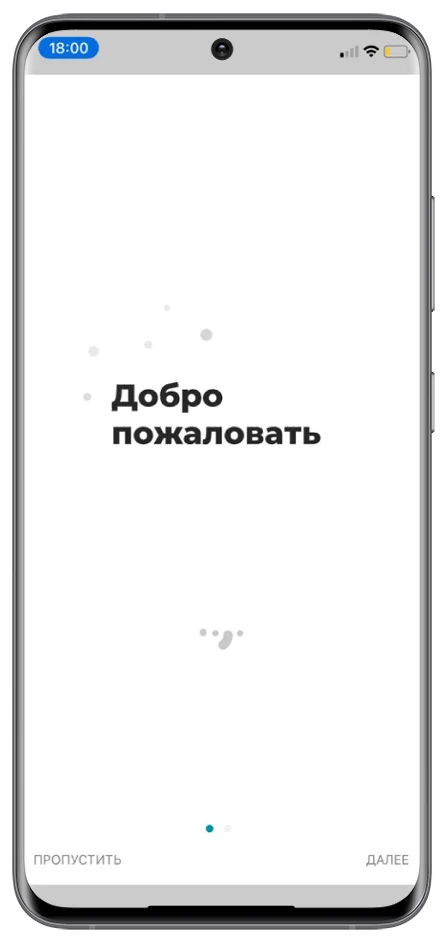
Welcome screens and screens on reopening are configured in the admin panel. This feature helps create a first impression of the app and capture user attention during subsequent launches. These screens can be used to showcase promotions, important information, or create a visually engaging experience.
Additional top or bottom menu. The ability to add custom menus allows the app to be adapted to specific business needs. For example, quick access to popular product categories or services can be added, improving navigation and usability.
Instant content updates. Any changes made on the website are automatically reflected in the app. This ensures users always see current data, including catalog updates, price changes, or new promotions.
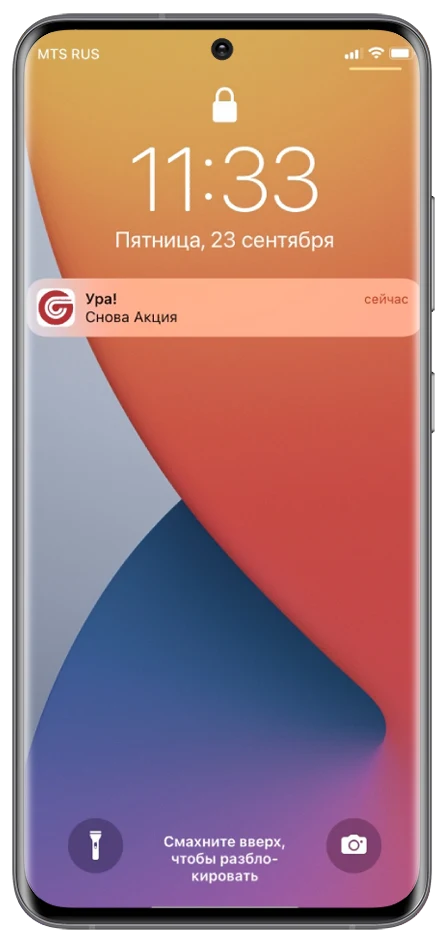
Push notifications for customers
Mechanism for sending notifications regarding order status changes, promotions, and discounts. The technology supports increased user engagement and stimulates repeat purchases by providing timely information about new product launches or special offers.
Deep links
Tool for redirecting users to specific app sections from external sources such as email, messengers, or advertising campaigns. The feature simplifies navigation, accelerates access to information, and enhances the user experience.
Multi-site support
Capability for the application to operate with multiple websites simultaneously. The solution is optimized for businesses with multiple brands or directions, simplifying management and reducing costs for developing and maintaining separate applications.
Barcode scanner
Tool for product management that allows scanning barcodes to speed up order processing, warehouse inventory, and product information retrieval. The function is essential for retail, warehouses, and logistics.
Geolocation
The feature enables personalized offers for users based on their geolocation. This is useful for delivery services, finding nearby points of sale, and displaying region-specific discounts.
Dedicated app design template
A unique design template is available for the mobile app, optimized for smartphone and tablet screens. It can differ from the web version, providing a more convenient interface that enhances user engagement.
Yandex.Metrica integration
Built-in support for Yandex.Metrica allows analysis of user behavior within the app. This helps identify growth opportunities, improve functionality, and increase the effectiveness of marketing campaigns.
Statistics on installs, orders, and visits
The system provides key metrics for evaluating app performance. You can track the number of installs, completed orders, and user return frequency, enabling data-driven development strategies.
Publishing a mobile version of a website to Google Play and the App Store requires registered developer accounts in these services. It is recommended to set up these accounts before purchasing the module.
We are familiar with the requirements of app stores and the nuances of the publication process. We offer a service to handle the entire publication workflow, including app preparation, descriptions, screenshots, module configuration, and Push notification setup. This service is billed separately.
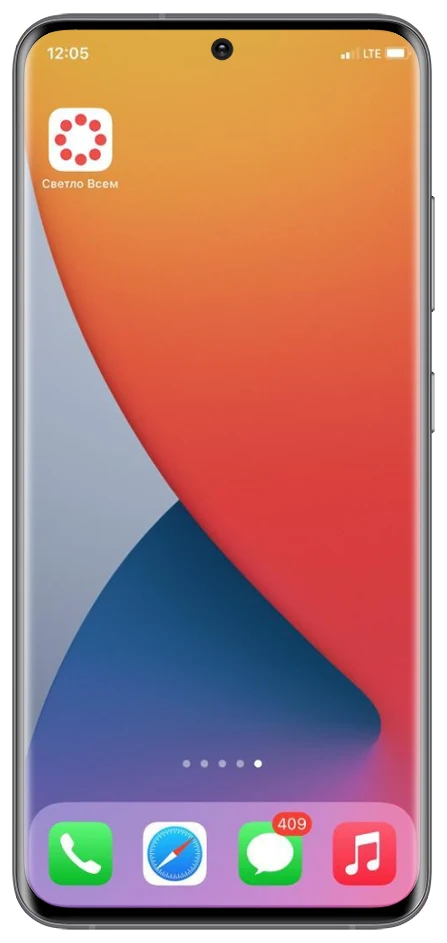
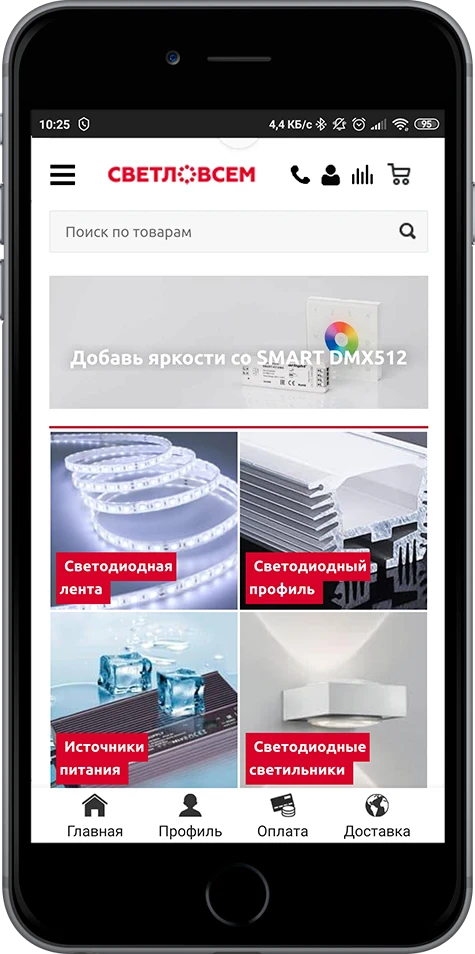
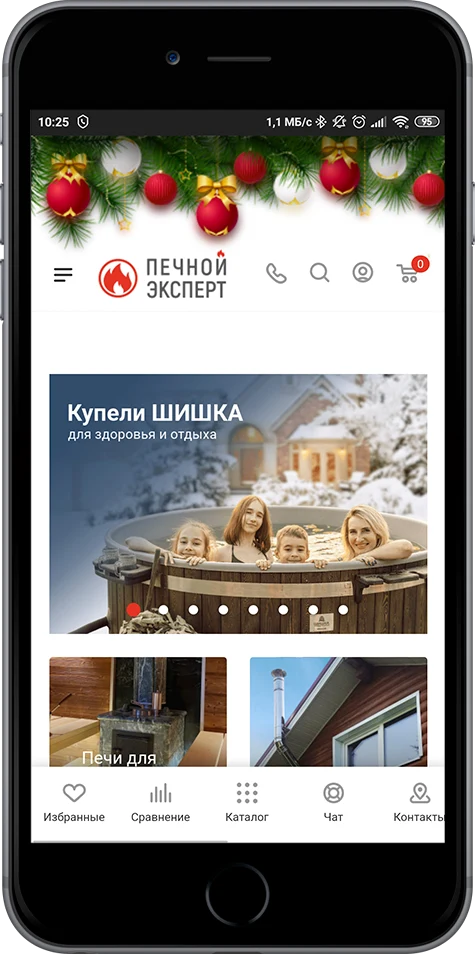
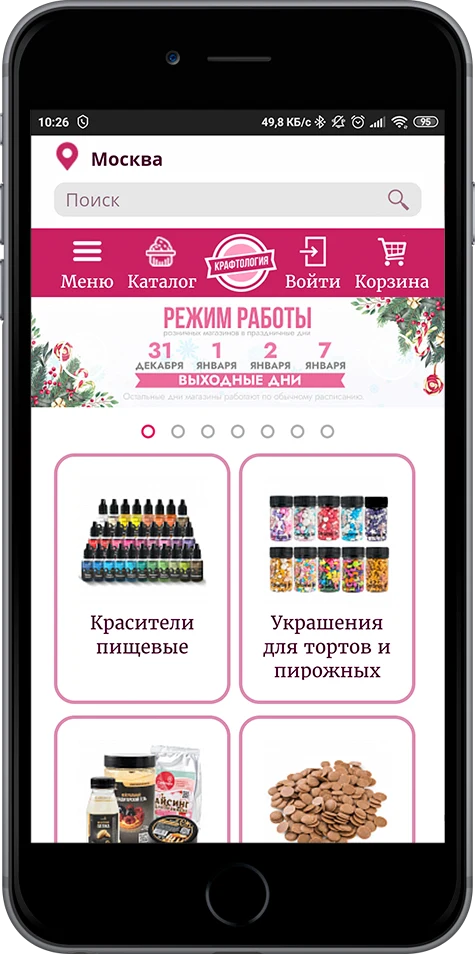
Once successfully published on these digital platforms, the mobile application becomes available for download. After a user installs the app on their device, it automatically appears on the home screen as a special icon representing the website or online store.
Upon first launch, the application may display welcome banners. Their content and appearance are configured in the website's admin panel.
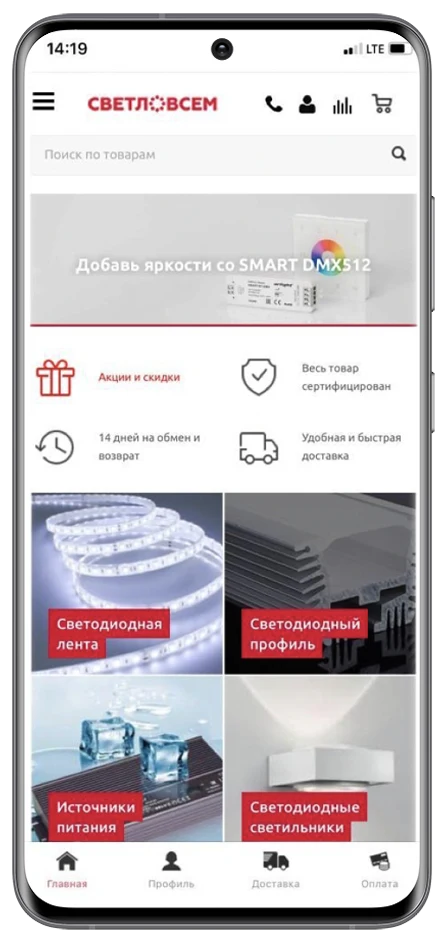
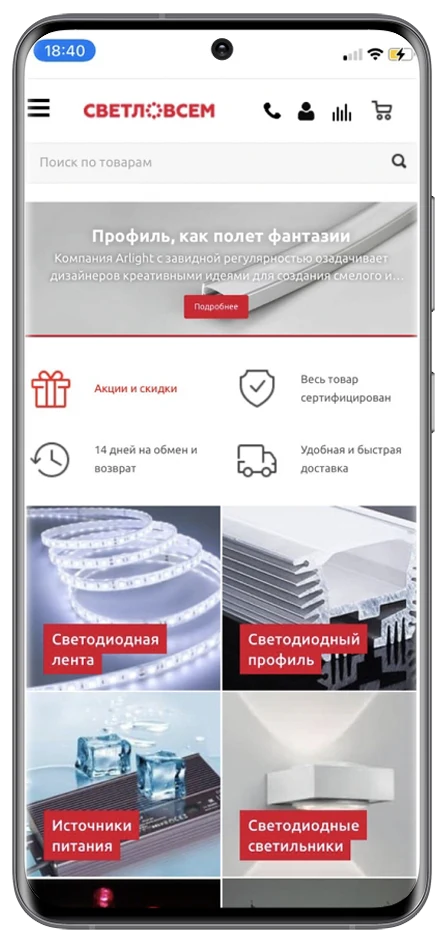
The mobile app interface is based on the mobile version of the website and includes a bottom menu. The menu settings are configured in the website's admin panel.
Site administrators can send push notifications to all users who have installed the mobile application.
Examples of ready-made solutions:
iOS:
Android: a mobile application for websites, designed to run on the Android platform.
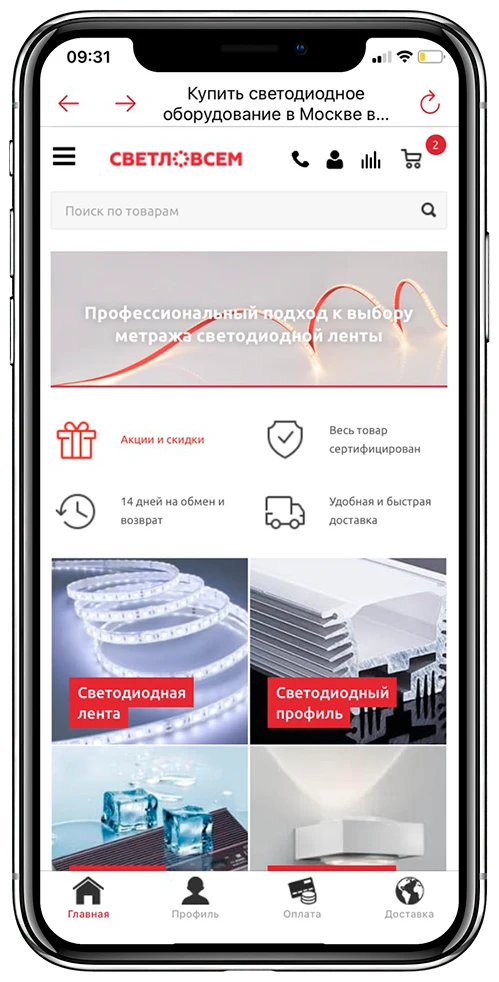
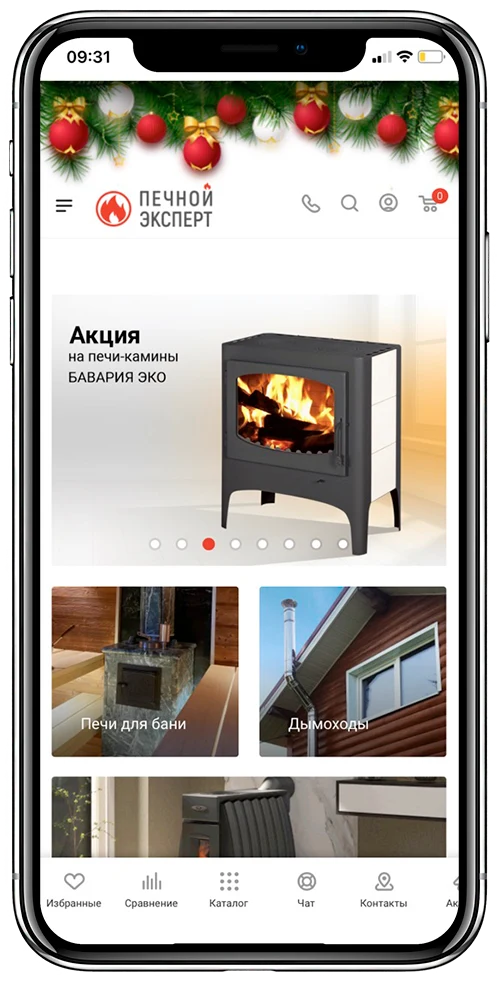
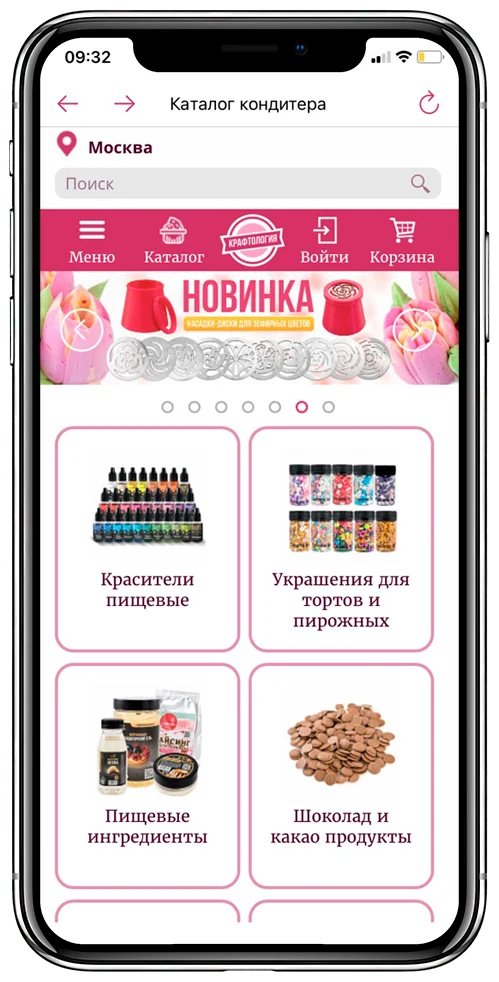
The MainApp module for creating mobile applications (iOS and Android) has been successfully integrated into the operations of numerous companies of various scales. The following examples illustrate the platform's capabilities in real-world implementations.
Flower Shop 'SouzCvetTorg'
Website: souzcvettorg.ru
Google Play: com.mainapp.souzcvettorg
App Store: souzcvettorg
Pet Shop 'PetFood24'
Website: petfood24.ru
Google Play: com.mainapp.petfood24
App Store: petfood24-petshop
Online Store for Natural Products 'Polyany'
Website: polyni.ru
Google Play: com.mainapp.polyni
App Store: sovhoz-polyany
Cosmetics Store and Training Center 'ASH2O'
Website: ash2o.ru
Google Play: com.mainapp.ash2o
App Store: ash2o
Cosmetics Store 'Beauty Gallery'
The MainApp mobile application is available for iOS and Android platforms. It provides access to the online stores Beauty Gallery, Mono-Stil, and Vivendi. Users can browse product catalogs and place orders at these retail locations.
General iT can install “MainApp: Mobile app for the website (iOS and Android)”, configure its settings and verify its operation in the existing project.
UPDATE HISTORY
What’s new
74 releases
1.0.7 (07.09.2026)Latest update
Fixed the error «Class Mainapp\Native\Service\OfflinePageService not found» when saving settings.
The update includes the missing offline page services, the preview controller, and an updated auto-load map.
Offline page preview and the transfer of its content to the application configuration have been restored.
The public preview handler is installed when the updated module is connected.
The update preserves user settings and does not require reinstallation of the module or rebuilding of the mobile application.
1.0.6 (03.09.2026)
Live previews of the app installation and update banners have been added: text, colors, icon, position, and padding are immediately displayed on the phone layout.
The installation and update previews take into account the store link and the current app version; if parameters are left empty, hints are displayed.
Clear explanations for the individual offline page with PHP and personal data have been added, along with permanently visible hints for the source HTML tab and the processed result tab.
Previews are isolated from the admin page; settings for different sites are not mixed. Updates preserve existing settings and do not require rebuilding mobile apps to use new admin features.
1.0.5 (28.08.2026)
The module settings page interface has been redesigned.
Colored gradients have been removed; sections now feature calm headings and thin dividers in the style of the Bitrix administrative panel.
Field sizes, lists, text areas, file uploaders, and tooltips have been unified.
The spacing between setting names and their values has been reduced.
A preview on a device mockup has been added for PUSH banners, geolocation, app login, and the app's first launch.
The mockup automatically updates when images are selected, button captions are changed, or the counter and "Next" button are modified.
The list of settings sections has been stretched to the full available page width.
Main sections and banner parameter groups are visually separated by purpose and supplemented with clear explanations.
Banner settings are grouped by design, platforms, display modes, delays, buttons, and actions.
The preview is divided into separate iOS and Android tabs.
Separate mockups for iOS and Android system permission windows have been added for PUSH and geolocation.
The preview automatically displays the custom banner, system window, or "Banner disabled" state based on the settings of the selected platform.
If a banner is disabled via a checkbox for iOS or Android, this is immediately reflected in the corresponding preview tab.
When a platform-specific banner setting is changed, the corresponding preview tab automatically opens: iOS for iOS parameters and Android for Android parameters.
Margins, borders, and element wrapping have been fixed, including file upload fields.
Section headings have been stretched to full width, background and image fields have been aligned with other blocks, and the spacing between property names and their values has been reduced.
Headings "Banner 1" and "Banner 2" are highlighted with distinct contrasting styling.
The five bottom menu items have been consolidated into compact cards with short, clear field names and the current icon in the heading.
A general live preview for iOS and Android has been added to the bottom menu, allowing real-time updates of names, icons, colors, and platform enablement states.
In the preview, you can select an active item to evaluate its color; the demonstration counter is displayed only for the item with the 'Cart' action type.
The number of bottom menu buttons can now be adjusted: from one to five items are available, and removed cards retain their filled values for later restoration.
Bottom menu items can be reordered using left and right arrows; the name, action, link, and icon move together, and the preview updates immediately.
The module includes a catalog of 53 ready-to-use SVG icons with search functionality and instant application to the selected button; the ability to upload custom SVG or PNG icons has been retained.
Related settings are compactly arranged in multiple columns where this simplifies form completion.
Checkbox duplication caused by the interaction between custom markup and the Bitrix administrative panel's system styling has been fixed.
Semantic setting blocks are further separated by background, borders, shadows, and increased padding.
The display of settings on narrow screens has been improved.
Existing names, links, action types, and icons are preserved during updates; for previously configured menus, all five items remain enabled by default.
1.0.4 (25.08.2026)
An application update banner has been added, which is displayed within the application when a newer version is available.
1.0.3 (18.08.2026)
An explanation of available mailing options has been added to the PUSH notification sending page.
1.0.2 (30.07.2026)
Fixed the rebuilding of application archives for sites with the same domain name.
Archives for each site now receive unique names and are no longer deleted when processing another site.
The main site retains its original links to the archives, so previously configured upload processes continue to work.
For additional sites with the same domain, the site identifier is appended to the archive name.
1.0.1 (30.07.2026)
Fixed the rebuilding of application archives in multi-site installations.
Support for a shared upload directory connected to the site via a symbolic link has been added.
Selected GoogleService-Info.plist and google-services.json files are now correctly added to the archives for individual sites.
If the selected Firebase file is unavailable, the module stops the build and displays the exact reason instead of creating an incomplete archive.
Readable Russian error messages for image processing and ZIP archive creation have been restored.
1.0.0 (30.07.2026)
The module has been successfully migrated to the new architecture.
Obsolete global facade classes no longer used by the module code have been removed.
Monitoring of calls to obsolete classes, which has completed its task, and its tab in the settings have been removed.
The migration preserves current event handlers and the agent for deferred push notifications, removes old registrations, and clears monitoring service data.
The installation folder has been brought to the standard structure: a duplicate version file and the unused old install/tools directory have been removed.
Empty directories, duplicate public CSS/JavaScript files, and unused service files within the module directory have been removed.
0.1.10 (29.07.2026)
The description of the application configuration caching setting has been clarified.
The warning now explains that enabling caching may increase the load on the site, as the application saves visited pages in the background for offline viewing.
0.1.9 (29.07.2026)
An application caching setting has been added.
For each site, a "Use caching" checkbox parameter is available.
The selected value is passed to the application configuration as use_cache: true or false.
For existing installations, caching remains enabled by default.
0.1.8 (23.07.2026)
Security of public and administrative handlers of the module has been enhanced.
The HTML code of the offline placeholder is cleaned according to a safe list of tags, attributes, links, and CSS properties.
Configuration preview has been moved to a protected administrative handler without a secret key in the address bar.
Only the necessary application cookies are passed to the mobile banner service.
Conversion of Cyrillic configuration is performed by explicit recursive processing of string values.
The size of deep link configuration preview files is limited to one megabyte.
Administrative handlers for updating information blocks have been migrated to the Bitrix administrative prologue.
Currency display in the bottom menu cart total has been fixed: HTML entities are converted to regular characters, including the ruble sign ₽.
0.1.7 (23.07.2026)
Loading of icons for the bottom menu of the mobile application has been fixed.
Image selection in SVG format is allowed in the file dialog.
PNG and SVG formats are supported for bottom menu icons.
The banner format restriction to PNG remains unchanged.
0.1.6 (22.07.2026)
The migration of the event handler that displays the mobile app download banner has been fixed.
The historical registration of the handler with the path to the old class is removed.
The new handler is saved on D7, and the banner continues to work without changing settings.
After clearing the erroneous record, the control period for calls to obsolete classes starts again.
0.1.5 (21.07.2026)
The security of the module's administrative pages has been strengthened.
Loading of JavaScript, CSS, and images from third-party CDNs and external sites has been removed.
Air Datepicker 3.3.5 has been added to the module and is installed in the public Bitrix directories along with the license.
Administrative pages use a local copy of jQuery from the Bitrix core.
Font Awesome icons have been replaced with built-in CSS symbols without external resources.
Local resources are automatically installed during updates and restored after manual copying of the module files.
The update does not delete data or change existing module settings.
0.1.4 (21.07.2026)
The display of the application download banner on the mobile site has been fixed.
In a multisite installation, the banner configuration query now receives the identifier of the current site.
Banner settings are read for the selected site and are not overridden by the default site settings.
For a single site, both the current settings without a suffix and the settings from older versions with the site identifier suffix are supported.
The banner's JavaScript and CSS are installed in the public Bitrix directories and are accessible even when the module directory is closed to web access.
When manually copying the module directory, missing public files are automatically restored upon the next module connection.
The banner dismissal flag is stored separately for each site; the old shared flag no longer blocks display after an update.
Re-registering the handler no longer results in the banner configuration being connected twice.
The banner handler is compatible with the service from version 0.1.3 during the phased copying of update files.
The error calling the non-existent method MobileBannerService::isEnabled() has been fixed.
Links to app stores with Cyrillic characters in the domain, path, and parameters are now handled correctly; only safe HTTP and HTTPS schemes are allowed.
The update does not delete data or modify existing module settings.
0.1.3 (21.07.2026)
Compatibility check update before removing deprecated classes in the next major module version.
Monitoring of calls to deprecated global classes and the old push agent name has been added.
A "Compatibility" tab with the observation start date and a list of detected calls has appeared on the settings page.
For each deprecated contract, only the name, the dates of the first and last call, and the number of days since the last call are saved.
Records are written no more than once per day and do not contain user data.
Internal code continues to use the new Mainapp\Native architecture.
Deprecated classes are currently retained as compatibility facades and continue to forward calls to new implementations.
The generation of app_config.php for the selected site has been fixed: settings, bottom menu items, and image addresses are now read with the correct site suffix.
The siteId check now strictly returns the requested site and does not substitute it with the default site.
After the check period without calls, the facades can be removed in version 0.2.0. This update does not delete data, settings, events, agents, or public addresses.
0.1.2 (21.07.2026)
The internal code of the module has been refactored to a new architecture with the Mainapp\Native namespace and separation of responsibilities between services, integrations, and infrastructure classes.
Push notification sending and push token storage have been moved to new classes.
Application configuration generation has been moved to a new service.
Image processing and archive building have been moved to separate infrastructure classes and services.
Administrative pages use a unified permission checking mechanism and new services.
Internal calls to old global classes have been replaced with calls to Mainapp\Native classes.
Old classes are preserved as compatibility facades and forward calls to new implementations.
Existing integrations, settings, agents, events, and public addresses continue to work without changing user data. Physical removal of obsolete classes is not performed in this update.
0.1.1 (20.07.2026)
The update fixes the sending of scheduled push notifications and strengthens the module's security.
The agent correctly locates the FCM service account key, processes the sending result, and reliably sets the "Notification Sent" flag.
The migration automatically updates the push notification history auxiliary property to the current schema.
The non-cryptographic backup method for generating the secret key has been removed.
Protection against external XML entities has been added when checking iOS plist files.
Mandatory TLS verification when connecting to FCM is preserved.
The application configuration in app_config.php is now output in a readable JSON format.
The update does not change existing settings, data, or public addresses. It is compatible with previously installed versions of the module.
0.1.0 (20.07.2026)
The update transitions the module to the D7 architecture with the Mainapp\Native namespace.
Existing settings, data, public URLs, and legacy facades are preserved. Upon the first connection of the updated module, events and the agent are automatically switched, and auxiliary properties of information blocks are checked. Re-running the update is safe.
0.0.64 (13.07.2026)
Technical fix for multi-site support.
0.0.63 (10.07.2026)
A banner for downloading the mobile application has been added to the mobile version of the site.
The banner is not displayed within the mobile application.
Separate settings have been added for store links, text, button colors, and the banner hide duration.
The logic for generating icons has been fixed.
0.0.62 (01.06.2026)
Bug fixes
0.0.61 (06.05.2026)
Minor fix on the module settings page
0.0.60 (05.05.2026)
Module settings page updated
0.0.59 (17.04.2026)
Fixed the retrieval of application installation statistics
0.0.58 (01.04.2026)
A dynamic cart option (product count and total amount) has been added to the bottom menu. Note: For the dynamic cart to work, applications must be version 1.51 or higher for Android and 1.154 or higher for iOS. The dynamic cart works only with the Store module on Small Business licenses and above.
0.0.57 (24.11.2025)
Fixed display of new banners in the configuration
0.0.55 (07.10.2025)
Support for system banners has been added: requests to send PUSH notifications and access to geolocation.
Standard banners displayed on the first and each subsequent launch of the application have been completely redesigned.
The banner now supports a button with a link.
Note: To fully utilize the new banners, the applications must be updated!
0.0.53 (26.03.2025)
Module setting added: Website URL (without https)
Attention! After updating the module, be sure to fill in the Website URL (without https) field in our module settings!
0.0.52 (04.02.2025)
Localization fix
0.0.51 (03.02.2025)
Bug fixes
0.0.50 (03.02.2025)
Statistics display fixed
0.0.49 (21.11.2024)
Exclusions added to statistics in case e-commerce is not configured in the metrics
0.0.48 (21.11.2024)
Module localization updated
0.0.47 (21.11.2024)
Functionality added to display statistics by applications
0.0.46 (27.09.2024)
For iOS applications, a setting has been added to create a list of page exceptions that will open in the browser
0.0.45 (27.09.2024)
Bug fixes
0.0.44 (17.09.2024)
Website selection removed from the push notification form if only one website is created in the system
Technical fixes
0.0.43 (23.07.2024)
Fixed an error where push notifications were sent to the wrong website. (This update is relevant for those using multiple apps, one for each website.) Note: For a user to receive a notification, they must open the app at least once after installing this update.
The push notification submission form has been optimized.
If you do not have multi-site functionality, or if the app is installed for only one website, it is recommended to select 'All websites' in the 'Send message to website visitors' field of the submission form.
0.0.42 (18.07.2024)
Bug fixes
0.0.41 (01.07.2024)
Bug fixes
0.0.40 (20.06.2024)
Orders from the mobile app can now be sorted in the admin panel by the 'Order from mobile app' property. The property type is Yes/No.
0.0.39 (13.06.2024)
Fixed an error where the app configuration was not displayed on some systems.
0.0.38 (06.06.2024)
Push notification sending has been migrated to the new API.
Note: As of 20.06.2024, Google will cease support for sending push notifications via the old API! To send notifications after this date, you must update and configure the module. Please contact us at info@mainapp.ru, and we will assist with the setup.
0.0.37 (21.05.2024)
Added a setting for websites using Cyrillic characters.
0.0.36 (18.04.2024)
Fixed an error in saving the Push notification history.
0.0.35 (12.03.2024)
Scheduled PUSH notifications have been added.
Attention! For the scheduler to work correctly, Bitrix agents must be switched to cron.
0.0.34 (15.02.2024)
Fixed an error during installation in demo mode
0.0.33 (09.02.2024)
Module settings for PUSH notifications have been moved to a separate tab
Attention! Please re-save the module settings!
0.0.32 (09.02.2024)
Fixed minor errors
0.0.31 (09.02.2024)
Fixed an error when saving the user token
0.0.30 (09.02.2024)
A module event has been added that saves the device token for PUSH notifications and the information block.
Attention. If you already have code for saving the token in Init.php, you must remove it.
0.0.29 (30.01.2024)
Fixed an error installing the module in demo mode
0.0.28 (01.11.2023)
Settings for offline pages have been added (Attention! The offline pages functionality works in applications starting from version 1.24 (Android), 1.35 (iOS))
0.0.27 (25.10.2023)
Fixed push message sending in multi-site mode
0.0.26 (14.09.2023)
Added system settings for subdomains
0.0.25 (30.05.2023)
Fixed the push message sending form
0.0.24 (30.05.2023)
Removed unnecessary settings
Fixed the push message sending form
0.0.23 (15.05.2023)
Bug fixes
0.0.22 (17.04.2023)
Bug fixes
0.0.21 (22.02.2023)
Added multi-site support
Adjusted setting names
Added a settings table of contents
Fixed an error in the service menu file
Fixed an error in the archive generation module for building
0.0.20 (15.02.2023)
Added multi-site support
0.0.16 (09.02.2023)
Optimized for PHP 8.1
0.0.15 (17.01.2023)
- Fixed errors in the push sending module
0.0.14 (17.11.2022)
- Fixed errors in the push sending module
0.0.13 (16.11.2022)
- Added a setting to load the mobile version located outside the domain root
0.0.12 (10.11.2022)
- Added Deep Link settings for Android. The functionality is available in app versions 1.10 and above.
0.0.11 (07.11.2022)
- Fixes in the push message sending module
0.0.10 (28.10.2022)
- Minor improvements in the push message sending module
0.0.9 (24.10.2022)
- Added service information blocks and fields for individual push notifications
0.0.8 (19.10.2022)
- Added deep linking functionality (opening website links within the app). Works on iOS app versions 1.9 and above.
0.0.7 (30.09.2022)
- Added a setting to change the color of banner buttons
0.0.5 (20.09.2022)
- Added the ability to set welcome banners (banners are displayed upon the first launch of the app)
0.0.4 (08.09.2022)
- Added settings to enable/disable the bottom menu (for app versions below 1.4 for Android and 1.5 for iOS, a rebuild is required)
USER EXPERIENCE
Solution reviews
How does this solution work in a real project? Share your experience and help others choose.
Be the first to share your experience
There are no reviews of this solution on git.ru yet. Tell us what worked well and what could be improved.
✓
Verified purchaseAdd a key if you wish. A verified review gets a badge, priority placement and more rating weight.
↗
Open to every clientJust sign in to your account. A key is optional; all reviews are moderated.
The Mobile REST API module provides simplified access to website data via the standard REST protocol. This ready-to-integrate solution includes standard functionality: user authentication, social network login, registration, profile data retrieval and modification, push notification sending, and data retrieval from the information base.
The MobiusApp integration module connects an online store built on 1C-Bitrix with the MobiusApp cloud platform. This solution enables the creation of a ready-to-use branded mobile application for the App Store and Google Play based on the site's catalog and orders. Product catalogs, prices, stock levels, and order data are synchronized automatically.
SmartModal is a PWA-based solution that enables users to quickly find your website and add its icon to their device home screen. The technology transforms a website into an interface that visually and functionally resembles a native app. Upon visiting the site, the system prompts users to install a shortcut that looks identical to a standard app icon.
The displayed price covers the solution itself. Platform licensing, installation and customisation are checked separately. If the page offers bundles, select the required option before submitting a request.
How do I check compatibility?
Compare the supported editions and solution version in the technical details with your project. Before installing on a live website, we recommend making a backup and checking the solution in a test environment.
How much does this solution’s renewal cost?
The current renewal price is 6,000 ₽. Before you order, a manager will confirm the renewal period and whether it applies to your licence.
Can you help with implementation?
We can help install the module, check its settings and verify how it works in your project. Compatibility with other customisations and the scope of work are assessed before we begin.
Your cookie choices
Necessary cookies support sign-in, your cart and security. Optional analytics helps improve the website and starts only with your permission.
Our metrika.git.ru system: public pages, a random identifier, device and interaction events. Form contents, account and payment pages are excluded. Raw events: up to 90 days. Operator: General IT Rus LLC, INN 2310208877.
Your browser requests no tracking: analytics is off.