Payments are experiencing issues due to temporary restrictions in Russia. If your payment does not go through, please submit a support request.•Our support team is available 24/7 — we are always here to help with hosting and server issues.•We are now accepting requests for dedicated server rental and colocation services in our data center.•Reminder: we recommend enabling backups for additional data protection.•A new VPS/VDS lineup with NVMe storage and improved performance is now available.•Maintenance work on some servers has been completed. All services are operating normally.•
Payments are experiencing issues due to temporary restrictions in Russia. If your payment does not go through, please submit a support request.•Our support team is available 24/7 — we are always here to help with hosting and server issues.•We are now accepting requests for dedicated server rental and colocation services in our data center.•Reminder: we recommend enabling backups for additional data protection.•A new VPS/VDS lineup with NVMe storage and improved performance is now available.•Maintenance work on some servers has been completed. All services are operating normally.•
Аккаунт в General iT
Вход / Регистрация
Войдите или создайте аккаунт для управления услугами в личном кабинете.
Страны не найдены. Попробуйте другое название или код.
MODULE FOR 1C-BITRIX
MobiusApp
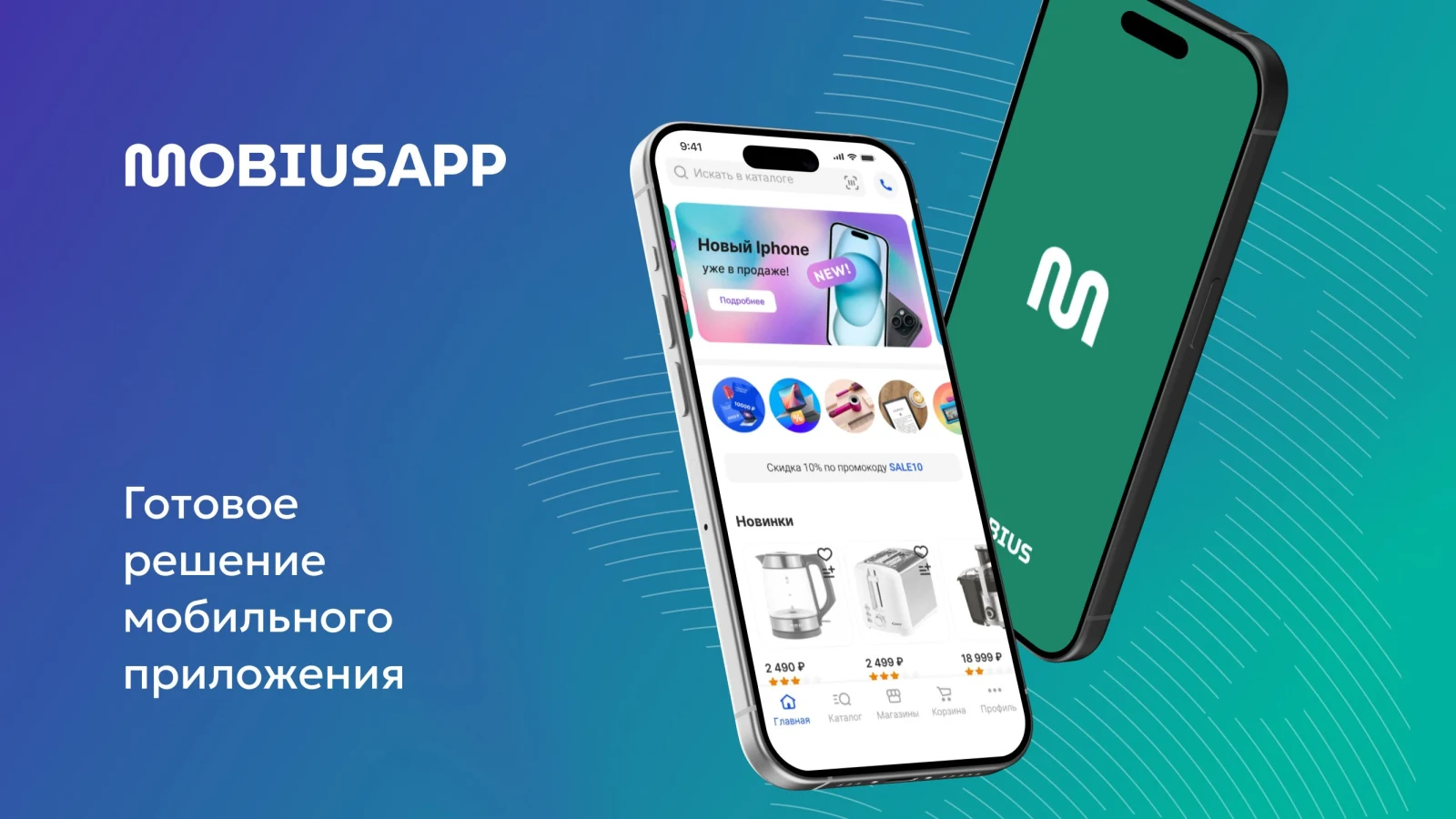
MobiusApp — iOS and Android mobile application
The MobiusApp integration module connects an online store built on 1C-Bitrix with the MobiusApp cloud platform. This solution enables the creation of a ready-to-use branded mobile application for the App Store and Google Play based on the site's catalog and orders. Product catalogs, prices, stock levels, and order data are synchronized automatically.
The MobiusApp integration module connects an online store built on 1C-Bitrix with the MobiusApp cloud platform. This solution enables the creation of a ready-to-use branded mobile application for the App Store and Google Play based on the site's catalog and orders. Product catalogs, prices, stock levels, and order data are synchronized automatically. Setup takes a few minutes: simply enter the connection code in the 1C-Bitrix admin panel. Once activated, the module performs scheduled synchronization without requiring developer intervention.
Mobile application for iOS and Android based on the MobiusApp platform.
Unlike standard solutions where the website serves as the backend, this setup uses the cloud platform admin.mobiusapp.ru. The module provides two-way synchronization between the website and the cloud: it sends the catalog (products, categories, prices, stock levels) to the cloud, imports orders placed in the app to the website, and updates stock data in real time.
The cloud platform manages the application, handling load, updates, push notifications, and analytics. The website remains the single source of the catalog, while technical maintenance of the application is fully handled by MobiusApp.
Synchronization of orders between the mobile application and a 1C-Bitrix website.
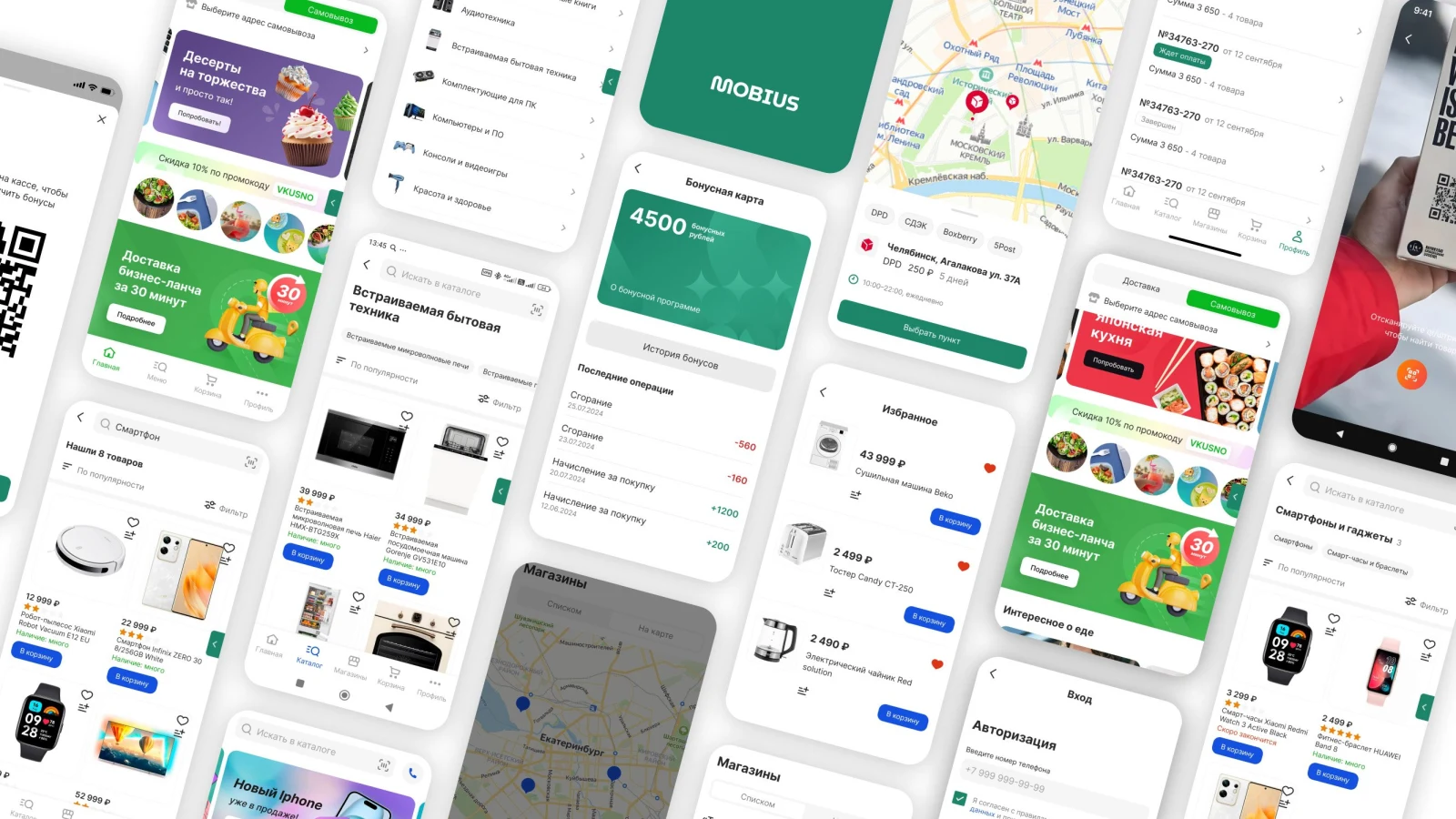
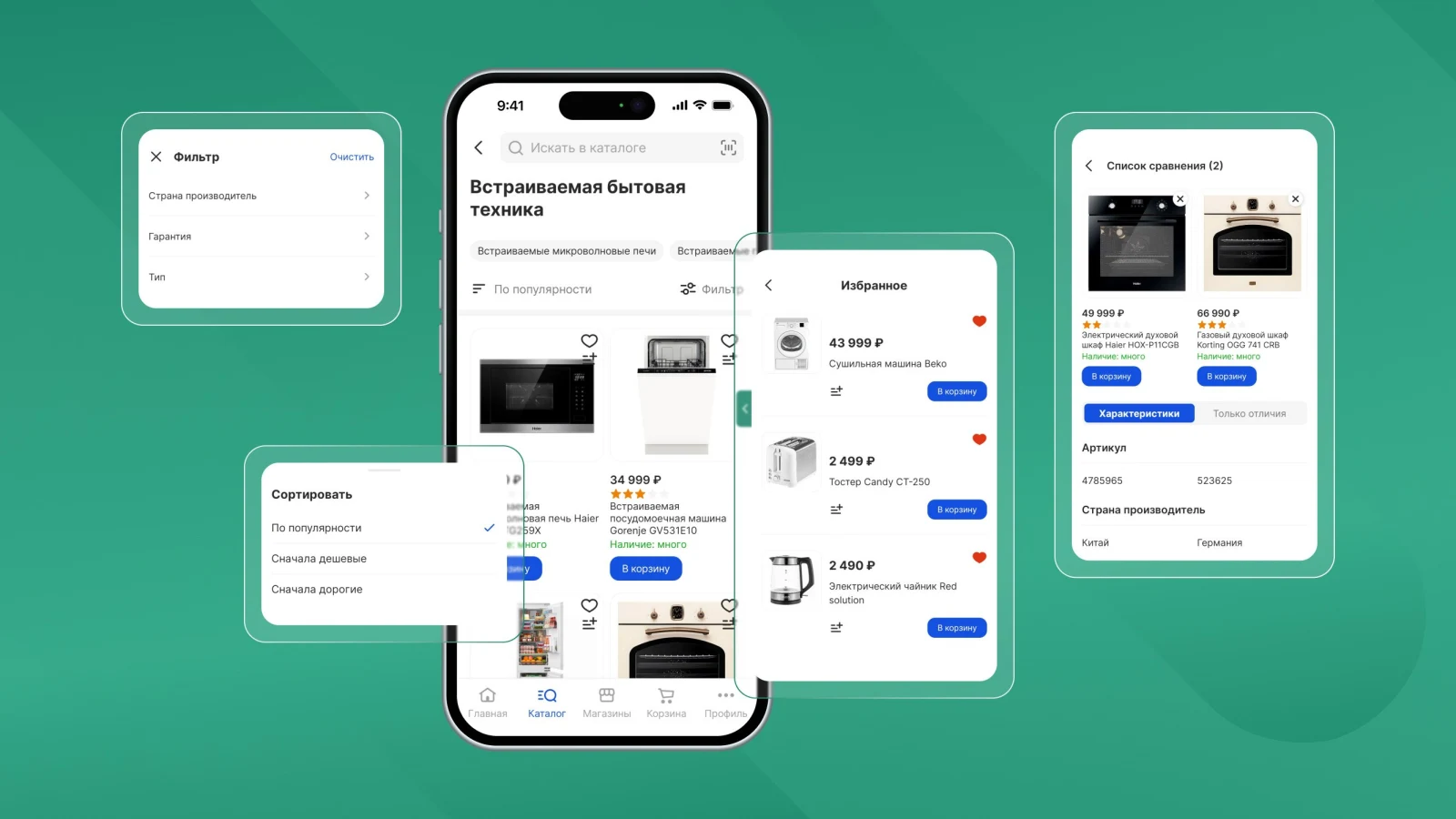
The store receives a ready-made branded application for iOS and Android with full e-commerce functionality. The catalog includes a product list, filters, sorting, comparison, and a favorites feature.
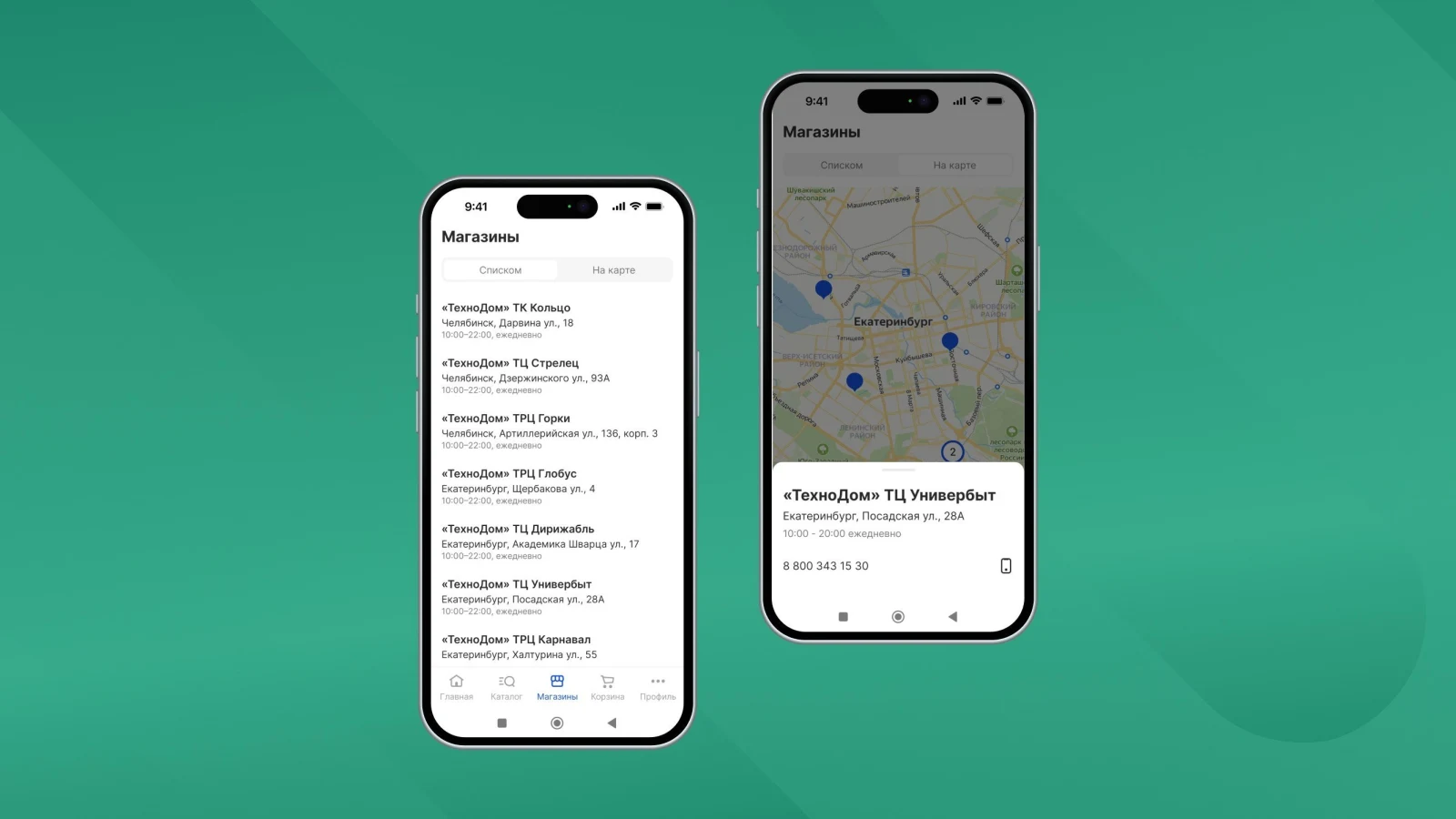
The MobiusApp mobile application for iOS and Android provides a product catalog, as well as a list and interactive map of the company's retail stores.
Store list and map view. Search for products by barcode or QR code.
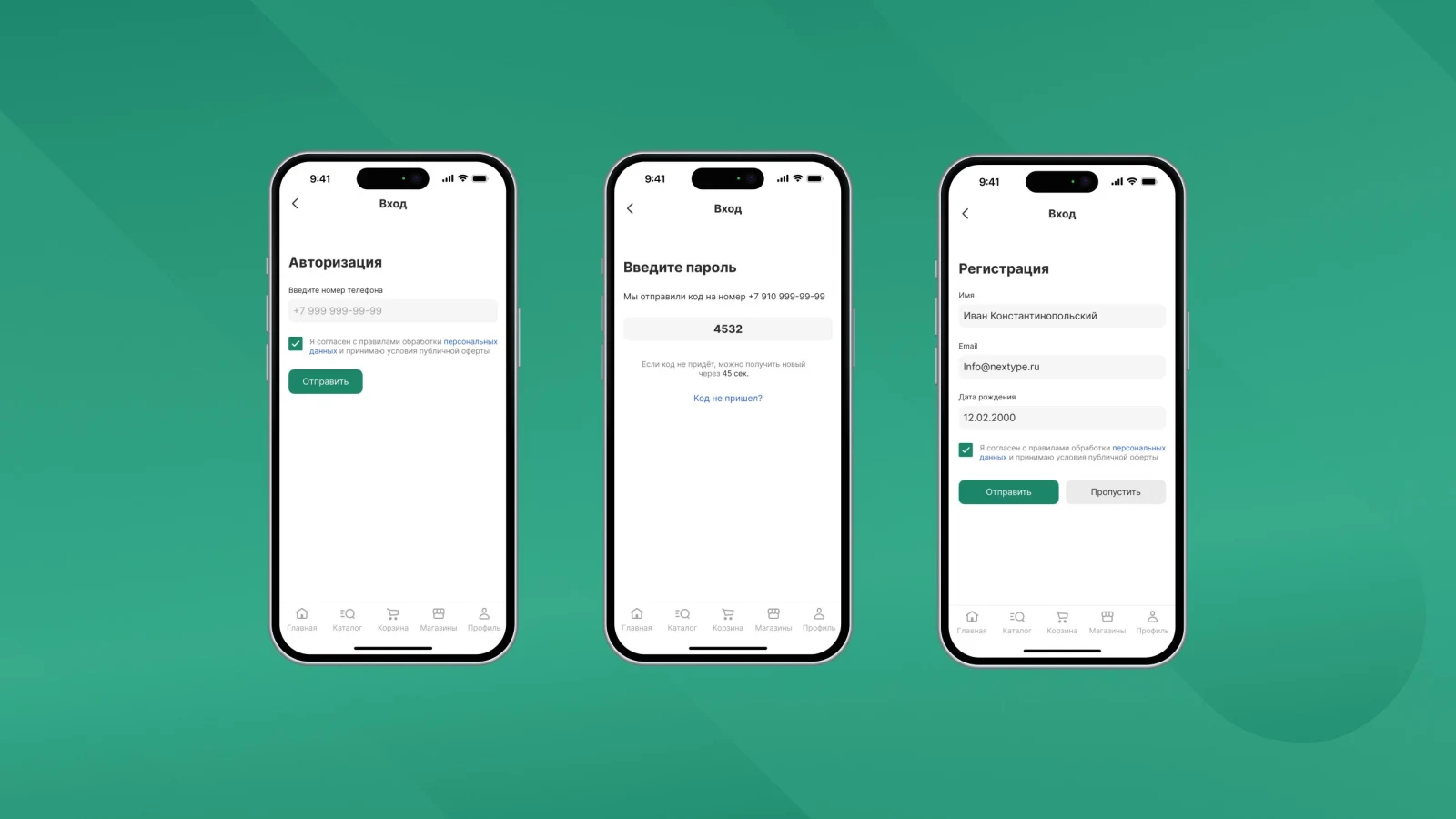
Search for items by barcode or QR code. Registration and account access are performed using a phone number or email address.
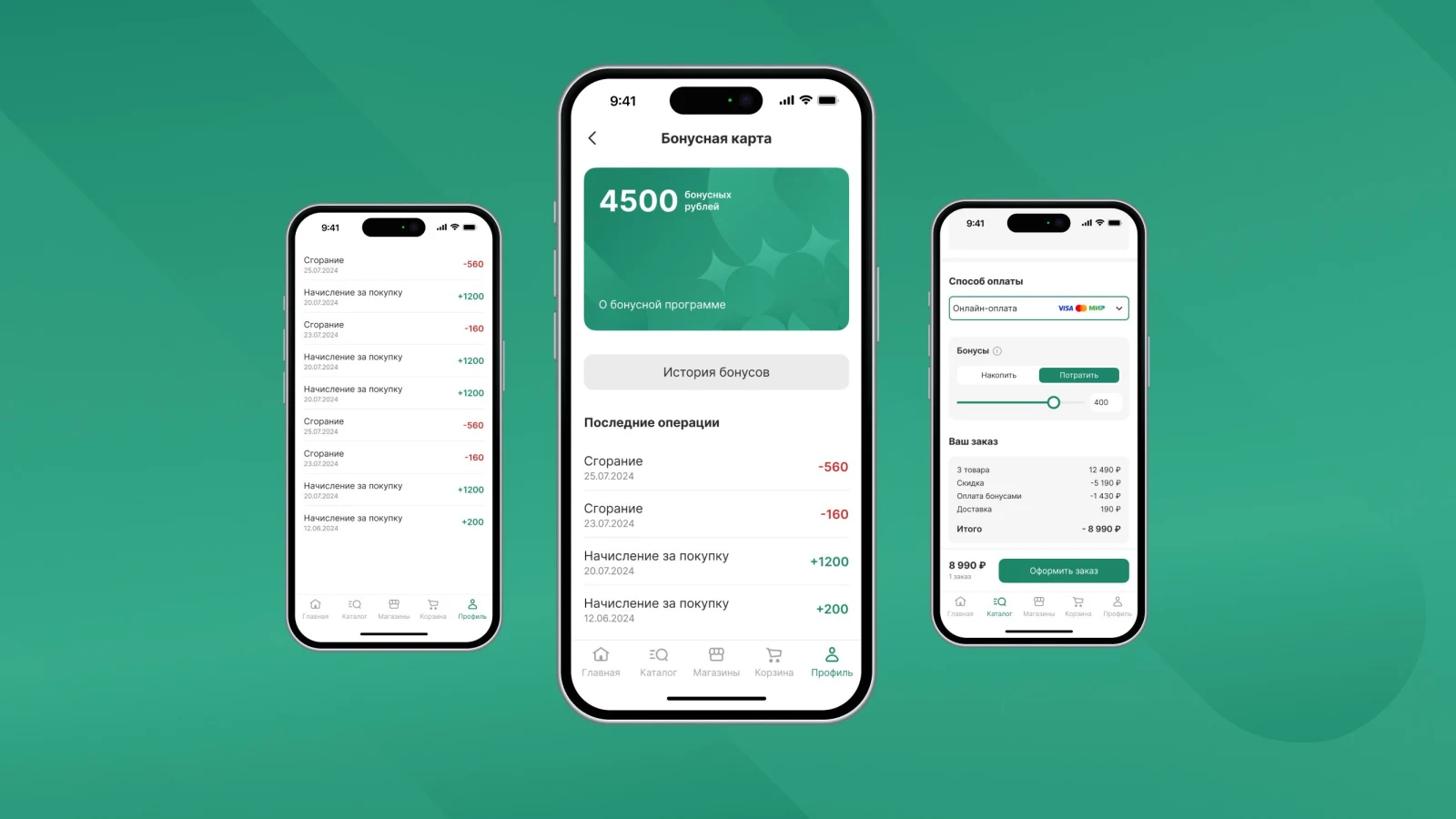
Login is available via phone number or email address. The application features a bonus system.
Bonus system
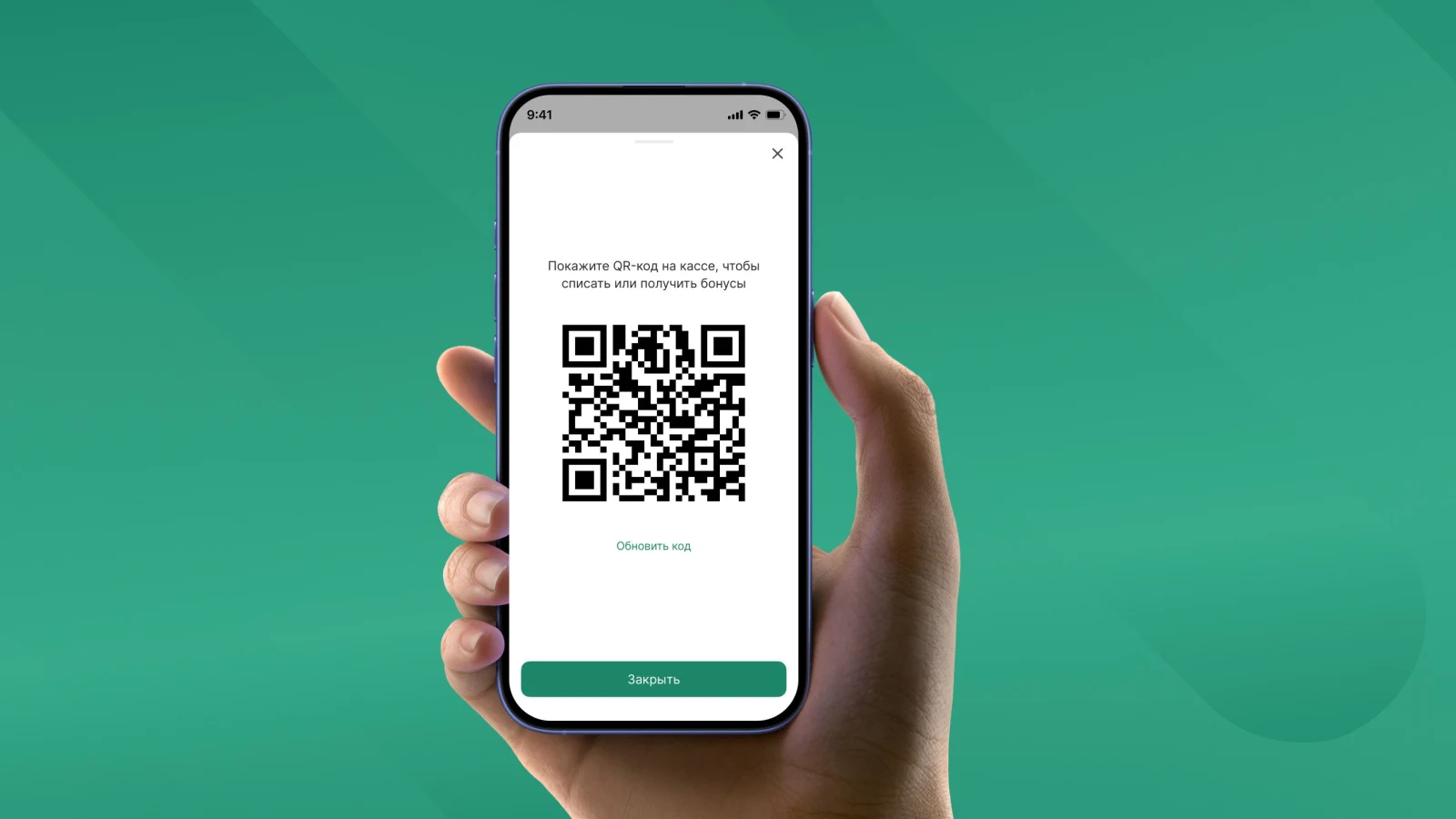
6. Loyalty card
MobiusApp mobile application for iOS and Android
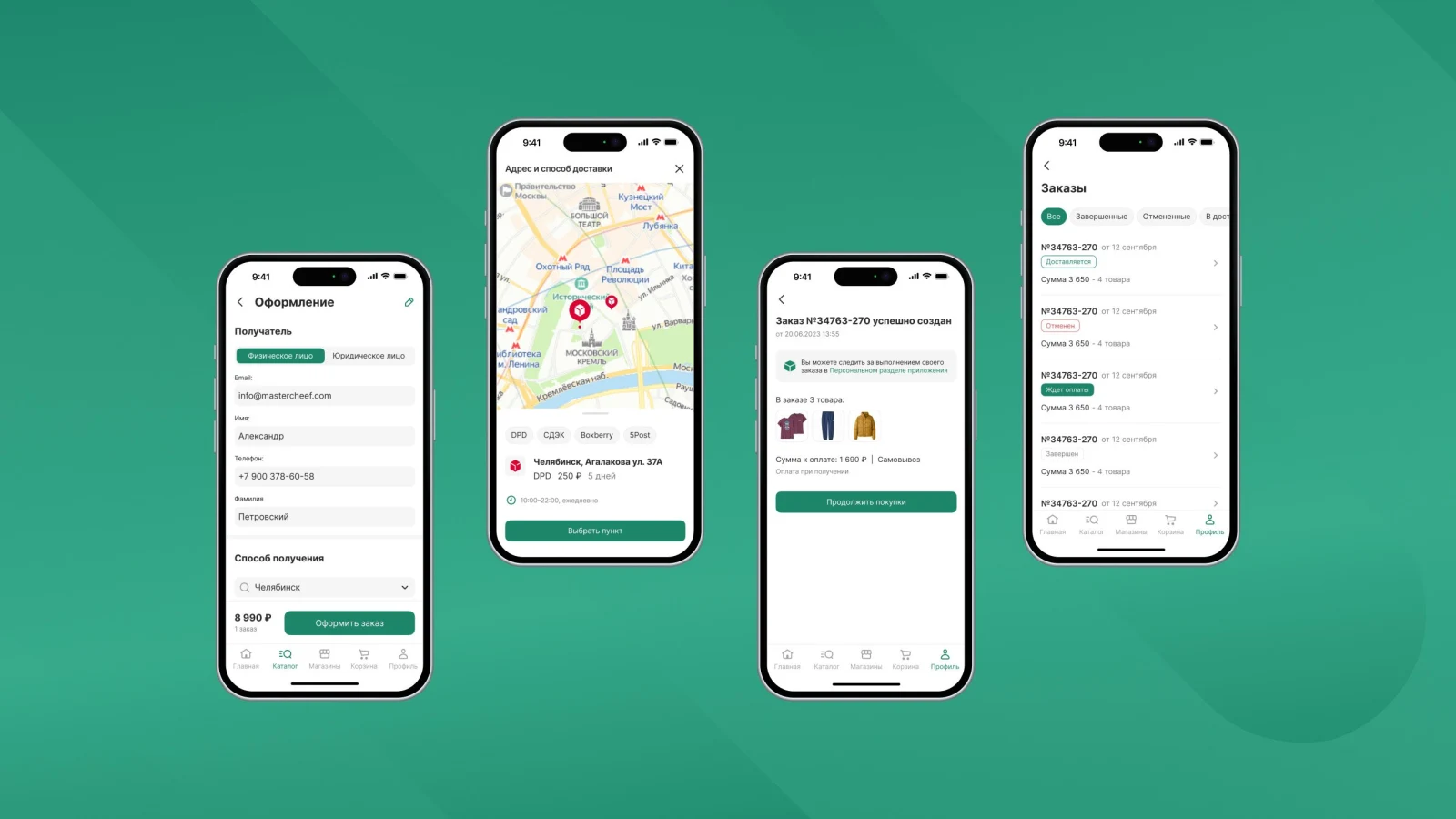
Features include a loyalty card, streamlined order placement, integrated analytics systems, and push notification capabilities.
Order processing, analytics, and push notifications
How it works
Install the module on your «1C-Bitrix» website and enter the connection code for the platform. The module automatically sends the store catalog to the MobiusApp cloud, where the mobile application is built and maintained. Order data and inventory changes are synchronized between the application, the platform, and the website automatically on a scheduled basis.
Target audience
This module is designed for stores that prefer to run their application on the ready-made MobiusApp cloud platform to avoid overloading their own website. You receive a fully functional application and synchronization out of the box, while the platform handles development and support. If you wish to use the «1C-Bitrix» website itself as the application backend, a separate module named «MobiusApp. Mobile Application Module» is available for this purpose.
Preview
You can build a demo version of your application within one day using your own products and brand colors.
General iT can install and configure this module and check how it works on your website.
USER EXPERIENCE
Solution reviews
How does this solution work in a real project? Share your experience and help others choose.
Be the first to share your experience
There are no reviews of this solution on git.ru yet. Tell us what worked well and what could be improved.
✓
Verified purchaseAdd a key if you wish. A verified review gets a badge, priority placement and more rating weight.
↗
Open to every clientJust sign in to your account. A key is optional; all reviews are moderated.
A unified solution for an online store and mobile applications on iOS and Android. The catalog, prices, stock levels, orders, and content are synchronized across all platforms. A single update in the system is immediately visible to buyers on both the website and the mobile apps.
The Mobile REST API module provides simplified access to website data via the standard REST protocol. This ready-to-integrate solution includes standard functionality: user authentication, social network login, registration, profile data retrieval and modification, push notification sending, and data retrieval from the information base.
The B2BMobile app by Sotbit enables work with the B2B cabinet on mobile devices. The interface is adapted for smartphones and tablets, providing access to platform functionality.
The solution itself is free. Installation, configuration and customisation services are agreed separately. A compatible platform and an appropriate platform licence are required.
How do I check compatibility?
Compare the supported editions and solution version in the technical details with your project. Before installing on a live website, we recommend making a backup and checking the solution in a test environment.
Can you help with implementation?
We can help install the module, check its settings and verify how it works in your project. Compatibility with other customisations and the scope of work are assessed before we begin.
Statistics and interaction recording
Public pages use basic statistics. Our recording and Yandex Webvisor require your permission. You can keep basic statistics or disable all analytics.
Operator: General IT Rus LLC, INN 2310208877. Statistics and recording help improve the website.
Basic statistics: pageviews, a random daily ID, a public URL and time. The ID lasts until Moscow midnight. Original records: up to 48 hours; totals: up to 7 years.
Campaign tags and a technical identifier are sent by our server to the existing Yandex tag. Visitor IP, User-Agent and cookies are not included in this transfer. If selected, its browser code collects technical data, cookies, actions and masked page snapshots; recordings last 15 days. Inputs, chat and account areas are hidden.
Interaction recording requires permission: clicks, scrolling, technical information and filtered public-page snapshots. Events: up to 7 years; IP and snapshots: up to 90 days.
Permission is remembered for up to 365 days; full opt-out remains until changed. Basic statistics only disables recording; Disable all analytics stops new analytics. Previously sent data is not automatically deleted. Withdrawal and requests: support@git.ru. Full terms are linked below.
Your browser requests no tracking: analytics is off.