Payments are experiencing issues due to temporary restrictions in Russia. If your payment does not go through, please submit a support request.•Our support team is available 24/7 — we are always here to help with hosting and server issues.•We are now accepting requests for dedicated server rental and colocation services in our data center.•Reminder: we recommend enabling backups for additional data protection.•A new VPS/VDS lineup with NVMe storage and improved performance is now available.•Maintenance work on some servers has been completed. All services are operating normally.•
Payments are experiencing issues due to temporary restrictions in Russia. If your payment does not go through, please submit a support request.•Our support team is available 24/7 — we are always here to help with hosting and server issues.•We are now accepting requests for dedicated server rental and colocation services in our data center.•Reminder: we recommend enabling backups for additional data protection.•A new VPS/VDS lineup with NVMe storage and improved performance is now available.•Maintenance work on some servers has been completed. All services are operating normally.•
Аккаунт в General iT
Вход / Регистрация
Войдите или создайте аккаунт для управления услугами в панели.
Страны не найдены. Попробуйте другое название или код.
MODULE FOR 1C-BITRIX
DIGIMATIX
QR Scanner Pro: QR code scanner with callback function support
The QR Scanner Pro module enables scanning of QR codes and barcodes directly in the browser without installing additional applications. It can be used to manage inventory and product search, register event attendees, verify tickets, process requests, and perform other tasks. The scan result can be redirected to a specific page or processed via a custom PHP function.
The QR Scanner Pro module enables scanning of QR codes and barcodes directly in the browser without installing additional applications. It can be used to manage inventory and product search, register event attendees, verify tickets, process requests, and perform other tasks. The scan result can be redirected to a specific page or processed via a custom PHP function. Ready-to-use code examples accelerate implementation, while flexible settings allow the interface to adapt to any design and usage scenario.
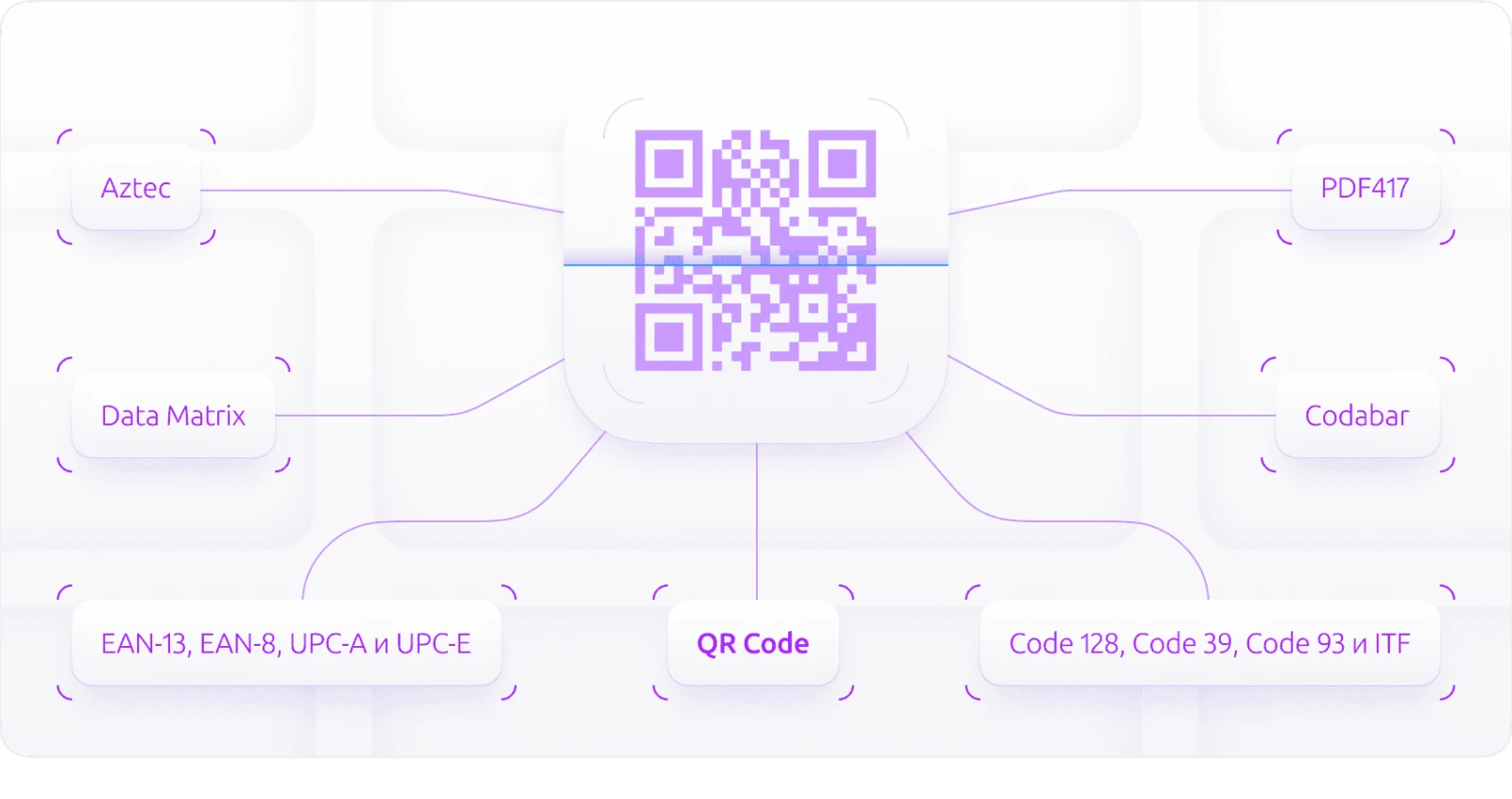
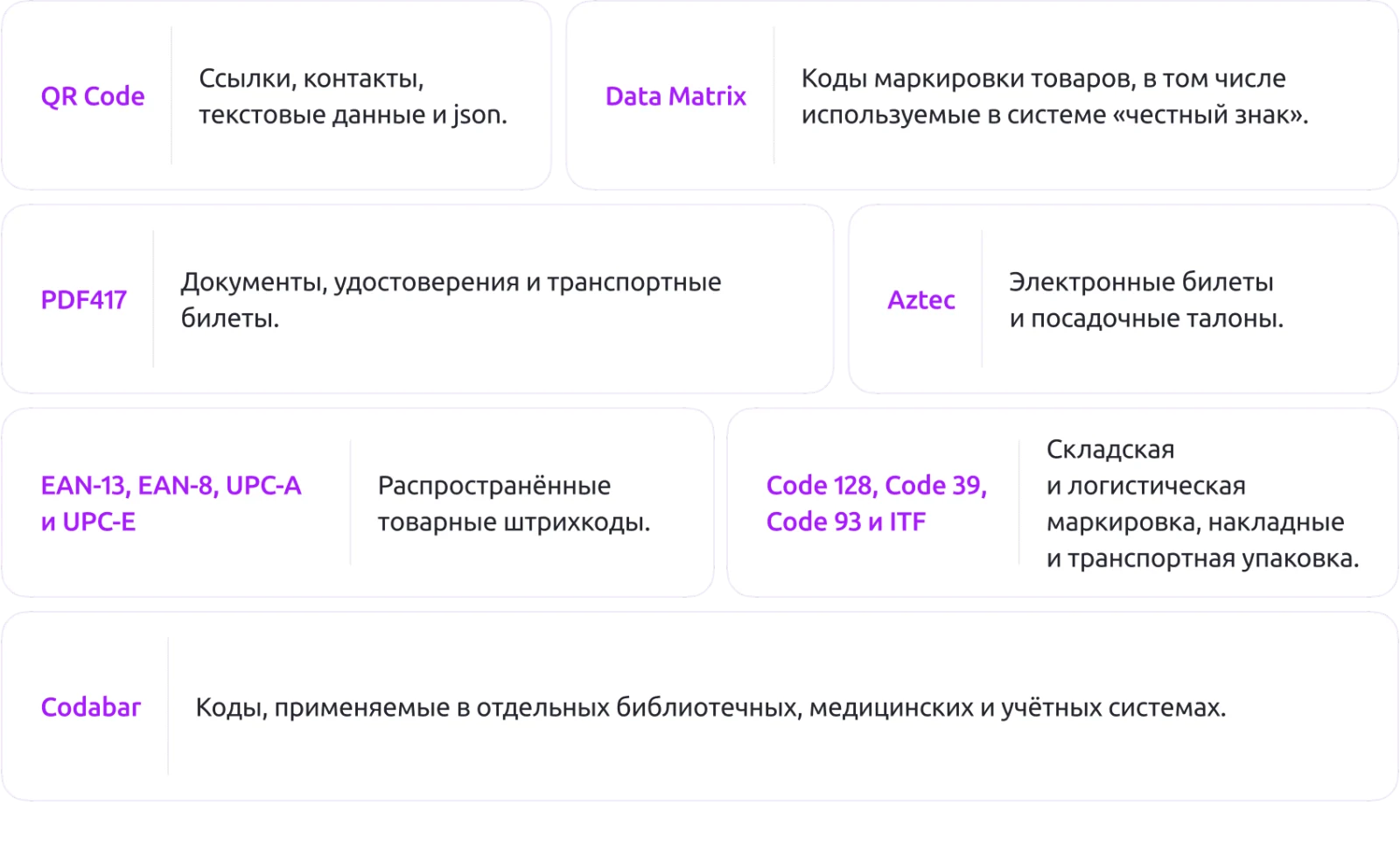
The module supports a wide range of codes used in trade, logistics, and document management. It recognizes QR codes containing links, contact data, text, and JSON. It works with Data Matrix codes, including product marking in the Honest Sign system. It supports reading Aztec codes for electronic tickets and boarding passes. The PDF417 format is supported for documents, IDs, and transport tickets. Standard product barcodes EAN-13, EAN-8, UPC-A, and UPC-E are also recognized.
The module supports recognition of Code 128, Code 39, Code 93, and ITF barcodes used for warehouse and logistics labeling, as well as on invoices and transport packaging. It also processes Codabar codes, which are used in specific library, medical, and accounting systems.
Recognition occurs directly on the user's device. The module utilizes built-in browser capabilities; if these are unavailable, a JavaScript recognition mechanism is activated. This allows codes to be read in modern browsers without installing a separate application.
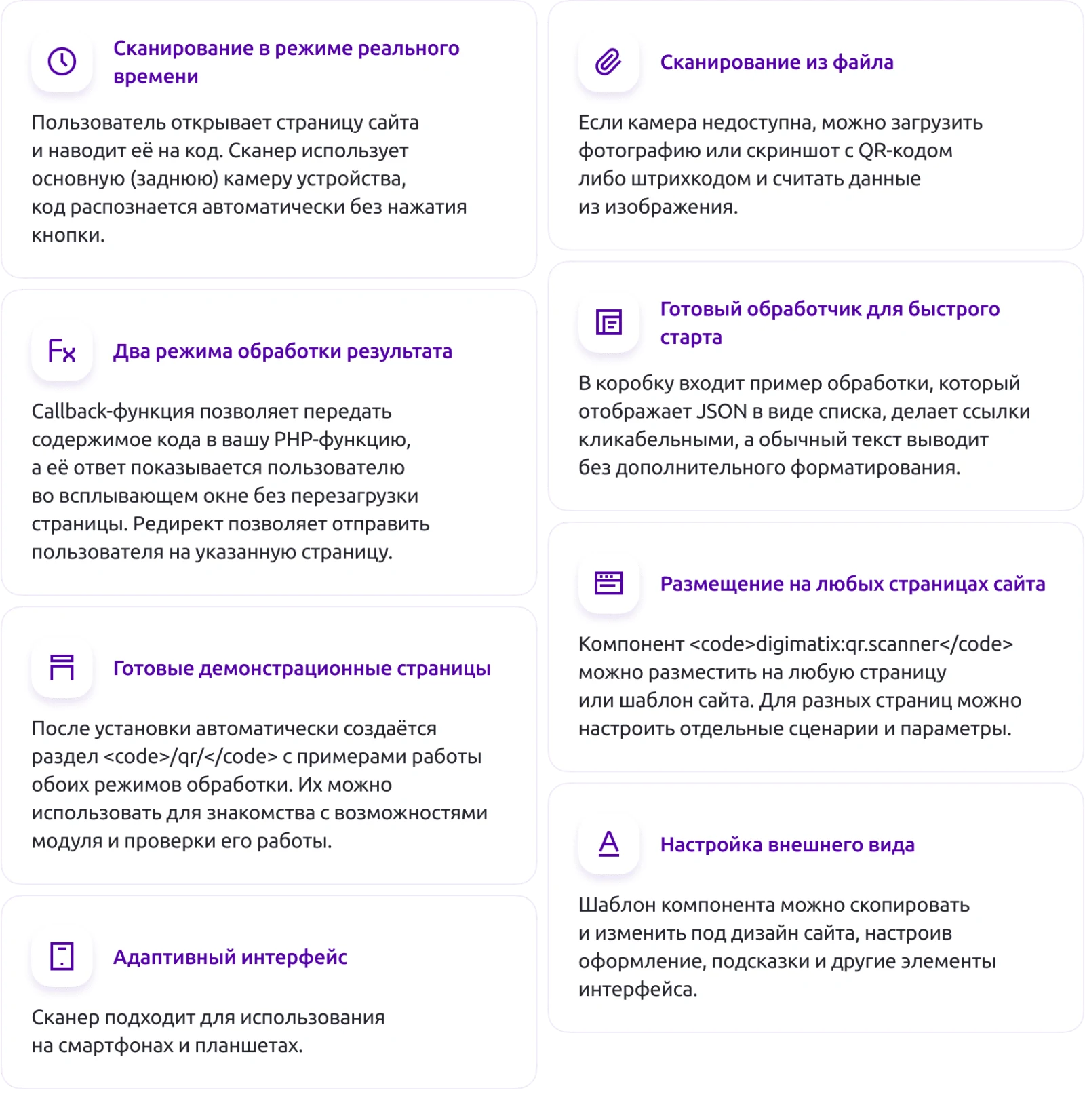
Real-time scanning is performed when a user opens a website page and points the camera at the code. The scanner uses the device's main (rear) camera, and recognition happens automatically without button presses.
If the camera is unavailable, scanning from a file is supported. Users can upload a photo or screenshot containing a QR code or barcode, and the data is extracted from the image.
The module offers two result processing modes. A callback function sends the code content to a PHP function, and the function's response is displayed to the user in a popup window without reloading the page. The redirect mode sends the user to a specified page.
The module provides a ready-to-use handler for rapid deployment. The package includes a demonstration example that displays JSON data as a list, makes links clickable, and renders plain text without additional formatting.
Upon installation, a dedicated /qr/ section is automatically created with ready-made demo pages. These pages showcase examples of both processing modes, allowing users to quickly familiarize themselves with the module's capabilities and verify its functionality.
The digimatix:qr.scanner component can be placed on any page or within any site template. Separate scenarios and parameters can be configured for different pages.
The appearance is customizable via the component template. Users can copy and modify the template to match the site's design, adjusting styling, tooltips, and other interface elements.
The scanner features an adaptive interface optimized for use on smartphones and tablets.
The module is versatile and supports the implementation of any post-scan scenarios, including authentication, ticket verification, inventory management, goods receipt, and promotional campaigns.
The quick start scenario ensures that a working example and the /qr/ section are available immediately after installation.
Integration is straightforward: simply place the component on a page, and it begins functioning.
The module offers design flexibility, allowing you to create custom templates, styles, tooltips, and hover frames. Scenario scalability is supported by enabling distinct component parameters for different URLs based on specific tasks. It requires minimal configuration for marketing and content teams while remaining extensible for developers.
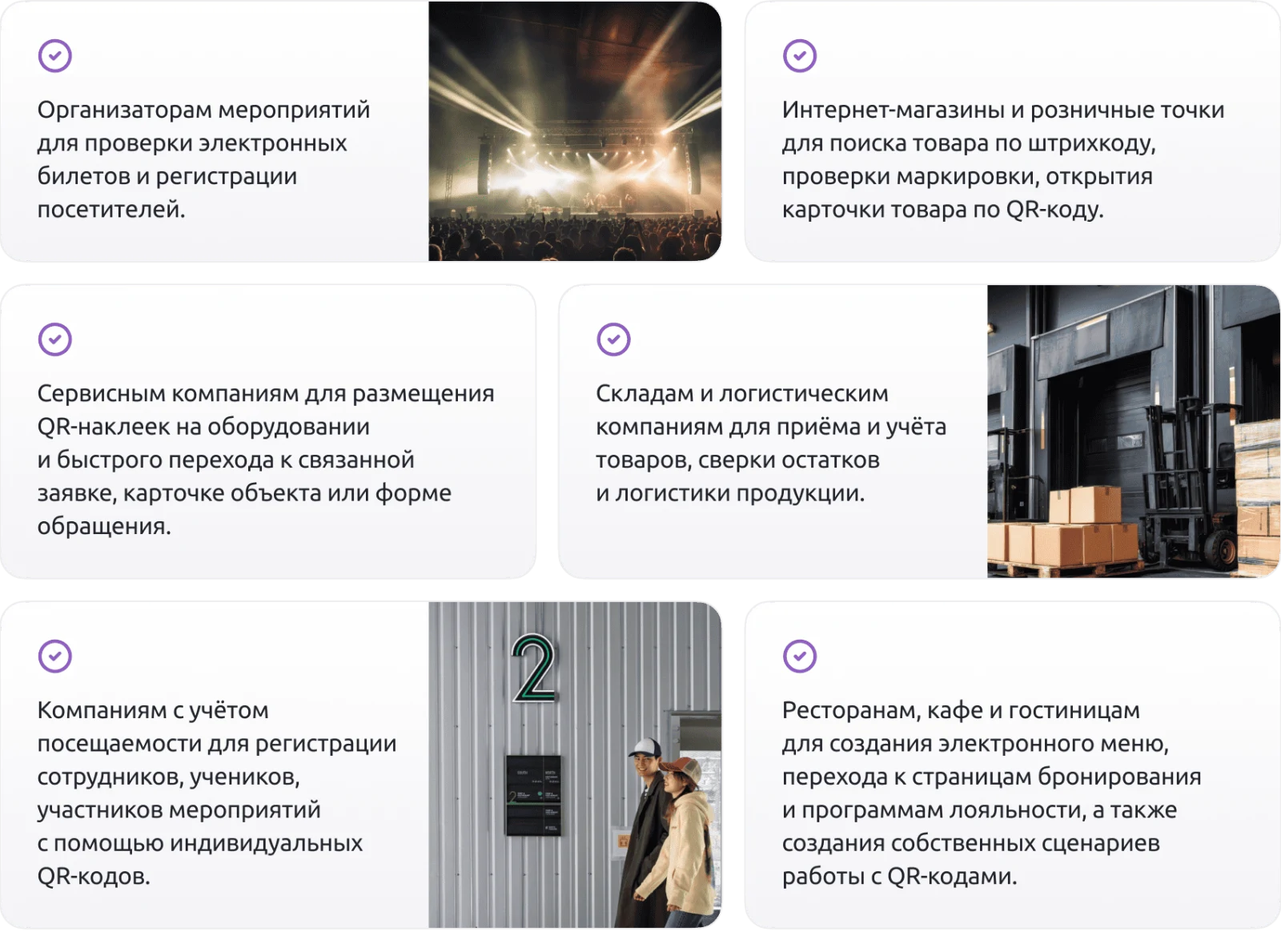
The module is suitable for online stores and retail outlets to search for products by barcode, verify marking, and open product cards via QR codes. Event organizers use it to validate electronic tickets and register visitors. Warehouses and logistics companies utilize it for receiving and tracking goods, reconciling inventory, and managing product logistics. Service companies apply QR stickers to equipment to enable quick access to related tickets, object cards, or contact forms. Organizations tracking attendance register employees, students, and event participants using individual QR codes. Restaurants, cafes, and hotels employ the solution to create digital menus, navigate to booking pages and loyalty programs, and implement custom QR code workflows.
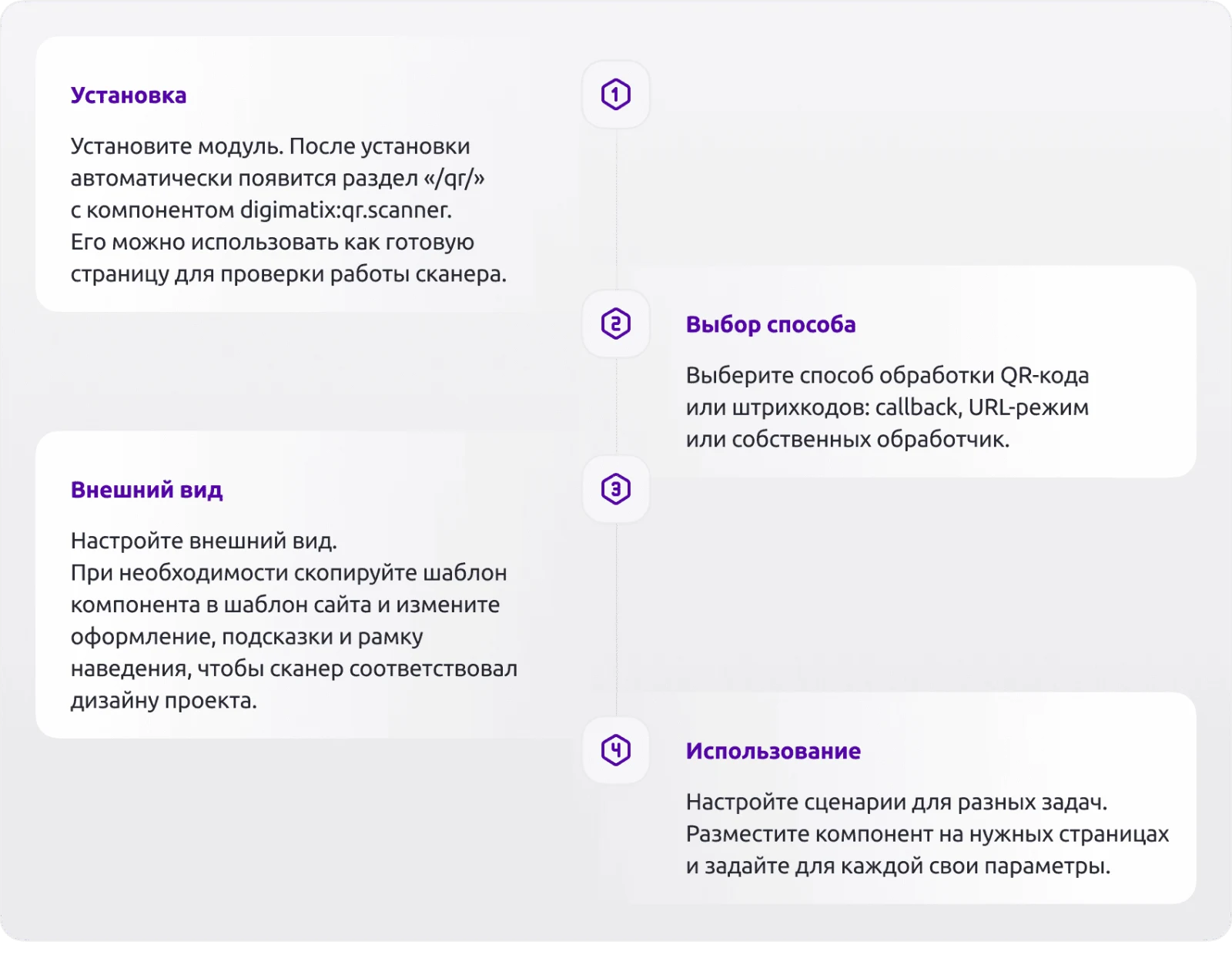
Install the module. Upon completion, the /qr/ section is automatically created containing the digimatix:qr.scanner component. This section serves as a ready-made page for testing scanner functionality.
Select one of three methods for processing QR code or barcode data: callback function, URL mode, or a custom handler.
For the callback method, specify a function name in the component parameters, for example Digimatix\QrScanner\Functions::ExampleQr($_REQUEST["data"]). Implement a custom handler that accepts data from $_REQUEST["data"] and performs required actions such as database recording, displaying a modal window, or redirecting the user.
In URL mode, define the address to which the parameter containing the scanned code data will be sent. The request direction (GET or POST) is configured separately.
Configure the interface appearance. If necessary, copy the component template to the site template and modify styles, tooltips, and the hover frame design to ensure the scanner matches the project design.
Configure scenarios for different tasks. Place the component on the required pages and assign individual parameters for each page.
Example of a minimal handler (callback):
PHP opening tag
namespace Digimatix\QrScanner;
class Functions {
public static function ExampleQr($data): void {
// Validation and logging
The QR Scanner Pro module by DIGIMATIX provides QR code scanning with support for callback functions. The provided code fragment demonstrates basic data handling: it validates that the incoming $data parameter is a non-empty string. If the parameter is missing or empty, the system returns an HTTP 400 error code. The business logic block includes capabilities for saving data, verifying it, and sending notifications, such as via the \Bitrix\Main\Mail\Event::send method. The final part of the code allows for an optional 'OK' response output when using a component template.
General iT can install “QR Scanner Pro: QR code scanner with callback function support”, configure its settings and verify its operation in the existing project.
UPDATE HISTORY
What’s new
1 releases
1.0.2 (07.10.2026)Latest update
Remote code execution vulnerability in the AJAX handler has been fixed: the callback function name is no longer accepted from the request but is passed as a signed component parameter; sessid verification has been added.
XSS vulnerability when displaying QR code content has been fixed (example ExampleQr and the /qr/redirect/ page).
Compatibility with PHP 8.2+: warnings and deprecations have been removed (dynamic properties, undefined array keys, missing vendor/autoload.php).
Class name conflict between the component class and the module class has been resolved.
Connection of the "Technical Support" page in the administrative section has been fixed.
Component handlers are invoked only from an explicit list of allowed handlers (by default ExampleQr); custom handlers are registered via the OnGetAllowedCallbacks event of the module - see the instructions in the administrative section.
The technical support page in the administrative section is embedded with sandbox restrictions and without passing the Referer header.
USER EXPERIENCE
Solution reviews
How does this solution work in a real project? Share your experience and help others choose.
Be the first to share your experience
There are no reviews of this solution on git.ru yet. Tell us what worked well and what could be improved.
✓
Verified purchaseAdd a key if you wish. A verified review gets a badge, priority placement and more rating weight.
↗
Open to every clientJust sign in to your account. A key is optional; all reviews are moderated.
The 'Working with Abandoned Carts' module manages user carts from which no orders were placed. It enables sending notifications about forgotten purchases to all relevant users with a single action. The system analyzes abandoned carts and generates statistics on the total number of carts without placed orders and the count of anonymous carts created without user authorization.
The module extends configuration capabilities for delivery services and payment systems, enabling the application of various restrictions to enhance the flexibility and precision of online store operations.
Most websites include code for analytics and communication services such as Yandex.Metrica, Google Analytics, Google Tag Manager, and chat widgets like JivoSite. Caching is a fundamental tool for optimizing site performance.
An excessive number of external scripts increases page load time and significantly lowers scores in Google PageSpeed Insights.
The webprostor.smtp module enables SMTP email sending configuration and DKIM signature support. The free version allows configuring SMTP for each site individually. Users can specify server parameters, port, connection security type, and authentication details including username, password, and the requirement for authentication.
The Export to Portals + API module is the premium edition of the integration suite for connecting with marketplaces. It provides centralized export of product catalogs, order processing, and stock synchronization with trading platforms through a single component on the website, eliminating the need to install separate software in each seller's personal account.
The SMSBiz module is designed for sending SMS notifications in online stores and corporate portals built on the Bitrix platform. Installation and usage do not require programming skills. The deployment process takes a few minutes.
The solution is built on the SMSInt service, which has been operating in the market for over 19 years.
The displayed price covers the solution itself. Platform licensing, installation and customisation are checked separately. If the page offers bundles, select the required option before submitting a request.
How do I check compatibility?
Compare the supported editions and solution version in the technical details with your project. Before installing on a live website, we recommend making a backup and checking the solution in a test environment.
How much does this solution’s renewal cost?
The current renewal price is 1,499.50 ₽. Before you order, a manager will confirm the renewal period and whether it applies to your licence.
Can you help with implementation?
We can help install the module, check its settings and verify how it works in your project. Compatibility with other customisations and the scope of work are assessed before we begin.
Statistics and interaction recording
Public pages use basic statistics. Our recording and Yandex Webvisor require your permission. You can keep basic statistics or disable all analytics.
Operator: General IT Rus LLC, INN 2310208877. Statistics and recording help improve the website.
Basic statistics: pageviews, a random daily ID, a public URL and time. The ID lasts until Moscow midnight. Original records: up to 48 hours; totals: up to 7 years.
Without Webvisor permission, Yandex receives server statistics without visitor IP, User-Agent or cookies. If selected, its browser code collects technical data, cookies, actions and masked page snapshots; recordings last 15 days. Inputs, chat and account areas are hidden.
Interaction recording requires permission: clicks, scrolling, technical information and filtered public-page snapshots. Events: up to 7 years; IP and snapshots: up to 90 days.
Permission is remembered for up to 365 days; full opt-out remains until changed. Basic statistics only disables recording; Disable all analytics stops new analytics. Previously sent data is not automatically deleted. Withdrawal and requests: support@git.ru. Full terms are linked below.
Your browser requests no tracking: analytics is off.