New Year decorations for websites and portals in 1 click (snow, garland, ornaments)
The module allows you to quickly add a New Year atmosphere to your website. The package includes falling snow effects and interactive Christmas ornaments positioned at the top of the page.

New Year Garland
Module for placing a New Year's garland on a website. Individual ornaments shift and play a sound effect when the cursor hovers over them.

Snowflakes
The Snowflakes module adds falling snowflake animation to a website. Settings allow adjusting the number of snowflakes, their falling speed, and size. Three preconfigured design options are included. Users can also upload custom images and apply a unique style.

Site Holiday Decoration (New Year's Garland)
The 'Site Holiday Decoration' module by Niges allows you to quickly add a Christmas garland to a webpage. Configuration options include site selection, activity control, margin settings, position locking, z-index level, size, opacity, and style variants.

Greeting cards and decorations for May 9

New Year decorations for the site: garland, snow, toys
The module for 1C-Bitrix allows adding adaptive New Year and Christmas decorations to a website, including garlands (static and animated), snowfall effects, and decorative ornaments. The elements are compact and adapt to any screen resolution without obstructing the main content. The garland supports placement along any side of the screen.
AWZ: Age Restriction (Adult Verification)
AWZ: Age Limit (Adult Verification) Module. This component is designed to display an age verification window. It supports integration via the OnEndBufferContent handler and can also be invoked manually.
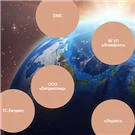
B-ID: Partner list as floating bubbles
The bid.bubbles module implements a component that displays infoblock records as dynamic floating spheres on an expressive background. The component is suitable for rendering partner lists as well as any other information stored in infoblocks. The component provides a dynamic visual style: elements are presented as stylized floating spheres, giving the page a modern appearance.

Goodsol: Before/After
The 'Before/After' module enables rapid integration of interactive image comparisons on websites. It is designed for medical clinics, beauty salons, construction and repair companies, auto service centers, design studios, manufacturers, and specialists who need to visually demonstrate work results.

Full-width fixed banner-stretch
The module enables the display of a fixed cross-page banner across all website pages to ensure visitors do not miss important notifications or information. The banner can be fixed at the top of the screen or configured as a floating element at the bottom of the viewport. The administrative panel allows configuration of the banner text, background, and link.
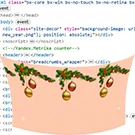
Decorate your site
The module is designed for decorating a website during holidays. It supports scenarios for New Year, March 8, and February 23. Users can upload custom images or use default templates. The placement of decorative elements is manually configurable.

New Year decorations for the website
The module adds a New Year atmosphere to the site. It enables visual effects including falling snow, garlands, and snowdrifts.

Page scroll indicator
The page scroll progress module places a modern interactive element at the top of the site to visualize the current scroll progress.

Cookie and consent management
The 'Cookie and Consent Management' module for 1C-Bitrix is designed to request, save, and track visitor choices regarding cookie usage. A customizable consent banner is displayed on the site. Visitors can accept all cookie categories, keep only the mandatory ones, or open the settings panel to independently select permitted categories.

Cursor Management
The Cursor Management module allows customization of the mouse pointer appearance for various interface states: links, buttons, text fields, wait, move, and resize. Administrators can upload custom cursor graphic files without modifying the frontend code.

Flashing Tab (Favicon)
The 'Flashing Tab' module changes the browser tab title and favicon when a visitor switches to another tab, helping to gently draw their attention back to the site. When the page loses focus, the module can replace the favicon, enable flashing, change the tab title, or alternate between two specified phrases. Upon the visitor's return, the original page title is restored.

Announcements in the header
The "Announcements in Header" module enables the placement of managed informational widgets and banners on a website for important messages, notifications, promotions, and service updates. Announcements are configured via the 1C-Bitrix administrative panel. Display can be restricted to specific audiences, selected pages, and a defined time period.

Running text in the header
The 'Running Line in Header' module is designed to display informational banners, scrolling text, and promotional announcements at the top of 1C-Bitrix websites. The solution supports flexible styling, targeting, analytics, and multi-site environments.

Customizable Scrollbar
The 'Custom Scrollbar' module for 1C-Bitrix: Site Management allows customization of the browser scrollbar appearance via the administrative panel without manual editing of templates or CSS files. After installation, a settings page appears in the administration section. In a multi-site configuration, you can select a specific site.

Weather Forecast (Text)
The module displays the current weather forecast and the daily forecast in text format, using data from the Gismeteo.ru service. Installation is performed in accordance with the 1C-Bitrix Marketplace instructions.

ARAMA: Shopping cart, favorites, viewed products sent to email
The ARAMA module provides a component for generating and emailing a list of items that have interested a visitor. This list can include viewed items, items in the shopping cart, and saved items (favorites). Settings allow selecting any of these types individually or combining them into a single selection. The component activates after a specified time interval configured in the parameters.

SenDev: Banner and Promotional Block Management
SenDev: Banner and Promo Block Management is a module for creating, rotating, and analyzing the effectiveness of advertising materials on sites running 1C-Bitrix. The solution combines the functionality of a classic banner rotator and a promo block builder based on information blocks. All banners, sliders, and promo campaigns are managed from a single section of the administrative panel.

Holiday Decor. Holiday decoration for the site (any holidays)
Holiday Decor is a module for festive website decoration on the 1C-Bitrix platform. It enables the addition of visual effects including falling snow, snowball animations on click, garland ornaments, decorative image-based headers and footers, and a themed cursor. All settings are configured via the administrative panel without modifying source code.
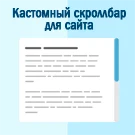
Custom scrollbar for the site
This module allows you to change the appearance of the page scrollbar without modifying the site's source code. You can customize the colors and dimensions of the scrollbar to create a unique style for your page. Default values are provided as an example. A visual representation of the scrollbar with these settings is available in the module's gallery.