Payments are experiencing issues due to temporary restrictions in Russia. If your payment does not go through, please submit a support request.•Our support team is available 24/7 — we are always here to help with hosting and server issues.•We are now accepting requests for dedicated server rental and colocation services in our data center.•Reminder: we recommend enabling backups for additional data protection.•A new VPS/VDS lineup with NVMe storage and improved performance is now available.•Maintenance work on some servers has been completed. All services are operating normally.•
Payments are experiencing issues due to temporary restrictions in Russia. If your payment does not go through, please submit a support request.•Our support team is available 24/7 — we are always here to help with hosting and server issues.•We are now accepting requests for dedicated server rental and colocation services in our data center.•Reminder: we recommend enabling backups for additional data protection.•A new VPS/VDS lineup with NVMe storage and improved performance is now available.•Maintenance work on some servers has been completed. All services are operating normally.•
Аккаунт в General iT
Вход / Регистрация
Войдите или создайте аккаунт для управления услугами в личном кабинете.
Страны не найдены. Попробуйте другое название или код.
WEBSITE TEMPLATE
Krayt
INDUSTRY-SPECIFIC ONLINE STORE OF CONSTRUCTION MATERIALS AND TOOLS «STROY-MARKET 2.0»
Industry-specific online store for construction materials and tools STROY-MARKET 2.0. This template is adapted for the construction industry and is designed for 1C-Bitrix partners.
Industry-specific online store for construction materials and tools STROY-MARKET 2.0. This template is adapted for the construction industry and is designed for 1C-Bitrix partners.
The Stroy-market 2.0 industry solution by Krayt enables the launch of an online store for construction materials, tools, and equipment. The catalog covers construction and garden machinery, fasteners, fittings, bricks, roofing systems and gutters, paints and coatings, ladders and step ladders, consumables, power and petrol tools, saws, welding equipment, generators, concrete mixers, machines, lawnmowers, grills, barbecues, and workwear.
For consultation, contact technical support via the developer's official website.
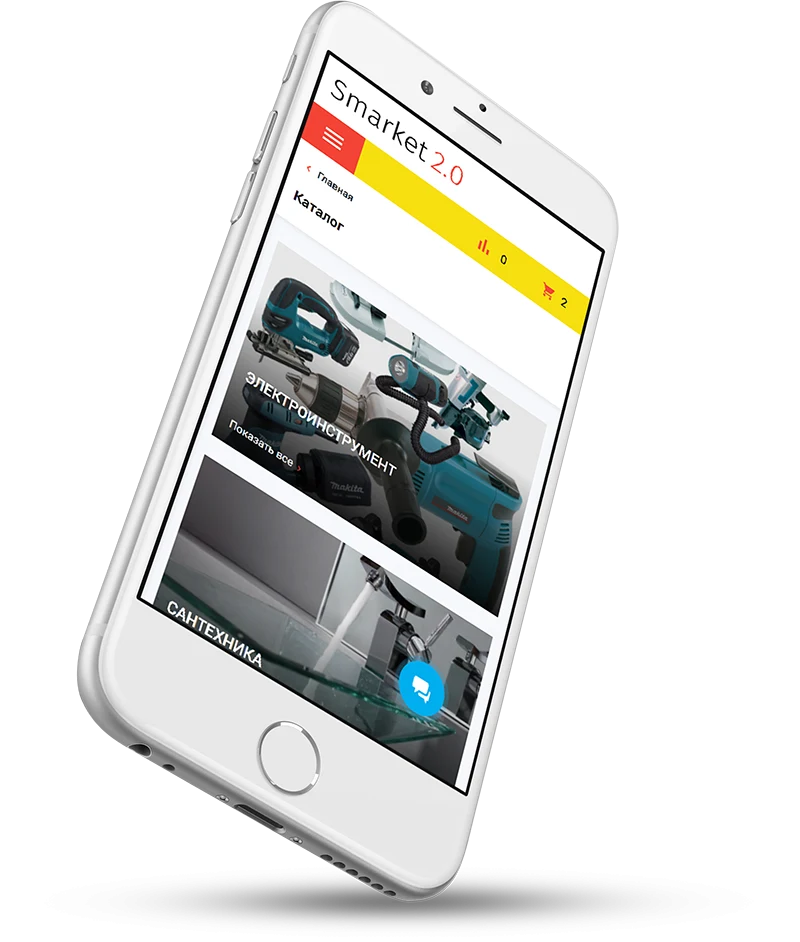
The STROY-MARKET 2.0 template ensures full interface adaptability. The site displays correctly and maintains intuitive navigation on desktops, tablets, and smartphones, optimizing the user experience and supporting conversion growth.
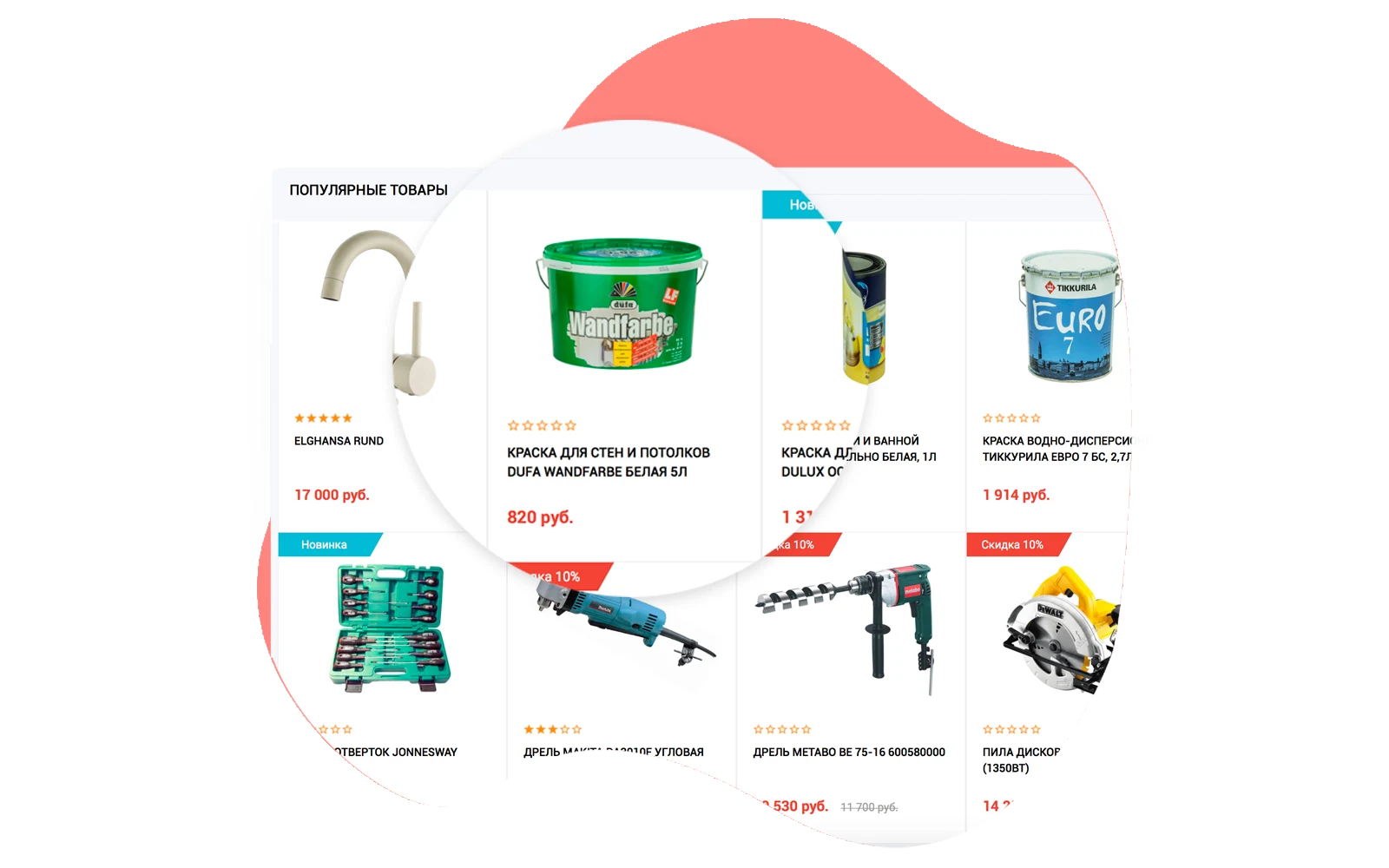
The Recommended Products block uses BigData personalization technology to display items most likely to interest a specific visitor. The system adapts the block content individually based on available user data, thereby increasing conversion rates.
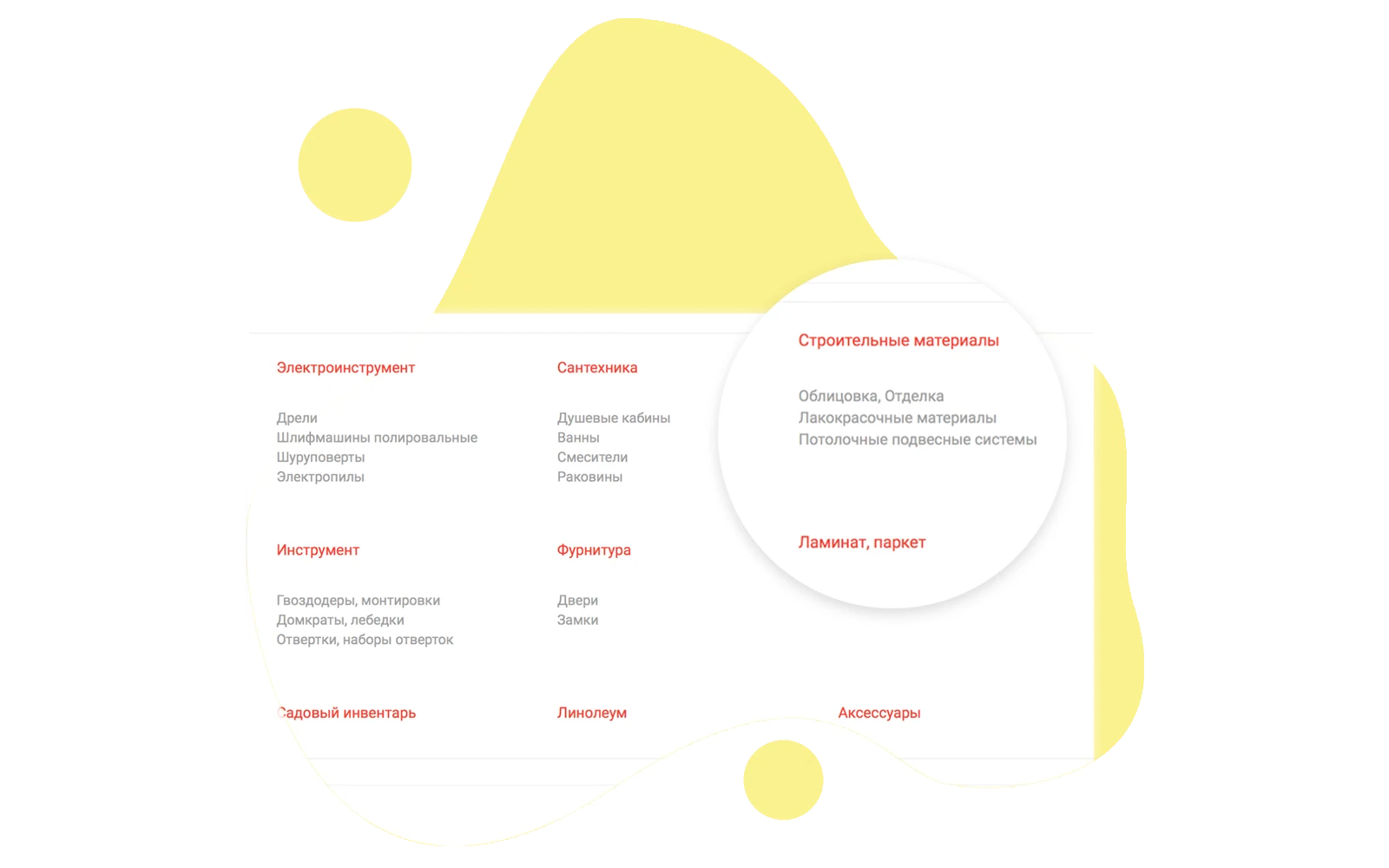
A catalog structure is displayed at the bottom of the homepage. This feature simplifies navigation through product categories and aids in search engine indexing.
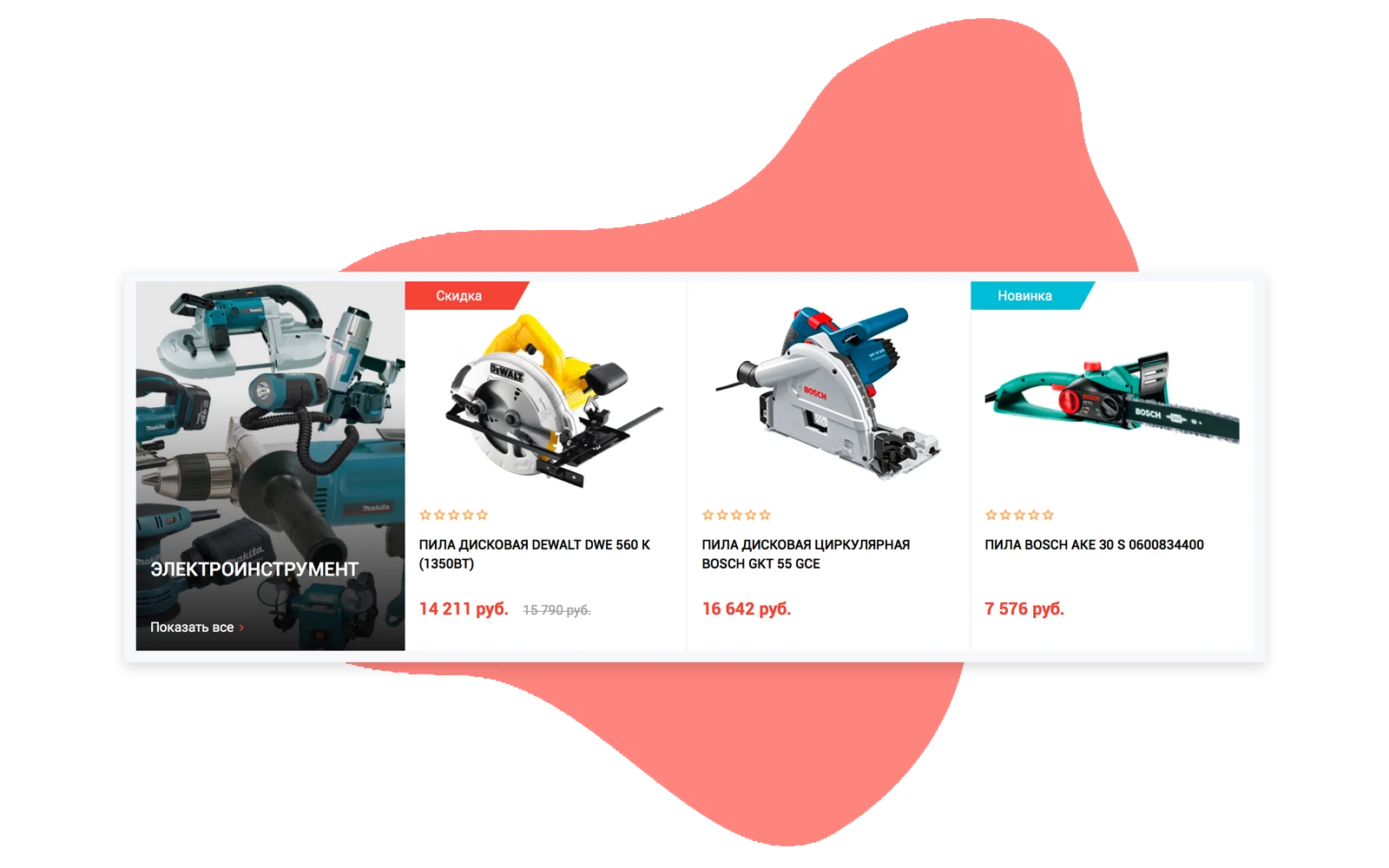
Catalog pages display a hierarchical tree of nested categories. The depth and number of levels can be expanded without limits, which is convenient for stores with a wide product range. Each category is accompanied by an image reflecting its content, along with a list of the three most popular items. This interface organization simplifies navigation and accelerates the search for the required product group.
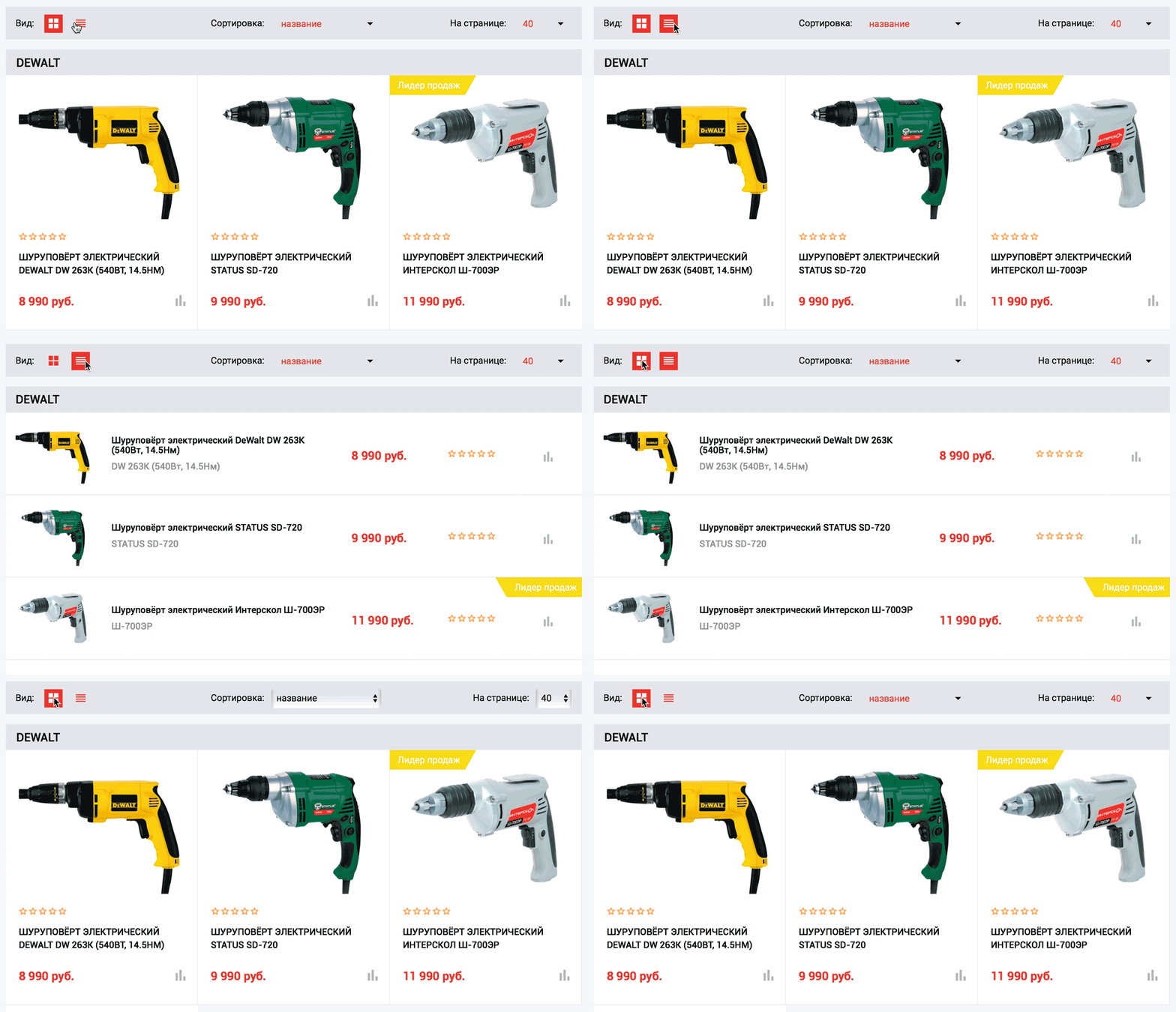
Users can switch the product display between two modes with a single click. The tile view emphasizes product photographs, catering to visual preferences. The table view structures information by columns, enabling quick product searches based on specific parameters.
Sorting
The order of catalog items is configurable via the sorting panel.
Filter
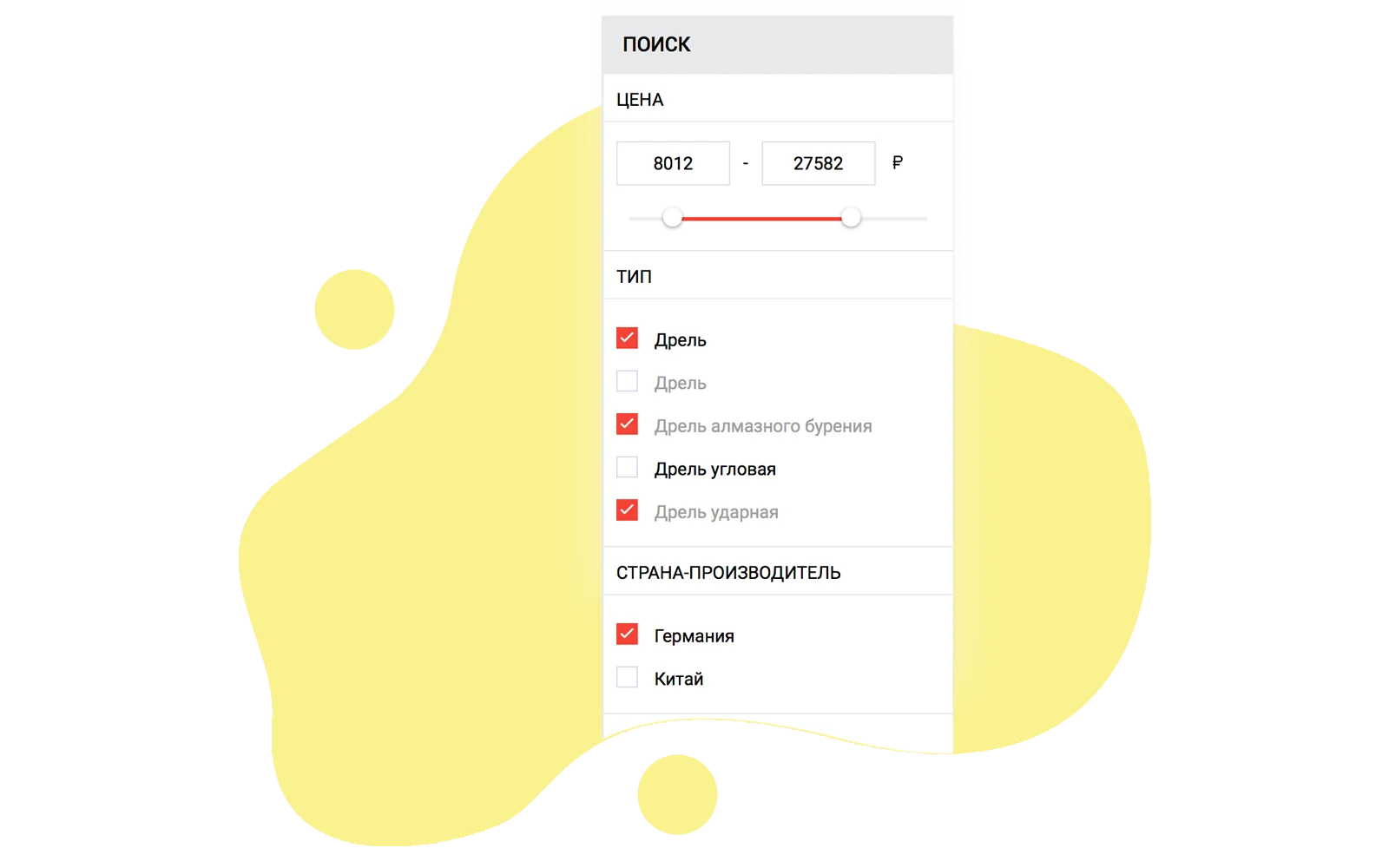
A flexible filter for parameters and characteristics accelerates product search. When parameters are changed, a pop-up window displays the count of found items, allowing the filtered assortment to be displayed immediately.
Brand Grouping
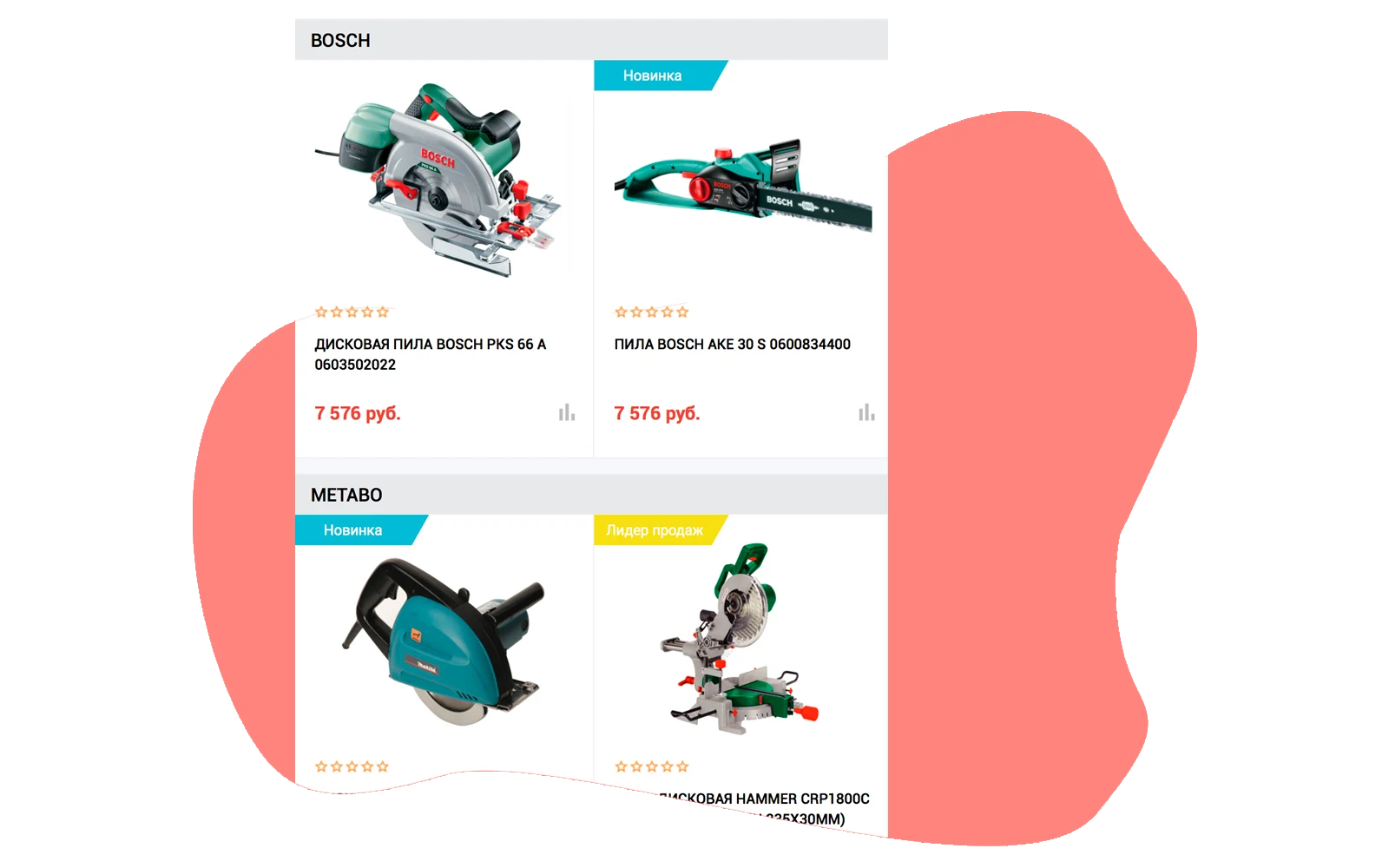
In multi-brand catalogs, the system automatically organizes products by manufacturer after filters and sorting are applied. This enables comparison not only between individual items but also across different brands that match the specified criteria.
Have questions? Refer to the documentation or contact technical support.
For consultation, contact technical support via the developer's official website.
The home screen displays key interface elements for quick access to the catalog of construction materials and tools.
INFORMATION BLOCKS
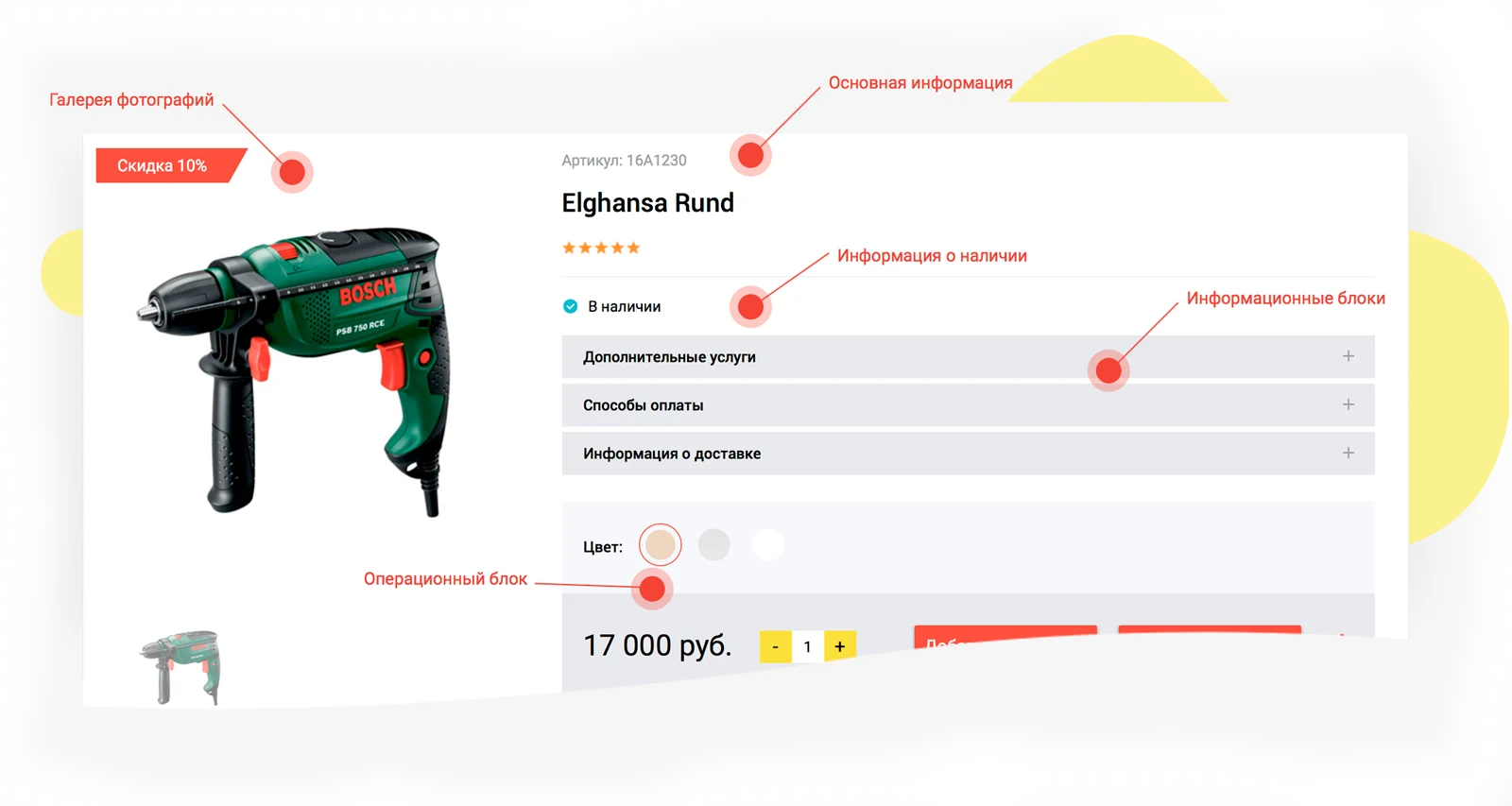
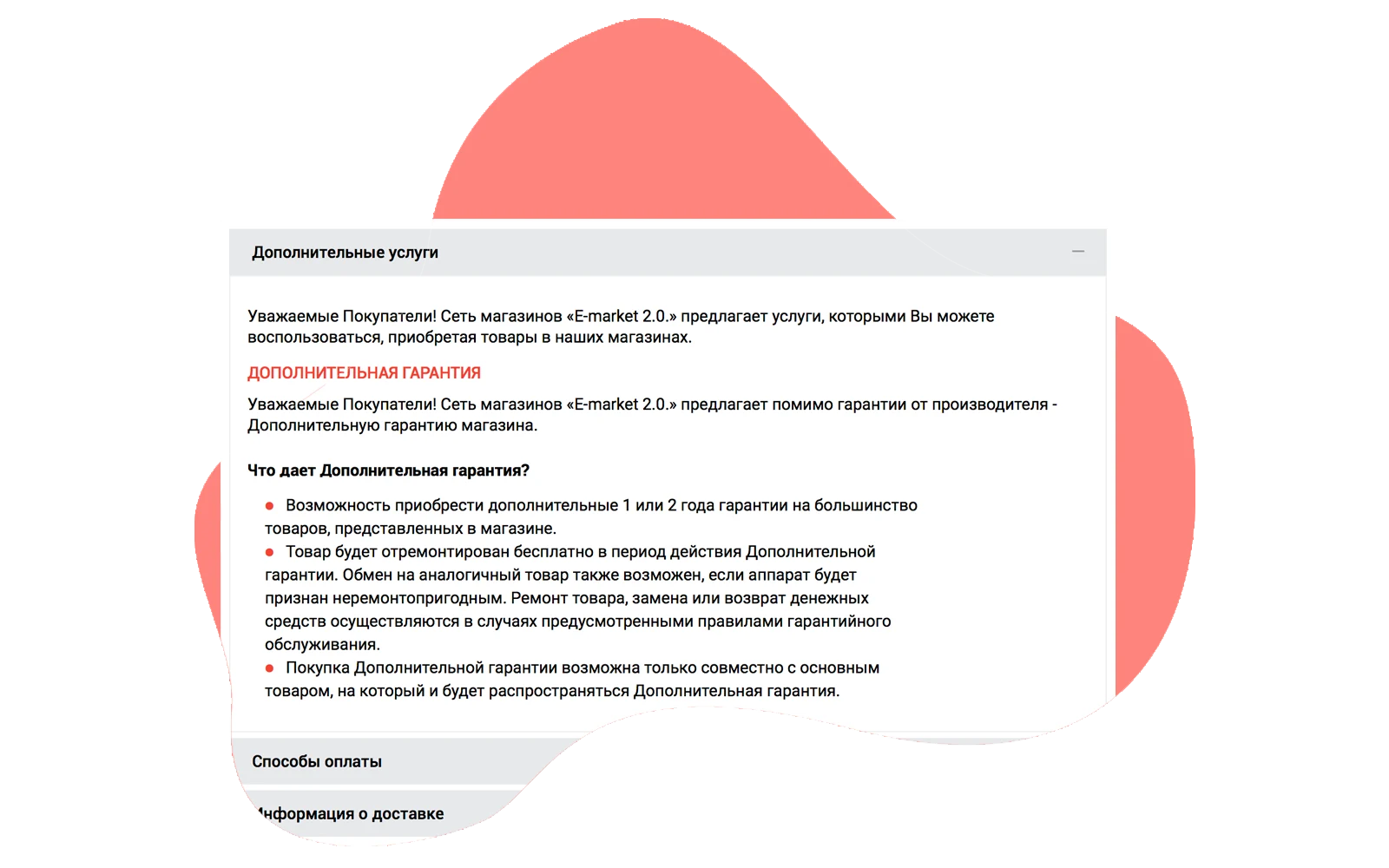
Not every online store owner needs to integrate automated delivery and payment systems or automate delivery cost calculations and upsell services. However, it is essential for users to view available delivery options, payment methods, and additional services directly on the product card without navigating away. To address this, dedicated information blocks are displayed on the first screen of the product card.
Trade offers
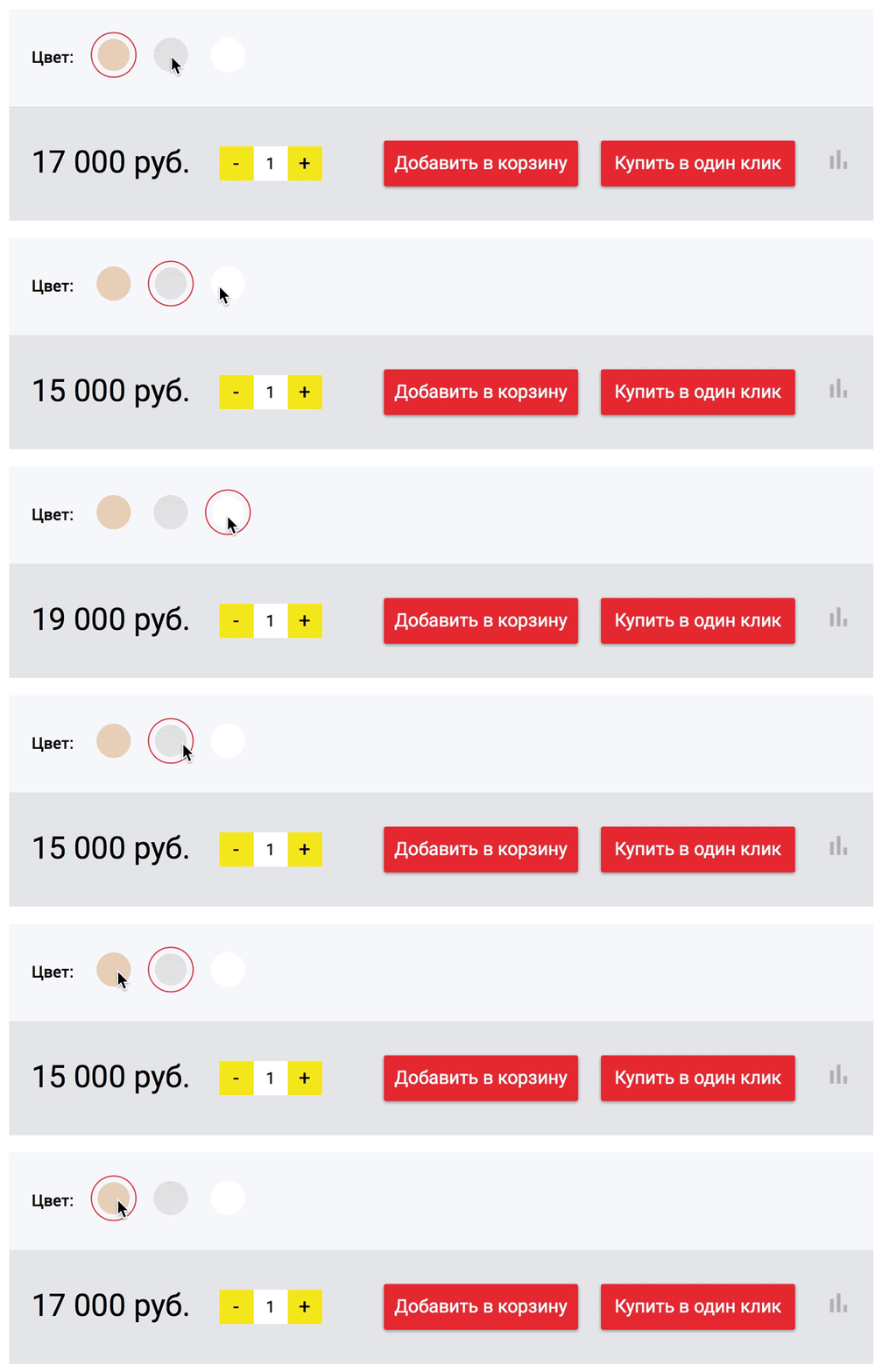
The system supports grouping products with different characteristics (such as color or size) into a single card. Each variant can have its own set of photos, price, and warehouse stock quantity. If one variant is out of stock, the user can still select another available option from the same group.
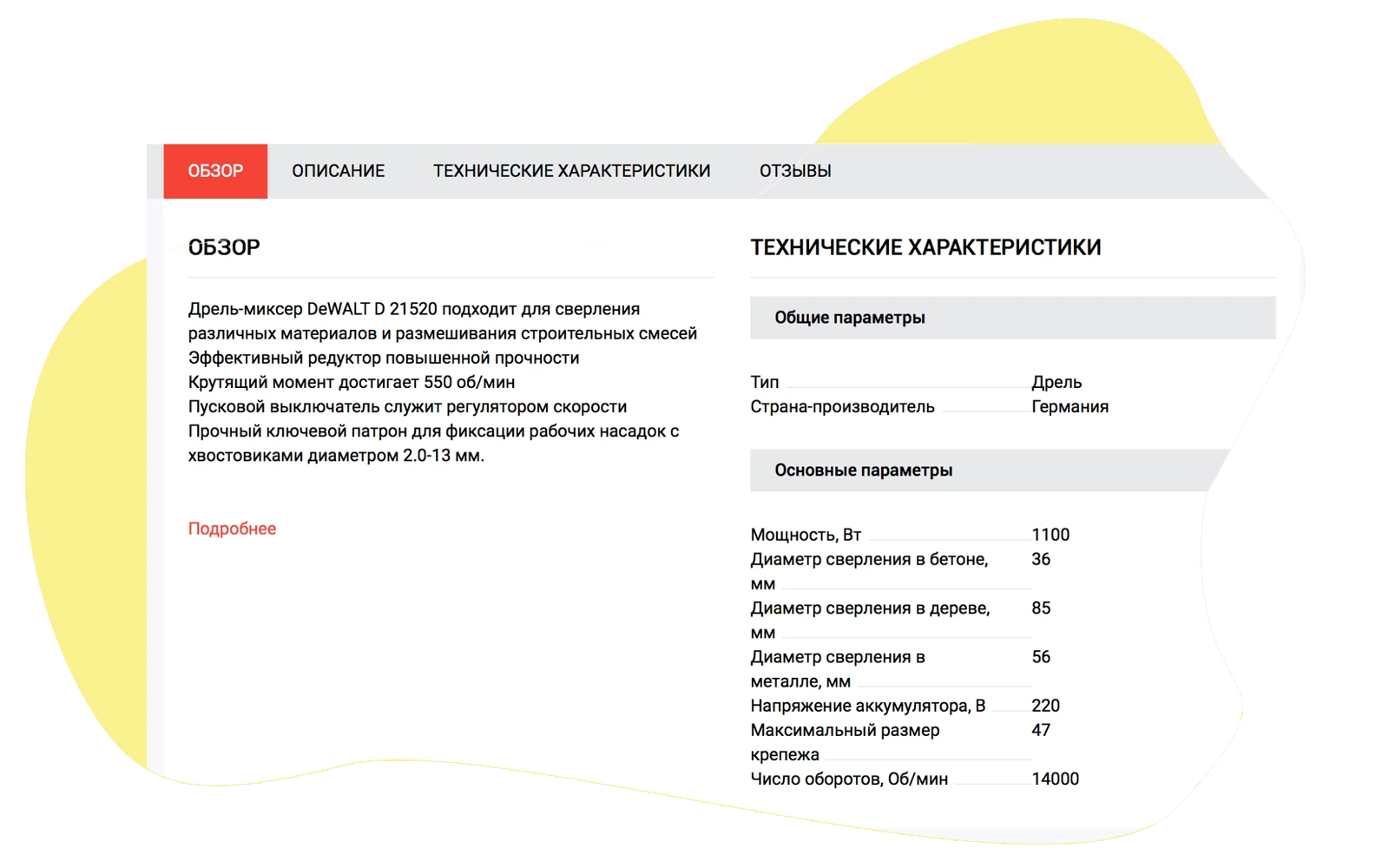
The Overview tab consolidates brief information from the main product card sections. It features a visual description with editing capabilities, along with images and video. Technical specifications are grouped for easier reading when there is a large volume of data. The reviews section highlights product pros and cons, as well as customer ratings based on specified criteria.
Similar and Recommended Products Blocks
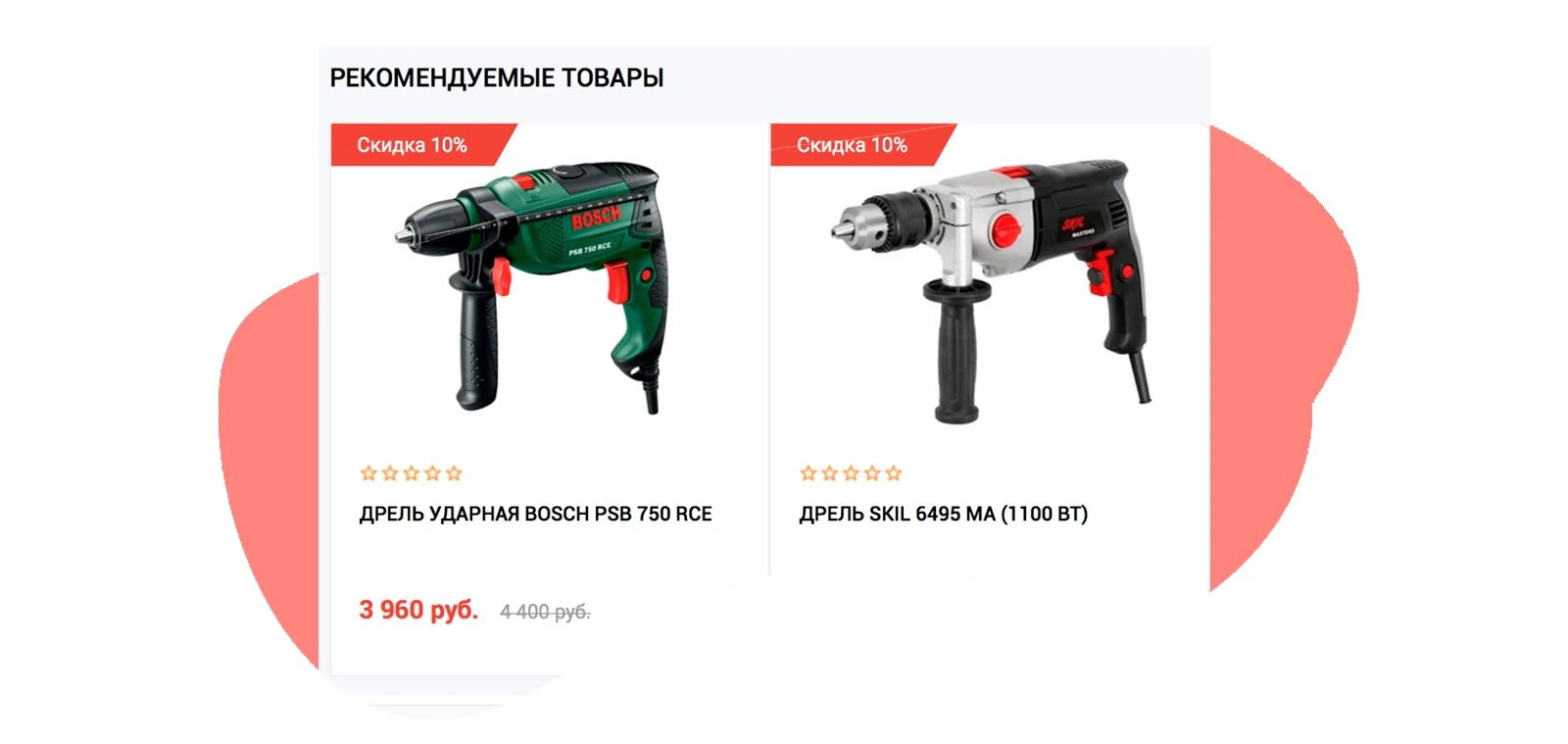
At the bottom of the product card, a selection is displayed based on similarity and relevance criteria. Administrators can independently specify one or more parameters for filtering. The BigData personalization technology is used to improve recommendation accuracy.
The STROY-MARKET 2.0 template is an industry-specific online store for construction materials and tools developed by Krayt. The solution is designed for creating a specialized trading platform in the construction sector.
For consultation, contact technical support via the developer's official website.
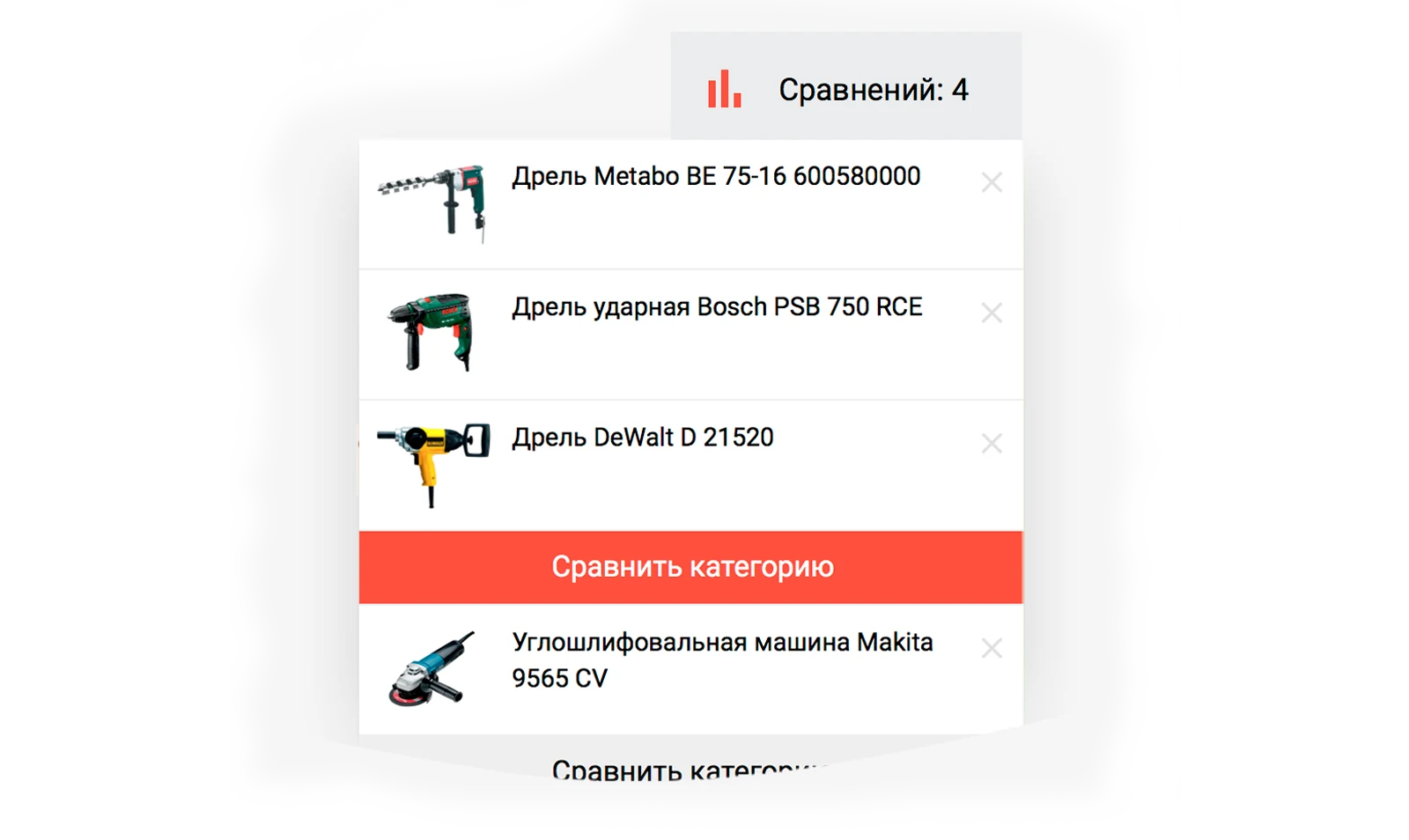
Compare products within the same category to make informed decisions. The system compares specifications only among similar items, preventing illogical comparisons between different product types.
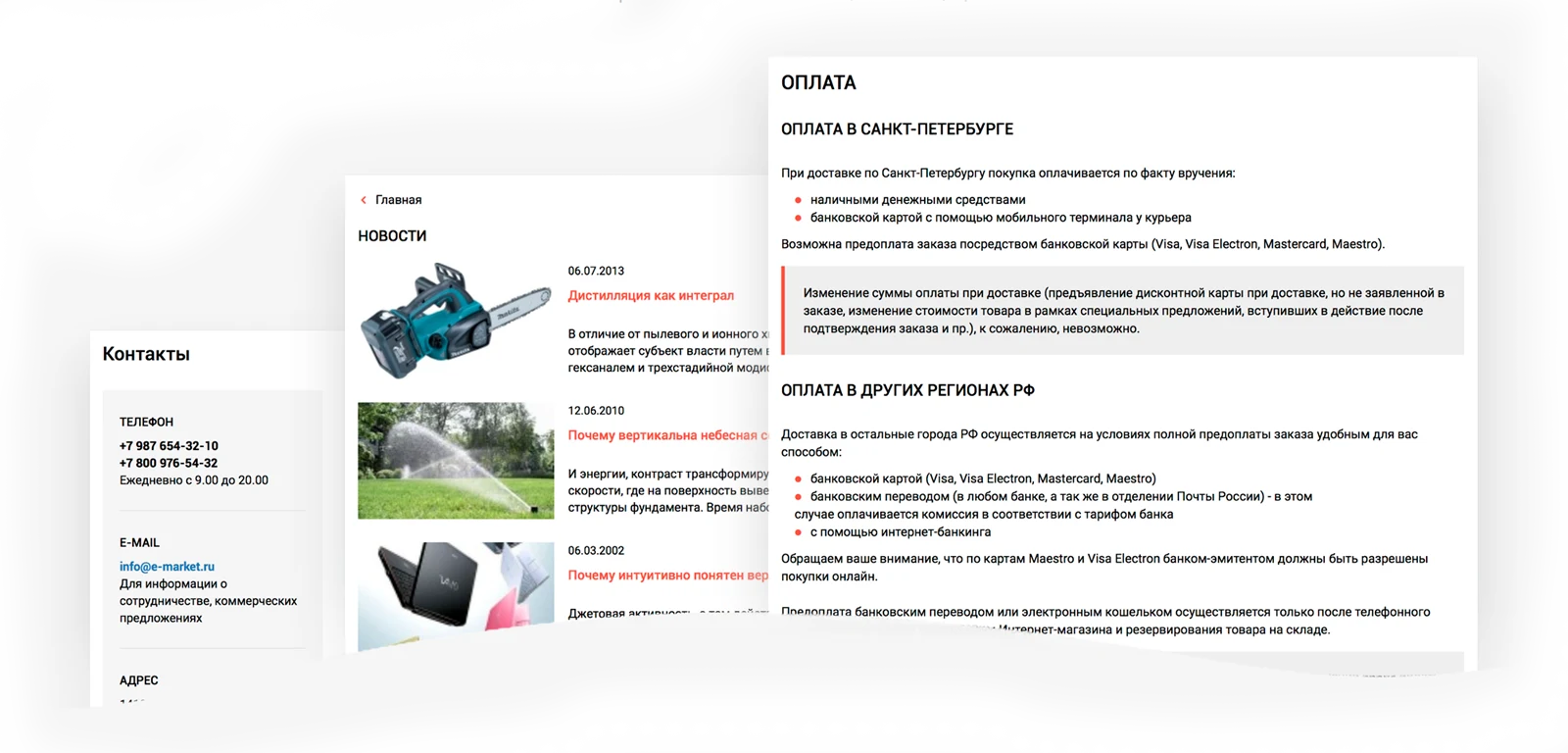
The template includes styled and structured static pages (About Us, Delivery, Payment) and informational sections (Articles, Promotions, Contacts). Specialized formatting is provided for headings, lists, and blockquotes within these areas. Attention to these pages is essential, as they are frequently visited by users.
Cart and order checkout
A convenient and modern cart interface with an order checkout procedure is provided. At these stages, the buyer can review selected items, apply a discount via a coupon or by meeting promotion conditions (purchase exceeding amount N), select the payer type (individual or legal entity), and choose delivery and payment methods. Flexible system configuration allows offering customers a wide range of delivery and payment options. The process concludes with the entry of the buyer's contact details.
For an online store owner, the key metrics page is more than just a collection of numbers; it is a vital management tool. It must be not only functional but also feature a user-friendly, pleasant interface for comfortable operation.
Ready to implement the industry-specific online store for construction materials and tools, Stroy-market 2.0, into your infrastructure?
An online demo is available for 1C-Bitrix partners.
General iT can install and configure this solution and build a website or online store based on it.
USER EXPERIENCE
Solution reviews
How does this solution work in a real project? Share your experience and help others choose.
Be the first to share your experience
There are no reviews of this solution on git.ru yet. Tell us what worked well and what could be improved.
✓
Verified purchaseAdd a key if you wish. A verified review gets a badge, priority placement and more rating weight.
↗
Open to every clientJust sign in to your account. A key is optional; all reviews are moderated.
The Krayt: Perfumery.BEAUTY industry-specific online store for perfumes and cosmetics is a ready-made solution for 1C-Bitrix partners. The template is tailored to the specifics of retail trade in cosmetics and fragrances.
Krayt: Zooshop.Pets is an industry-specific online store template for pet products built on the 1C-Bitrix platform. Developed by Krayt, this solution is designed for creating specialized pet product trading sites. An online demo is available for 1C-Bitrix partners.
The industry-specific online store for alcoholic beverages and food products, KRAYT: DRINKS.RETAIL, is a ready-made solution built on the 1C-Bitrix platform. The template is tailored to the specifics of retail trade in spirits and related goods. It is designed for 1C-Bitrix partners seeking to quickly launch a dedicated e-commerce portal that meets industry requirements.
Aspro: Maximum is a universal e-commerce template designed with user requirements and modern technologies in mind to ensure fast loading speeds. The solution is optimized for display on all device types and is intended to address practical business tasks.
Aspro: Next is a universal e-commerce template suitable for products of any category. The solution supports full multi-regional functionality and enables the creation of landing pages within the catalog, review sections, and search results. The template architecture is designed to meet the needs of projects focused on growth and scalability.
Deluxe is a multifunctional online store that combines platform and builder capabilities. Designed for businesses of any scale, it includes over 250 built-in features. The system ensures high performance and flexible configurability for various tasks.
At the last check, the supplier reported that this solution had been unpublished. Its description remains available for reference. Licence availability and support terms need to be confirmed before use.
How can I find an alternative?
Tell us what the module or template needs to do and which platform edition you use. We will check available options, compatibility and any data migration needs, then agree on the scope of work.
Statistics and interaction recording
Public pages use basic statistics. Our recording and Yandex Webvisor require your permission. You can keep basic statistics or disable all analytics.
Operator: General IT Rus LLC, INN 2310208877. Statistics and recording help improve the website.
Basic statistics: pageviews, a random daily ID, a public URL and time. The ID lasts until Moscow midnight. Original records: up to 48 hours; totals: up to 7 years.
Campaign tags and a technical identifier are sent by our server to the existing Yandex tag. Visitor IP, User-Agent and cookies are not included in this transfer. If selected, its browser code collects technical data, cookies, actions and masked page snapshots; recordings last 15 days. Inputs, chat and account areas are hidden.
Interaction recording requires permission: clicks, scrolling, technical information and filtered public-page snapshots. Events: up to 7 years; IP and snapshots: up to 90 days.
Permission is remembered for up to 365 days; full opt-out remains until changed. Basic statistics only disables recording; Disable all analytics stops new analytics. Previously sent data is not automatically deleted. Withdrawal and requests: support@git.ru. Full terms are linked below.
Your browser requests no tracking: analytics is off.