Payments are experiencing issues due to temporary restrictions in Russia. If your payment does not go through, please submit a support request.•Our support team is available 24/7 — we are always here to help with hosting and server issues.•We are now accepting requests for dedicated server rental and colocation services in our data center.•Reminder: we recommend enabling backups for additional data protection.•A new VPS/VDS lineup with NVMe storage and improved performance is now available.•Maintenance work on some servers has been completed. All services are operating normally.•
Payments are experiencing issues due to temporary restrictions in Russia. If your payment does not go through, please submit a support request.•Our support team is available 24/7 — we are always here to help with hosting and server issues.•We are now accepting requests for dedicated server rental and colocation services in our data center.•Reminder: we recommend enabling backups for additional data protection.•A new VPS/VDS lineup with NVMe storage and improved performance is now available.•Maintenance work on some servers has been completed. All services are operating normally.•
Аккаунт в General iT
Вход / Регистрация
Войдите или создайте аккаунт для управления услугами в личном кабинете.
Страны не найдены. Попробуйте другое название или код.
WEBSITE TEMPLATE
Aspro
Aspro: Resort 2.0 - website for a holiday base, sanatorium, hotel
Aspro: Resort 2.0 is a ready-made solution for websites of holiday resorts, sanatoriums, and hotels. It is a specialized edition of the Aspro: Corporate Site 3.0 platform, adapted for the tourism industry. The template enables publishing information on accommodation options, wellness services, and excursion tours.
Aspro: Resort 2.0 is a ready-made solution for websites of holiday resorts, sanatoriums, and hotels. It is a specialized edition of the Aspro: Corporate Site 3.0 platform, adapted for the tourism industry. The template enables publishing information on accommodation options, wellness services, and excursion tours. The toolset supports collecting visitor inquiries, building brand identity, showcasing events, and increasing guest traffic to the resort.
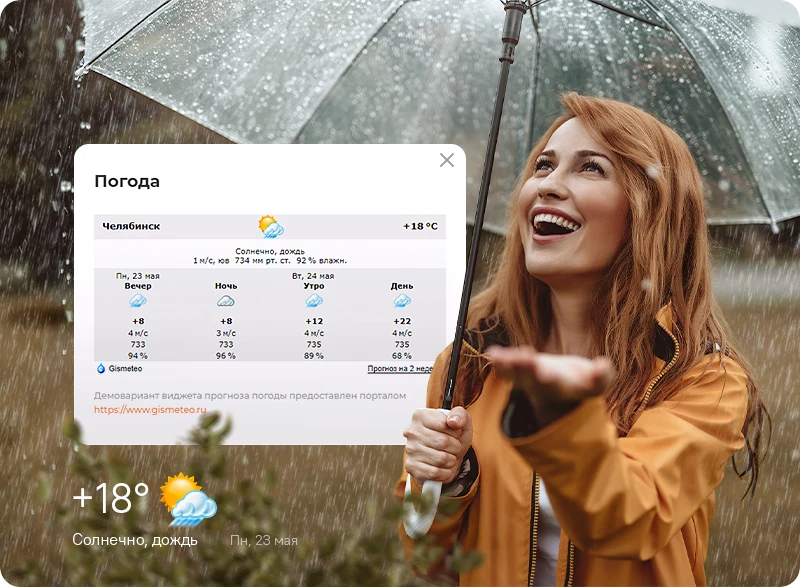
Weather forecast widget.
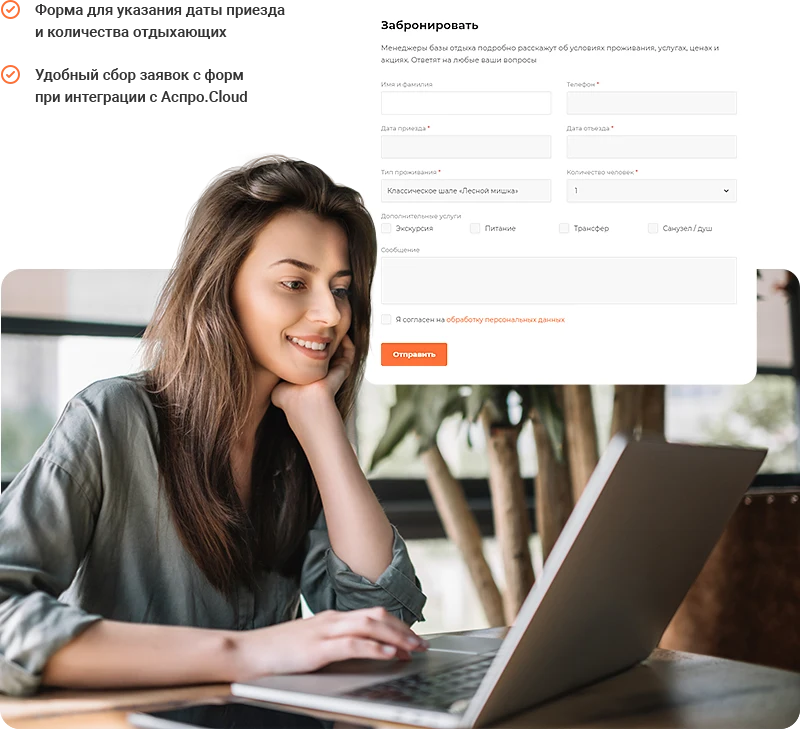
Detailed accommodation booking form.
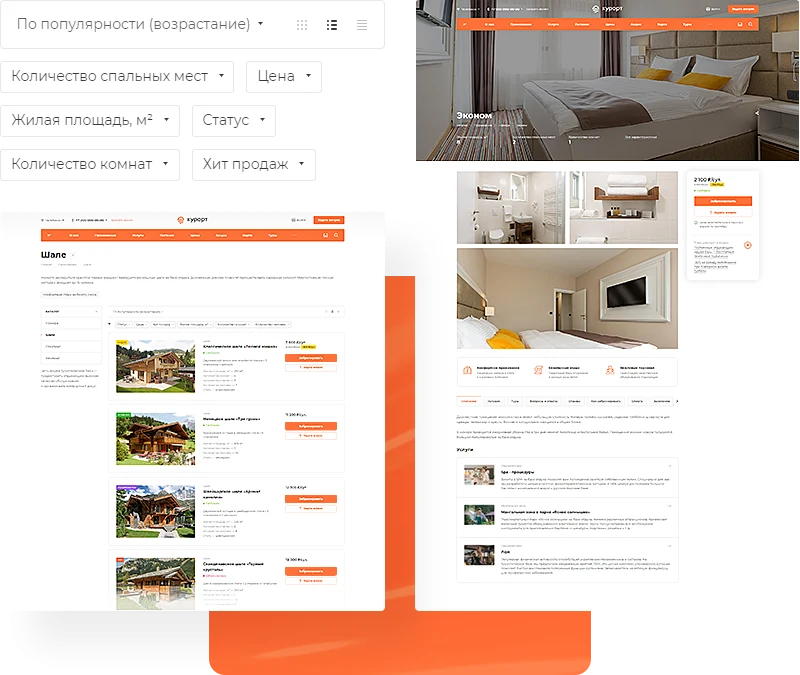
Catalog of lodging options.
Service cards with large images.
Section with tour options.
Modern design reflecting the resort atmosphere.
Payment processing via Tinkoff and InvoiceBox modules.
Marketing blocks for brand promotion.
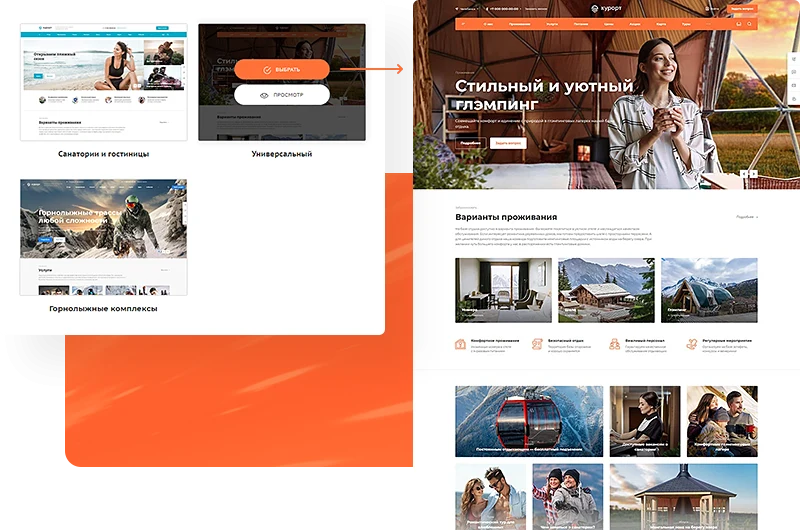
A ready-made configuration is a complete website with elements tailored to the specifics of the business. To launch a project quickly, choose one of three configurations.
Universal. Designed for all participants in the tourism business. It allows you to build the resort's image, highlight events and activities, upload photos of local attractions to the gallery, and receive applications via detailed forms.
Sanatoriums and Hotels. The homepage displays accommodation options, health services, video testimonials, and a detailed resort map. It enables guests to pre-book hotel rooms or spots in a glamping camp.
Ski Resorts. A solution for winter bases. The homepage features ski, snowboard, and specialized clothing rental services. An interactive map of all ski slopes is integrated into a dedicated section.
Help resort guests prepare for their stay with a weather forecast widget. Data is automatically updated daily based on information from the Gismeteo portal. The widget can be adapted for other business tasks if needed.
A booking form is available on catalog pages and individual accommodation listings. Users can immediately specify check-in and check-out dates, the number of guests, and select additional services. This functionality reduces the time managers spend clarifying accommodation details. Integration with the Aspro.Cloud business management system enables convenient collection of form submissions and efficient client interaction.
The catalog for resorts, sanatoriums, or hotels features an efficient accommodation search. Visitors can filter options by room count and area, and sort results by popularity or price. Aspro: Resort 2.0 tools enable clear and detailed presentation of all on-site living conditions.
An accommodation card serves as a dedicated landing page with a wide-format banner and an image gallery. For hotels, the focus is on showcasing cozy interiors, while for campgrounds, the emphasis is on the beauty of the surrounding nature.
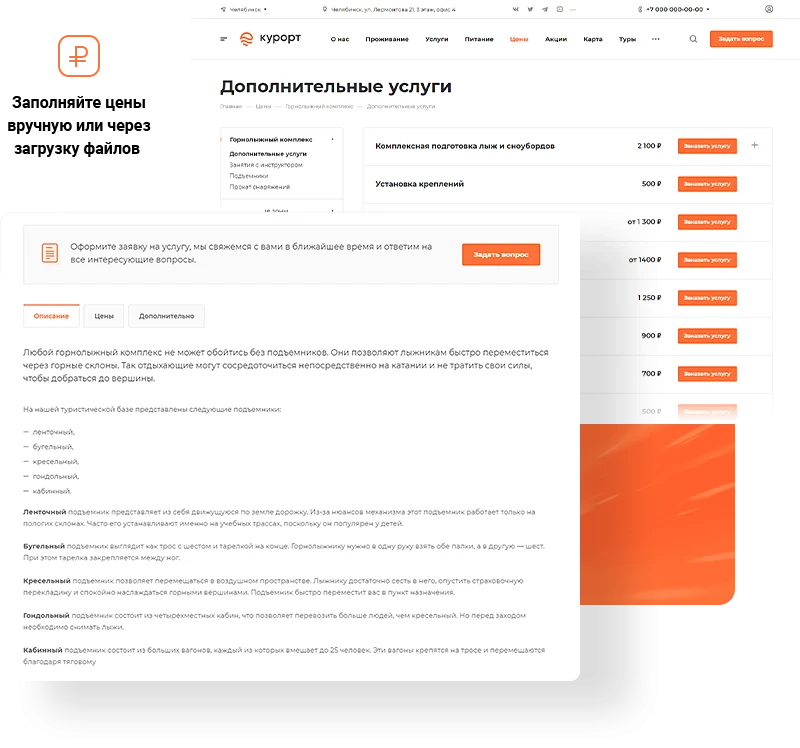
On the detailed page for a specific accommodation, resort services are linked, such as health programs or sports equipment rentals. To enhance the appeal of service cards, it is recommended to include high-quality images and detailed descriptions. Each card features a pricing block, allowing clients to review the full cost of available services in advance and immediately book the option that fits their budget.
A strong reputation is vital for any resort, sanatorium, or hotel. The Aspro: Resort 2.0 template includes tools for brand promotion and building visitor trust.
Boost guest loyalty by detailing the development history of your resort, sanatorium, or hotel. In the 'About the Resort' section, highlight the core values of the project, while the 'History' section should showcase the key stages of the business's evolution.
Share highlights from events. Publish useful articles for travelers to attract organic traffic to the site and demonstrate expertise in the tourism sector.
The site supports adding tours with program descriptions. This allows displaying the full range of services to guests, relieving them of the need to handle travel organization independently.
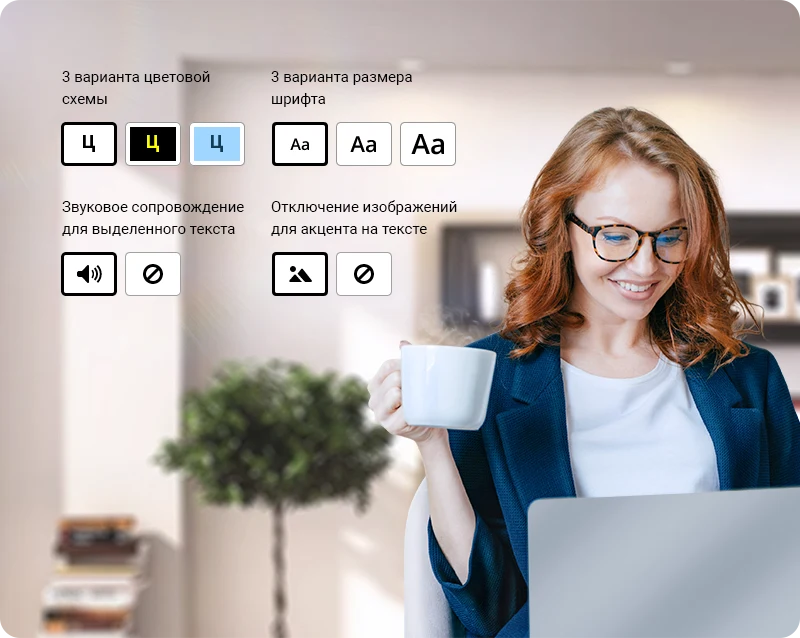
The module improves website accessibility for visitors with visual impairments. Enabling the accessible version makes the site convenient for all users and helps expand the target audience of the resort.
Upload documents in PDF, XLS, DOC, and other formats to the site. This feature helps verify the legality of your health services and demonstrates professional expertise in the tourism industry.
Display information about partner tour operators and brands whose products are available at the resort, sanatorium, or hotel.
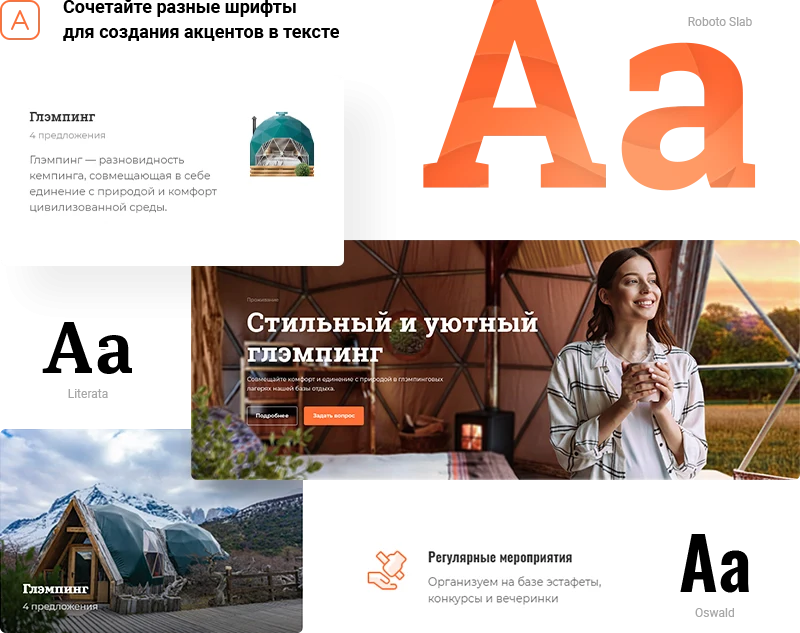
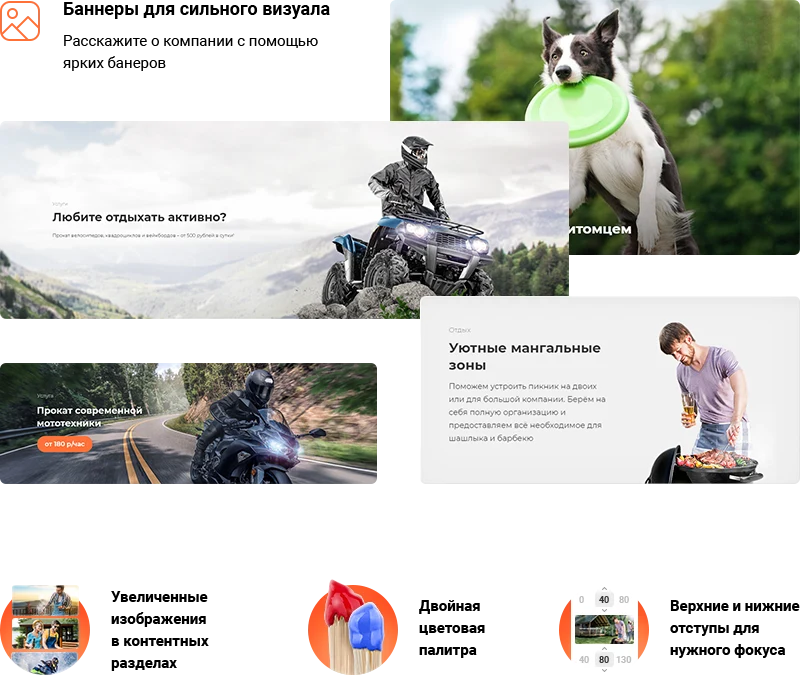
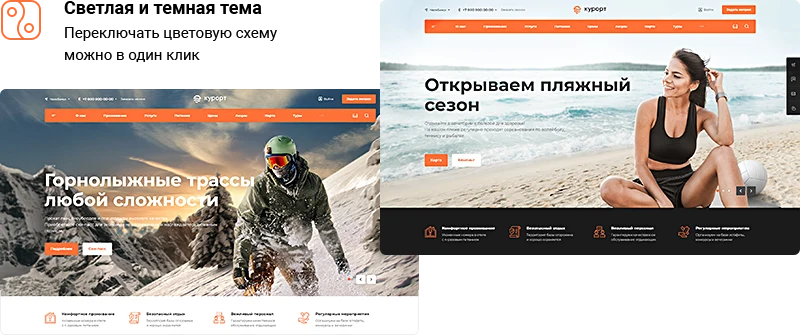
The design of the 'Aspro: Resort 2.0' template is focused on user retention. Flexible settings allow configuring various page display combinations. Bright banners, fonts, and color palettes help create a unique style for a resort, sanatorium, or hotel. To reduce eye strain, a dark theme is available with automatic background switching based on the time of day.
The corporate site supports monetization through built-in integration with the InvoiceBox payment processing system. An additional module is available for connecting Tinkoff Internet Acquiring.
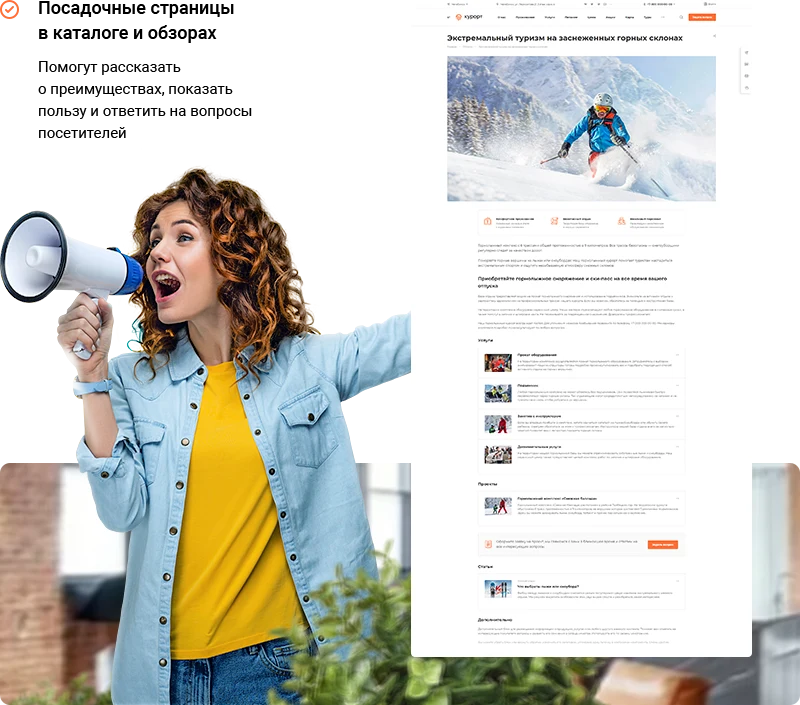
Landing pages improve search engine promotion efficiency. The template includes two types of landing pages: for catalogs and for reviews. This allows you to detail the key advantages of a resort, sanatorium, or hotel and increase website traffic.
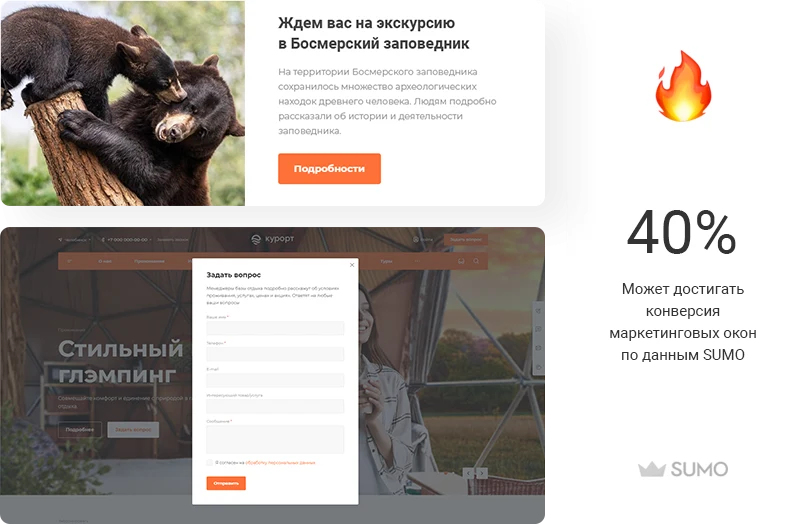
Collect guest reviews and announce promotions. The marketing window displays according to a scenario you define.
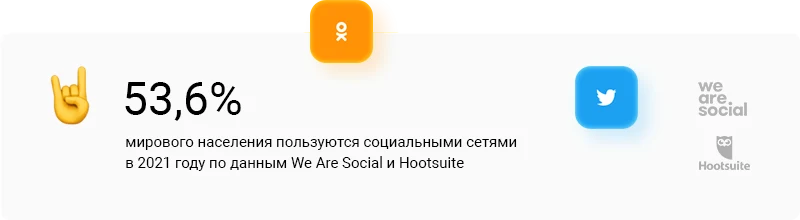
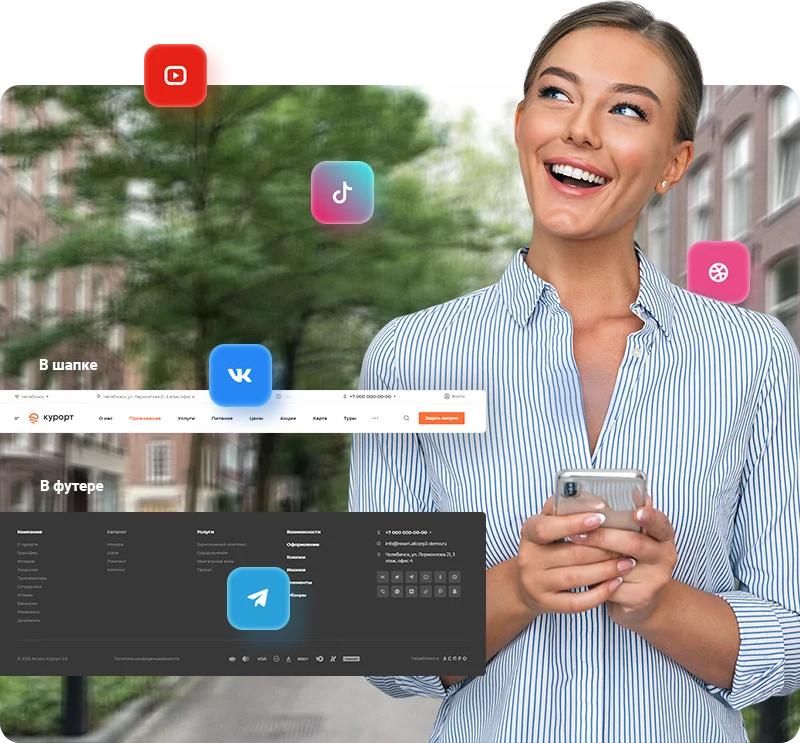
Social networks allow you to maintain constant contact with clients. To attract traffic, social media icons can be placed in the site header and footer.
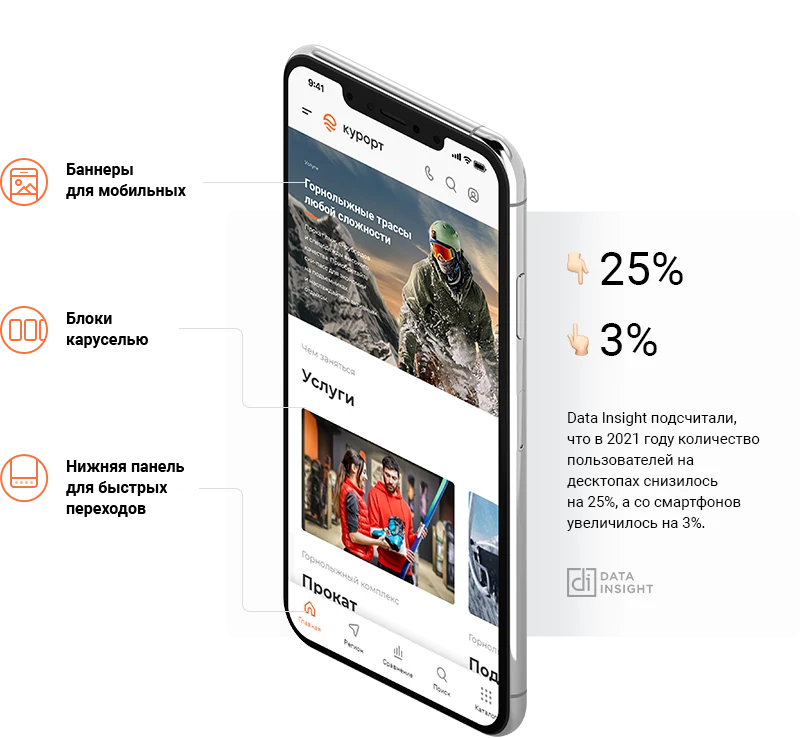
Travelers frequently use smartphones and portable devices. A website built on the Aspro: Resort 2.0 solution automatically adapts to modern gadgets. This helps preserve mobile traffic and reduce the bounce rate.
Launching a website for a resort, sanatorium, or hotel can be completed within 2–3 days. Simply select a suitable design and adapt the content to your specific facility. The built-in functionality is pre-configured for the tourism industry.
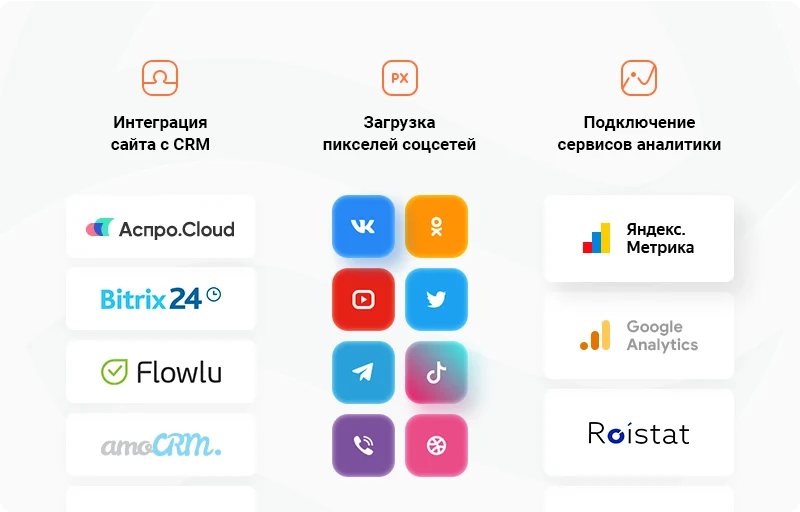
Yandex.Metrica can be connected to the site to track page traffic and analyze tourist needs for resort services.
Integration with the Aspro.Cloud business management system enables automation of workflows, counting of inquiries, analysis of project profitability, and generation of financial reports.
General iT can install and configure this solution and build a website or online store based on it.
UPDATE HISTORY
What’s new
2 releases
1.0.13 (26.06.2026)Latest update
Scheduled security update.
Attention!!! Before installing the update, you MUST perform a full backup of the site. If you have made changes to the solution template, additionally copy the entire template folder!
1.0.12 (26.01.2026)
New in the solution:
Yandex SmartCaptcha added (RESORT2-311)
Added the ability to connect the Bitrix personal data processing agreement to forms (RESORT2-316)
Added the ability to switch the jQuery version for the site (RESORT2-307)
Fixes:
In all places interacting with VK, the domain has been changed from .com to .ru (RESORT2-324)
Fix to the site installer (RESORT2-305)
Attention!!! Before installing the update, you MUST perform a full backup of the site. If you have made changes to the solution template, additionally copy the entire template folder!
USER EXPERIENCE
Solution reviews
How does this solution work in a real project? Share your experience and help others choose.
Be the first to share your experience
There are no reviews of this solution on git.ru yet. Tell us what worked well and what could be improved.
✓
Verified purchaseAdd a key if you wish. A verified review gets a badge, priority placement and more rating weight.
↗
Open to every clientJust sign in to your account. A key is optional; all reviews are moderated.
Aspro: Tires and Rims 2.0 is a ready-made solution for online auto parts stores. The system is tailored for selling passenger, truck, and motorcycle tires, rims, batteries, and related products. It includes tools for precise tire selection based on technical specifications. The product is designed for professional participants in the automotive goods market.
Aspro: Corporate Website of a Modern Company is a professional boxed solution for creating corporate websites across various industries, including manufacturing, construction, sales, educational centers, medical facilities, design studios, and others.
Aspro: Priority 2.0 is a ready-made solution for corporate websites, featuring pre-installed functionality and design. Launching an online project requires only adding your own content and selecting the appropriate visual style.
INTEC.Universe is a template for an online store built on the 1C-Bitrix platform, featuring a design builder. The solution enables the creation and customization of the storefront's appearance without requiring deep programming skills.
Aspro: Corporate Website of a Modern Company is a professional boxed solution for creating corporate websites across various industries, including manufacturing, construction, sales, educational centers, medical facilities, design studios, and others.
Adaptive template for building corporate websites on any topic. The solution includes a full product catalog with three display modes: list, grid, or table. A default display mode can be set for each section. Feedback forms are available for product orders or inquiries. Product status management includes standard options (in stock, on order, expected) and the ability to create custom statuses.
The displayed price covers the solution itself. Platform licensing, installation and customisation are checked separately. If the page offers bundles, select the required option before submitting a request.
How do I check compatibility?
Compare the supported editions and solution version in the technical details with your project. Before installing on a live website, we recommend making a backup and checking the solution in a test environment.
How much does this solution’s renewal cost?
The current renewal price is 44,950 ₽. Before you order, a manager will confirm the renewal period and whether it applies to your licence.
Can you help with implementation?
We can help launch a website using the selected template, agreeing on its structure, content migration and integrations. The schedule and cost depend on the project and are quoted separately.
Statistics and interaction recording
Public pages use basic statistics. Our recording and Yandex Webvisor require your permission. You can keep basic statistics or disable all analytics.
Operator: General IT Rus LLC, INN 2310208877. Statistics and recording help improve the website.
Basic statistics: pageviews, a random daily ID, a public URL and time. The ID lasts until Moscow midnight. Original records: up to 48 hours; totals: up to 7 years.
Campaign tags and a technical identifier are sent by our server to the existing Yandex tag. Visitor IP, User-Agent and cookies are not included in this transfer. If selected, its browser code collects technical data, cookies, actions and masked page snapshots; recordings last 15 days. Inputs, chat and account areas are hidden.
Interaction recording requires permission: clicks, scrolling, technical information and filtered public-page snapshots. Events: up to 7 years; IP and snapshots: up to 90 days.
Permission is remembered for up to 365 days; full opt-out remains until changed. Basic statistics only disables recording; Disable all analytics stops new analytics. Previously sent data is not automatically deleted. Withdrawal and requests: support@git.ru. Full terms are linked below.
Your browser requests no tracking: analytics is off.