Служба поддержки работает 24/7 — мы всегда на связи по вопросам хостинга и серверов.Открыт прием заявок на аренду выделенных серверов и размещение оборудования в дата-центре.Напоминаем: рекомендуем включить резервное копирование для дополнительной защиты данных.Доступна новая линейка VPS/VDS с NVMe-дисками и увеличенной производительностью.Технические работы на части серверов завершены. Все сервисы работают в штатном режиме.

WEBSITE TEMPLATE

Aspro

Aspro: Priority 2.0

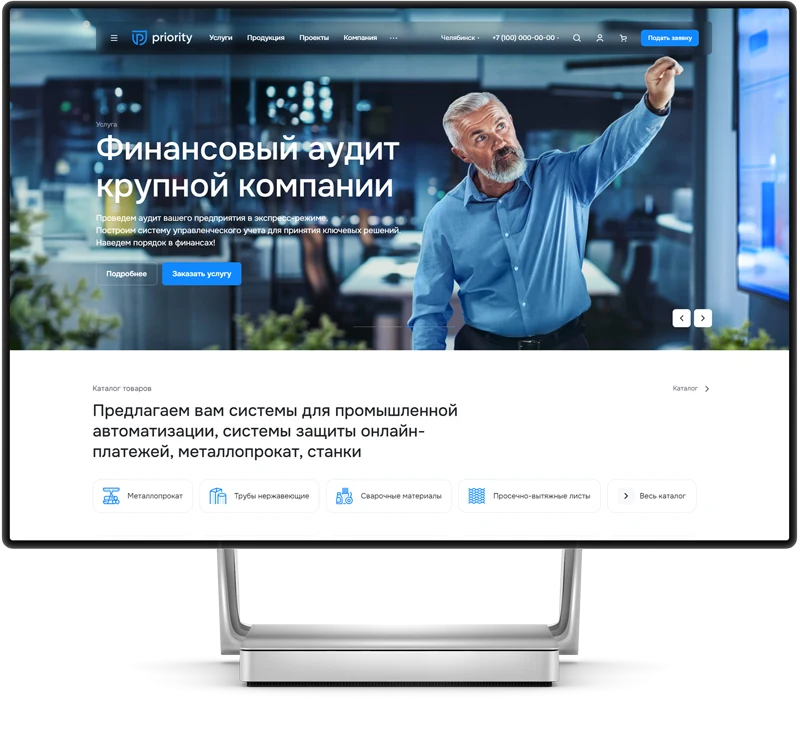
Aspro: Priority 2.0 is a ready-made solution for corporate websites, featuring pre-installed functionality and design. Launching an online project requires only adding your own content and selecting the appropriate visual style.

Technical details

Published
16.05.2024
Updated
06.08.2026
Version
1.4.1
Installed
100 - 499 times
Responsiveness
Yes
Composite mode support
Yes
Compatible with Sites24
No
Developer
Aspro

What this solution does

Aspro: Priority 2.0 is a ready-made solution for corporate websites, featuring pre-installed functionality and design. Launching an online project requires only adding your own content and selecting the appropriate visual style.

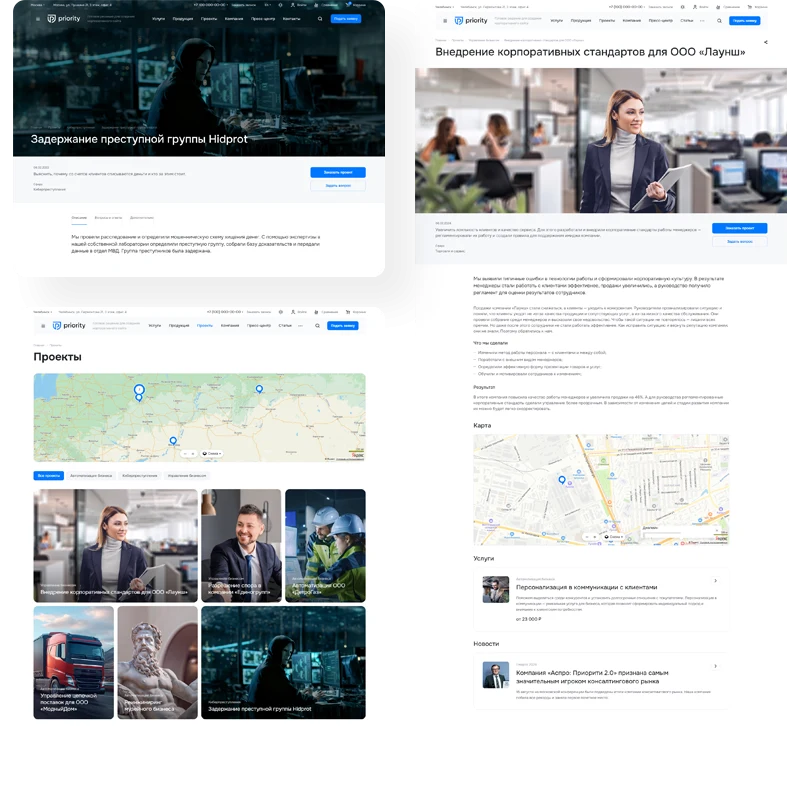
The Aspro: Priority 2.0 template is designed for building websites for medium and large businesses. The solution is versatile and adapts to various industries, including manufacturing and IT. It enables the quick launch of an online project to showcase company capabilities and support promotion efforts.

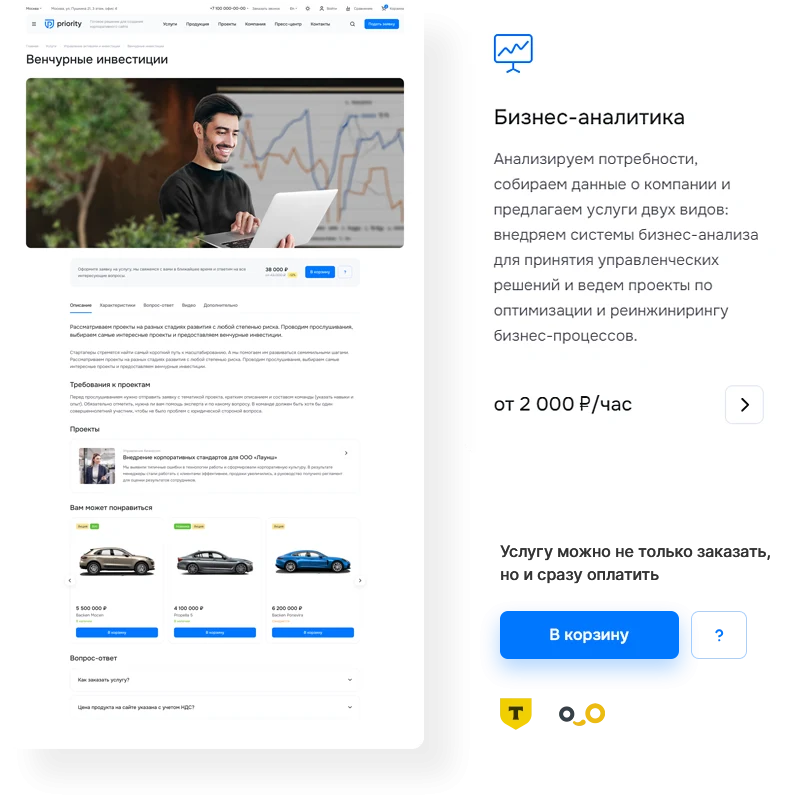
In the Aspro: Priority 2.0 template, service cards are designed as landing pages. Each card includes banners, a gallery of completed projects, client reviews, and video content. This format encourages visitor engagement, increases time spent on the site, and boosts conversion rates.

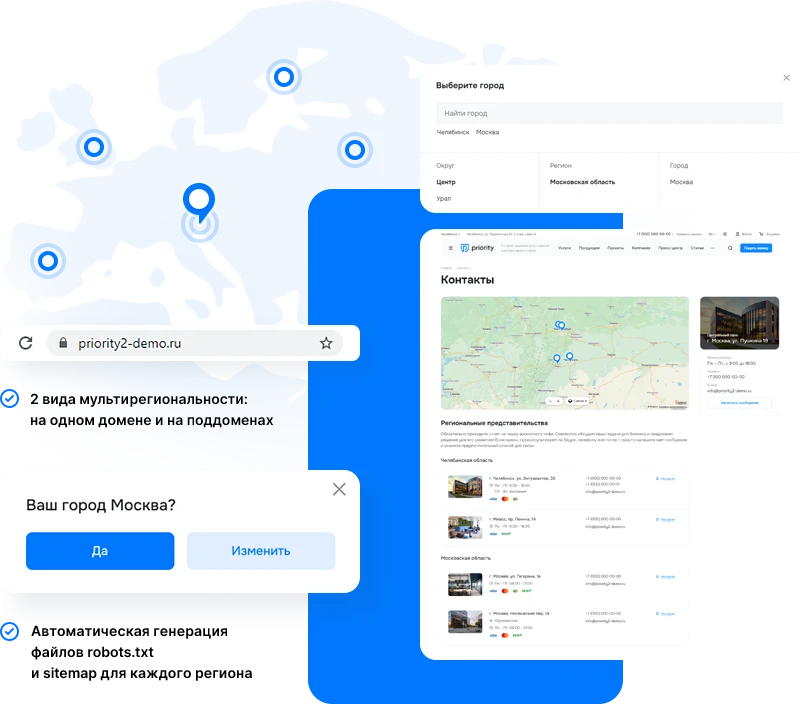
Aspro: Priority 2.0 is designed for large companies with offices in various cities and countries. The template supports scaling and enables multi-regional functionality, allowing expansion into new regions with minimal costs. It includes the capability to configure an English version of the site for entering international markets.

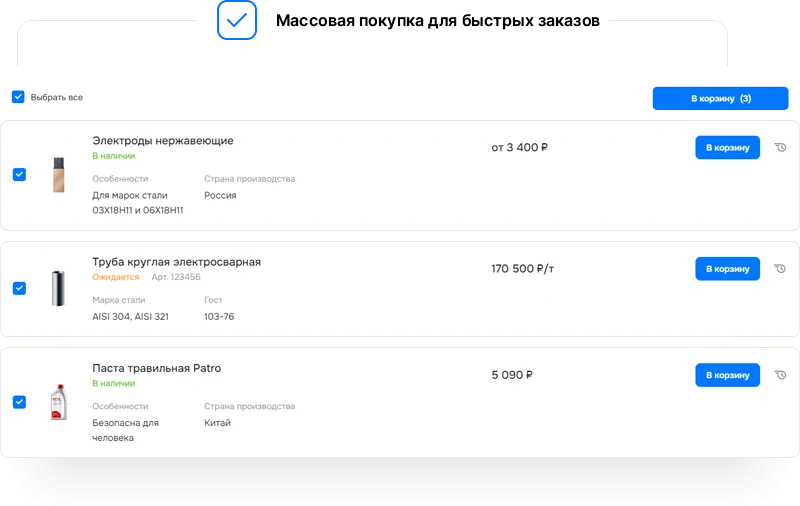
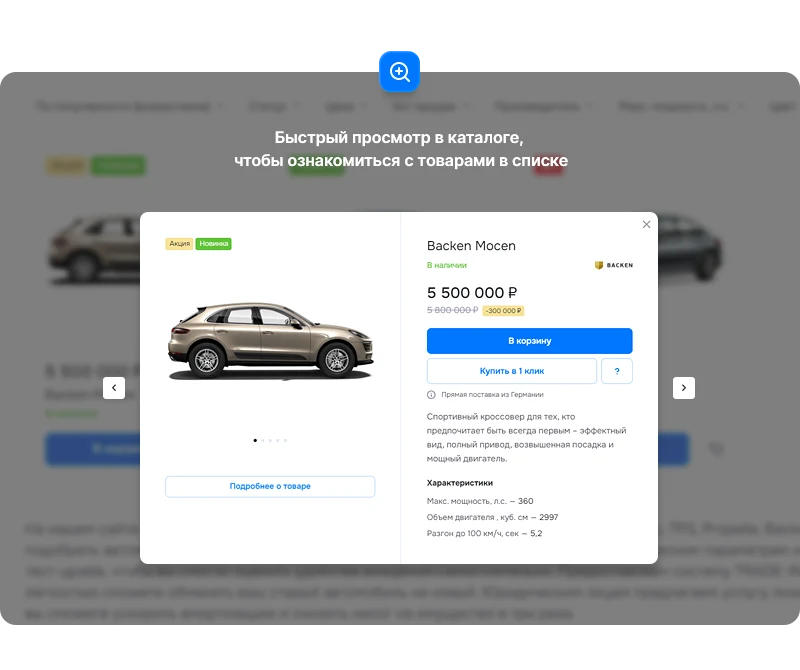
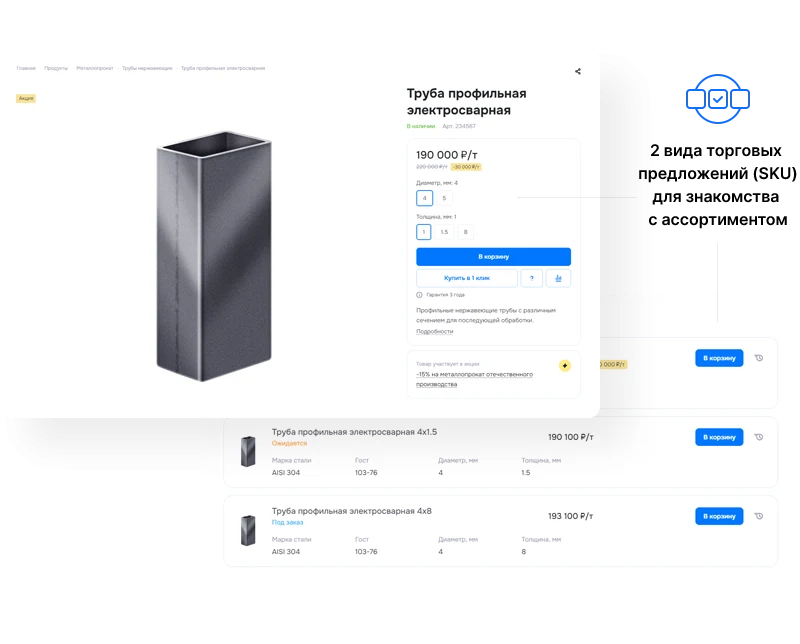
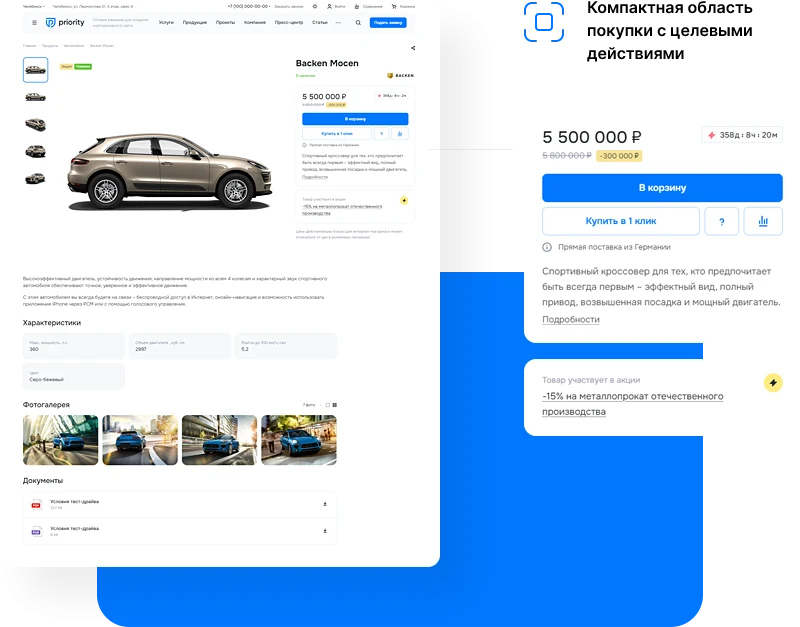
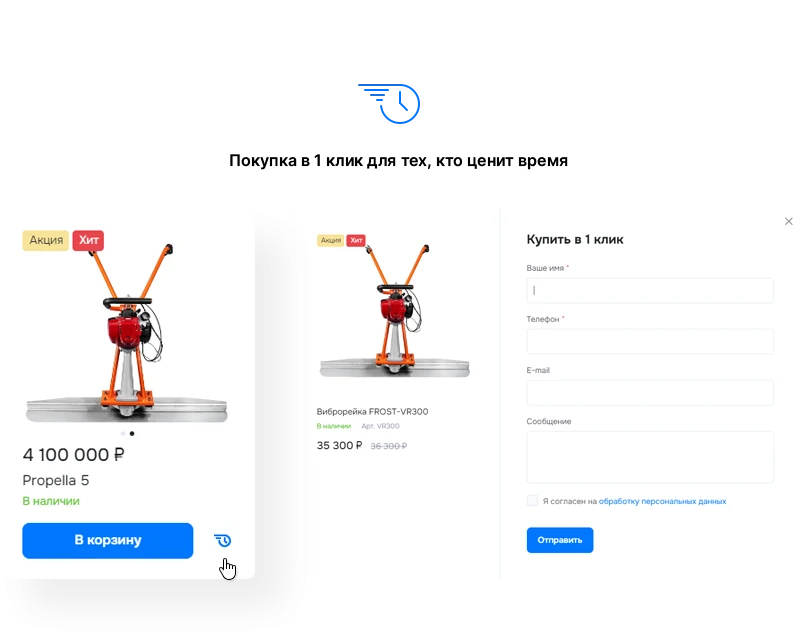
The 'Aspro: Priority 2.0' template includes a ready-made website catalog with features for trade offers, one-click purchase, and payment processing. The package comes with pre-configured sections for tariffs, projects, promotions, and other essential pages.

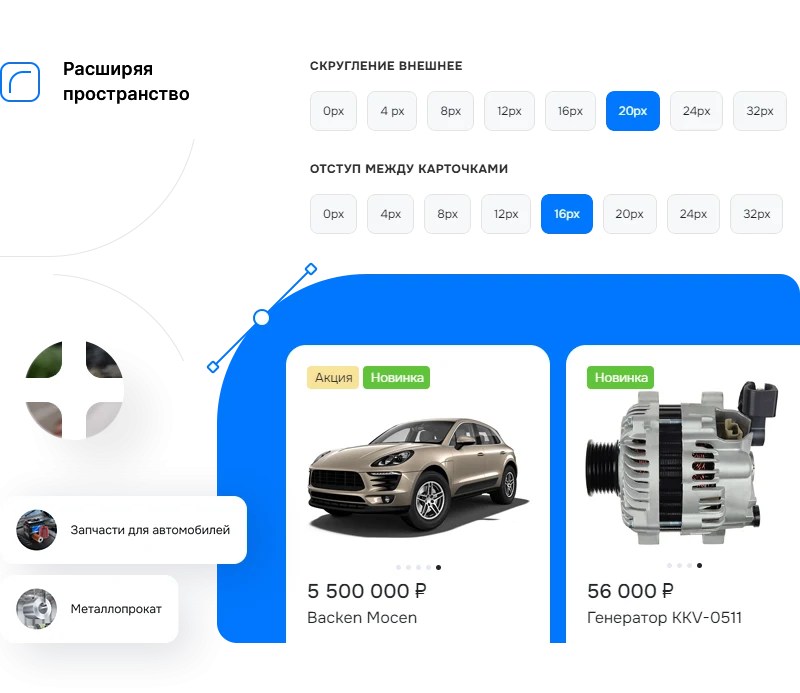
The design of the 'Aspro: Priority 2.0' template focuses on active user interaction. The visual style is concise and meticulously refined, ensuring that the site's content remains the primary focus.

The best way to demonstrate a company's expertise is through a portfolio of completed projects. Describe the tasks assigned and the stages of their execution using a photo gallery. Include thank-you letters and client reviews to strengthen audience trust.

The Aspro: Priority 2.0 template supports receiving advance payments, payments for services, delivery, and goods. Built-in integration with the InvoiceBox payment system is included in the base package. The 'Tinkoff Internet Acquiring' module is available for separate purchase.

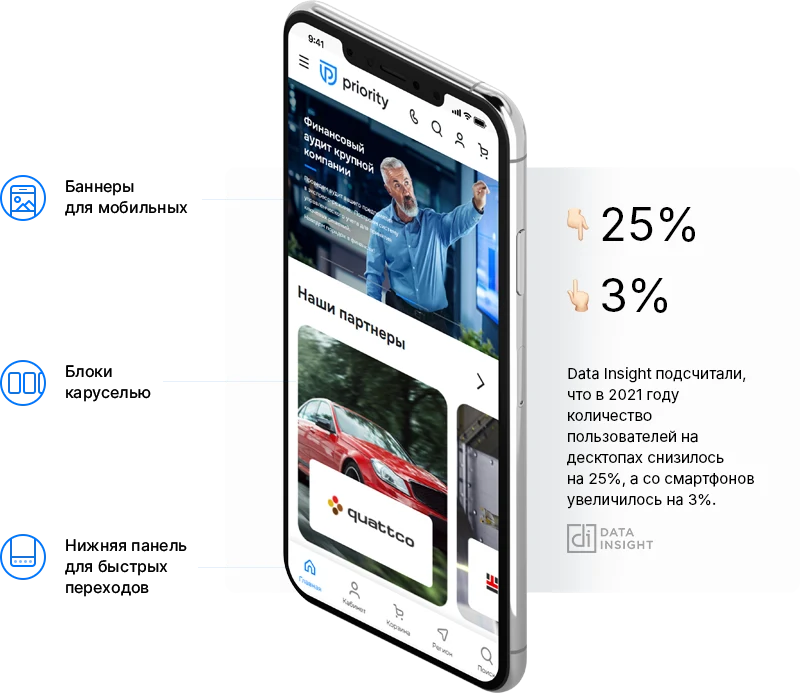
The Aspro: Priority 2.0 template ensures the site displays correctly on screens of any resolution. The adaptive interface simplifies product selection and order placement on mobile devices, helping to reduce the bounce rate.

Migration to the Aspro: Priority 2.0 template is performed with full data preservation. Transitioning to this modern solution helps expand the audience and increase conversion rates. Projects can be migrated from any version of 1C-Bitrix and other CMS systems.

Aspro: Priority 2.0 is a ready-made solution for creating an online store. The template includes tools for effective business management and project launch. The platform provides functionality for developing e-commerce projects.

General iT can install and configure this solution and build a website or online store based on it.

UPDATE HISTORY

What’s new

15 releases
1.4.1 (06.08.2026)Latest update

Fixes:

The condition for displaying the marketing window after migrating elements to the modular information block was not working (PRIORITY2-692)

Attention!!! Before installing the update, you MUST perform a full backup of the site. If you have made changes to the solution template, additionally copy the entire template folder!


1.4.0 (05.08.2026)

New in version and improvements:

Marketing windows have been moved to the Aspro: Marketing Windows module (PRIORITY2-625).

Attention!!! For the Marketing Windows functionality, the software code structure has been changed. If you are using customized templates and components, they may require adaptation.

Added display condition based on GET parameters.

Added an additional display condition for the "Leaving the site" window.

Added the ability to configure the type of trade offers for the product list and detail page separately (PRIORITY2-621).

Added microdata for the Press Center and Articles sections in JSON format (PRIORITY2-634).

Added the brand field for microdata on the product detail page (PRIORITY2-591).

Added the availability field for microdata for products in the list and on the detail page (PRIORITY2-592).

Enhanced module security.

Fixes:

Corrected the display of agreement text in forms in dark theme (PRIORITY2-611).

The infoblock name was duplicated in the breadcrumbs of the Services section when displaying elements without sections (PRIORITY2-660).

Fixed a conflict in multi-site functionality (PRIORITY2-659).

The dark logo was incorrectly displayed in Services when the photo was positioned "Overlapping the header" and with two types of menu block colors (PRIORITY2-666).

Related employees with the "List" view were incorrectly displayed in adaptive mode with external rounding (PRIORITY2-572).

The map was incorrectly displayed on the Contacts page with 2 points having the same coordinates (PRIORITY2-653).

The regional filter did not work for sections on the catalog root page (PRIORITY2-534).

Authorization did not work on the site with CSRF protection enabled (PRIORITY2-661).

The logo did not load from the structure and media library.

Empty tabs "How to buy", "Payment", "Delivery", "Additional" were not hidden (PRIORITY2-555, PRIORITY2-643).

The MAX icon was not displayed in the "Share" block (PRIORITY2-672).

Some characters in the Q&A section were incorrectly processed (PRIORITY2-677).

Template properties were not displayed if the main product had no visible properties (PRIORITY2-668)

The specified product quantity in the card counter was not passed to the cart (PRIORITY2-542)

Added handling for the consent checkbox for the offer (PRIORITY2-616)

Fixed horizontal page scrolling for Yandex SmartCaptcha at low resolutions (PRIORITY2-545)

Captcha was incorrectly hidden via the exclusion mask (PRIORITY2-548)

Attention!!! Before installing the update, you MUST perform a full backup of the site. If you have made changes to the solution template, additionally copy the entire template folder!

1.3.2 (22.06.2026)

Scheduled security update.

Attention!!! Before installing the update, you MUST perform a full backup of the site. If you have made changes to the solution template, additionally copy the entire template folder!

1.3.1 (22.04.2026)

New in version and improvements:

Added the ability to add text teasers for large banners on the main page (PRIORITY2-588)

Fixes:

Improved styles in the solution settings (PRIORITY2-645)

Scrolling on hover over banners did not work in new versions of the Google Chrome browser (PRIORITY2-613)

Fixed a PHP error in the "Catalog Elements" block on the main page when the tab type is "From Sections" and with multiple product-to-section bindings (PRIORITY2-624)

Attention!!! Before installing the update, you MUST perform a full backup of the site. If you have made changes to the solution template, additionally copy the entire template folder!

1.3.0 (03.03.2026)

New in version and improvements:

Added the ability to connect personal data processing agreements from 1C-Bitrix in product reviews, blog comments, during registration, and in the personal account (PRIORITY2-559)

Added the ability to change the alt description when switching a product offer in the product list (PRIORITY2-551)

Added a link to the MAX messenger in the solution settings (PRIORITY2-587)

Added the "Reviews" section (PRIORITY2-494)

Improved the adaptive layout of the catalog with a side menu (PRIORITY2-541)

Improved cross-linking of content section elements (PRIORITY2-554)

Fixes:

Fixed an error occurring when attempting to subscribe with a hidden captcha (PRIORITY2-564)

Fixed an error occurring on the product detail page when the description is missing and tabs are disabled (PRIORITY2-582)

On new installations, the display of the 404 page for non-existent document, review, and license sections has been corrected (PRIORITY2-499)

Fixed a console error that occurred when switching product offers that lacked article and status properties (PRIORITY2-536)

Fixed styles for navigation arrows in the pricing section (PRIORITY2-540)

Changed the color of system error messages from white to red (PRIORITY2-570)

Fixed an issue where landing pages in the catalog did not account for regionalization (PRIORITY2-574)

Added a link via the button to the service detail page in the block on the main page (PRIORITY2-583)

Fixed duplication of h1 headings when the mobile banner type "with a field below the heading and text" is enabled (PRIORITY2-590)

Added spacing after the code submission message on the subscription page (PRIORITY2-565)

In the content sections "About the Company", h3 tags were replaced with h2 to improve search engine optimization (PRIORITY2-477)

Adjusted the display of the nesting level of subcategories in the catalog (PRIORITY2-594)

Added binding of the partners information block to the Partners property of the products information block on a clean installation (PRIORITY2-561)

Unused property "Product of the Day" removed from the products information block (PRIORITY2-573)

Input display in the solution settings has been adjusted for new platform versions (PRIORITY2-578)

Attention!!! Before installing the update, you MUST perform a full backup of the site. If you have made changes to the solution template, additionally copy the entire template folder!
YOUR PROJECT INFRASTRUCTURE

A home for your website

BEFORE YOU ORDER

Let’s go through the details.

How do I purchase a solution?
Submit a request on the solution page. A manager will check your selection, confirm the terms and arrange the purchase. We can also help with installation and setup.
Is a 1C-Bitrix licence included?
The default price covers the solution itself. If the developer offers a bundle with a 1C-Bitrix licence, you can select it separately on the solution page.
Can I try a solution first?
Available online demos and trial periods are shown on the solution page. The trial length depends on the solution.
How much does renewal cost?
Renewal is calculated as 50% of the full solution price before discounts. A manager will confirm the renewal terms and period before you order.
Can you help implement the solution?
Yes. We can build a website or store based on a template, or install, configure and check a module for compatibility. The scope and cost of the work are agreed separately.

GENERAL iT

Let’s discuss your project

Получатель: ООО «Дженерал Ай Ти Рус»

1C-BITRIX

Install solution

Enter a domain with or without https://. The installer will open in your website control panel in a new tab.

Solution screenshots

Solution screenshot