Payments are experiencing issues due to temporary restrictions in Russia. If your payment does not go through, please submit a support request.•Our support team is available 24/7 — we are always here to help with hosting and server issues.•We are now accepting requests for dedicated server rental and colocation services in our data center.•Reminder: we recommend enabling backups for additional data protection.•A new VPS/VDS lineup with NVMe storage and improved performance is now available.•Maintenance work on some servers has been completed. All services are operating normally.•
Payments are experiencing issues due to temporary restrictions in Russia. If your payment does not go through, please submit a support request.•Our support team is available 24/7 — we are always here to help with hosting and server issues.•We are now accepting requests for dedicated server rental and colocation services in our data center.•Reminder: we recommend enabling backups for additional data protection.•A new VPS/VDS lineup with NVMe storage and improved performance is now available.•Maintenance work on some servers has been completed. All services are operating normally.•
Аккаунт в General iT
Вход / Регистрация
Войдите или создайте аккаунт для управления услугами в личном кабинете.
Страны не найдены. Попробуйте другое название или код.
WEBSITE TEMPLATE
Aspro
Aspro: Kindergarten and Educational Center – Corporate Website
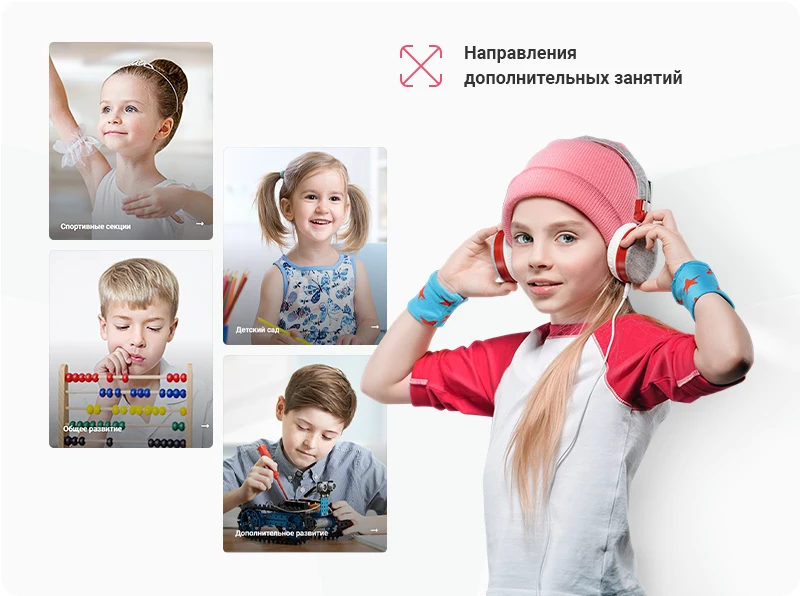
The 'Aspro: Kindergarten and Educational Center' template is designed for corporate websites of children's educational institutions. It is suitable for general and additional development centers, kindergartens, as well as creative and sports sections. The structure, content, and functionality are developed with the specifics of the education sector in mind.
The 'Aspro: Kindergarten and Educational Center' template is designed for corporate websites of children's educational institutions. It is suitable for general and additional development centers, kindergartens, as well as creative and sports sections. The structure, content, and functionality are developed with the specifics of the education sector in mind. The solution includes an online schedule, a sign-up form for trial lessons, age-based program categories, and a payment processing module. Upon purchase, you receive ready-made content including banners, website sections, and promotional texts to enable a quick project launch. You only need to adapt the text to your organization.
Universal configuration suitable for child education organizations. The homepage features wide banners for company presentation. Directions and age groups are displayed using large blocks. A class schedule is available. Testimonials and educator profiles help build trust. The 'Questions and Answers' section allows clients to obtain information and alleviate concerns. The shopping cart and regional settings are disabled by default.
Private Kindergartens
The configuration is suitable for private kindergartens. It allows you to describe admission conditions, group composition, and institutional features. This helps create a unique image and attract clients.
Additional Education Centers
The configuration is adapted for additional education centers, sections, and children's interest clubs. It is convenient to present activity directions, methodological materials, and available dates for registration.
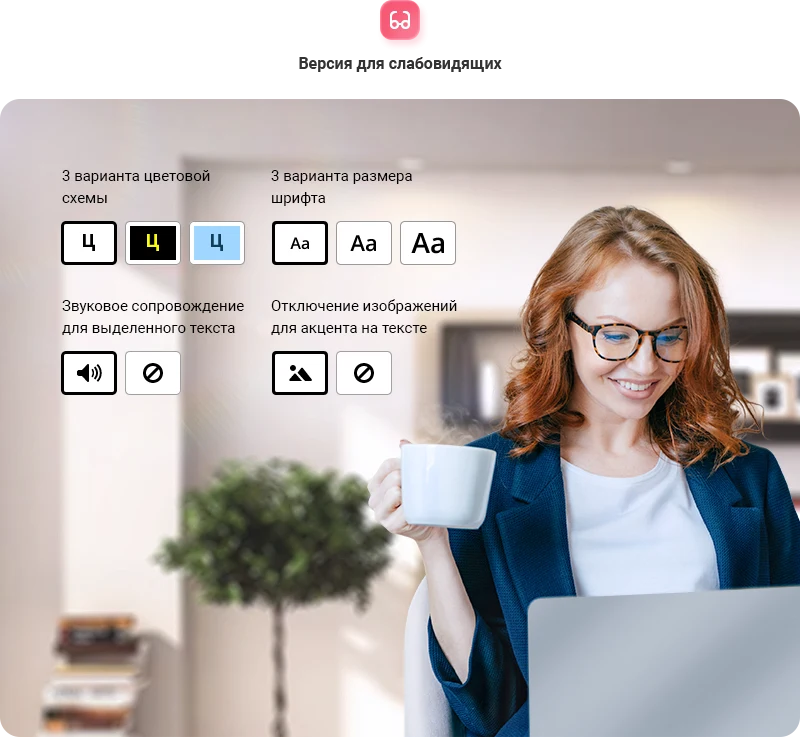
The template includes an accessibility version designed to simplify content perception for visually impaired users. The feature is activated with a single click via a button in the site header. Visitors can independently adjust the font size and select a suitable color scheme.
The site map simplifies navigation, allowing visitors to quickly find the necessary sections. Placing scans of licenses and certificates increases audience trust and helps ensure compliance with legal requirements.
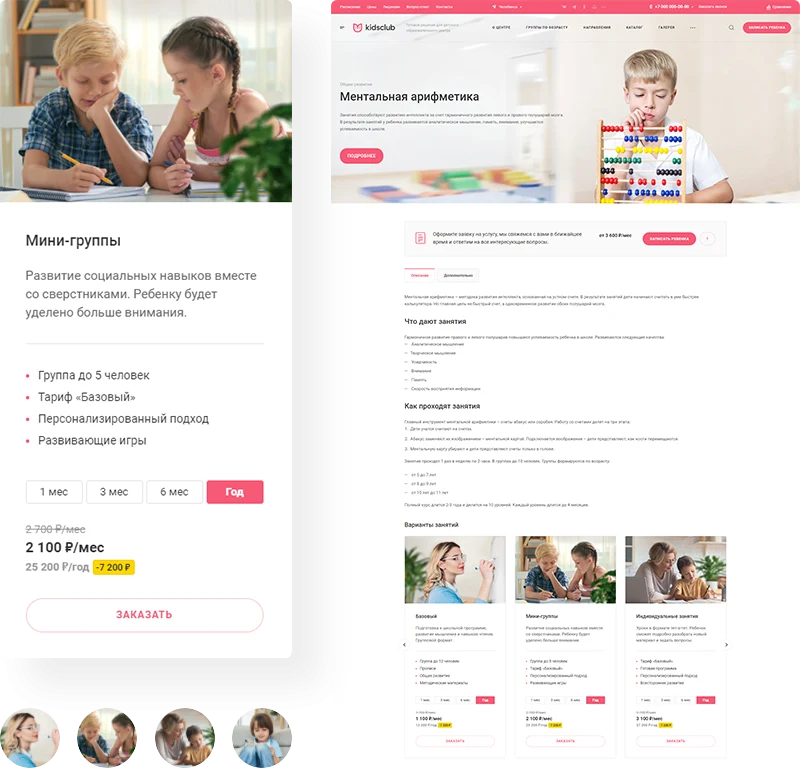
Collecting applications becomes easier when services are organized logically. The template supports registration for specific directions and the formation of groups based on children's age. Dedicated sections are provided on the site for parents to independently select a course. The solution also allows publishing answers to frequently asked questions and describing teaching methodologies. Blocks containing groups and directions are displayed on the homepage to guide clients effectively.
Visually demonstrate the benefits of long-term tariffs to secure immediate payment. Offer lesson formats: group classes, small groups, or individual sessions. Diverse course options help expand the audience, ensuring every client finds a suitable plan. The tariff block can be displayed on the homepage.
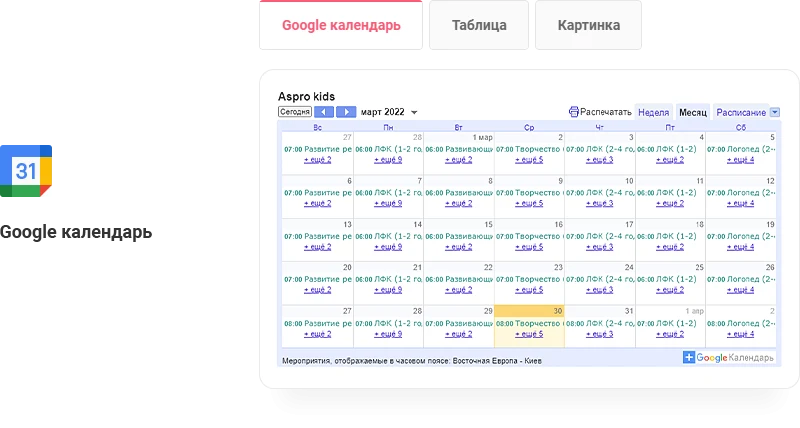
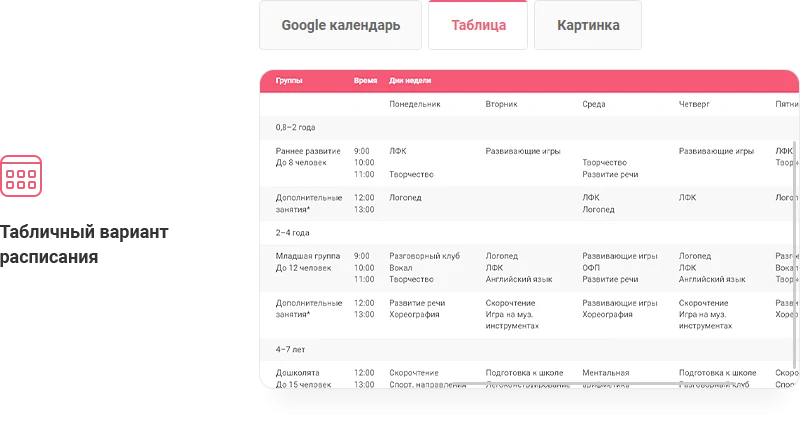
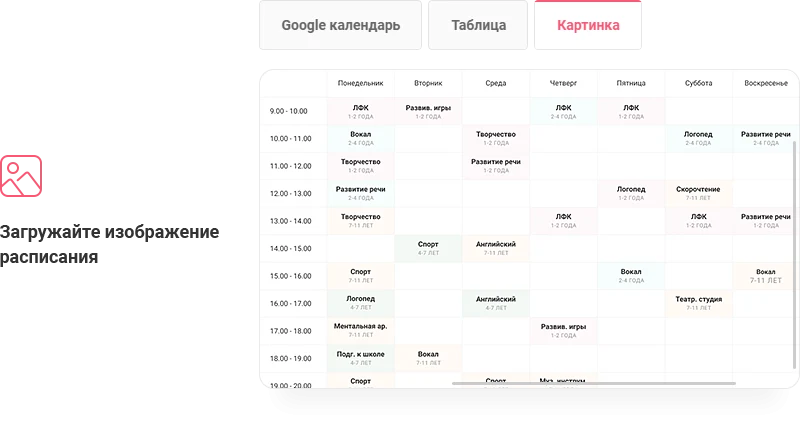
To prevent missed lessons, the solution includes an online schedule table. Parents can add a lesson reminder to their smartphone with a single click. The table updates in real time to avoid discrepancies.
To minimize missed classes, the solution includes an online schedule accessible to children and parents. Users can add a lesson reminder to their mobile device with a single click. The table data synchronizes in real time to prevent information discrepancies.
The system allows collecting requests for trial lessons and enrolling children in online courses. Requests are processed timely, taking into account client preferences and purchase history.
Forms on information blocks are available in 1C-Bitrix editions 'Start' and higher. Web forms are supported in editions 'Standard' and higher. Additionally, forms can be created via Bitrix24 for all platform editions.
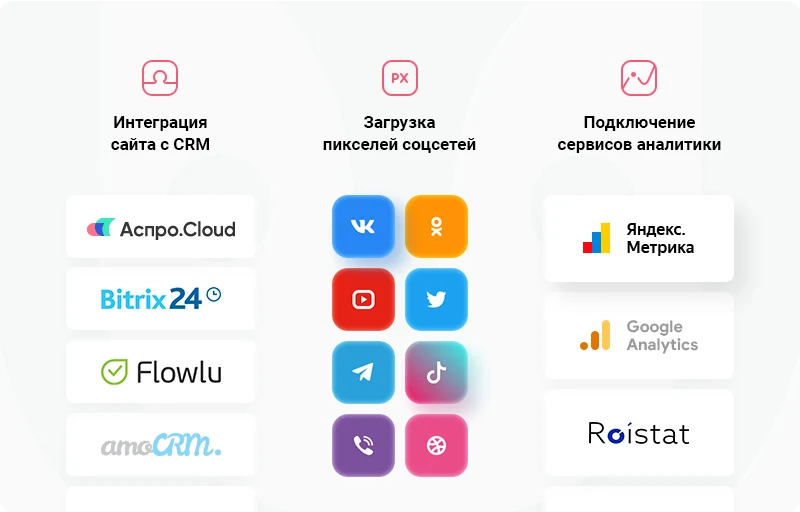
All requests, calls, and messages are stored in a single location. The solution supports integration with CRM systems Aspro.Cloud, Bitrix24, and amoCRM for sales management.
The corporate site "Aspro: Kindergarten and Educational Center" enables payment for courses directly during the application submission process. The solution includes the free "InvoiceBox" payment module. Additionally, separate integration with the "Tinkoff Payment Acceptance Internet Acquiring" service is available.
Important: this product is not an online store. Features such as integration with accounting systems, multi-warehouse management, and shipping service connections are available only in online store solutions. The platform allows launching a corporate site that utilizes advanced technologies comparable to online stores while maintaining its status as a corporate resource.
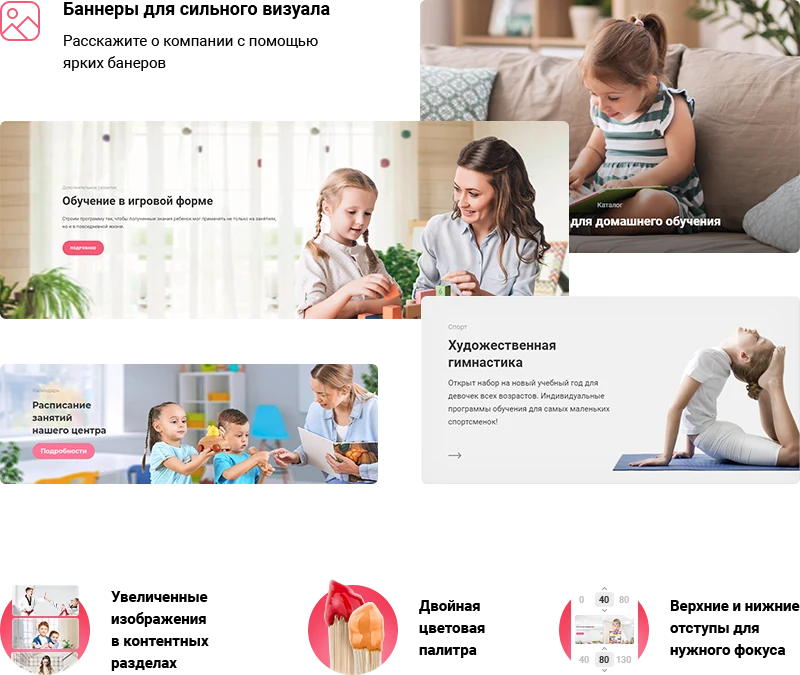
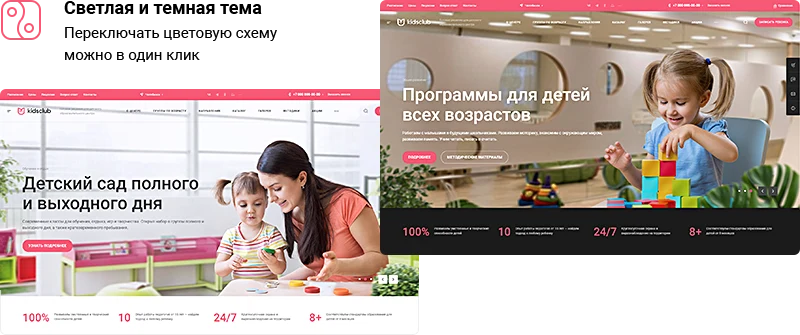
The Aspro: Kindergarten and Educational Center template is designed for creating corporate websites. Preconfigured settings allow for rapid project launch. You can select a suitable visual style and use ready-made banners to populate website sections.
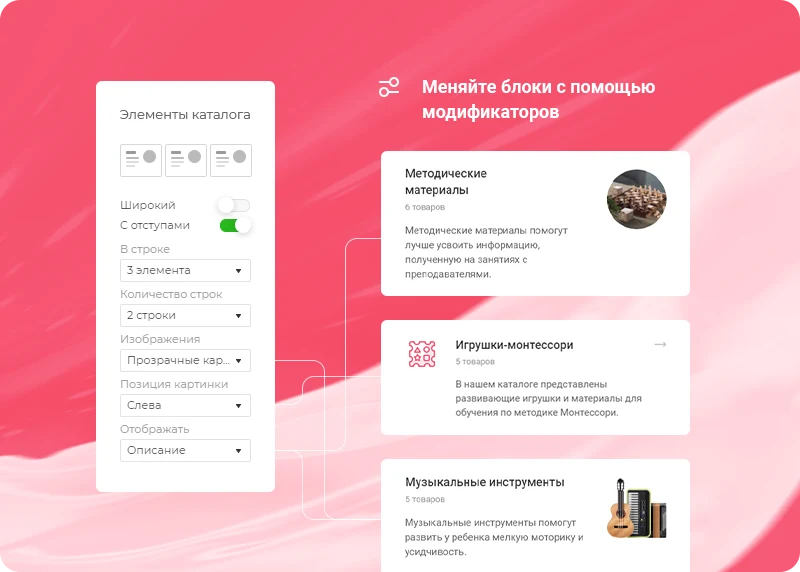
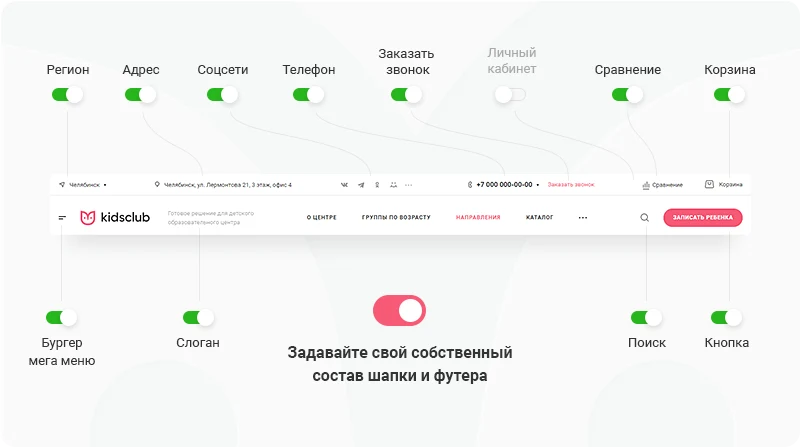
The template offers flexible site configuration using an element builder. An intuitive interface allows you to refine every detail and adapt the structure to your specific needs. You can select the display type and configure parameters for all elements.
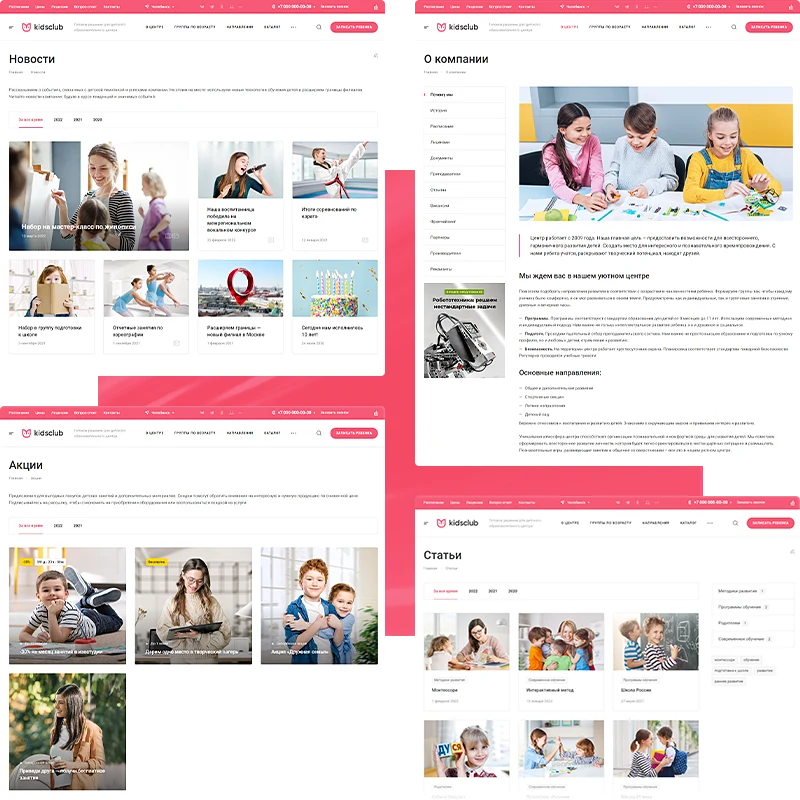
Establish a trustworthy image for your institution using dedicated sections to share information about your activities. The 'Methodologies' section allows you to describe your educational approach. The 'News' section is intended for articles about the company and events. The 'Promotions' block is designed to inform users about special offers. The 'Reviews' section enables the publication of client feedback. In the 'Teachers' section, present the qualifications and experience of your staff. The 'Age Groups' section helps parents choose the right direction. The 'Franchising' section contains information for developing a network of branches. The 'Schedule' section provides details on class times. The 'Certificates' block displays official competencies.
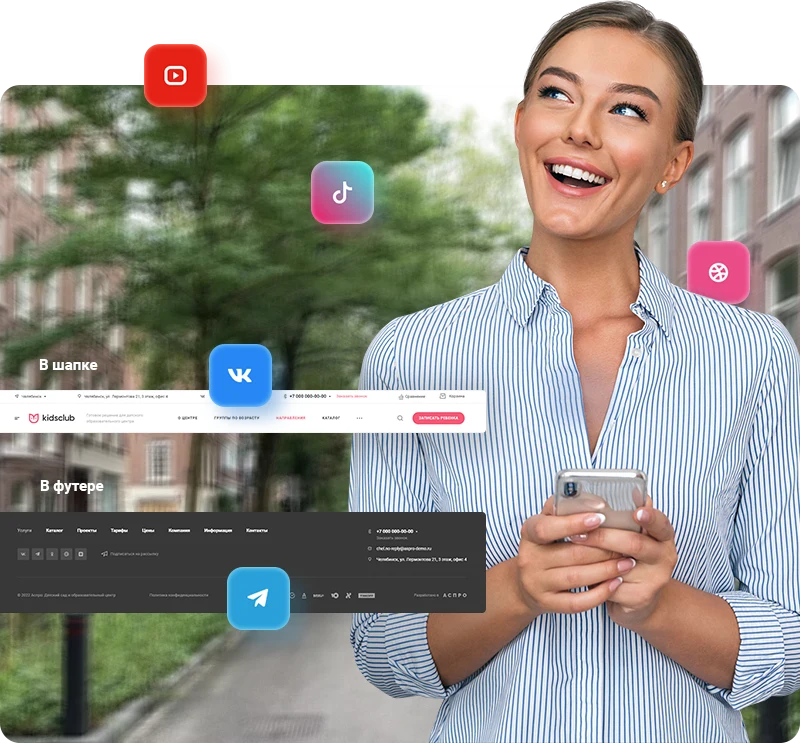
Provide customers with multiple channels for communication. Display information about your VKontakte group or add a photo block.
The site ensures logical navigation between sections. An article about an event can link to a service page, and a service page can link to a teacher's profile. This content interconnection simplifies user movement through the resource.
The section provides tools for publishing photos reflecting the daily life of the kindergarten and educational center, helping to build audience trust. It is recommended to share images from recitals, classes, and events to showcase student achievements. Additionally, photo albums can be linked to news items for a more vivid presentation of events.
Video content is more effective than static images for demonstrating the learning environment. This helps potential clients better understand the training conditions and make a decision to enroll. Video files are loaded from the YouTube platform and displayed on the homepage as a slider.
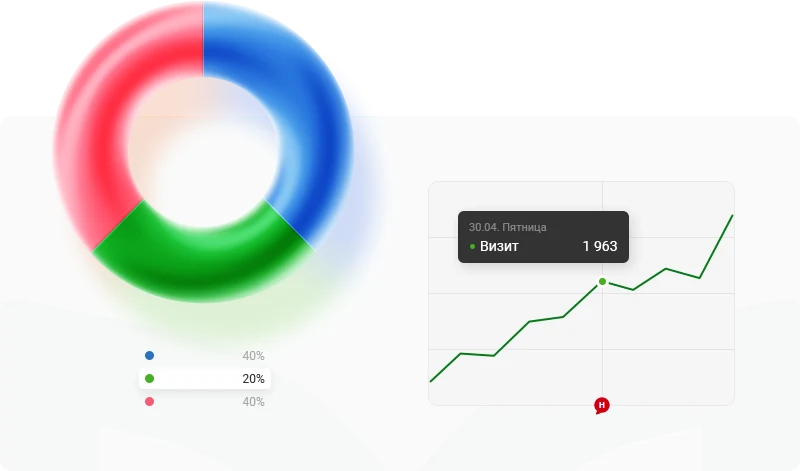
Analyze website traffic and user behavior to identify strengths and weaknesses, evaluate traffic sources, and define the target audience. Monitor sales dynamics in the Aspro.Cloud business management system, count the number of requests in the admin panel, collect audiences for retargeting, and analyze user behavior in analytics services. Make informed business development decisions based on factual data.
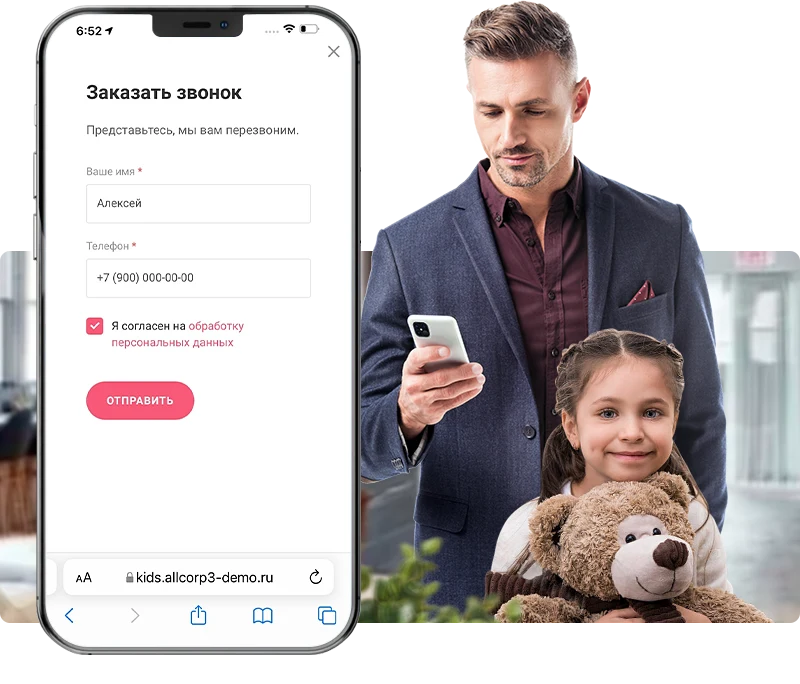
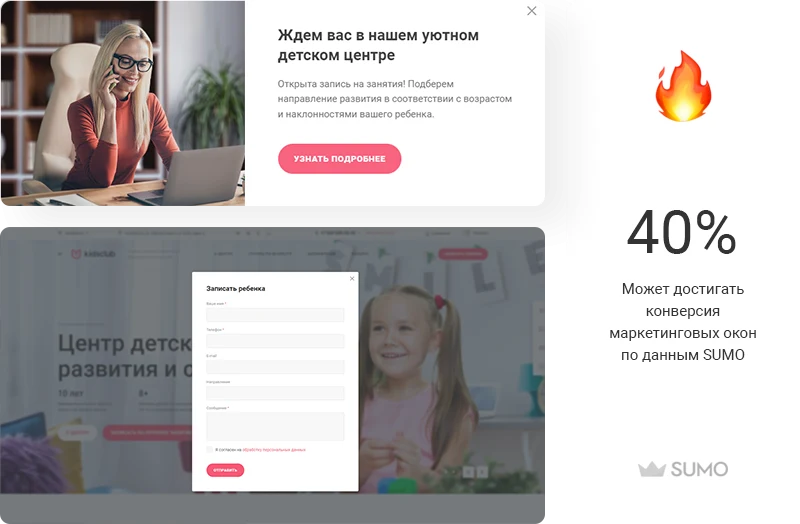
The template allows placing a sign-up form for trial lessons on the site to attract new clients to a kindergarten or educational center. Information about special offers can be published to encourage payment. Marketing windows help attract visitor attention, and their display scenarios can be configured.
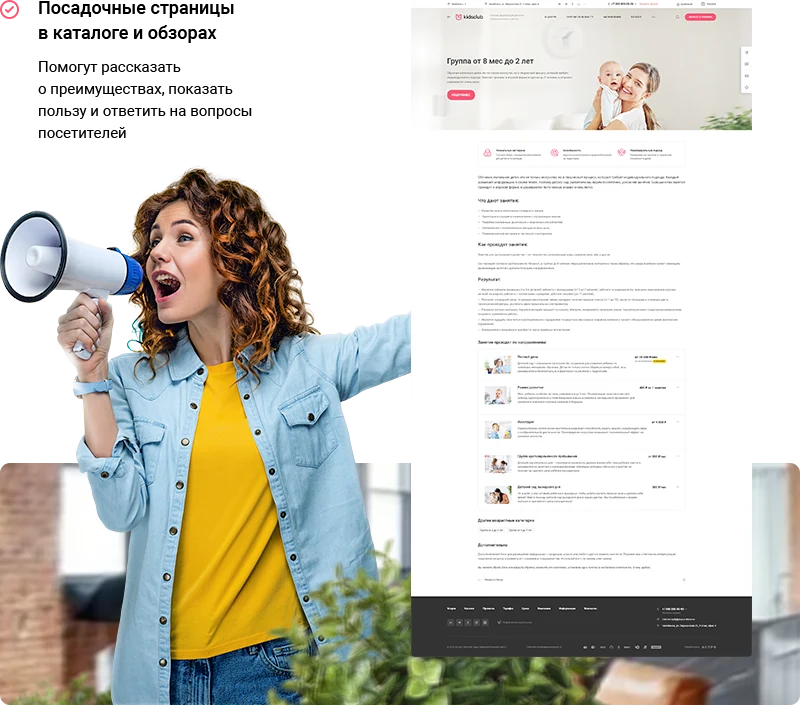
A thoughtfully structured page layout encourages visitors to take targeted actions. The template enables the creation of landing pages for catalogs and reviews, allowing you to clearly demonstrate the solution's advantages, its practical benefits, and provide answers to user questions.
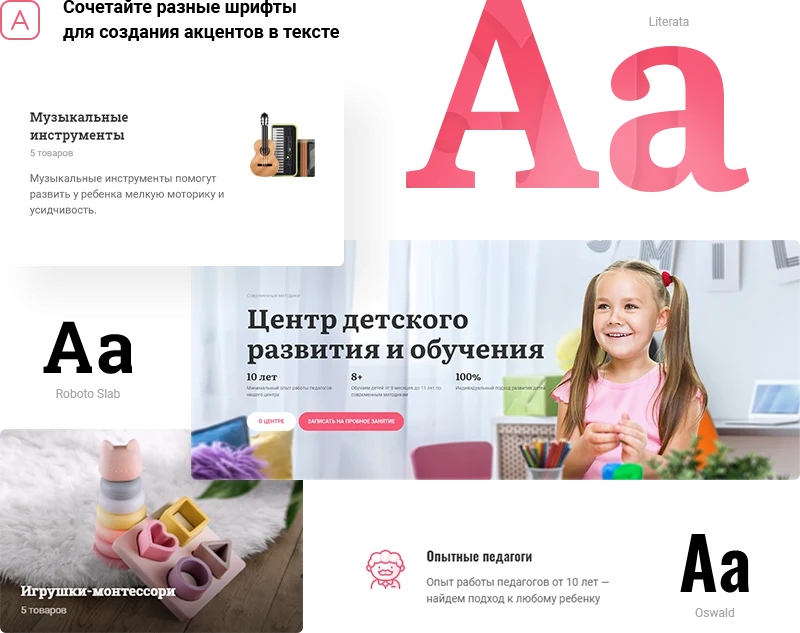
Enable the offering of related products to parents, such as educational toys, musical instruments, or parenting books.
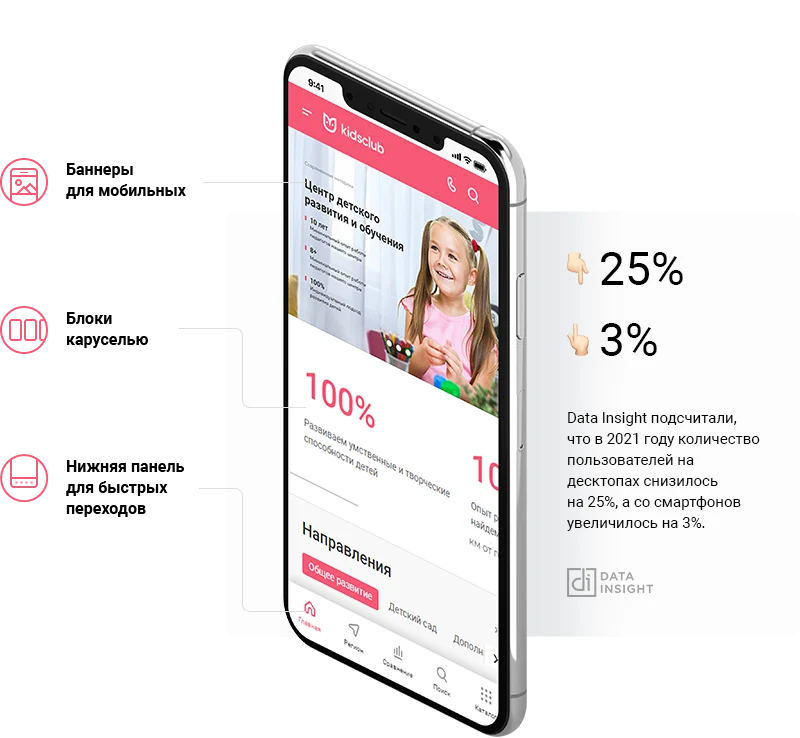
The site uses adaptive layout, displaying correctly on tablets and smartphones. The interface automatically adjusts to the device screen size. The navigation menu and call-to-action buttons are fixed in the visible area, allowing users to control the site without scrolling.
The template includes ready-made content for quickly launching a kindergarten or educational center website. Select a design, upload your data, and adapt the text to your institution's specifics. All necessary settings are pre-configured to match the business requirements.
General iT can install and configure this solution and build a website or online store based on it.
UPDATE HISTORY
What’s new
1 releases
1.0.16 (15.06.2026)Latest update
Scheduled security update.
Attention!!! Before installing the update, you MUST perform a full backup of the site. If you have made changes to the solution template, additionally copy the entire template folder!
USER EXPERIENCE
Solution reviews
How does this solution work in a real project? Share your experience and help others choose.
Be the first to share your experience
There are no reviews of this solution on git.ru yet. Tell us what worked well and what could be improved.
✓
Verified purchaseAdd a key if you wish. A verified review gets a badge, priority placement and more rating weight.
↗
Open to every clientJust sign in to your account. A key is optional; all reviews are moderated.
Aspro: Tires and Rims 2.0 is a ready-made solution for online auto parts stores. The system is tailored for selling passenger, truck, and motorcycle tires, rims, batteries, and related products. It includes tools for precise tire selection based on technical specifications. The product is designed for professional participants in the automotive goods market.
Aspro: Corporate Website of a Modern Company is a professional boxed solution for creating corporate websites across various industries, including manufacturing, construction, sales, educational centers, medical facilities, design studios, and others.
Aspro: Priority 2.0 is a ready-made solution for corporate websites, featuring pre-installed functionality and design. Launching an online project requires only adding your own content and selecting the appropriate visual style.
INTEC.Universe is a template for an online store built on the 1C-Bitrix platform, featuring a design builder. The solution enables the creation and customization of the storefront's appearance without requiring deep programming skills.
Aspro: Corporate Website of a Modern Company is a professional boxed solution for creating corporate websites across various industries, including manufacturing, construction, sales, educational centers, medical facilities, design studios, and others.
Adaptive template for building corporate websites on any topic. The solution includes a full product catalog with three display modes: list, grid, or table. A default display mode can be set for each section. Feedback forms are available for product orders or inquiries. Product status management includes standard options (in stock, on order, expected) and the ability to create custom statuses.
The displayed price covers the solution itself. Platform licensing, installation and customisation are checked separately. If the page offers bundles, select the required option before submitting a request.
How do I check compatibility?
Compare the supported editions and solution version in the technical details with your project. Before installing on a live website, we recommend making a backup and checking the solution in a test environment.
How much does this solution’s renewal cost?
The current renewal price is 44,950 ₽. Before you order, a manager will confirm the renewal period and whether it applies to your licence.
Can you help with implementation?
We can help launch a website using the selected template, agreeing on its structure, content migration and integrations. The schedule and cost depend on the project and are quoted separately.
Statistics and interaction recording
Public pages use basic statistics. Our recording and Yandex Webvisor require your permission. You can keep basic statistics or disable all analytics.
Operator: General IT Rus LLC, INN 2310208877. Statistics and recording help improve the website.
Basic statistics: pageviews, a random daily ID, a public URL and time. The ID lasts until Moscow midnight. Original records: up to 48 hours; totals: up to 7 years.
Campaign tags and a technical identifier are sent by our server to the existing Yandex tag. Visitor IP, User-Agent and cookies are not included in this transfer. If selected, its browser code collects technical data, cookies, actions and masked page snapshots; recordings last 15 days. Inputs, chat and account areas are hidden.
Interaction recording requires permission: clicks, scrolling, technical information and filtered public-page snapshots. Events: up to 7 years; IP and snapshots: up to 90 days.
Permission is remembered for up to 365 days; full opt-out remains until changed. Basic statistics only disables recording; Disable all analytics stops new analytics. Previously sent data is not automatically deleted. Withdrawal and requests: support@git.ru. Full terms are linked below.
Your browser requests no tracking: analytics is off.