Aspro: Engineering — Corporate Website Template for Engineering Systems
Служба поддержки работает 24/7 — мы всегда на связи по вопросам хостинга и серверов.•Открыт прием заявок на аренду выделенных серверов и размещение оборудования в дата-центре.•Напоминаем: рекомендуем включить резервное копирование для дополнительной защиты данных.•Доступна новая линейка VPS/VDS с NVMe-дисками и увеличенной производительностью.•Технические работы на части серверов завершены. Все сервисы работают в штатном режиме.•
Аккаунт в General iT
Вход / Регистрация
Войдите или создайте аккаунт для управления услугами в панели.
Aspro: Engineering is a ready-made corporate website template for companies operating in the field of engineering systems. The solution is built on the Aspro: Corporate Site 3.0 platform and is adapted to the specifics of projects involving the installation of water supply, heating, ventilation, and related areas.
Aspro: Engineering is a ready-made corporate website template for companies operating in the field of engineering systems. The solution is built on the Aspro: Corporate Site 3.0 platform and is adapted to the specifics of projects involving the installation of water supply, heating, ventilation, and related areas. Using this template, you can accept orders for engineering services, build your brand identity, showcase completed projects, and increase customer trust.
The 'Aspro: Engineering' template is adapted for engineering companies. Demo content includes industry-relevant materials, ranging from detailed project pages to a fully developed equipment catalog.
The portfolio section with a project map allows you to showcase completed design and installation works for engineering systems, helping to build customer trust and loyalty.
The universal widget supports configuration for various business tasks. It enables the integration of cost calculators for engineering services, delivery zone maps, or lead collection forms.
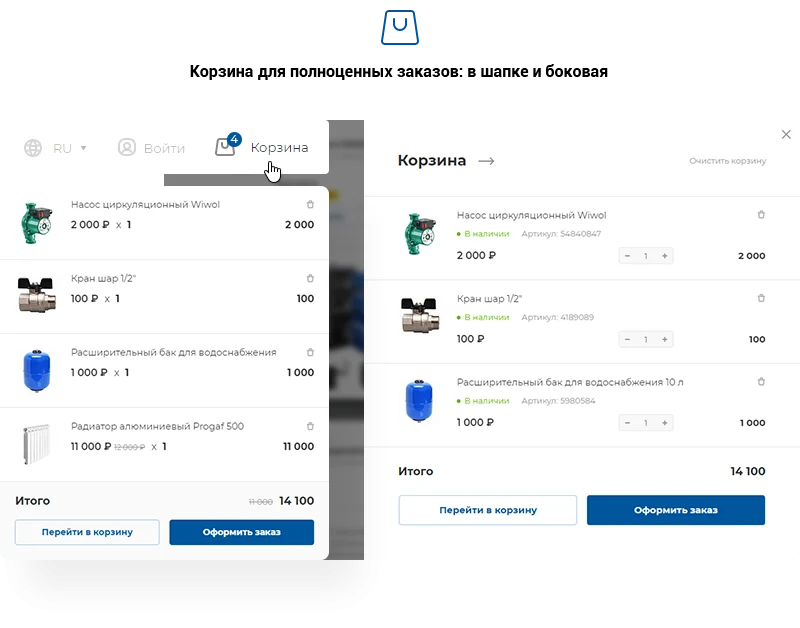
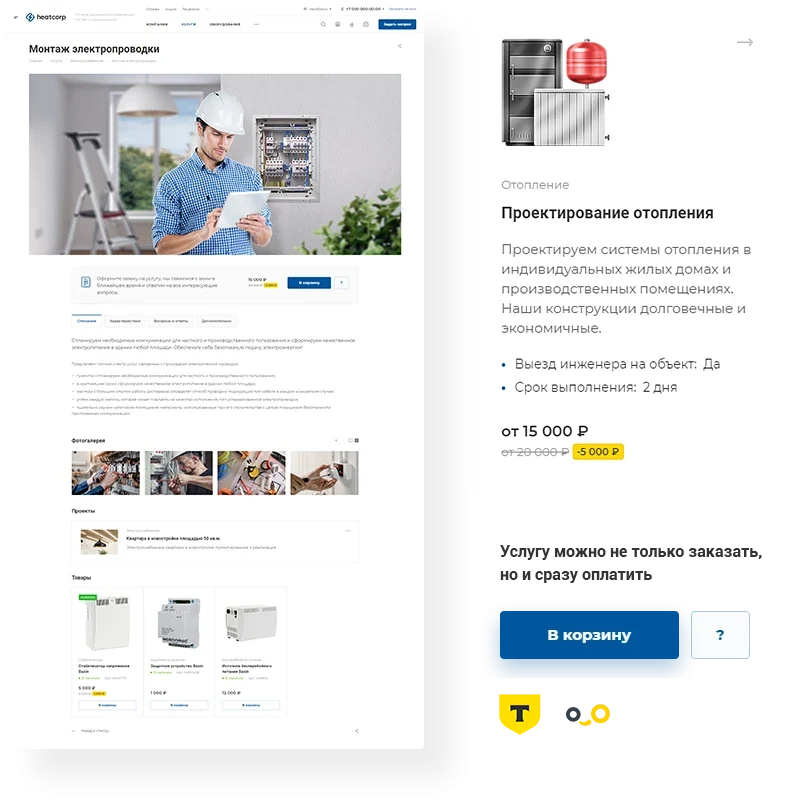
The payment module supports advance payments and payments for design and installation services, converting leads into actual revenue.
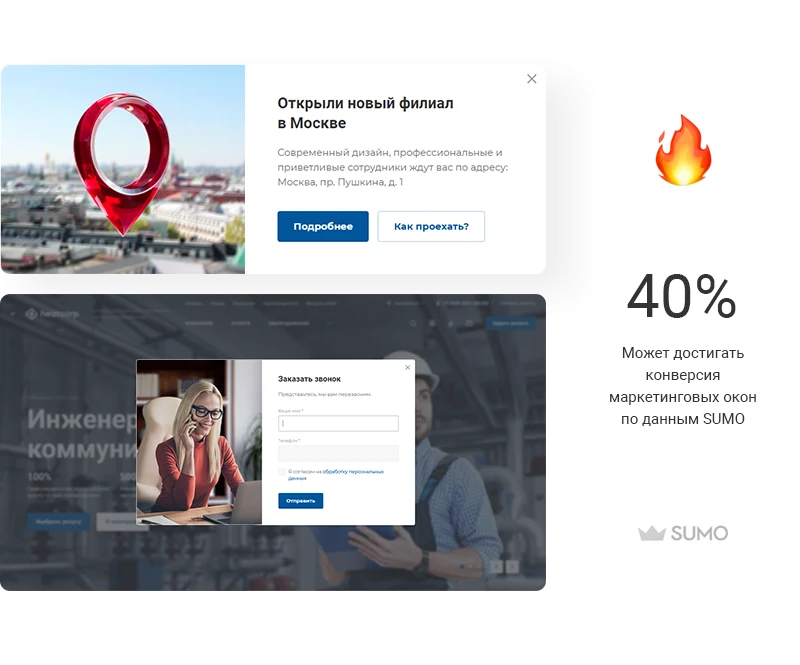
Marketing windows allow for collecting feedback, offering personalized discounts, and inviting users to events. The appearance scenario for these windows is fully configurable by the user.
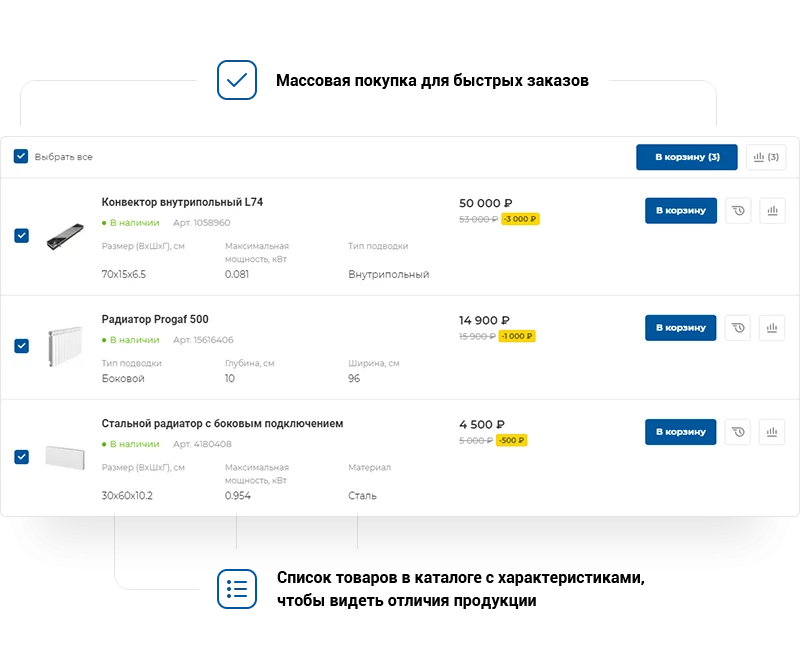
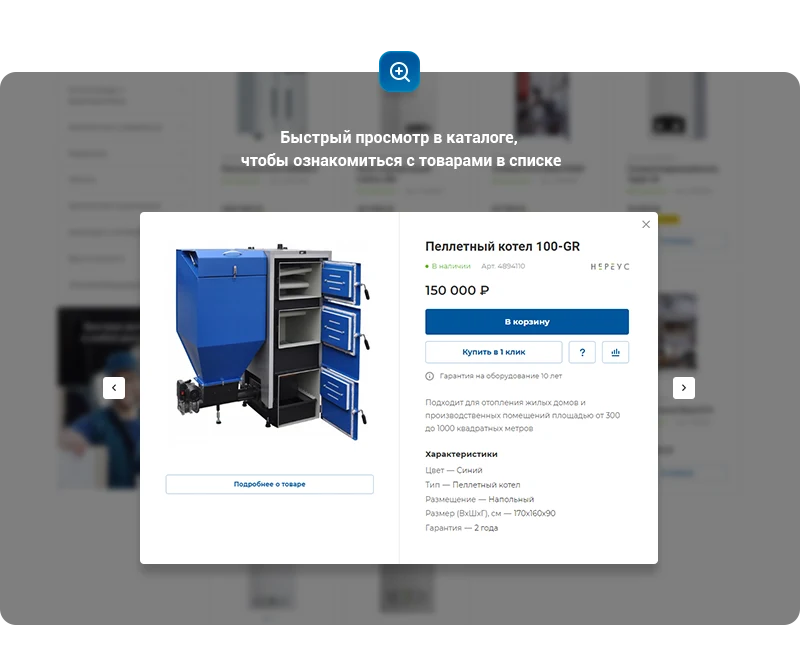
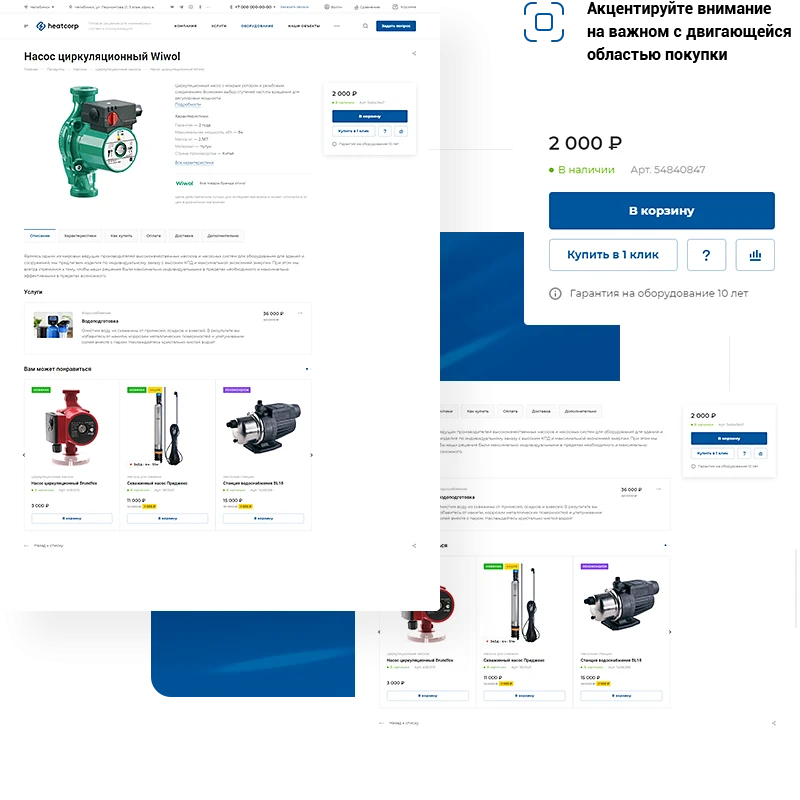
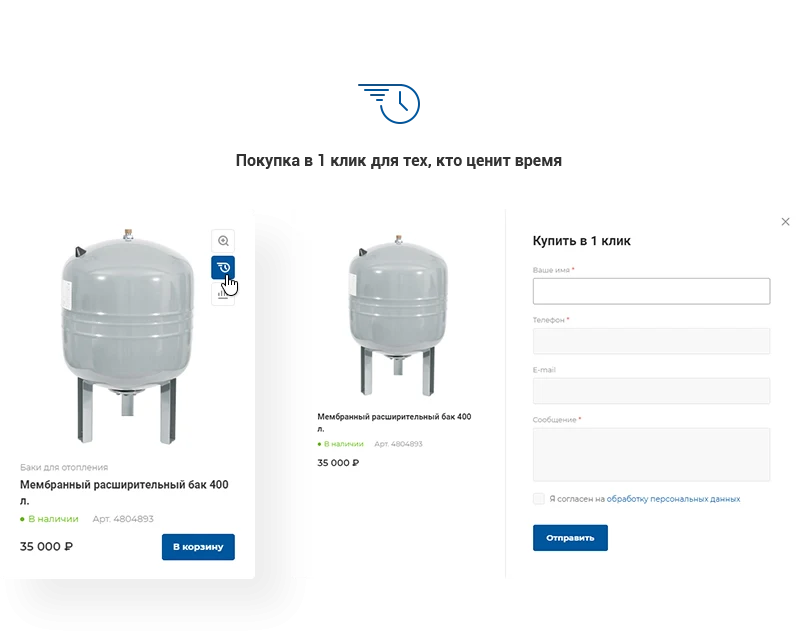
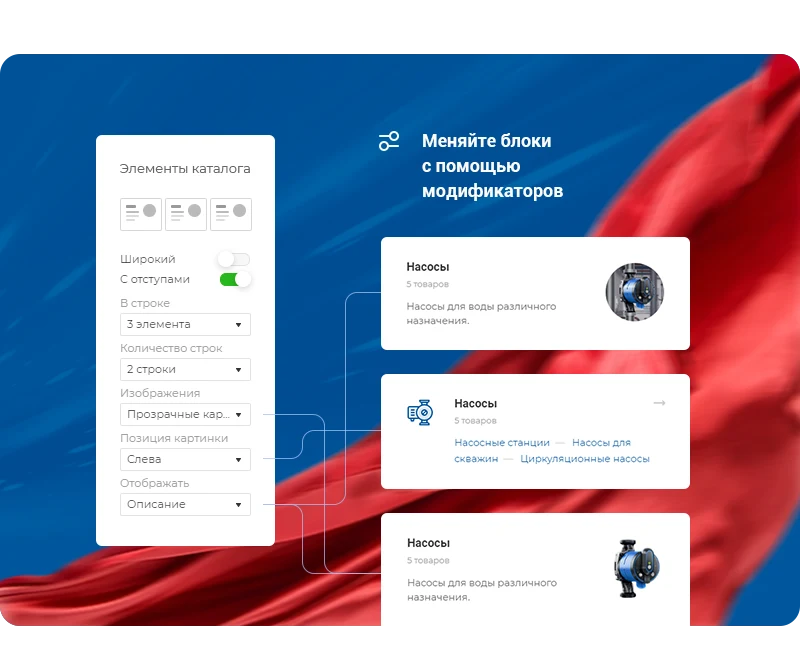
This template is designed for companies implementing engineering communications. It enables effective presentation of product quality through an informative catalog that assists clients in making purchasing decisions. Finding the necessary equipment is simplified by a smart filter and tag cloud. Product cards are adapted for engineering tasks, while multiple display options for the assortment allow for creating a unique website style.
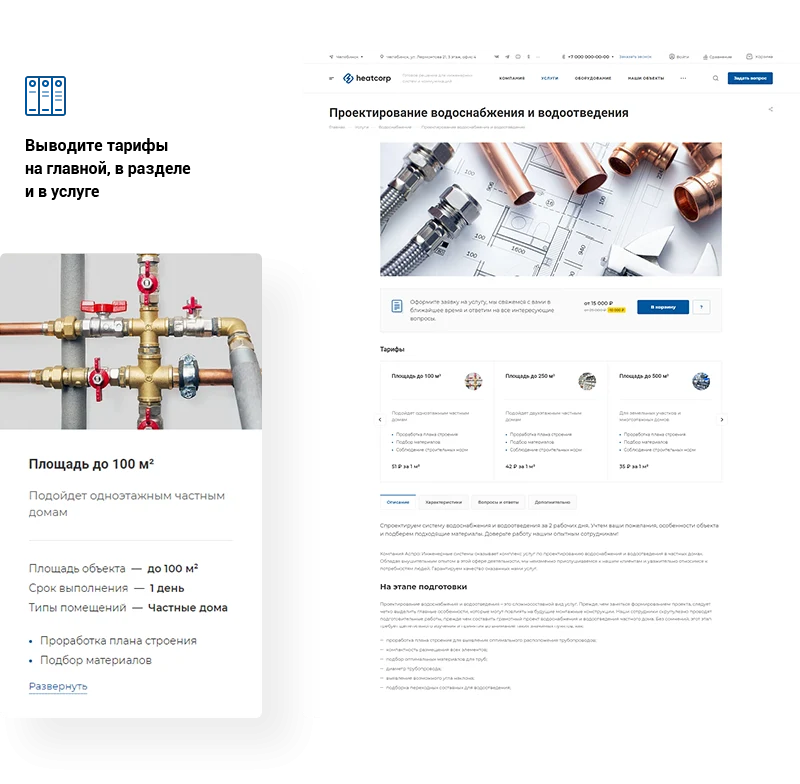
Engineering projects require clients to specify clear technical requirements for the scope of work. Detailed service pages in the template include comprehensive descriptions, a list of advantages, image galleries, client reviews, and video content. The system supports connecting tariffs for system installation and design with pricing calculated based on the object's area.
Installation of engineering systems is a complex task best handled by qualified professionals. The Aspro: Engineering template provides tools to strengthen client trust.
Completed Projects
Share facts about your work that offer practical value to clients. Emphasizing benefits, mission, and positioning builds authority. Include images and videos of the production process.
Video Testimonials on the Homepage
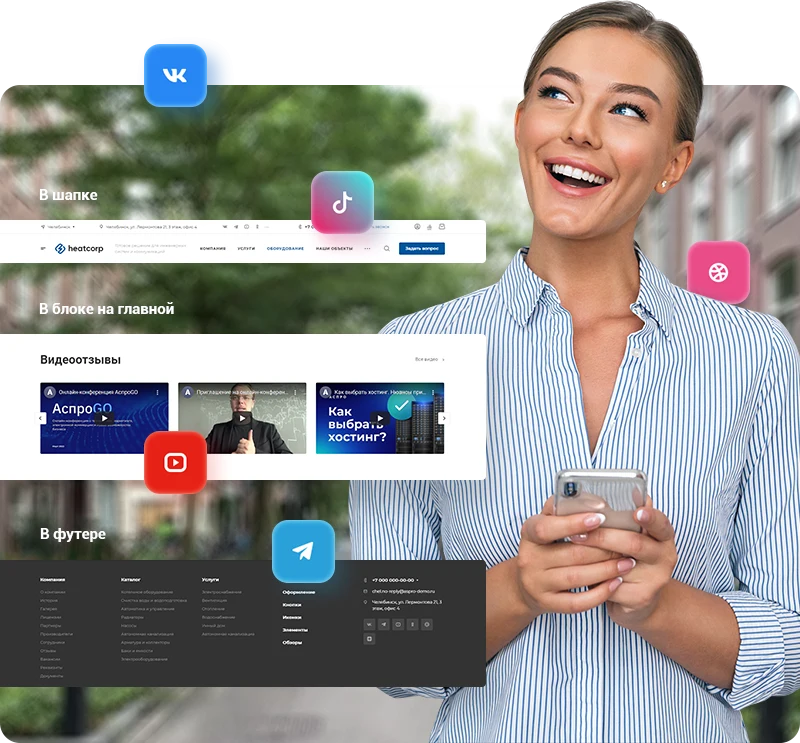
Customers make decisions based on the experiences of others. Embedding video testimonials from your YouTube channel on the homepage clearly demonstrates the advantages of working with you.
Company Description
Provide detailed information about your brand to increase audience loyalty. In the About Us section, outline key values and goals; in the History section, describe the stages of business development.
Expert Articles
Demonstrate competence in engineering system installation. Publishing relevant articles attracts targeted traffic to the site.
Certificates and Licenses
Upload documents in PDF, XLS, DOC, and other formats to confirm the legality of your activities and professionalism in the industry.
Partners and Manufacturers
Display information about the company's partnerships. Provide the ability to showcase well-known clients and suppliers of engineering equipment.
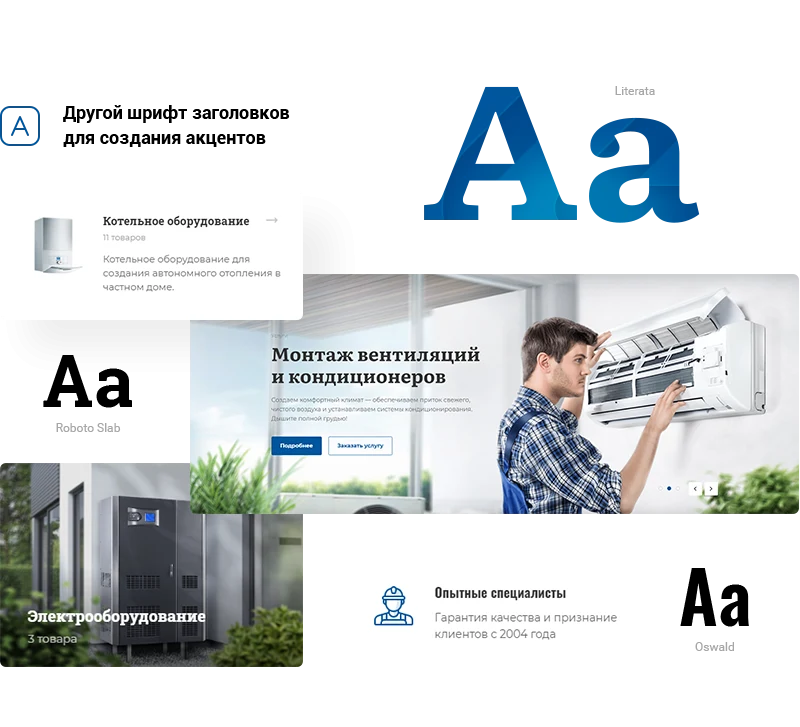
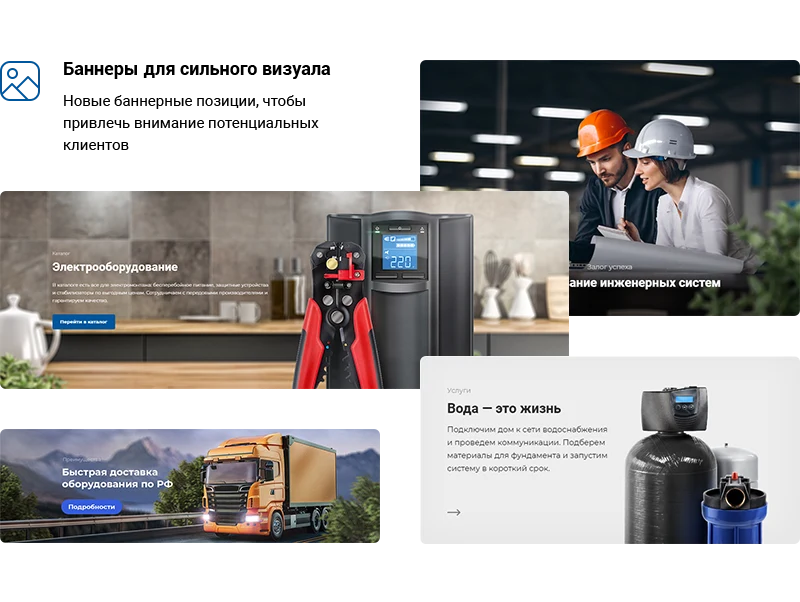
Website design plays a key role in attracting and retaining visitors. The Aspro: Engineering template provides flexible settings to create various combinations of page and element displays. It allows creating a unique company style, uploading wide-format banners, and enabling a dark theme to reduce eye strain.
The solution enables acceptance of payments for engineering design and installation services. The base configuration includes integration with the InvoiceBox payment system. An additional module for Tinkoff Internet Acquiring is available for separate purchase.
Collect feedback from users and announce promotions. The marketing window displays according to a scenario you define.
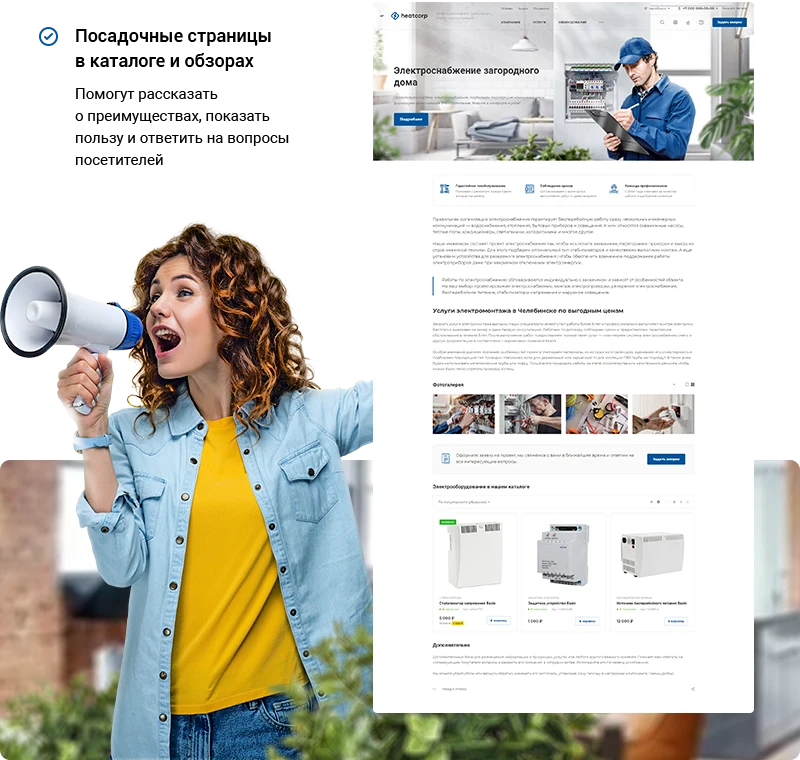
Landing pages can be created within the catalog, reviews, and services sections. This feature enables detailed presentation of solution advantages, builds user trust, and provides efficient responses to frequently asked questions.
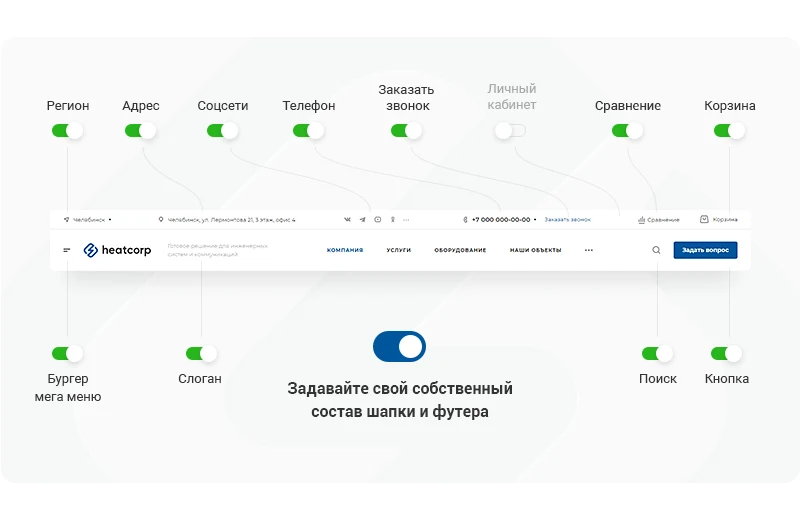
Social media integration tools help maintain customer connections. A video testimonials block can be added to the homepage to attract traffic. Social media icons are available for placement in the header and footer.
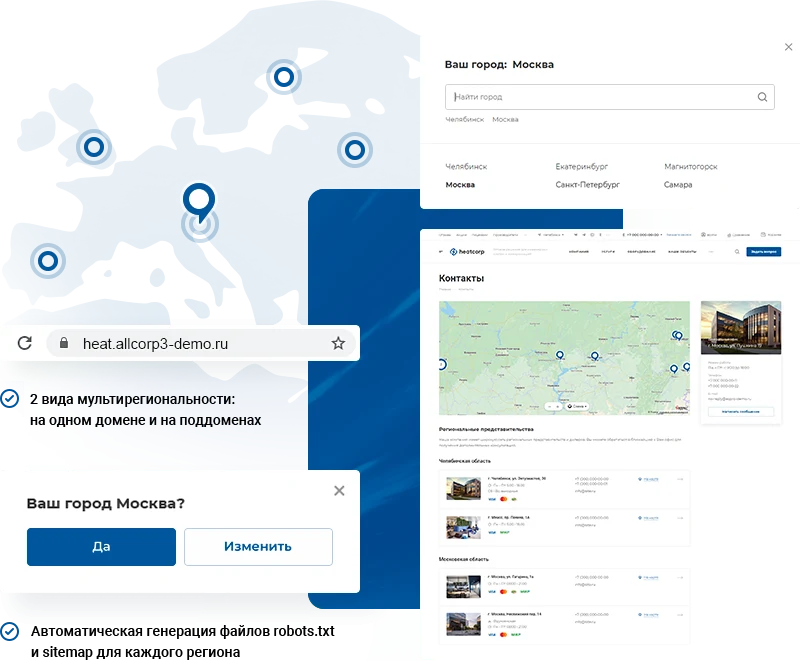
The multiregionality feature enables the launch of large-scale projects and expansion of sales geography. Content sections and contact details can be configured separately for each region.
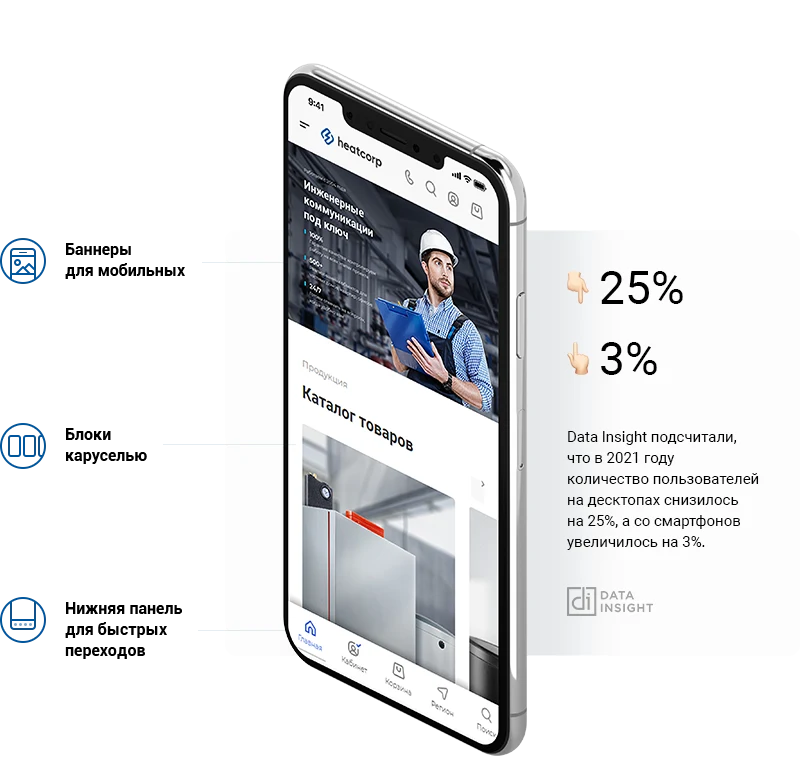
The Aspro: Engineering template supports adaptive layout for smartphones and tablets. This helps preserve mobile traffic and reduce the site's bounce rate.
Deploying a website for an engineering company takes 2–3 days. Basic configuration is performed using detailed documentation and with assistance from technical support specialists.
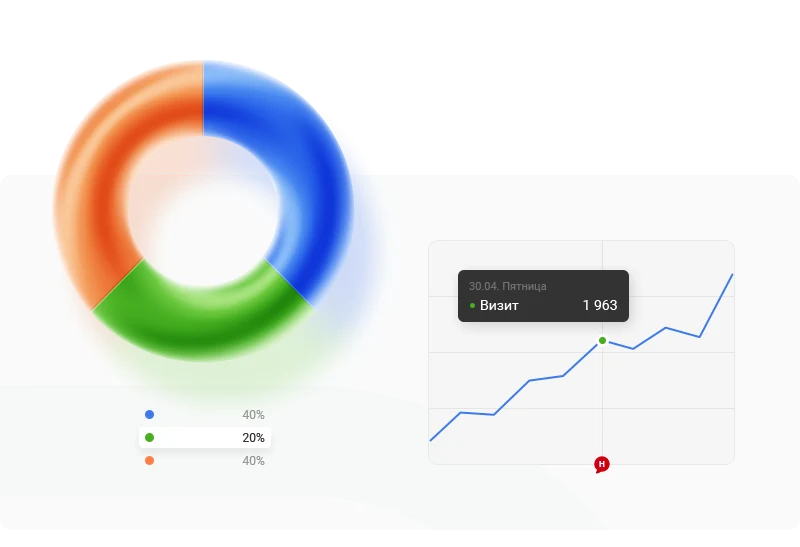
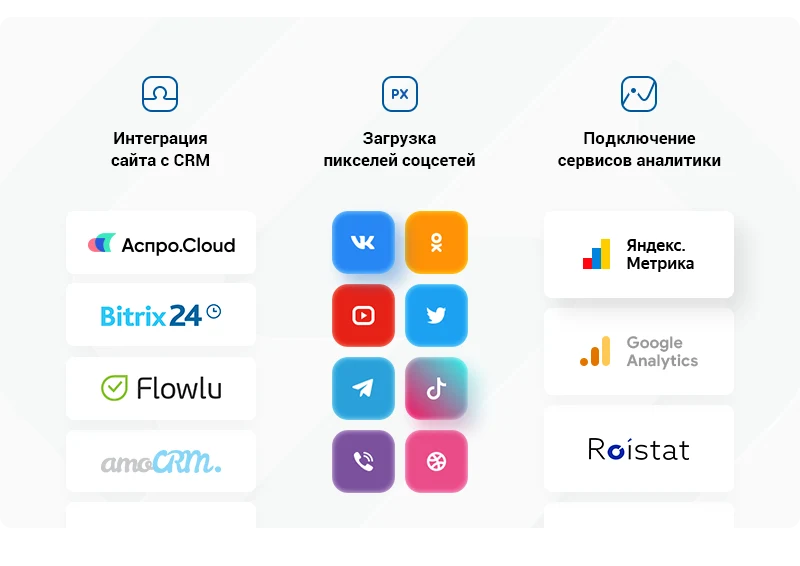
The solution supports integration with Yandex.Metrica to track project development dynamics, user behavior, and goal achievement. Analytics configuration requires just two clicks. Integration with the Aspro.Cloud business management system enables workflow automation. This allows tracking the number of requests, analyzing project profitability, and generating financial reports.
General iT can install and configure this solution and build a website or online store based on it.
UPDATE HISTORY
What’s new
15 releases
1.0.15 (18.06.2026)Latest update
Scheduled security update.
Attention!!! Before installing the update, you MUST perform a full backup of the site. If you have made changes to the solution template, additionally copy the entire template folder!
1.0.14 (21.01.2025)
Improvements:
Yandex SmartCaptcha added (HEAT2-328)
Checkboxes for processing personal data and the offer added (HEAT2-335)
jQuery version switch added (HEAT2-326)
Fixes:
In all places interacting with VK, the domain has been changed from .com to .ru (HEAT2-340)
Logs for CRM systems have been moved out of public access (HEAT2-339)
Attention!!! We strongly recommend installing the update. Before installing the update, you MUST perform a full backup of the site. If you have made changes to the solution template, additionally copy the entire template folder!
1.0.13 (15.05.2025)
Fixes:
Fixed the operation of interactive elements (buttons, sliders, drop-down lists, etc.) in the administrative part when installing the 1C-Bitrix platform version 25.100.300 (HEAT-319)
Attention!!! We strongly recommend installing the update. Before installing the update, you MUST perform a full backup of the site. If you have made changes to the solution template, additionally copy the entire template folder!
1.0.12 (16.10.2024)
Technical update
Attention!!! Before installing the update, you MUST perform a full backup of the site. If you have made changes to the solution template, additionally copy the entire template folder!
1.0.11 (03.10.2024)
Fixes:
Fixed an error when installing the solution on 1C-Bitrix version 24.100.0 (HEAT2-299)
Attention!!! Before installing the update, you MUST perform a full backup of the site. If you have made changes to the solution template, additionally copy the entire template folder!
1.0.10 (12.08.2024)
Fixes:
Fixed an error that returned a 500 response when attempting to open catalog component parameters in the public part of the site (HEAT2-289)
Fixed a PHP error that occurred when sections were inactive but article elements were active (HEAT2-292)
Attention!!! Before installing the update, you MUST perform a full backup of the site. If you have made changes to the solution template, additionally copy the entire template folder!
1.0.9 (20.06.2024)
Fixes:
Fixed a console error when displaying the banner on the homepage (HEAT2-279)
Fixed an error in sitemap generation for subdomains (HEAT2-280)
Attention!!! Before installing the update, you MUST perform a full backup of the site. If you have made changes to the solution template, additionally copy the entire template folder!
1.0.8 (21.11.2023)
Fixes:
Corrected the display of the currency symbol in the 1-click purchase form on information blocks (HEAT2-265)
Fixed a PHP error that caused the "Gallery" block to display incorrectly on the main page (HEAT2-268)
Corrected the gallery display in quick view for related products (HEAT2-269)
For new installations, corrected the display of the link to the detailed page of related tariffs (HEAT2-264)
Corrected the "Header and Text Color" property for the top banner in the product detail card (HEAT2-271)
Fixed a microdata error in the product detail card (HEAT2-272)
Removed the rel="alternate" attribute in accordance with Yandex search engine requirements (HEAT2-273)
Corrected the banner display in the mega menu (HEAT2-274)
Corrected the display of properties and tabs for trade offers on clean installations (HEAT2-276)
Corrected properties for filtering trade offers on clean installations (HEAT2-277)
Attention!!! Before installing the update, you MUST perform a full backup of the site. If you have made changes to the solution template, additionally copy the entire template folder!
1.0.7 (12.07.2023)
Fixes:
Corrected the announcement text color in the projects list for the light theme (HEAT2-267)
Added missing forms on information blocks: "Leave a review", "Buy in 1 click", "Write to an employee", and "News in the personal account" (HEAT2-266)
Corrected the content of an arbitrary widget on clean installations (HEAT2-254)
Fixed incorrect caching of the left menu in sections (HEAT2-262)
Attention!!! Before installing the update, you MUST perform a full backup of the site. If you have made changes to the solution template, additionally copy the entire template folder!
1.0.6 (16.03.2023)
New features and improvements in version:
Improved PHP 8 support (HEAT-251)
Fixes:
Fixed an error when re-saving the component on the "Projects" page (HEAT-250)
Other fixes (HEAT-251):
Adjusted the switching between dark and light logos depending on the site theme
Fixed a conflict between the "Aspro: Corporate Site 3.0" solution and its licenses when installing in multi-site mode
Adjusted the appearance of the dropdown menu when hovering over the phone number in the header and footer
For new installations, adjusted the import of solution settings via the settings widget
Adjusted the generation of web forms and creation of email notifications
Fixed an error when calling the comparison component
Fixed the display of the active image when uploading a video to the main banner
Adjusted the operation of the light and dark theme switch in the header within the settings widget
Adjusted the display of the 3rd and 4th footers
Adjusted the display of the order checkout page on mobile devices
Adjusted the color of the gray mobile header
Adjusted the display of characteristics in tariffs
Adjusted the display of characteristics in the detailed product card and on the service page
Fixed links for registration confirmation in email templates
Adjusted the display of linked social network accounts in the personal cabinet
Attention!!! Before installing the update, you MUST perform a full backup of the site. If you have made changes to the solution template, additionally copy the entire template folder!
1.0.5 (23.11.2022)
Added the ability to specify a property of type 'Directory' for filtering items in trade offers
Added a light/dark theme toggle in the header and mobile menu
Added support for a light logo in dark theme
Added a regional filter for related items
Added a pop-up notification for authorization in the personal account
Optimized the YouTube block on the main page
Added the ability to set attributes for buttons in the main banner, menu items, and the header button
Added the ability to set additional tab text on the detailed product card
Added scrolling for date tabs in the news and articles section
Improved the settings widget — the save button did not always appear
Added centering in the brands block on the main page when there are few elements
Fixes:
The banner was not displayed in the catalog section in the popular products list (HEAT2-246)
Related teasers were not displayed in the product catalog (HEAT2-239)
Other fixes:
Fixed image display on the detailed contacts page when lazyload is disabled
Adjusted scrolling for forms with a large number of fields
Adjusted the display of the video start button in the main banner when no other buttons are present
In the adaptive version, the block after the main banner was displayed incorrectly if types 3-5 and the 'Narrow' option were used
Fixed menu shift under dots on the first page load
Fixed an error stopping video in the main banner
The active image in the banner element was displayed incorrectly when lazyload was disabled
Adjusted the regional filter in search
Adjusted the shift of the arrow in the menu to a separate line when the name is long
The SEO title was not displayed in the third and fourth types of the detailed product card
The detailed product image with a Russian filename was not displayed
The language switch icon was not displayed for multi-site setups on different domains
Tabs of the type 'Filter by Years (Links)' in the Projects section did not switch
1.0.4 (14.10.2022)
Fixes:
The solution has been adapted for the 1C-Bitrix version 22.200.200 update – jQuery connection error (HEAT2-240)
Attention!!! Before installing the update, you MUST perform a full backup of the site. If you have made changes to the solution template, additionally copy the entire template folder!
1.0.3 (29.09.2022)
New features and improvements in the version:
Added the ability to change the description of trade offers when switching (HEAT2-234)
Added the rel="alternate" attribute to link the desktop and mobile versions of the site in accordance with Yandex.Webmaster recommendations (HEAT2-215)
Added the ability to ignore styles for the fill attribute of SVG-type logos (HEAT2-233)
Added settings for the phone dropdown list (HEAT2-232)
Added the ability to create custom tariff offers. They will be displayed instead of tariff periods (HEAT2-226, HEAT2-229, HEAT2-236)
Fixes:
Corrected saving settings from the widget (HEAT2-235)
Fixed duplicate "Order" and "Ask a question" buttons on the detailed tariff page (HEAT2-227)
Other fixes (HEAT2-230, HEAT2-231):
In some cases, switching cities in the contacts section caused an error
Clicking in the search bar on iOS devices triggered zooming
In the adaptive version, city switching did not work
The solution was adapted for the 1C-Bitrix version 22.200.100 update: errors in tabs on the main page, errors when using regionalization, and authorization errors (HEAT2-238)
When the cart is disabled and trade offers are switched in the list, the quick order button was displayed
The "Display only the city search line" parameter did not work correctly
The ability to hide the popup in the header was disabled if only one phone number was filled in
The logo was stretched in the adaptive version
In the "Licenses and Certificates" section, the alt and title attributes for uploaded elements were set incorrectly
When the "Display contact information depending on the region" option was disabled, the map pin was still shown from the region
Styles in the "VKontakte" block on the main page were corrected
The list of fields for CRM deals was incorrectly passed in the ACloud integration
The active image in the main banner with text at the bottom and a link was displayed incorrectly in the mobile version
In the solution settings widget, the tooltip for the parameter enabling the quick order button has been corrected.
The link to the personal cabinet in the solution module settings was not being updated.
The 'display section full width' option was not functioning correctly.
The catalog component parameters lacked a block for sets to define the order of their display.
The light logo in the banner on the detailed product page in the catalog was not being considered if the light header and text color were enabled.
Automatic video playback from a file in the banner did not work if the video banner was set as the first one.
The ability to insert the trade offer name into the product title has been added.
Image banners on the main page did not apply settings from the widget after saving the component settings.
The transition to the detailed page for a specific trade offer of type 2 and 3 on the detailed page has been fixed.
Attention!!! Before installing the update, you MUST perform a full backup of the site. If you have made changes to the solution template, additionally copy the entire template folder!
1.0.2 (15.08.2022)
Fixes (HEAT2-220), (HEAT2-222):
Fixed display of characteristics on the product detail page.
Arrows for menu items in the footer were not displayed on mobile devices.
The notification for adding a product to the comparison list did not work on the catalog detail page.
Images for banners were incorrectly stretched to half size, and banners with the layout "with a field below the title and text" were distorted on mobile devices.
Integration with VKontakte has been implemented: automatic publishing of the latest posts from the VKontakte group to the website homepage.
The last menu item disappeared on mobile devices.
The slider in the "Employees" block on the homepage has been fixed for mobile devices.
Pagination dots were displayed incorrectly when there were many elements in the main banner.
Teaser display in the "About the Company" block has been adjusted.
The YouTube block on the homepage did not always activate.
Unnecessary trailing zeros have been removed from the filter. Added the ability to specify the number of decimal places for each property.
Horizontal image display in the "Licenses and Certificates" section has been improved.
In headers 1, 2, and 3, empty space remained on the right when nested blocks were disabled.
Related products were not displayed by filter in the "Employees" section.
Sorting of related employees in services has been fixed.
When the ID of a web form matched the ID of an information block form, an incorrect success message was displayed.
In the "Services" section, the ability to display text below the list of subdivisions has been added.
New features and improvements in the version:
Dynamic pagination in the banner has been adjusted (HEAT2-219).
Added the ability to set vertical or horizontal image type in products (HEAT2-223).
Integration with Aspro.Cloud has been improved (HEAT2-217).
A new product card with a separate tab has been added (HEAT2-224).
Incorrect values were displayed in the user property for selecting a detail card of a product from a specific section (HEAT2-213).
Attention!!! Before installing the update, you MUST perform a full backup of the site. If you have made changes to the solution template, additionally copy the entire template folder!
1.0.1 (11.05.2022)
New features and improvements in this version:
Implemented a version for visually impaired users (HEAT2-211)
Fixes:
Slider navigation for the main banner was not working (HEAT2-210)
Other fixes (HEAT2-209):
Corrected redirect behavior in related services
Mobile banner was not blocked from indexing
Service section images were misaligned on mobile devices
Adjusted top menu spacing in header 12
In the product card, the warranty icon remained even if the text was not filled in
In the personal cabinet, the text color for subscription status in dark theme was corrected
Nested settings from the design settings widget were not saved
Fixed signature generation for payment via Invoicbox
In the main banner with video, the play button was not hidden when viewing the video
Adjusted banner display in adaptive mode for the type "With a field below the title and text"
Attention!!! Before installing the update, you MUST perform a full backup of the site. If you have made changes to the solution template, additionally copy the entire template folder!
Aspro: Auto Service is a ready-made solution for creating corporate websites for auto repair shops and tire fitting centers. The design and functionality are tailored to the specifics of the automotive business. The platform enables offering bodywork, tire fitting, diagnostics, and other services in an online format.
The 'Aspro: Kindergarten and Educational Center' template is designed for corporate websites of children's educational institutions. It is suitable for general and additional development centers, kindergartens, as well as creative and sports sections. The structure, content, and functionality are developed with the specifics of the education sector in mind.
Versions 26.0.3 and 26.0.2 are currently under moderation. Version 26.0.3 features a global update to the main slider with the integration of artificial intelligence elements. Version 26.0.2 includes a global update to the product card. Installation inquiries require individual consideration.
The built-in constructor enables unique design.
Current versions: 26.0.3 includes a global update to the main page slider with artificial intelligence integration; version 26.0.2 features global changes to the product card.
The built-in constructor enables unique design. Users have access to 15 ready-made color schemes and the ability to create a custom one.
Versions: 26.0.3 (global update of the main page slider with AI integration, status: moderation) and 26.0.2 (global update of the product card).
The built-in constructor allows for unique design. There are 15 ready-made color schemes available, plus the option to create a custom one.
Submit a request on the solution page. A manager will check your selection, confirm the terms and arrange the purchase. We can also help with installation and setup.
Is a 1C-Bitrix licence included?
The default price covers the solution itself. If the developer offers a bundle with a 1C-Bitrix licence, you can select it separately on the solution page.

Can I try a solution first?
Available online demos and trial periods are shown on the solution page. The trial length depends on the solution.
How much does renewal cost?
Renewal is calculated as 50% of the full solution price before discounts. A manager will confirm the renewal terms and period before you order.
Can you help implement the solution?
Yes. We can build a website or store based on a template, or install, configure and check a module for compatibility. The scope and cost of the work are agreed separately.
Твой выбор cookie
Необходимые cookie обеспечивают вход, корзину и безопасность. Аналитика помогает улучшать сайт и включается только с твоего разрешения.
Собственная система metrika.git.ru: публичные страницы, случайный идентификатор, устройство и события. Содержимое форм, кабинетов и платёжных страниц не записывается. Исходные события — до 90 дней. Оператор: ООО «Дженерал Ай Ти Рус», ИНН 2310208877.