Payments are experiencing issues due to temporary restrictions in Russia. If your payment does not go through, please submit a support request.•Our support team is available 24/7 — we are always here to help with hosting and server issues.•We are now accepting requests for dedicated server rental and colocation services in our data center.•Reminder: we recommend enabling backups for additional data protection.•A new VPS/VDS lineup with NVMe storage and improved performance is now available.•Maintenance work on some servers has been completed. All services are operating normally.•
Payments are experiencing issues due to temporary restrictions in Russia. If your payment does not go through, please submit a support request.•Our support team is available 24/7 — we are always here to help with hosting and server issues.•We are now accepting requests for dedicated server rental and colocation services in our data center.•Reminder: we recommend enabling backups for additional data protection.•A new VPS/VDS lineup with NVMe storage and improved performance is now available.•Maintenance work on some servers has been completed. All services are operating normally.•
Аккаунт в General iT
Вход / Регистрация
Войдите или создайте аккаунт для управления услугами в панели.
Aspro: Digital 2.0 is a ready-made solution for creating online projects focused on the digital sector. It is a specialized edition of the Aspro: Corporate Site 3.0 platform. The template is designed for web studios, IT companies, SMM agencies, integrators, and mobile app developers.
Aspro: Digital 2.0 is a ready-made solution for creating online projects focused on the digital sector. It is a specialized edition of the Aspro: Corporate Site 3.0 platform. The template is designed for web studios, IT companies, SMM agencies, integrators, and mobile app developers. It enables brand development, corporate image building, service presentation, and the sale of products and tariffs within an e-commerce framework.
Aspro: Digital 2.0 - Corporate Website
The platform provides tools for creating and managing a corporate website, allowing you to focus on product and service quality. The set includes project presentation tools, product cards for license bundles, a mobile version, marketing tools, blocks and settings for design, and online payment processing. Tariffs, services, and a catalog for receiving applications are also provided.
Four ready-made configurations are available for quick website launch:
Universal - suitable for all digital companies.
For web studios - designed for launching and refining websites.
For Bitrix24 specialists - intended for studios implementing, automating, and customizing Bitrix24.
For POS system implementation - suitable for companies performing comprehensive automation and installing equipment for marking and trade, including online cash registers and POS systems.
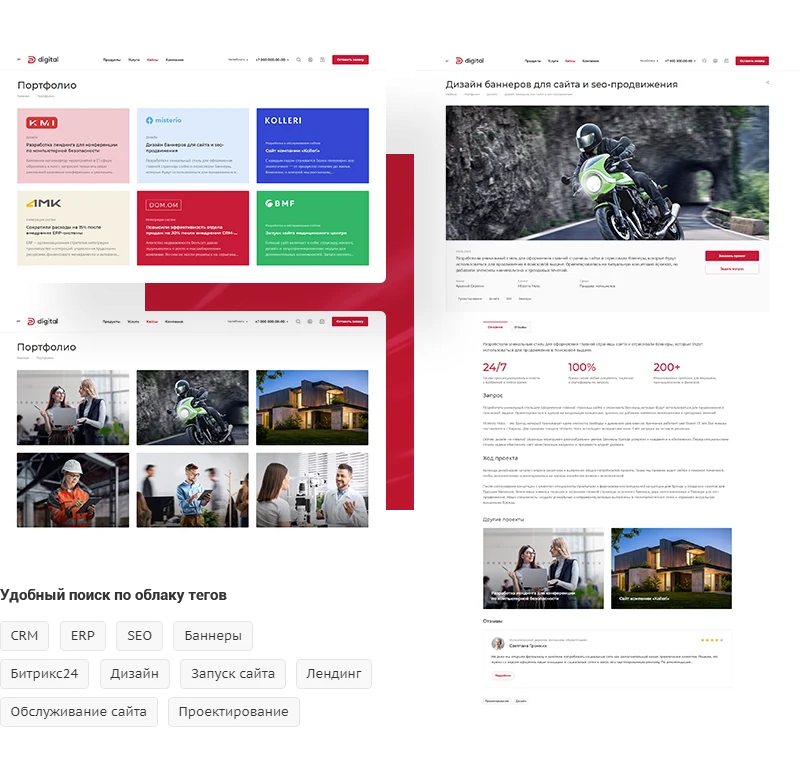
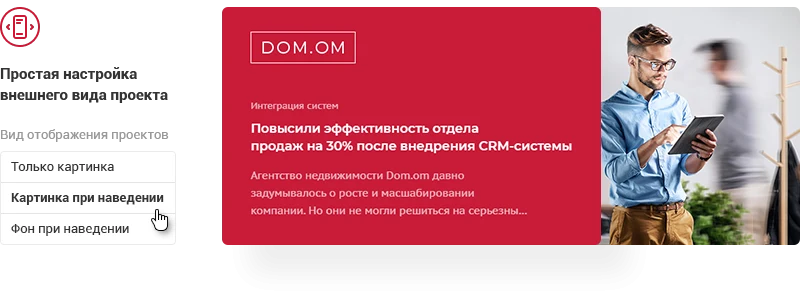
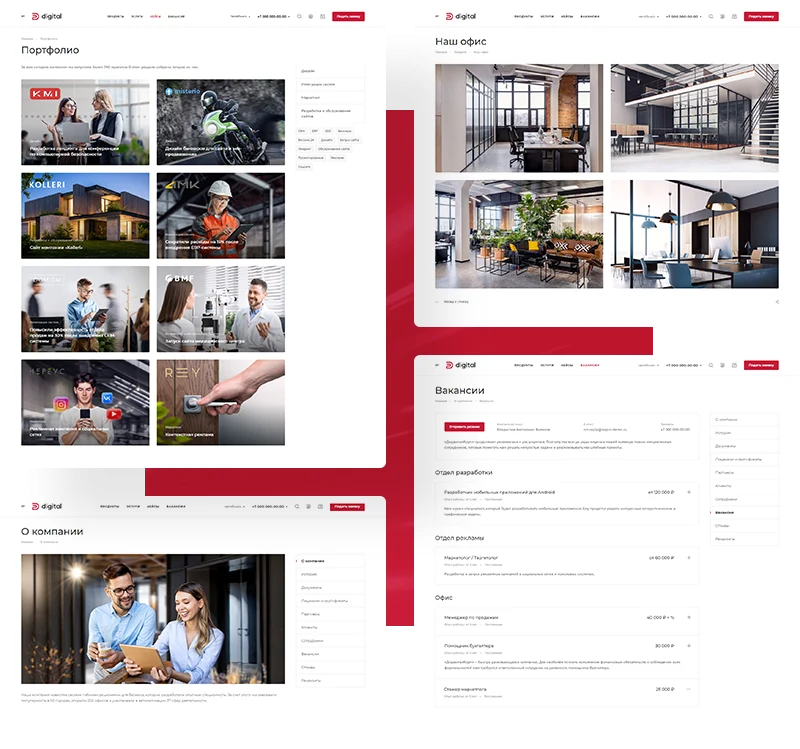
Uploading projects is fast and simple: just add visual materials and text descriptions. The system offers ready-made color backgrounds to simplify graphic selection for announcements. Users can easily find projects in specific areas via a tag cloud, accessing a structured list of relevant case studies.
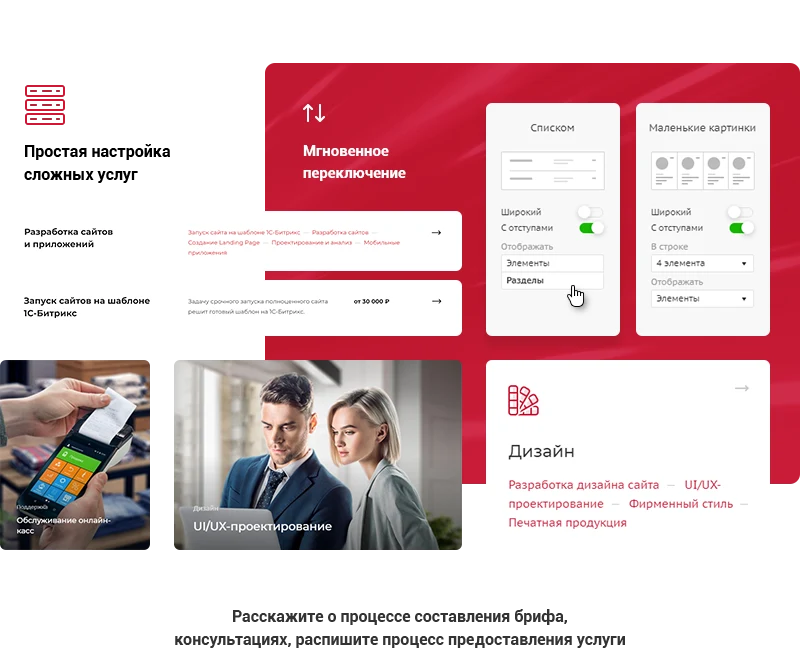
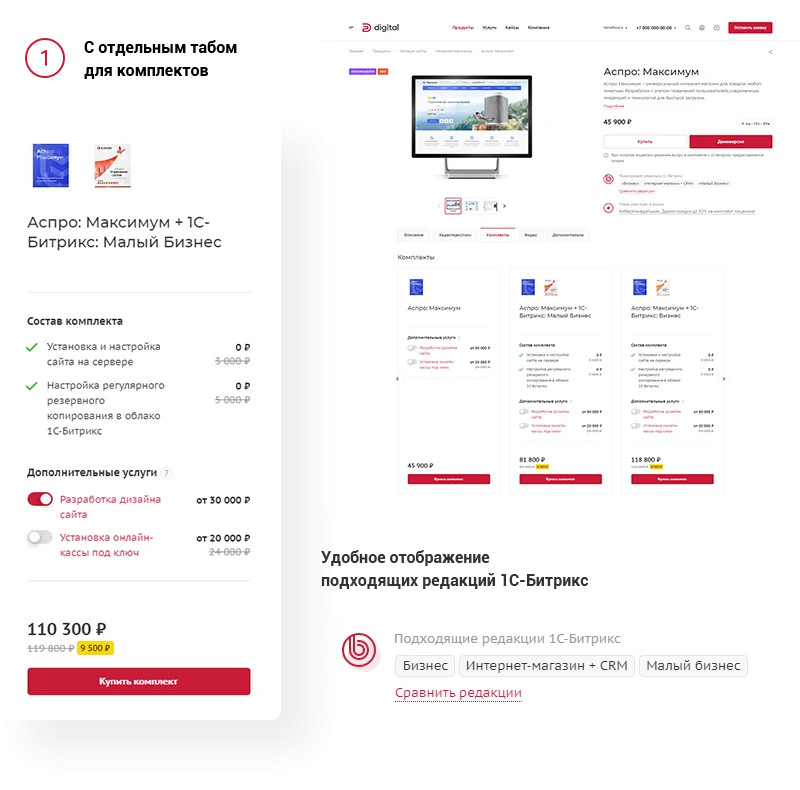
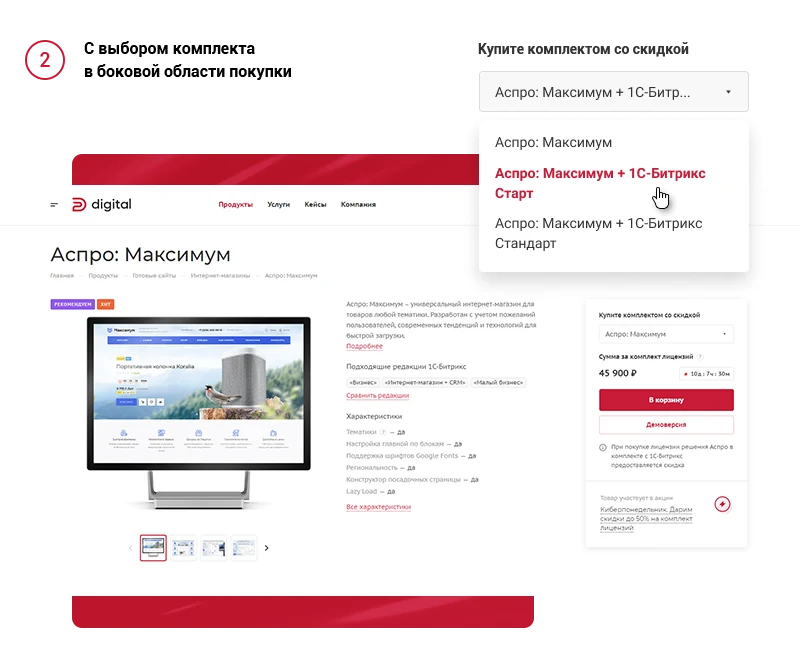
The platform enables monetization of services directly within the site interface. To increase the average order value, services can be integrated into product cards. For instance, when ordering a license bundle for site launch, a client may require web design development or hosting setup.
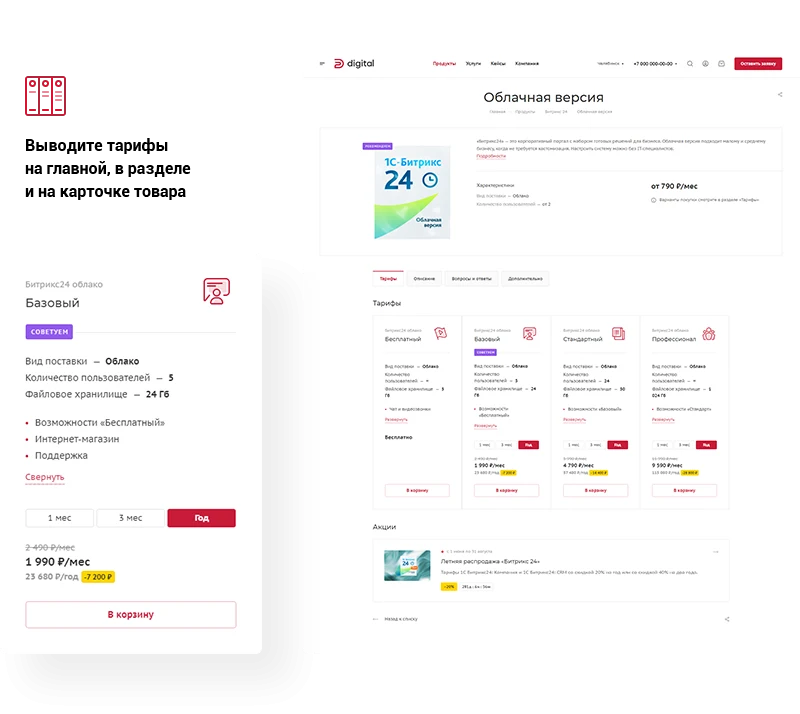
The template supports selling software via subscription plans. A dedicated tariffs section allows customers to choose options based on the service duration and feature set. This functionality is suitable for offering both boxed and cloud versions of Bitrix24, as well as for selling hosting services for 1C-Bitrix products.
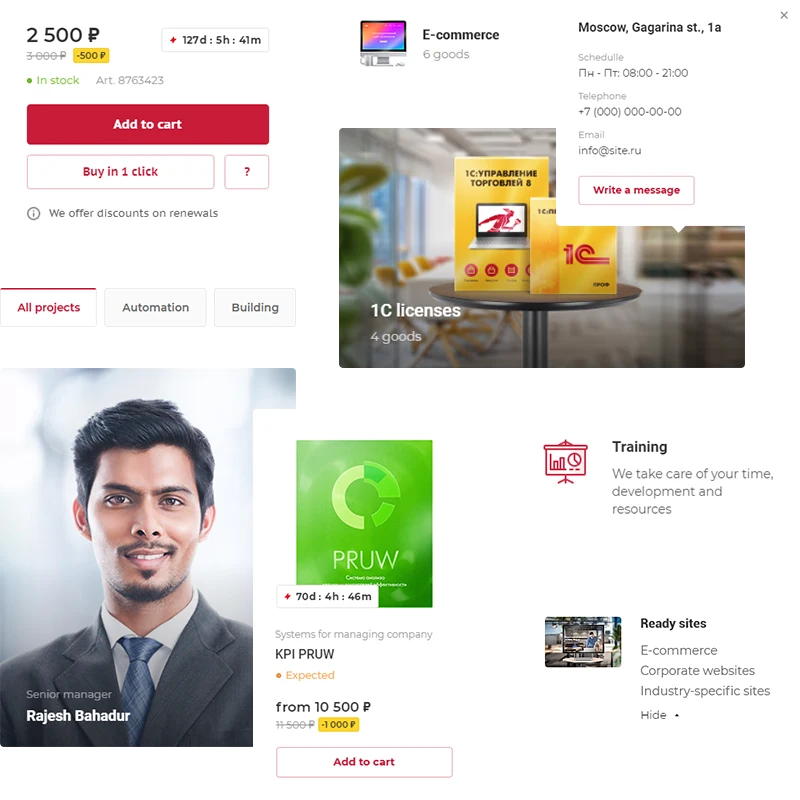
The 'Aspro: Digital 2.0' template is designed for corporate websites featuring a catalog of digital products. Built-in tools enable the sale of goods, special offers, bundles, and services with section-based filtering. The template includes pre-configured product cards for '1C-Bitrix: Site Management' licenses and 'Bitrix24' products. Images, descriptions, and pricing data are already prepared for these items, eliminating the need to re-upload content. Product cards are adaptable for selling licenses and additional services, include relevant editions, and feature a 'demo version' button.
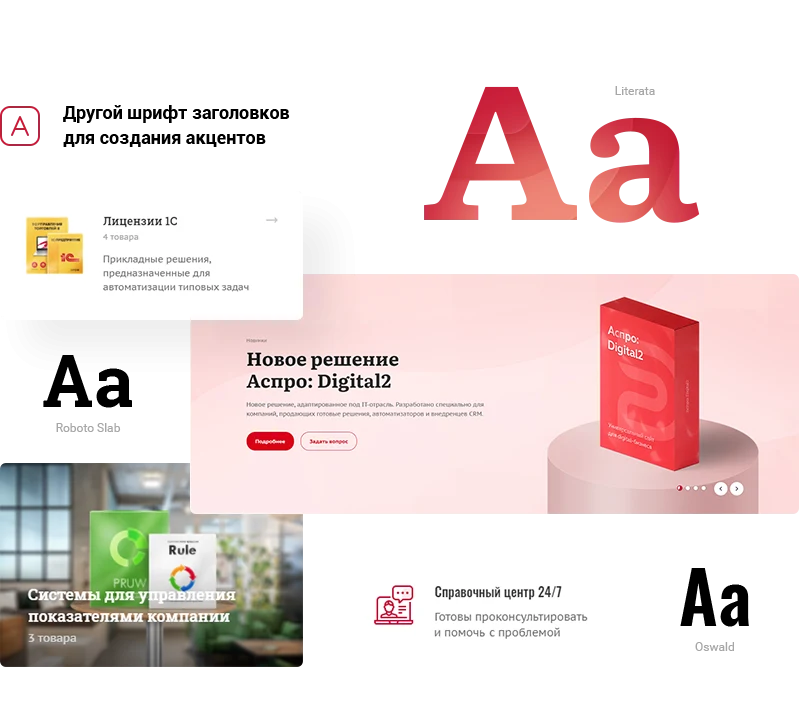
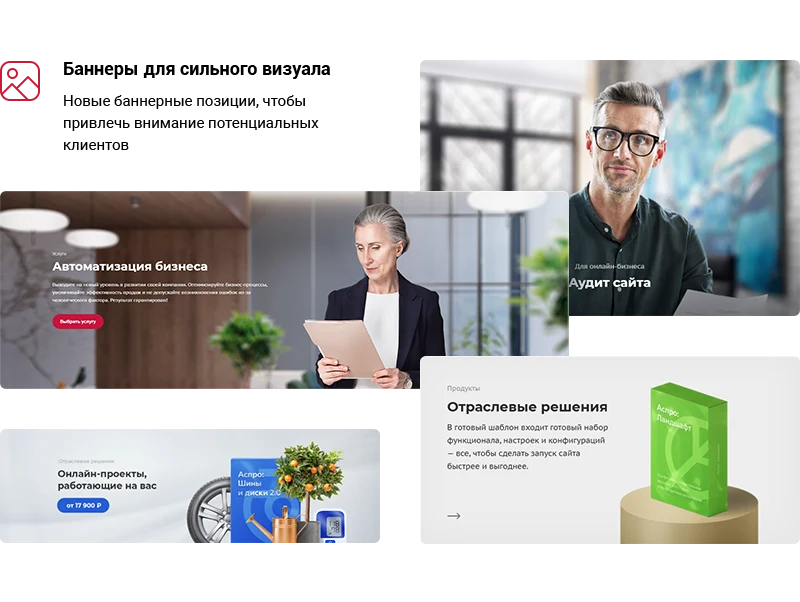
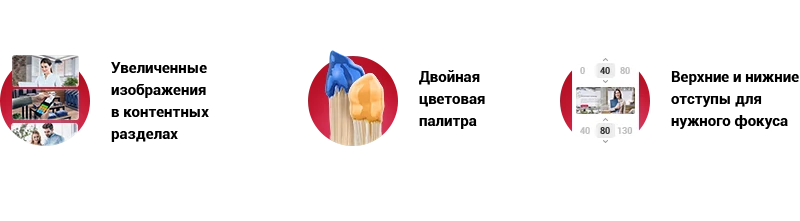
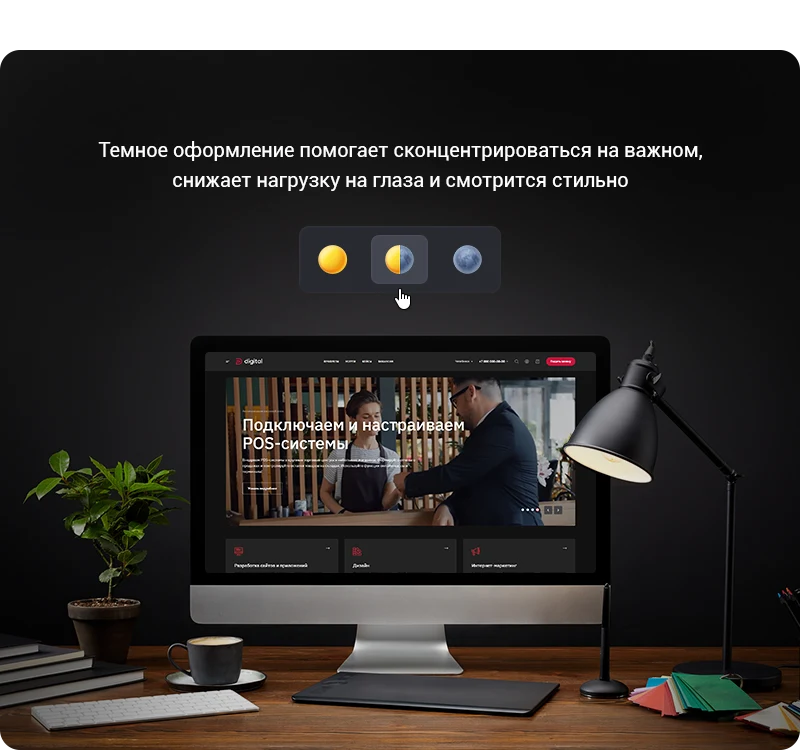
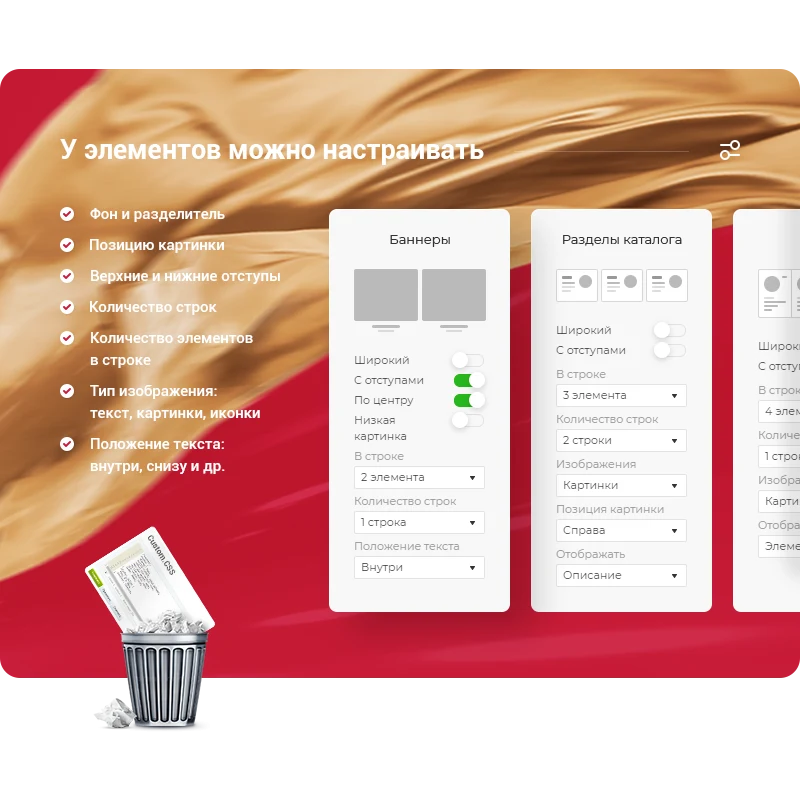
Aspro: Digital 2.0 is a corporate website template designed for rapid adaptation of design to changing requirements. The solution includes a set of ready-made blocks and settings for corporate site layout. Banners can be used to establish a corporate style. An element builder provides flexible site structure configuration. Background templates are available for project design. The text supports combining different fonts to create accents. A dark theme option is implemented to improve user experience.
The dark theme gives the interface a stylish and minimalist look, reduces eye strain, and minimizes energy consumption on mobile devices. Switching between light and dark themes can be set to automatic mode, with the site color adapting to the user's local time. Alternatively, you can fix a single theme by selecting either light or dark styling.
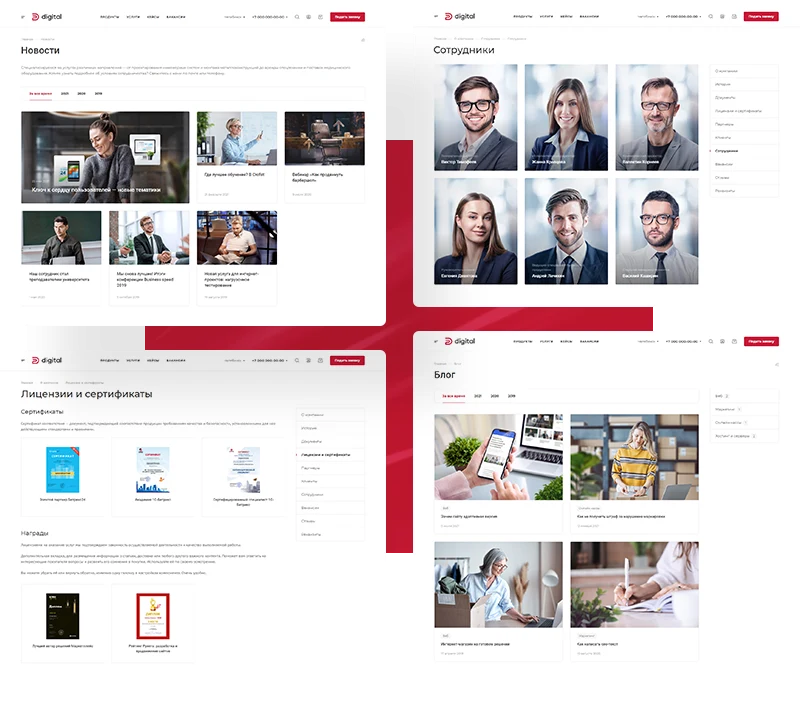
The template enables showcasing company uniqueness, building a brand image, and highlighting key strengths. A strong brand relies on long-term client relationships. The solution supports publishing expert content in a blog, displaying collaboration benefits on the About Us page, and integrating user reviews to increase trust.
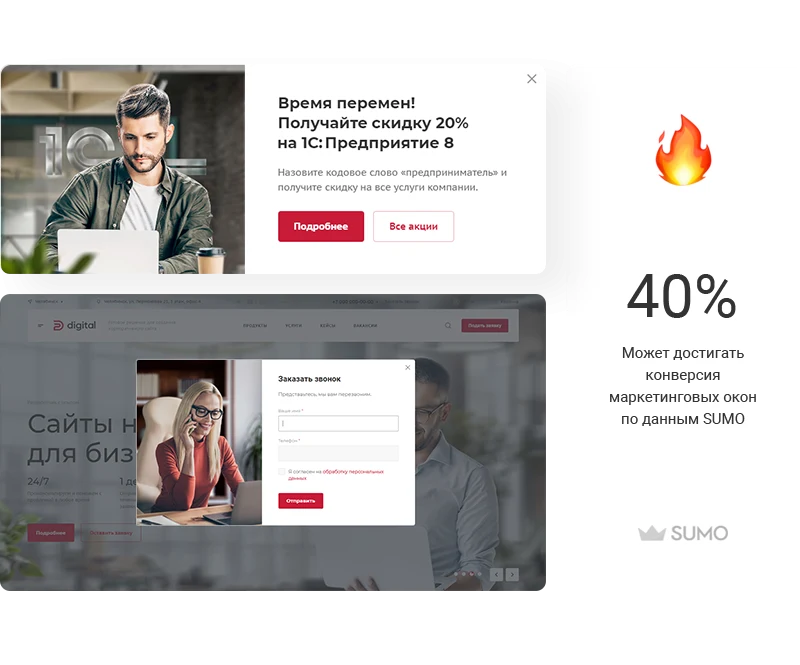
Publish information about current promotions, announce upcoming events, and offer lead magnets to collect visitor contacts. Configure pop-up windows to display according to specific scenarios: select target pages, timing, and display frequency. These features help attract more users and improve lead generation effectiveness.
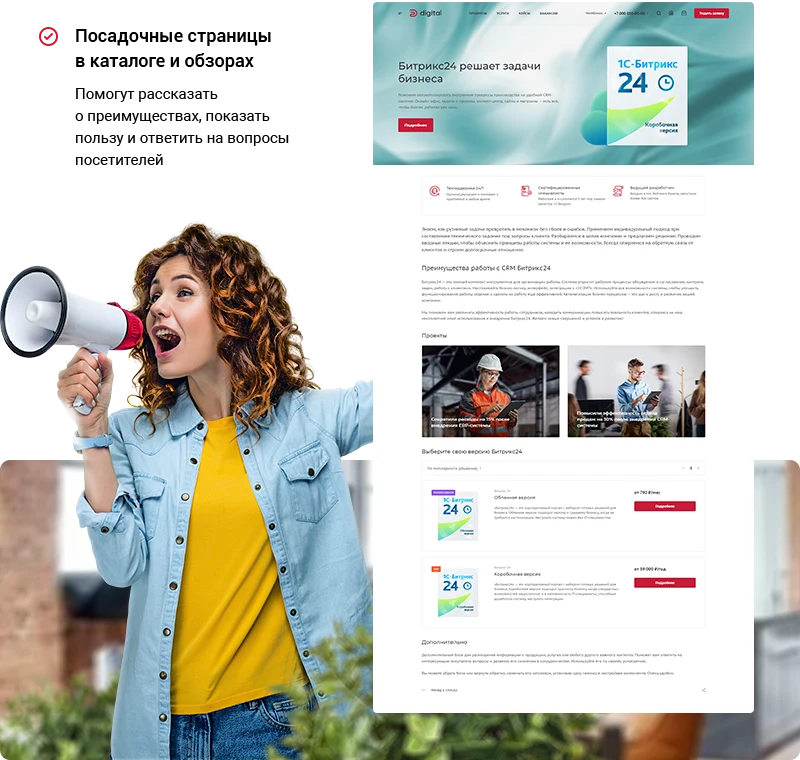
Use landing pages in catalogs and reviews to provide a detailed description of the company's advantages and pricing policy. Include text descriptions, content, and a call-to-action button on these pages to encourage customers to make a purchase.
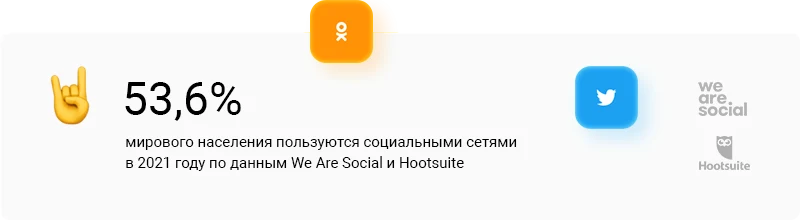
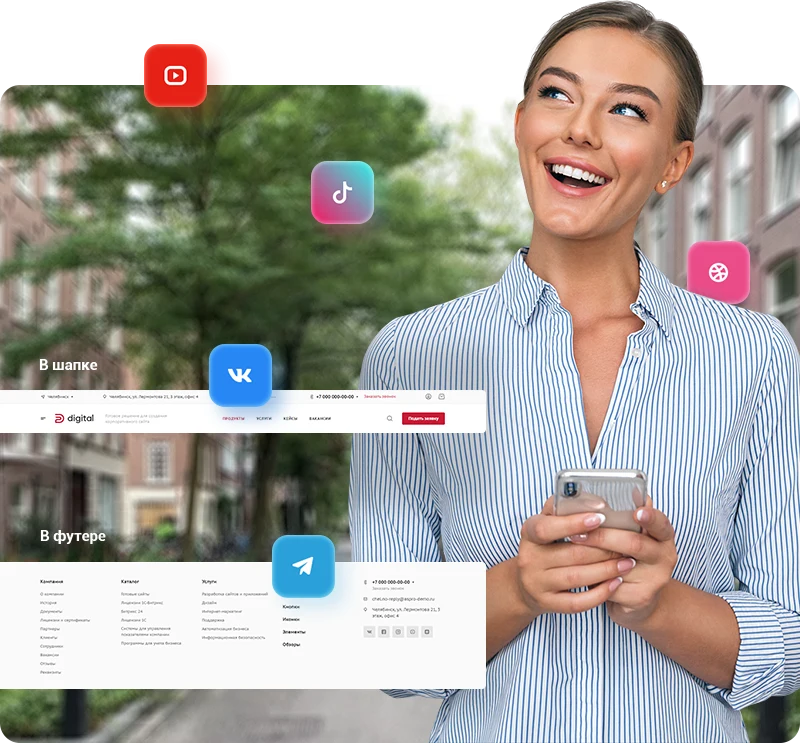
Build a positive company image by leveraging social networks to showcase your internal culture. The template includes an Instagram* block for the homepage and allows adding links to corporate social networks in the header and footer.
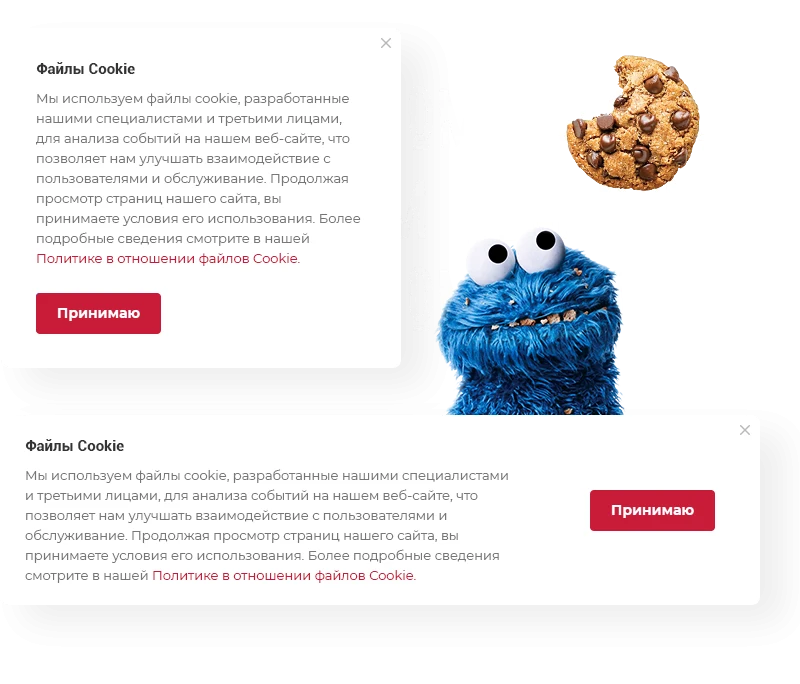
Cookie files contain service information about website visitors. Their use simplifies interaction for both project owners and users. In Russia, displaying a cookie notification via a pop-up window is considered a standard of good practice, while in Europe it has been a legal requirement since 2018.
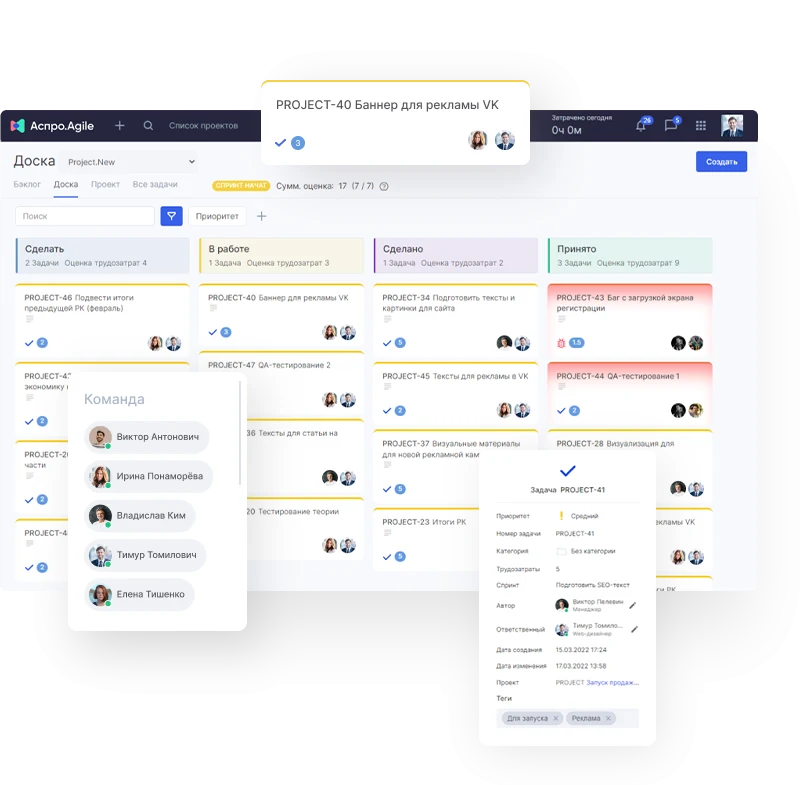
Aspro.Agile is a cloud service for project management designed to accelerate IT product delivery. The tool supports SCRUM methodology and ensures workflow transparency. It increases team productivity and simplifies task control. The solution features integration with Zendesk and Jira for rapid data transfer. Functional capabilities include an online board for tracking colleague tasks and a knowledge base for sharing experience among employees.
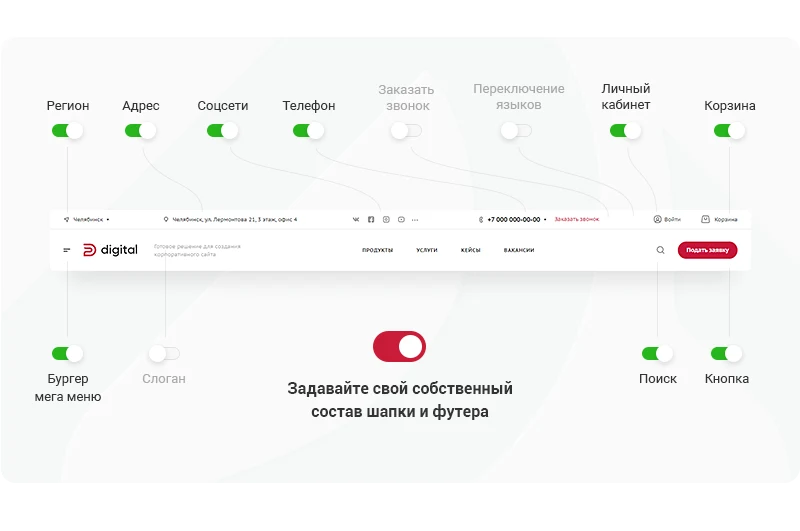
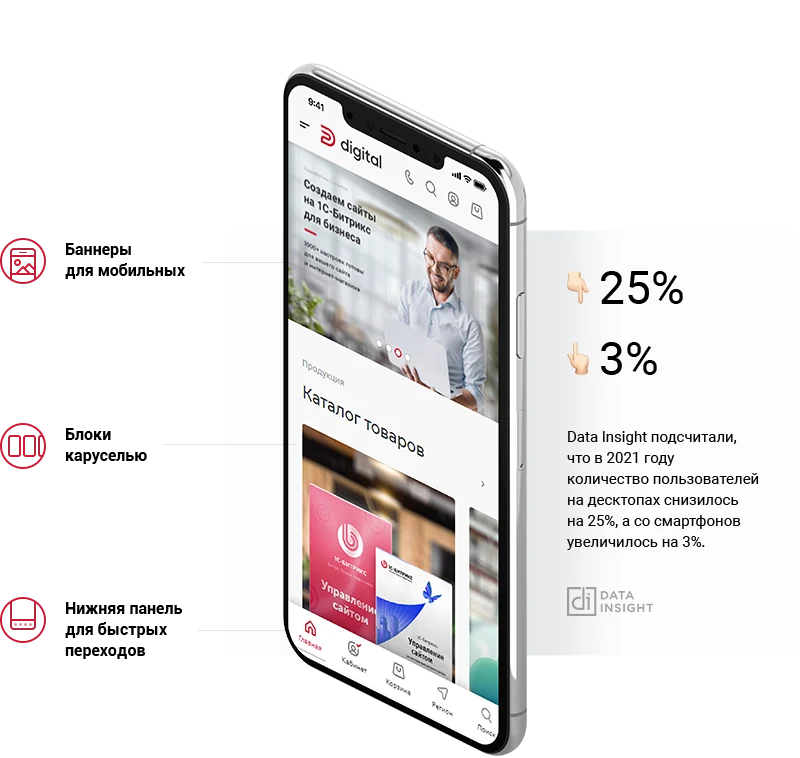
Stylish, compact, and flexible corporate website template. The interface automatically adapts to screen sizes on tablets and smartphones. Icon-based menus are included to simplify navigation.
The template supports international operations with a built-in English version. This enables expansion beyond regional markets and participation in federal projects. All interface elements, including buttons, headings, and menus, are already translated into English. Users only need to add their own content.
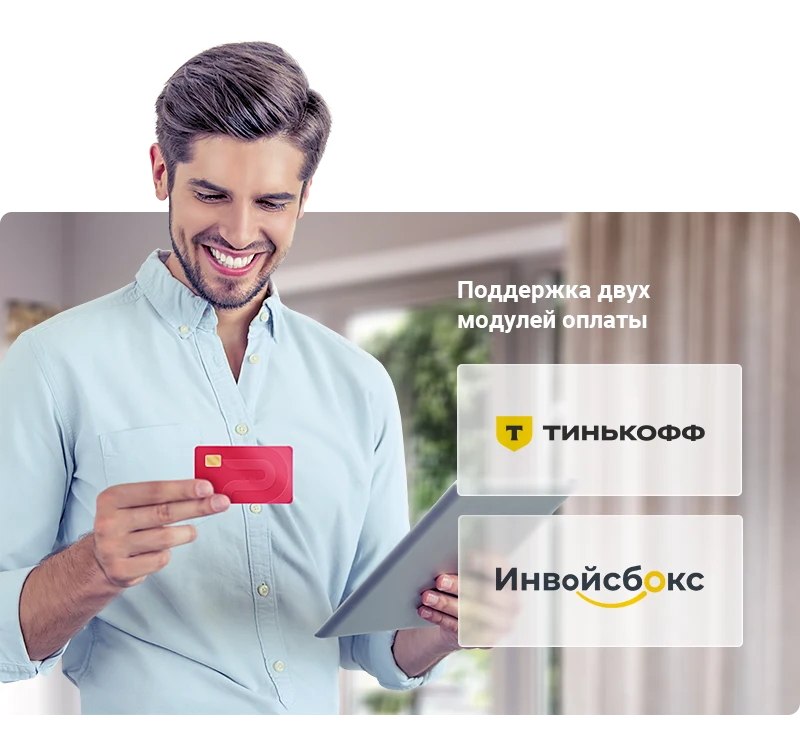
The site supports online payments for products, bundles, tariffs, and services. Payment processing is enabled via the 'Tinkoff Internet Acquiring' module, which is purchased separately. The system allows for connecting receipt printing through a payment aggregator and accepting non-cash payments.
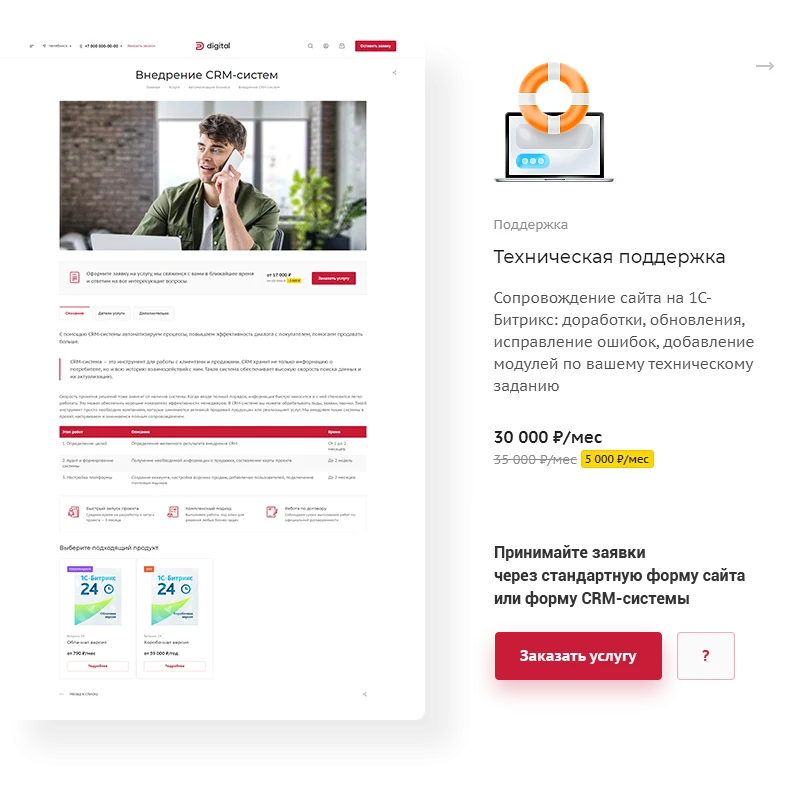
After installing the template, technical support and configuration consultation are provided. The blog publishes materials on e-commerce project promotion and practical advice on managing digital business. Effective management is supported by specialized tools and resources provided by the platform.
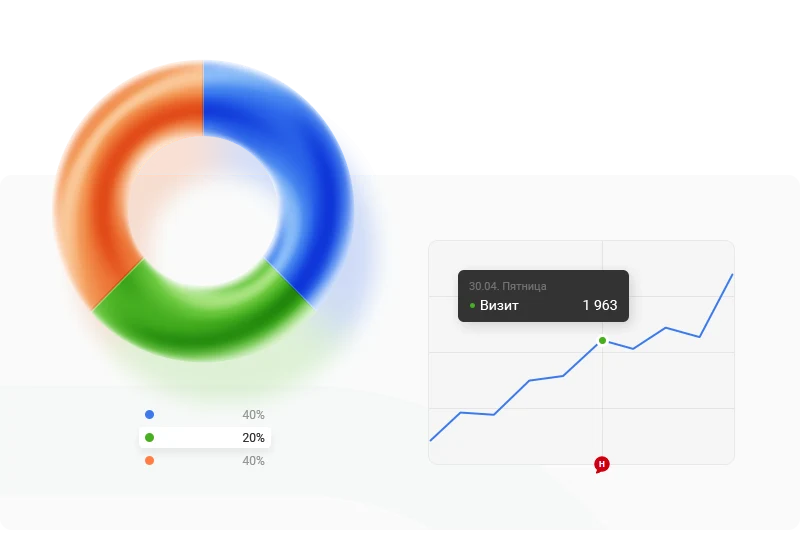
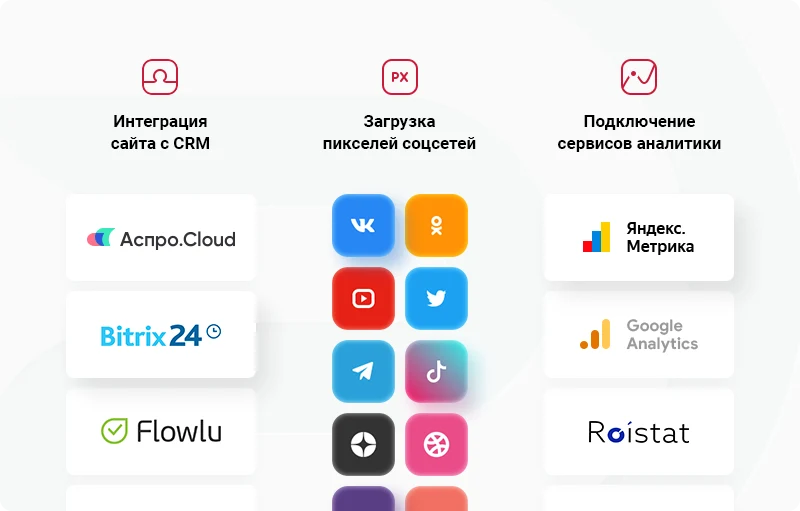
Analyzing visitor behavior helps optimize sales. Tools for processing data enable email and SMS campaigns. The template supports integration with Yandex.Metrica, the Aspro.Cloud business management system, and CRM platforms including Bitrix24, Flowlu, and AmoCRM.
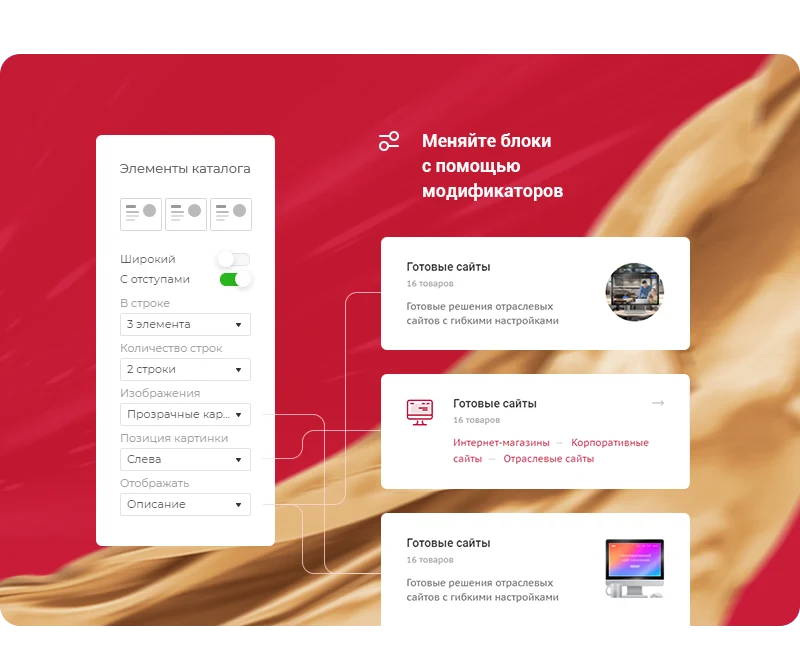
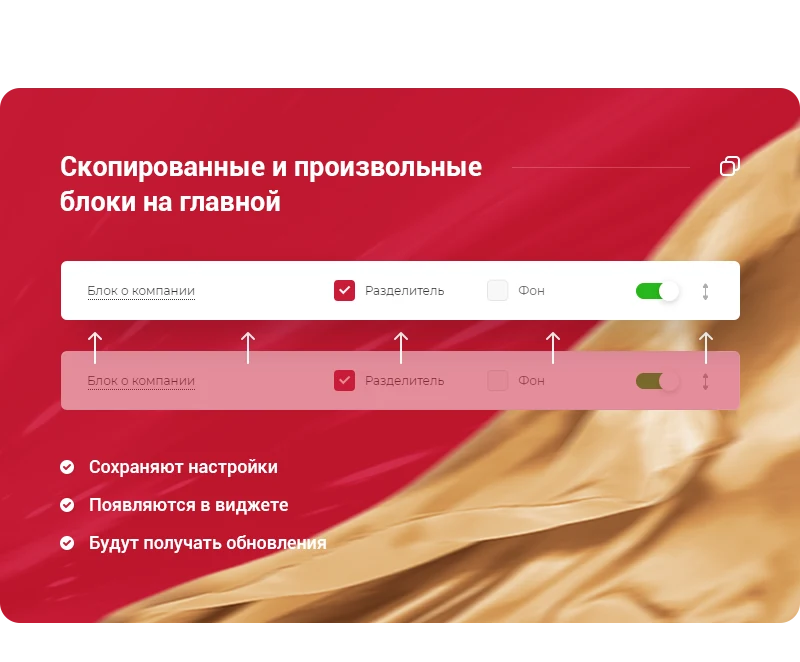
Use ready-made blocks on the homepage or create your own. Showcase expertise, present company information, and display completed projects. Blocks can be copied with all settings preserved; these copies appear in the management widget and automatically receive updates. Blocks from the homepage are also available for custom layout on other pages. They are managed via the widget, allowing you to move or disable them. Deep block configuration is implemented through modifiers in the admin panel, making the template more flexible. This approach allows for customization without editing files, ensuring that system updates remain intact.
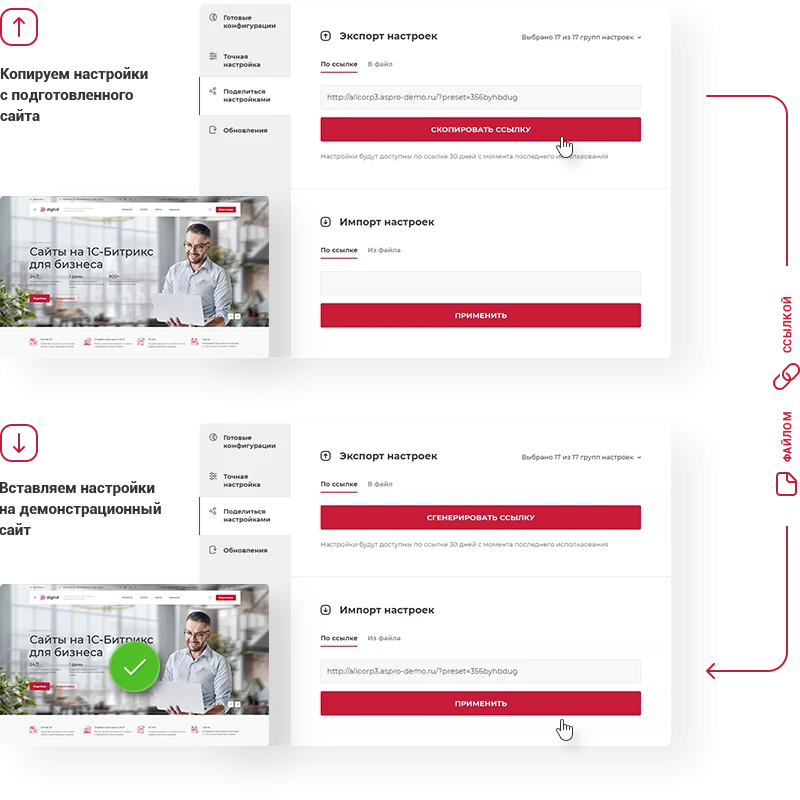
The 'Aspro: Digital 2.0' template is designed for creating corporate websites tailored to specific business tasks. You can independently determine the project style: emphasize services, choose a minimalist design, or adapt the layout for selling IT products. The tool allows you to modify setting combinations and select the optimal option. Saved configurations are stored in the widget, enabling quick demonstration and deployment to the site with a single click.
The activities of Meta Platforms Inc. (Facebook, Instagram) are banned in the Russian Federation.
When implementing “Aspro: Digital 2.0 - Corporate Website”, General iT can help with installation, adaptation and launch preparation.
UPDATE HISTORY
What’s new
20 releases
1.0.20 (23.06.2026)Latest update
Scheduled security update.
Attention!!! Before installing the update, you MUST perform a full backup of the site. If you have made changes to the solution template, additionally copy the entire template folder!
1.0.19 (25.09.2025)
New features and improvements in the version:
Added functionality for confirming personal data processing (DIGITAL2-735)
Added jQuery3 support (DIGITAL2-723)
Added Yandex SmartCaptcha (DIGITAL2-727)
Fixes:
Fixed incorrect installation of the solution on PHP 8.3 (DIGITAL2-711)
In all places interacting with VK, the domain has been changed from .com to .ru (DIGITAL2-746)
Attention!!! Before installing the update, you MUST perform a full backup of the site. If you have made changes to the solution template, additionally copy the entire template folder!
1.0.18 (26.05.2025)
Fixes:
Fixed the operation of interactive elements (buttons, sliders, dropdown lists, etc.) in the administrative part when installing the 1C-Bitrix platform version 25.100.300 (DIGITAL2-715)
Attention!!! It is highly recommended to install the update. Before installing the update, you MUST perform a full backup of the site. If you have made changes to the solution template, additionally copy the entire template folder!
1.0.17 (03.10.2024)
Improvements:
Added support for the "Redirect" property for the "Services" section (DIGITAL2-691).
Fixes:
Optimized the caching of catalog.section and catalog.element component templates by removing the dependency on GET parameters (DIGITAL2-688).
Fixed errors in the operation of reCAPTCHA v2 and v3 (DIGITAL2-679).
Fixed an issue where caching did not work for users in the "Administrators" group (DIGITAL2-678).
Adjusted the display of objects on the map in the "Contacts" section when three or more objects were located far apart from each other (DIGITAL2-671).
Removed extra filters in the Smart Filter when regionalization is enabled (DIGITAL2-683).
Fixed an error where, when using Bitrix24 forms, the site header and footer were included, causing incorrect form display (DIGITAL2-687).
Fixed the absence of Bitrix24 banners on the main page after a clean installation (DIGITAL2-696).
Fixed the absence of clickable links for phone numbers in the "Contacts" section (DIGITAL2-690).
Attention!!! Before installing the update, you MUST perform a full backup of the site. If you have made changes to the solution template, additionally copy the entire template folder!
1.0.16 (03.10.2024)
Fix:
Fixed an error when installing the solution on 1C-Bitrix version 24.100.0 (DIGITAL2-684).
Attention!!! We strongly recommend installing the update. Before installing the update, you MUST perform a full backup of the site. If you have made changes to the solution template, additionally copy the entire template folder!
1.0.15 (24.06.2024)
Improvements:
In the "Tariffs" section, the slider has been replaced with "Swiper" (DIGITAL2-579, DIGITAL2-673, DIGITAL2-674)
Fixes:
A PHP error that occurred when opening catalog component parameters has been fixed (DIGITAL2-670)
When opening the "Share Settings" tab in the settings widget, the layout was displayed incorrectly (DIGITAL2-662)
Attention!!! Before installing the update, you MUST perform a full backup of the site. If you have made changes to the solution template, additionally copy the entire template folder!
1.0.14 (24.06.2024)
Fixes:
Fixed an error displaying the number of sections in Services (DIGITAL2-577)
Fixed an error with the dropdown menu in the site header for the second menu item (DIGITAL2-573)
Removed the dependency of the "Comparison" and "Ask a question" blocks on the "Order product" button in the product list and detailed product card (DIGITAL2-545)
Fixed an error exporting settings (DIGITAL2-632)
Fixed an error where, instead of phone numbers, the text "array" was displayed on the contacts page (DIGITAL2-644)
Fixed an error for the "Section Elements" block on the main page, where, if using element output from the "From sections" setting, the browser window title was taken from the first section's name (DIGITAL2-647)
Fixed an error where an extra image was added to the related products gallery (DIGITAL2-649)
Fixed an error where the site did not work if no phone number was specified for the region in the information block (DIGITAL2-650)
Fixed an error where the solution settings menu was not displayed in a multisite environment with ASPRO: Corporate Site 3.0 (DIGITAL2-651)
Fixed an error where the "Condition for display" property was not displayed in the information block of marketing windows (DIGITAL2-652)
Fixed an error where the sitemap was not generated for subdomains (DIGITAL2-653)
Fixed the "Dropdown menu contact information composition" setting in the solution settings (DIGITAL2-655)
Attention!!! Before installing the update, you MUST perform a full backup of the site. If you have made changes to the solution template, additionally copy the entire template folder!
1.0.13 (16.10.2023)
New in version and improvements: (DIGITAL2-638)
Added the ability to upload icons in the phone dropdown list
Implemented sorting of tariff offer display
Added a product gallery size of 520 px in the product card and on the website homepage in the second block type "Catalog Elements"
Added the ability to display the catalog section image if the product image is missing
Added the display of the "Add to Cart" and "Order" buttons for services on the website homepage and in the services section
Implemented the ability to rename the "Buy in 1 Click" button
Added the ability to upload more than one image for an element in the "Licenses and Certificates" section
Implemented two new color schemes in the accessibility mode
Fixes:
Fixed an error where the "Demo version" button in the detailed product card remained active after clicking (DIGITAL2-611)
Other fixes: (DIGITAL2-638)
Fixed an error of incorrect opening of reviews on the homepage
Fixed an error where the background image was not displayed in the mega menu
Removed the rel="alternate" attribute for the connection between the desktop and mobile versions of the site according to Yandex.Webmaster recommendations
Fixed microdata errors in the product card
Fixed errors on PHP 8 version:
In the gallery block on the homepage, if the photo property was missing
In the contacts section
In the product card
In the blog, if articles were in the parent section
In the catalog root with deactivated sections
When running cron
In the blog, if related elements were not filled
On the detailed project page, if the video was uploaded from a file
In related products, the "Buy in 1 Click" button was not displayed
Adjusted the logic for darkening/brightening the main banner on mobile devices - now it will work only for the mobile banner type "Without active image"
Removed extra margins from the map block on the homepage
Display of the related employees block on the product detail page has been adjusted for small screens
Display of the employees block on the main page has been adjusted for 4K resolution
Obsolete technical warning for videos in the product card has been removed from the source code
After filtering products and returning to the previous page, values in the filter were not reset
Display of the "Ask a question" form has been adjusted on iOS mobile devices
Duplicate H1 heading in the 3rd product card has been removed
Incorrect caching of the side menu has been fixed
Export of solution settings functionality has been fixed
In dark theme, text color is not taken into account for banners with background type "No description"
Search block type did not work on the bottom panel with icons on mobile devices
Links in multi-site mode for the header menu of type topest have been adjusted
Attention!!! Before installing the update, you MUST perform a full backup of the site. If you have made changes to the solution template, additionally copy the entire template folder!
1.0.12 (27.02.2023)
Fixes:
Technical update
Attention!!! Before installing the update, you MUST perform a full backup of the site. If you have made changes to the solution template, additionally copy the entire template folder!
1.0.11 (27.02.2023)
New features and improvements in the version:
PHP 8 support improved (DIGITAL2-610)
Fixes:
Price did not change when switching a kit on the 4th detail page (DIGITAL2-609)
Other fixes: (DIGITAL2-610)
Dark and light logo switching adjusted according to the site theme
Conflict between the "Aspro: Corporate Site 3.0" solution and its licenses resolved when installing in multisite mode
Dropdown menu appearance adjusted when hovering over the phone number in the header and footer
Import of solution settings via the settings widget adjusted for new installations
Web form generation and email notification creation adjusted
Bug in the comparison component call fixed
Active image display fixed when uploading a video to the main banner
Light and dark theme toggle in the site header adjusted in the settings widget
Display of the 3rd and 4th site footers adjusted
Order checkout page display adjusted for mobile devices
Color of the gray mobile header adjusted
Display of characteristics in tariffs adjusted
Display of characteristics in the product detail card and on the service page adjusted
Registration confirmation links in email templates fixed
Display of linked social network accounts in the personal cabinet adjusted
Attention!!! Before installing the update, you MUST perform a full backup of the site. If you have made changes to the solution template, additionally copy the entire template folder!
1.0.10 (16.11.2022)
Added the ability to specify a property of type 'Directory' for trade offers to filter items
Added a light-dark theme toggle in the header and mobile menu
Added support for a light logo in dark theme
Added a regional filter for related items
Added a pop-up notification for authorization in the personal account
Optimized the YouTube block on the main page
Added the ability to set attributes for buttons in the main banner, menu items, and the header button
Added the ability to set different tab text additionally on the detailed product card
Added scrolling for date tabs in the news and articles section
Improved the settings widget functionality — the save button did not always appear
Added centering in the brands block on the main page when there are few elements
Fixes:
Fixed horizontal scrolling on the main page in the adaptive version when using the 'Banners with text' block (DIGITAL2-585)
Properties for related tariffs could not be specified on all catalog detail cards (DIGITAL2-574)
Other fixes:
Fixed image display on the contacts detail page when lazyload is disabled
Adjusted scrolling for forms with a large number of fields
Adjusted the display of the video start button in the main banner when no other buttons are present
In the adaptive version, the block after the main banner was displayed incorrectly if types 3-5 and the 'Narrow' option were used
Fixed menu offset under the dots on the first page load
Fixed an error stopping video in the main banner
The active image in the banner element was displayed incorrectly when lazyload was disabled
Adjusted the regional filter functionality in search
Adjusted the arrow offset in the menu to a separate line when the name is long
The SEO title was not displayed on the third and fourth types of the product detail card
The detailed product image with a Russian filename was not displayed
The language switch icon was not displayed for multi-site setups on different domains.
Tabs such as 'Filter by years (links)' in the Projects section did not switch.
Attention!!! Before installing the update, you MUST perform a full backup of the site. If you have made changes to the solution template, additionally copy the entire template folder!
1.0.9 (14.10.2022)
Fixes:
The solution has been adapted for the 1C-Bitrix version 22.200.200 update - jQuery connection error (DIGITAL2-601)
Attention!!! Before installing the update, you MUST perform a full backup of the site. If you have made changes to the solution template, additionally copy the entire template folder!
1.0.8 (26.09.2022)
New features and improvements in the version:
Added the ability to change the description of trade offers when switching (DIGITAL2-588)
Added the rel="alternate" attribute to link the desktop and mobile versions of the site according to Yandex.Webmaster recommendations (DIGITAL2-564)
Added the ability to ignore styles for the fill attribute of the logo with the svg type (DIGITAL2-584)
Added settings for the phone dropdown list (DIGITAL2-581)
Added the ability to create custom tariff offers. They will be displayed instead of tariff periods (DIGITAL2-590, DIGITAL2-591, DIGITAL2-593)
Fixes:
Corrected saving settings from the widget (DIGITAL2-587)
Other fixes (DIGITAL2-595, DIGITAL2-589):
In some cases, switching cities in the contacts section caused an error
On iOS devices, clicking in the search line triggered zooming
In the adaptive version, city switching did not work
The solution was adapted for the 1C-Bitrix version 22.200.100 update - errors in tabs on the main page, errors when using regionalization, and authorization errors (DIGITAL2-599)
When the cart is disabled and trade offers are switched in the list, the quick order button was displayed
The "Display only the city search line" parameter did not work correctly
The ability to hide the popup in the header was disabled if only one phone number was filled in
The logo was stretched in the adaptive version
In the "Licenses and Certificates" section, the alt and title attributes for uploaded elements were set incorrectly
When the "Display contact information depending on the region" option was disabled, the point on the map was still shown from the region
Styles in the "VKontakte" block on the main page were corrected
The list of fields for CRM deals was incorrectly passed in the ACloud integration
The active image in the main banner with text at the bottom and a link was displayed incorrectly in the mobile version
In the solution settings widget, the tooltip for the parameter that enables the quick order button was corrected
The link to the personal cabinet in the solution module settings was not changed.
The "show section full width" option was triggered incorrectly.
In the catalog component parameters, there was no block for sets to set the order of their output.
The light logo in the banner on the detailed product page in the catalog was not taken into account if a light header and text color were enabled.
Auto-play of video from a file in the banner did not work if the video banner was installed first.
The ability to insert the trade offer name into the product title has been added.
Banners with images on the main page did not accept settings from the widget after saving the component settings.
The transition to the detailed page of a specific trade offer of type 2 and 3 of the detailed page has been fixed.
Attention!!! Before installing the update, you MUST perform a full backup of the site. If you have made changes to the solution template, additionally copy the entire template folder!
1.0.7 (29.08.2022)
Fixes:
Minor technical changes: the language file for the solution module parameters has been corrected (DIGITAL2-586)
Attention!!! Before installing the update, you MUST perform a full backup of the site. If you have made changes to the solution template, additionally copy the entire template folder!
1.0.6 (03.08.2022)
Fixes (DIGITAL2-565), (DIGITAL2-566):
Fixed display of product characteristics on the product detail page
Arrows for menu items in the footer are not displayed on mobile devices
The notification for adding a product to the comparison list on the catalog detail page was not working
Images for banners were incorrectly stretched to half size, and for banners with the field below the title and text on mobile devices
Integration with VKontakte has been implemented: automatic publication of the latest posts from the VKontakte group to the website home page
The last menu item disappeared on mobile devices
The slider in the "Employees" block on the home page has been fixed on mobile devices
Pagination dots were incorrectly displayed when there were many elements in the main banner
The display of teasers in the "About the Company" block has been adjusted
The YouTube block on the home page did not always activate
Extra zeros after the decimal point have been removed from the filter. The ability to specify the number of digits after the decimal point for each property has been added
The display of horizontal images in the "Licenses and Certificates" section has been improved
In headers 1, 2, 3, empty space remained on the right when nested blocks were disabled
Related products were not displayed by filter in the Employees section
Sorting of related employees in Services has been fixed
When the ID of a web form matched the ID of an information block form, an incorrect message about successful form submission was displayed
In the Services section, the ability to display text under the list of sub-sections has been added
New and improvements in the version:
The display of dynamic pagination in the banner has been adjusted (DIGITAL2-570)
The ability to set vertical or horizontal image type in products has been added (DIGITAL2-567)
Integration with Aspro.Cloud has been improved (DIGITAL2-569)
Attention!!! Before installing the update, you MUST perform a full backup of the site. If you have made changes to the solution template, additionally copy the entire template folder!
1.0.5 (04.05.2022)
New features and improvements in the version:
Implemented a version for the visually impaired (DIGITAL2-550)
Added a notification for adding a product to the comparison. Added the ability to group products by sections on the comparison page. Added a fixed header with products on the comparison page (DIGITAL2-551)
Improved the performance of the solution settings widget (DIGITAL2-553)
Added the ability to display a "Download file" button for website sections (DIGITAL2-548)
Fixes:
Minor corrections to the version for the visually impaired (DIGITAL2-550)
In the marketing windows information block, the "User groups" property had an incorrect type (DIGITAL2-549)
For clean installations in the "Employees" section, the "Display information block in the navigation chain" parameter is disabled (DIGITAL2-519)
Text in feedback forms was displayed incorrectly (DIGITAL2-560)
Other fixes (DIGITAL2-547):
Removed links to trade offers in SKU 2 view in the product card
Corrected the redirect operation in related services
Corrected the footer display
The mobile banner was not blocked from indexing
Service section images were shifted on mobile devices
Adjusted the top menu margin in the 12 header
In the product card, the warranty icon remained if the text was not filled in
In the personal cabinet, the text color of the subscription status in dark theme was corrected
Fixed the signature generation for payment via Invoicbox
Nested settings from the widget were not saved
In the gallery section, photos from inactive elements were displayed
When playing a video, the "Play" button was not hidden in the video banner
On mobile devices, the region was not selected from the bottom panel with icons if the region display mode was a drop-down list
Fixed the regional filter operation for the map block on the main page
Sliding of the main banner slider did not work
Attention!!! Before installing the update, you MUST perform a full backup of the site. If you have made changes to the solution template, additionally copy the entire template folder!
1.0.4 (20.04.2022)
New in version and improvements:
Website loading speed optimization:
The library for the main slider on the homepage has been replaced with Swiper (DIGITAL2-523)
The recalculation of items in the top menu has been changed (DIGITAL2-522)
A YouTube block has been added to the homepage (DIGITAL2-536)
Product comparison functionality has been implemented (DIGITAL2-524)
The ability to display a custom sticker for a product has been added, as well as the option to select a property for an additional sticker (DIGITAL2-533)
Integration with the Aspro.Cloud service has been implemented
Support for responsive tables has been added. For new installations, a table example is located in the solution capabilities section
The ability to view the entered password has been added
Fixes (DIGITAL2-530)
The light logo for the mega menu was not working
The spacing for items in the website header dropdown menu has been corrected
Checkbox display in forms on information blocks has been adjusted
The display of the form example on the solution capabilities page for mobile devices has been adjusted
Property display on the comparison results page has been adjusted
The dropdown list of phones in the fixed header was displayed incorrectly
Attention!!! Before installing the update, you MUST perform a full backup of the website. If you have made changes to the solution template, additionally copy the entire template folder!
1.0.3 (15.02.2022)
New in version and improvements:
Added the ability to pay via the "Invoicebox" system
Fixes:
On mobile devices, the image in the news block with a large block was cropped on the main page
When closing the mobile menu, active menu items were not deactivated
Nested settings from the widget were not saved
Horizontal scroll was fixed for long phone descriptions on mobile devices
Font Awesome icons were not displayed in the comparison table of editions on the fifth detailed catalog card
Attention!!! Before installing the update, you MUST perform a full backup of the site. If you have made changes to the solution template, additionally copy the entire template folder!
1.0.2 (18.01.2022)
New in version and improvements:
For the Services section, a link to tariffs has been added.
Fixes:
The "Ask a question" button in the "Questions and Answers" section was not being disabled.
The text position in the main banner did not change when the "Content width" option was enabled.
On mobile devices, the region dropdown list did not scroll when the contact type was "With branches and region selection".
Extra blocks were present in the component parameters in the Services section.
The "Write a message" button on the employee detail page was misaligned if the detailed description was not filled in.
The "Back to top" button was cut off in the Safari browser.
In feedback forms, the display of radio and checkbox properties was corrected, as well as the field name for adding a file.
The text on the "Order service" button was misaligned at font sizes 16 or 17.
An empty frame was displayed on the manufacturer detail page if no image and link were provided.
The dropdown list of phone numbers did not fit in the fixed header if only the phone number was enabled in the header.
For new installations, the coloring of the 404 page was corrected to match the theme color.
The display of the arrow in the side cart was corrected in the dark theme.
The background color of the banner block on the main page was corrected in the dark theme.
The display of long product order button names was corrected.
The self-hosted Montserrat font was not connected.
Extra lines were added to some header types.
In the "Checkout" form on the information block, the text display in the comment field was corrected.
On the product detail card, the video play button was misaligned.
The link to an employee was not hidden if the detailed description was not filled in.
When the Literata heading font was enabled, some letters were cut off.
The display of long section names in the dropdown menu was corrected.
The VKontakte icon was updated.
The counters file was not connected after the opening body tag when regionalization was disabled.
The display of the Tinkoff payment icon in the footer was corrected.
In dark theme, the color of the characteristics table in the detailed product card was incorrectly displayed on hover.
In the catalog section, there was no option to disable the 'Share on social networks' block.
With a large number of promotional product stickers, they were not wrapped to the second line.
Text in related projects was displayed incorrectly.
The double call of the includable area in the services section has been removed.
The toggle display on the capabilities page has been corrected.
Rounding of product switch buttons in quick view was not working.
The design of some blocks on the main page in dark theme has been corrected.
Attention!!! Before installing the update, you MUST perform a full backup of the site. If you have made changes to the solution template, additionally copy the entire template folder!
1.0.1 (16.12.2021)
New features and improvements in version:
For the "List" type with a single value, the display in the smart filter has been changed to a single line (DIGITAL2-492)
A "For Developers" tab has been added to the solution settings for quick access to files for upgrading the solution (DIGITAL2-507)
Fixes:
A subsection was not displayed in the navigation chain if subsection items were not output (DIGITAL2-504)
Video playback failed in the "About Us" block on the homepage on mobile devices if the video was uploaded via YouTube (DIGITAL2-499)
The display of the reviews block on the homepage has been corrected (DIGITAL2-502).
When linking a service to multiple sections without setting a canonical link, an incorrect link to the item was generated (DIGITAL2-505).
The "Request a Call" button was not displayed in header types 6 and 10 when the "By Content Width" option was activated (DIGITAL2-500).
The service property "TOTAL_SUMM" was missing in forms (DIGITAL2-506).
The site name was not inserted during solution installation (DIGITAL2-498).
When filling in the link on the main banner, with Lazy Load enabled and edit mode active, a white screen was displayed instead of the banner background (DIGITAL2-501).
Other fixes (DIGITAL2-491):
The display of the "Add to Cart" button has been corrected when no price is set for the product.
The display of the products block on the homepage has been corrected in adaptive mode.
The display of the blog section has been corrected for the "List" type without margins.
When the smart filter is disabled, the sorting buttons in the catalog section shifted in the adaptive version.
A browser console error has been fixed during checkout.
The operation of the settings switches in the solution settings widget for user blocks has been corrected.
Attention!!! Before installing the update, you MUST perform a full backup of the site. If you have made changes to the solution template, additionally copy the entire template folder!
USER EXPERIENCE
Solution reviews
How does this solution work in a real project? Share your experience and help others choose.
Be the first to share your experience
There are no reviews of this solution on git.ru yet. Tell us what worked well and what could be improved.
✓
Verified purchaseAdd a key if you wish. A verified review gets a badge, priority placement and more rating weight.
↗
Open to every clientJust sign in to your account. A key is optional; all reviews are moderated.
Aspro: Priority 2.0 is a ready-made solution for corporate websites, featuring pre-installed functionality and design. Launching an online project requires only adding your own content and selecting the appropriate visual style.
Aspro: Metal is a ready-made solution for companies selling metal products. It is a specialized edition of the 'Aspro: Corporate Site 3.0' platform, designed with industry specifics to enable rapid deployment.
The solution incorporates best practices identified through the analysis of hundreds of websites in the metal trading sector.
Aspro: Engineering is a ready-made corporate website template for companies operating in the field of engineering systems. The solution is built on the Aspro: Corporate Site 3.0 platform and is adapted to the specifics of projects involving the installation of water supply, heating, ventilation, and related areas.
ALPHA: B2B is a ready-made solution for creating a wholesale portal with a dealer personal account on a Russian platform. The system is designed to automate wholesale procurement for legal entities and functions as a B2B marketplace, wholesale online store, or supplier portal.
Industry-specific online furniture and furniture set store "KRAYT: FURNITURE" is a ready-made solution based on a template for 1C-Bitrix partners. The product enables rapid deployment of a specialized catalog with functionality for selling furniture and components. An online demonstration is available to evaluate the system's capabilities.
The displayed price covers the solution itself. Platform licensing, installation and customisation are checked separately. If the page offers bundles, select the required option before submitting a request.
How do I check compatibility?
Compare the supported editions and solution version in the technical details with your project. Before installing on a live website, we recommend making a backup and checking the solution in a test environment.
How much does this solution’s renewal cost?
The current renewal price is 44,950 ₽. Before you order, a manager will confirm the renewal period and whether it applies to your licence.
Can you help with implementation?
We can help launch a website using the selected template, agreeing on its structure, content migration and integrations. The schedule and cost depend on the project and are quoted separately.
Your cookie choices
Necessary cookies support sign-in, your cart and security. Optional analytics helps improve the website and starts only with your permission.
Our metrika.git.ru system: public pages, a random identifier, device and interaction events. Form contents, account and payment pages are excluded. Raw events: up to 90 days. Operator: General IT Rus LLC, INN 2310208877.
Your browser requests no tracking: analytics is off.