TuStop — age restriction. Information and 18+ warning.
The TuStop module helps comply with Federal Law No. 436-FZ and its amendment No. 139-FZ by marking content according to age categories. Upon page visit, a pop-up warning is displayed, and an information banner is placed on the site indicating access restrictions for age groups 0+, 6+, 12+, 16+, or 18+. The graphics are based on universal age restriction signs developed by Artemy Lebedev Studio.

Up button for the website
The 'Up Arrow' module provides smooth navigation to the top of the page, eliminating the need for manual scrolling. The element automatically appears when the user scrolls down and disappears when the user is at the top of the document.

Found a lower price?
The module displays a discount request form if a user finds a similar product from competitors at a lower price. Version 1.0.2 includes the following updates: - Sticker text configuration with support for horizontal, flipped, and vertical layouts. - Selection of sticker position: right or left. - Input field to set the top offset in percentages. - Improved interface responsiveness.

Poll Templates
The solution includes a set of templates for the bitrix:voting.result component based on the AmCharts library. The library is licensed for free use in Bitrix and is included in the standard platform distribution. It features visually rich and detailed survey result templates with options to select the preferred style. The solution supports 3D data visualization and animation transitions.

Extended forum message list
This module serves as a developer template for rendering a forum message list. It supports filtering and sorting while providing the maximum possible range of data selection options. Additional functionality can be added upon request. The package includes the Twijector template. For a similar solution regarding forum topics, refer to the extended topic list module.
B-ID: Consent and Notification of Age Restriction
The B-ID: Age Restriction Consent and Notification module informs website visitors about content intended for a specific age category (from 0 to 21 years) in compliance with Federal Law No.

Form Builder
The form builder module enables the creation of customized forms with individual settings. Built-in integration with Bitrix24 allows users to select a convenient method for saving form submission data. The solution is suitable for rapidly implementing form management on a website, including non-standard rendering of large numbers of forms and the use of custom display templates.
BX365: Drag-and-drop sorting of elements in multiple properties
BX365: Drag-and-drop Sorting of Items in Multiple Properties The module enables sorting of items in multiple properties of the 'Link to elements' type using Drag-and-drop within the administrative interface. This functionality is available exclusively for properties of this type. A setting is provided to completely disable the module.

Widget: Time-based booking, online reservation
The Online Booking module adds a modern booking widget to the website. Users select a service or resource, date, and time, then provide contact details to confirm the appointment. The widget opens by clicking a floating button at the bottom of the page and operates over the existing site structure without requiring structural modifications. All created bookings are saved to a separate table.

Universal quiz widget for lead generation
The module adds an interactive step-by-step form (quiz) to your site for surveying visitors and collecting contact details. Quizzes effectively engage users, lower the entry barrier, and increase conversion from visitor to lead. The solution is built on Bitrix D7 and Vanilla JS architecture, ensuring high performance, security, and minimal site load. The module is easy to configure.

Online Constructor "Doors in Interior"
The online "Doors in Interior" constructor allows users to select a door model from the gallery and adapt it to a specific room. The process uses an interior photo as a base, which can be chosen from the built-in collection or uploaded by the user. The tool enables changing door parameters, moving the element, and adjusting angles.

Buttons for Bitrix24 widget
This module adds custom buttons to the expanded Bitrix24 widget on the public part of a website, enabling links to external resources such as communication channels, marketplaces, social networks, messengers, and other services. Each button can be configured individually with settings for type, display order, link URL, tooltip text, target window, icon, and gradient styling.

Feedback Widget
A module for 1C-Bitrix that creates a floating feedback widget with a button builder. The tool allows placing elements for communication via messengers, social networks, email, phone, marketplaces, and video services on a website. The solution simplifies visitor interaction and helps increase conversion to inquiries.

MAX Button (MAX)
The MAX Button module for 1C-Bitrix adds a floating widget to the site for direct access to the MAX messenger. This tool enables the creation of multiple buttons with unique names and links, such as for sales departments, technical support, specific branches, or business units. Installation is automatic and does not require modifying the site template.

Telegram Button
The Telegram Button module adds a prominent floating contact button to your site, helping convert visitors into leads. The widget connects automatically without template modifications and is fully configured via the administrative panel.

WhatsApp Button
The module adds a floating WhatsApp button to the site, enabling visitors to quickly start a conversation with the company. The widget is automatically embedded into site pages and supports individual configuration for each site within a multi-site 1C-Bitrix installation.

Message to Visitors
Module for displaying a pop-up message to website visitors upon their first visit or after a specified delay. Configurable settings include: - enabling or disabling the message display; - delay time in seconds before the window appears; - window title; - message body text; - text on the close button; - image displayed within the window.

NEOS: Website Version for Visually Impaired
The NEOS: Website Version for Visually Impaired module adapts a website for users with visual impairments, ensuring comfortable content display with customizable individual settings. English language support is available. Modifications to the component's styling and settings are performed on a paid basis.
Cookies Usage Notification (Cookie Policy) PRO
The Cookies Notice (Cookie Policy) PRO module is ready to use immediately after installation. To activate it, simply enable the corresponding setting in the module configuration. The management interface allows you to customize colors, edit text, and adjust other display parameters. The solution supports multi-site deployment.

Form Guard against SPAM Bots
This module protects website forms from spam without using CAPTCHA or reCAPTCHA. The algorithm identifies bots based on hidden factors, allowing users to submit data without additional verification while blocking automated scripts.

Personal Data Processing Consent Form - RCIT
The 'Consent Form for Personal Data Processing' module is designed to ensure compliance with Federal Law No. 152-FZ. Personal data includes user behavior on the site, geolocation, IP addresses, and cookies. Since anonymizing such data is practically impossible, website ownership implies automatic processing of personal data.
Yandex SmartCaptcha: Protect your forms from spam (Yandex, SmartCaptcha, captcha)
The Yandex SmartCaptcha module replaces the outdated standard Captcha in Bitrix-based systems with an intelligent spam protection system. The solution uses machine learning and user behavior analysis to filter automated registrations and attacks. It supports all form types, including registration, authorization, and contact forms, as well as AJAX forms and dynamic content.
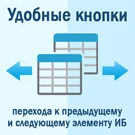
Quick navigation buttons to the previous and next information block element
The module adds convenient buttons to the administrative interface for quickly navigating to the previous and next information block elements on the element editing page.
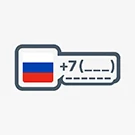
Phone number input mask with country flag
The 'Phone Number Mask with Country Flag' module enables rapid implementation of a phone number input mask with country selection for any forms and fields on a website. Configuration settings allow customization of the displayed country list, default country, and priority countries. It also includes a feature to block input of +77 and +78 prefixes when Russia is selected, reducing entry errors.