Payments are experiencing issues due to temporary restrictions in Russia. If your payment does not go through, please submit a support request.•Our support team is available 24/7 — we are always here to help with hosting and server issues.•We are now accepting requests for dedicated server rental and colocation services in our data center.•Reminder: we recommend enabling backups for additional data protection.•A new VPS/VDS lineup with NVMe storage and improved performance is now available.•Maintenance work on some servers has been completed. All services are operating normally.•
Payments are experiencing issues due to temporary restrictions in Russia. If your payment does not go through, please submit a support request.•Our support team is available 24/7 — we are always here to help with hosting and server issues.•We are now accepting requests for dedicated server rental and colocation services in our data center.•Reminder: we recommend enabling backups for additional data protection.•A new VPS/VDS lineup with NVMe storage and improved performance is now available.•Maintenance work on some servers has been completed. All services are operating normally.•
Аккаунт в General iT
Вход / Регистрация
Войдите или создайте аккаунт для управления услугами в панели.
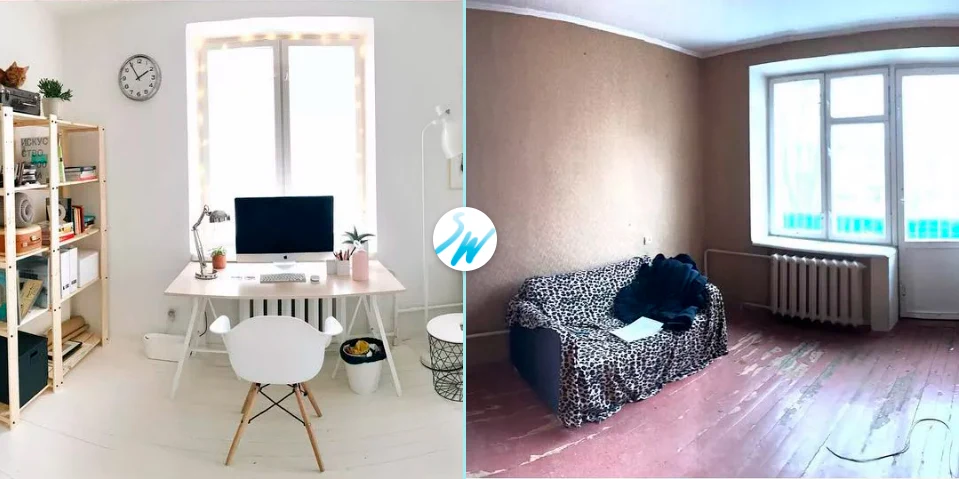
Before/After Photo: Compare two Before and After images. Insert via component and iFrame
The Before/After Photos module enables visual comparison of two images to show changes before and after a service, repair, or procedure. It can be embedded via a component or an iFrame.
The Before/After Photos module enables visual comparison of two images to show changes before and after a service, repair, or procedure. It can be embedded via a component or an iFrame.
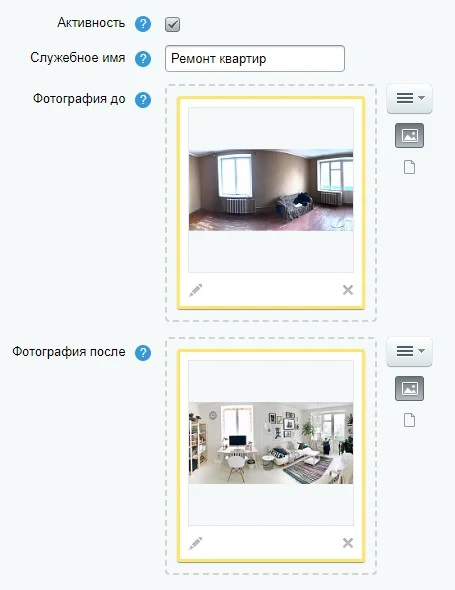
The module supports creating an unlimited number of before-and-after image pairs. This enables clear demonstration of differences across various projects or services.
Slider appearance customization: the module allows you to modify the control element's design to match your brand style or page layout.
The module ensures straightforward installation, configuration, and operation. The setup and configuration process takes only a few minutes, after which users can easily add and edit before-and-after image pairs using the component or iFrame.
The 'Before/After Photo' module is designed for visual comparison of two images. Results are integrated via a component or iFrame. The tool is suitable for showcasing outcomes in auto body repair and detailing, real estate renovation, plastic surgery, construction, and interior design. The functionality allows displaying project changes, helping to attract clients and build brand trust.
The module provides a visual comparison of images before and after a service is performed. This allows clients to assess the actual changes and the effectiveness of the completed work.
Demonstrating specific results builds trust in the brand, as users see measurable improvements achieved through your services.
The module can be installed in two ways: via component code or using a customizable iFrame.
The 'Before/After Photo' module enables comparison of two images via component or iFrame insertion. A free 7-day demo period is available to fully test functionality and verify alignment with business requirements. Feature improvement suggestions are accepted through the open line chat and reviewed for potential inclusion in updates or custom modifications. User reviews of the module can be submitted on the 'Reviews' tab of this page.
General iT can connect “Before/After Photo: Compare two Before and After images. Insert via component and iFrame”, install and configure the module, and make sure the integration works correctly.
UPDATE HISTORY
What’s new
11 releases
1.2.2 (12.09.2025)Latest update
1. Minor adjustments to component operation.
1.2.1 (01.08.2025)
1. Module security improved.
1.2.0 (02.04.2025)
1. Compatibility with Bitrix version 25.X improved.
2. Compatibility with PHP version 8.4 improved.
3. Module security enhanced.
1.1.5 (18.02.2024)
1. Module compatibility with PHP 7.4 restored.
2. Module compatibility with Bitrix version 23.x improved.
3. Option added to disable the SkyWeb24 notifier in the site admin panel.
4. Other minor bug fixes and corrections.
1.1.4 (29.11.2023)
1. Module installer improved.
1.1.1 (03.10.2023)
1. Module operation improved.
1.1.0 (06.06.2023)
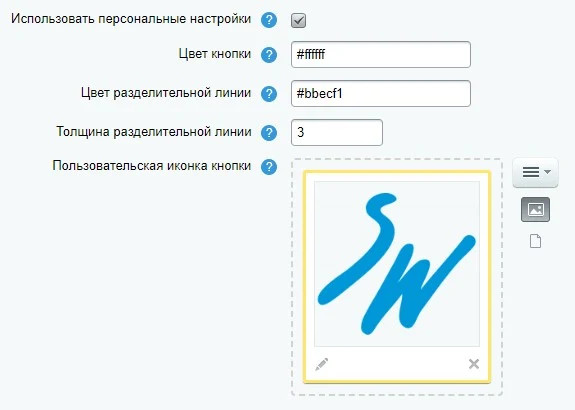
1. Added the ability to upload a custom icon for the image separator button.
2. Improved the animation for switching images and the separator line.
1.0.4 (06.06.2023)
1. Fixed minor bugs.
1.0.3 (17.12.2020)
1. Fixed an error in setting access rights for the module.
The Price Dynamics module displays a history of price changes for each product on its page. This block allows store visitors to track price trends over time, helping them assess whether the current price is appropriate. The functionality is available on the public part of the site.
The module collects and displays detailed statistics for all internal audio and video calls within the Bitrix24 corporate portal. Data includes information on participants, call duration, event chronology, and provides access to call recordings and text transcripts.
The solution addresses the lack of centralized analytics for internal communications.
The ChatGPT: SEO Generator module by SkyWeb24 automates content and meta tag creation on the 1C-Bitrix platform. It supports the GPT-4o model, offers two operating modes, and includes proxy server functionality. The primary purpose is mass generation of unique texts for information block elements.
On non-standard projects, data often appears that fits neither in information blocks nor in highload blocks: landing page submissions, dealer directories, certificate registries, 1C exchange logs, or contract price tables. A developer can create the table in an hour, but building the administrative section—list, filters, forms, validation, permissions, and export—can take several days.
The Rant SEO Filter module transforms standard results from the 1C-Bitrix smart filter into managed SEO pages. The solution provides short URLs, unique H1 tags and meta tags, along with a flexible template system for sections, tags, and sitemaps. SEO data updates dynamically without page reloads.
Key capabilities:
Support for clean URLs instead of long addresses like /filter/.../apply/.
The module locates images on a website and replaces them with AI-generated alternatives. This solution is suitable for handling copyright claims or removing third-party photographs left over from a previous site version.
Image search covers information blocks, including element preview and detail images, images embedded in text content, as well as file-type properties and HTML attributes.
The displayed price covers the solution itself. Platform licensing, installation and customisation are checked separately. If the page offers bundles, select the required option before submitting a request.
How do I check compatibility?
Compare the supported editions and solution version in the technical details with your project. Before installing on a live website, we recommend making a backup and checking the solution in a test environment.
Is there a trial?
The developer lists a trial of 7 days. The trial button opens the installer in your website control panel. Check the required features and compatibility before purchasing.
How much does this solution’s renewal cost?
The current renewal price is 2,950 ₽. Before you order, a manager will confirm the renewal period and whether it applies to your licence.
Can you help with implementation?
We can help install the module, check its settings and verify how it works in your project. Compatibility with other customisations and the scope of work are assessed before we begin.
Your cookie choices
Necessary cookies support sign-in, your cart and security. Optional analytics helps improve the website and starts only with your permission.
Our metrika.git.ru system: public pages, a random identifier, device and interaction events. Form contents, account and payment pages are excluded. Raw events: up to 90 days. Operator: General IT Rus LLC, INN 2310208877.
Your browser requests no tracking: analytics is off.