Payments are experiencing issues due to temporary restrictions in Russia. If your payment does not go through, please submit a support request.•Our support team is available 24/7 — we are always here to help with hosting and server issues.•We are now accepting requests for dedicated server rental and colocation services in our data center.•Reminder: we recommend enabling backups for additional data protection.•A new VPS/VDS lineup with NVMe storage and improved performance is now available.•Maintenance work on some servers has been completed. All services are operating normally.•
Payments are experiencing issues due to temporary restrictions in Russia. If your payment does not go through, please submit a support request.•Our support team is available 24/7 — we are always here to help with hosting and server issues.•We are now accepting requests for dedicated server rental and colocation services in our data center.•Reminder: we recommend enabling backups for additional data protection.•A new VPS/VDS lineup with NVMe storage and improved performance is now available.•Maintenance work on some servers has been completed. All services are operating normally.•
Аккаунт в General iT
Вход / Регистрация
Войдите или создайте аккаунт для управления услугами в панели.
Страны не найдены. Попробуйте другое название или код.
MODULE FOR 1C-BITRIX
Niges
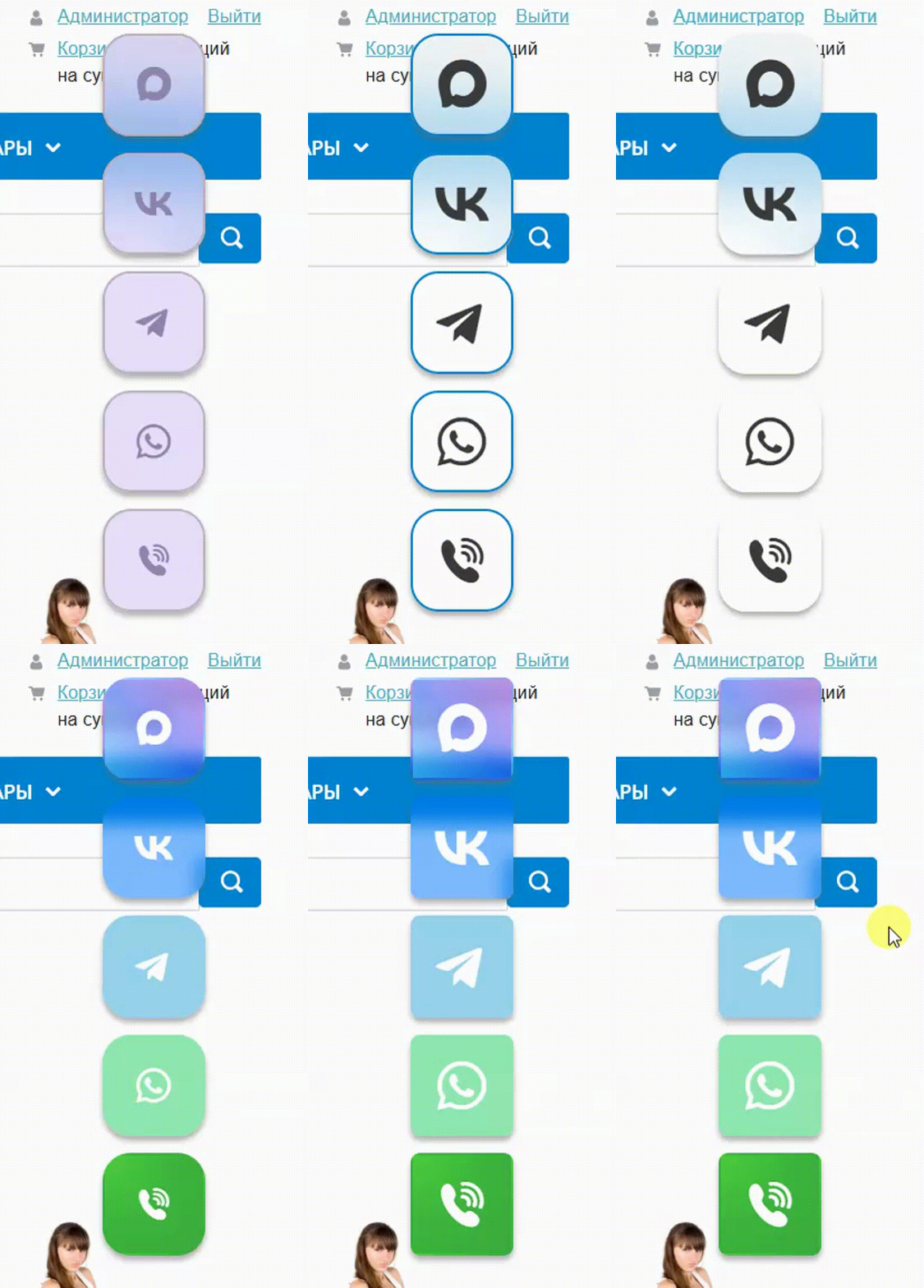
Buttons for chats and groups of social networks: VKontakte, Telegram, WhatsApp, Viber, Odnoklassniki...
The module provides buttons and links for integration with social networks and services. Supported platforms include VKontakte, Telegram, WhatsApp, Viber, Odnoklassniki, Twitter, Pinterest, YouTube, Twitch, WeChat, Messenger, Skype, Snapchat, TikTok, Vimeo, Bitrix24, Yandex Zen, Yandex Disk, Google Drive, OneDrive, Trello, App Store, and Google Play. The MAX button is also supported.
The module provides buttons and links for integration with social networks and services. Supported platforms include VKontakte, Telegram, WhatsApp, Viber, Odnoklassniki, Twitter, Pinterest, YouTube, Twitch, WeChat, Messenger, Skype, Snapchat, TikTok, Vimeo, Bitrix24, Yandex Zen, Yandex Disk, Google Drive, OneDrive, Trello, App Store, and Google Play. The MAX button is also supported.
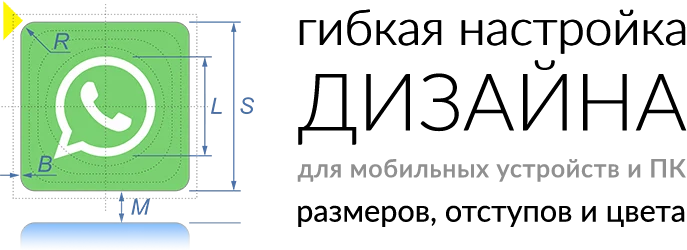
The 'Chat and Group Buttons for Social Networks' module by Niges supports integration with VKontakte, Telegram, WhatsApp, Viber, and Odnoklassniki. The solution includes an extensive library of scalable icons. Users can flexibly customize the design and placement of elements. The component is fully adaptive and displays correctly on screens of any size. The module is available for insertion into a web page.
The 'Chat and Social Network Group Buttons' module by Niges enables placement of buttons for VKontakte, Telegram, WhatsApp, Viber, and Odnoklassniki. Features include scheduling button visibility, grouping buttons, and filtering display based on the page URL. Integration with Yandex Metrica goals is also supported.
The module provides ready-made thematic images for creating targeted buttons and links on website pages. Options include transitions to online stores, personal catalogs, landing pages, or marketplaces such as Wildberries, Lamoda, Avito, Ozon, Beru, and others. The set also includes icons for promotions and discounts linking to promotional landing pages or social media posts about offer conditions, links to online calculators for goods and services, email address fields or mail submission forms, downloads for PDF catalogs and archives, and navigation to contact pages, maps, or applications for building routes to an organization.
Integrating standard social network widgets often requires significant effort to adapt the design, consumes considerable space, and is typically limited to placement in the site footer where visibility is reduced. This solution allows adding links to popular social networks and messengers in just a couple of clicks. An extensive set of settings enables creating a unique design without special technical knowledge within minutes.
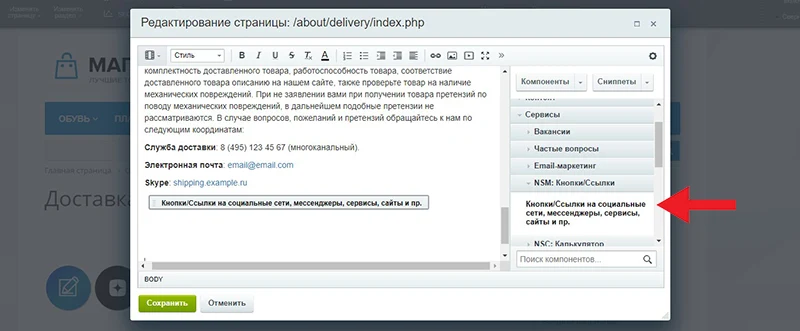
This module enables placing social network buttons for VKontakte, Telegram, WhatsApp, Viber, and Odnoklassniki in specific locations on a web page. To integrate the buttons, use the component or insert an HTML element with the class niges-scbtns into the required area of the page markup, such as the header or footer. The element can be implemented as a div or span tag.
To configure the links, use the following formats. For a MAX chat, specify the address as max.ru/username or max.chat/username. For a WhatsApp chat, use the format wa.me/phone_number, for example wa.me/79234567890. For a Telegram channel, use the link t.me/channel_name. For a Viber chat, use the protocol viber://chat with the number parameter, where the plus sign is replaced by the code %2B followed by the phone digits.
More detailed and up-to-date information is available on the official websites of the respective application and service developers.
General iT can install “Buttons for chats and groups of social networks: VKontakte, Telegram, WhatsApp, Viber, Odnoklassniki...”, configure its settings and verify its operation in the existing project.
UPDATE HISTORY
What’s new
2 releases
1.0.9 (25.06.2026)Latest update
Optimization.
1.0.8 (18.02.2026)
Addition of new buttons: MAX, Avito, Drom, Auto.ru, etc.;
Button display schedule;
Restriction of display on certain pages (filter by URL);
The 'Site Holiday Decoration' module by Niges allows you to quickly add a Christmas garland to a webpage. Configuration options include site selection, activity control, margin settings, position locking, z-index level, size, opacity, and style variants.
The 'Cookie Usage Notification (Cookie Policy, Federal Law No. 152-FZ)' module is ready for use immediately after installation. To activate it, simply enable the corresponding option in the module settings.
The settings interface allows you to customize the color, edit the text, and adjust other display parameters.
The Cookies Notice (Cookie Policy) PRO module is ready to use immediately after installation. To activate it, simply enable the corresponding setting in the module configuration.
The management interface allows you to customize colors, edit text, and adjust other display parameters. The solution supports multi-site deployment.
The module automates image compression on the website in accordance with Google PageSpeed Insights recommendations. It supports integration via CDN OptiPic, allowing optimization without modifying image URLs. The main advantage of CDN integration is the automatic conversion of images to the modern WebP format to minimize file size. Browsers that support WebP receive images in that format.
The module is designed for online stores running on the 1C-Bitrix platform to automate the integration of supplier product catalogs. It is also suitable for news and city portals to facilitate content population. The solution supports data import in Excel, XML, YML, CSV, and RSS formats.
The module is designed for the «1C-Bitrix: Site Management» platform and enables importing infoblock elements, including products, from Excel files. It also supports data loading into Highload blocks.
The displayed price covers the solution itself. Platform licensing, installation and customisation are checked separately. If the page offers bundles, select the required option before submitting a request.
How do I check compatibility?
Compare the supported editions and solution version in the technical details with your project. Before installing on a live website, we recommend making a backup and checking the solution in a test environment.
Is there a trial?
The developer lists a trial of 2 days. The trial button opens the installer in your website control panel. Check the required features and compatibility before purchasing.
How much does this solution’s renewal cost?
The current renewal price is 1,250 ₽. Before you order, a manager will confirm the renewal period and whether it applies to your licence.
Can you help with implementation?
We can help install the module, check its settings and verify how it works in your project. Compatibility with other customisations and the scope of work are assessed before we begin.
Statistics and interaction recording
Public pages use basic statistics. Our recording and Yandex Webvisor require your permission. You can keep basic statistics or disable all analytics.
Operator: General IT Rus LLC, INN 2310208877. Statistics and recording help improve the website.
Basic statistics: pageviews, a random daily ID, a public URL and time. The ID lasts until Moscow midnight. Original records: up to 48 hours; totals: up to 7 years.
Without Webvisor permission, Yandex receives server statistics without visitor IP, User-Agent or cookies. If selected, its browser code collects technical data, cookies, actions and masked page snapshots; recordings last 15 days. Inputs, chat and account areas are hidden.
Interaction recording requires permission: clicks, scrolling, technical information and filtered public-page snapshots. Events: up to 7 years; IP and snapshots: up to 90 days.
Permission is remembered for up to 365 days; full opt-out remains until changed. Basic statistics only disables recording; Disable all analytics stops new analytics. Previously sent data is not automatically deleted. Withdrawal and requests: support@git.ru. Full terms are linked below.
Your browser requests no tracking: analytics is off.