
Module
INTEC: StartShop - online store module for Start edition
E-commerce module for the Start edition by INTEC. Supports SKU-based product management, web form creation, and 1C integration setup.
9,900 ₽
↗Аккаунт в General iT
Войдите или создайте аккаунт для управления услугами в панели.

WEBSITE TEMPLATE
INTEC
INTEC.Prom is a ready-made solution for building a corporate website for industrial companies or wholesale suppliers. The platform includes a built-in online store and a B2B cabinet tailored for metal trading enterprises, industrial equipment manufacturers, and construction material suppliers.
INTEC.Prom is a ready-made solution for building a corporate website for industrial companies or wholesale suppliers. The platform includes a built-in online store and a B2B cabinet tailored for metal trading enterprises, industrial equipment manufacturers, and construction material suppliers.

The INTEC.Prom template is designed for creating websites for industrial companies or wholesale suppliers, featuring a B2B cabinet and an online store. Built on years of experience in web development and marketing for the industrial sector, it addresses specific needs for automation and digital marketing in this industry. The solution enables rapid deployment of a modern, multifunctional online store without engaging external specialists or incurring unnecessary expenses.




INTEC.Prom is a ready-made solution for building a website for an industrial company or wholesale supplier. The platform combines the functionality of a full-fledged online store and a B2B cabinet for working with corporate clients. The product was developed by INTEC to automate sales in the B2B segment.

INTEC.Prom is a template for creating a website for an industrial company and wholesale supplier. The solution includes an online store and a B2B cabinet for working with corporate clients. The template is tailored to wholesale trade and industrial sector tasks, providing tools for order management and partner interaction.
INTEC.Prom is a ready-made solution for building a corporate website with an online store and a B2B cabinet. The template is designed for metallurgical and industrial enterprises, as well as suppliers of construction materials and equipment. The product reflects the specifics of automation and digital marketing in the industrial sector, drawing on extensive experience in developing solutions for the B2B segment.



To contact the company, use the contact details provided in the relevant section of the website. Access to the B2B cabinet and online store is available through the user's personal account.
If you encounter issues during the update process, review the instructions in the Installation tab and follow the steps before contacting technical support.








The solution is suitable for companies in the following industrial and wholesale sectors.
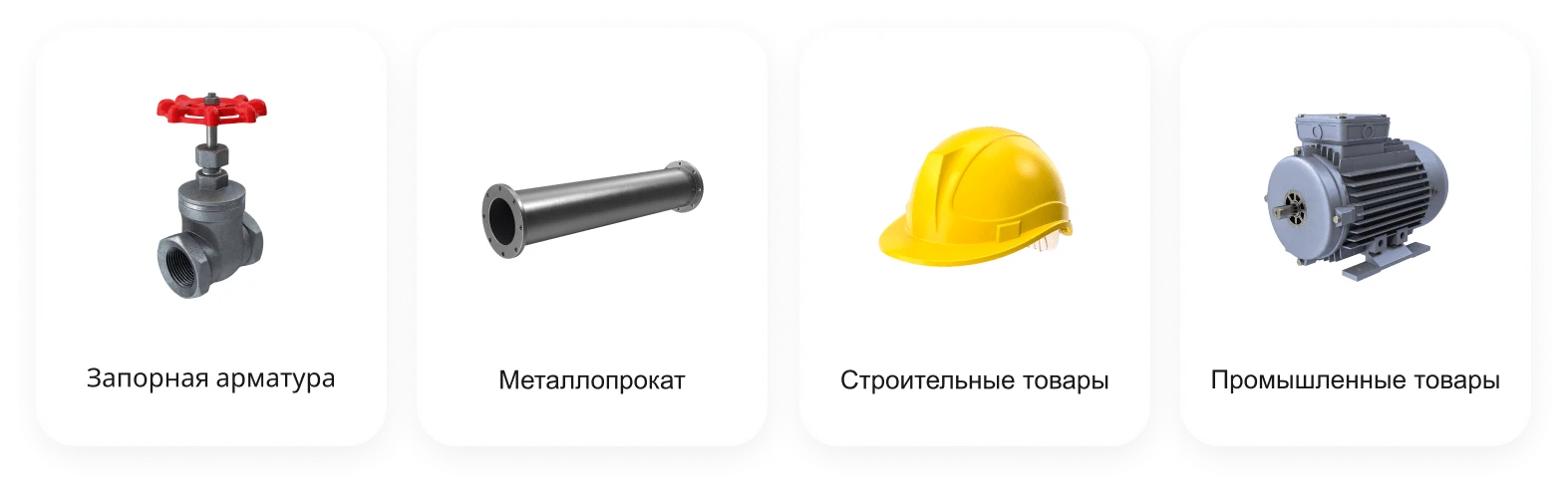
The INTEC.Prom template is designed for building websites for industrial companies and wholesale suppliers. The solution includes a B2B cabinet and an online store. It is tailored for the metal rolling, valve fittings, construction goods, and industrial products sectors.


INTEC.Prom is a template for building a website for an industrial company and wholesale supplier, featuring a B2B cabinet and an online store. The product was developed by INTEC.


Flexible layout of main page elements
The INTEC.Prom template adapts to your specific business processes and tasks. Its architecture includes technical mechanisms that ensure safe site updates: custom functional and design modifications are preserved, content remains intact, and risks typical of '1C-Bitrix' platform updates are minimized. Updates can be applied to a live site without reinstallation or data migration.
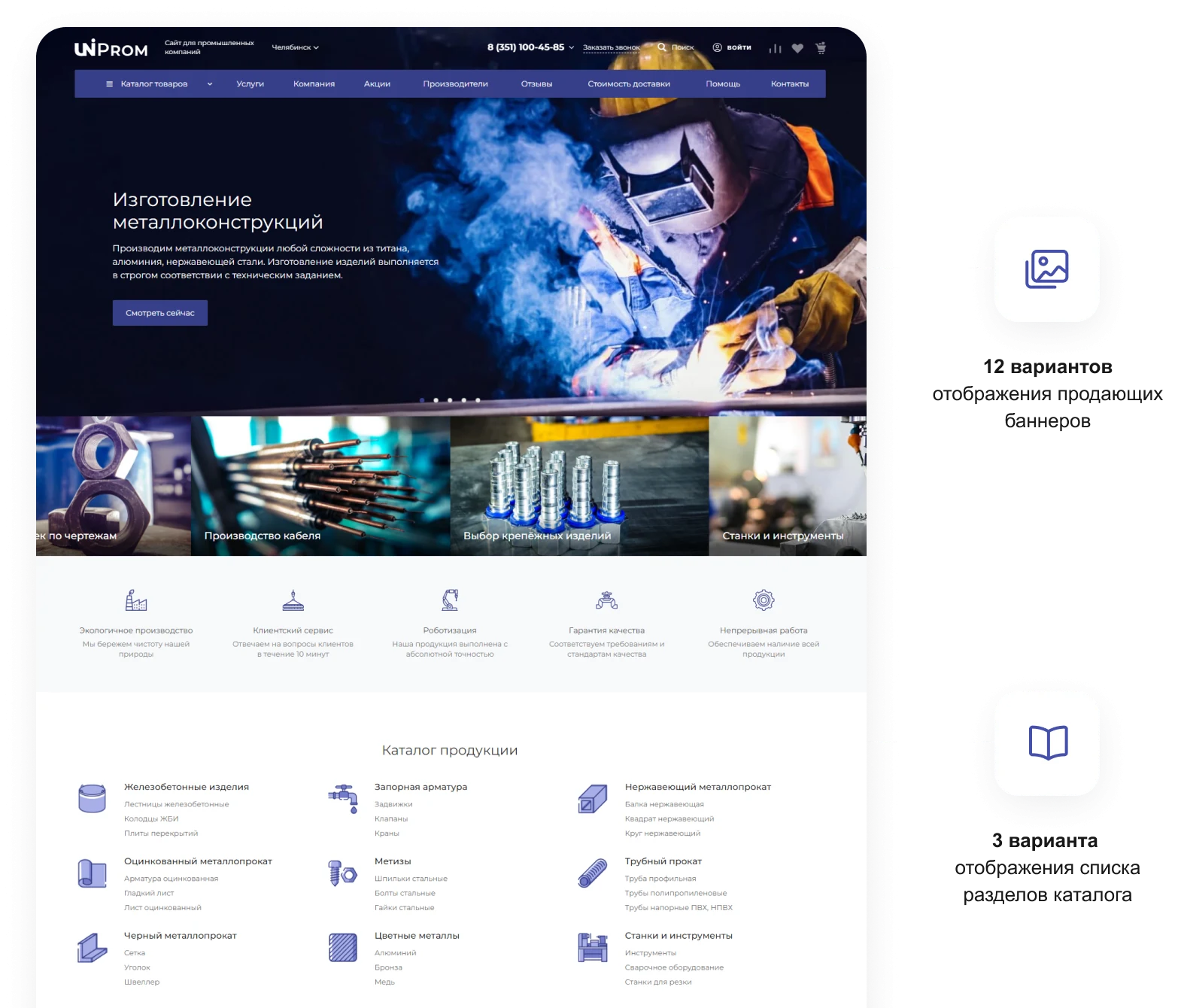
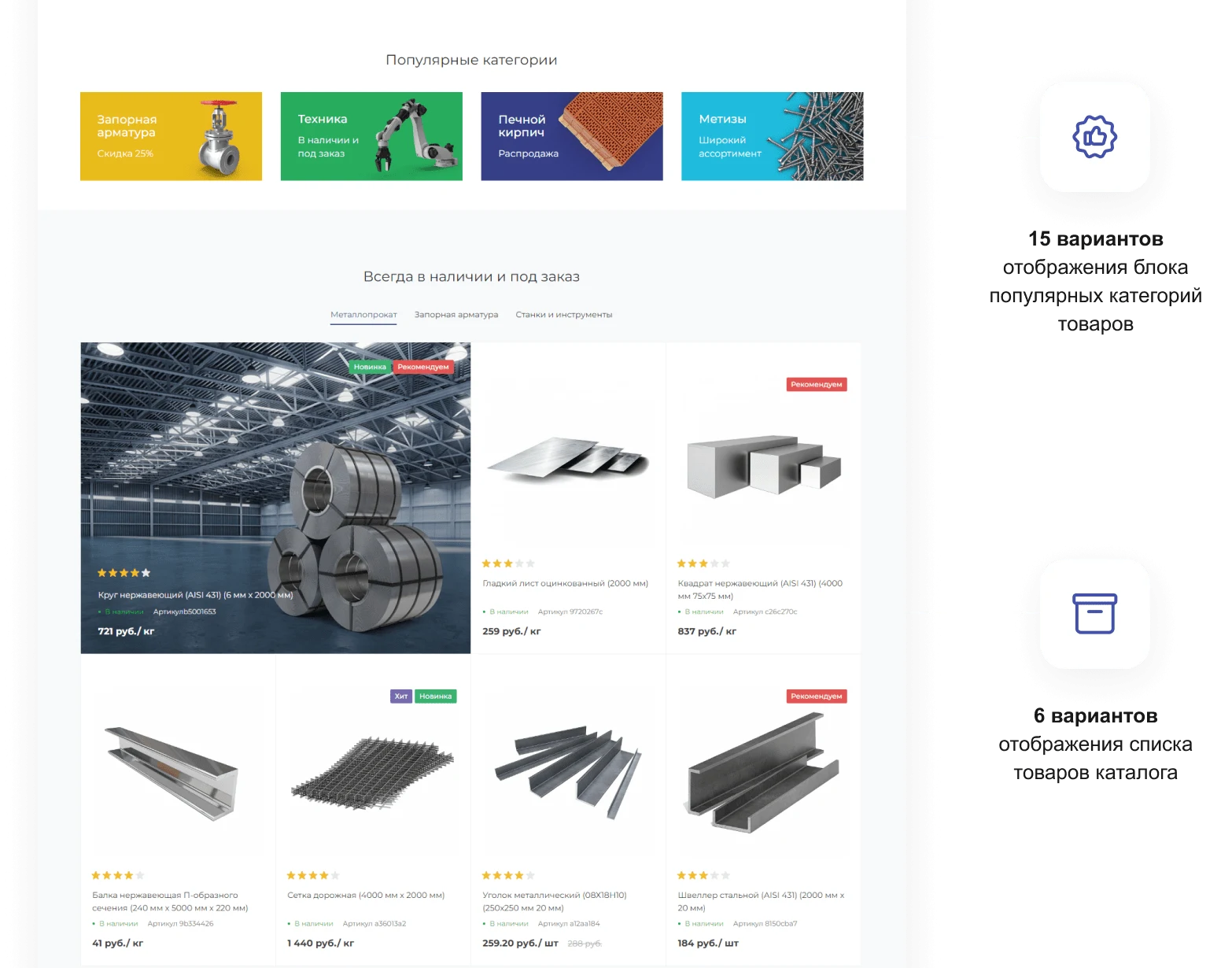
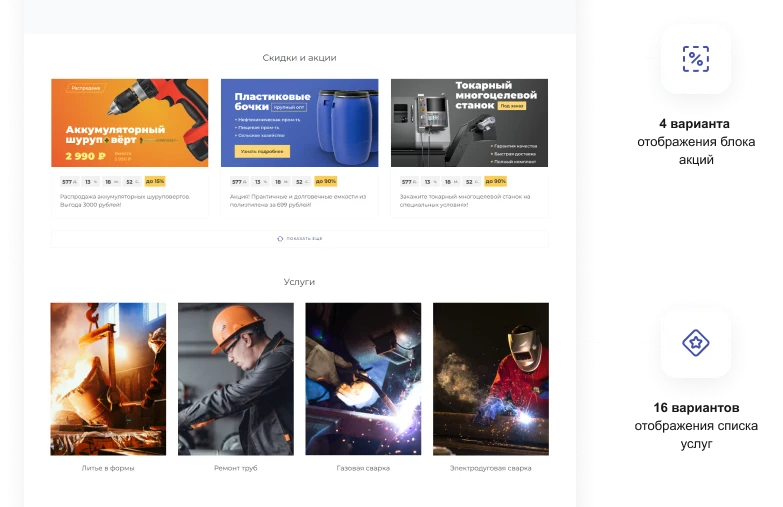
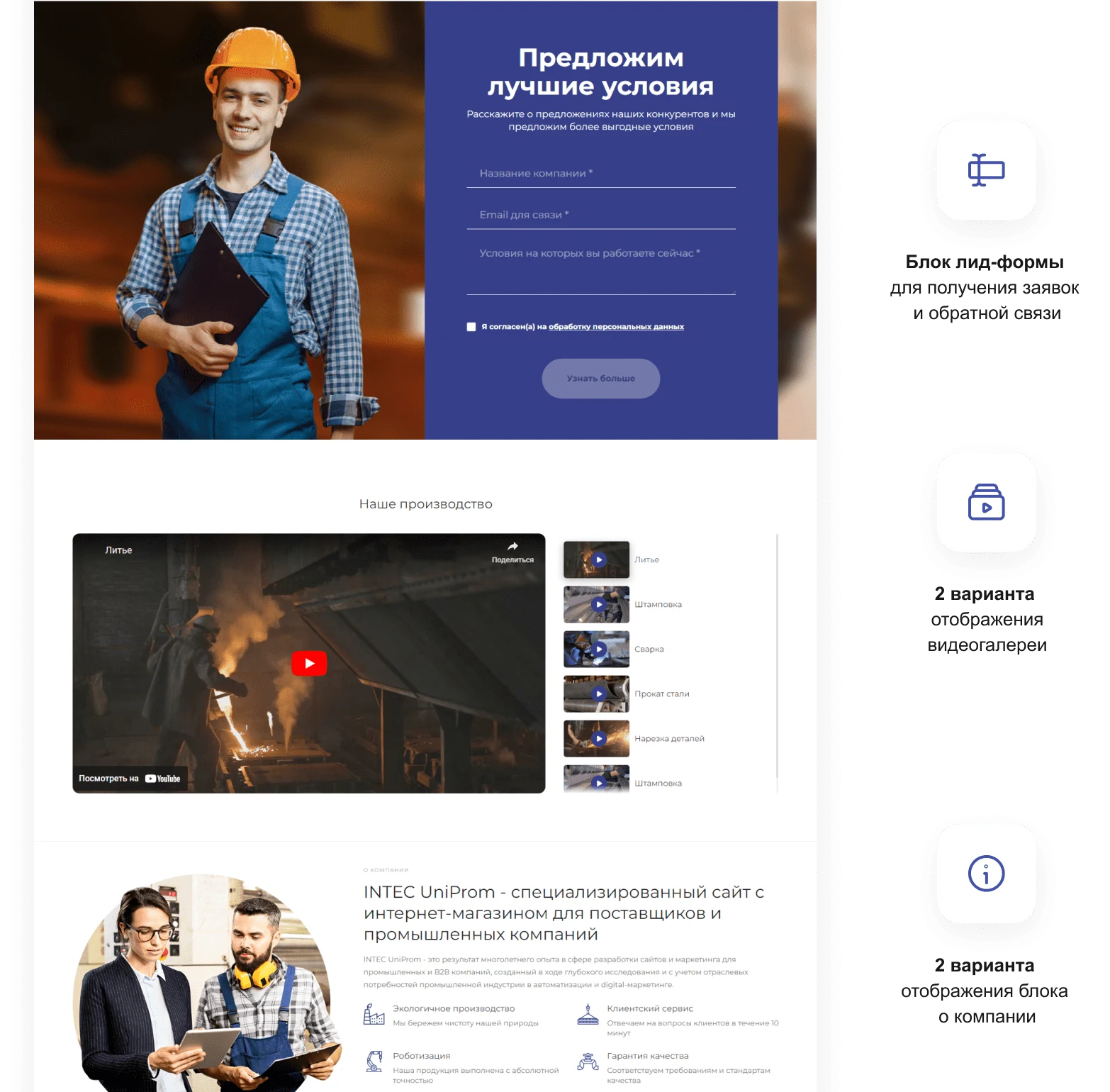
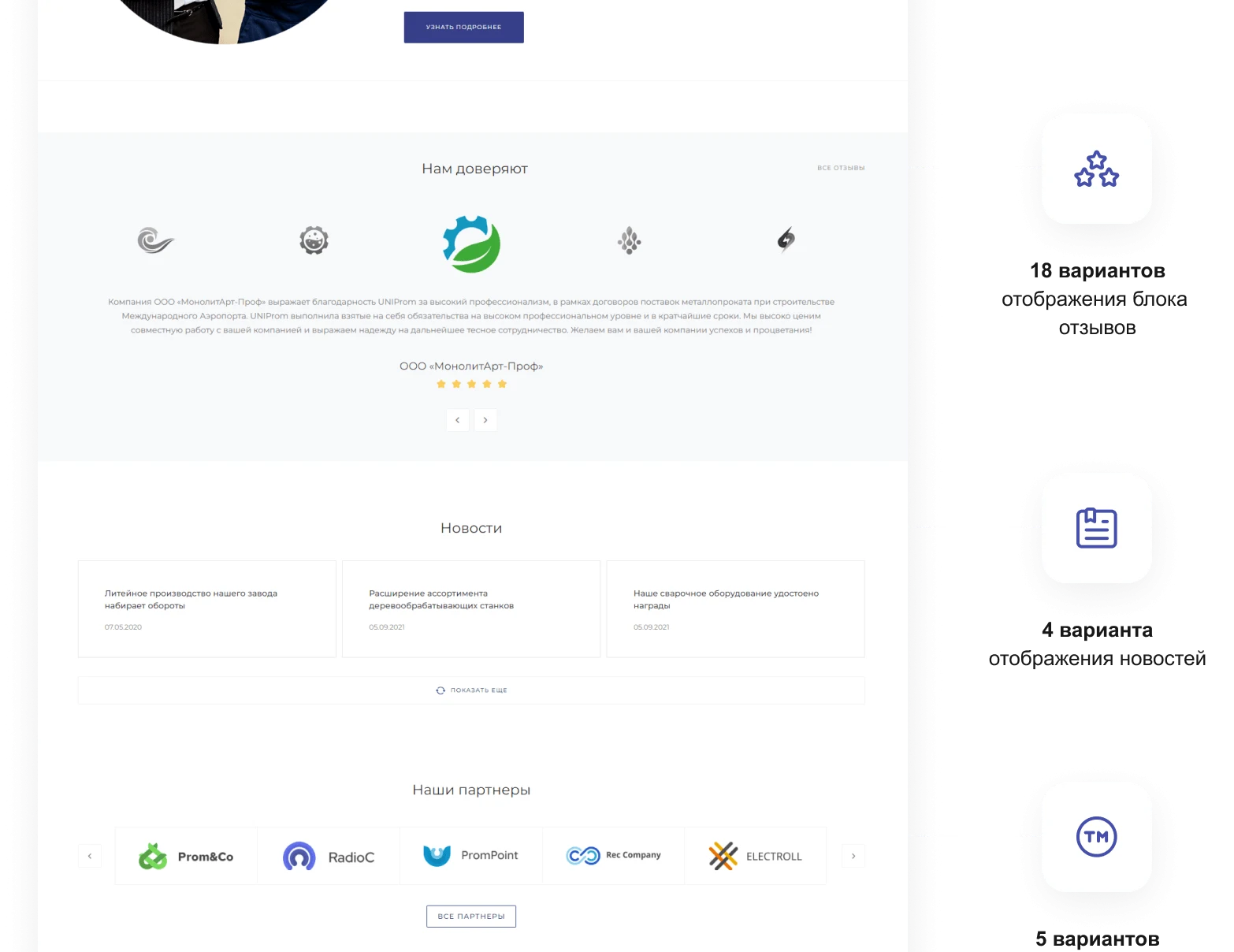
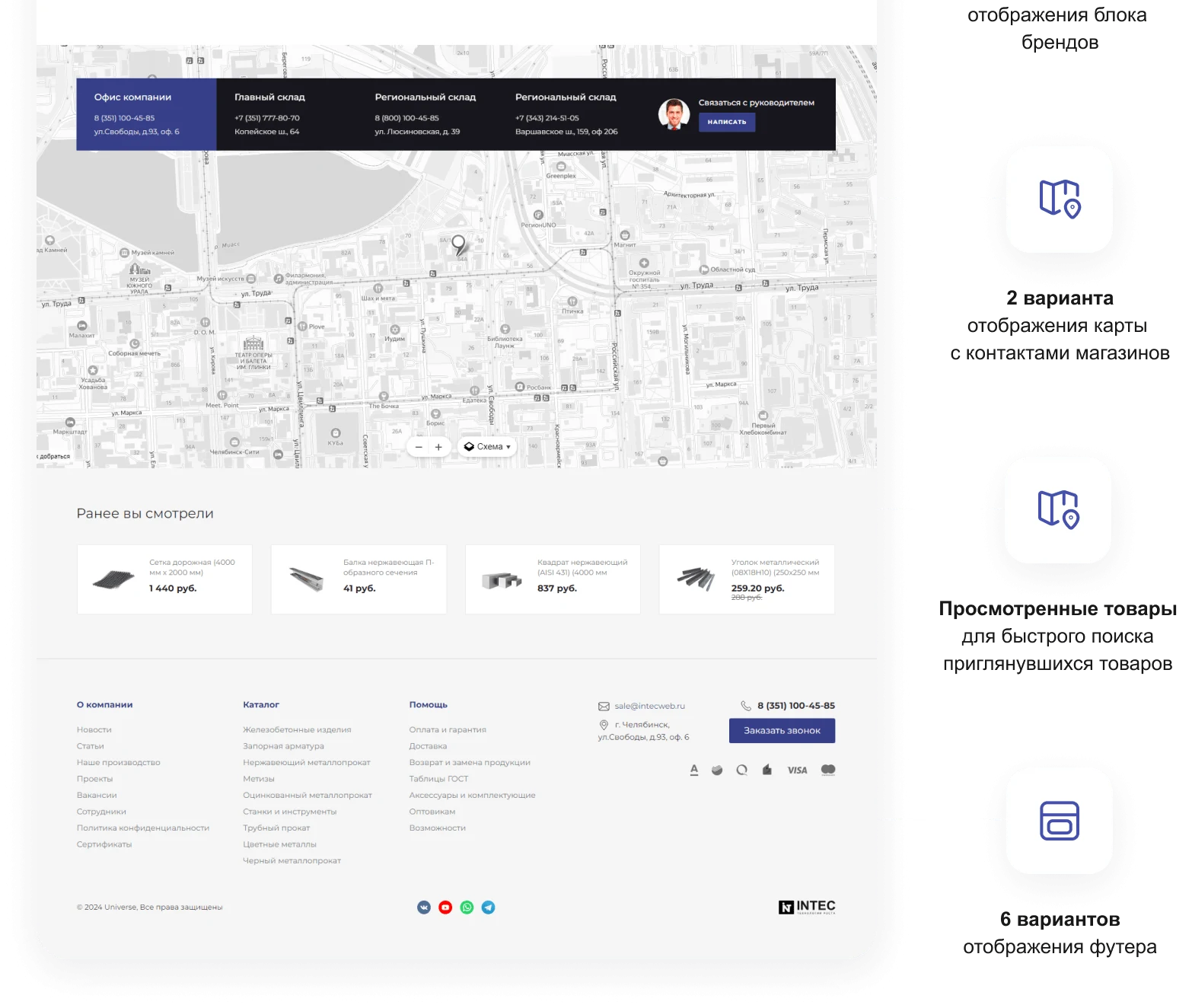

Template for creating a website for an industrial company and wholesale supplier. Includes a specialized catalog of industrial goods, e-commerce functionality, and a B2B client personal cabinet.
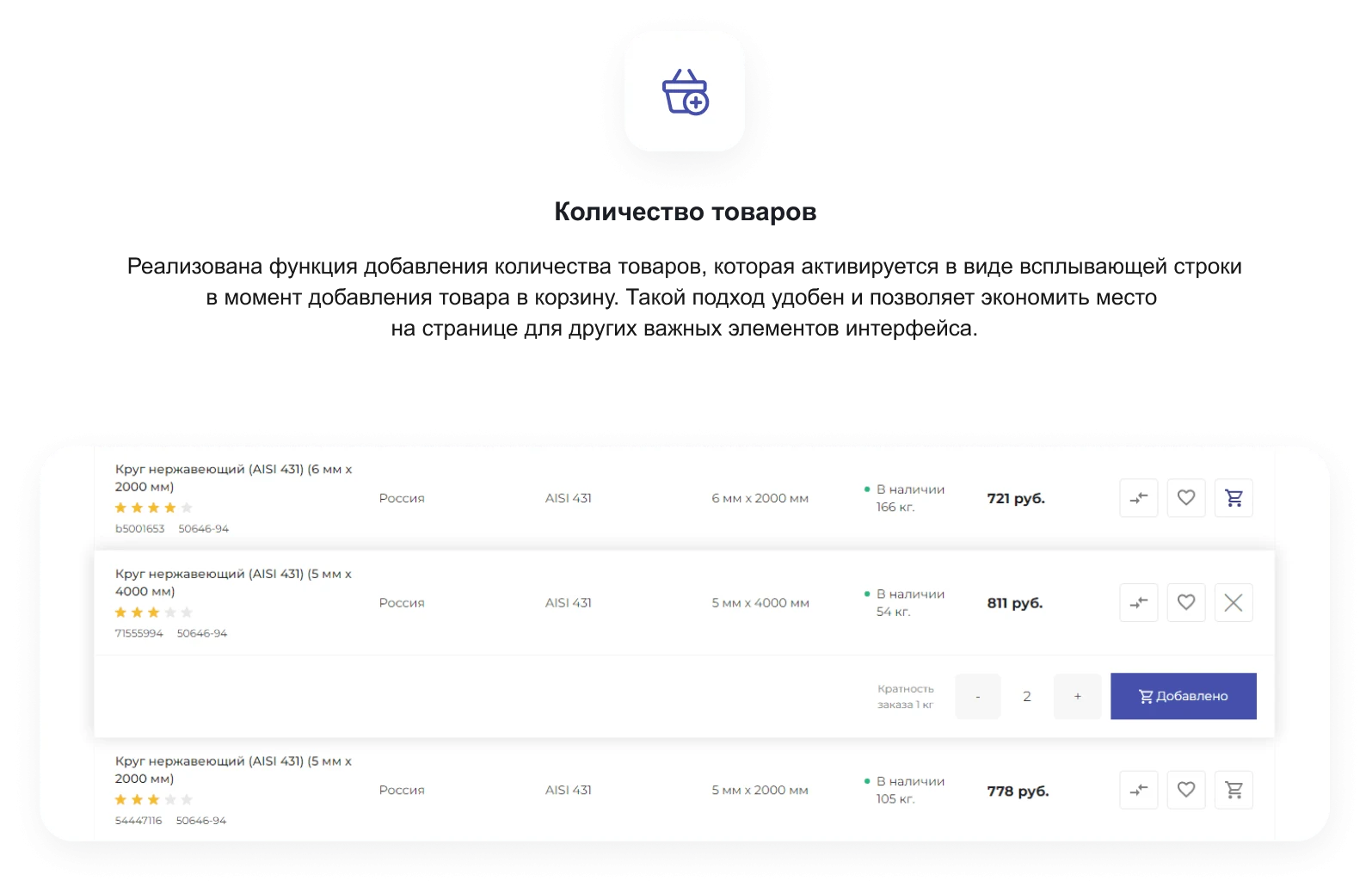
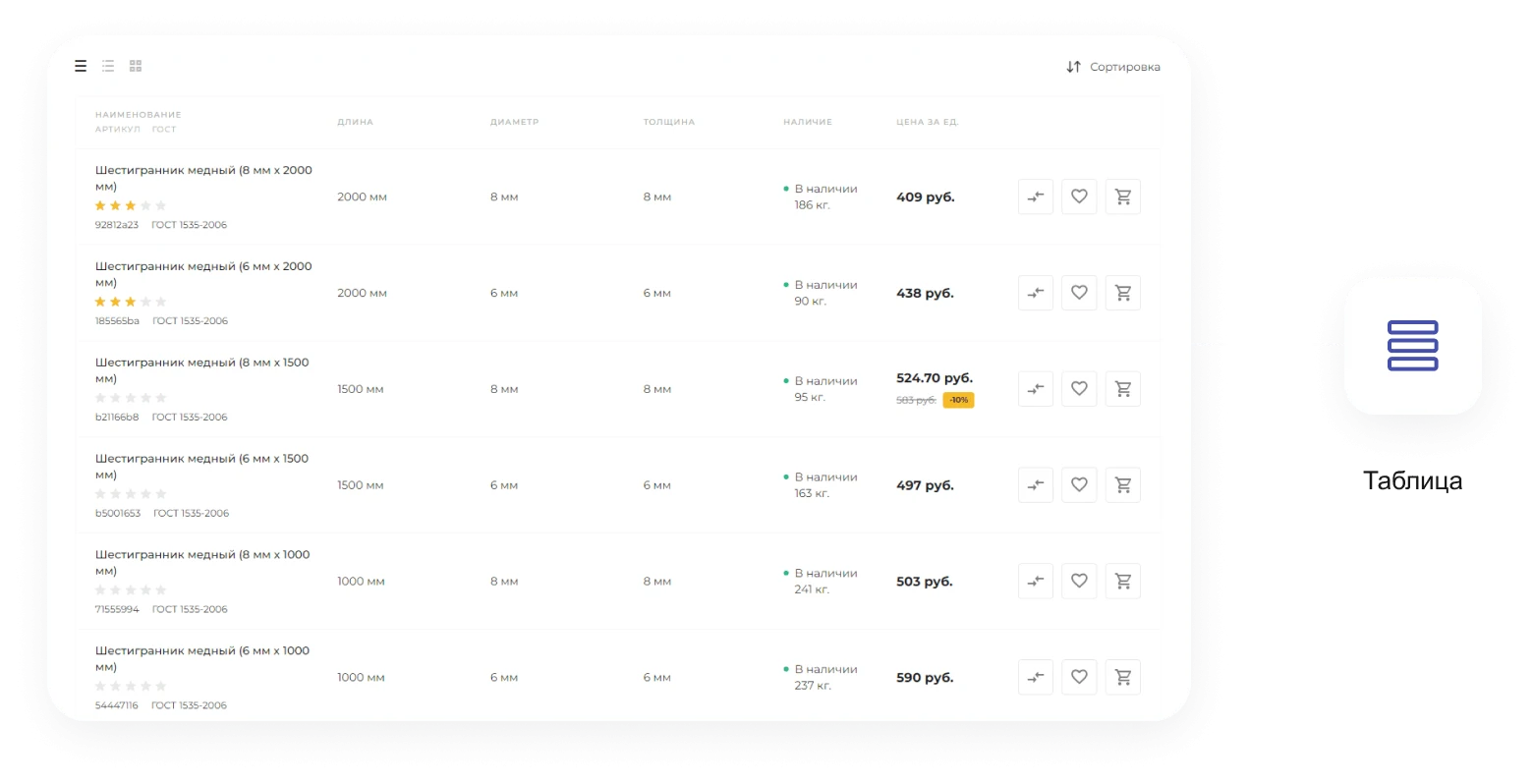
The INTEC.Prom template features a tabular listing designed for efficiently displaying large volumes of similar products. This format presents the catalog as compact lists, showing key product specifications such as steel grade, GOST standards, and article numbers, along with essential reference data like warehouse availability. Column selection and table parameters can be configured directly within the administrative panel.

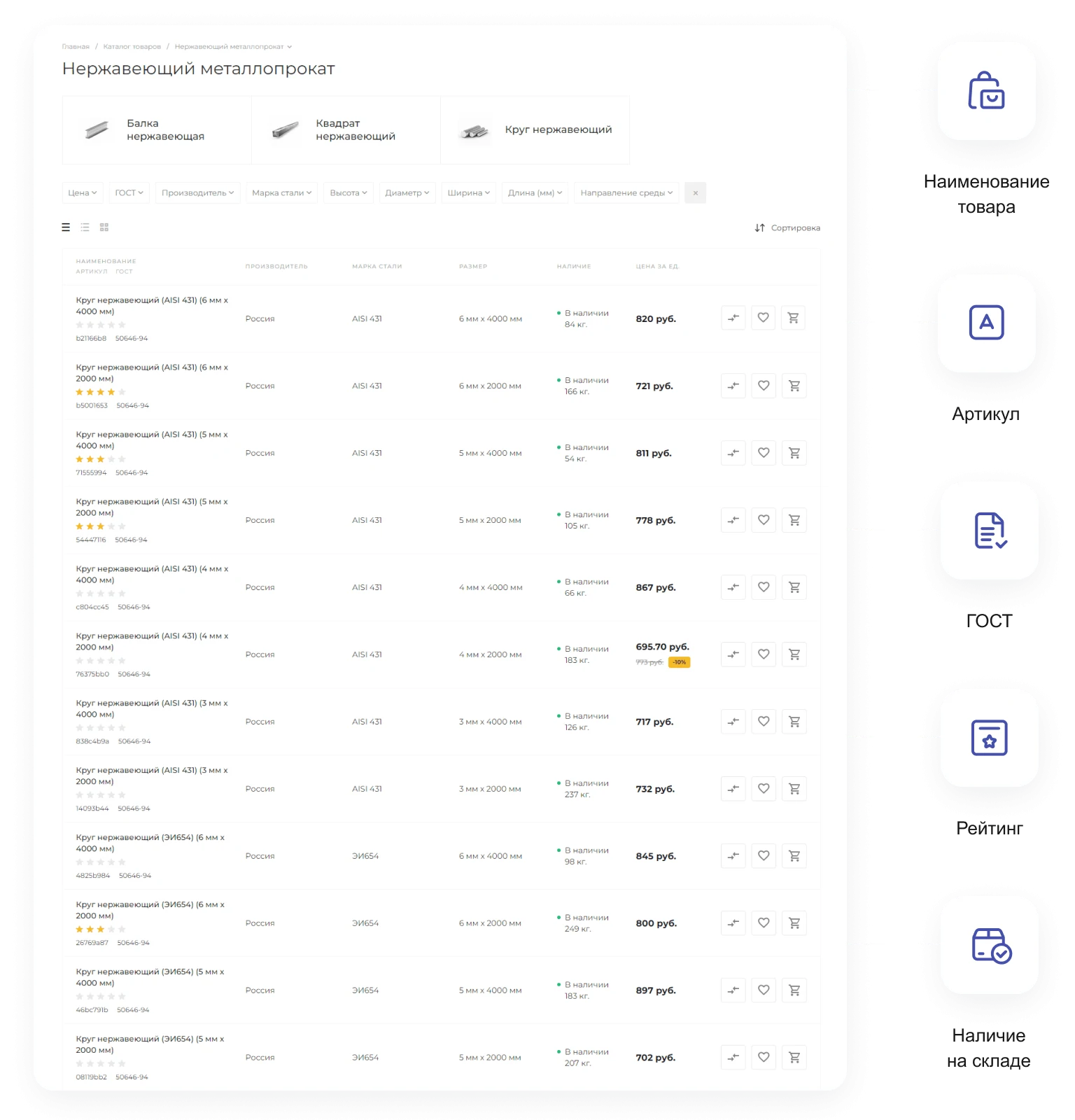
This approach saves space on the page, freeing it for other important interface elements, such as buttons for 'Save', 'Compare', and 'Add to Cart'.
If prices are not fixed or change frequently, the solution allows replacing the 'Add to Cart' button with a 'Request a Call' button. For each product, the current stock quantity and price are displayed.


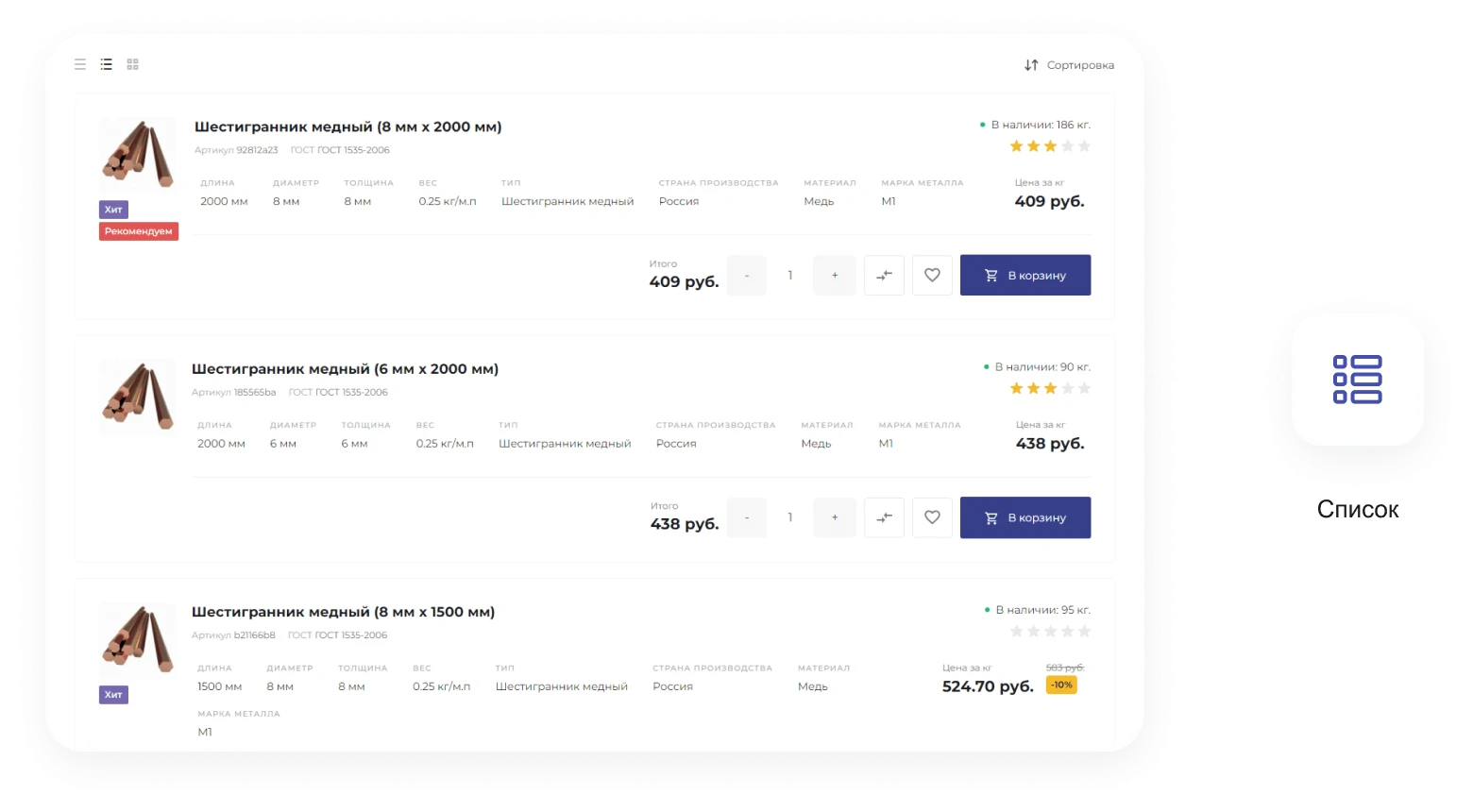
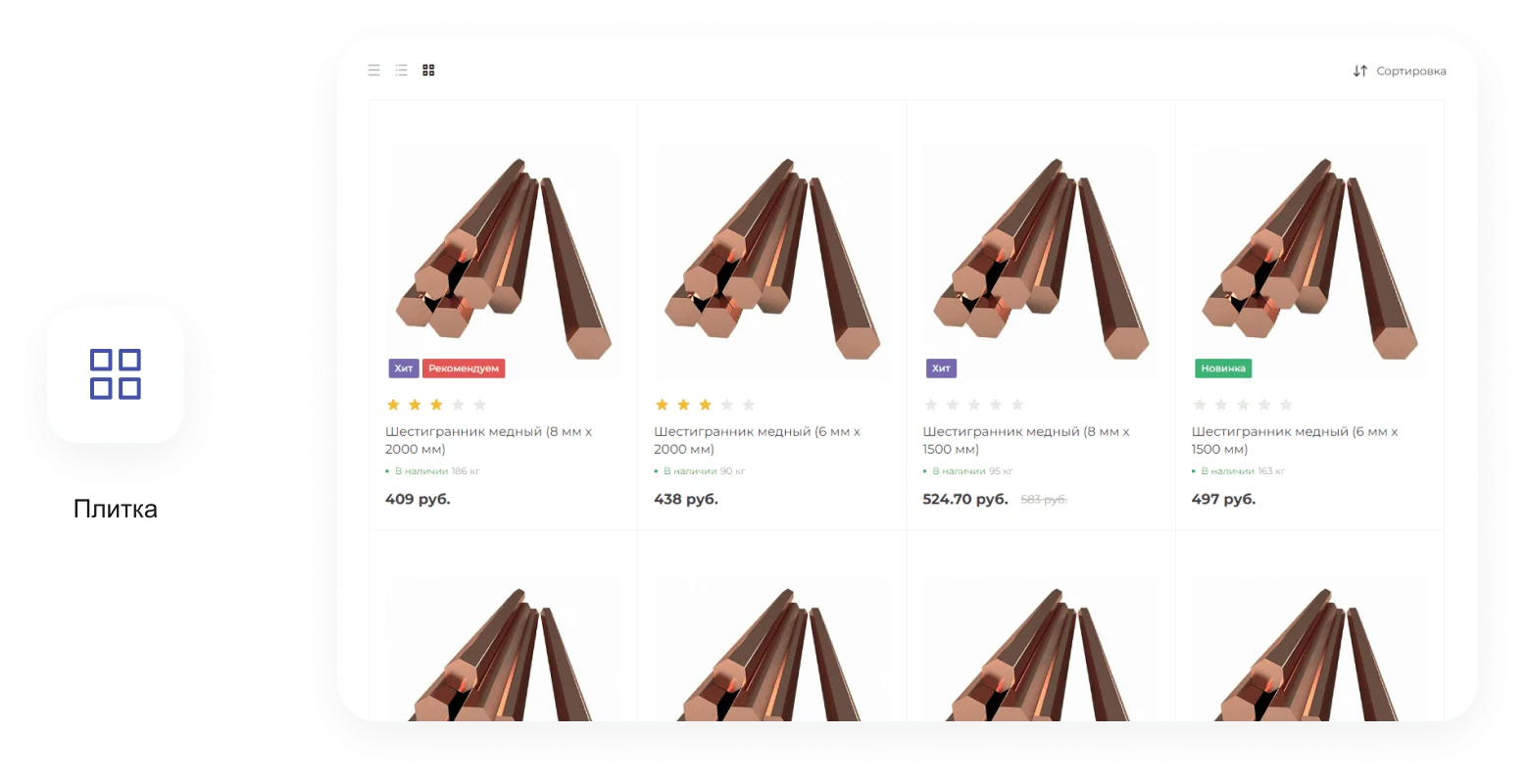
The catalog supports three product display modes. This allows the interface to be flexibly configured based on user tasks and preferences.
Catalog search
Advanced product catalog search enables finding items and further filtering results by key parameters such as price, GOST standards, manufacturer, dimensions, and other specifications.
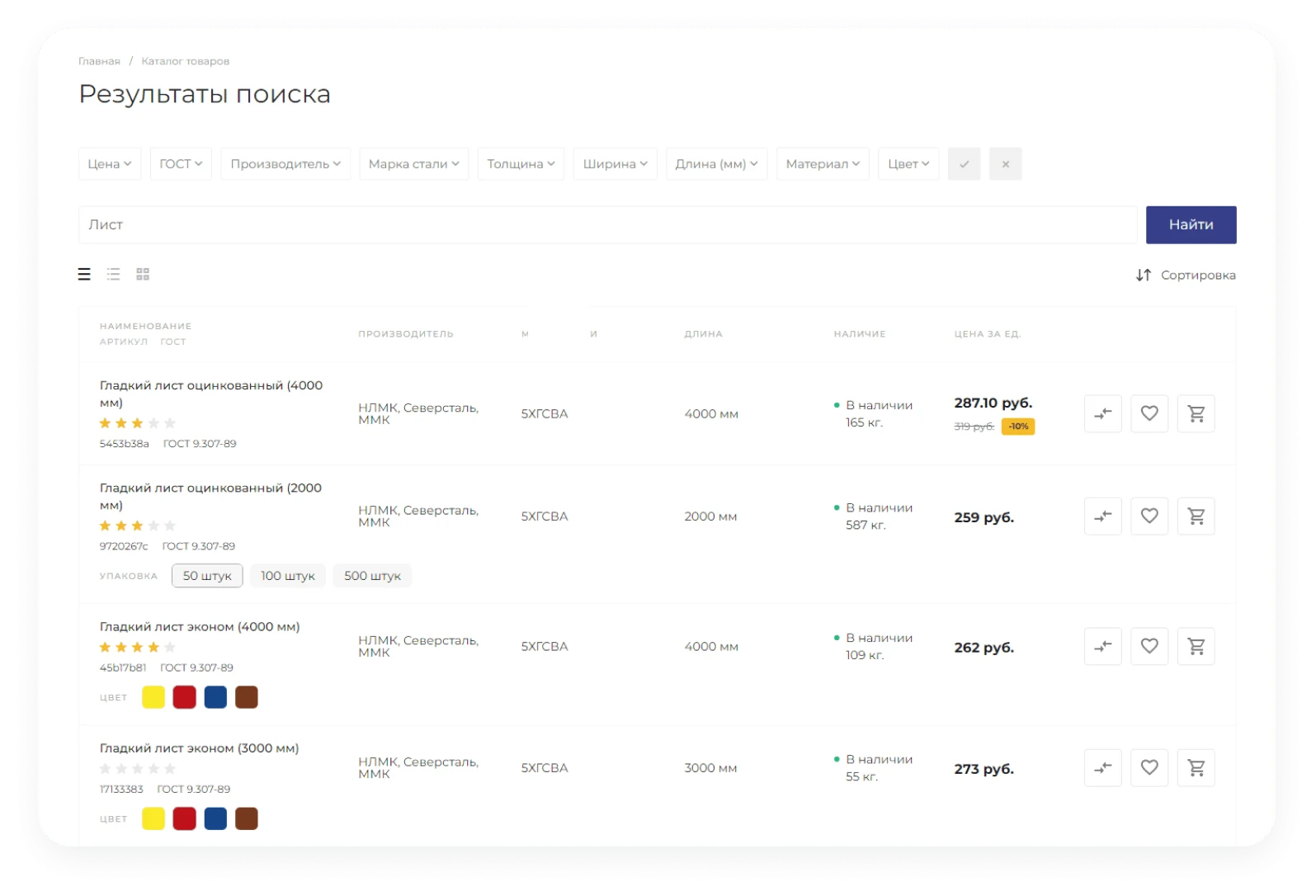
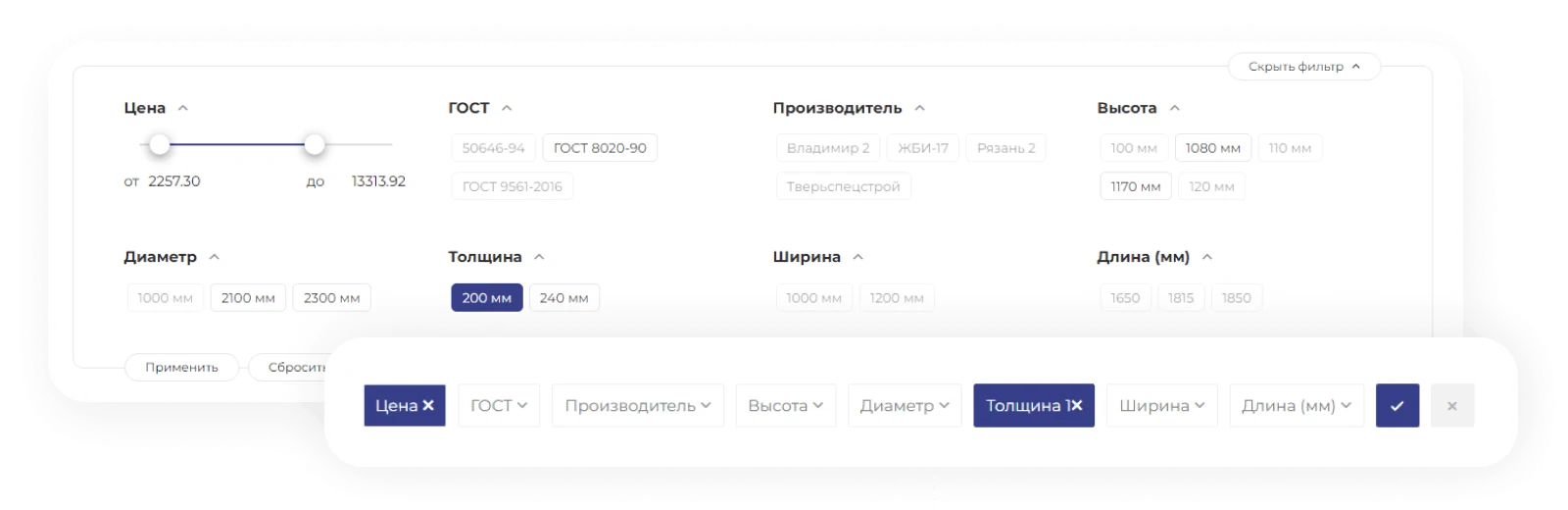
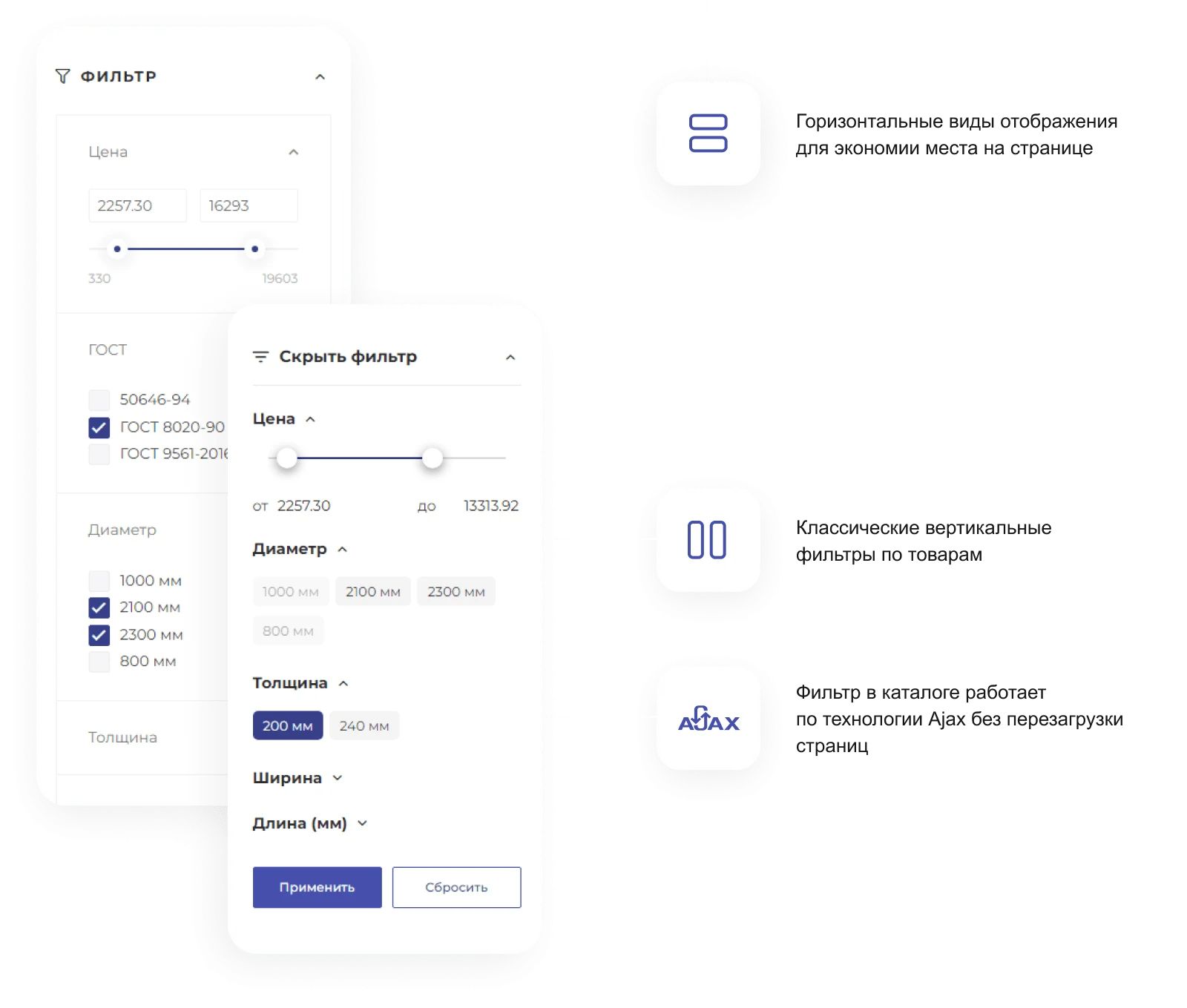
The INTEC.Prom template is designed for industrial companies and wholesale suppliers, offering a B2B cabinet and an online store. The interface implements four display options for the smart filter.
Products can be filtered by color, size, material, and manufacturer.

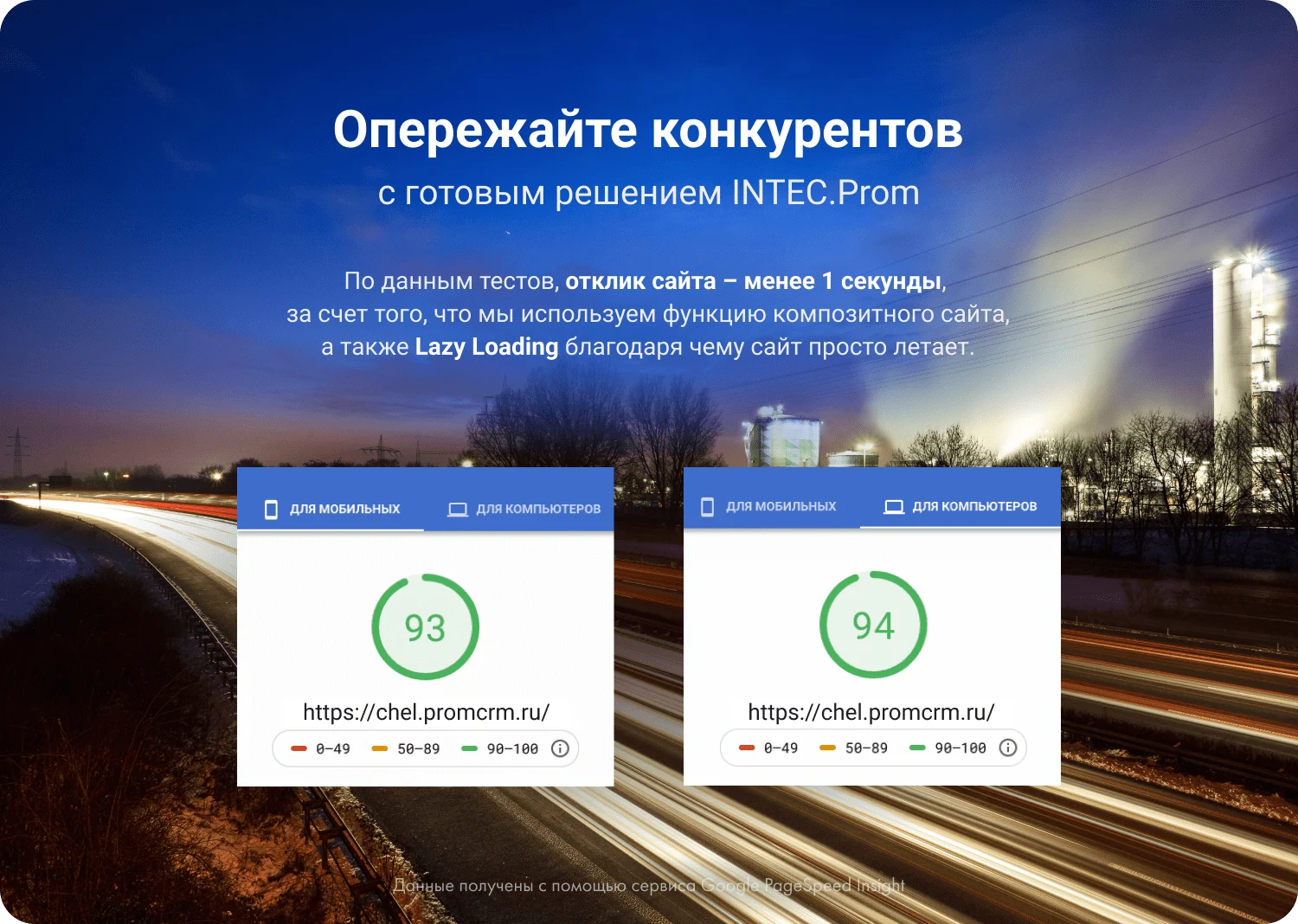
The INTEC.Prom template is designed for building websites for industrial enterprises and wholesale suppliers. The solution includes a B2B cabinet and an online store. The template architecture is optimized to ensure high page loading speeds.
The INTEC.Prom site ensures fast loading speeds even with over 60,000 product listings. The Lazy Load technology prevents visitors from leaving due to long page load times, ensuring stable performance for the online store and B2B cabinet.
Specialized industrial product card
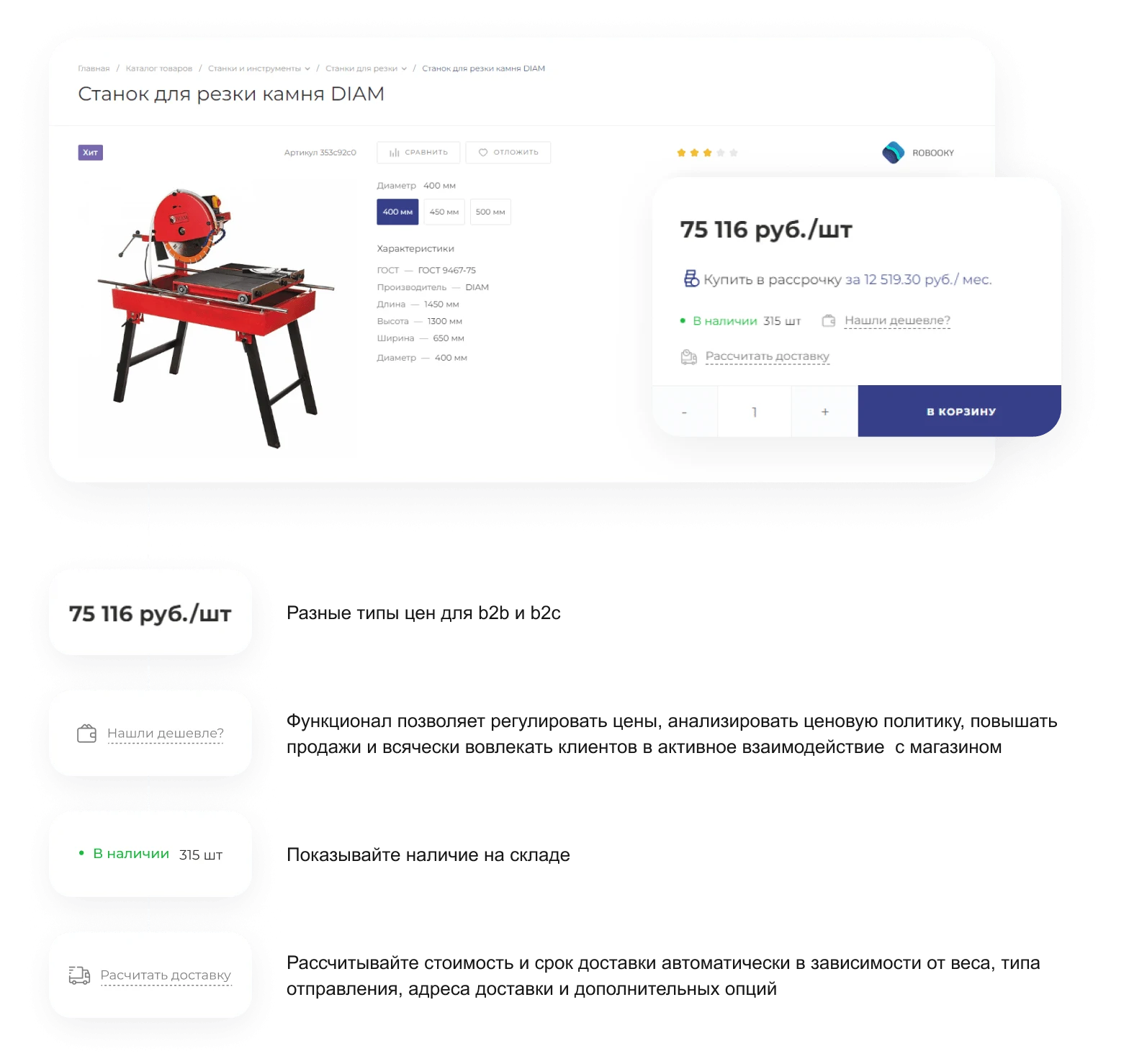
Product cards display delivery information, including terms and costs, via a pop-up window to help increase conversion rates.
The system supports individual price types for different customer categories, allowing buyers to see their specific price without needing to contact a manager. Each category can be assigned a custom price type where the cost is recalculated based on interaction history, purchase volume, and quantity.
Price types are formed by applying a discount, either as a percentage or a fixed amount, to a base price. This calculated price type is then assigned to a specific customer or group. Support for price types is available only in the 'Business' edition.
Product cards also display current stock availability for each item.
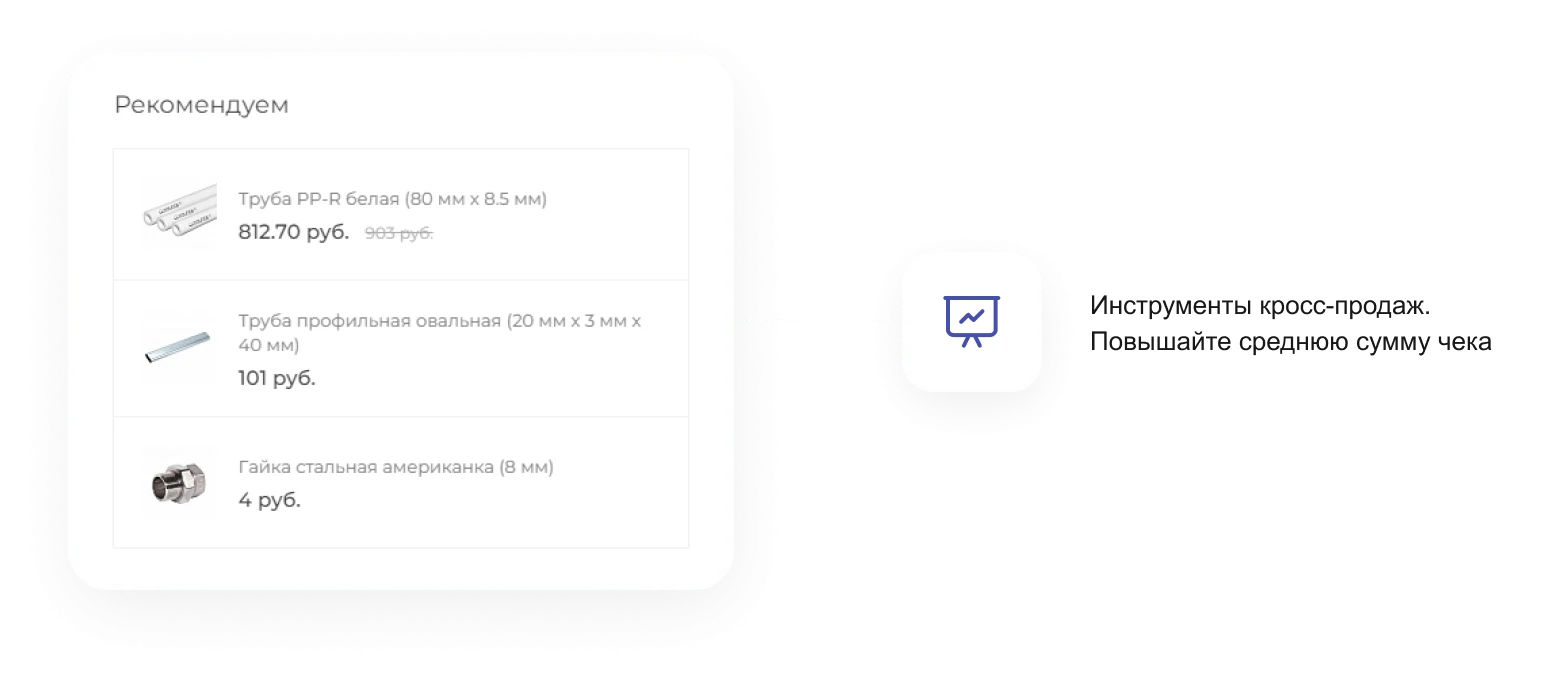
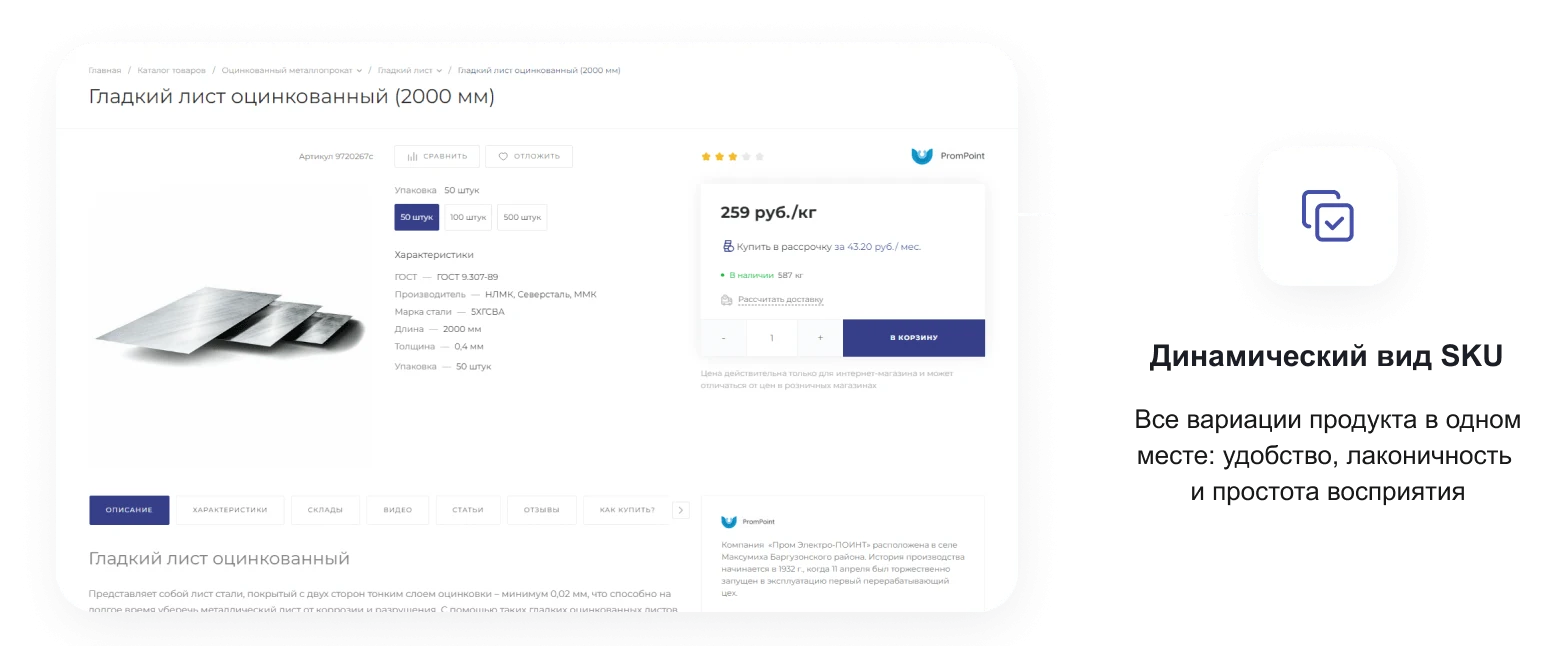
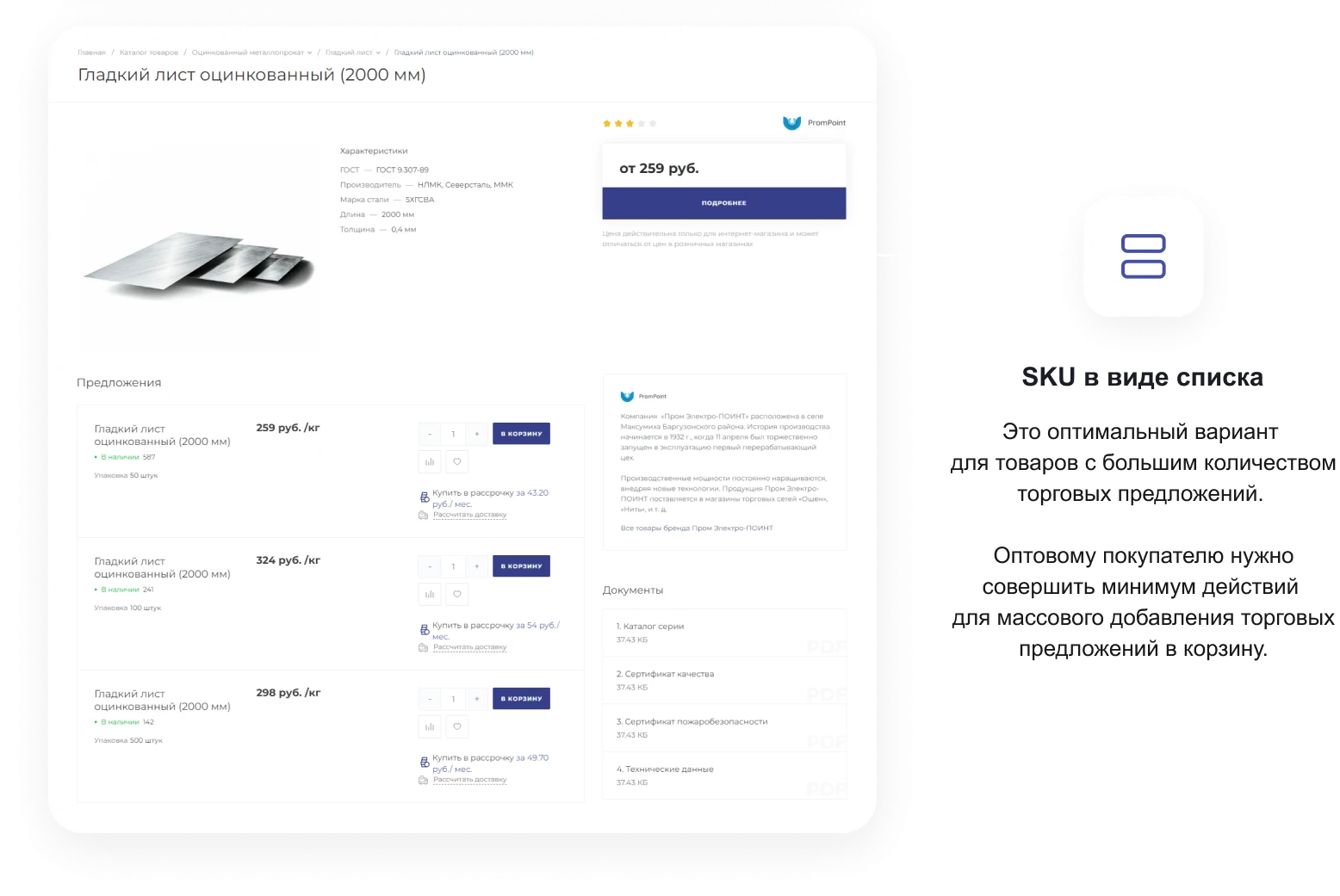
The product card supports two display options for trade offers (SKU).
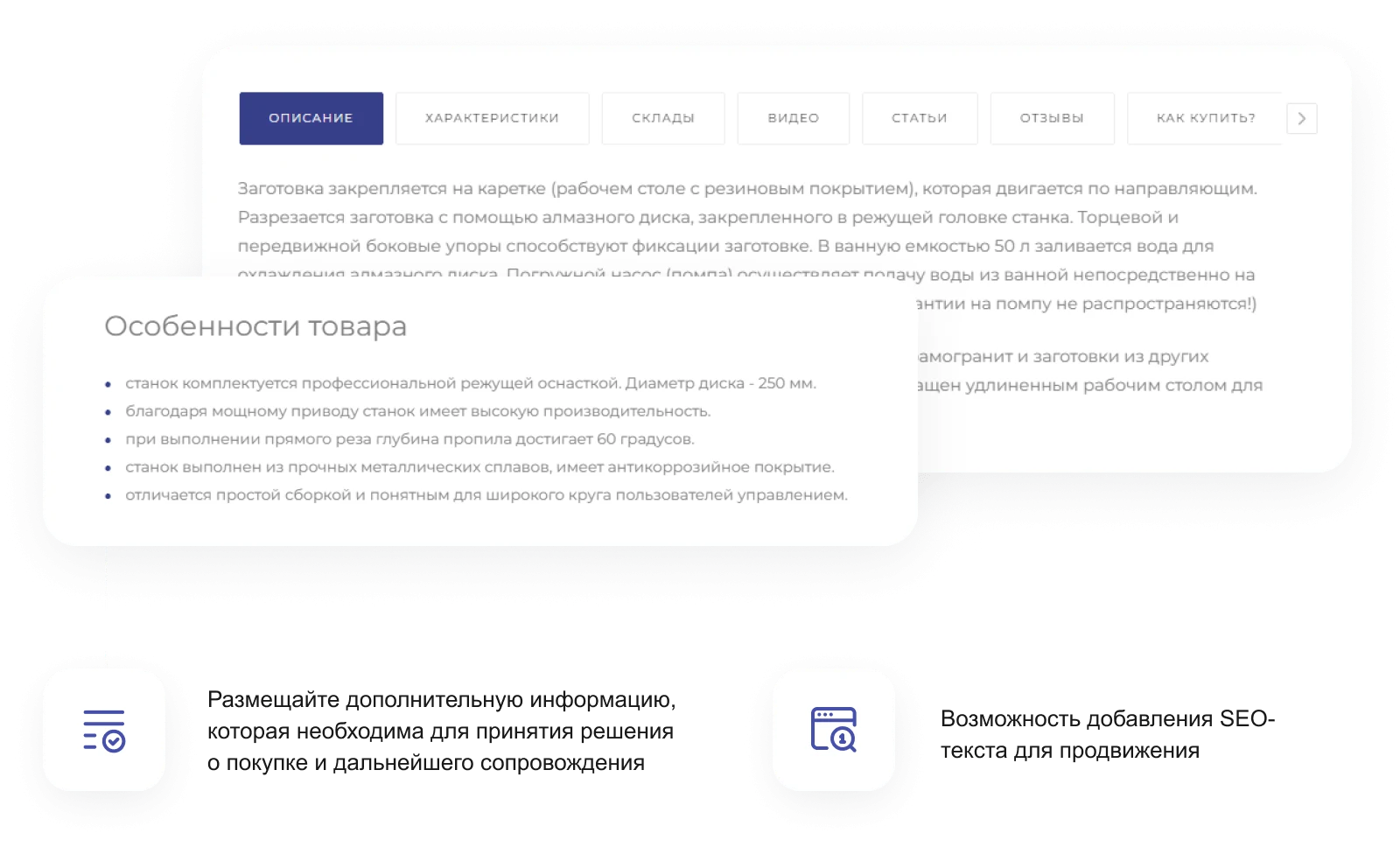
Dynamic SKU display consolidates all product variations in a single location, ensuring convenience, conciseness, and ease of perception. A list view is the optimal solution for products with a large number of offers. This format allows wholesale buyers to minimize the number of actions required to mass-add trade offers to the cart.
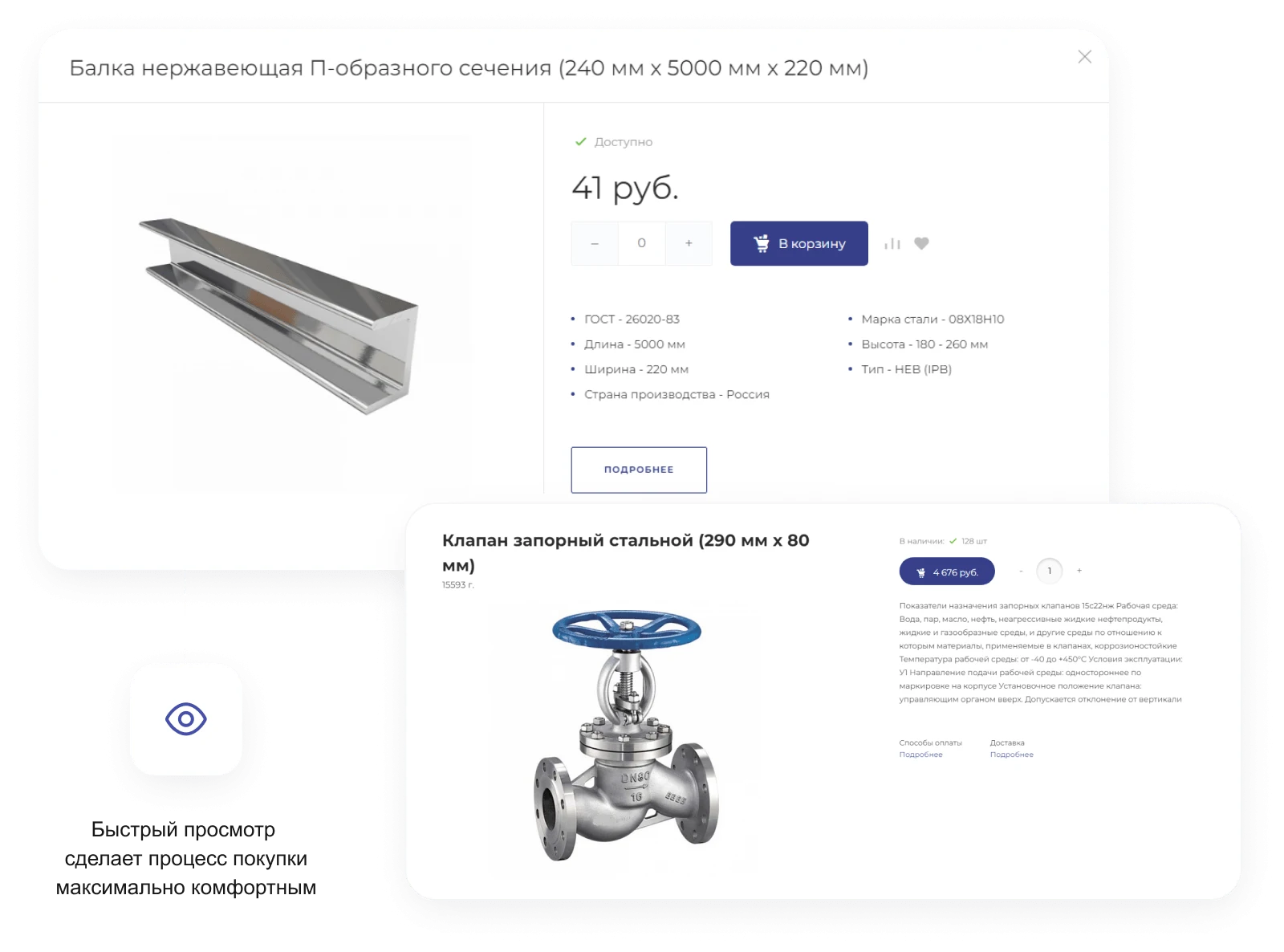
The quick view feature allows users to instantly review key product specifications and descriptions without navigating to a dedicated page. This streamlines catalog browsing and accelerates decision-making for wholesale purchasing.
The quick view feature allows users to inspect product details without navigating to a separate page, streamlining navigation and accelerating the selection process within the online store.
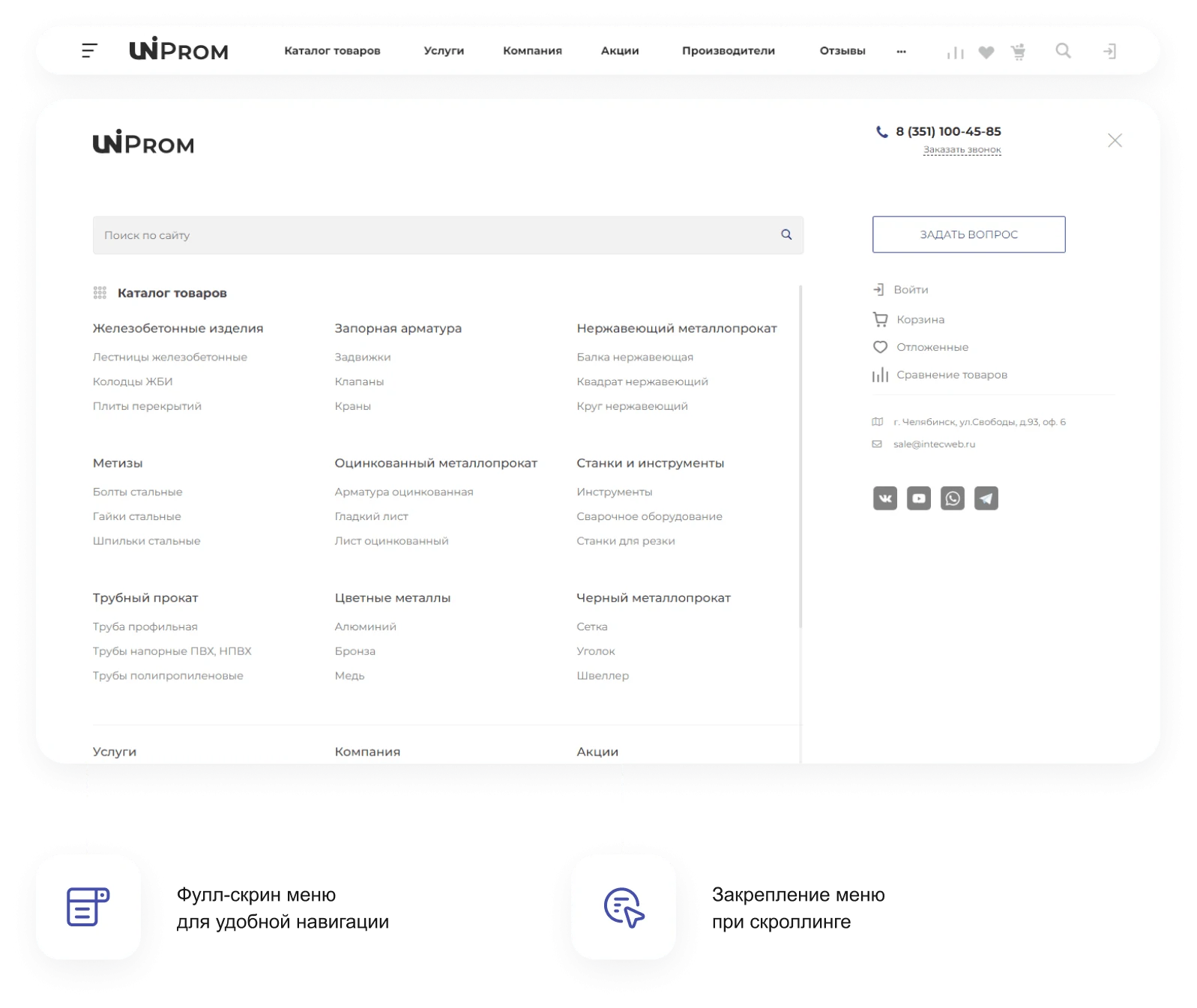
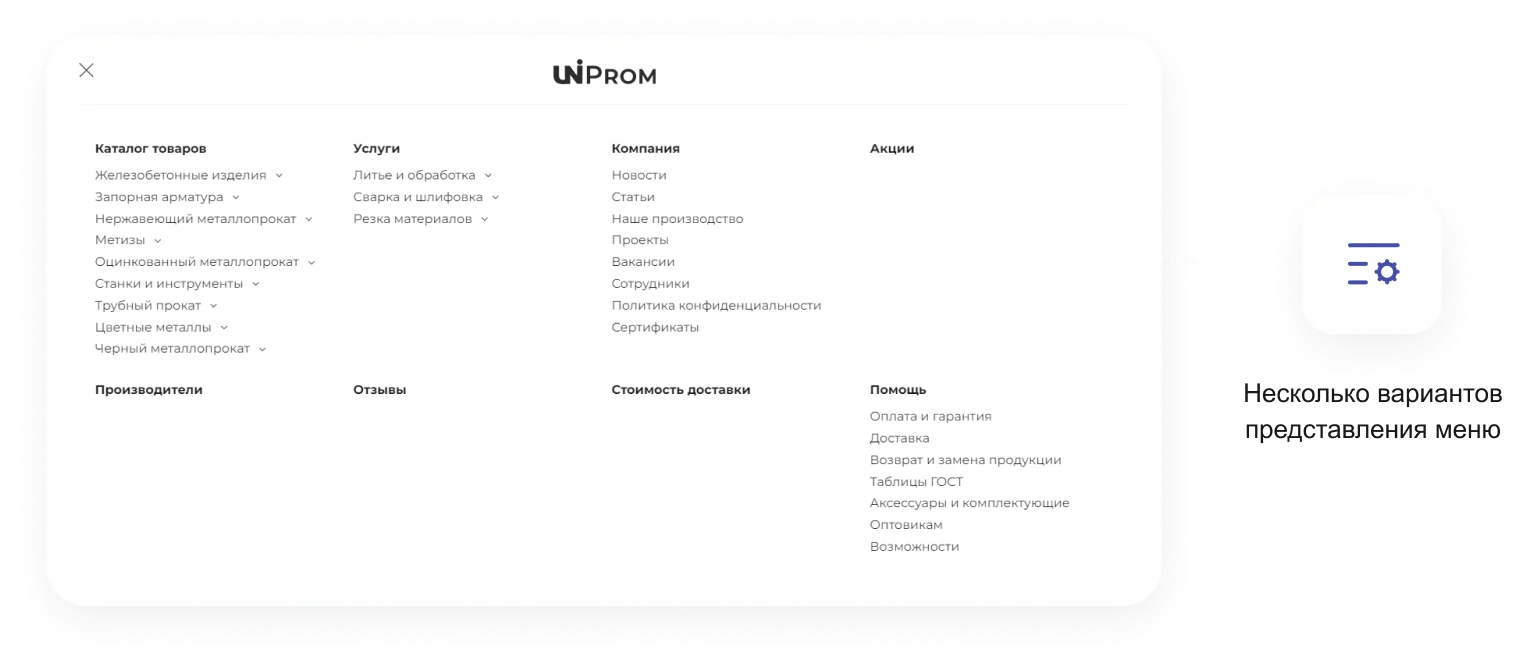
Main menu with configurable structure and content. The interface supports integration with a B2B cabinet and online store, providing convenient access to product catalogs and corporate features.
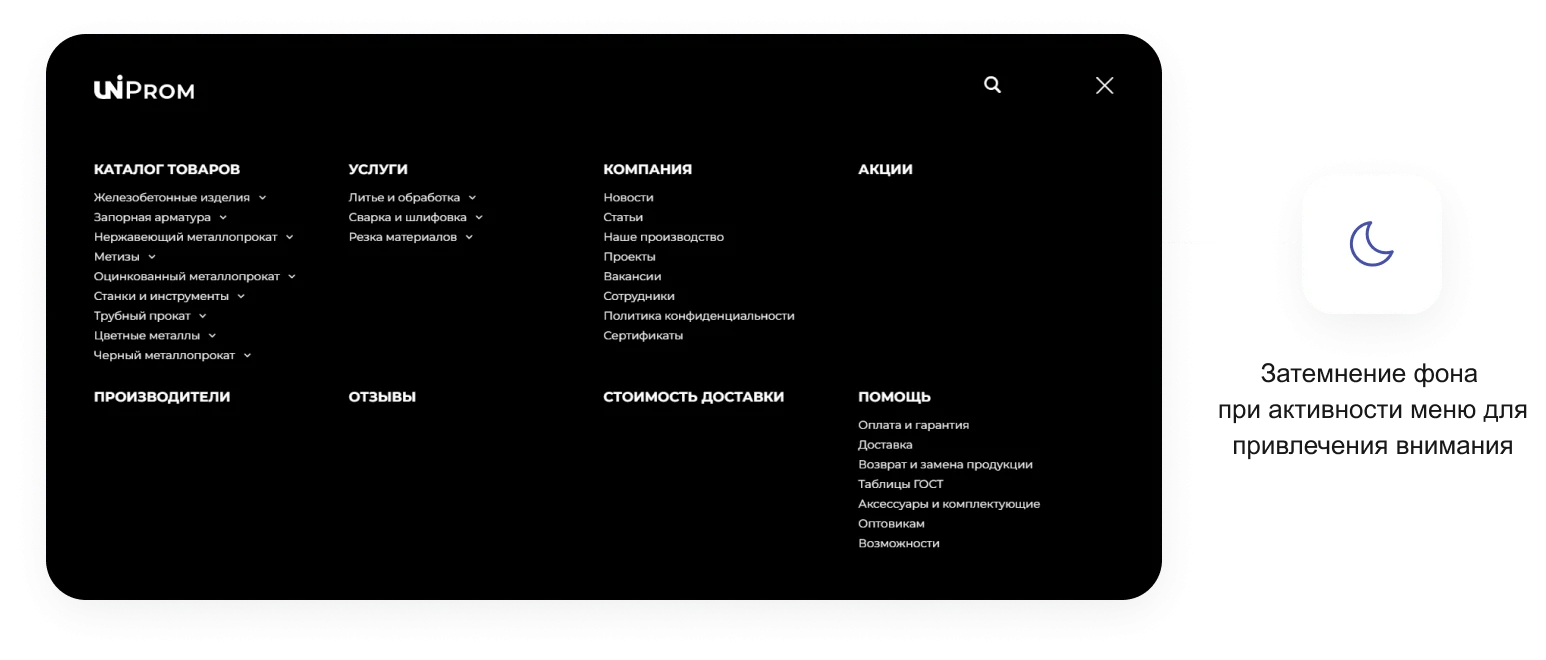
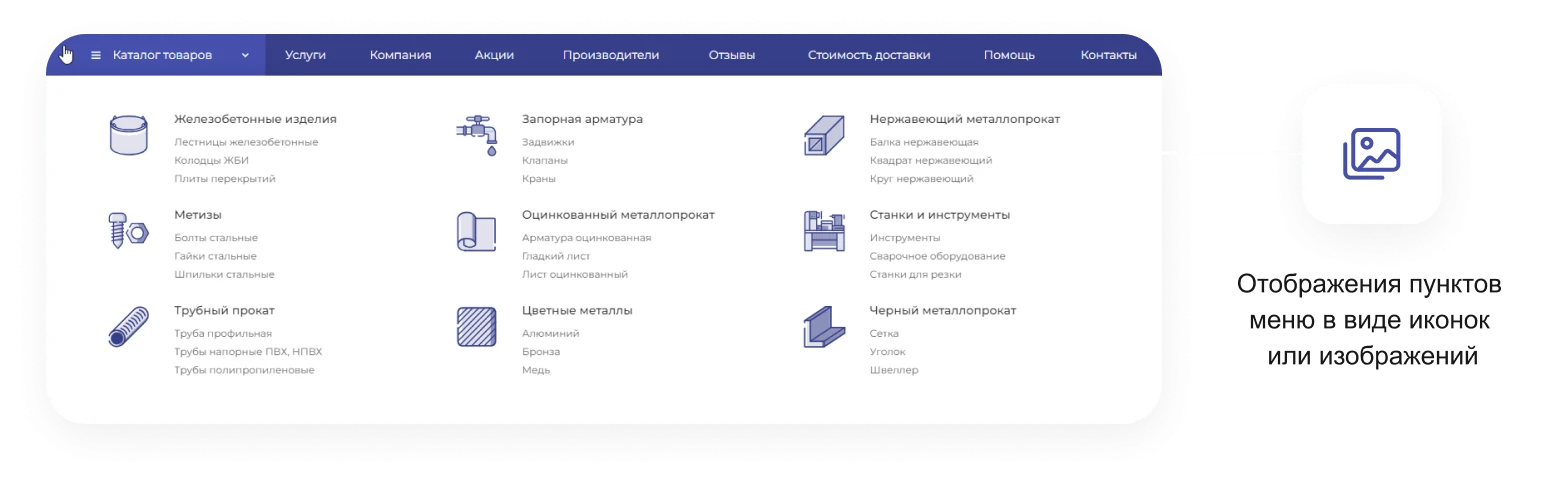
A full-screen menu provides convenient site navigation. The menu remains fixed at the top during page scrolling. When the menu is active, the background darkens to draw attention to the navigation items. Menu items can be displayed as icons or images.

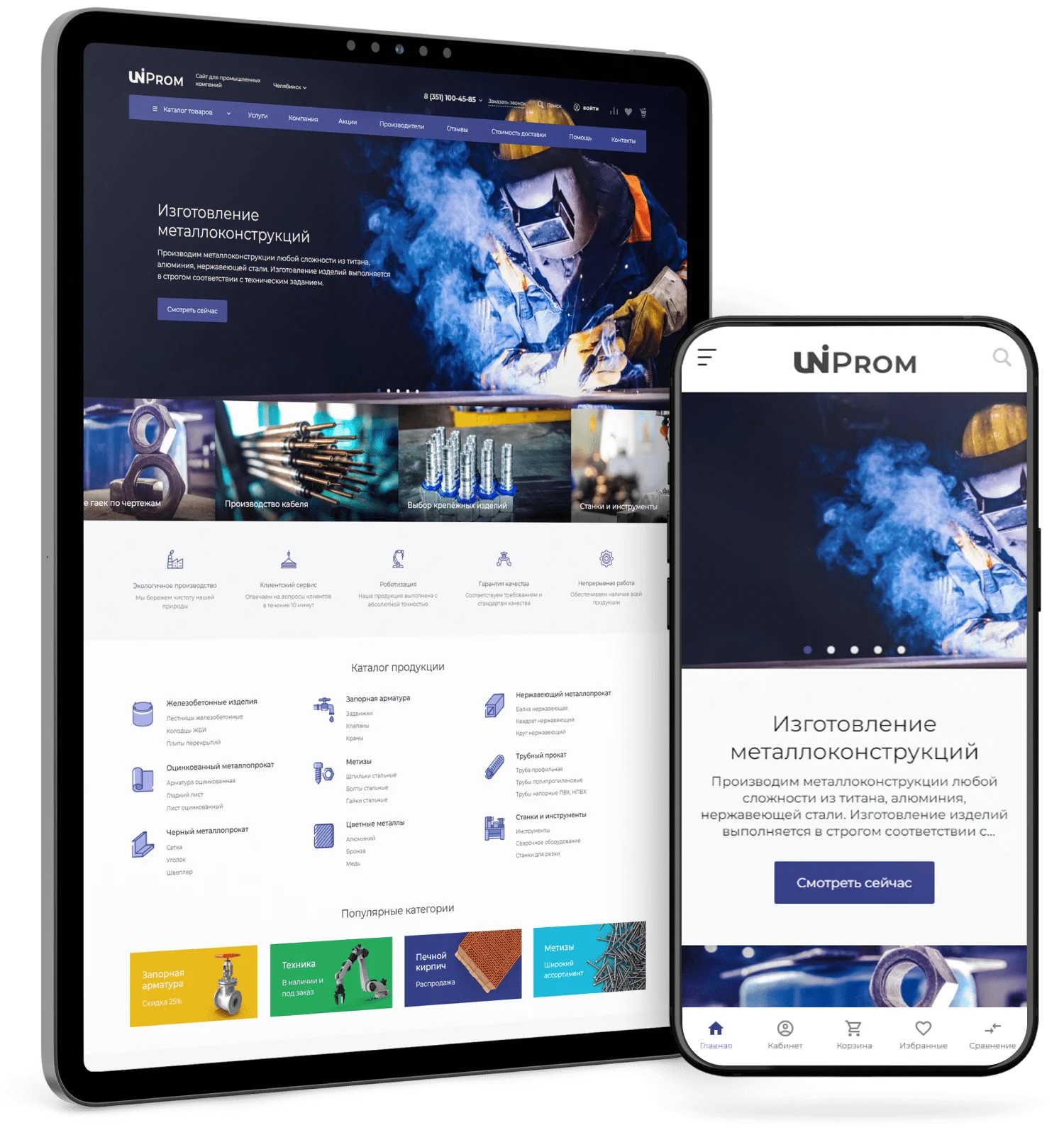
Responsive design ensures the site displays correctly on smartphones and tablets.
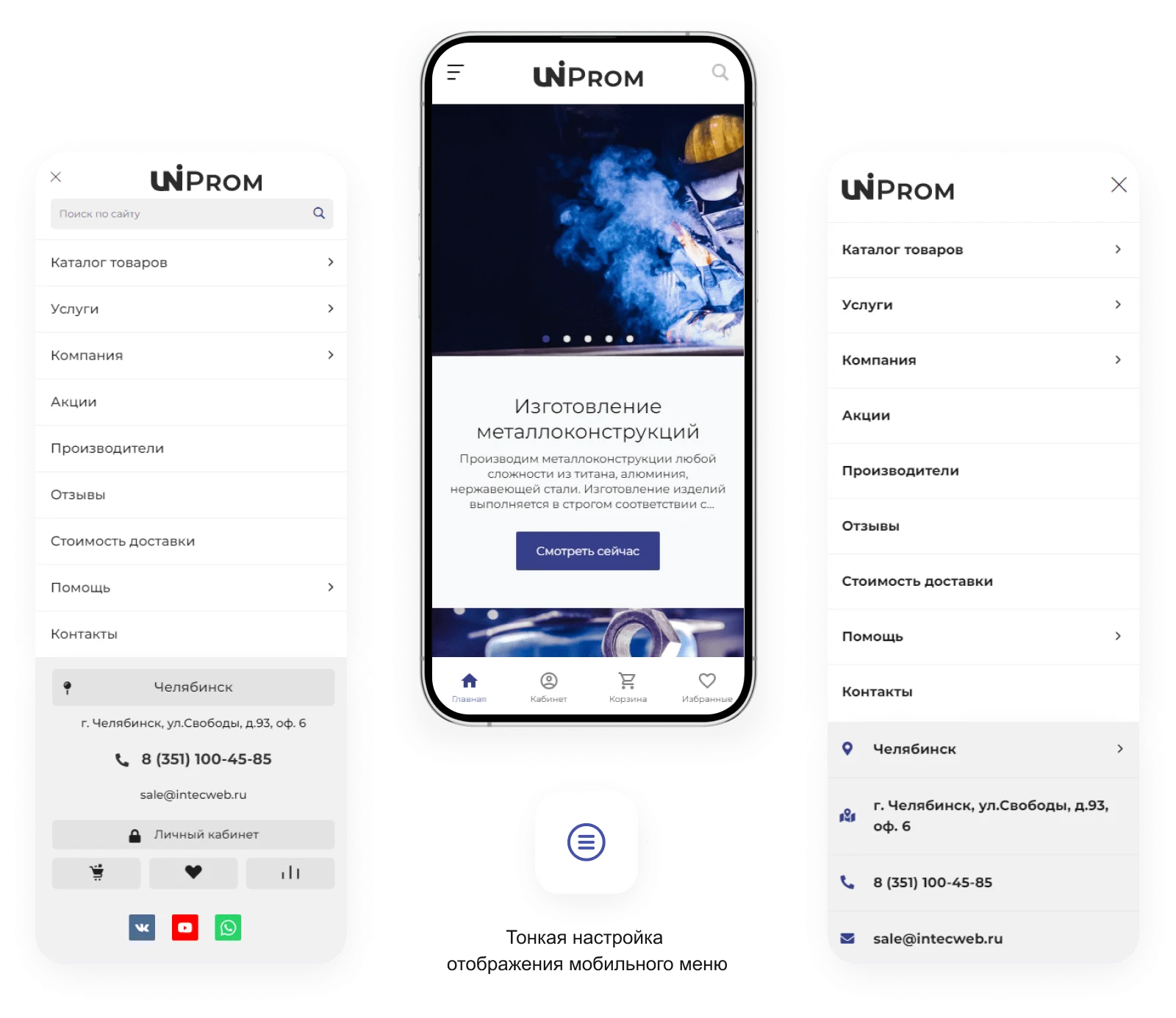
The INTEC.Prom template ensures full interface adaptability for correct display on screens of any resolution. The online store and B2B cabinet function correctly on desktops, tablets, and smartphones. The package includes several mobile version templates, allowing flexible design customization for specific devices. Users can select display options for individual blocks on specific pages. The solution also supports adjusting the maximum site width to optimize viewing on both large monitors and small screens.
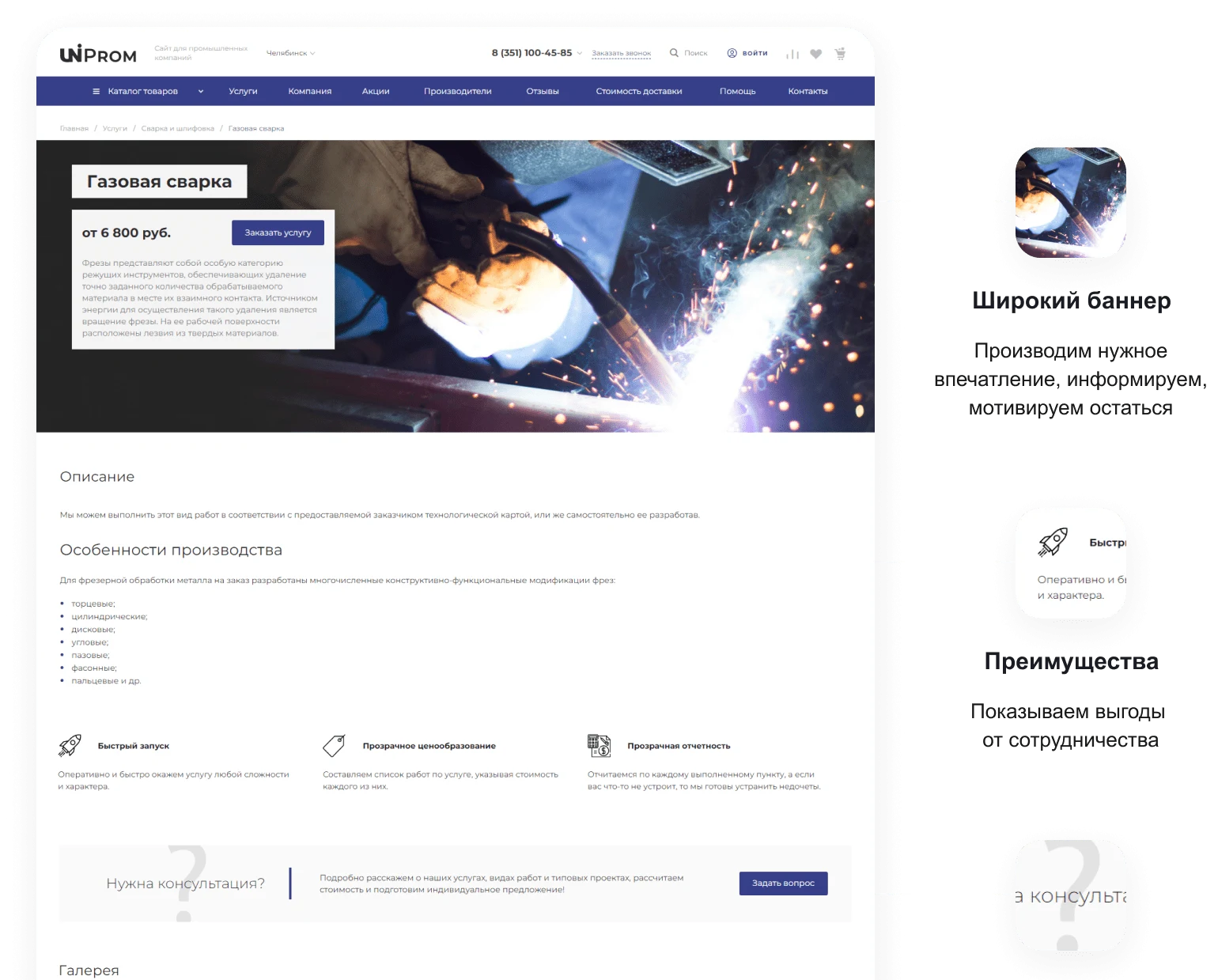
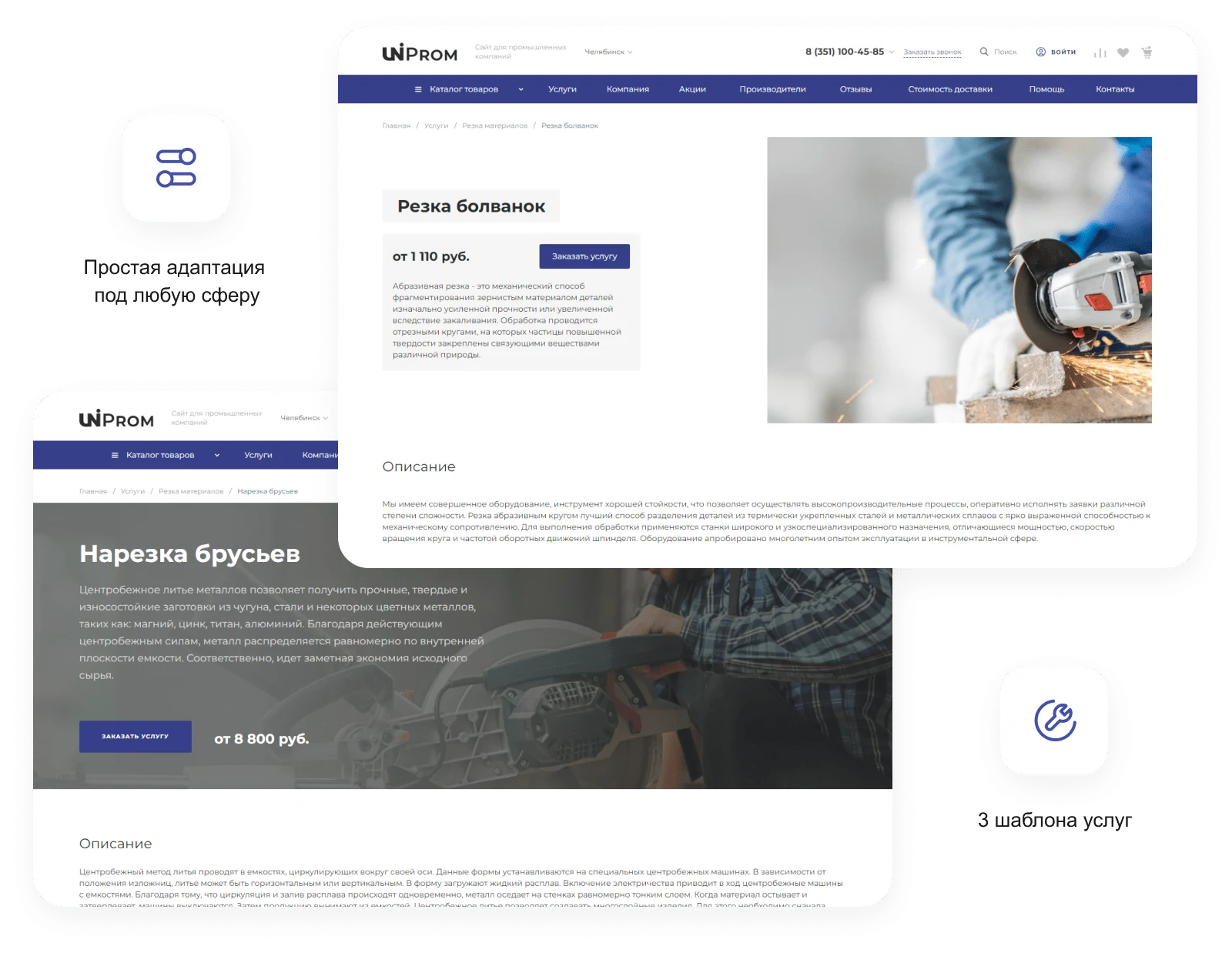
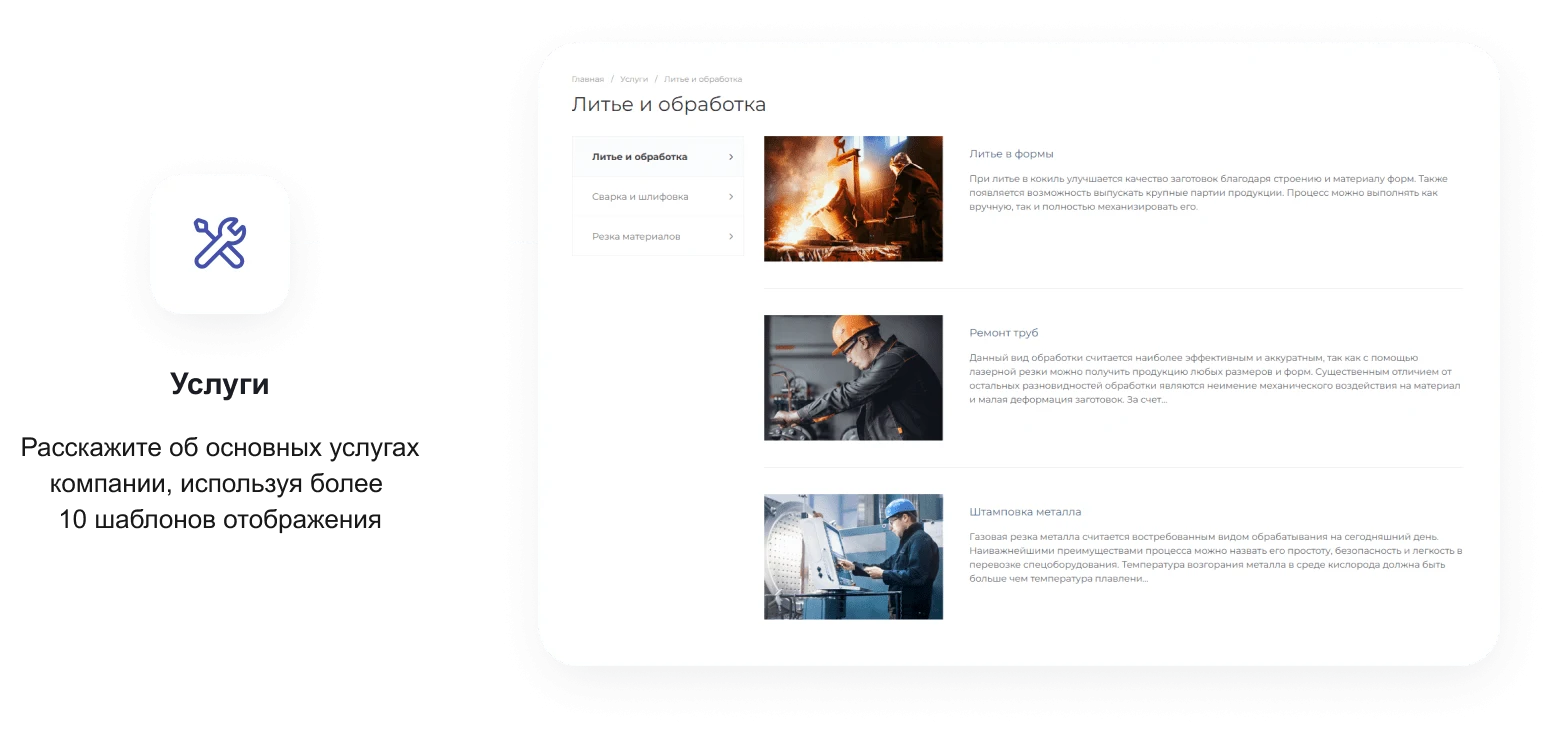
The service card is designed in the style of a Landing Page, featuring a clear structure and emphasis on key benefits.
Service cards created according to Landing Page standards enable effective presentation of offerings and increase website conversion. The solution combines the informativeness and usability of a traditional corporate website with the marketing efficiency of landing pages.
Multi-regional capabilities: opportunities for scaling
Expand your company's presence in regions and open new branches without the need to create multiple separate websites. Configure unique meta tags for each direction to ensure project promotion across 50–100 regions.
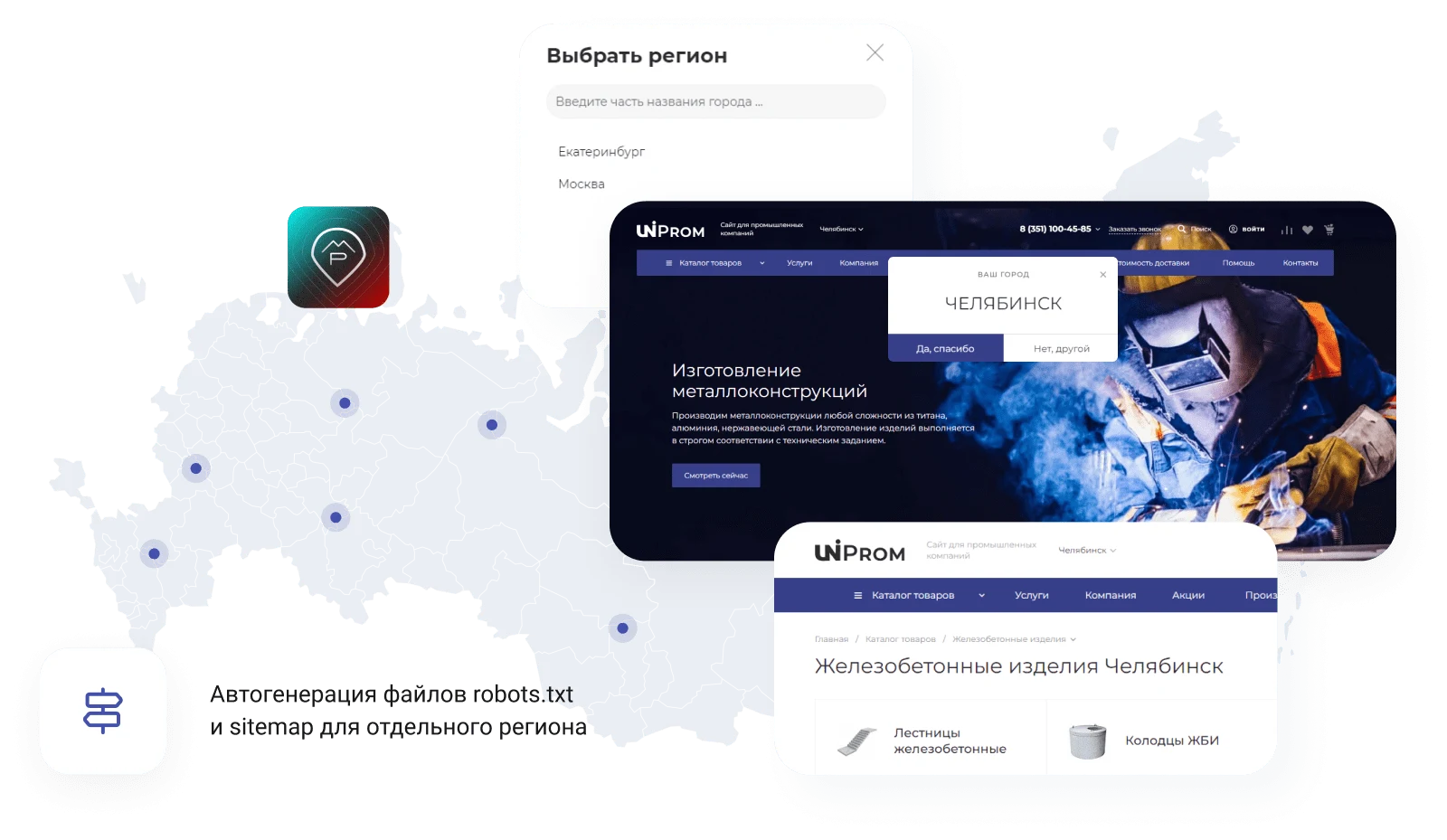
For online stores delivering across Russia, the INTEC: Multiregionality module is available. It displays region-specific information to users based on their location. The module supports dynamic replacement of prices and warehouse stock levels, as well as the ability to show different product catalogs for different regions.
The module enables the generation of unique page titles and meta tags for each city, such as 'televisions in Chelyabinsk' or 'televisions in Ryazan'. This allows for detailed SEO optimization of pages targeting specific locations. City name substitution in titles and text content is implemented using macros. Additionally, a unique sitemap and robots.txt file are automatically generated for each region.
Multi-regional promotion enables efficient scaling of business processes across multiple regions. The INTEC.Prom template tools provide centralized management of content and catalogs for wholesale companies and industrial enterprises. The B2B cabinet and online store adapt to the specifics of operations in different geographic zones without the need to create separate websites.
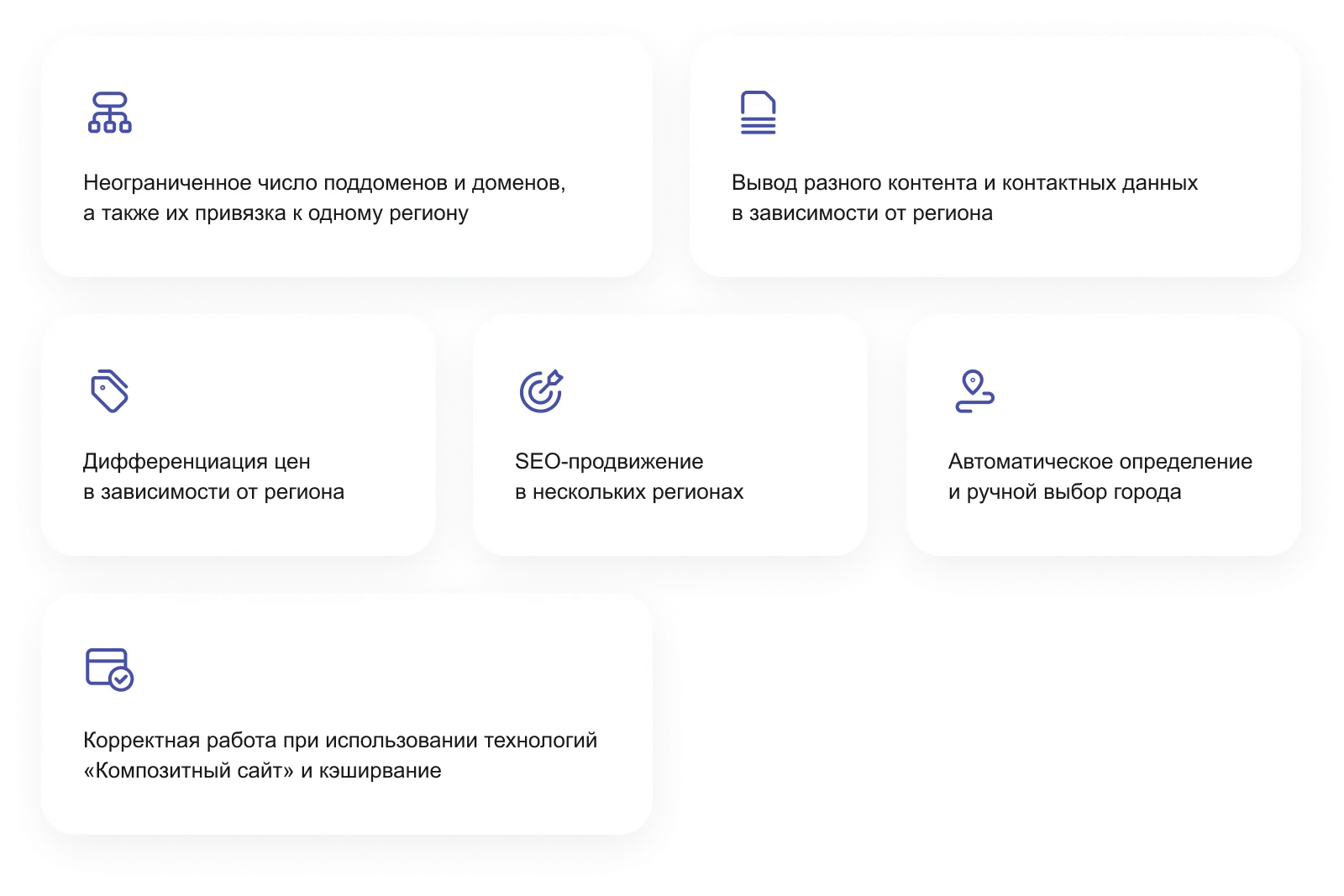
Template for creating a website for an industrial company and wholesale supplier. The solution features a built-in online store and a B2B client cabinet. It is designed to automate sales and manage orders within the corporate segment.
Flexible discount system for wholesale clients
Configure price levels based on purchase volumes within a selected period. This allows automatically providing individual discounts to business partners or adjusting prices according to their activity, stimulating an increase in average order value.
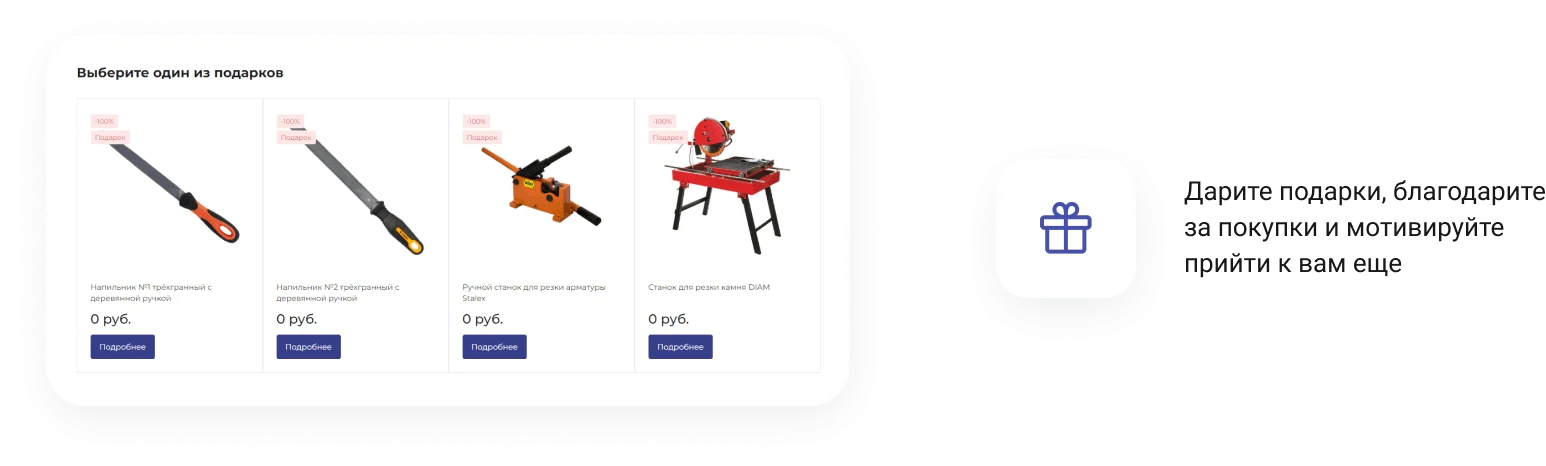
Gifts in the shopping cart
The automatic addition of gifts upon meeting specific conditions increases customer loyalty and encourages additional purchases. This is an effective tool for raising the average order value and retaining customers.
Integration with accounting systems
The template ensures seamless synchronization with 1C for updating prices, stock levels, and product availability. Data exchange can be configured on a schedule or in real-time and is completed in a few clicks. Support is provided for connecting to systems such as 'My Warehouse', 'Bitrix24', 'AmoCRM', 'retailCRM', and other external services.

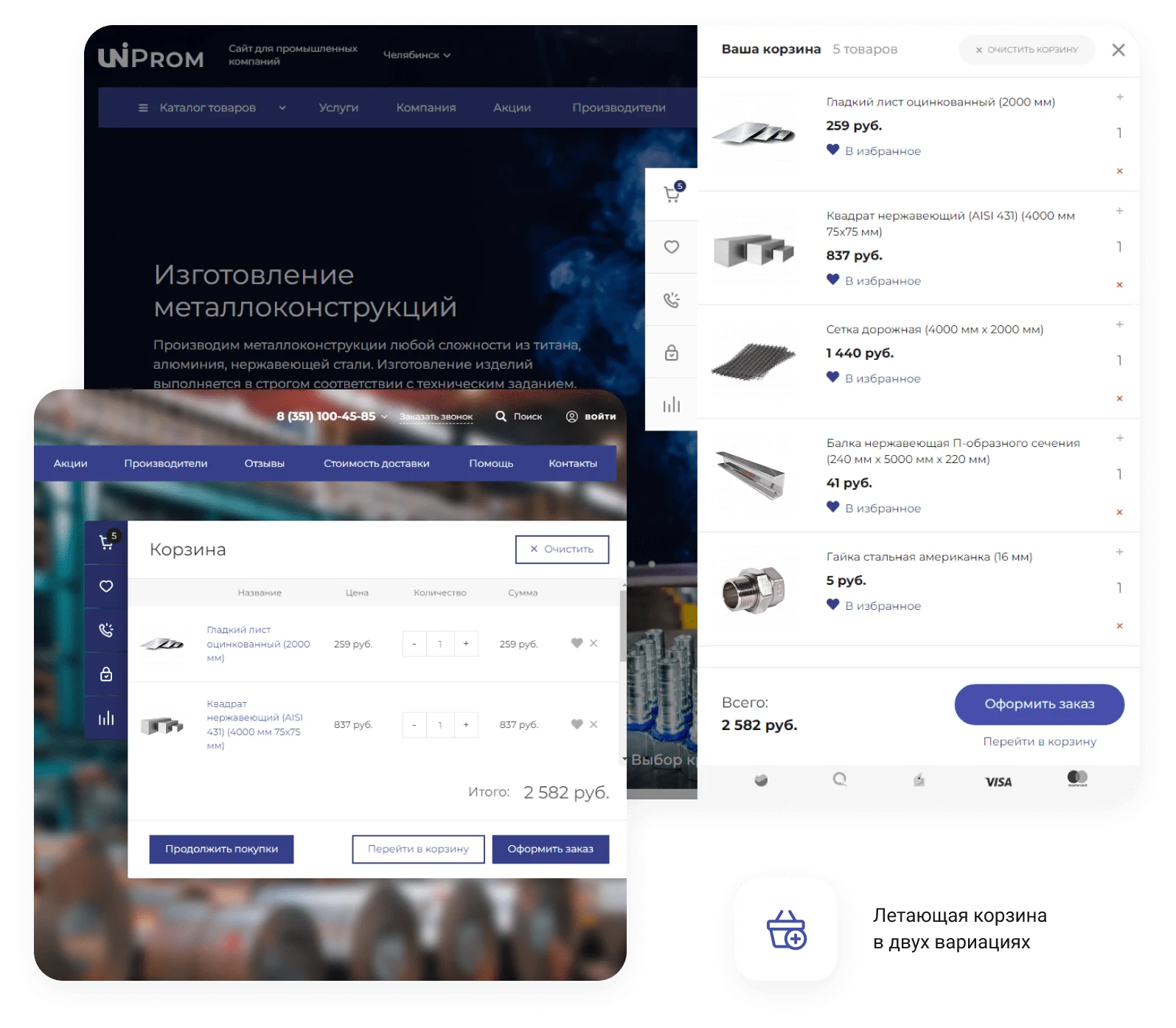
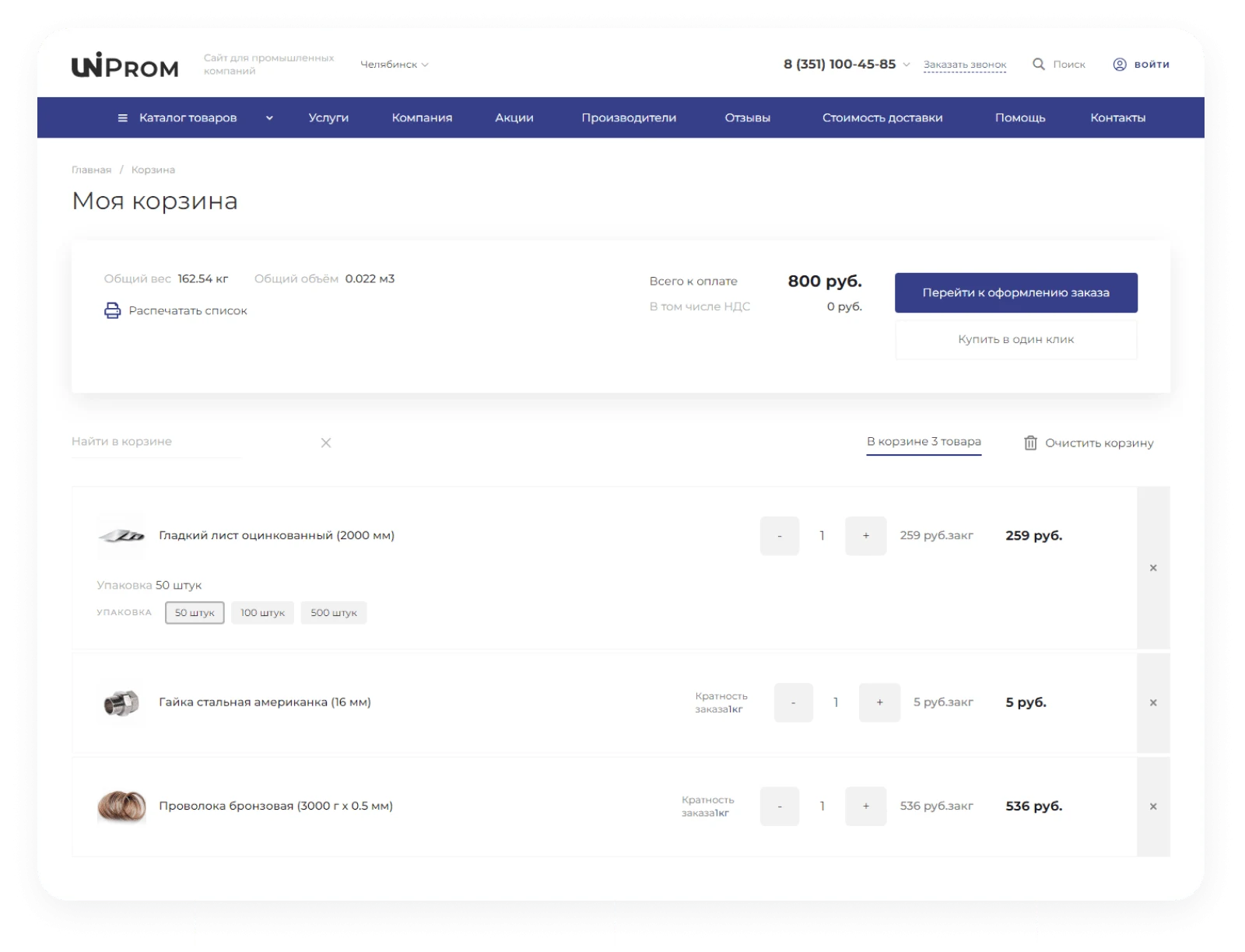
The shopping cart is fully responsive and displays correctly on any device, enabling purchases from desktops, tablets, or smartphones.



The product filter supports horizontal or vertical layout. Selected parameters are displayed compactly without overloading the page or disrupting its structure. Integration with the INTEC.seo module allows generating a unique URL and page title for each filter combination. This enables attracting visitors by displaying catalog pages for low-frequency search queries in search engine results.
The module automates routine SEO processes. It includes an intelligent filter that creates independent pages for each product sorting group with individual metadata. Features include a metadata template editor for information blocks and listing element names, as well as an auto-text generator for section and product descriptions.
The INTEC.Prom template is designed for building websites of industrial companies and wholesale suppliers, featuring a B2B cabinet and an online store. The solution supports automatic page generation with unique titles, clean URLs, and meta tags based on defined masks. This enables the creation of thousands of additional pages for ranking on low-frequency search queries.
The module extends the standard functionality of the 1C-Bitrix platform by providing a flexible metadata template engine for information blocks. Users can select specific sections and mass-create metadata templates for them, simplifying and accelerating meta tag management.
Flexible element name templates allow for mass replacement of item names on listing pages using the template engine. This increases keyword density in listings while keeping the H1 tag unchanged.
The built-in text auto-generator creates descriptions for information blocks, sections, and items based on templates. Users create text templates using available masks, operators, and macros to generate numerous unique texts for sections and items.
The INTEC.Prom template is designed for building websites for industrial enterprises and wholesale suppliers. The solution includes e-commerce functionality and a personal cabinet for managing B2B clients. Compatibility and technical specifications depend on the specific template version.
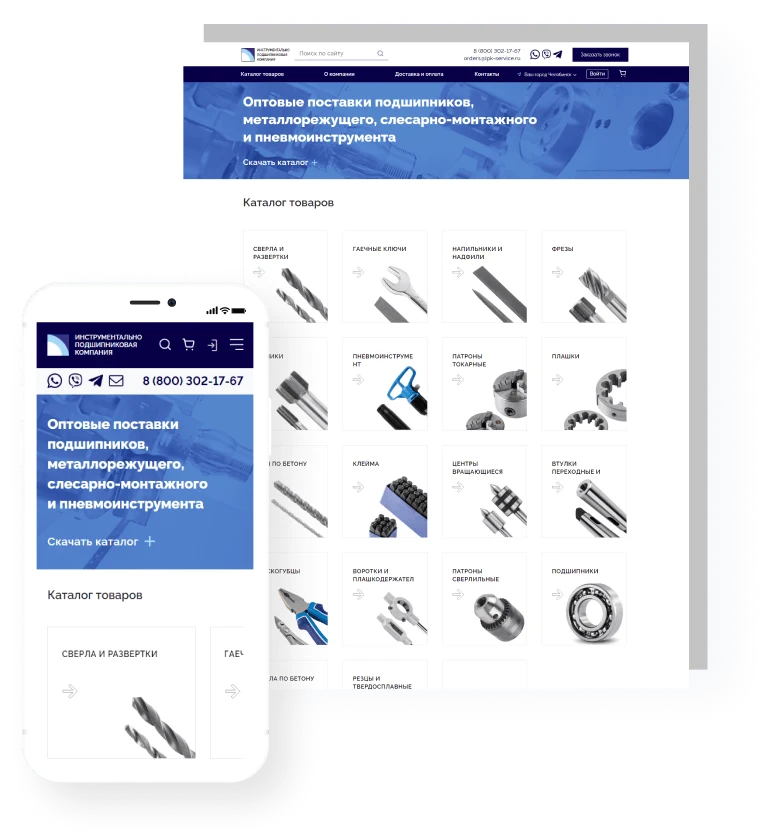
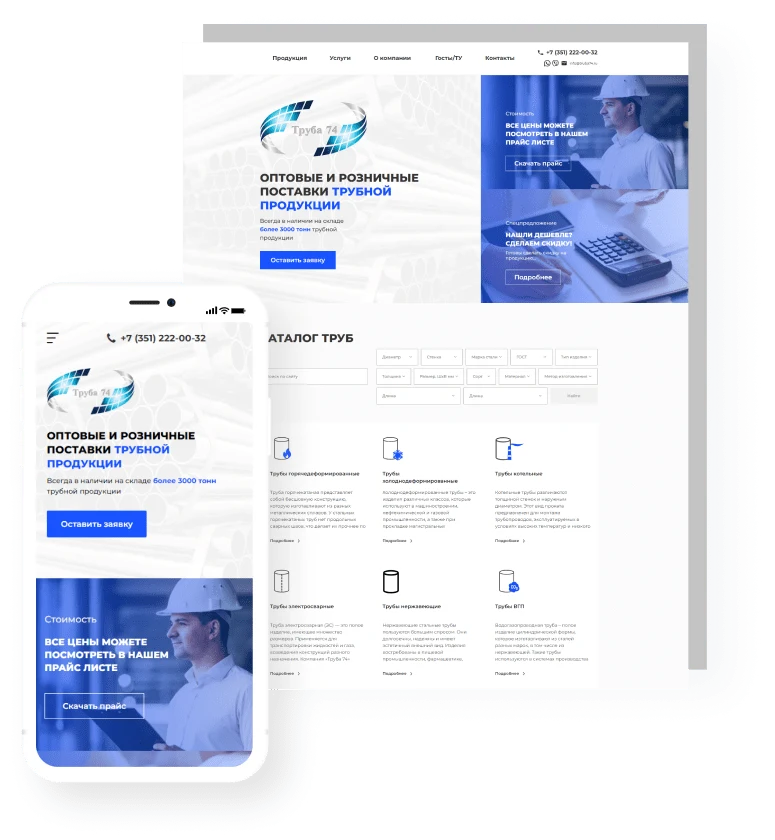
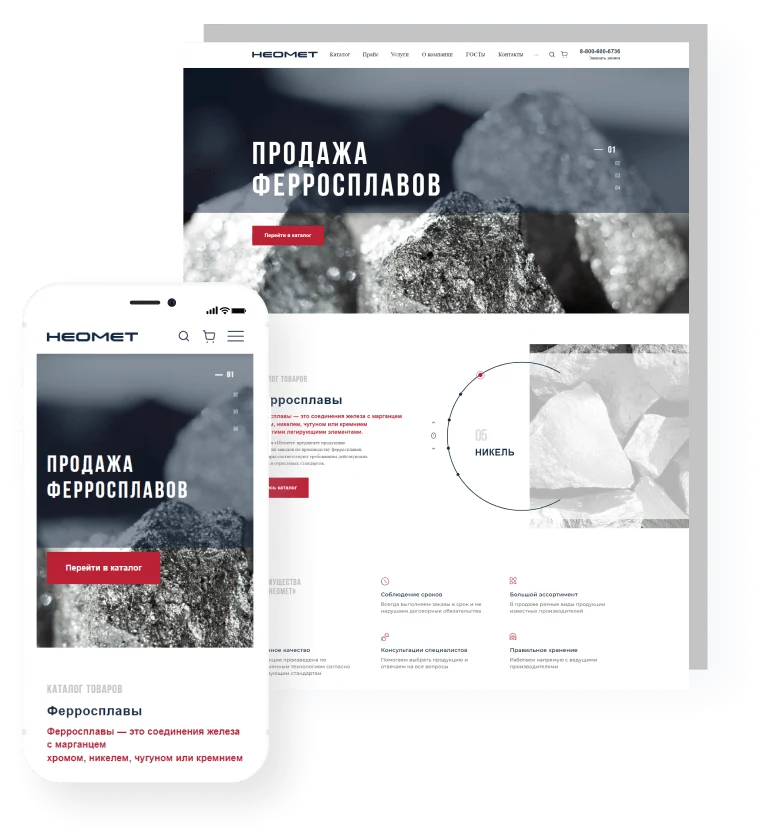
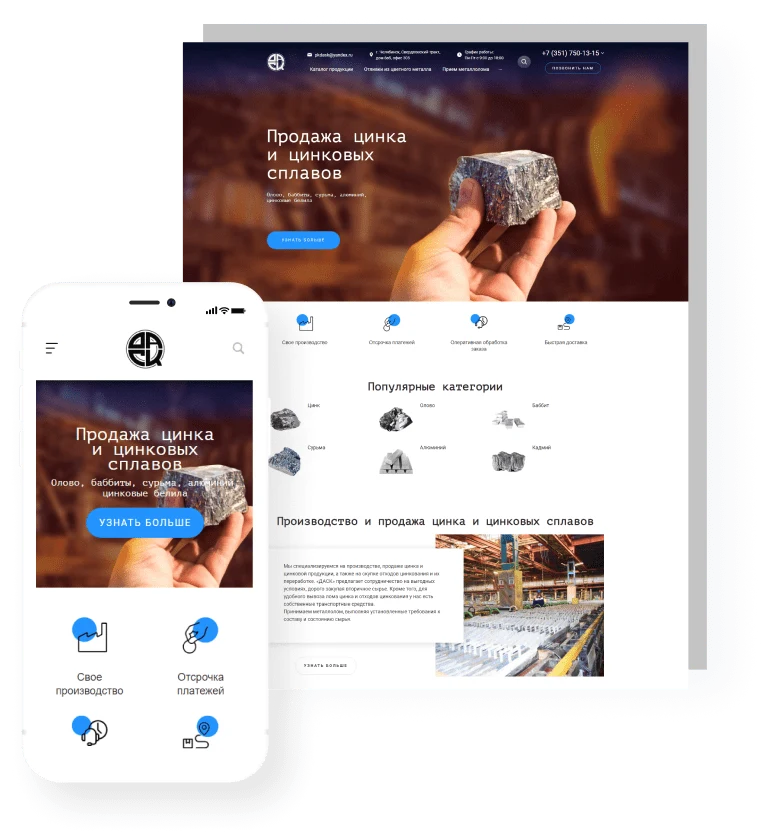
The INTEC.Prom template is designed for building websites for industrial companies and wholesale suppliers. The solution includes a B2B cabinet and an online store. It is suitable for industries such as metal rolling, pipe rolling, construction materials, industrial equipment, valves, special machinery, and spare parts.

Extensive options for customizing the site's appearance. The design can be flexibly adapted to meet the requirements of an industrial company and wholesale supplier while maintaining the functionality of the B2B cabinet and online store.
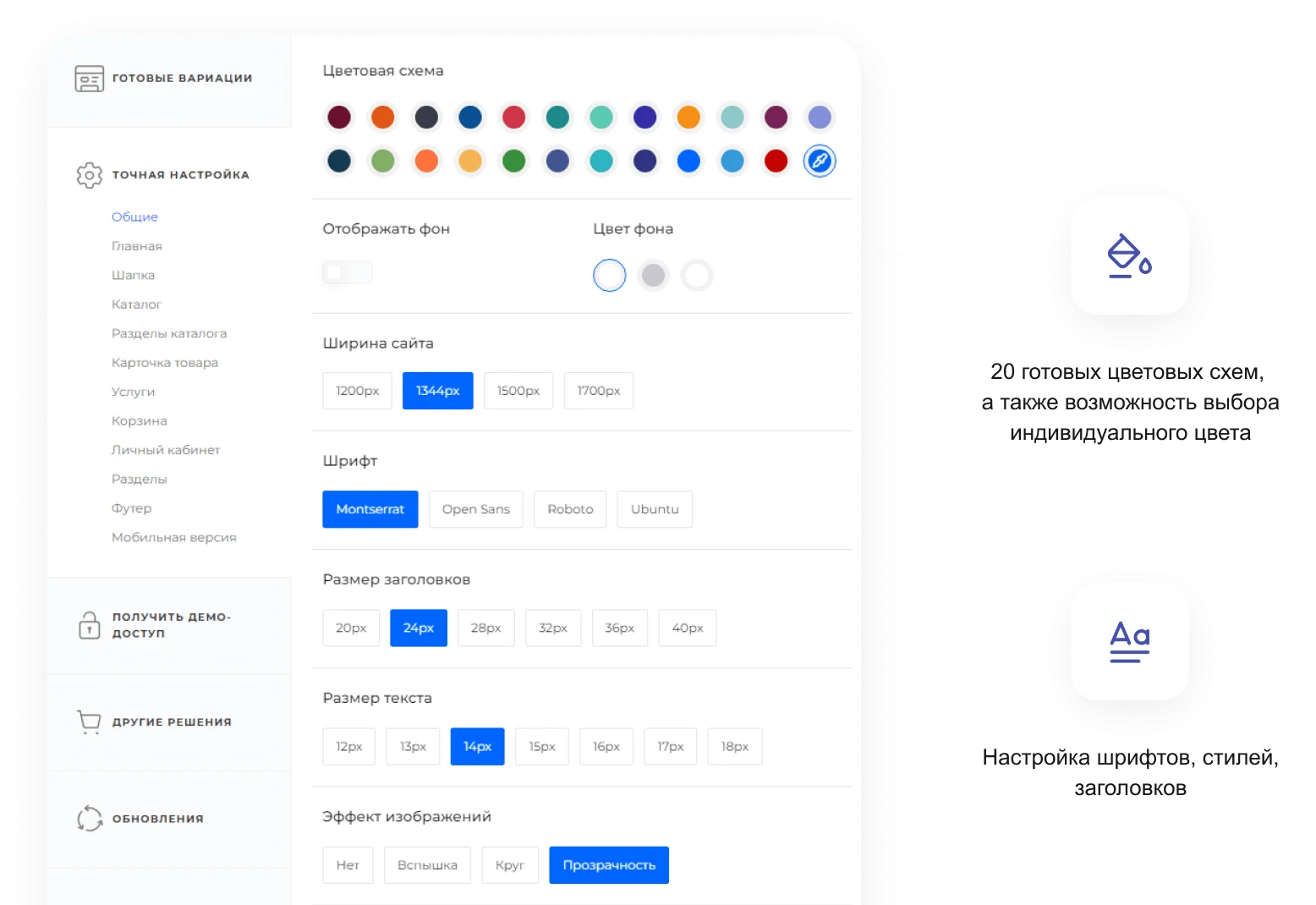
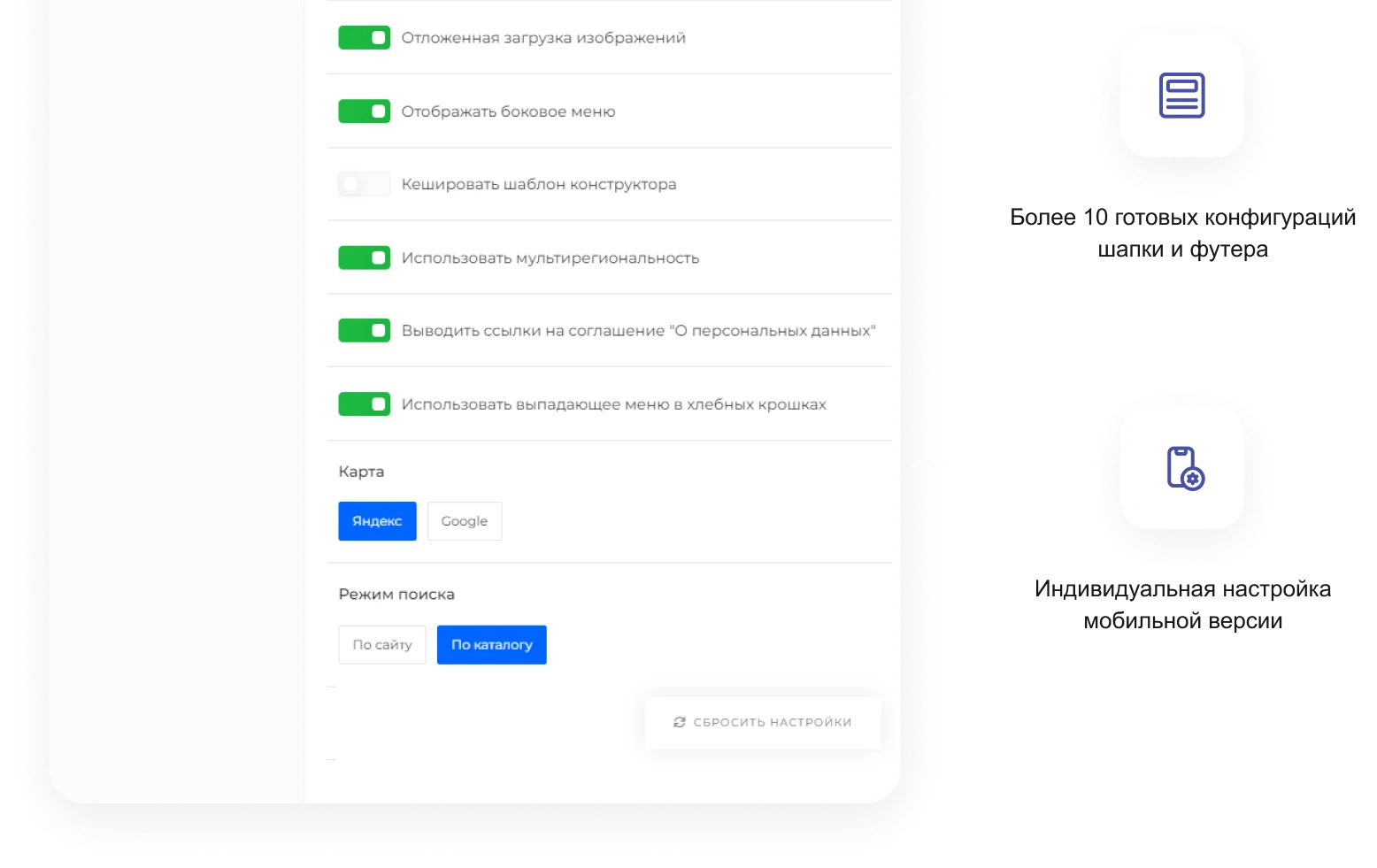
INTEC.Prom is a template designed for building websites for industrial companies and wholesale suppliers. The solution includes a built-in B2B cabinet and an online store. The template package contains over 50 ready-made blocks to address various business tasks.
INTEC.Prom is a template for building websites for industrial companies and wholesale suppliers, featuring a B2B cabinet and an online store. The package includes ready-made lead forms, banners, and content sections to enable rapid deployment. The solution adheres to current UX standards and can be easily customized for various themes.
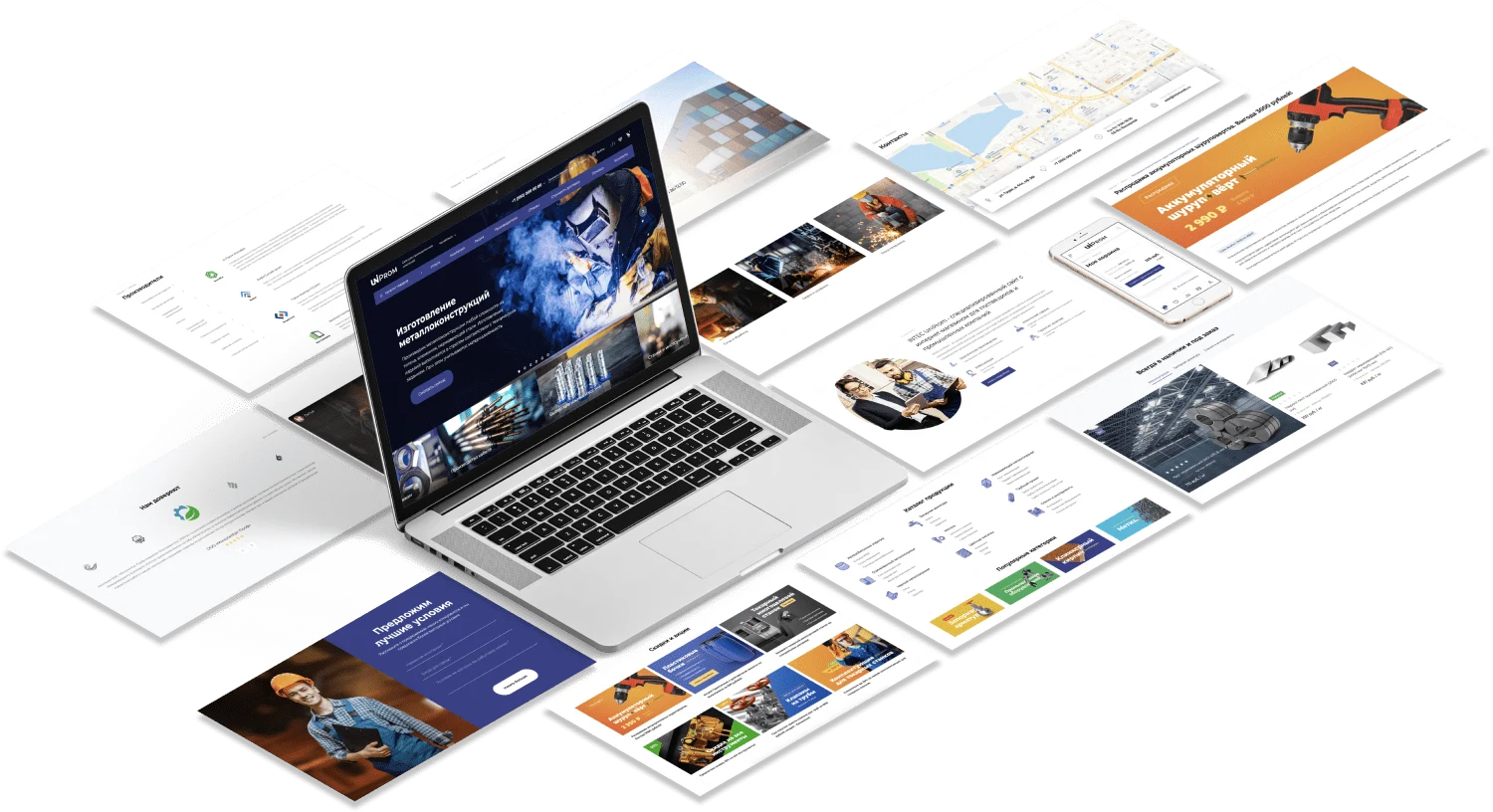
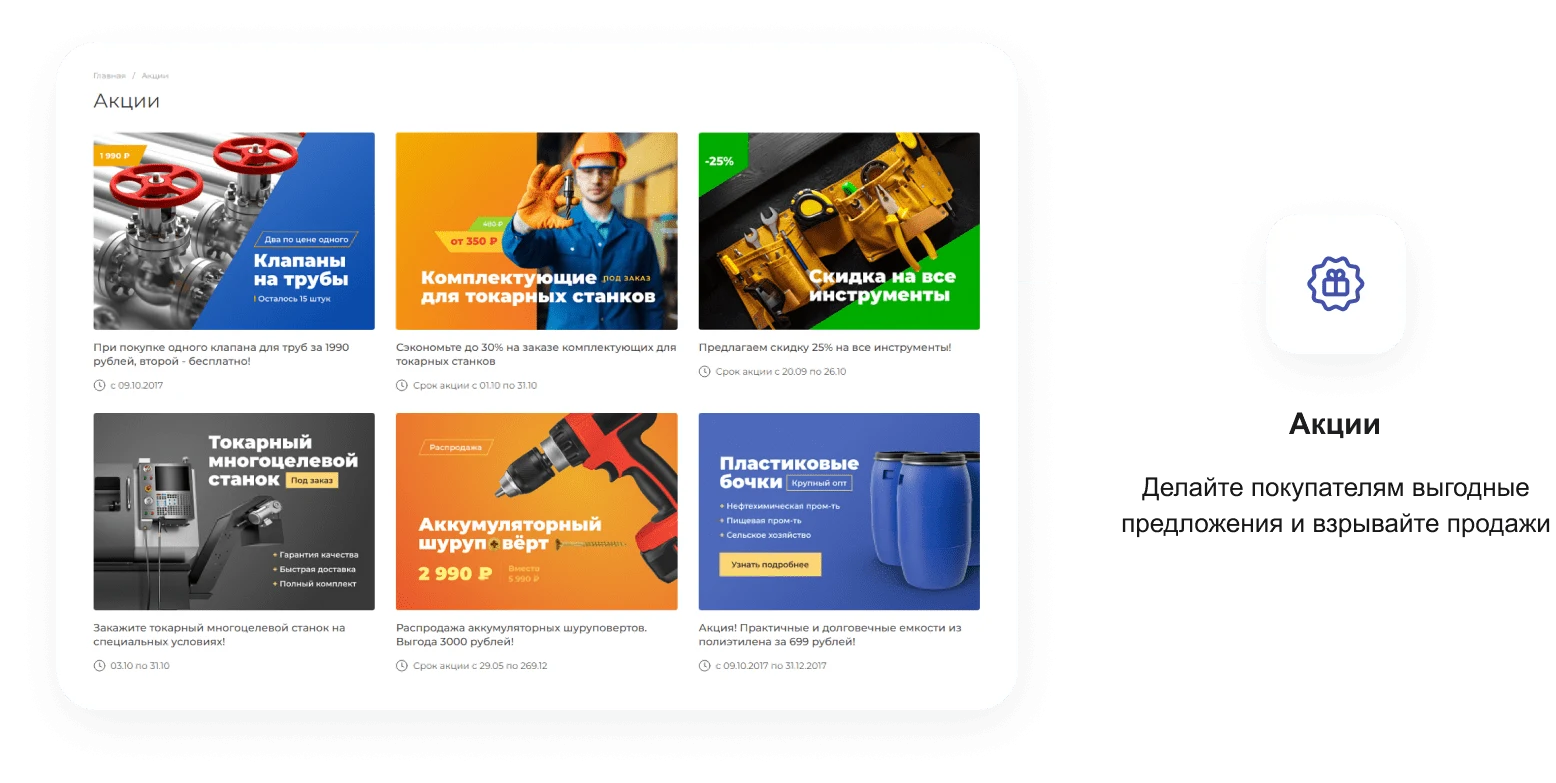
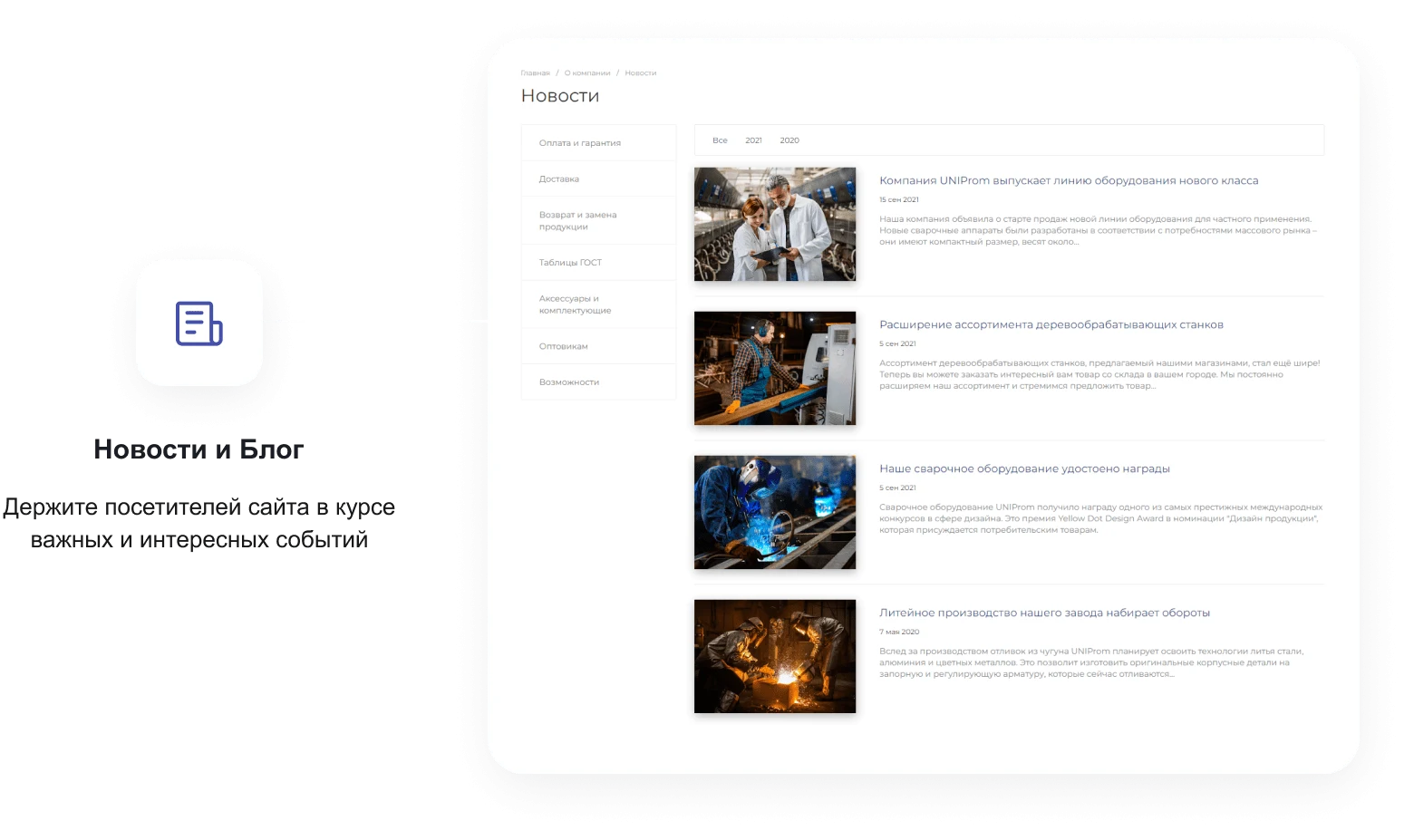
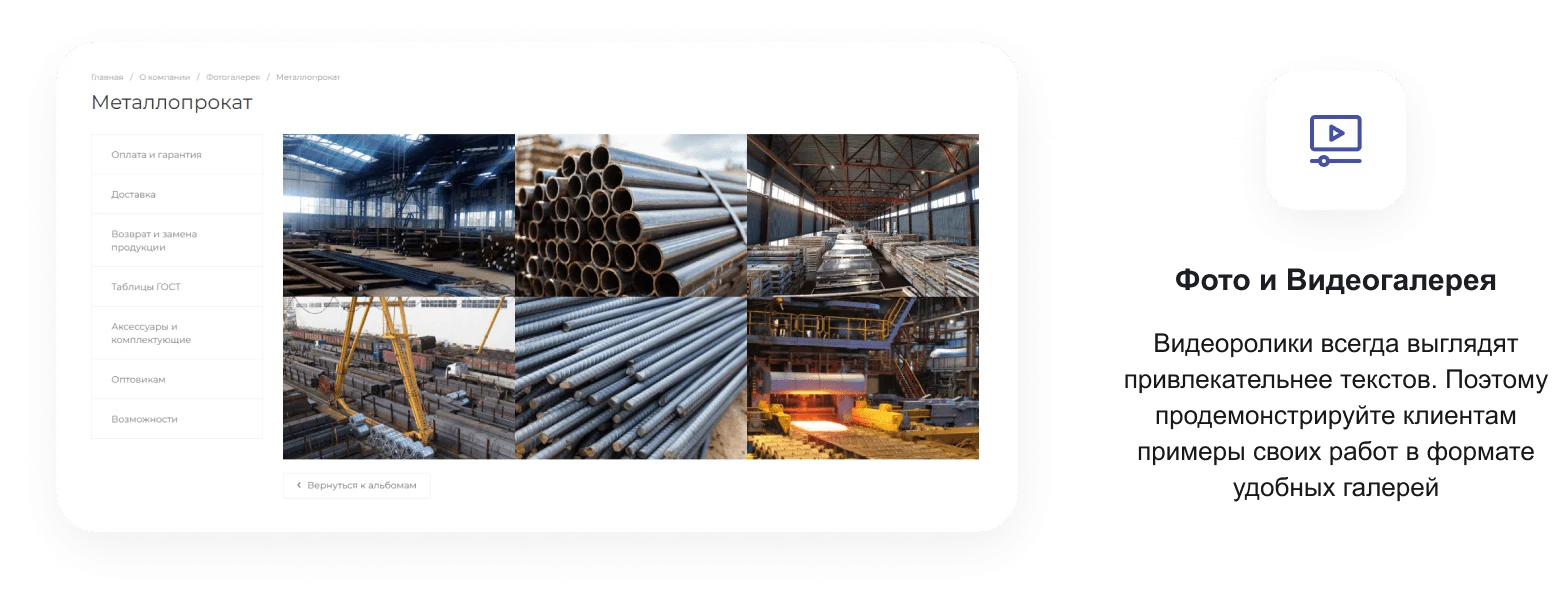
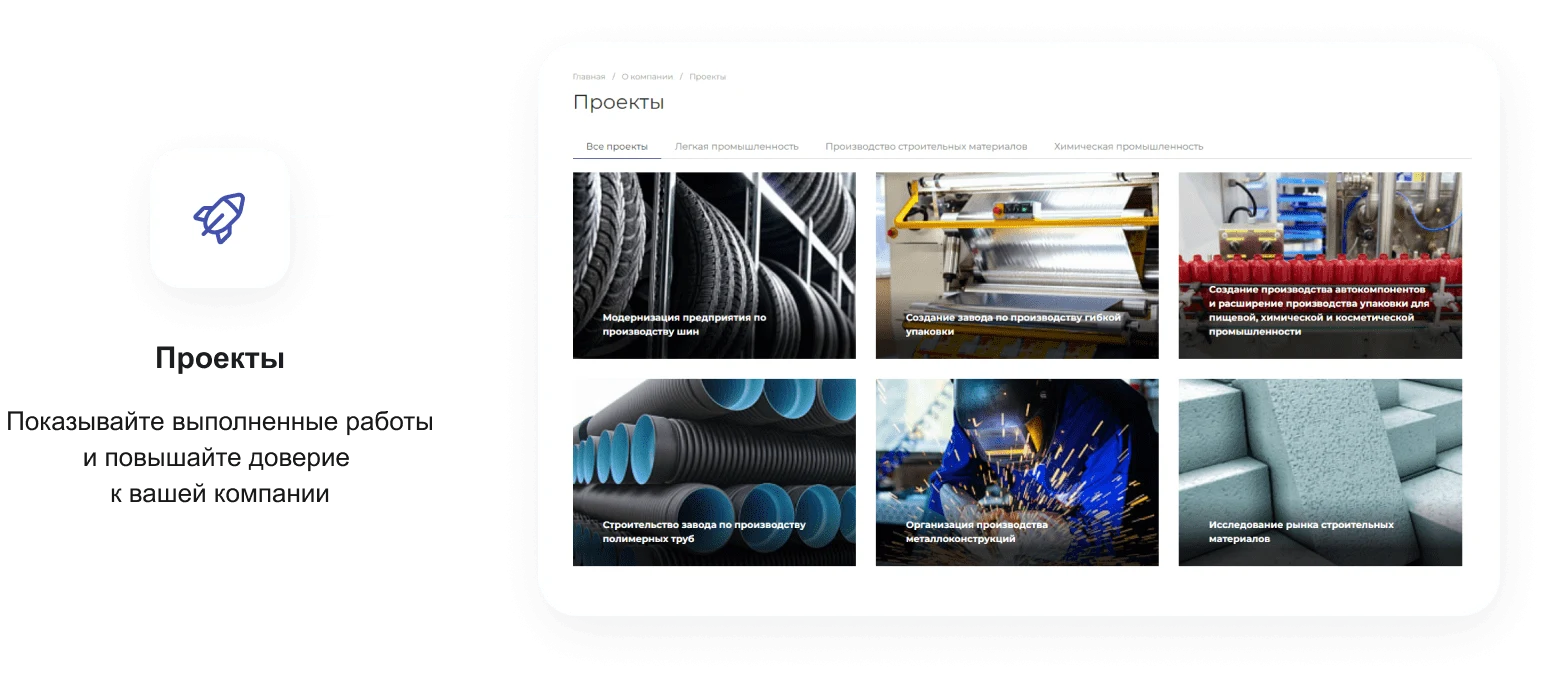
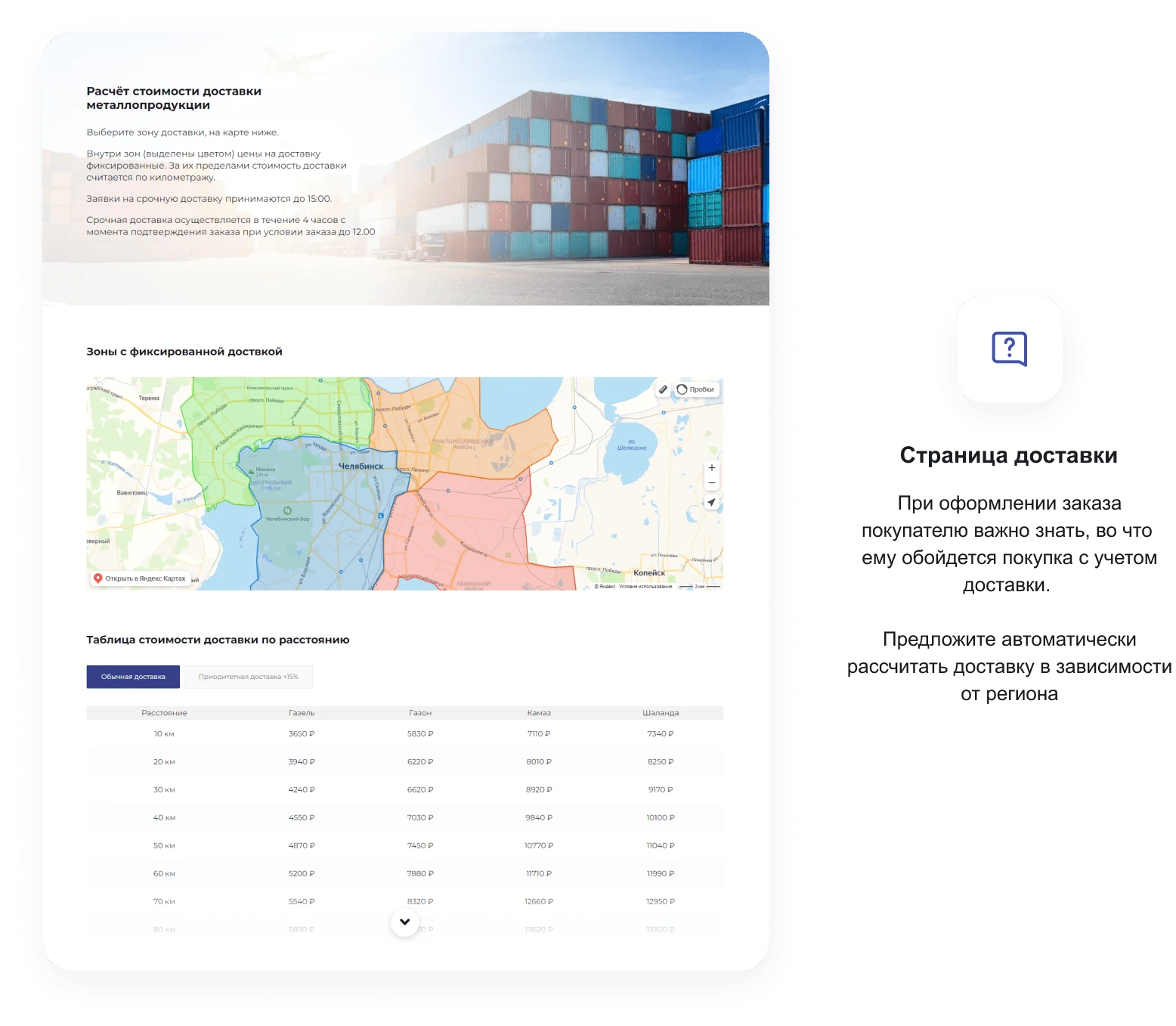
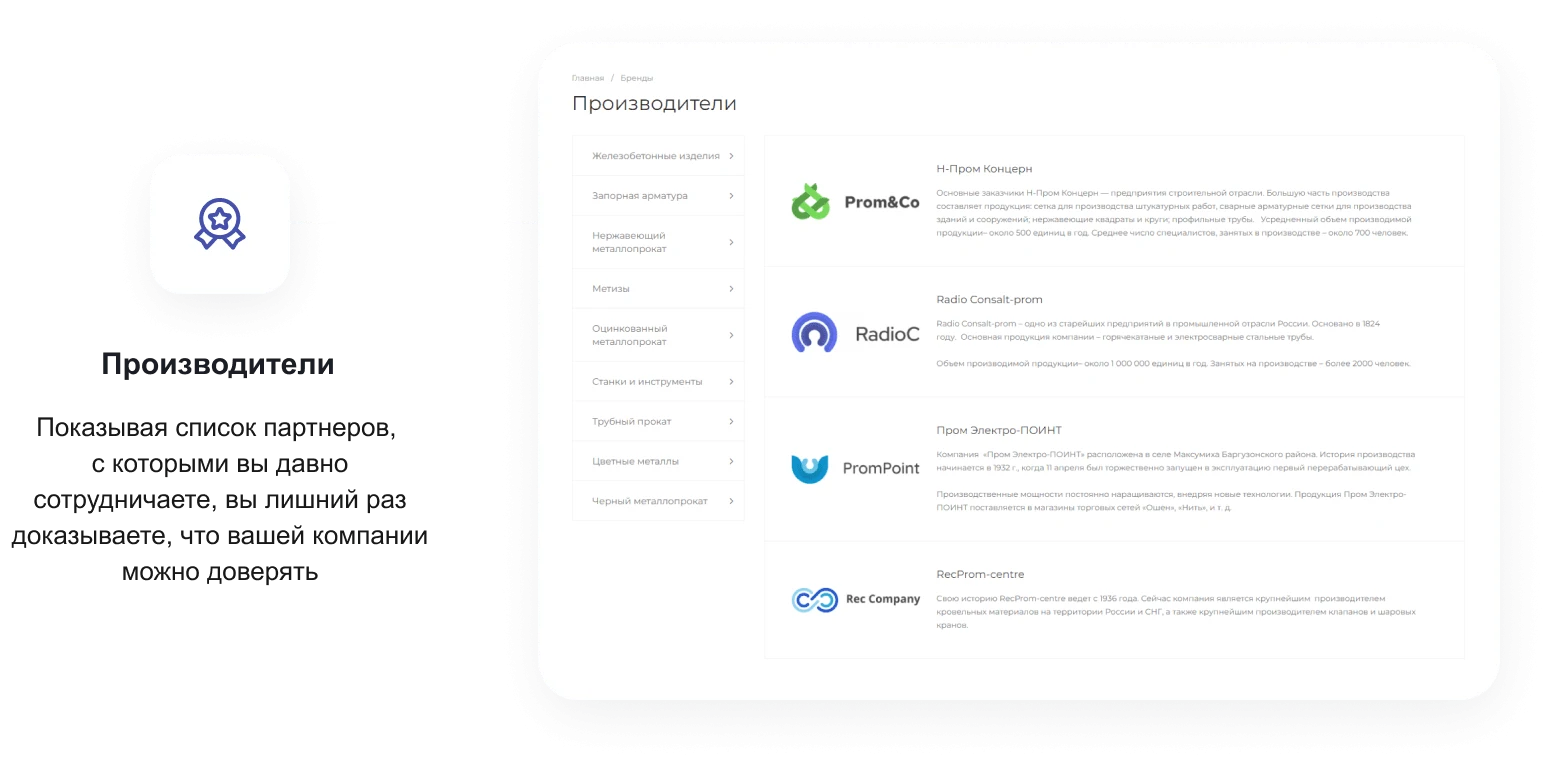
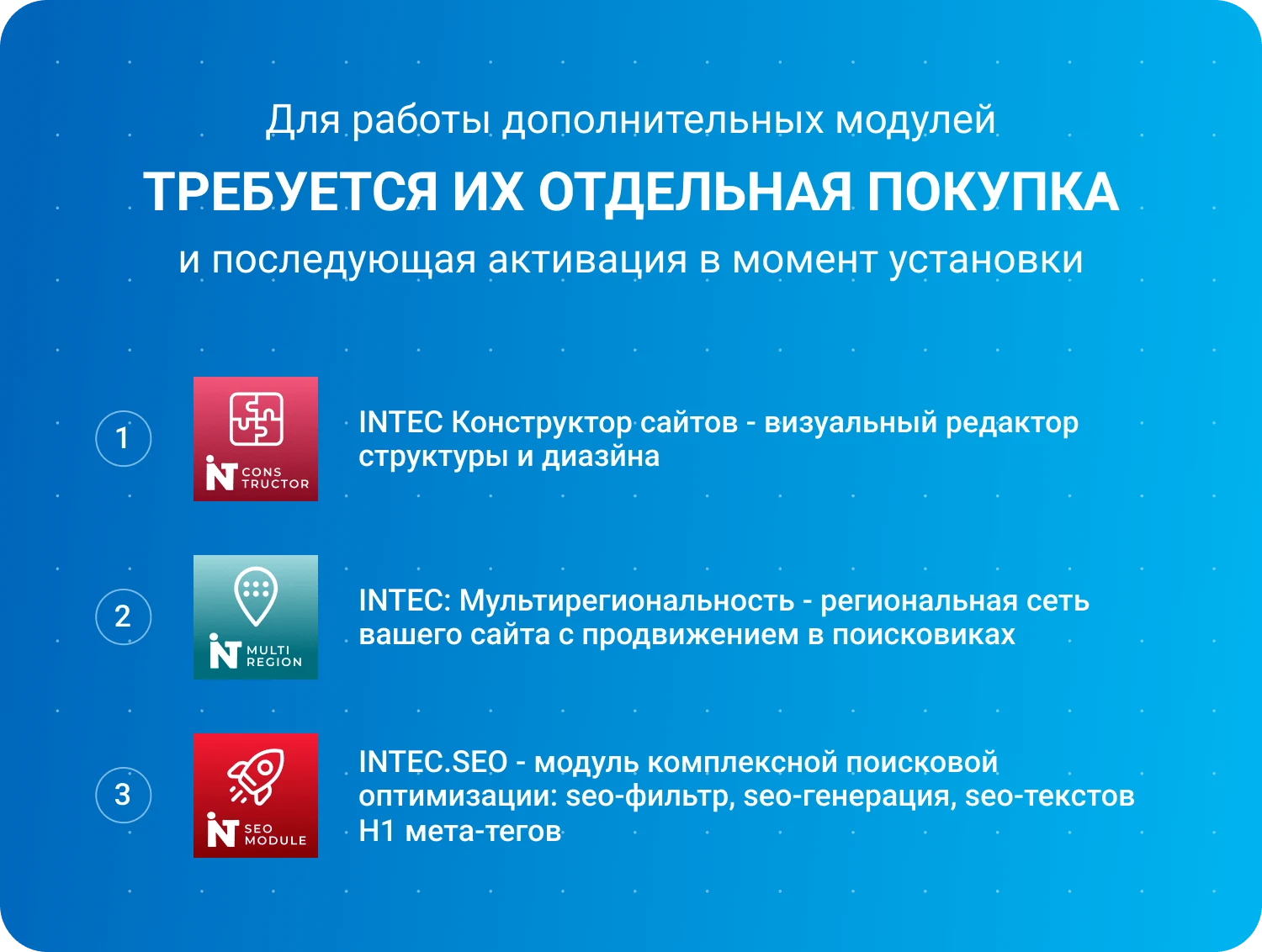
The INTEC.Prom template is designed for building websites for industrial companies and wholesale suppliers. The solution supports B2B cabinet and online store functionality. It includes a site design and structure builder, a multi-regional module for creating a regional network with search engine promotion support, and the INTEC.seo module for comprehensive optimization. The INTEC.seo module tools enable the generation of SEO texts, creation of meta tags, and filtering of H1 headings.

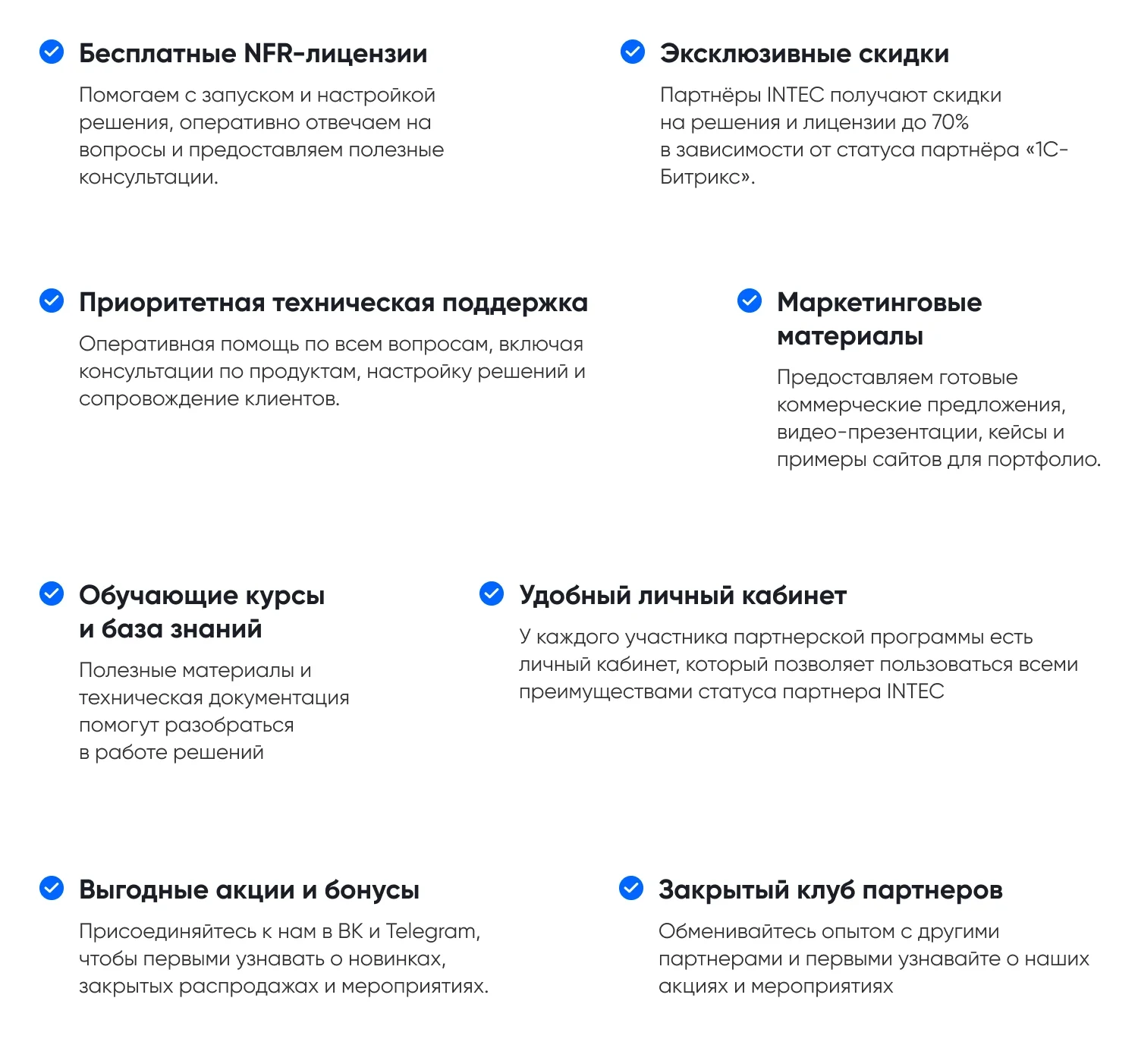

For detailed information about the partner program, visit partners.intecweb.ru.


The INTEC.Prom template is designed for building corporate websites and online stores for industrial companies and wholesale suppliers, featuring a B2B client cabinet. The solution is adapted for a wide range of industries: construction and renovation, auto repair services, production and sale of building materials, equipment, and furniture, landscape and interior design, legal and accounting services, ticket and tour booking, medical centers and dental clinics, housing associations, metal structure manufacturing, IT services, special equipment rental, freight transport, business education, trading and real estate agencies, advertising and travel agencies, hotels and hostels, event organization, food service, veterinary clinics, fitness centers, dance studios, karaoke bars, beauty salons, spa complexes, tattoo studios, as well as kindergartens and schools.
The INTEC.Prom template is designed for building websites for industrial enterprises and wholesale suppliers, featuring a functional B2B client cabinet and a full-featured online store.
The IntecUniverse template line is universal and adapts to a wide range of product categories. It is suitable for projects involving gadgets and electronics, construction materials, clothing, lingerie, footwear, and accessories, children's goods and toys, cosmetics and perfumes, jewelry, costume jewelry, and fine jewelry, designer items, beauty and health products, medical supplies, food products, home appliances, plumbing fixtures, upholstered and case furniture, goods for active leisure, sports, and tourism, repair materials, industrial goods and spare parts, garden machinery, flowers, gifts, and souvenirs, auto electronics and automotive goods, photography and video equipment, cleaning equipment, catering equipment, HVAC systems, stationery, consumables, and household goods, pet supplies, confectionery goods, and PVC windows.
The template is also effective for creating websites for consulting firms, universities and educational centers, local government bodies, design services, photo centers, photographer services, as well as personal sites for hosts, videographers, and photo studios.
“INTEC.Prom - a website for an industrial company and wholesale supplier with a B2B cabinet and online store” can serve as the project foundation, while General iT can take care of installation, configuration and required customisation.
UPDATE HISTORY
Major update of the solution templates, enhancing security and operational stability.
Improvements and fixes:
Comprehensive overhaul of the solution's component templates.
Updated templates for the catalog, product cards and lists, quick view, comparison, subscription, gifts, and viewed products.
Enhanced templates for the cart, checkout and quick order, personal cabinet, search, and authorization.
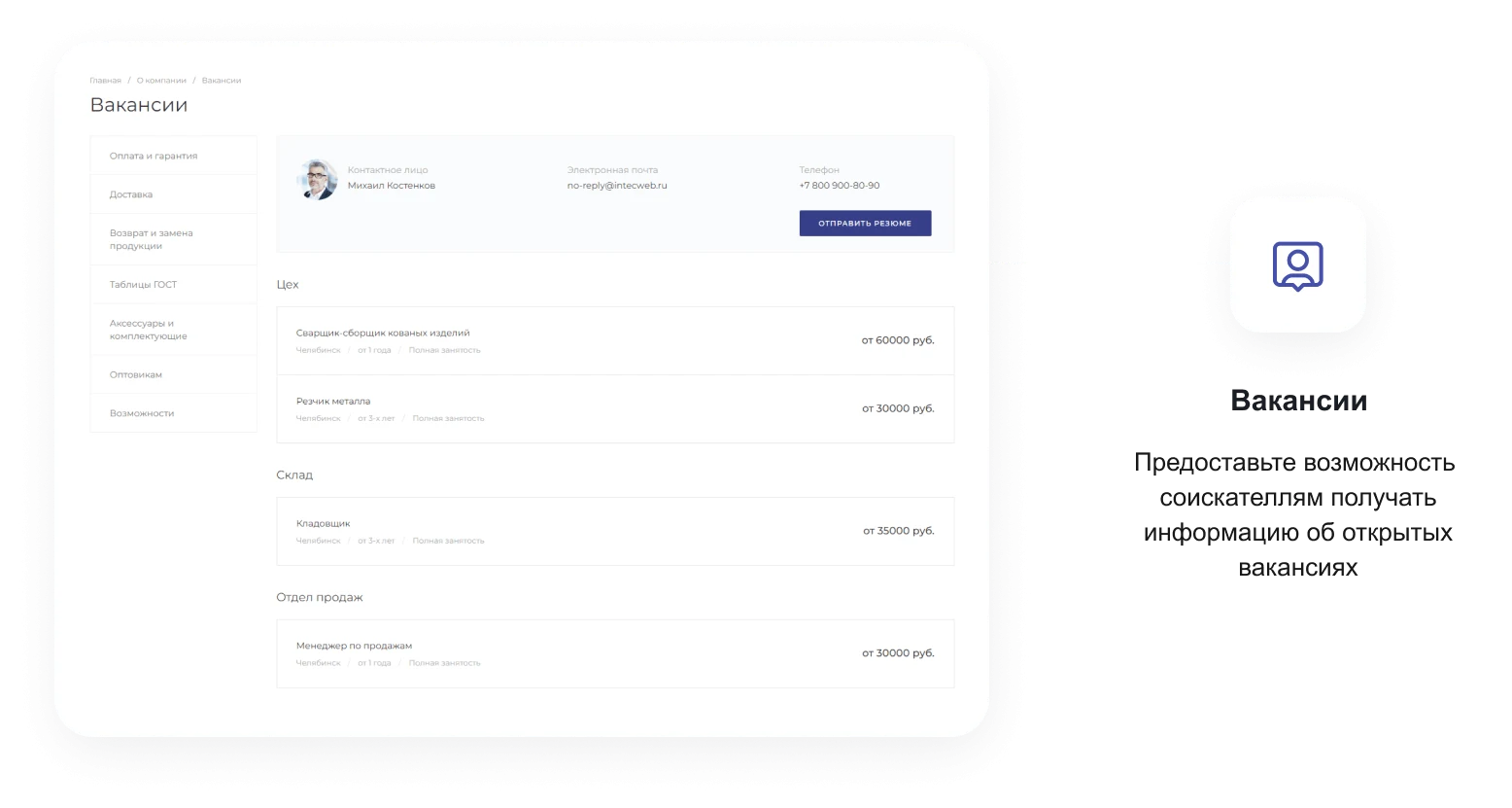
Updated main page blocks: banners, advantages, services, projects, promotions, news, articles, reviews, staff, galleries, videos, stages, tariffs, forms, and other sections.
Enhanced templates for service, project, news, article, photo gallery, and other content type sections and detail pages.
Improved functionality of forms, pop-up windows, user consent, and AJAX requests.
Increased template compatibility with current Bitrix versions.
Added order checkout integration with the ipol.sdek module.
For Startshop, improved quick order, email notification sending, and email template configuration.
Conducted a comprehensive security audit of the templates, components, and Startshop module.
Other improvements and fixes related to solution security and stability.
Fixed errors:
Fixed an error in creating claims on new Bitrix versions.
Fixed the close button for the "History" block on new Bitrix versions.
Fixed the logic for displaying fields in the password change form.
Fixed email uniqueness validation during quick order checkout via Startshop.
Fixed auto-registration of anonymous users during quick order checkout via Startshop.
Fixed sending emails to customers during quick order checkout via Startshop.
Added order composition, properties, delivery, and payment details to Startshop email notifications.
Fixed creation of email templates during Startshop installation.
Attention! Before installing the update, create a full backup of the site.
Update with new content, enhanced security, and visual template adjustments.
Improvements and fixes:
Updated styles for headings, links, margins, scrollbars, shadows, and hover states in component templates.
Improved display of main page blocks: banners, product blocks, service blocks, benefits, promotions, articles, news, staff, and more.
Enhanced display of sections and detail pages for promotions, services, projects, collections, staff, articles, news, contacts, and customer support.
Improved mobile versions of templates: horizontal scrolling, responsive banners, tabs, cards, video galleries, and product blocks.
Enhanced catalog display: catalog root, catalog sections, product lists, product cards, SKU, labels, ratings, offer properties, and size tables.
Improved quick view functionality for products: added new elements, fixed styles, gallery behavior, and display of offer parameters.
Fixed display issues for "Made to Order" products, "Request Price" buttons, units of measurement, and order quantities in product lists.
Enhanced cart, floating cart, quick order, product addition notifications, and gift display.
Improved mobile cart display, tabs, buttons, SKU parameters, and viewed products.
Enhanced forms, pop-up windows, floating authorization, and unit of measurement selection elements.
Fixed the Q&A block, including smooth opening and closing animations.
Improved breadcrumbs and section dropdown menus.
Updated icons for documents, staff social networks, headers, and footers.
Fixed product comparison errors and the comparison counter in the mobile panel.
Enhanced promotion and product-of-the-day timers, including second display and fixing visual jumps during loading.
Improved the VK block display and fixed headings.
Enhanced display of reviews, tags, and related materials in projects, articles, and product blocks.
Fixed formatting errors in contact links and the display of service elements in templates.
Improved the states of active elements, tabs, buttons, and toggles in product cards and lists.
Other adjustments and fixes to template appearance.
Enhanced security and stability.
Attention! Before installing the update, make a full backup of the site.
Update on consent handling in forms.
New functionality
Consent functionality has been updated in all solution forms: a second checkbox for consent to promotional mailings has been added, and the results of consenting users are now saved in the site admin panel. More details in the documentation: (84656).
The appearance of the button for saving the selected color in the colorpicker has been changed (85160).
Icons for Rutube and MAX have been added (85364).
Support for SVG favicon format has been added to the template (21338).
A video block has been added to the blog detail page (21449).
Improvements and fixes
Catalog and products: improvements to working with trade offers on the Start edition, product gallery, price handling, and fixes in catalog component operation.
Cart and orders: improvements to displaying product properties during order checkout, functionality for products on order, and a fix for disabling the cart functionality in the Collections tab.
Analytics goal functionality on forms has been fixed.
Video sorting has been fixed considering the parameter for displaying the first video, and fixes have been made to Rutube video component operation.
Interface and settings: fixes to component settings operation.
Update of installation content.
As well as other minor fixes for stable operation.
Attention! Before installing the update, make a full backup of the site.
Update for template SEO optimization.
Improvements and fixes:
Fixing and improving microdata on the site
Attention! Before installing the update, make a full backup of the site.
Update with bug fixes.
Improvements and fixes:
Corrections and enhancements
Attention! Before installing the update, make a full backup of the site.
Update with the addition of a Cookie message.
Improvements and fixes:
Corrections and enhancements
Optimization of component and template performance
Added a component to display a warning about Cookie files
For correct "Cookie" operation:
Create a file named cookies.php in the /include/ folder of your project.
Connect the "intec.universe:notifications" template within it and configure it for your site.
Attention! Before installing the update, make a full backup of the site.
Update with bug fixes and template performance optimization.
Improvements and fixes:
Corrections and enhancements
Optimization of component and template performance
Attention! Before installing the update, make a full backup of the site.
Update with bug fixes and template performance optimization.
Improvements and fixes:
Corrections and enhancements
Optimization of component and template performance
Attention! Before installing the update, make a full backup of the site.
Update with video template fixes.
Enhancements and fixes:
Component enhancements for video galleries
ConstructorLight update
StartShop update to the latest version
Update with new installation content.
Enhancements and fixes:
Installation content update
Minor bug fixes
Enhancements and fixes:
Video support added (Rutube, Vk-video, Plvideo)
Enhancements and fixes:
PHP 8 adjustments for "Start" and "Standard" editions
Enhancements and fixes:
Adjustments and improvements
Solution functionality for editions without an online store improved
Minor bug fixes
Component and template performance optimization
Solution installer size optimization
Enhancements and fixes:
Adjustments and improvements
Component and template performance optimization
Fixed an error when attempting to install the solution on platform version 23.900.560
Updates and fixes:
Added the "We are on VKontakte" block, which allows displaying news from the vk.com community
Minor fixes and improvements
Before updating, you must delete the files wide.php and narrow.left.php from the include/index/ folder
Updates and fixes:
PHP 8 adjustments
Fixed display of trade offer properties if the main product characteristics are not filled in catalog.element 5
Fixed display of descriptions for individual trade offers in catalog.element 5
Added two additional tabs for content in the product card catalog.element 5
Fixed markup and rounding display in the mini cart
Fixed an error in the mini cart that prevented changing the product quantity when there was a negative stock and purchase was allowed
Reviews block. Fixed the header centering issue when the "Show all" button is active
Advantages block. Added settings for using links, improved link generation logic
Services, Gallery block, template 3. Fixed the slider in the mobile version
News, detail page. Fixed anchor link functionality
Added template version display in the settings gear
Minor fixes and improvements
After updating, check the display of properties in the product card. If they disappear, simply open the catalog component parameters and save them without making any changes. The same applies to the display of new social networks in the fixed header - open the header parameters and save them without making any changes. The need for these actions is due to the addition of new settings.
Adjustments and fixes:
PHP 8 corrections
catalog.text.2 mobile panel display corrections
bitrix/sale.personal.order.list/template.1 corrections to the number of items displayed in the order list
catalog.element 1-5. Now, when submitting the "Order" or "Request Price" form, trade offer properties are pulled in
catalog.section/catalog.list.2 SKU switching fixed
intec.universe/main.widget Feedback form corrections and improvements
catalog.element URL change corrections when switching SKU
Delivery calculation corrections
Component description absence corrections
Quick order (1-click order) corrections and improvements
Adjustments and fixes:
Adaptation for PHP 8
Adjustments and fixes:
Adaptation for PHP 8
Updates and fixes:
Fixed an error causing menu cache accumulation.
Fixed an error displaying external links in small banners.
Fixed an error displaying the slider dot in certificates.
Fixed an error recalculating prices when a product is unavailable.
Detailed job page. Fixed an error where the item was not added to the breadcrumb.
Added the ability to display units of measurement in quick view.
Added a setting for the order status color in the personal cabinet.
List of sections on the main page. Added the ability to display SVG.
Added a consent button for personal data processing in the side menu.
Added the ability to change links on trade offers in the cart.
Added an "Promotion" sticker.
Fixes and corrections:
Fixed an error that caused all TP properties to be displayed, even those that were not filled in.
Fixed an error that prevented TP properties from being displayed if no properties of the main product were filled in.
Fixed an error on the promotions detail page. Product pagination did not work with caching enabled.
Layout and contact.1 template corrections. When the information block is displayed next to the map, it was displayed incorrectly in the mobile version.
Fixed an error where a product with the active "Price on Request" property displayed its price in search tooltips and viewed products.
Fixed an error in the catalog's related products block. The number of items displayed in a row did not change.
Fixed the layout of the trade offer list in the product card.
Fixed an error with the additional image in the banner. Vertical alignment did not work if the "Center" value was selected.
Fixed an error in the "4-tiles" product list template. When the display of trade offers was disabled, the quick view button was hidden.
Articles block on the main page. A setting was added so that the block does not display deactivated items.
Fixed an error in the products.1 template. The "Add to Cart" buttons were not displayed for screen resolutions from 1200px to 768px.
Fixed an error on the projects detail page. The "Solution" tab was not hidden when there was no content. A setting was added to display the description in full or limited to 5 lines.
Projects on the main page. Fixed an error in the template.4 template where the link to the detail page did not work.
Fixed an error where, if a product has a trade offer and none of its properties are filled in, the names of all these properties were displayed in the card.
Fixed an error on the brand page. The "Price on Request" setting did not work.
Fixed an error on the services detail page. The checkbox for agreeing to personal data processing was not displayed in the form.
Fixes and corrections:
Adaptation for PHP 8
Fixed an error with the non-functional mobile filter on the search page
In the tile.1, tile.2, tile.3 product lists, fixed an error with price zeroing when a product is unavailable
Fixed an error with sets in product cards catalog.default.1 and catalog.default.2
If gifts in the cart are displayed at the top, the header was displayed below the products
Fixed an error due to which the URL did not change on the detailed product card when switching trade offers
Quotes were replaced when opening an image in the gallery
Detailed Brand page. Missing properties for the product list have been added
Fixed an error with sorting by rating
(catalog.section catalog.list.2) The buy button was not displayed in products with trade offers
Fixed an error with displaying checkboxes and radio buttons in the feedback form
intec.universe:main.gallery (template.5). Fixed an error where the tag was not closed when displaying two elements
In the breadcrumb dropdown menu, sections have been added for sorting
Attention! Before installing the update, make a full backup of the site.
Improvements and fixes:
Adaptation for PHP 8
Fixed an error on the catalog search page: when applying a filter, the "Found" button displayed the count of all catalog items satisfying the filter. Now it displays the count of only those found in the search.
On the Start edition, on the checkout page, a message about successful order placement has been added for non-authorized users.
Fixed JavaScript errors that occurred if the site ID had a numeric value with a leading zero (01).
Browser history recording has been disabled when switching trade offers in the product card. Thus, the browser "Back" button now leads to the previous page, not to the previously selected trade offer.
Fixed an error in the news template with the first large element. If the large element was displayed once in the block, it had no height.
Fixed an error with incorrect calculation of the active trade offer by sort value.
Fixed an error where the layout in the mobile panel broke if the panel element had a link to an external site.
When moving to the wishlist page, the wishlist tab now opens immediately.
Fixed an error with displaying empty trade offer properties in the product list.
Fixed an error with products on the main page. In the products.1 template, image switching for trade offers did not work.
Fixed an error with displaying empty properties in the product card if no property values are filled in for the trade offer.
Fixed an error on the services detail page (bitrix:catalog.element default.4). The "Order" button was not displayed if the price was not shown.
Fixed an error in the product list: in the tile.3 template, properties with a dash "-" were displayed, which were not filled in for any of the product offers.
Added a check for the presence of a brand image in the product card.
Forced header inclusion in the banner has been removed from global settings.
Fixed an error that caused extra padding on input fields on iPhone.
Fixed the condition for checking the preview text connection in the product card.
Preview text was not displayed in some display modes of the main container in the product card.
A style that hid labels on the Yandex map in some places has been removed.
Minor improvements to the catalog filter operation in AJAX mode.
Updates and fixes:
Fixed a catalog operation error in AJAX mode
Fixed a social network registration error
Fixed an error displaying the rating in reviews on the main page
Added a page reload after successful registration in the popup form
Fixed an error with the inactive "Apply" button in the settings gear on Mac OS devices (Safari)
Fixed an error with the city selection block in the mobile version
Added the missing language phrase for the product order form in the product list on the main page
Added a filter on the detailed order page in the personal cabinet so that only significant events (without technical information) are displayed in the order history
Fixed an error where the discounted price appeared in the crossed-out price in search results
Fixed an error with the non-working input mask for web forms (on the Start edition)
Fixed an error with form scrolling beyond the screen area when clicking the checkbox for consent to data processing
Fixed an error with incorrect link generation for a product in the brand's detailed card
New in version:
The Promotions block has been added to the service detail card.
An automatic mode for displaying promotions in the product card has been added.
The checkbox for agreeing to personal data processing is disabled by default. The form will not be submitted until the user agrees to the terms.
A setting to enable or disable the "Buy in 1 Click" button in the product card has been added to the site quick settings (gear icon).
A new display mode for the "Tariffs" block has been added.
A new display mode for the "Question and Answer" block has been added.
A slider has been added to the "Contacts" block in the site footer.
The detail card for the "Ready Images" section has been redesigned.
Improvements and fixes:
Fixed an issue with extra margins appearing on input fields on iPhone.
Fixed an issue with duplicate section names appearing in the personal cabinet.
Fixed a layout issue on the main page in "Auto Composite" mode.
Fixed an issue with empty search results.
Fixed an issue with non-functional product deletion buttons in the cart on the Start edition.
Fixed an issue with setting the default manager in the personal cabinet.
Fixed other minor errors in template layouts and solution functionality.
Improvements to the mobile version of the site.
New in version:
Block on the main page "Product Reviews"
New display format for the product comparison page
Product categorizer in search
Unique URL addresses for product offers
Selection of measurement unit when purchasing a product (for Small Business edition and higher)
New templates for personal cabinet sections. New personal cabinet sections (complaints, viewed products, Bitrix24, etc.). Ability to create order profiles directly in the personal cabinet
Ability to open the quick product view form from the shopping cart
New social media icons in the header and footer
Ability to view the entered password
New display format for the detailed page of the Promotions section
New display format for the detailed page of the Projects section
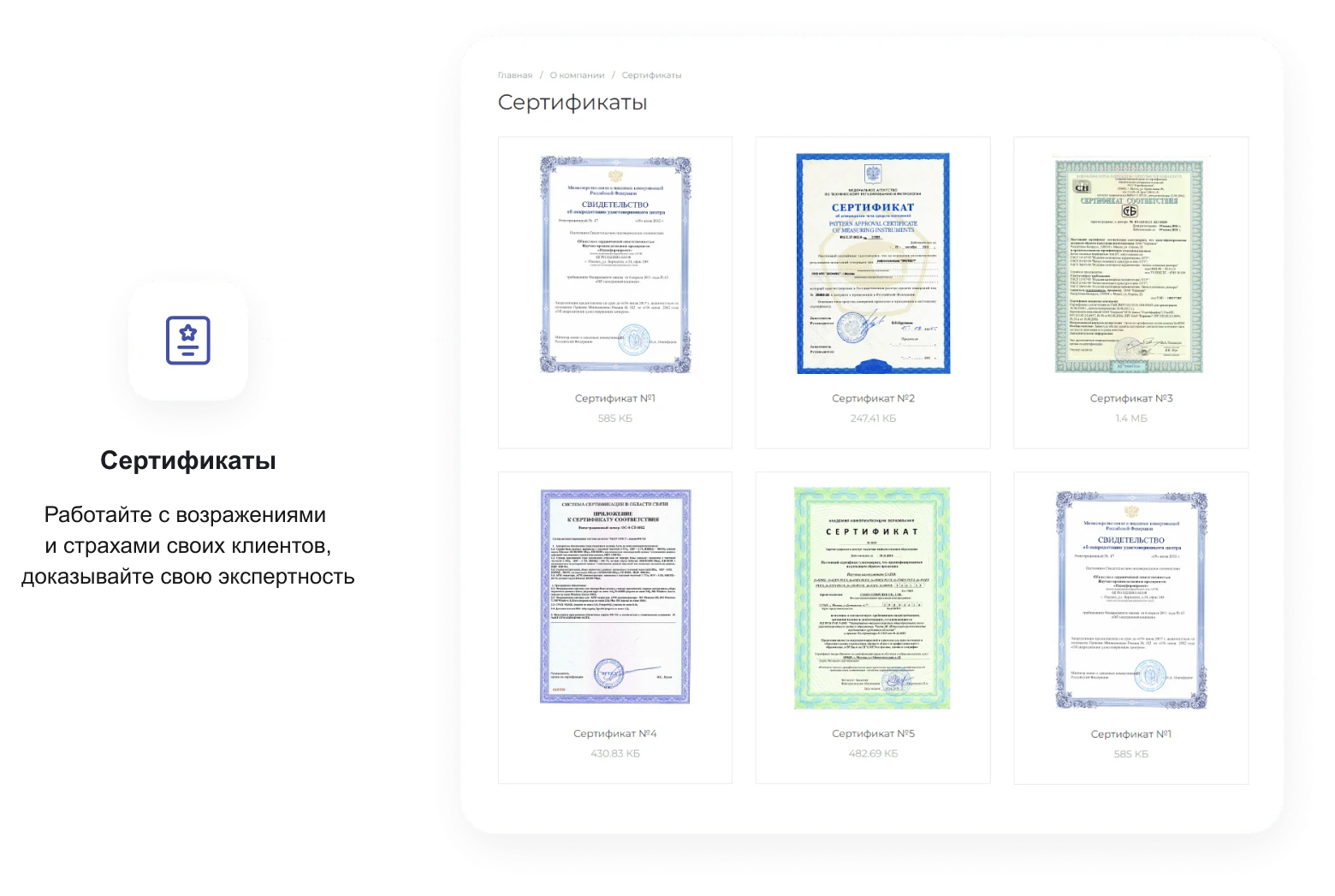
New display format for the list of elements in the Certificates section
Added ability to display a filter by elements in the Services section
Floating table of contents for articles in the Blog section
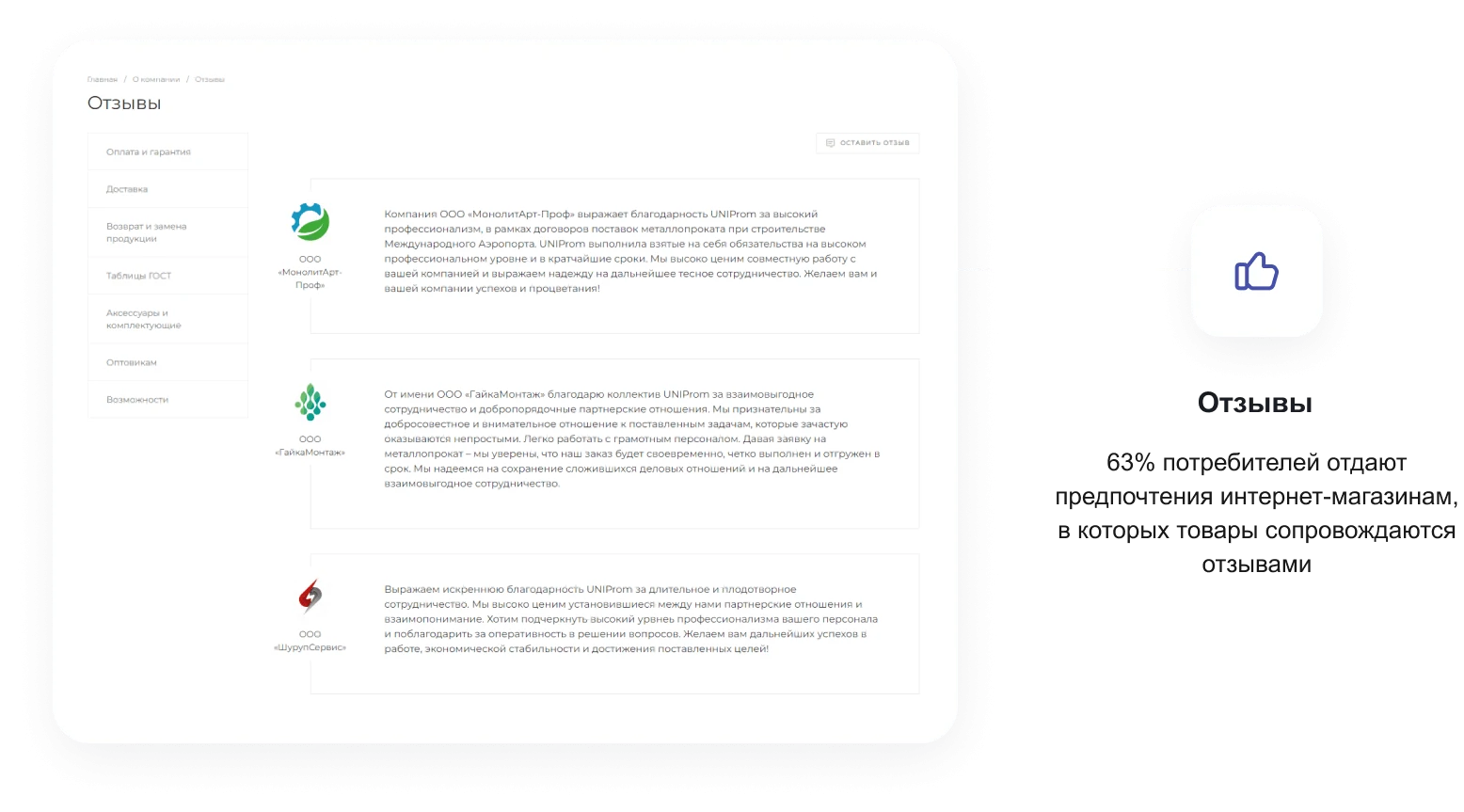
Added ability for users to add reviews about the company. Ability to display rating, video, files, and images in company reviews. Ability to attach an administrator's response to a review
Ability to display a "Price on Request" button instead of "Buy" for specific products or the entire catalog
Block on the main page "Stories"
Block on the main page and internal section "Product Collections"
Block on the main page and internal section "Ready-made Images"
Ability to display a product in the main banner
Block on the main page "Product of the Day"
New display format for the list of services on the main page
Ability to add video and GIF animation to the product card
Gifts block in the product list
Ability to use SVG images instead of pictures in catalog sections
"Personal Recommendations" block on the empty search results page
Discount expiration timer for elements in the Promotions section
Scroll added in the horizontal filter for the list of property values
New display templates for elements in the Photo Gallery section
Ability to add menu items to the bottom mobile panel of the site
Fixed filter in the mobile version
Fixed window for sorting field selection and product display view selection in the mobile version
New mobile banner display option
Compact display of feedback forms in the mobile version
Improvements and fixes:
Elimination of minor errors in template layout and solution functionality
Improvements in the mobile version of the site
Corrections and improvements
Corrections and improvements
Corrections and improvements
Corrections and improvements
Optimization of all JavaScript code to increase website speed (significant performance boost, new loader)
Social networks added to the footer and header (YouTube, Odnoklassniki)
Search field added to the 404 page
Pagination template updated in all sections
Option added to the central banner for uploading an image for the mobile version
Instagram component redesigned with a new display view
5 new service templates on the main page
Countdown timers added for product discounts
Ability to link products and catalog sections to articles added
Product card reviews redesigned with rating added
Floating catalog menu added
Product scrolling for quick view added
Order of trade offer properties display fixed
"You may also be interested in" products display added in the list and product card
New product card variation with a large photo added
"Price on credit" option added
Compact cart layout added for the mobile version
Mobile footer view redesigned
Compact breadcrumbs added for the mobile version
New display view for the detailed contact page added
Other fixes and improvements
Corrections and improvements
Fixes and improvements
Translation of the template to the new layout builder technology
Corrections and improvements
USER EXPERIENCE
How does this solution work in a real project? Share your experience and help others choose.
There are no reviews of this solution on git.ru yet. Tell us what worked well and what could be improved.
Verified purchaseAdd a key if you wish. A verified review gets a badge, priority placement and more rating weight.
Open to every clientJust sign in to your account. A key is optional; all reviews are moderated.
YOUR PROJECT INFRASTRUCTURE
FROM THE SAME DEVELOPER
INTEC
E-commerce module for the Start edition by INTEC. Supports SKU-based product management, web form creation, and 1C integration setup.

The INTEC SEO module is designed for website optimization and promotion in search engines. It includes an automatic text generator for promotion and an intelligent SEO filter. The tool allows setting unique metadata on any page and creating separate pages for each sorting group of the product filter.

The INTEC Import/Export module for 1C-Bitrix Site Management allows uploading product catalogs from Excel files and performing mass export of categories, products, and properties to spreadsheets. Supported file formats include .CSV, .XLS, and .XLSX.
MORE FOR YOUR WEBSITE
Deluxe is a multifunctional online store that combines platform and builder capabilities. Designed for businesses of any scale, it includes over 250 built-in features. The system ensures high performance and flexible configurability for various tasks.

Industry-specific online grocery store and food delivery solution «KRAYT: FOODS.RETAIL» is a ready-made template built on the 1C-Bitrix platform. Designed for creating specialized trading platforms in the retail and food delivery sectors, it is available as an online demo for 1C-Bitrix partners.

The 'KRAYT: COSMETICS' industry-specific online store for cosmetics and beauty products is a ready-made solution built on the 1C-Bitrix platform. This template is designed for 1C-Bitrix partners to facilitate the rapid deployment of specialized trading platforms in the cosmetics and personal care sector.
BEFORE YOU ORDER