
Module
INTEC
INTEC: StartShop - online store module for Start edition
E-commerce module for the Start edition by INTEC. Supports SKU-based product management, web form creation, and 1C integration setup.
Request a price
↗Аккаунт в General iT
Войдите или создайте аккаунт для управления услугами в панели.
MODULE FOR 1C-BITRIX
INTEC
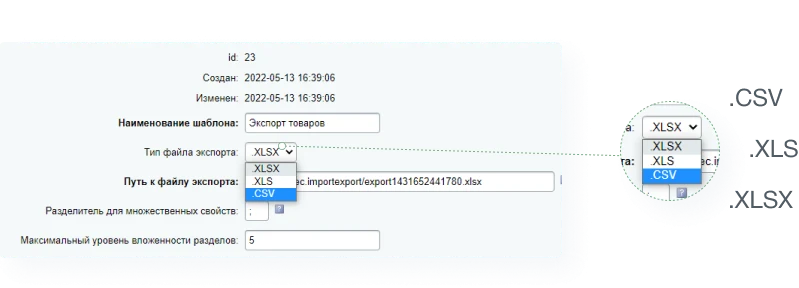
The INTEC Import/Export module for 1C-Bitrix Site Management allows uploading product catalogs from Excel files and performing mass export of categories, products, and properties to spreadsheets. Supported file formats include .CSV, .XLS, and .XLSX.
The INTEC Import/Export module for 1C-Bitrix Site Management allows uploading product catalogs from Excel files and performing mass export of categories, products, and properties to spreadsheets. Supported file formats include .CSV, .XLS, and .XLSX.



The INTEC Import/Export module is designed to load product catalogs from Excel files. The tool automates the data import process, enabling efficient catalog management.


Documentation, technical support, and assistance with module configuration.






The module enables importing a product catalog into the system from Excel files. It allows importing product data, updating existing records, and exporting information for external use.

The INTEC Import/Export module is designed for uploading product catalogs from Excel files. It automates the import and export process and ensures compatibility with current versions of the 1C-Bitrix platform. The module's functionality includes support for various data formats and flexible file processing settings.
The INTEC: Import/Export module is designed to load product catalogs from Excel files. Its functionality supports importing product data, updating existing records, and exporting information in tabular format.
The INTEC Import/Export module allows uploading product catalogs from Excel files.
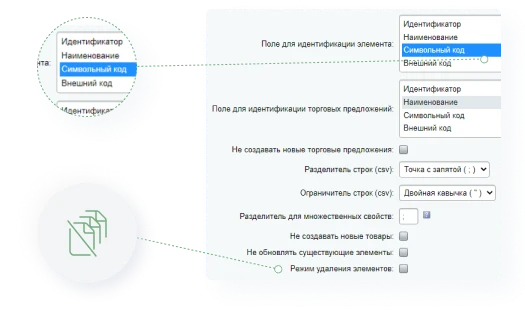
Element processing
The module allows identifying products using any property, not just the external code. You can use the name, article number, symbolic code, or other fields.
The 'Delete Mode' feature enables mass removal of products from the catalog, for instance, when they are no longer supplied.
The INTEC Import/Export module enables bulk processing of product stock levels and prices by loading data from Excel files.
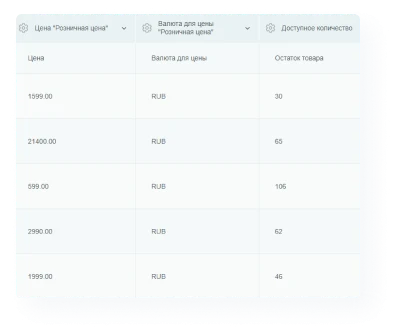
The INTEC: Import/Export module enables bulk updates of product prices and stock levels without opening individual item settings. Changes are applied to the entire catalog in a few steps, which is particularly useful when the cost of a large number of products changes suddenly.
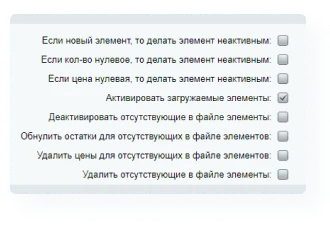
The INTEC Import/Export module automatically deactivates empty sections and products missing from the export file, such as out-of-stock items. When products become available, they are automatically activated during the next scheduled import task.
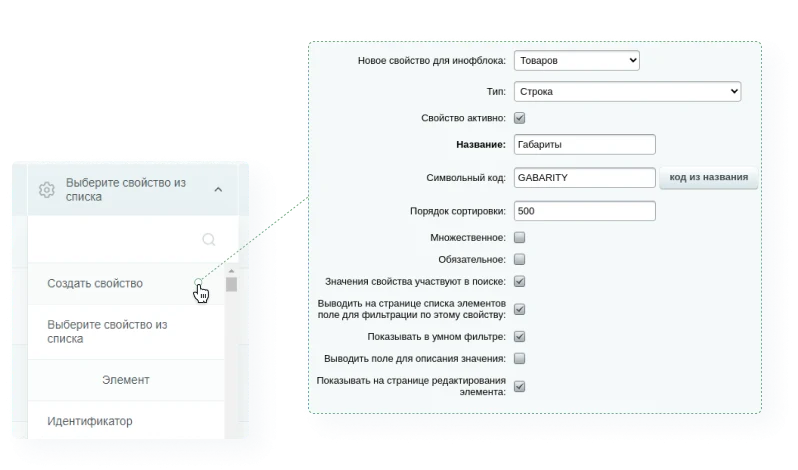
Full property management. Create properties in bulk directly within the module interface and assign them to products.
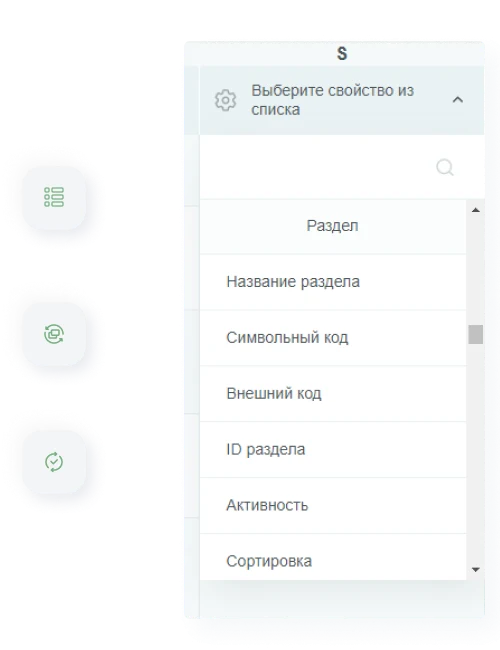
The INTEC Import/Export module enables automatic creation of catalog sections while preserving their hierarchical structure. During data import, the system can automatically deactivate sections that contain no products after the update. The module also supports updating section information, including adding images, text descriptions, and SEO data.
The INTEC Import/Export module enables loading product catalogs from Excel files. Functionality includes working with templates to correctly prepare data prior to import.

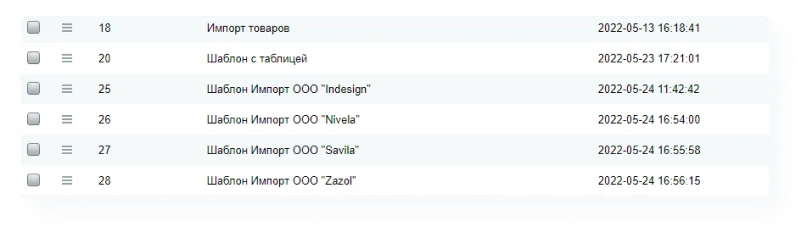
The module enables the creation of templates for exporting and importing product catalog data from Excel files. Each template can be configured individually to meet specific data transfer requirements.

Templates enable combining data from multiple import files, eliminating the need for manual work.

A separate import template can be created for each supplier file.
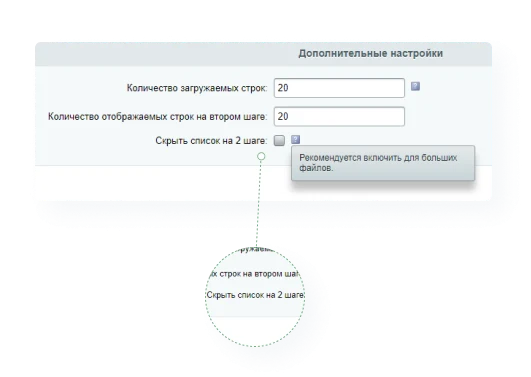
The INTEC: Import/Export module ensures stable loading of large product catalogs from Excel files. Thanks to a step-by-step data processing algorithm, the system prevents failures when working with large files. Users can independently configure the number of rows processed per step based on their hosting resource availability.

The INTEC: Import/Export module allows importing a product catalog from Excel files on a scheduled basis.
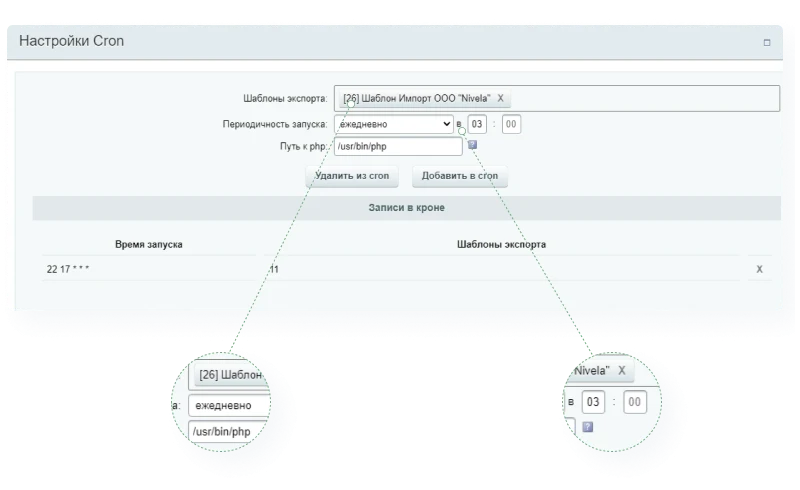
The INTEC Import/Export module automatically triggers data import when the source file changes, enabling timely updates to catalog information. Users can independently configure the import schedule and time intervals.
Product filtering during export
When exporting a catalog, you can limit the list of products to export only those matching specific criteria rather than the entire database. The import/export settings allow you to configure filters for active items only, products from specific categories, particular brands, and other conditions.
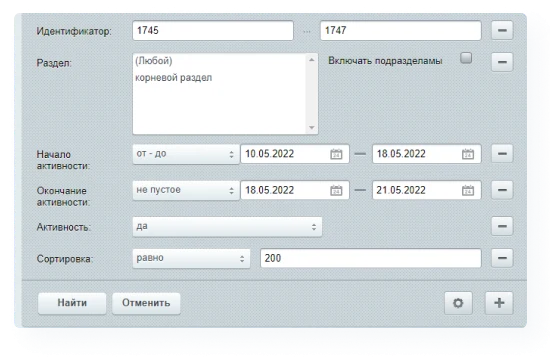
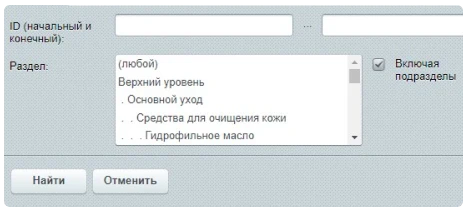
The INTEC: Import/Export module allows filtering products before export. For example, to export items from specific sections, use the section filtering option.
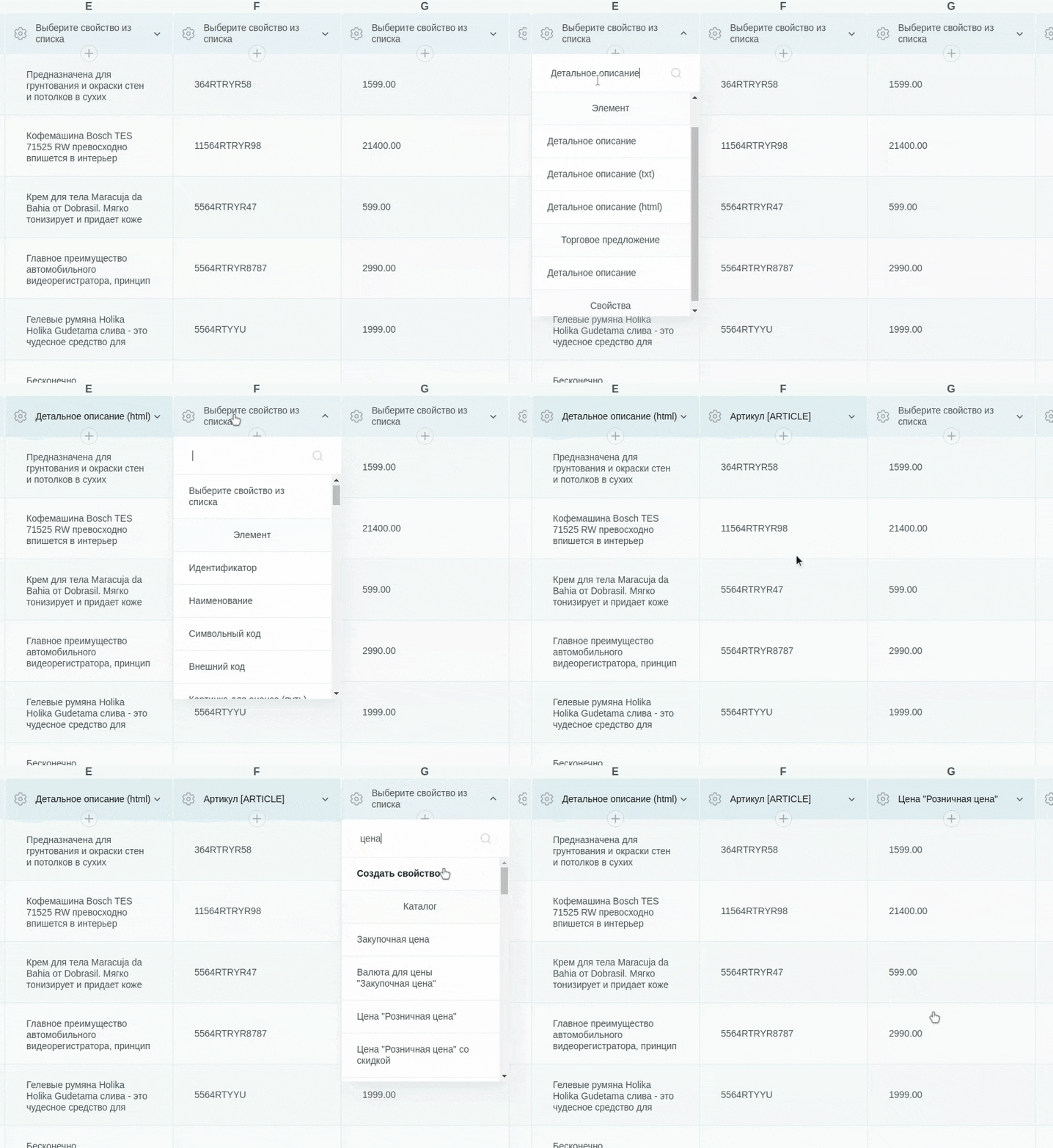
Multiple product-to-section binding (feature under development).

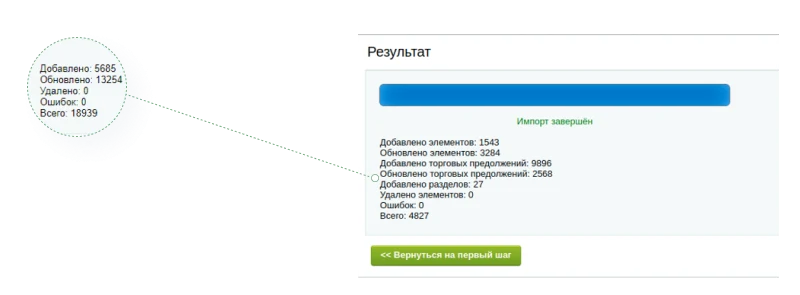
The INTEC Import/Export module enables product catalog loading from Excel files. Upon completion of the import process, a report is generated showing the number of items added, updated, and deleted, as well as records that were not processed due to errors.
The INTEC Import/Export module is designed for uploading product catalogs from Excel files. The tool automates the process of importing and exporting product data.

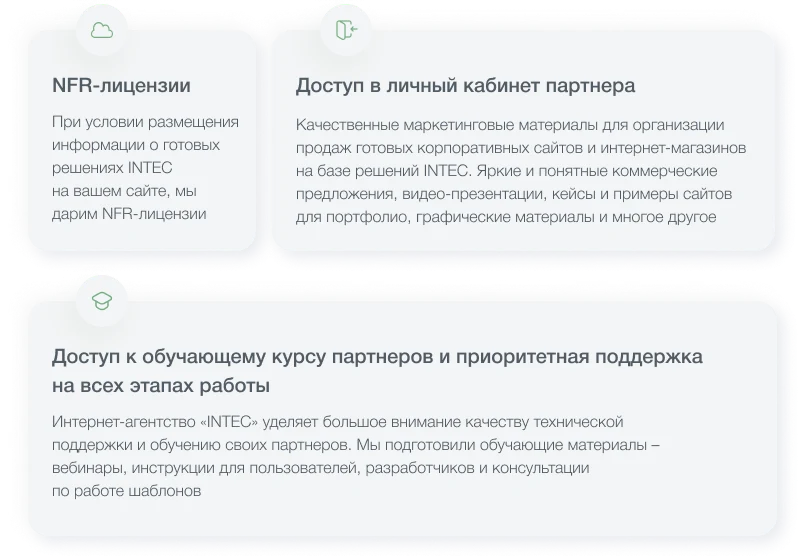


Documentation, technical support, and assistance with module configuration.

The INTEC Import/Export module is designed to load product catalogs from Excel files. It automates import and export processes while supporting various table formats. The module allows updating product information, specifications, and prices without manual entry.


The Import/Export module for 1C-Bitrix: Site Management allows loading product catalogs from spreadsheets and performing mass export of categories, products, and properties to Excel files (.CSV, .XLS, .XLSX). Its convenient spreadsheet interface simplifies routine catalog population tasks and enables transferring products between websites.
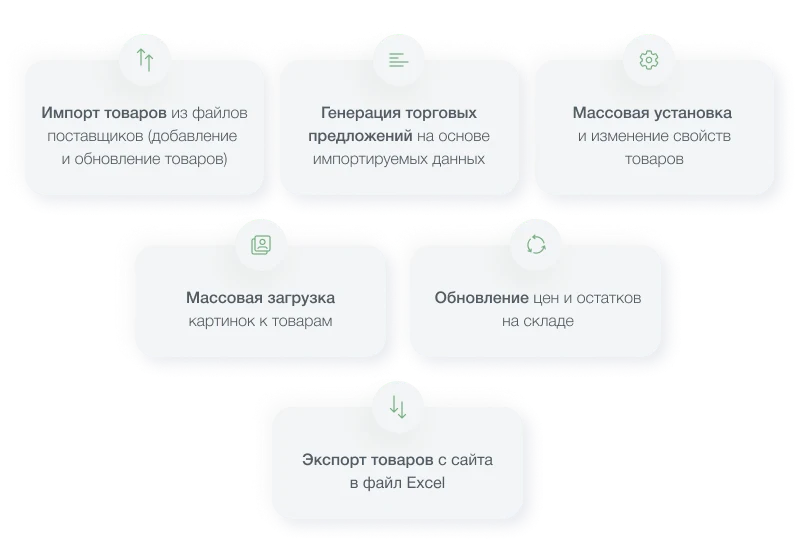
Import capabilities include:
- Adding and updating products from supplier files;
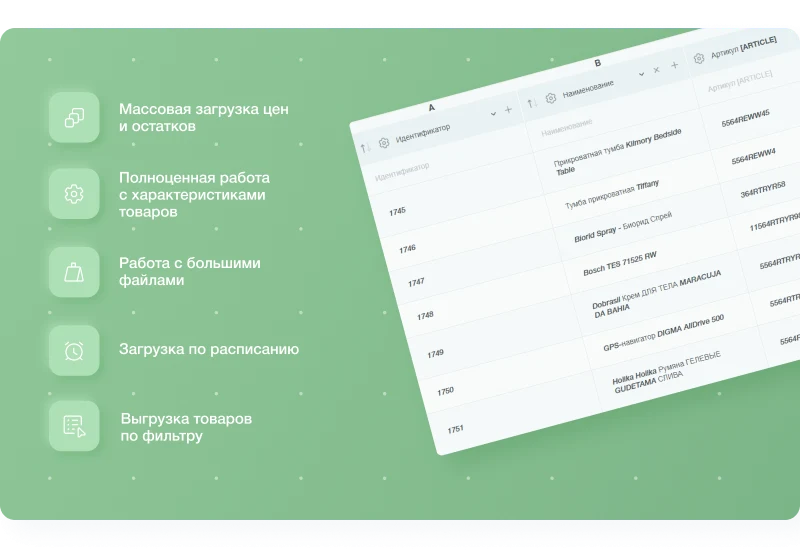
- Mass updating of prices and stock balances;
- Batch setting and modification of product properties;
- Mass uploading of images;
- Generating trade offers based on imported data.
Export functionality allows downloading products from the site to an Excel file.
The module supports working not only with the catalog but also with any other information blocks, such as News, Promotions, and Articles.
Products can be identified using any property, such as external code, name, article number, or symbol code. The 'Delete Mode' feature enables mass removal of items, for instance, when they are no longer supplied.
Mass updates for stock and prices
There is no need to edit each product individually to change prices or stock levels. The module allows simultaneous updates for all items with just a few clicks, which is ideal when prices change suddenly for a large number of products.
Automatic activation and deactivation
The module automatically deactivates empty sections and products missing from the export file (e.g., out-of-stock items). When products become available again, they are automatically reactivated during the next scheduled import.
Full property management
Properties can be created and assigned to products in bulk directly within the module interface.
Section management
The INTEC: Import/Export module enables automatic catalog loading from Excel files. It automatically creates categories while preserving their nesting hierarchy. If a category becomes empty after an update, it can be automatically deactivated. The module also supports updating category information, including adding images, descriptions, and SEO data.
The templates feature allows for individual configuration of export and import settings. This is useful when loading data into different information blocks, such as catalogs or news sections. Templates simplify processing files from multiple suppliers by eliminating the need for manual file merging.
To handle large catalogs, the module uses a step-by-step processing algorithm to prevent errors. Users can independently set the number of rows processed per step based on their hosting resource limits.
The INTEC Import/Export module automatically triggers data import upon modification of the source file to ensure timely catalog updates. Users can independently configure the import schedule and intervals between imports.
The export by filter feature allows selecting specific groups of products before exporting. Settings enable specifying conditions such as exporting only active items, products from particular sections, specific brands, or other criteria.
The import process is simplified: the module automatically detects and converts the source file's encoding, eliminating the need for manual data conversion prior to upload.
General iT can connect “INTEC: Import/Export - Loading Product Catalog from Excel”, configure it and verify the integration with the existing website.
UPDATE HISTORY
Compatibility with new Bitrix versions.
Improvement of module security and stability.
Attention! After updating the module, it is recommended to check import and export profiles and reconfigure paths to imported and exported files via the /upload/ folder.
Fixing possible installation errors
New in version:
Script optimization
Fixes and improvements
New in version:
Fixes and improvements
New in version:
Fixes and improvements
New in version:
Fixes and improvements
New in version:
Fixes and improvements
New in version:
Adaptation for PHP-8
New in version:
Bug fixes
New in version:
Bug fixes
New in version:
Bug fixes
New in version:
Bug fixes
New in version:
Added ability to import one table column into multiple properties
Added properties (Detailed description (html), Detailed description (text), Announcement description (html), Announcement description (text))
Improved report on completed import (added information about sections and trade offers)
Minor interface fixes and improvements
YOUR PROJECT INFRASTRUCTURE
FROM THE SAME DEVELOPER
INTEC
INTEC
E-commerce module for the Start edition by INTEC. Supports SKU-based product management, web form creation, and 1C integration setup.

INTEC
INTEC:Core A basic module required for the operation of other INTEC solutions, including INTEC Universe. The module contains a set of methods for implementing core functionality used across the INTEC ecosystem.

INTEC
INTECBOT is a module that simulates an online consultant on your website. It automatically initiates a dialogue with visitors, asks questions based on a predefined scenario, and requests contact details. The system records customer needs, collects information, and generates a ready-to-use lead. Leads with contact information are sent to the personal account and via email.
MORE FOR YOUR WEBSITE

Nikolai Ozhogov
On non-standard projects, data often appears that fits neither in information blocks nor in highload blocks: landing page submissions, dealer directories, certificate registries, 1C exchange logs, or contract price tables. A developer can create the table in an hour, but building the administrative section—list, filters, forms, validation, permissions, and export—can take several days.

KURATOV
The module locates images on a website and replaces them with AI-generated alternatives. This solution is suitable for handling copyright claims or removing third-party photographs left over from a previous site version. Image search covers information blocks, including element preview and detail images, images embedded in text content, as well as file-type properties and HTML attributes.

Structure - user properties
The Structura module for 1C-Bitrix extends standard infoblock capabilities by enabling the creation of complex composite properties instead of flat fields. It allows defining hierarchical structures, such as banners containing text, images, and background color settings, storing these values in JSON format while providing an intuitive editing form within the administrative panel.
BEFORE YOU ORDER