










EPIR
EPIR: Online Store
EPIR: Internet Store is a universal template for building an online store. The solution includes a product catalog, sections for services and tariffs, as well as shopping cart and user personal account functionality.
Аккаунт в General iT
Войдите или создайте аккаунт для управления услугами в панели.

WEBSITE TEMPLATE
EPIR
EPIR: Corporate Service Website is a ready-made solution for building a corporate portal. The system supports creating service catalogs, sections for projects and portfolios, and configuring tariff plans.

EPIR: Corporate Service Website is a ready-made solution for building a corporate portal. The system supports creating service catalogs, sections for projects and portfolios, and configuring tariff plans.

The EPIR: Corporate Service Website solution enables you to publish comprehensive information about your products and services while highlighting your professional competencies and experience.


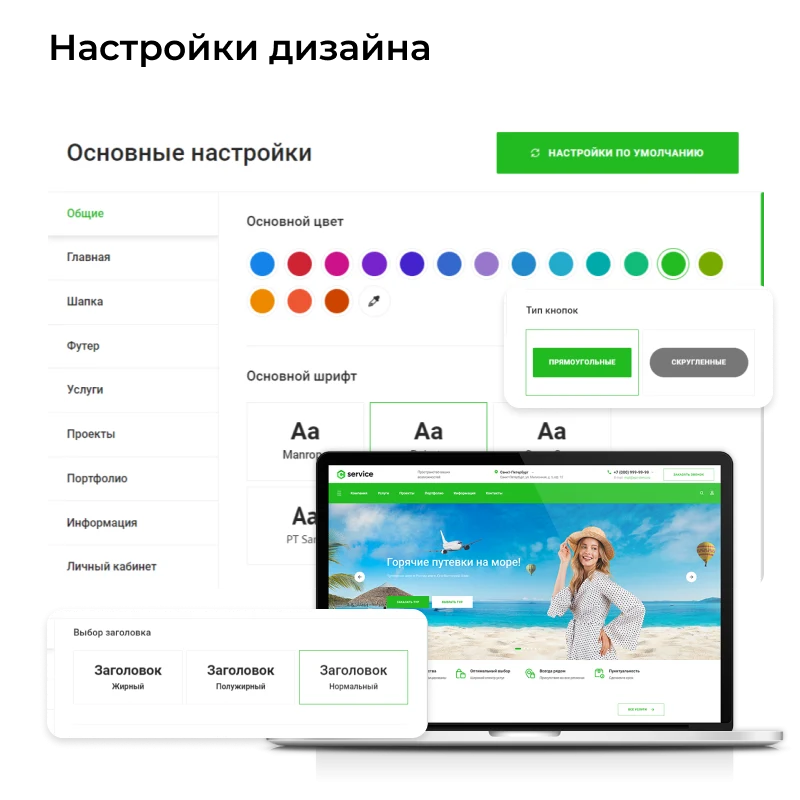
The main and internal pages of the template are designed to provide visitors with comprehensive information and encourage them to take targeted actions. The "EPIR: Corporate Service Website" solution allows flexible design customization to align with the company's corporate identity. The built-in website builder features an intuitive interface, simplifying the configuration process.

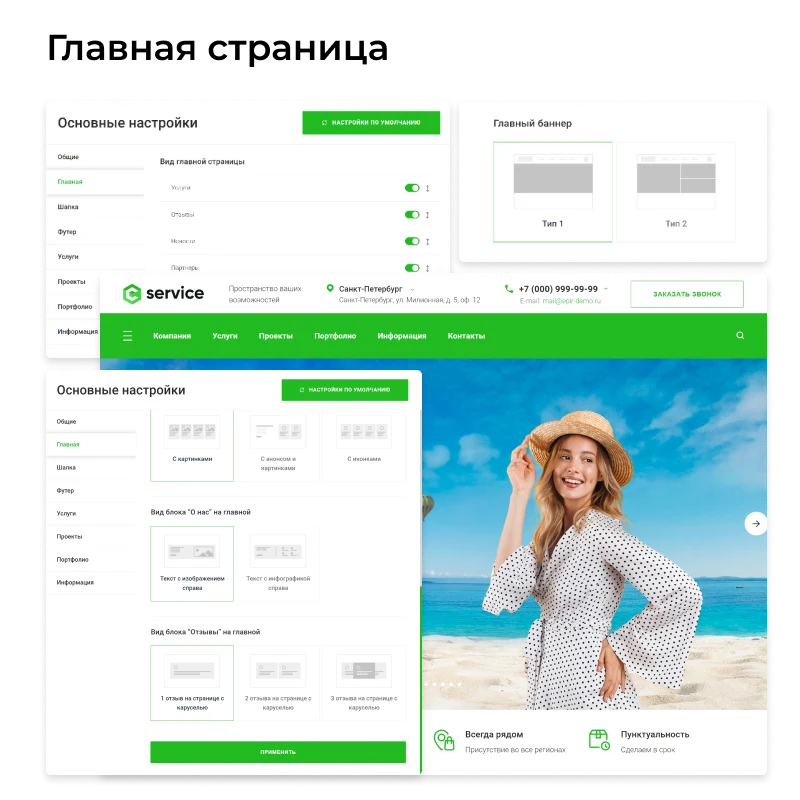
The homepage supports flexible configuration: various header and main banner design options are available.

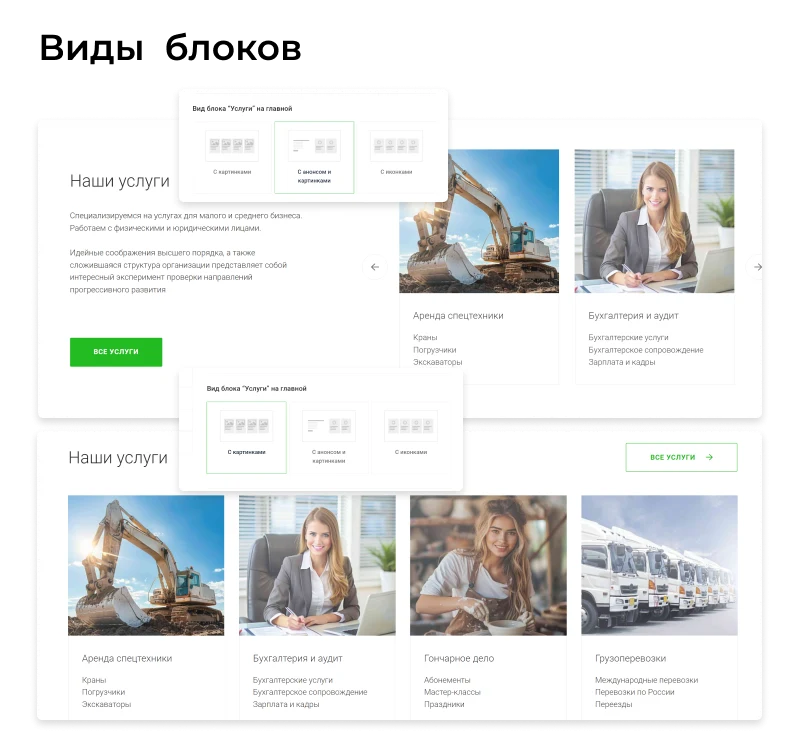
Customize block designs, enable or disable them, and rearrange their display order on the page.


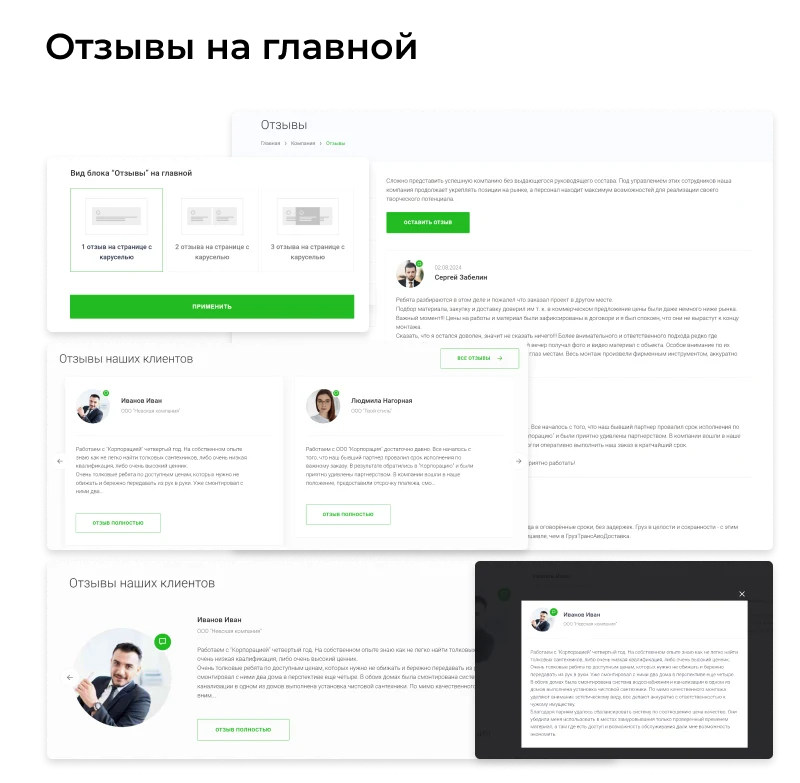
Customer and partner reviews are a powerful promotion tool. Place them not only in product and service cards but also on the website's main page and in the About Us section. This allows you to showcase real opinions about your organization.


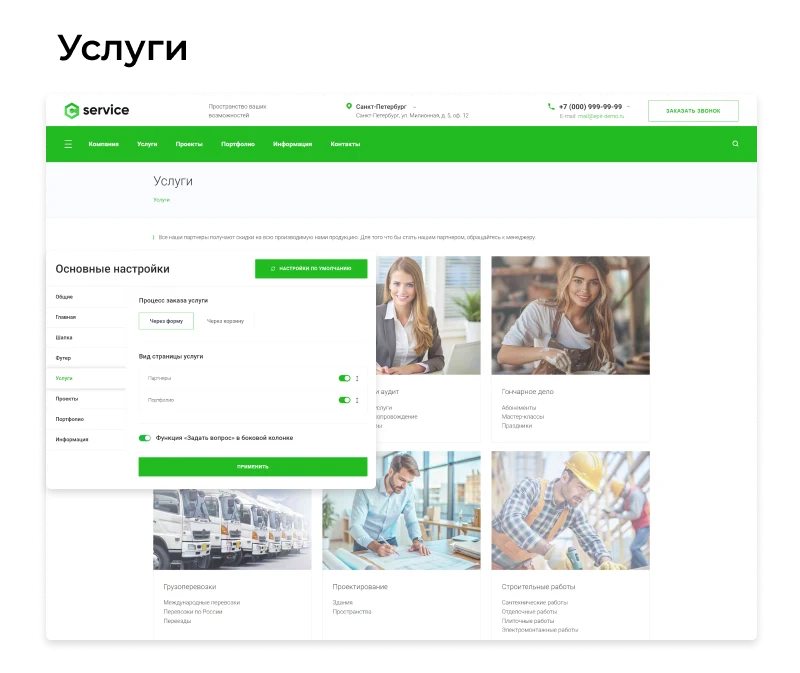
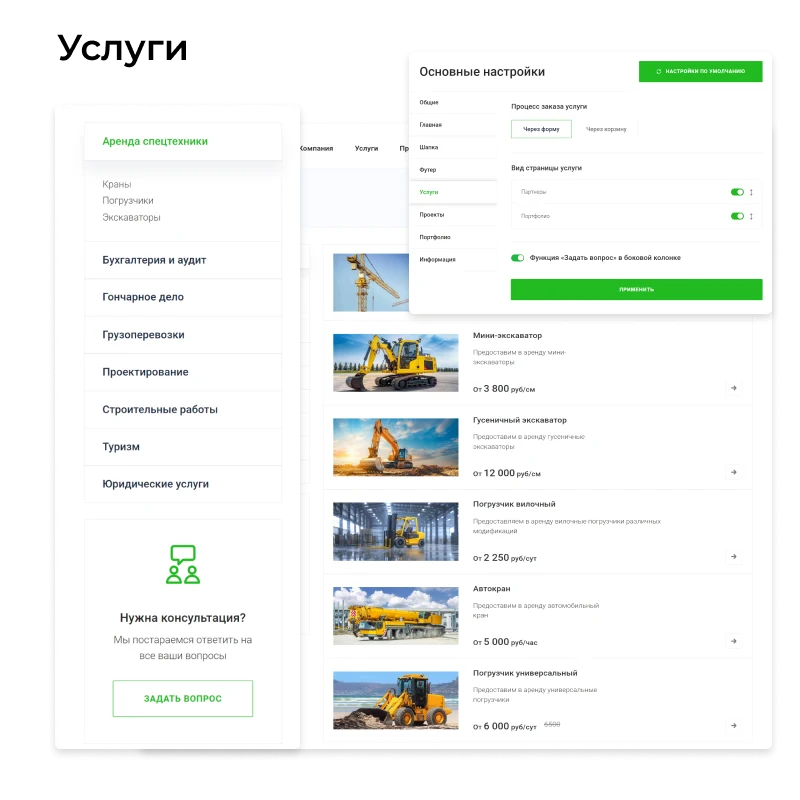
The service catalog displays the full range of available offerings.

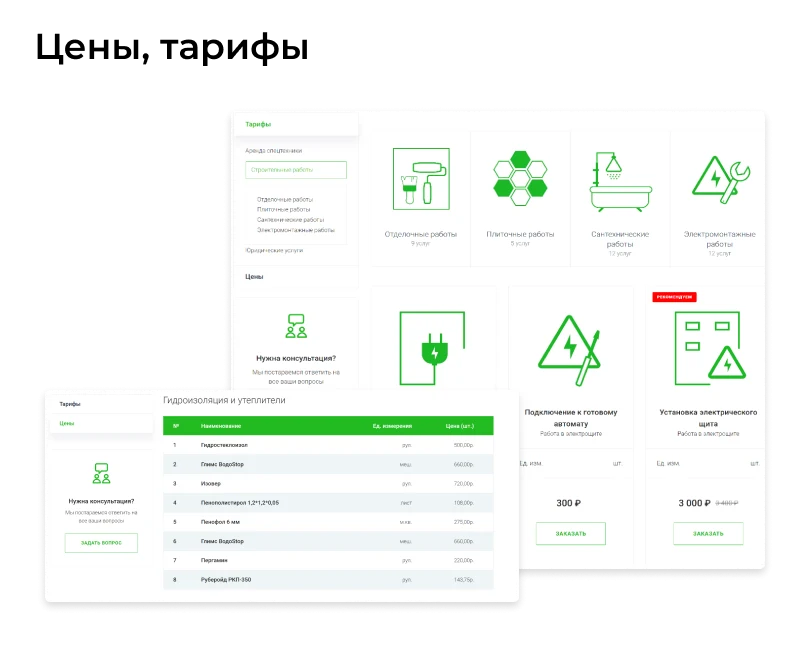
Flexible configuration of service pricing in announcements based on various parameters.

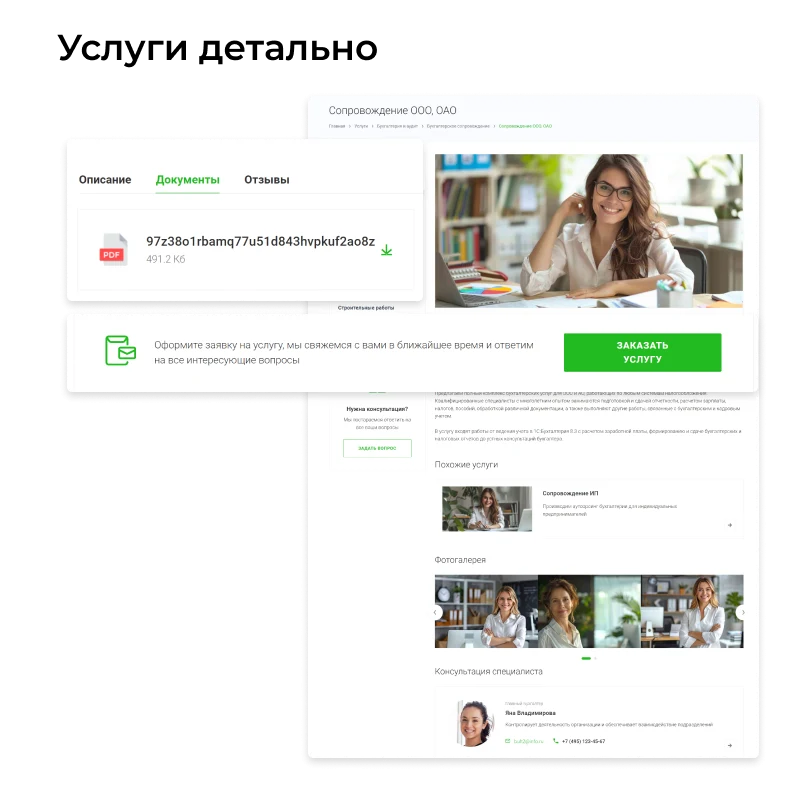
Highlight the strengths of your offer by adding complementary products and customer reviews to the service. The template includes tools for creating photo galleries and portfolio sections.


Pricing configuration allows you to choose a fixed price or create flexible tariff plans. This flexibility helps attract clients for long-term cooperation, for example, by offering discounts for purchasing services in larger volumes.


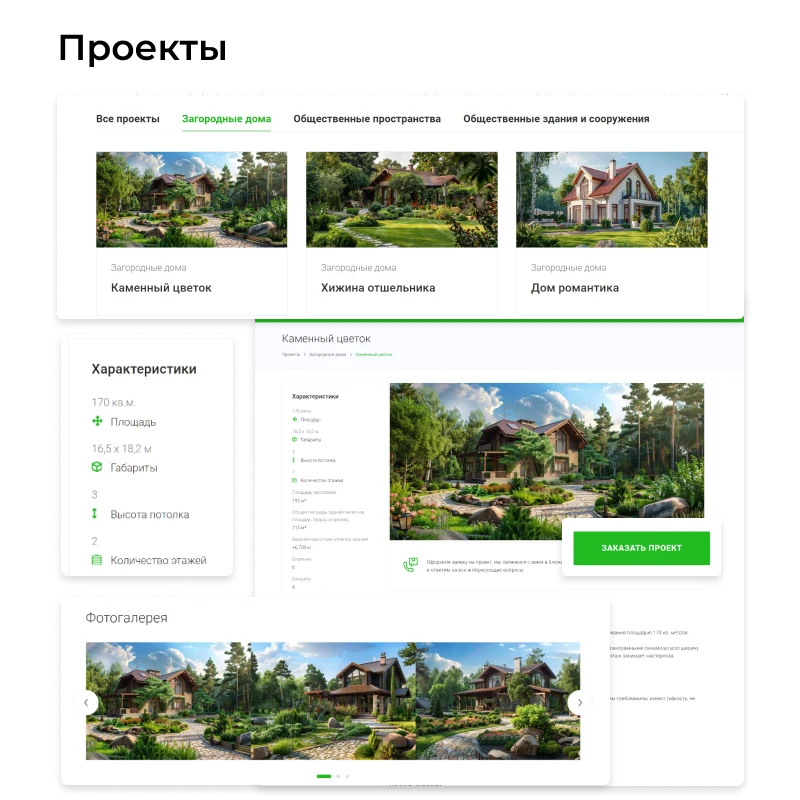
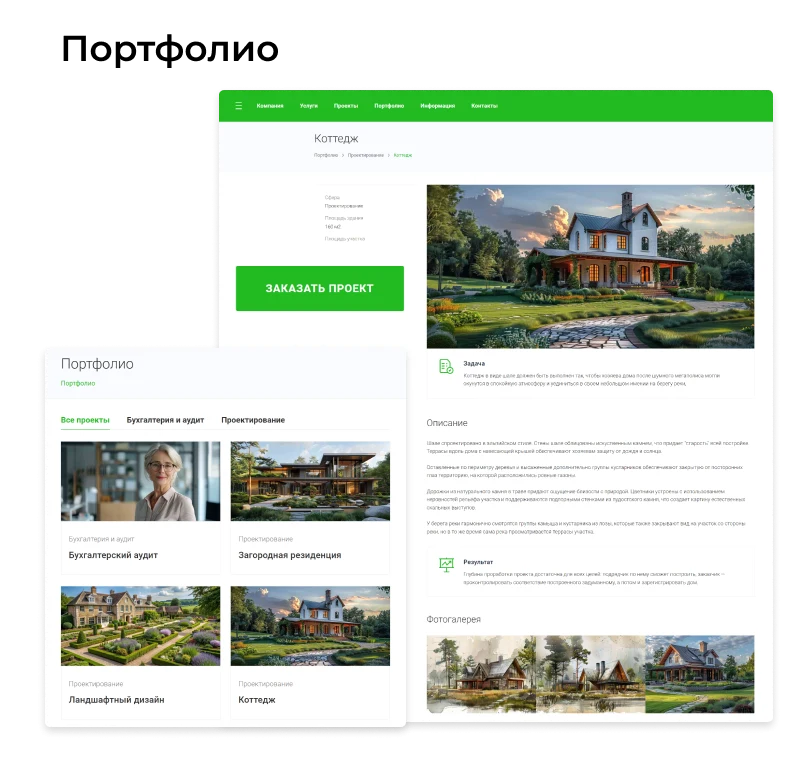
EPIR: Corporate Service Website enables users to demonstrate expertise in project work. The platform supports the sale of standard projects and the creation of a portfolio featuring completed works. Photo galleries and review sections serve as tools to confirm professional competence to clients.


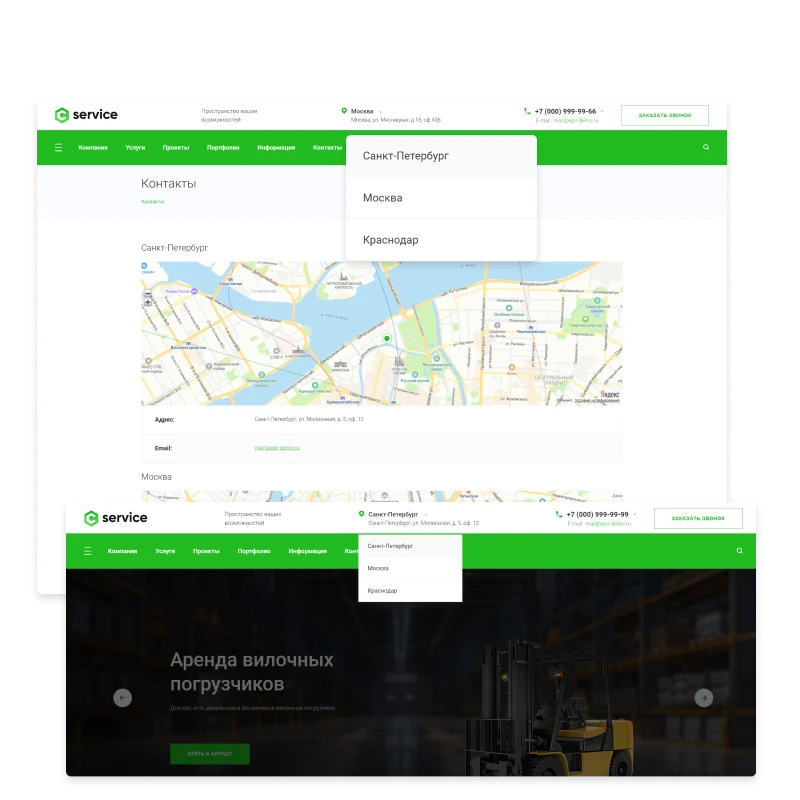
Enter contact details and registration information for each branch. Mark their locations on the map to ensure customers can easily find the correct office.


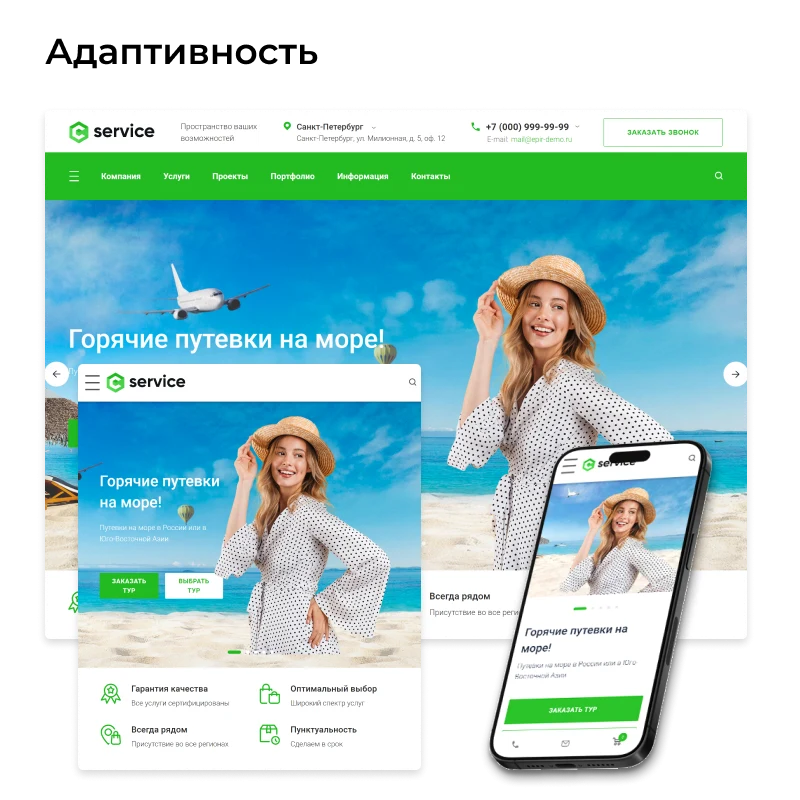
The site interface is adapted for comfortable use on mobile devices.


General iT can install and configure this solution and build a website or online store based on it.
UPDATE HISTORY
New functionality and improvements to existing features:
Added the ability to set any link for the button in the header.
ReCaptcha improvements.
Solution control panel improvements.
Fixes:
Correction of the dropdown submenu for the condensed menu.
Correction of styles for website header variants.
Bug fixes and corrections of some styles.
Attention!!! Before installing the update, you MUST create a full backup of the site.
Fixes:
Bug fixes and corrections of some styles.
Attention!!! Before installing the update, you MUST create a full backup of the site.
Bug fixes
Attention!!! Before installing the update, you MUST create a full backup of the site.
New functionality and improvements to existing features:
Added an expanded menu for the Services section.
Added the ability to choose the list view style for sections in Services.
Added a new setting in the header builder: 'Banner full screen width'.
Added functionality to the Solution control panel.
Added metadata output for images in the page text (SEO).
Fixes:
Bug fixes and corrections of some styles.
Attention!!! Before installing the update, you MUST create a full backup of the site.
New functionality and improvements to existing features:
Added display of the "Tariffs" section description (SEO text).
Redesigned tariff cards – tariff descriptions are now more content-focused; added a tariff description accessible via a quick-access popup.
Added the ability to attach a PDF file in the "Licenses" section.
Added Type 3 for the banner on the main page.
Added a "Max" link in social networks and updated styles.
Fixes:
Fixed layout in the "Tariffs" section on the mobile version.
Fixed layout in the "Tariffs" block on the main page.
Fixed the display of the ruble sign.
Fixed button errors in the "Vacancies" section.
Modified Footer Type 5.
Fixed the portfolio card.
Fixed regional settings in the footer and header.
Fixed the image and preview on the detailed news page.
Fixed styles for popup windows of the visual editor.
Fixed layer positioning in CSS.
Updated images in the builder.
Attention!!! Before installing the update, you MUST create a full backup of the site.
Attention!!! The logo storage location has been changed. After installing the update, either reinstall the logos or copy them from the /bitrix/templates/epir-corporate/images/ folder to the /images/ folder.
Cookie usage warning – improvements.
Attention!!! Before installing the update, you MUST create a full backup of the site.
Added a cookie usage warning on the site.
Attention!!! Before installing the update, you MUST create a full backup of the site.
Fixes to the main slider functionality.
Added validation for a price of "0" when displaying in the contact form.
Fixed image display in News.
Changed the "breadcrumbs" navigation display.
Added an h3 tag to the Portfolio and Projects headings.
Attention!!! Before installing the update, you MUST create a full backup of the site.
Fixed the display of Yandex and Google counters.
Fixed the display of announcement images in the Tariffs section.
Attention!!! Before installing the update, you MUST create a full backup of the site.
New functionality and improvements to existing features:
Added the ability to integrate 1C-Bitrix and Google Captcha in contact forms.
Added the ability to insert Yandex and Google counter codes in the site template administration.
Added WhatsApp and Viber to the company's social networks.
Added WhatsApp, Viber, and Telegram to the employee's social networks.
Added a phone number input mask.
Fixes:
Added an h3 heading tag to the service title in the service card on the services section page.
Cleared the custom.css and custom.js files for future user use. These files will not be overwritten in future updates. If you have already added your code to them, make a backup of the code or files.
Attention!!! Before installing the update, you MUST create a full backup of the site.
New functionality and improvements to existing features:
The tariff block has been redesigned – it is now possible to order a tariff directly from the website's main page.
The "Banner Type 2" has been redesigned – there is now greater versatility in working with images for the banner.
It is now possible to specify an additional "Price from" parameter in tariffs.
Fixes:
Fixed the display of long breadcrumbs.
Added the display of announcement images on subsections in the "Tariffs" section.
Fixed the display of "Banner Type 1".
Fixed the display of the "Orders" page in the Personal Cabinet.
Fixed the display of the object popup window on the map in the "Portfolio" section.
Fixed the display of the object popup window on the map in the "Contacts" section.
Fixed the display of the Trade Offer name in the shopping cart (on the page, in the sidebar, and in popup windows).
Attention!!! Before installing the update, you MUST create a full backup of the site.
New functionality and improvements to existing features:
Added the display of section pages in Projects, with two options for displaying your projects on the page and displaying the section description text.
Added the display of section pages in Portfolio, with two options for displaying completed projects on the page and displaying the section description text.
Added the ability to display phone numbers and email addresses without a dropdown menu containing phone numbers and working hours.
Fixes:
Fixed the infinite scrolling of the main slider.
Added pagination for elements in Projects.
Added pagination for elements in Portfolio.
Corrected the positioning of the main menu.
Attention!!! Before installing the update, you MUST create a full backup of the site.
New functionality and improvements to existing features:
Added the ability to display a banner above the site header.
Added the ability to attach a document to a review.
Added the ability to view images via a magnifying glass tool in the design for images displayed on mobile devices on pages containing text.
Fixes:
Changed the display of announcements on mobile devices for Services.
Fixed the display of images on mobile devices.
Attention!!! Before installing the update, you MUST create a full backup of the site.
New functionality and improvements to existing features:
Added the ability to create services without sections, with service items displayed in a dropdown menu (for cases where there are only a few services and it is not necessary to create sections for them).
Added a setting for the number of items per row on the main Services page.
Added to the design:
- Buttons,
- Text blocks,
- Quotes.
Fixes:
Changed the display of the "Our Services" block on the main page.
Changed the functionality of the main banner "Type 2".
Fixed the display of images on the "News" section page.
Fixed the display of images on the "Promotions" section page.
Fixed the display of images on the "Articles" section page.
Fixed the display of the city in the site header (if only one city is active, the dropdown list in the header does not appear).
Fixed the quick search functionality.
Changed the display of the announcement image in the "Promotions" section.
Fixed search results (the searched phrase is highlighted in the main color).
Fixed the main color of colored design elements.
Changed the sorting order of years in the "Articles" section.
Attention!!! Before installing the update, you MUST create a full backup of the site.
YOUR PROJECT INFRASTRUCTURE
BEFORE YOU ORDER