Payments are experiencing issues due to temporary restrictions in Russia. If your payment does not go through, please submit a support request.•Our support team is available 24/7 — we are always here to help with hosting and server issues.•We are now accepting requests for dedicated server rental and colocation services in our data center.•Reminder: we recommend enabling backups for additional data protection.•A new VPS/VDS lineup with NVMe storage and improved performance is now available.•Maintenance work on some servers has been completed. All services are operating normally.•
Payments are experiencing issues due to temporary restrictions in Russia. If your payment does not go through, please submit a support request.•Our support team is available 24/7 — we are always here to help with hosting and server issues.•We are now accepting requests for dedicated server rental and colocation services in our data center.•Reminder: we recommend enabling backups for additional data protection.•A new VPS/VDS lineup with NVMe storage and improved performance is now available.•Maintenance work on some servers has been completed. All services are operating normally.•
Аккаунт в General iT
Вход / Регистрация
Войдите или создайте аккаунт для управления услугами в личном кабинете.
Страны не найдены. Попробуйте другое название или код.
WEBSITE TEMPLATE
EPIR
EPIR: Corporate website with a catalog (online store on the Start edition)
EPIR: Corporate Site with Catalog is a universal solution for creating a corporate website with a catalog of products, services, projects, portfolios, and pricing plans. The functionality includes a shopping cart and a user personal account. Purchasing this template provides an online store based on the 'Start' edition.
EPIR: Corporate Site with Catalog is a universal solution for creating a corporate website with a catalog of products, services, projects, portfolios, and pricing plans. The functionality includes a shopping cart and a user personal account. Purchasing this template provides an online store based on the 'Start' edition.
The EPIR: Corporate Site with Catalog solution enables you to publish comprehensive information about your products and services while highlighting your company's expertise and experience. The Start edition is designed for building an online store.
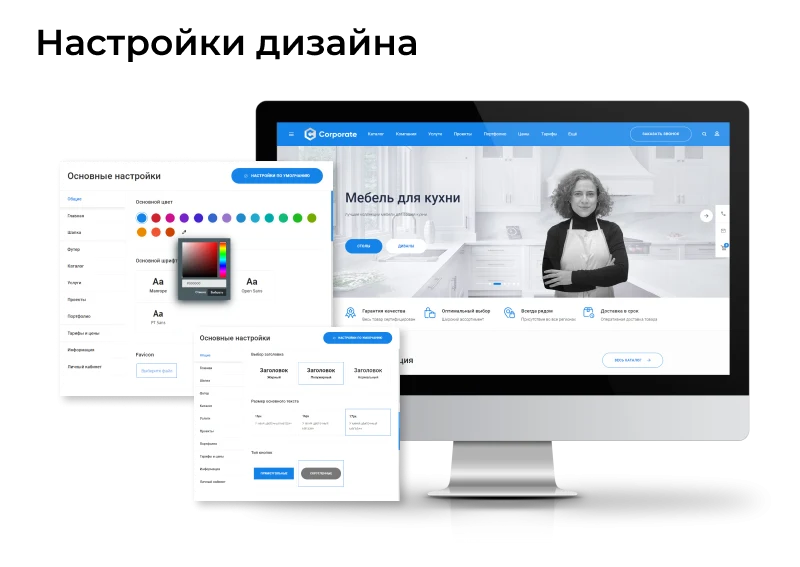
The main and internal pages of the template are designed to provide visitors with comprehensive information and encourage them to take action. The EPIR: Corporate website with catalog (Start edition) solution allows flexible design customization to match the company's corporate style. The built-in site builder features an intuitive interface, simplifying the configuration process.
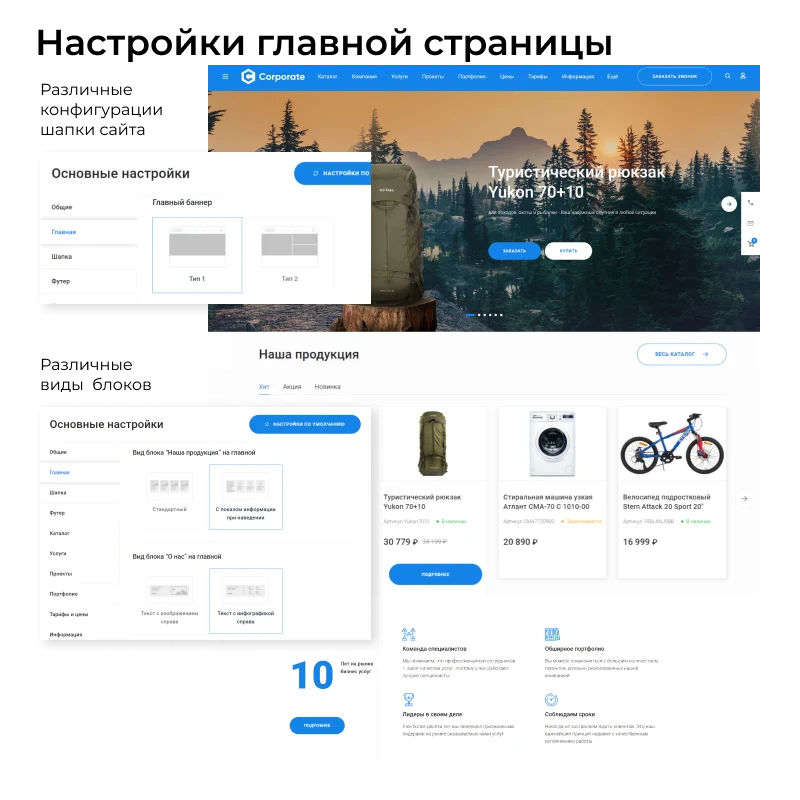
The main page of the EPIR: Corporate site with catalog (Start edition) template supports flexible configuration. Users can select various header and main banner layout options.
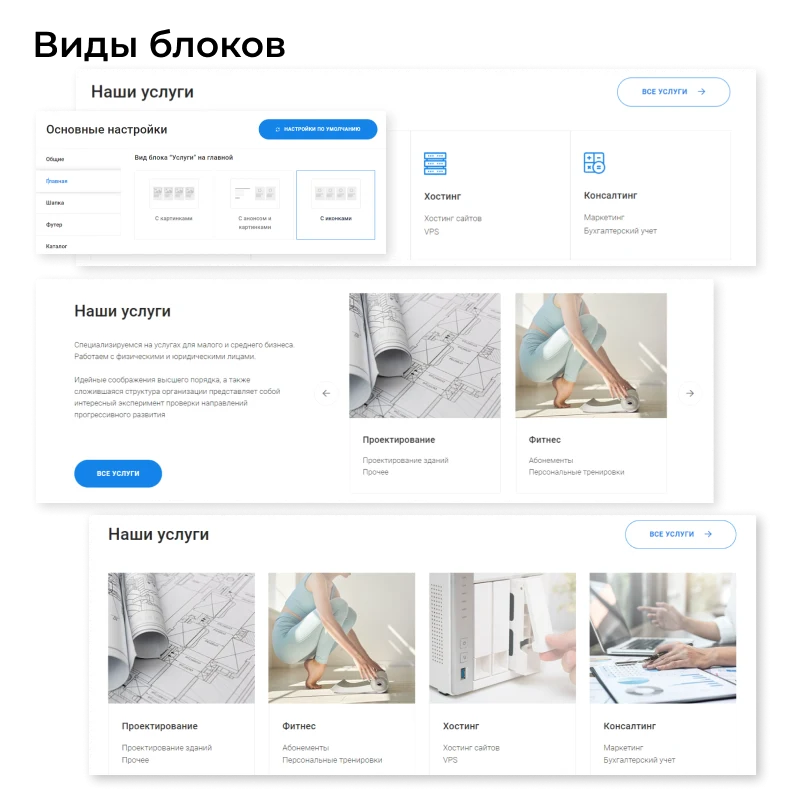
You can modify block designs, enable or disable them, and change their display order on the page.
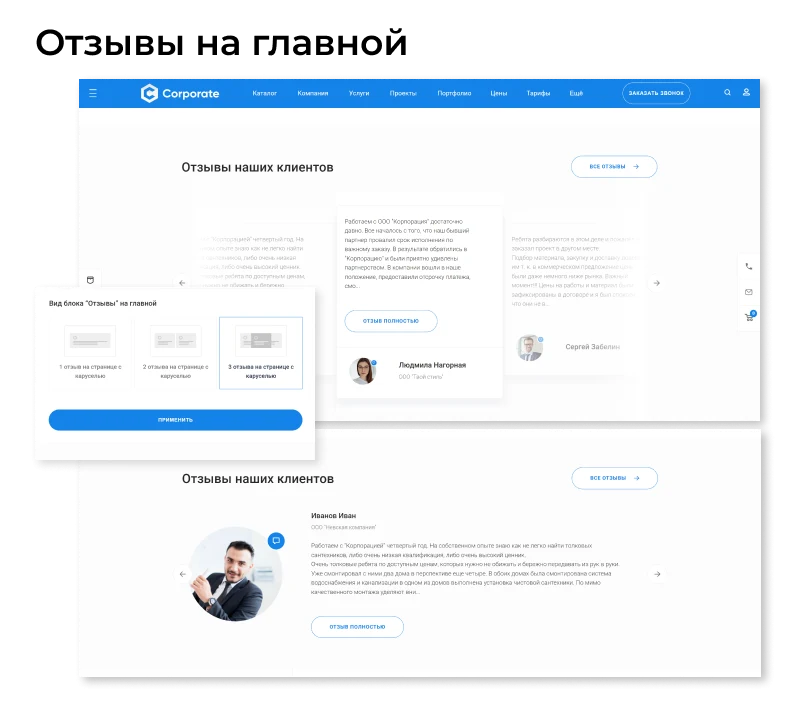
Customer reviews are a powerful marketing tool. Display them not only in product and service cards, but also in the 'About Us' section and on the homepage to showcase feedback from clients and partners about your organization.
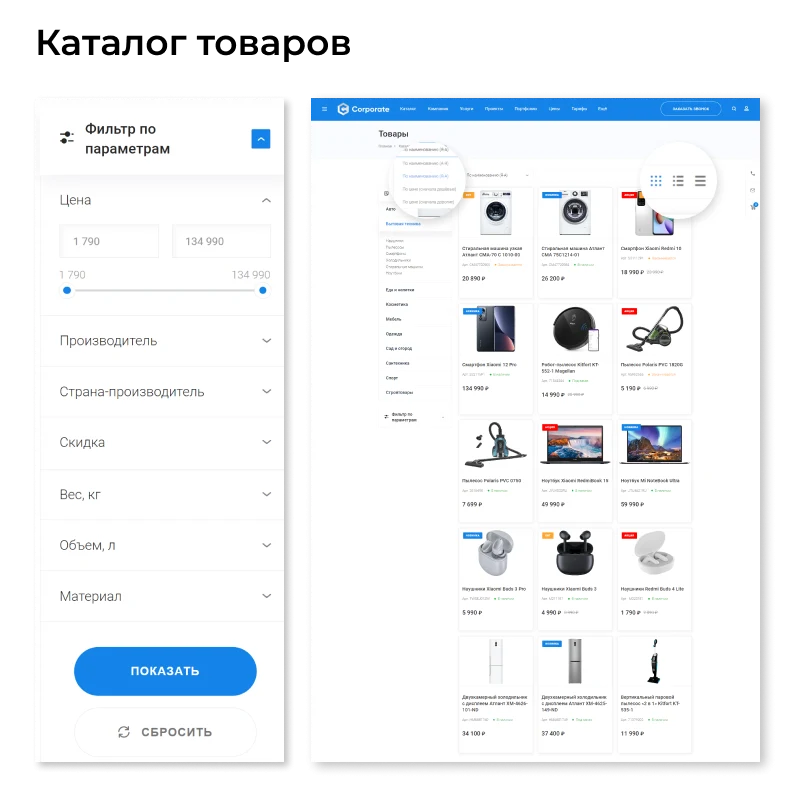
Property filters, product sorting, and various catalog page layouts facilitate convenient product search and selection.
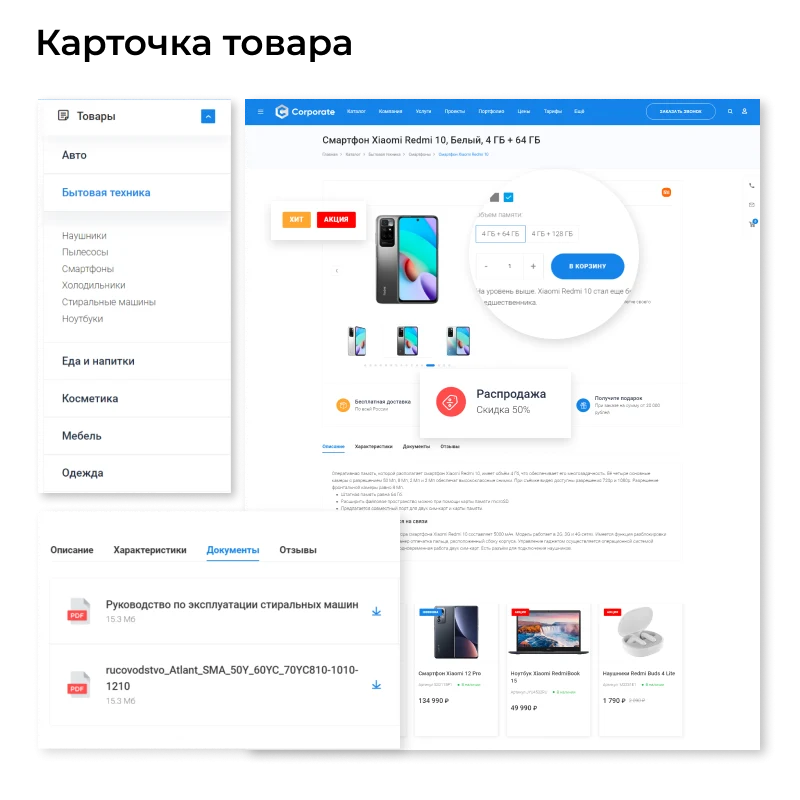
The template supports displaying products with trade offers, stickers, current promotions, gifts, delivery terms, reviews, and necessary documentation. All interface elements are designed to ensure successful sales.
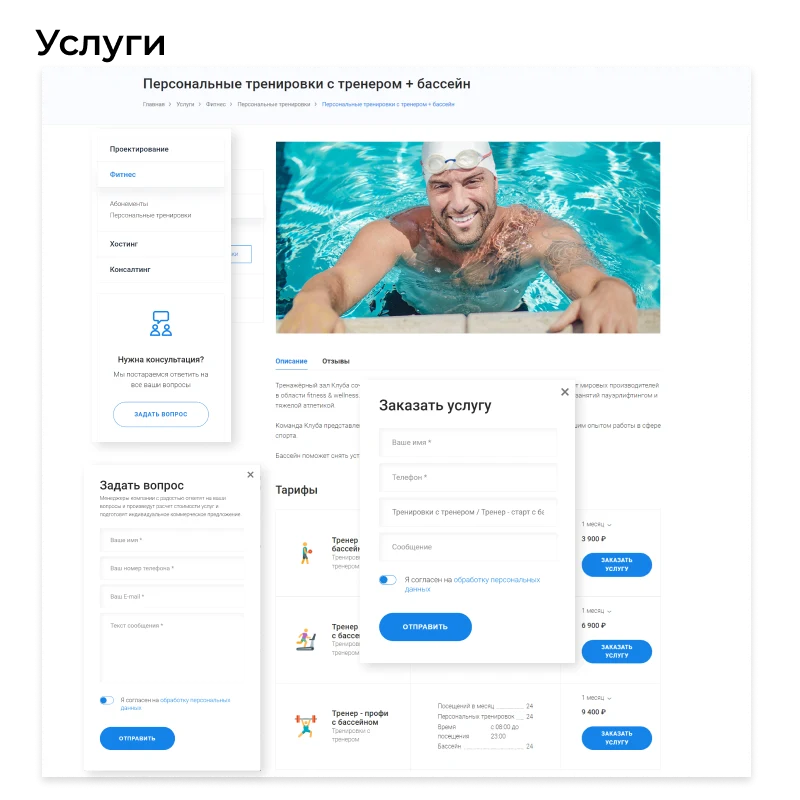
Highlight the advantages of your offer by adding complementary products and customer reviews to services. The template includes tools for creating photo galleries and portfolio sections.
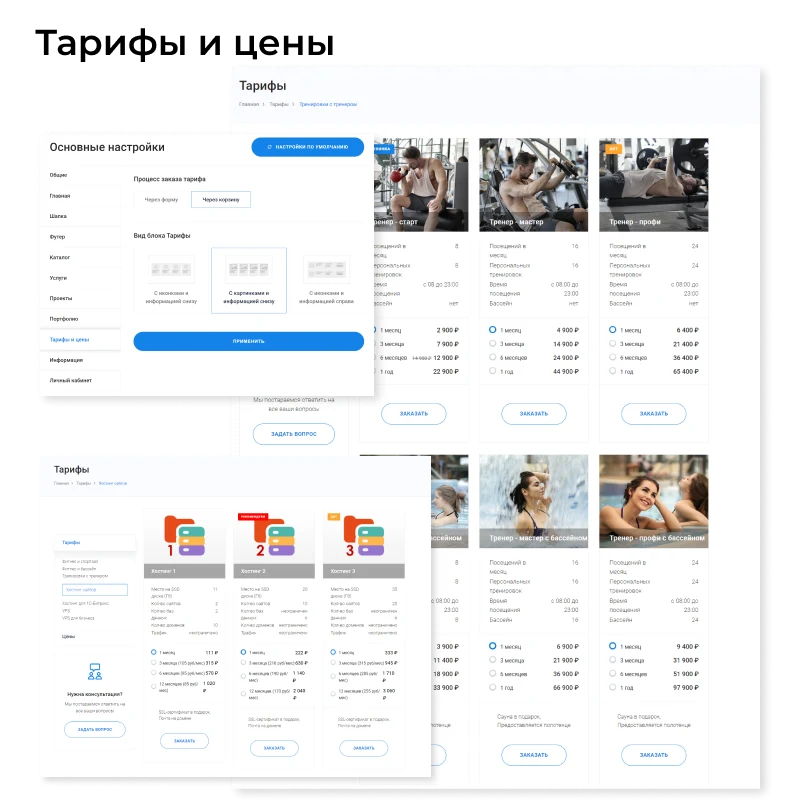
You can set fixed prices or create flexible tariff plans. For instance, to encourage long-term cooperation, you may offer discounts for purchasing services in larger volumes.
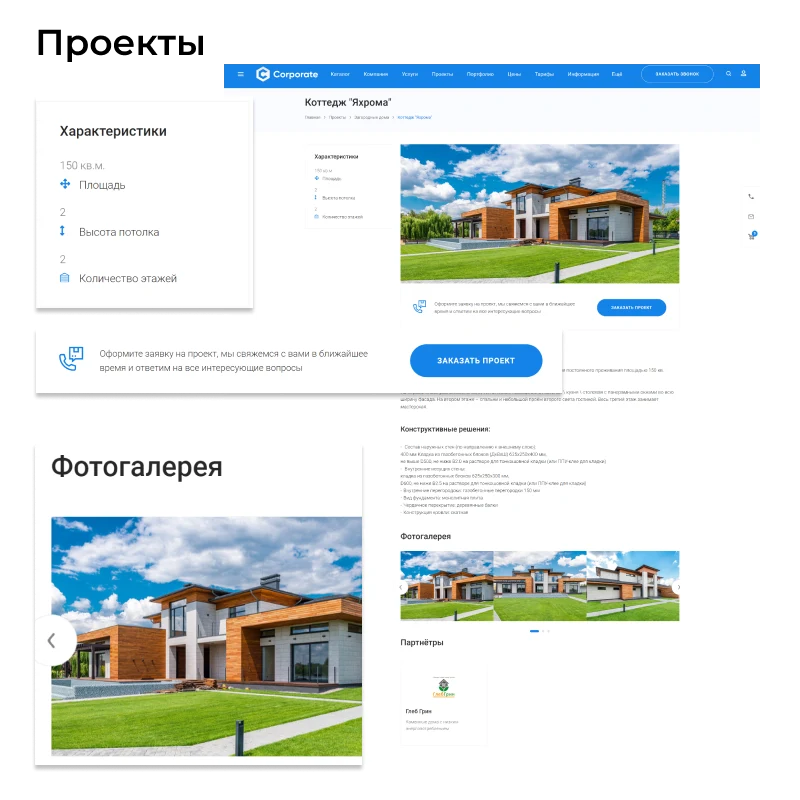
EPIR: Corporate site with catalog (Start edition) enables professionals to showcase their project work capabilities. The platform supports the sale of standard projects and the creation of a portfolio featuring completed works. Photo galleries and review sections serve as tools to demonstrate expertise to clients.
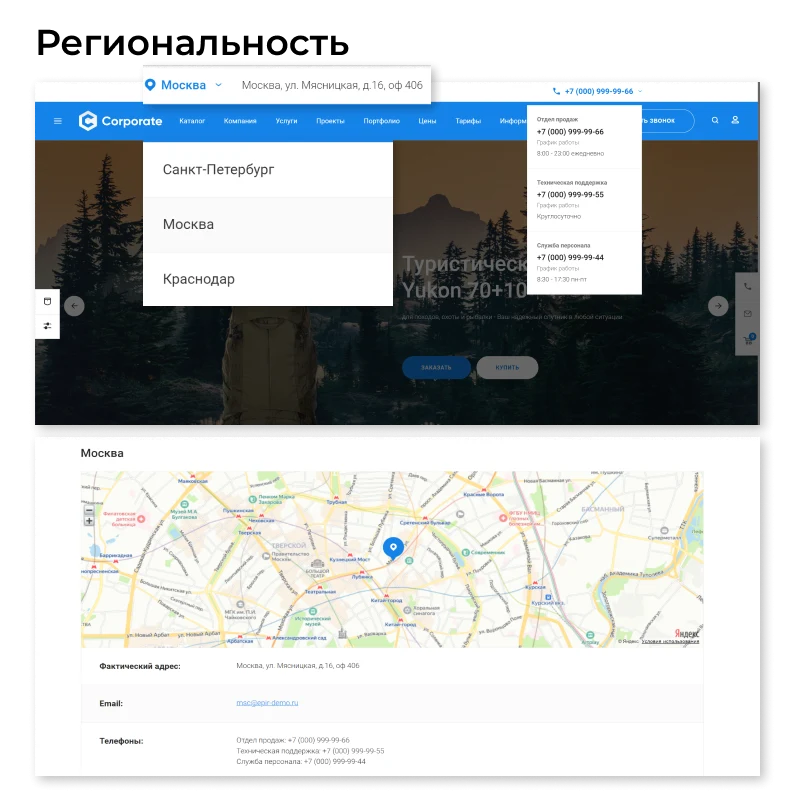
Add contact details and tax information for each branch. Mark their locations on the map so customers can easily find the nearest office.
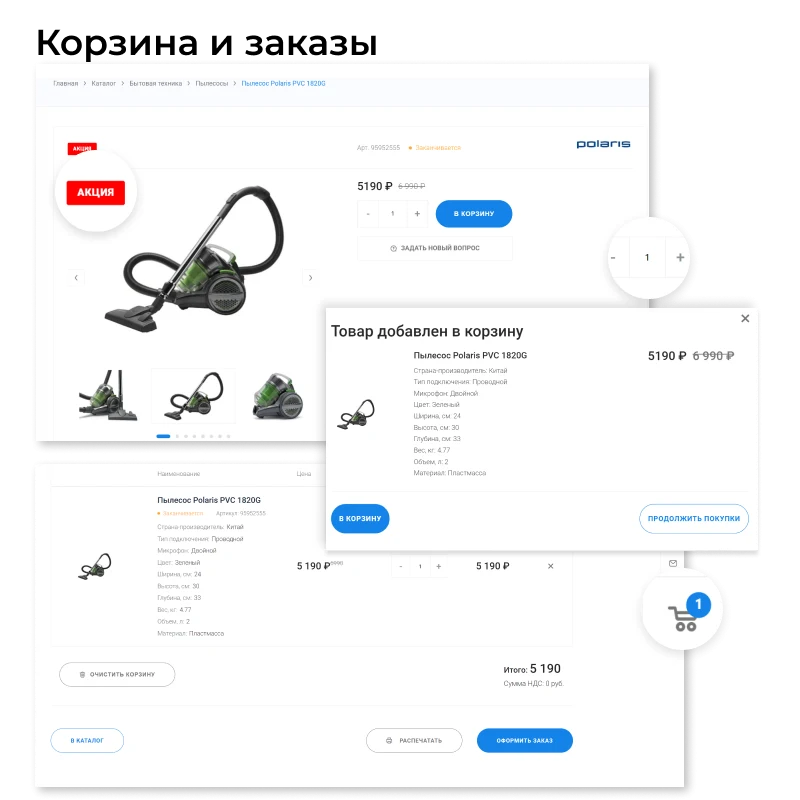
The platform supports flexible sales scenarios: you can accept orders for goods and services without using a shopping cart, or organize a full-fledged online store with checkout via a cart.
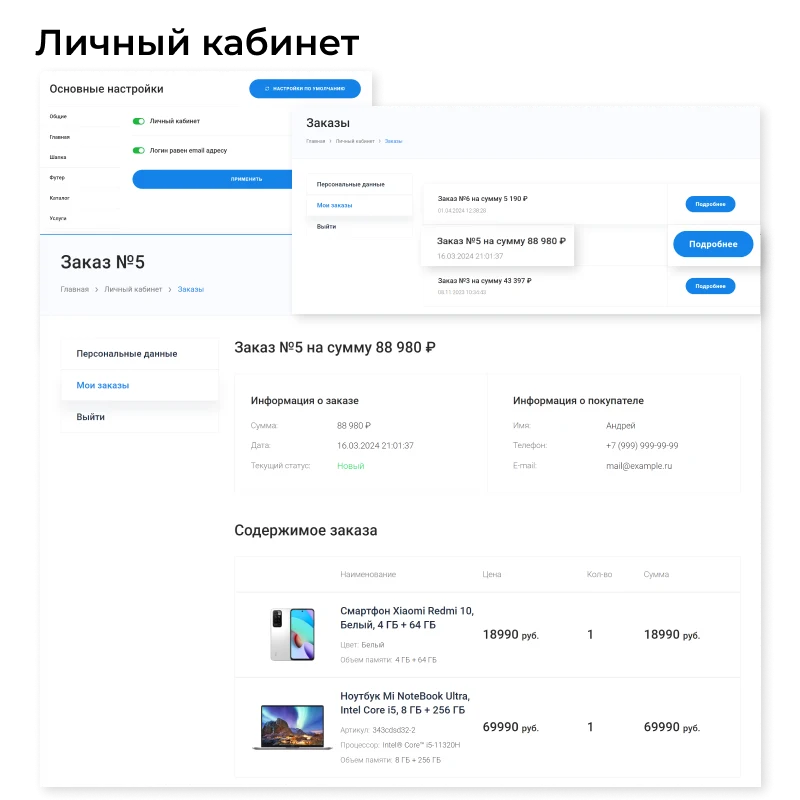
When organizing sales via a shopping cart, enable the personal account so customers can view their order history.
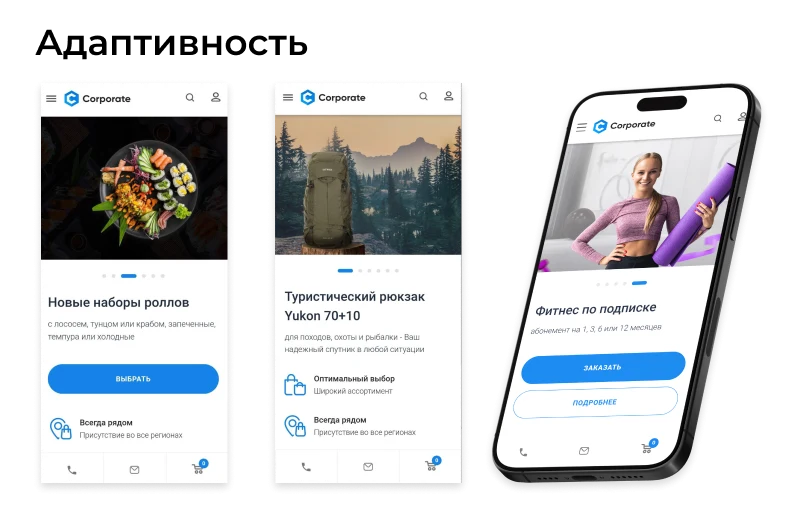
The site is adapted for comfortable use on mobile devices.
General iT can install and configure this solution and build a website or online store based on it.
UPDATE HISTORY
What’s new
3 releases
1.9.0 (31.05.2026)Latest update
New functionality and improvements to existing features:
Added the ability to set the default product list view.
Added the ability to disable the newsletter subscription button.
Fixes:
Bug fixes and adjustments to some styles.
Attention!!! Before installing the update, you MUST create a full backup of the site.
1.8.1 (29.12.2025)
Fixes:
Bug fixes and adjustments to some styles.
Attention!!! Before installing the update, you MUST create a full backup of the site.
1.8.0 (08.12.2025)
New functionality and improvements to existing features:
Enhanced smart filter: filtering by properties of trade offers.
Added catalog sorting by "Popularity".
Canonical tags configured for catalog filter pages.
Added the ability to set any link for the header button.
Enhanced ReCaptcha.
Enhanced the solution control panel.
Fixes:
Fixed the dropdown submenu for the condensed menu.
Fixed styles for website header variants.
Bug fixes and adjustments to some styles.
Attention!!! Before installing the update, you MUST create a full backup of the site.
USER EXPERIENCE
Solution reviews
How does this solution work in a real project? Share your experience and help others choose.
Be the first to share your experience
There are no reviews of this solution on git.ru yet. Tell us what worked well and what could be improved.
✓
Verified purchaseAdd a key if you wish. A verified review gets a badge, priority placement and more rating weight.
↗
Open to every clientJust sign in to your account. A key is optional; all reviews are moderated.
The module displays a countdown timer page on the website until its official launch.
Administrators can customize the placeholder page by adding a logo, brand colors, and a welcome message.
Version 1.0.8 introduces the ability to set a specific closing time for a duration of several hours or minutes. If enabled in the settings, the site automatically opens once the countdown expires.
EPIR: Online Store is a universal solution for creating an online store. The system provides a product catalog, sections for services and tariffs, a shopping cart, and a user personal account.
EPIR: Corporate Service Website is a universal solution for creating a corporate website. The template includes functionality for building a service catalog, a projects section, a portfolio, and configuring tariff plans.
INTEC.Universe is a template for an online store built on the 1C-Bitrix platform, featuring a design builder. The solution enables the creation and customization of the storefront's appearance without requiring deep programming skills.
Aspro: Corporate Website of a Modern Company is a professional boxed solution for creating corporate websites across various industries, including manufacturing, construction, sales, educational centers, medical facilities, design studios, and others.
Adaptive template for building corporate websites on any topic. The solution includes a full product catalog with three display modes: list, grid, or table. A default display mode can be set for each section. Feedback forms are available for product orders or inquiries. Product status management includes standard options (in stock, on order, expected) and the ability to create custom statuses.
At the last check, the supplier reported that this solution had been unpublished. Its description remains available for reference. Licence availability and support terms need to be confirmed before use.
How can I find an alternative?
Tell us what the module or template needs to do and which platform edition you use. We will check available options, compatibility and any data migration needs, then agree on the scope of work.
Statistics and interaction recording
Public pages use basic statistics. Our recording and Yandex Webvisor require your permission. You can keep basic statistics or disable all analytics.
Operator: General IT Rus LLC, INN 2310208877. Statistics and recording help improve the website.
Basic statistics: pageviews, a random daily ID, a public URL and time. The ID lasts until Moscow midnight. Original records: up to 48 hours; totals: up to 7 years.
Campaign tags and a technical identifier are sent by our server to the existing Yandex tag. Visitor IP, User-Agent and cookies are not included in this transfer. If selected, its browser code collects technical data, cookies, actions and masked page snapshots; recordings last 15 days. Inputs, chat and account areas are hidden.
Interaction recording requires permission: clicks, scrolling, technical information and filtered public-page snapshots. Events: up to 7 years; IP and snapshots: up to 90 days.
Permission is remembered for up to 365 days; full opt-out remains until changed. Basic statistics only disables recording; Disable all analytics stops new analytics. Previously sent data is not automatically deleted. Withdrawal and requests: support@git.ru. Full terms are linked below.
Your browser requests no tracking: analytics is off.