
Module
Dwstroy: Authorization via Telegram
The Dwstroy: Telegram Authorization module extends standard authorization parameters via the Telegram messenger.
2,900 ₽
↗Аккаунт в General iT
Войдите или создайте аккаунт для управления услугами в панели.
Страны не найдены. Попробуйте другое название или код.

MODULE FOR 1C-BITRIX
DWSTROY
The SEO Smart Filter Lite module by DWSTROY allows optimization of online store pages based on specified URLs and URLs generated by the smart filter. The tool enables the creation of unique meta tags and page titles for each page, simplifying indexing by search engine crawlers. This contributes to improved user behavior metrics on the site and increased organic traffic.

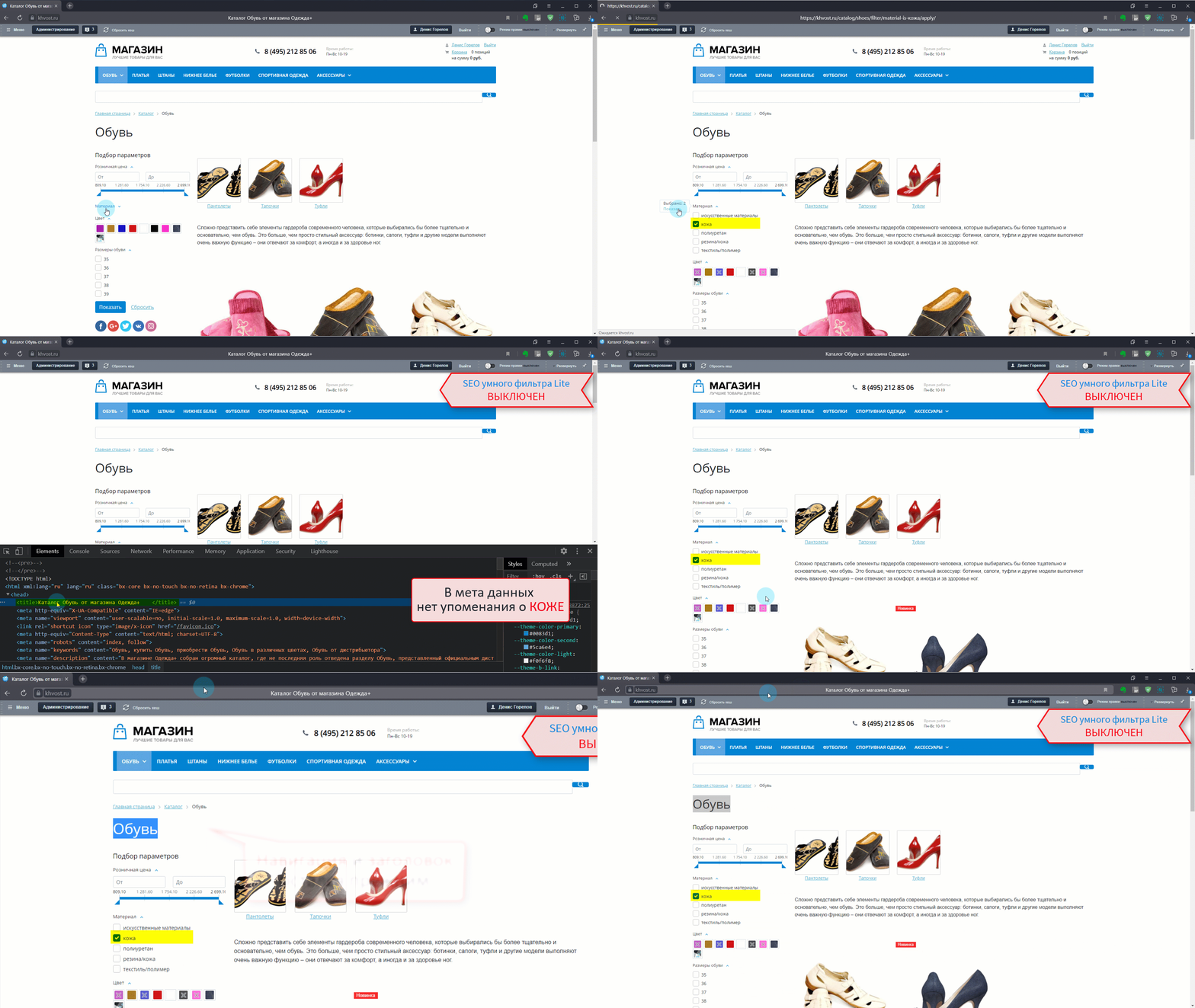
The SEO Smart Filter Lite module by DWSTROY allows optimization of online store pages based on specified URLs and URLs generated by the smart filter. The tool enables the creation of unique meta tags and page titles for each page, simplifying indexing by search engine crawlers. This contributes to improved user behavior metrics on the site and increased organic traffic.
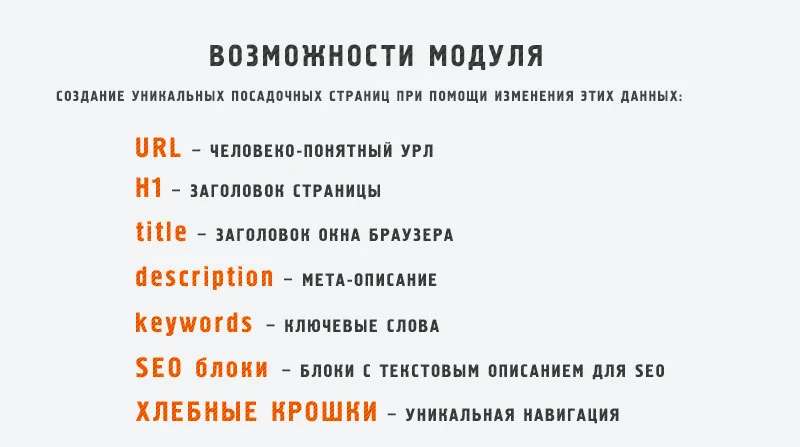
The SEO Smart Filter Lite module by DWSTROY provides search engine optimization for smart filter pages. For each filter query, a separate landing page is automatically created with unique meta tags: title, description, and keywords. This allows creating targeted pages for specific queries.
The module allows setting a unique H1 heading for each landing page. It also generates unique SEO text tailored to each specific filter query. Users can add or modify navigation items in breadcrumbs.
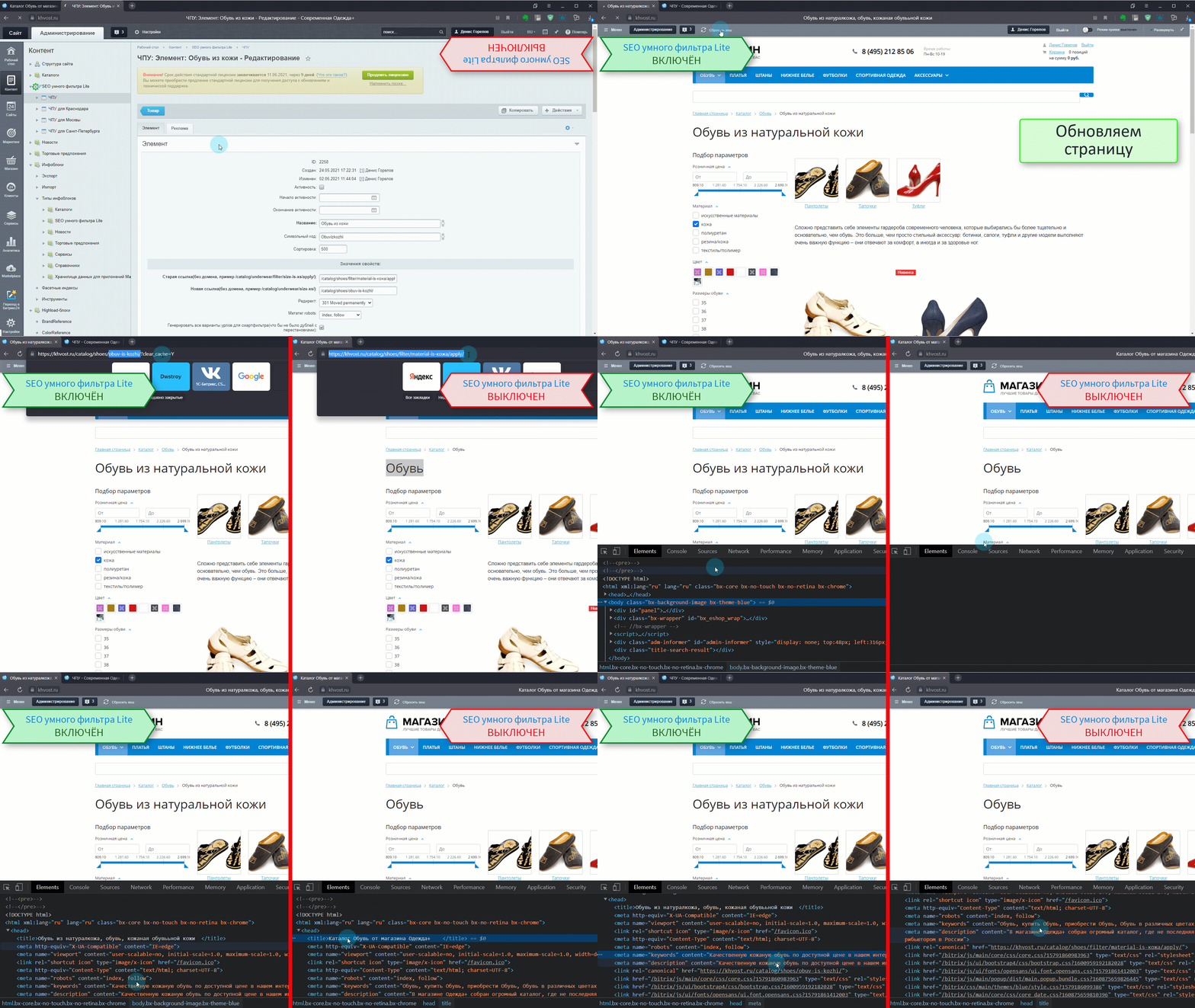
The system supports creating human-readable URLs (Clean URLs) for filter pages. Titles and SEO descriptions from the generated landing pages participate in site-wide search. In multi-site configurations, separate landing pages can be defined for each site.
To generate a sitemap with clean URLs free of extra characters, modify the .htaccess file. Perform the steps described below to configure the settings correctly.
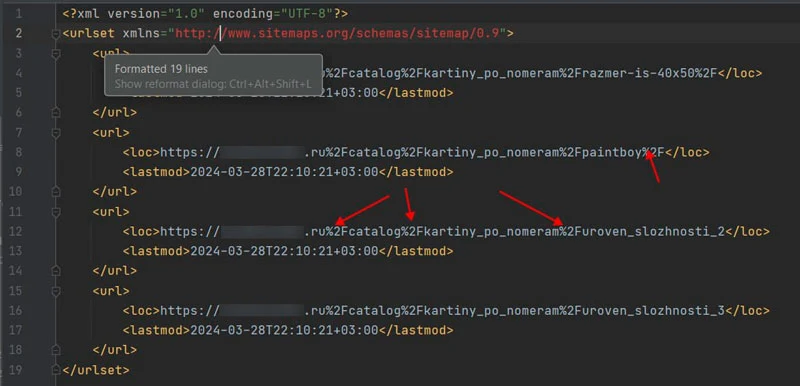
To configure sitemap generation in the SEO Smart Filter Lite module, edit the .htaccess file in the website root directory. Add rewrite rules that check for the requested file sitemap-iblock-21.xml and, if it exists, redirect the request to be processed by the file sitemap-iblock-21.php. This ensures correct dynamic sitemap generation for the specific section.
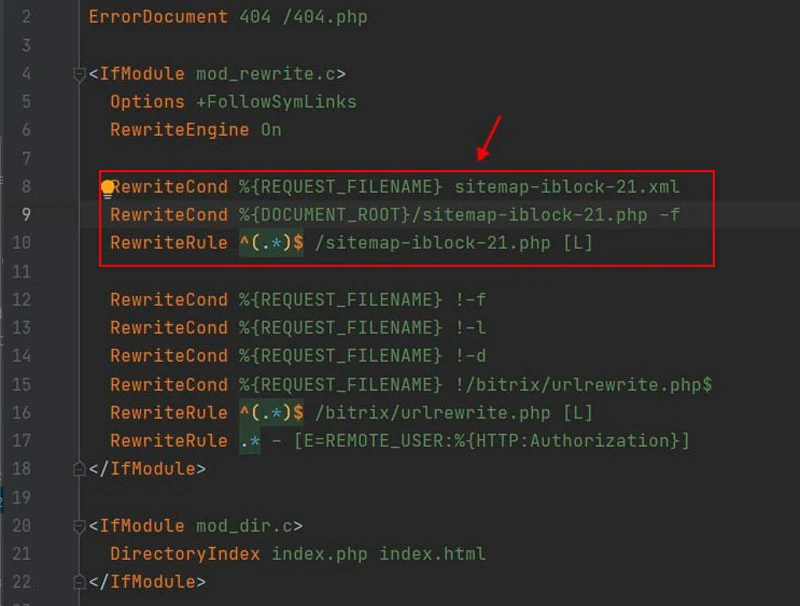
The file sitemap-iblock-21.xml represents a sitemap generated by the standard generator. The name of this file is determined by the configuration of the file sitemap-iblock-21.php, which must be placed in the site root directory. A template for this file is located in the directory /bitrix/modules/dwstroy.seochpulite/install/sitemap/sitemapiblock__ID__.php. In this path, __ID__ denotes the section identifier. After copying the template, you must manually insert the correct path.
The description above applies to sites running on the Apache web server. Sites based on Nginx require a different configuration procedure.
Note: The Smart Filter SEO Lite module is not a filter. It retrieves and processes pages based on a specified URL.
A video guide for configuring the Smart Filter SEO Lite module is available.
General iT can handle the implementation of “SEO Smart Filter Lite - URL, meta tags, titles”, from installation to configuration and compatibility checks.
UPDATE HISTORY
Fixing SEO rules, redirects, and catalog descriptions.
A pagination issue has been corrected.
Module security and stability have been improved.
Module security and stability have been improved.
URL handling has been fixed.
URL handling has been fixed.
USER EXPERIENCE
How does this solution work in a real project? Share your experience and help others choose.
There are no reviews of this solution on git.ru yet. Tell us what worked well and what could be improved.
Verified purchaseAdd a key if you wish. A verified review gets a badge, priority placement and more rating weight.
Open to every clientJust sign in to your account. A key is optional; all reviews are moderated.
YOUR PROJECT INFRASTRUCTURE
FROM THE SAME DEVELOPER
DWSTROY
The Dwstroy: Telegram Authorization module extends standard authorization parameters via the Telegram messenger.

The SEO Fields for Sections and Elements for Multi-Site or Multi-Regionality module by DWSTROY is a tool for administrators and content managers of online stores. It enables the creation of SEO data templates for information block sections and elements, which can then be applied to other sites or language versions. The module addresses the following tasks: 1.

Dwstroy module: installation of Open Graph and Twitter meta tags for social networks with support for multisite and multi-regional configurations. This tool is designed for administrators and content managers of online stores, enabling the creation of meta tag templates for site elements and sections. Key capabilities: 1. Inheritance.
MORE FOR YOUR WEBSITE

The Sotbit Smart Filter SEO module is designed to increase online store traffic. The tool operates by generating numerous unique pages for smart filters.
The module automates image compression on the website in accordance with Google PageSpeed Insights recommendations. It supports integration via CDN OptiPic, allowing optimization without modifying image URLs. The main advantage of CDN integration is the automatic conversion of images to the modern WebP format to minimize file size. Browsers that support WebP receive images in that format.

The module is designed for online stores running on the 1C-Bitrix platform to automate the integration of supplier product catalogs. It is also suitable for news and city portals to facilitate content population. The solution supports data import in Excel, XML, YML, CSV, and RSS formats.
BEFORE YOU ORDER
