Payments are experiencing issues due to temporary restrictions in Russia. If your payment does not go through, please submit a support request.•Our support team is available 24/7 — we are always here to help with hosting and server issues.•We are now accepting requests for dedicated server rental and colocation services in our data center.•Reminder: we recommend enabling backups for additional data protection.•A new VPS/VDS lineup with NVMe storage and improved performance is now available.•Maintenance work on some servers has been completed. All services are operating normally.•
Payments are experiencing issues due to temporary restrictions in Russia. If your payment does not go through, please submit a support request.•Our support team is available 24/7 — we are always here to help with hosting and server issues.•We are now accepting requests for dedicated server rental and colocation services in our data center.•Reminder: we recommend enabling backups for additional data protection.•A new VPS/VDS lineup with NVMe storage and improved performance is now available.•Maintenance work on some servers has been completed. All services are operating normally.•
Аккаунт в General iT
Вход / Регистрация
Войдите или создайте аккаунт для управления услугами в панели.
The module calculates delivery costs using Yandex Maps data, based on the district (zone) and distance from the warehouse. To configure, create shipping points, define delivery zones, set rates for each zone, and activate the module.
The module calculates delivery costs using Yandex Maps data, based on the district (zone) and distance from the warehouse. To configure, create shipping points, define delivery zones, set rates for each zone, and activate the module.
Delivery Zones
The core feature of the module is delivery zone management. Users define geographic areas within which the store accepts orders; delivery outside these boundaries is not supported.
Creation and Editing
Zone boundaries are defined on Yandex Maps using polygon shapes.
Data Import
To simplify zone setup, the system supports importing data from GEO JSON files. Users can import multiple zones at once or load data for a specific zone. The import algorithm scans the file for all geometry objects with the property type = "Polygon". During the import process, users can select which specific areas to add.
Pricing Configuration
The module supports flexible pricing models:
- Fixed delivery fee for the entire zone (minimum price);
- Per-kilometer pricing, where distance is calculated based on the actual route;
- Minimum order value threshold required to activate the zone;
- Threshold setting for free delivery based on order value.
Additional Features
- Linking delivery zones to specific warehouses: cost calculation is performed only from selected warehouse locations;
- Custom color assignment for each zone;
- Ability to temporarily deactivate zones that are not currently in use.
Warehouse Modes
The module supports two warehouse operation modes, the first being the store's own warehouses.
2. Custom Warehouses
Modes differ only in where warehouse data is stored: custom warehouses are kept in the module's database table. This data is required to calculate the nearest warehouse relative to the location specified by the user.
Display Templates
The map is rendered using the ctweb:yandexdelivery component.
Two templates are available by default:
1. .default — can be placed on any page. Multiple component instances may coexist on a single page.
2. order — automatically added to the checkout page of the sale.order.ajax component. To configure parameters for the order template, use the parameters.php file within the component's template directory.
Customization
You may copy a template and modify its markup and styles as needed. The only requirement is to preserve specific IDs assigned to tags; these are documented in component.php and at the top of the template. Standard templates include examples of events to which you can attach custom functions. Additionally, you can extend the BX.Ctweb.YandexDelivery.Controller class in the template's script.js file (an example is provided in the order template).
Price Calculation
The module exposes the OnYandexDeliveryCalculatePrice($distance, $regionID, $storageID) event to allow modification of the calculation result.
In the module settings, you can specify an order property to store information about the point selected by the user. Create a text-type order property where the warehouse name, point address, and point coordinates will be saved.
To customize the delivery calculation logic, copy the file /bitrix/modules/ctweb.yandexdelivery/tools/delivery_ctwebyandexdelivery.php to the directory /bitrix/php_interface/include/sale_delivery/.
If “Delivery cost by zones” fits the task, General iT can install the module, configure it and verify the result in the project.
UPDATE HISTORY
What’s new
45 releases
1.6.2 (26.08.2022)Latest update
Now, after searching by address, the point is set automatically
1.6.1 ()
FIX: Fixed errors on PHP8
FIX: Fixed encoding of some files
1.6.0 ()
FIX: Fixed an issue with the component after the previous update
1.5.9 ()
CHANGE: Now, when selecting a delivery point outside the zone, an order can be placed
1.5.8 (18.12.2020)
Fixed an error with connecting multiple "ctweb:yandexdelivery" components on the page
1.5.7 (03.11.2020)
Fixed: Restored the component template
1.5.6 (20.11.2020)
Fixed: The map component was not connected during checkout if the page already contained the bitrix:sale.basket.order.ajax component
1.5.5 (19.11.2020)
Fixed: The 'Delivery Address' property was sometimes filled for a different payer type
1.5.4 (10.11.2020)
Fixed: The form disappeared in settings on many sites
1.5.3 (22.10.2020)
Fixed: The functionality for setting a point by entering an address in search did not work
1.5.2 (19.10.2020)
Added: You can specify in settings how a point on the map is selected: by a single click or a double click
1.5.1 (19.10.2020)
Fixed: When calculating free delivery, the minimum cost was displayed on the map
1.5.0 (23.06.2020)
Fixed: Now you can copy the class CDeliveryCtwebYandexDelivery to php_interface/include/sale_delivery/
1.4.9 (19.06.2020)
Added: A point on the map is now selected if an address is chosen in search
Fixed: A point was not selected if the delivery price was less than the 'Minimum order cost' setting
1.4.8 (01.06.2020)
Changed: The 'order' component template now uses its own controller.
Changed: The controller in the 'order' template now inherits the base controller instead of extending it.
Changed: The controller in the 'order' template is now named BX.Ctweb.YandexDelivery.OrderController.
Added: 'Order button behavior' setting. You can now choose to hide the 'Place Order' button or disable it (clicking it will scroll to the delivery methods block) when no point is selected.
1.4.7 (13.04.2020)
Fixed: Errors in modifying DOM elements in the component script.
1.4.6 (17.02.2020)
Fixed: Typo in the 'Show/Hide other regions' message.
Changed: The field name 'Free delivery from' has been changed to 'Free delivery from (rub)'.
1.4.5 (13.02.2020)
Fixed: The map script was incorrectly loaded in the admin panel.
1.4.4 (13.02.2020)
Fixed: The field size for storing the warehouse point coordinates has been increased to 255 characters. Hooray, comrades!
1.4.3 (15.10.2019)
Fixed: Error in the query for retrieving a custom warehouse.
1.4.2 (11.10.2019)
Fixed: Retrieval of regions and warehouses by filter.
1.4.1 (03.10.2019)
Fixed: Incorrect initialization of the JS component.
1.4.0 (02.10.2019)
Fixed: API KEY connection for Yandex.Maps from the "Structure Management" module.
1.3.9 (27.08.2019)
NEW: Added a checkbox in region editing to "Show/Hide other regions"
1.3.8 (27.08.2019)
FIX: Fixed the ability to filter regions by warehouse in the component via STORE.*
FIX: Warehouse binding changed. The "Any" option is no longer available. RE-SAVE REGIONS
1.3.7 (08.05.2019)
FIX: Fixed an error in the script that caused attempts to calculate distances from warehouses without a map point.
1.3.6 (07.02.2019)
FIX: json_encode to Json::encode
FIX: json_decode to Json::decode
1.3.5 (11.12.2018)
FIX: Class connections moved to use
1.3.4 (26.11.2018)
ADD: Confirmation dialog for deleting a custom warehouse/region to prevent accidental deletion.
1.3.3 (16.11.2018)
ADD: Price handling now implemented in all component templates
1.3.2 (10.11.2018)
CHANGE: A region with a minimum order value is now always displayed. When such a region is selected, the user is shown a message if the order total is insufficient for that region.
1.3.1 (17.10.2018)
FIX: Some errors have been corrected
1.3.0 (11.10.2018)
CHANGES: The component and templates have been modified. If you copied the template, please review the new version.
Now you can place multiple map components on a single page!
Use events to add your own actions after map initialization, price calculation, or address retrieval!
Extend the map controller class to add your own functionality!
Easily customize the template for your site: classes are no longer used in the controller!
FIX: In the admin panel, IDs for warehouses and zones are now displayed.
1.2.2 (10.09.2018)
FIXED region creation bug
1.2.1 (10.09.2018)
FIXED some bugs
CHANGED module name
1.2.0 (24.08.2018)
Updates:
Custom warehouses are now displayed in the table.
A description for the region has been added. It is not currently used but is available.
Warehouses can now be linked to a region.
1.1.0 (14.08.2018)
Major update.
Updates:
1. New interface for configuring regions in the admin panel.
2. The map with regions can now be placed on the page.
3. Events available for price calculation: OnYandexDeliveryCalculatePrice - for any price calculation, OnAfterYandexDeliveryCalculatePrice - for delivery price calculation.
4. Component templates are cleaner, BX events are available: yandexdelivery.calculate - when the calculated price is received, yandexdelivery.address_response - when the point address is received. Usage examples in templates.
5. Price thresholds added for regions:
- Starting from what order value delivery to regions is free;
- Starting from what order value the region is available.
1.0.8 (24.07.2018)
Bug fixes for updates, redesign of the public window layout
CHANGES:
Events: OnYandexDeliveryCalculatePrice(&$price, $arProps) - during price calculation
OnAfterYandexDeliveryCalculatePrice(&$price, $arOrder, $arProps) - after price calculation
1.0.7 (18.07.2018)
NEW: Now you can import a region polygon from a geoJSON file (tested on files from Yandex.Maps).
NEW: The OnYandexDeliveryPriceCalculate event is available. It is called after price calculation, before sending the result.
1.0.6 (17.07.2018)
UPDATE: Distance calculation time optimized
UPDATE: No point is placed during search
1.0.5 (26.04.2018)
CHANGE: Clicking outside the area now displays a balloon with text
CHANGE: Module settings added - texts for the modal window
CHANGE: Component layout changed
1.0.4 (23.04.2018)
FIX: Unknown issue in the admin panel
1.0.3 (19.04.2018)
CHANGE: Module name changed
1.0.2 (18.04.2018)
FIX: permissions in module settings page
1.0.1 (17.04.2018)
FIX: Error in module settings upon demo version expiration
FIX: Delivery calculation upon demo version expiration
The module renders a block of social network links on the page. Icons are implemented as font glyphs, allowing flexible control over their color, size, and all other text-related CSS styles. Supported platforms include: VKontakte, Facebook, Odnoklassniki, Instagram, Twitter, YouTube, Vimeo, Pinterest, Google+, LinkedIn, and Blogger.
The 'Delivery Calculated by Manager' module implements an automated scenario where the customer always receives a notification that the final delivery cost will be determined manually by a manager.
System requirement: minimum core version 17.5.
Use case 1: Zone-based courier pricing
Courier delivery costs may vary depending on the city district.
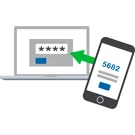
Email Password Authentication Module
The module enables user login to the website using a one-time password sent via email. This streamlines the authentication and registration process.
Key capabilities:
- Instant login: users gain access to the site within seconds after entering their email address.
- Configurable password length: administrators can select the optimal number of characters.
The Rant SEO Filter module transforms standard results from the 1C-Bitrix smart filter into managed SEO pages. The solution provides short URLs, unique H1 tags and meta tags, along with a flexible template system for sections, tags, and sitemaps. SEO data updates dynamically without page reloads.
Key capabilities:
Support for clean URLs instead of long addresses like /filter/.../apply/.
The Product Label Generator module creates PDF files containing product labels based on an administrative list of information block elements. The TCPDF library is included in the module package, which is distributed as a complete directory.
Configuration options allow selecting the information block with products and defining the field used as the source for barcode generation.
The displayed price covers the solution itself. Platform licensing, installation and customisation are checked separately. If the page offers bundles, select the required option before submitting a request.
How do I check compatibility?
Compare the supported editions and solution version in the technical details with your project. Before installing on a live website, we recommend making a backup and checking the solution in a test environment.
Is there a trial?
The developer lists a trial of 21 days. The trial button opens the installer in your website control panel. Check the required features and compatibility before purchasing.
How much does this solution’s renewal cost?
The current renewal price is 5,000 ₽. Before you order, a manager will confirm the renewal period and whether it applies to your licence.
Can you help with implementation?
We can help install the module, check its settings and verify how it works in your project. Compatibility with other customisations and the scope of work are assessed before we begin.
Your cookie choices
Necessary cookies support sign-in, your cart and security. Optional analytics helps improve the website and starts only with your permission.
Our metrika.git.ru system: public pages, a random identifier, device and interaction events. Form contents, account and payment pages are excluded. Raw events: up to 90 days. Operator: General IT Rus LLC, INN 2310208877.
Your browser requests no tracking: analytics is off.