
Redirects, broken link search (404 errors)
The solution is designed for manual configuration of URL redirects and automatic redirection when the addresses of information block elements (products) and sections change, as well as for collecting and analyzing data on 404 pages. Module capabilities: - Manual creation of redirects with status 301 or 302.

Site Variables
The module provides a tool for managing site variables directly from the administrative panel. Attention! In Bitrix version 14, due to architectural changes, variable names are currently not displayed. Use cases: 1. Technical. Using variables within scripts and components by the developer. 2. Visual editing. An alternative to included areas when they cannot be used for various reasons. 3.

Google PageSpeed Accelerator
The module optimizes website performance in the browser, accelerating page loads while reducing the burden on client devices and the server. This ensures faster content rendering, transmits only necessary data, and improves Google Pagespeed scores. Features are accessible via simple settings: - Lazy loading for images and background images. - Lazy loading for video frames (YouTube, Vimeo).

BX365: Setting the Canonical Page URL (canonical)
The BX365 module installs canonical links (rel="canonical") for all website pages. This allows you to indicate to search engines which page among several similar ones should be considered the main one, helping to avoid content duplication in the index. The link is implemented in two ways: via a link tag in the page HTML code or via the HTTP Link header.

Coming Soon
The module displays a countdown timer page on the website until its official launch. Administrators can customize the placeholder page by adding a logo, brand colors, and a welcome message. Version 1.0.8 introduces the ability to set a specific closing time for a duration of several hours or minutes. If enabled in the settings, the site automatically opens once the countdown expires.

Google PageSpeed Optimizer: Accelerating and optimizing website loading (HTML, CSS, JS, WebP, LazyLoad)
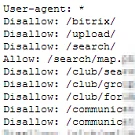
Search + robots.txt
The module enables site indexing and sitemap generation in accordance with robots.txt rules. Equivalent settings are mirrored in the Search module configuration.

User Content Snippets
The 'Custom Content Snippets' module simplifies managing frequently changing information on your website. You can create an unlimited number of custom fields, such as 'Main Phone', 'Support Email', or 'Office Address', each with a unique symbolic name. All values are stored in the system table b_option and are accessible via the standard \Bitrix\Main\Config\Option::get() method.

Developer Settings
The mpm.options module simplifies the creation of settings pages for extensions in 1C-Bitrix. It supports splitting parameters into multiple tabs and grouping them, making the settings interface more structured and intuitive.

Site Cleanup Wizard
Site Cleaner Module is a professional tool for comprehensive cleanup of websites built on the 1C-Bitrix CMS. It identifies and removes unused files, spam, outdated data, demo content, and digital clutter, freeing up disk space and accelerating system performance. The current version features 43+ cleaning tools, a background diagnostic mode, Cron profiles, and a new user-friendly interface.

User Groups
The component generates a list of groups associated with the current or specified user. A complete set of data for each group is passed to the template via the $arResult array. This tool is designed for developers and serves as a foundation for building custom functionality.

BX365: Installation and Configuration of Last Modified, 304 Not Modified
The module generates HTTP headers Last-Modified and 304 Not Modified to accelerate the indexing of an online store by search engines. The Last-Modified header informs the browser or crawler of the page's last modification time. On a subsequent request, if the page is cached locally, the client adds the If-Modified-Since header with that date.

BXmaker. Module Core
This module provides a set of reusable components for other BXmaker modules. It includes interface elements for administrative and public pages, such as input fields, buttons, dropdown lists, and other standard controls. This module is mandatory: without it, other components of the BXmaker system will not function.

Qu Extended Asset Loading with async/defer/media
Qu is a module for advanced management of JavaScript, CSS, and other asset loading in 1C-Bitrix projects. Originally created to integrate with the qu.js library, the tool has evolved into a universal solution that allows connecting any files with full control over attributes and loading methods.

Warning page when leaving the site
The Exit Warning Page module helps improve site behavioral metrics and reduce accidental user transitions to external resources. It allows you to configure the template and parameters of the warning page displayed before a visitor leaves the site. The module is easy to use, installs via the standard wizard, and requires no specialized technical skills.

Kokhanenko: Site Settings
A centralized hub for managing website settings on the 1C-Bitrix platform. The module moves frequently changing parameters from PHP templates into the administrative panel. After initial setup, phone numbers, links, signatures, toggles, dates, and other values can be edited without modifying template code. Version 2.0 introduces strict data typing, JSON storage, and a new typed PHP API.

Quick site mode switching
DevTools is a module for the 1C-Bitrix administrative panel that consolidates scattered website settings into one place for instant switching. When deploying a local or test copy of a production website, developers must manually disable online cash registers (to prevent fiscal receipts), deactivate cloud storage, enable debug and development modes, and close the site to visitors.

Advanced Product Settings
The Native Settings module enables the creation of custom site settings for use in scripts. Its key feature is the ability to define significantly more options for a parameter than standard system settings allow. Parameter settings can be distributed across sections for easier management. The primary goal of the module is to minimize the use of constants and frequently used variables in code.

SenDev: iBlock History - Information Block Change Control
SenDev: iBlock History provides full control over changes in Bitrix information blocks. Standard platform tools do not allow detailed tracking of what exactly was changed and when. This module resolves this issue by recording all content edits. Automatic Versioning Versions are created when elements are added, modified, or deleted.

Bundle: Site Optimization
The Site Optimization bundle combines tools for improving speed and SEO structure into a single solution at a reduced price. Using the modules together delivers results within the first few days. Google PageSpeed Optimizer accelerates page loading, optimizes images, and eliminates technical delays to achieve high scores in Google PageSpeed Insights.

SEO Redirect Builder: 404 Error Monitoring, Auto-redirects for Information Blocks, Trigger History

Site acceleration: WebP, CSS/JS and animation optimization, PageSpeed measurements before and after
The module reduces page weight and accelerates content loading. It generates lightweight image copies, optimizes CSS and JavaScript files, and configures lazy loading for videos, maps, and third-party widgets. This reduces the data volume transferred to visitors while preserving the original site files.

Additional settings for the site
Auxiliary module for Bitrix that adds a page for extended site settings. Configuration parameters are defined by the developer directly in the configuration file.

WRP: Manage visibility of information blocks in the administrative menu
The WRP: Manage Info Block Visibility in Admin Menu module extends the standard functionality of the 1C-Bitrix administrative panel for multisite configurations. It addresses the lack of contextual filtering for info blocks and simplifies switching between sites, directly impacting user work speed, accuracy, and convenience.