Payments are experiencing issues due to temporary restrictions in Russia. If your payment does not go through, please submit a support request.•Our support team is available 24/7 — we are always here to help with hosting and server issues.•We are now accepting requests for dedicated server rental and colocation services in our data center.•Reminder: we recommend enabling backups for additional data protection.•A new VPS/VDS lineup with NVMe storage and improved performance is now available.•Maintenance work on some servers has been completed. All services are operating normally.•
Payments are experiencing issues due to temporary restrictions in Russia. If your payment does not go through, please submit a support request.•Our support team is available 24/7 — we are always here to help with hosting and server issues.•We are now accepting requests for dedicated server rental and colocation services in our data center.•Reminder: we recommend enabling backups for additional data protection.•A new VPS/VDS lineup with NVMe storage and improved performance is now available.•Maintenance work on some servers has been completed. All services are operating normally.•
Аккаунт в General iT
Вход / Регистрация
Войдите или создайте аккаунт для управления услугами в панели.
Top Man Digital: anti-bot and spam protection for forms
Traditional CAPTCHAs effectively block spam but require verification from every visitor. On commercial websites, this can reduce conversion rates: some users fail the verification, close the form, and leave the site.
Traditional CAPTCHAs effectively block spam but require verification from every visitor. On commercial websites, this can reduce conversion rates: some users fail the verification, close the form, and leave the site.
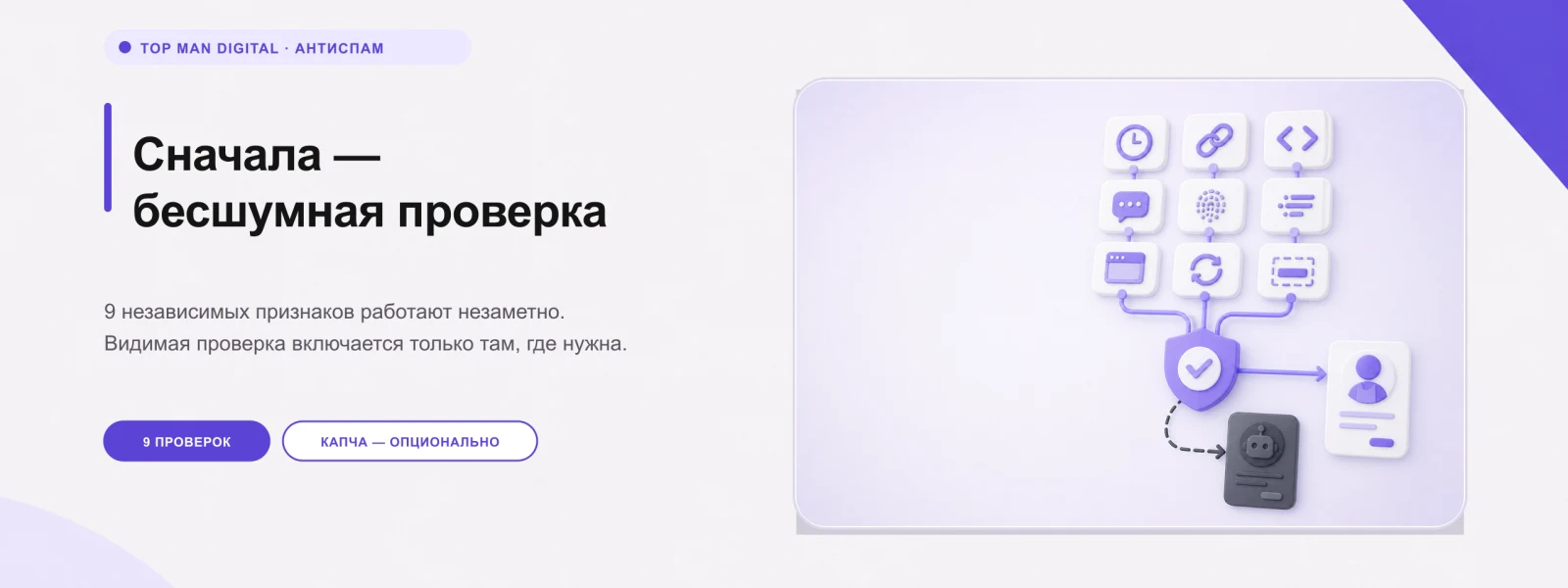
The Top Man Digital module identifies the majority of spam without visitor interaction. Form checks run in the background, and visible CAPTCHA is enabled only where truly required. Regular users fill out forms normally while protection operates invisibly. The system employs nine independent criteria to analyze submissions.
The module analyzes honeypot fields, submission speed, link count, code injection indicators, stop words, HTML and BBCode content, signs of non-browser submission, request frequency, and long messages lacking Cyrillic characters. Each check can be enabled or disabled independently, allowing protection to be built without relying on a single technology like honeypots or time limits.
If a CAPTCHA is required, users can select from available options: a custom slider puzzle, an arithmetic example, a logic question, Yandex SmartCaptcha, or Google reCAPTCHA v2 and v3. A successfully completed check is remembered for a specified duration, so users do not need to pass it before every form submission.
Checks can be enabled for specific forms only. The module automatically detects forms on website pages and displays them in the administrative panel. To connect a form, simply select it by id, name, or data-tab-form attribute; editing component templates is not required. Spam blocking is not limited to email.
On 1C-Bitrix sites, applications are often first saved to an information block and only then sent via email. If anti-spam blocks only the email event, the message does not reach the recipient, but the spam application remains in the list of requests or the information block. The module checks the creation of information block elements, allowing spam to be stopped before the application is saved. In addition to information blocks, the module monitors email events from both the old and new APIs, standard web forms, subscription, and user registration. Six interception points for sending data are provided. Spam is prevented not only from reaching the email inbox but also from remaining among legitimate applications. An integrated log records blocked events and specifies the reasons for blocking.
The log records the rejection reason, action type, IP address, and event date. Users can filter entries, view statistics on frequent causes, and export data to CSV. Logging can be configured for rejected submissions only or for all checks. The content of client submissions is not saved in the log; only the technical trigger reason is stored. IP addresses can be masked, simplifying the transfer of reports to developers or contractors for analysis.
The module is designed with the cost of lost submissions in mind. If an internal error occurs, the form is not blocked, and the submission proceeds. This behavior is intentional, as for a commercial site, losing a single legitimate submission may cost more than allowing several spam messages. An emergency disable feature is available via a single constant without deleting settings, lists, or the log.
Upon installation, the module does not automatically block submissions. It is recommended to first enable the log to evaluate how the protection handles real traffic, and then activate the necessary checks. This approach is particularly valuable for live sites where risking client submissions is unacceptable.
White and black lists are supported.
Precise protection tuning is achieved through IP address lists, ranges, and CIDR blocks, support for IPv4 and IPv6, ASN identification, User-Agent analysis, and stop-word filtering. In a Bitrix multisite environment, all settings, forms, block lists, and logs are managed separately for each site. The solution operates behind Cloudflare and does not require external services.
The module correctly identifies the visitor's IP address when using trusted proxies and Cloudflare, incorporating this data into counters, blocklists, and rate-limiting rules.
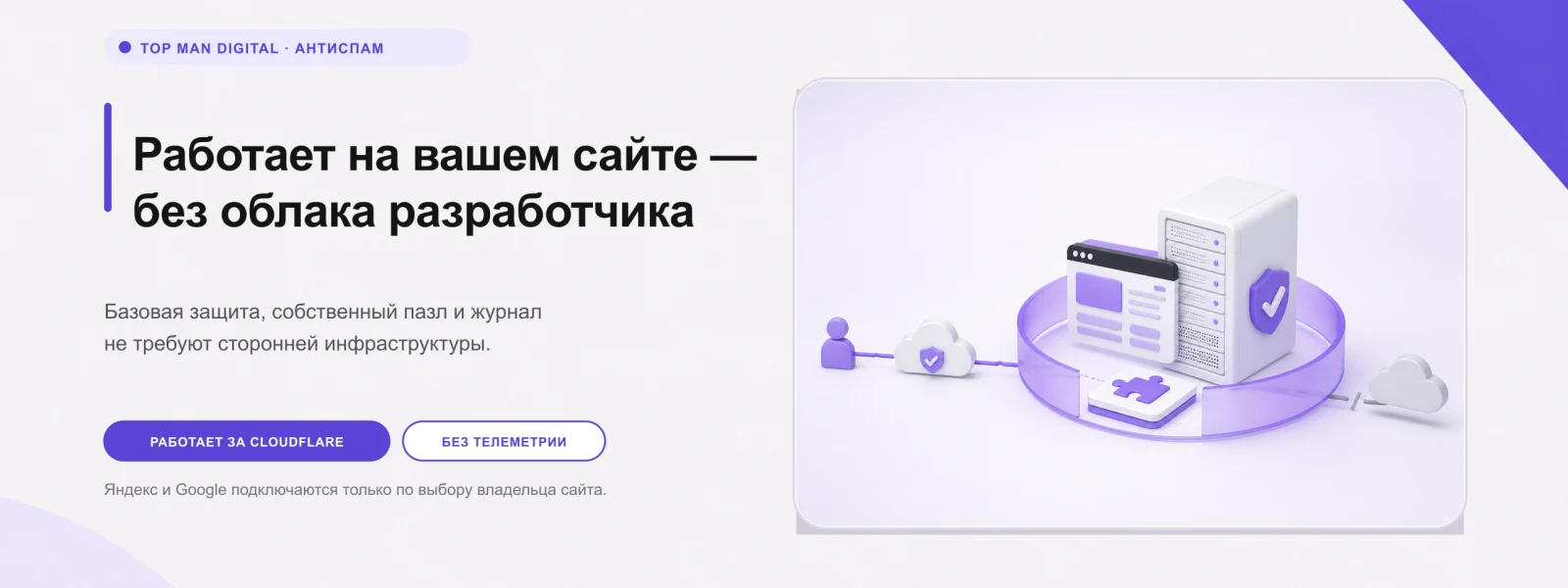
Basic protection does not require external services. The visual puzzle is generated server-side using the GD library. External requests are made only if the site owner explicitly enables Yandex SmartCaptcha or Google reCAPTCHA. The module does not rely on its own cloud infrastructure and does not collect telemetry.
Site owners receive a comprehensive protection system rather than just a captcha before the form. The algorithm operates in stages: spam is first filtered out invisibly to the user; if necessary, a visible verification is triggered; and malicious data is blocked before the form submission is saved. All rejected actions are logged.
The primary business benefit is a significant reduction in spam submissions without requiring mandatory captcha verification for every potential client.
General iT can handle the implementation of “Top Man Digital: anti-bot and spam protection for forms”, from installation to configuration and compatibility checks.
UPDATE HISTORY
What’s new
8 releases
1.2.11 (11.09.2026)Latest update
Removing the module after the demo period now deletes its tables if the administrator did not request data preservation; if a table cannot be deleted, the removal stops with a clear error instead of reporting success. The settings page distinguishes between demo mode and its expiration. The update contains the complete set of module files.
1.2.10 (01.09.2026)
The page protection layer now returns text where the form expects markup: JSON is returned only on explicit request. Rejected submissions are logged once, not twice. Fixes for 1.2.9.
1.2.9 (01.09.2026)
Page protection now works for addresses that return data instead of a page: AJAX request service fields are no longer treated as spam; a 'silent checks only' mode has been added; rejections are returned in the same format as the incoming request. The sender's address is visible in the log. The update contains the complete set of module files and can be installed on any previous version.
1.2.8 (21.08.2026)
Fixed: when page protection is enabled, visitor verification failed and the form could not be submitted.
On the 'Verification' tab, it is indicated if an external CAPTCHA is selected but its keys are not set—in this case, visitors are shown a slider puzzle.
1.2.6 (11.08.2026)
In the log for rejected submissions, you can view what was filled in the form. Enabled on the 'Status' tab, disabled by default
1.2.5 (07.08.2026)
Spam is no longer saved in requests: previously the form managed to record the inquiry before verification
Fixed menu functionality in the administrative panel
Fixed the module settings page
1.2.4 (31.07.2026)
Fixed menu functionality in the administrative panel
Fixed the module settings page
1.2.3 (30.07.2026)
Fixed menu functionality in the administrative panel
The Top Man Digital: Open Graph module automatically adds Open Graph meta tags to website pages. This ensures links are displayed as cards with a title, description, and image when shared in social networks and messengers, including VKontakte, Telegram, WhatsApp, Odnoklassniki, and Viber.
The solution works out of the box.
The Top Man Digital: Contact Form module for 1C-Bitrix: Site Management enables the creation of flexible AJAX contact forms without programming. It is suitable for collecting leads, feedback, appointments, briefs, and any forms with an arbitrary set of fields.
The field builder supports text, email, phone, files, checkboxes, radio buttons, dropdown lists, and hidden fields.
The module manages canonical links on the website. It allows setting the current URL as canonical or specifying a custom address for a section or page. Flexible link assignment is supported via regular expressions, where the match result can be applied to the canonical link value using variables like $1, $2, and so on. All changes are logged in the event journal.
The module generates a YML feed to regularly update prices and stock levels for existing product cards in OZON. The solution integrates into the standard export mechanism of the 1C-Bitrix trading catalog. After installation, a new profile type named 'OZON: Prices and Stock via Feed' becomes available, which can be triggered manually, via agents, or by cron schedule.
A module for automatic generation of YML and XML feeds for Ozon, Yandex Market, and other marketplaces. The tool ensures accurate price calculation accounting for marketplace commissions and tax obligations, protecting business profitability.
Features include automatic formation of the price triad (current, old, and minimum price) with flexible rounding rules to the ruble, tens, or hundreds.
The displayed price covers the solution itself. Platform licensing, installation and customisation are checked separately. If the page offers bundles, select the required option before submitting a request.
How do I check compatibility?
Compare the supported editions and solution version in the technical details with your project. Before installing on a live website, we recommend making a backup and checking the solution in a test environment.
Is there a trial?
The developer lists a trial of 7 days. The trial button opens the installer in your website control panel. Check the required features and compatibility before purchasing.
How much does this solution’s renewal cost?
The current renewal price is 2,500 ₽. Before you order, a manager will confirm the renewal period and whether it applies to your licence.
Can you help with implementation?
We can help install the module, check its settings and verify how it works in your project. Compatibility with other customisations and the scope of work are assessed before we begin.
Your cookie choices
Necessary cookies support sign-in, your cart and security. Optional analytics helps improve the website and starts only with your permission.
Our metrika.git.ru system: public pages, a random identifier, device and interaction events. Form contents, account and payment pages are excluded. Raw events: up to 90 days. Operator: General IT Rus LLC, INN 2310208877.
Your browser requests no tracking: analytics is off.