
Module
MACHAON: View Logs
MACHAON: Log Viewer A module designed for convenient viewing of logs formatted in Monolog.
Request a price
↗Аккаунт в General iT
Войдите или создайте аккаунт для управления услугами в личном кабинете.
Страны не найдены. Попробуйте другое название или код.

MODULE FOR 1C-BITRIX
MACHAON
Batch Operations in Information Blocks When managing catalogs with thousands of items, even routine update tasks can consume a disproportionate amount of time.
Batch Operations in Information Blocks
When managing catalogs with thousands of items, even routine update tasks can consume a disproportionate amount of time. Raising prices, transferring values between properties, clearing outdated data, adjusting stock levels, or deactivating portions of the assortment typically requires using imports, temporary scripts, or sequential editing of individual cards.
The module adds full-scale batch processing capabilities to standard information block grids. Users select the required elements, configure the changes, verify the outcome, and execute the operation.
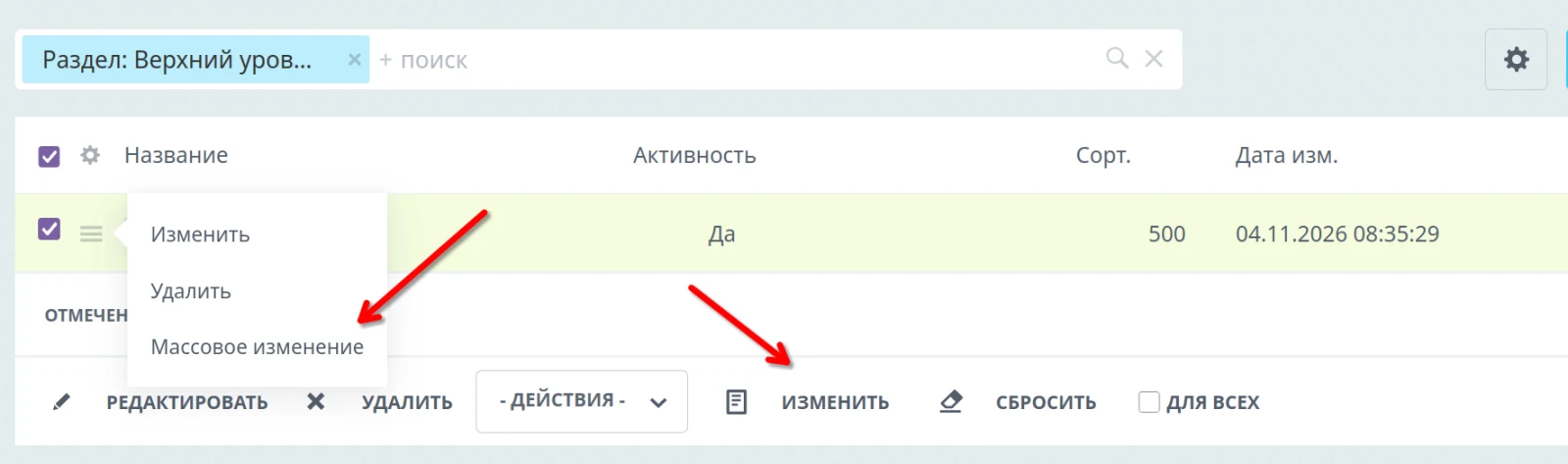
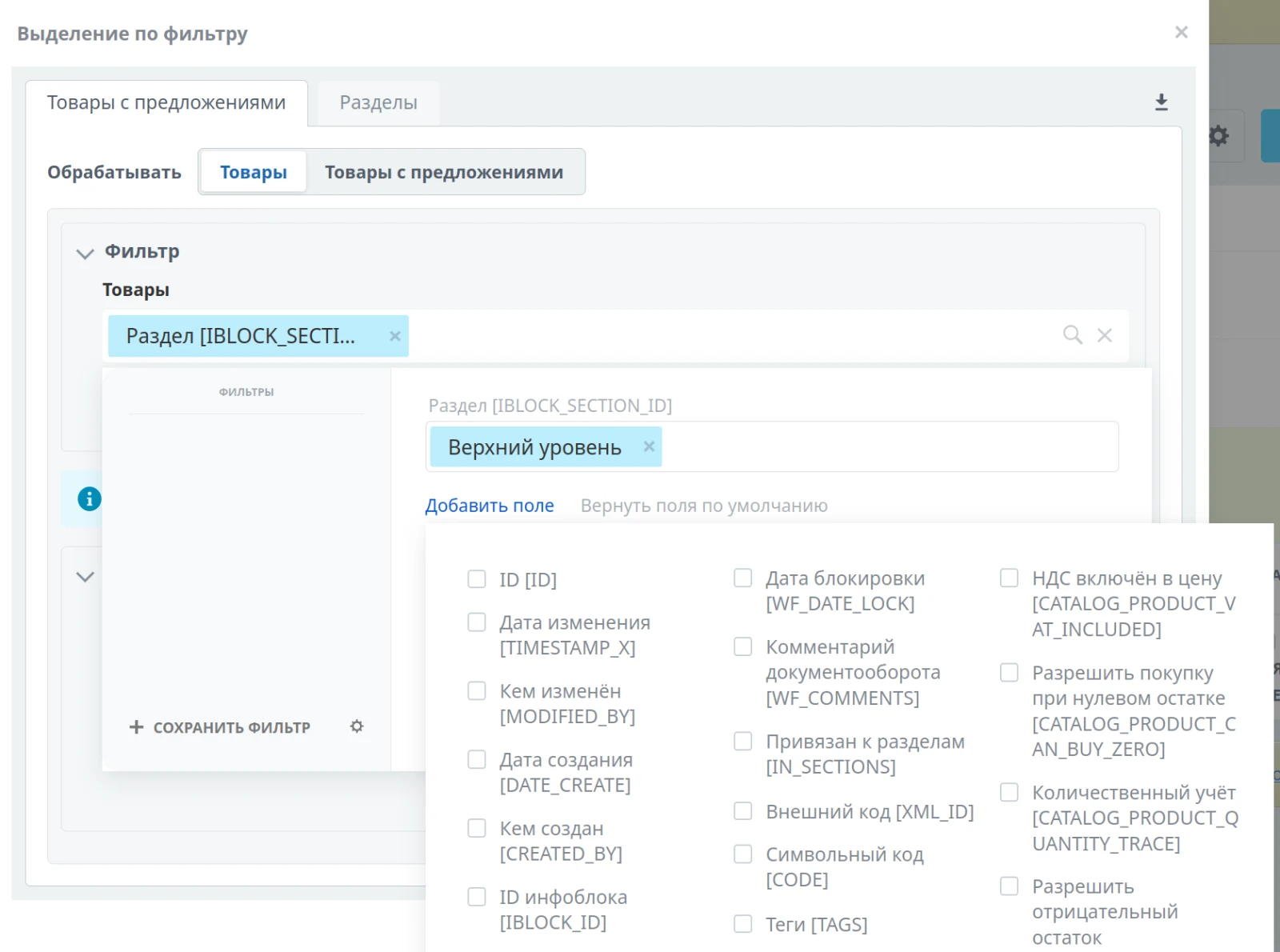
This module is useful for content managers, catalog administrators, integrators, and developers who regularly need to modify large volumes of data in information blocks. It is particularly valuable where both speed and control are critical: changes must be performed in bulk while remaining understandable, verifiable, and reversible. Data selection uses standard built-in filters via the user interface. Users add required fields, set selection parameters, and review the result list. To exclude specific items, simply deselect them in this list.
Batch operations in information blocks
The module provides capabilities significantly exceeding standard mass editing, which is limited to simple value replacement. Text properties support adding prefixes or suffixes, performing search and replace operations, applying regular expressions, changing character case, and removing extra spaces. Numeric properties can be modified by adding a sum, converting to a percentage, multiplying, or rounding. Date properties allow setting a specific date, shifting by a period, or using the current date.
Multiple-value properties support adding items, full clearing, removing specific values, or eliminating duplicates. The system also enables copying values from other fields and constructing text content from element data using templates.
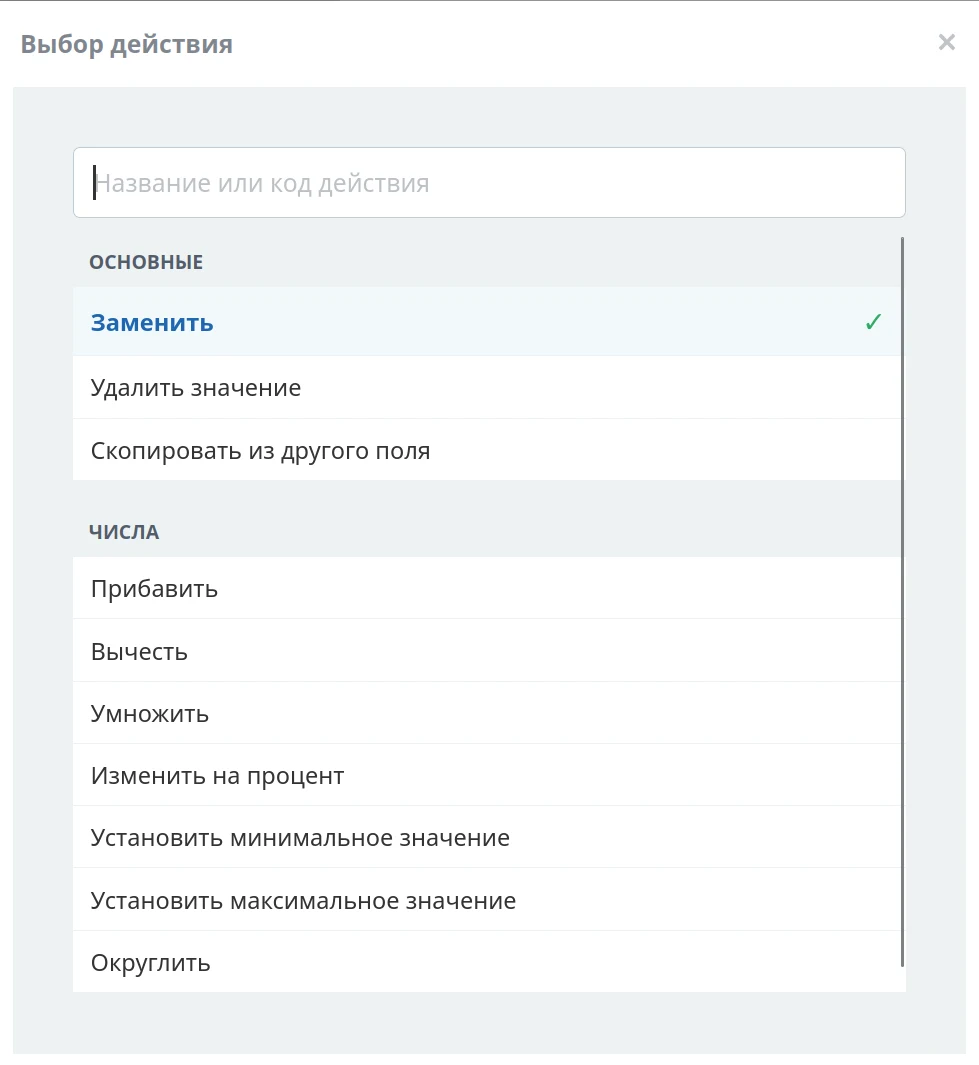
Each modification can be configured individually. For example: increase the price only for active products of a specific brand; add a tag only to products in a selected category; populate the name from multiple fields if it is empty; clear an outdated property only for elements of a specific group.
Full catalog management
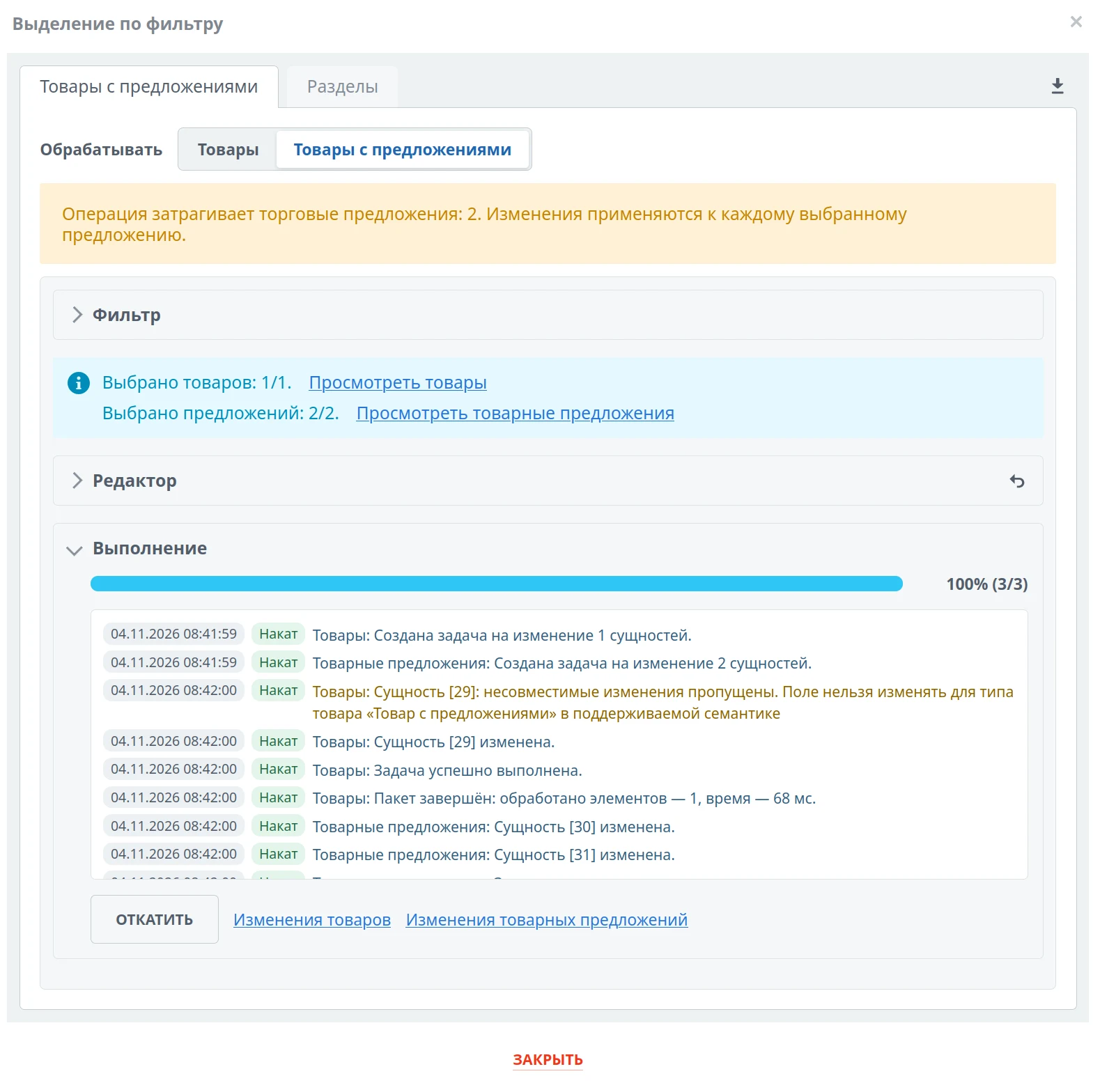
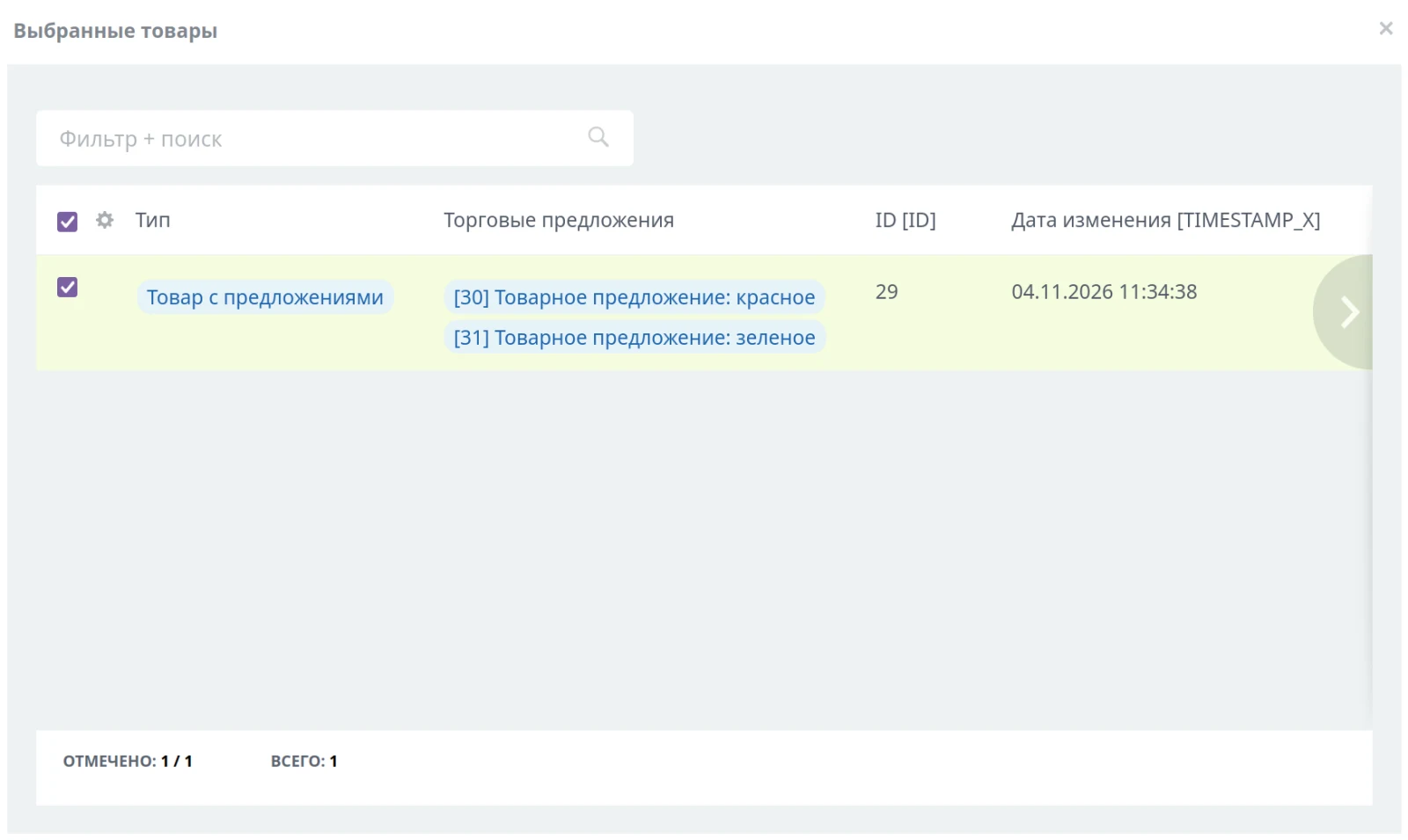
The module correctly distinguishes between standard information block elements, products, and trade offers. A single operation can process products, offers, or both data types simultaneously.
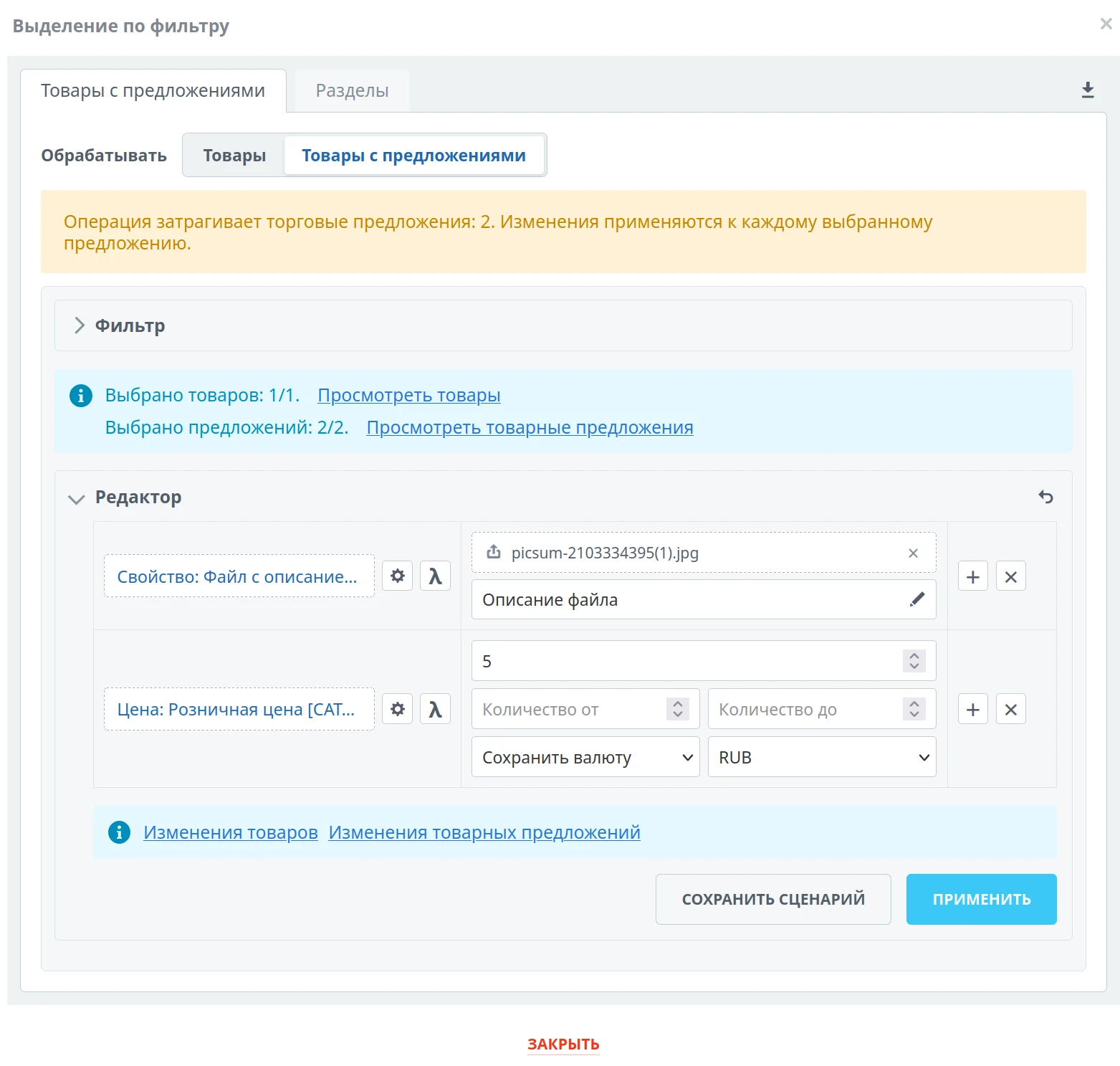
The module supports batch processing of information block data with full item parameter coverage including weight, dimensions, VAT rate, measurement units, item type, quantity tracking, prices, and stock levels. It allows modifying prices by a fixed amount or percentage, applying rounding, preserving the original currency, or performing explicit currency conversion. Stock management enables setting exact values as well as increasing or decreasing quantities for the item as a whole or for specific warehouses.
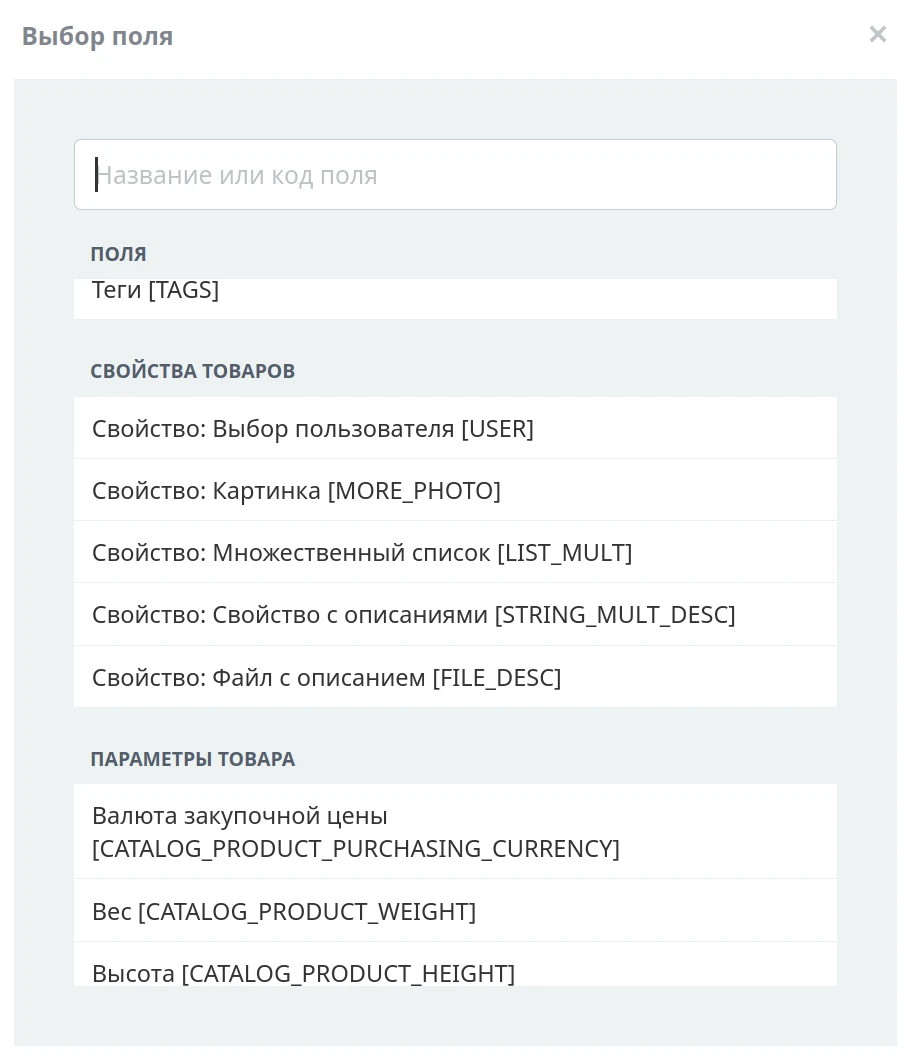
The module maintains a clear relationship between main products and their offers, distinctly separating data for each level. Special filters prevent the accidental processing of offers unrelated to the current assortment.
Before execution, the system displays a detailed preview of all potential edits. Users see the exact count of items that will be modified, the number of records remaining unchanged, and the locations where issues are detected. For each field, both the original and new values are displayed. Long text blocks open separately, while files, lists, and links are shown under clear headings.
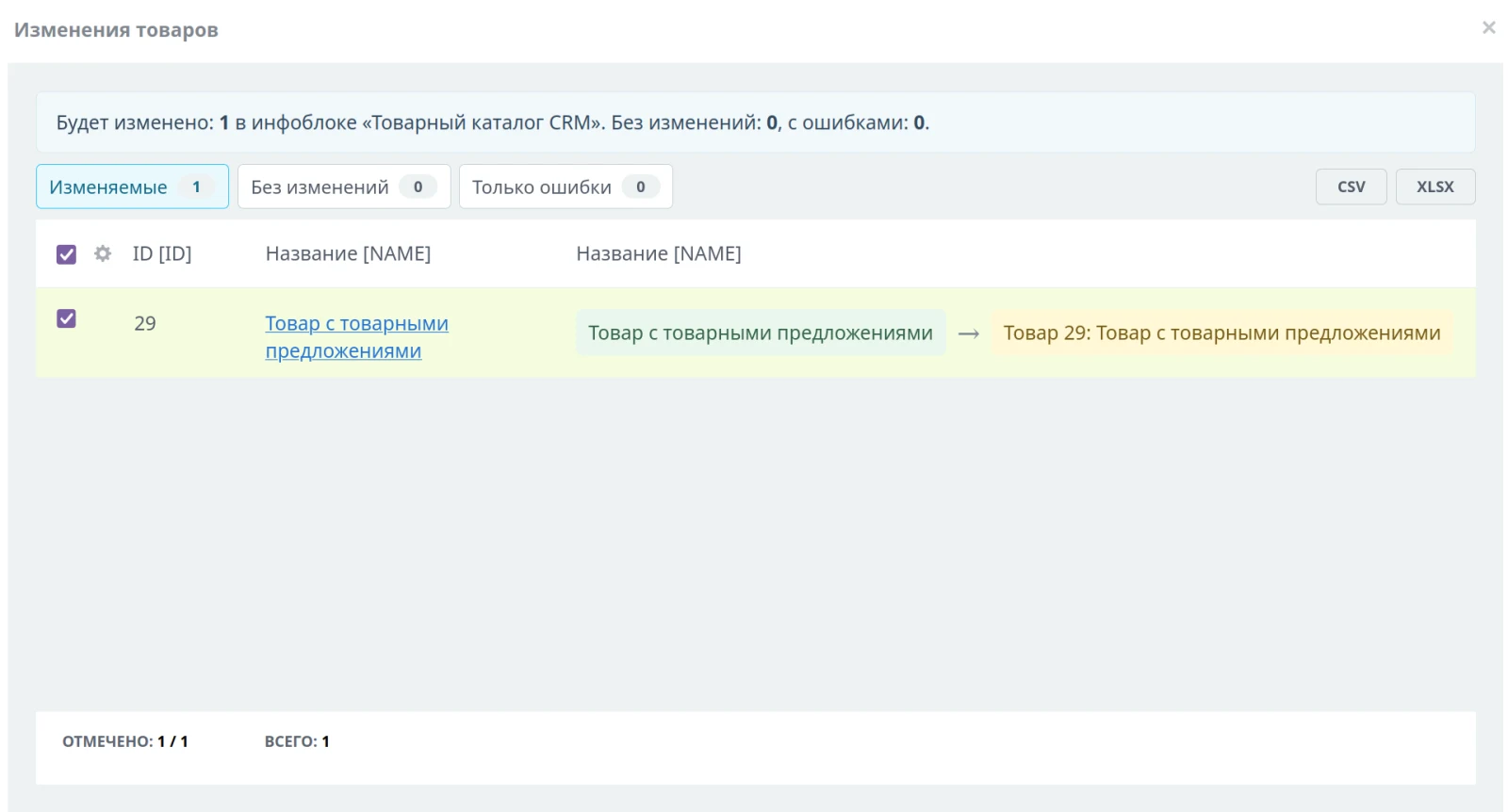
Preview results can be filtered and exported to CSV or XLSX formats. Individual products can be excluded at this stage without returning to the full selection settings.
Batch processing and recovery from failures
Changes are applied in small batches. The interface displays progress, execution speed, remaining time, and a detailed event log. If the browser is closed or the connection is interrupted, the operation state is saved in the database. It can later be reopened, settings verified, and execution resumed.
Due to the use of server-side pagination in filters, data grids, and the preview, the module efficiently handles large-volume catalogs and performs bulk operations on product data.
History, control, and rollback
All executions are saved in the operations history section. This section shows who initiated the processing and when, which information block was affected, how many elements were changed or skipped, and the number of errors encountered.
You can open the settings of a completed operation, view the final changes, download the log, reapply the processing, or perform a rollback. Before making changes, the module creates snapshots of the data and field structure to prevent applying an outdated state to an already modified information block schema.
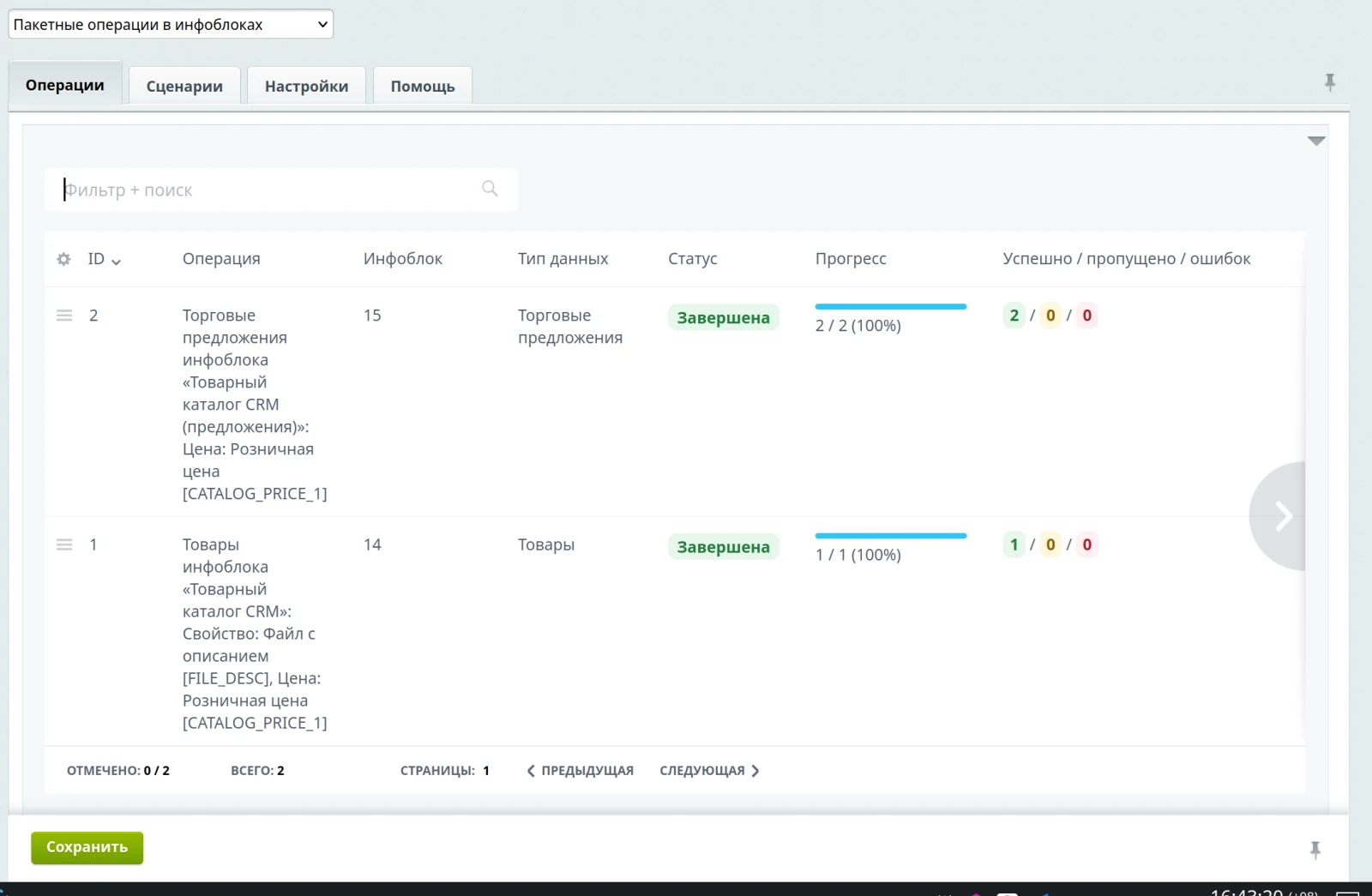
User permissions are verified not only when opening the window but also during the execution of each batch. Configured operations can be saved as reusable templates called scenarios. A scenario includes a name, description, filters, a set of changes, and a mode for working with products and offers. Examples include raising the retail price by 7% and rounding to 90, deactivating products with no stock, adding a seasonal tag, or clearing an obsolete property in a selected category. A scenario runs only after a preview step. Saved scenarios can be duplicated, imported, exported, or loaded into a standard processing window for one-time configuration. If built-in actions are insufficient, a developer can register a custom action. The user will see it in the same editor with the required fields, while the module handles data selection, preview, batch execution, logging, and history. This allows solving specific project tasks without creating a separate administrative interface for each new operation. The system supports its own expression language.
If built-in operations are insufficient and there is no need to engage a programmer to develop a custom operation from scratch, you can construct an expression to calculate a property value using the mini-DSL embedded in the module.
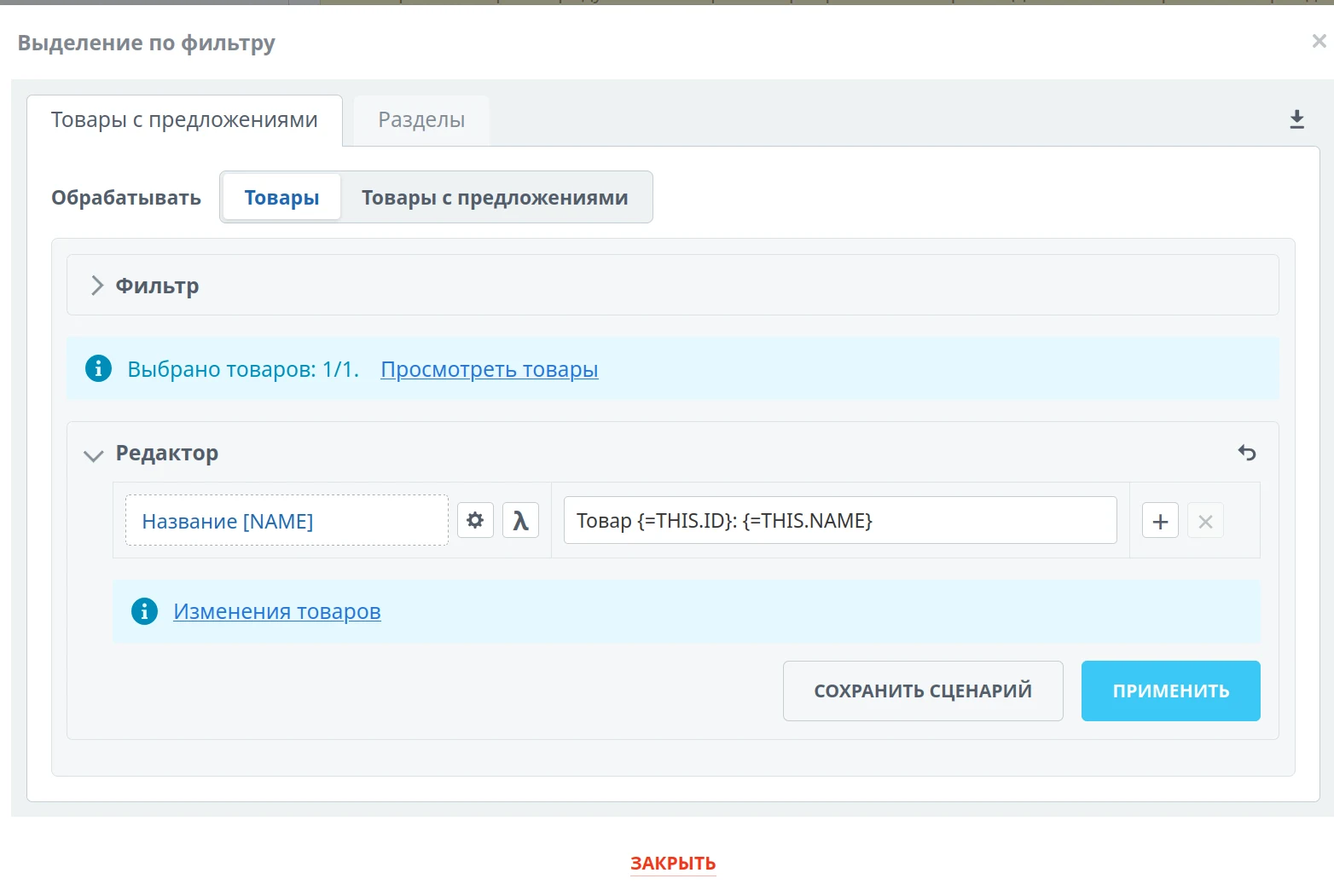
The DSL scripting language enables conditional property population. If a code block returns false, the operation on the current product is skipped. Full documentation for DSL and the general guide for using the module are available on the module settings page.
For “Batch operations in information blocks”, General iT can perform integration, configuration and a final check after installation.
USER EXPERIENCE
How does this solution work in a real project? Share your experience and help others choose.
There are no reviews of this solution on git.ru yet. Tell us what worked well and what could be improved.
Verified purchaseAdd a key if you wish. A verified review gets a badge, priority placement and more rating weight.
Open to every clientJust sign in to your account. A key is optional; all reviews are moderated.
YOUR PROJECT INFRASTRUCTURE
FROM THE SAME DEVELOPER
MACHAON
MACHAON: Log Viewer A module designed for convenient viewing of logs formatted in Monolog.

A simple cookie notice no longer guarantees protection against fines Many websites still rely on outdated formats: a pop-up window with a single 'Accept' button or a footer statement implying that continued site usage constitutes consent to cookies. While this was previously sufficient, Roskomnadzor and courts now consider such wording inadequate.
MORE FOR YOUR WEBSITE

The Sotbit Smart Filter SEO module is designed to increase online store traffic. The tool operates by generating numerous unique pages for smart filters.

SDEK integration module for 1C-Bitrix. SDEK is one of Russia's largest logistics companies, providing courier delivery and operating a network of pickup points. The module connects the online store with the SDEK personal account, offering the following capabilities: Providing customers with delivery options: courier, pickup point, or postmat.

The module is designed for the «1C-Bitrix: Site Management» platform and enables importing infoblock elements, including products, from Excel files. It also supports data loading into Highload blocks.
BEFORE YOU ORDER