Payments are experiencing issues due to temporary restrictions in Russia. If your payment does not go through, please submit a support request.•Our support team is available 24/7 — we are always here to help with hosting and server issues.•We are now accepting requests for dedicated server rental and colocation services in our data center.•Reminder: we recommend enabling backups for additional data protection.•A new VPS/VDS lineup with NVMe storage and improved performance is now available.•Maintenance work on some servers has been completed. All services are operating normally.•
Payments are experiencing issues due to temporary restrictions in Russia. If your payment does not go through, please submit a support request.•Our support team is available 24/7 — we are always here to help with hosting and server issues.•We are now accepting requests for dedicated server rental and colocation services in our data center.•Reminder: we recommend enabling backups for additional data protection.•A new VPS/VDS lineup with NVMe storage and improved performance is now available.•Maintenance work on some servers has been completed. All services are operating normally.•
Аккаунт в General iT
Вход / Регистрация
Войдите или создайте аккаунт для управления услугами в панели.
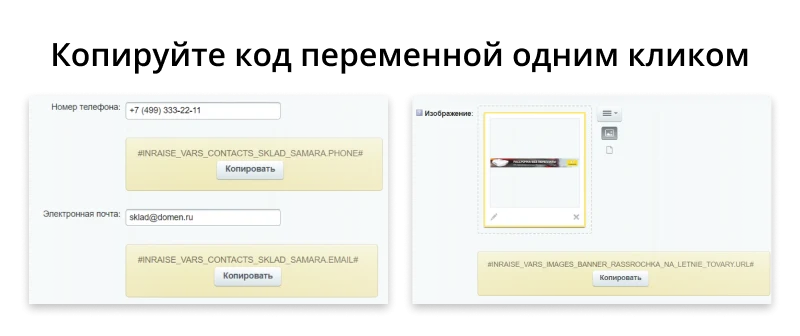
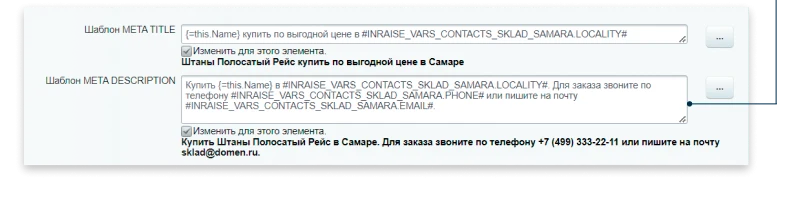
The INRAISE: Variables module enables creating and using variables across the entire site without writing PHP code or involving a programmer. Variables can be inserted into the visual text editor, Title, Description, and Keywords meta tags, element names, HTML and PHP files, and email templates.
The INRAISE: Variables module enables creating and using variables across the entire site without writing PHP code or involving a programmer. Variables can be inserted into the visual text editor, Title, Description, and Keywords meta tags, element names, HTML and PHP files, and email templates. The process involves three steps: creating a variable element, copying its code, and pasting it where needed.
The module allows creating four types of variables: contacts, images, texts, and scripts.
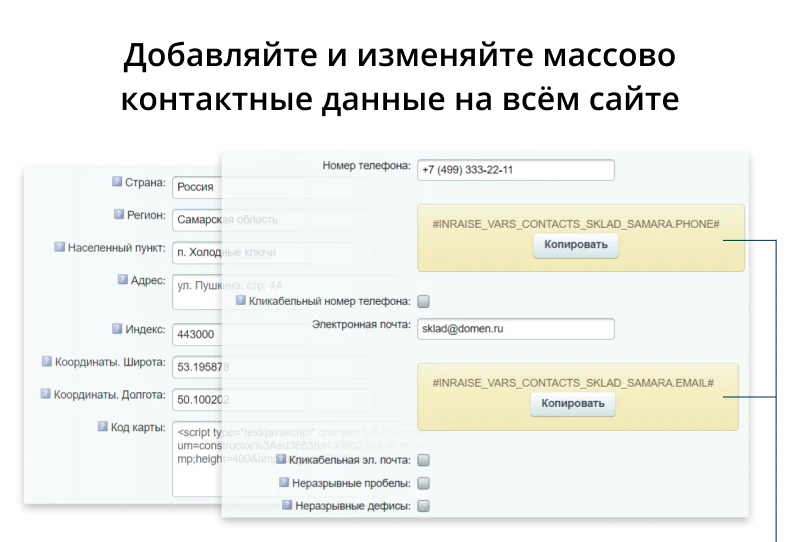
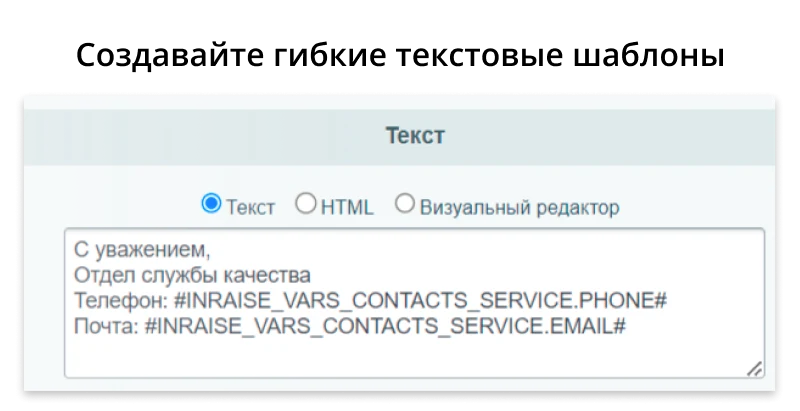
The 'Contacts' type is designed to describe contact data for specific individuals, organizations, departments, warehouses, or offices. A 'Contact' element can be created for multiple variables simultaneously (such as address, working hours, and email) or for a single variable (such as a phone number). Fill in only the variables you intend to use.
Individual variables in the 'Contacts' type:
- Contact details: phone number and email;
- Address: country, region, locality, address, postal code, coordinates (latitude and longitude), map code;
- Organization information: name, description, working hours, website address.
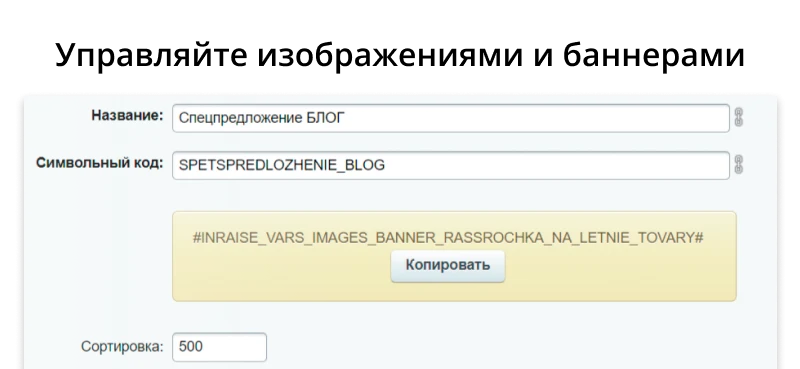
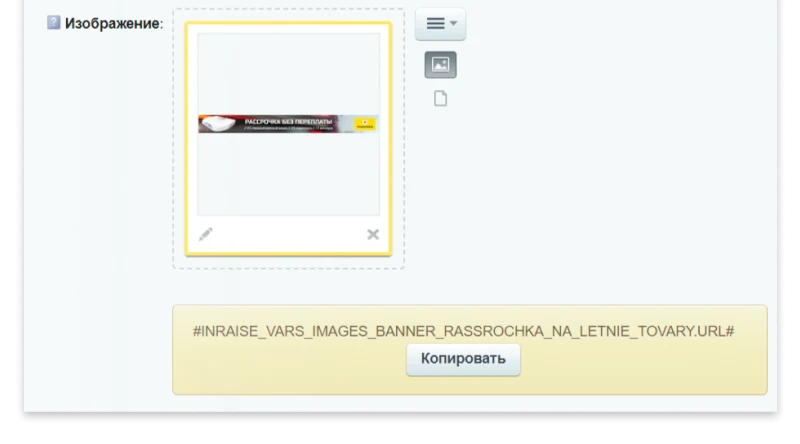
Images
The Images data type supports four variable formats. Available options include a ready-made HTML image tag, an absolute image URL, the alt attribute, the title attribute, and additional attributes.
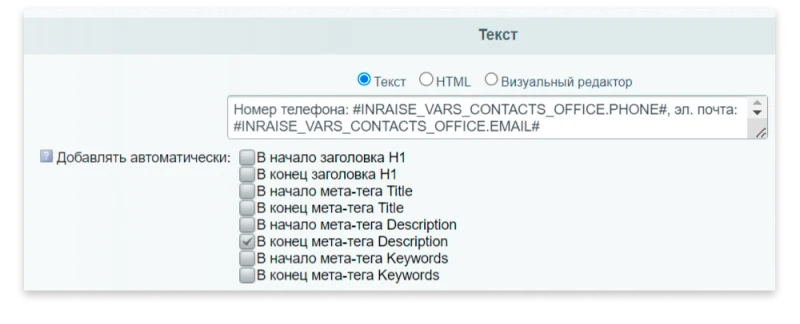
Texts
The Texts type is suitable for both large content volumes and short phrases. The 'Add automatically' feature allows inserting content at the beginning and end of the H1 header, as well as into Title, Description, and Keywords meta tags. Configuration for automatic addition includes display conditions: on specific sites, domains, or subdomains; for authorized and unauthorized users; for specific user groups; and for individual users by ID.
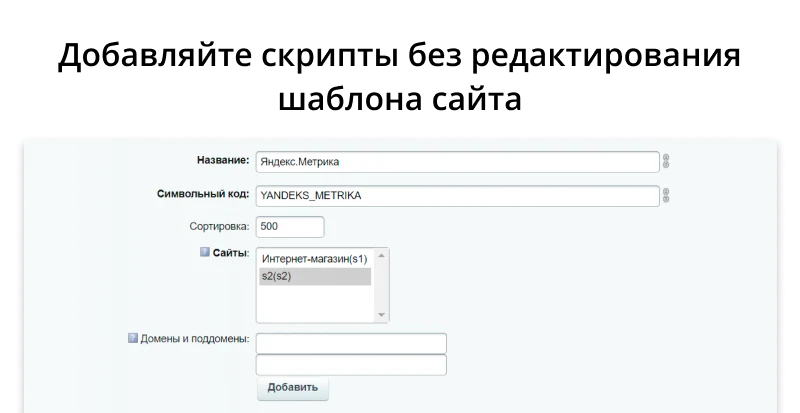
Scripts
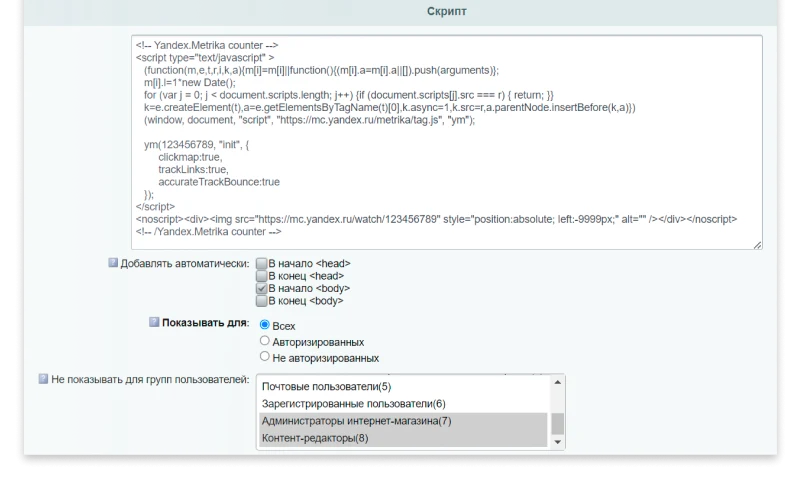
The Scripts type is designed for embedding map codes (Yandex Maps, Google Maps), analytics systems (Yandex Metrica, Google Analytics, Google Tag Manager, VK Ads Pixel, call tracking), lead capture tools (Envybox, Roistat, Callibri), chat widgets (Bitrix24, Jivosite), video players (YouTube, VK), Schema.org in JSON format, and various other scripts.
The automatic insertion feature allows code to be added to the beginning and end of the head and body sections. Additional settings enable filtering by specific sites, domains, or subdomains. The system also supports limiting display based on user authorization status, user groups, or specific user IDs.
INRAISE module: Variables. Designed for managing contacts, images, text blocks, and scripts.
If “INRAISE: Variables. Contacts, Images, Texts, Scripts” is required, General iT can help with installation, configuration and a technical check after integration.
UPDATE HISTORY
What’s new
14 releases
1.3.3 (12.06.2026)Latest update
Module security and stability have been improved.
1.3.1 (07.06.2026)
Module security and stability have been improved.
1.3.0 (06.06.2026)
Module security and stability have been improved.
1.2.5 (19.11.2025)
Internal module mechanisms have been updated.
1.2.4 (04.11.2025)
Internal module mechanisms have been updated.
1.2.3 (18.09.2025)
Website parameter processing has been refined.
1.2.2 (28.10.2024)
Bug fixes
1.2.1 (25.10.2024)
Module performance has been optimized.
1.2.0 (10.10.2024)
Settings for the module have been added.
1.1.2 (19.09.2024)
Bug fixes
1.1.1 (05.09.2024)
Bug fixes
1.1.0 (03.09.2024)
Added "Show on pages" functionality and caching configuration
INRAISE: Smart Filter Acceleration is a bundle comprising two separate modules: 'Composite for Smart Filter and SEO Pages' and 'Automatic Facet Reindex'. Purchasing the bundle allows acquiring both components at a significant discount. If only one module is required, it can be purchased individually via the respective links.
The INRAISE: Schema.org/SearchAction module generates JSON-LD microdata describing the site search box. This tool enables SEO specialists to create and edit search action markup without writing code or manually integrating it into site templates.
The markup code can be placed on the homepage or across all pages, depending on individual project settings.
INRAISE: Schema.org 5-in-1 is a bundle of five separate modules for configuring SEO markup without a programmer. The bundle includes:
INRAISE: Schema.org/Product. Implements product markup including Product, Offer, AggregateOffer, and OfferCatalog types.
INRAISE: Schema.org/Organization. Designed for creating SEO markup for organizations.
INRAISE: Schema.org/Article.
On non-standard projects, data often appears that fits neither in information blocks nor in highload blocks: landing page submissions, dealer directories, certificate registries, 1C exchange logs, or contract price tables. A developer can create the table in an hour, but building the administrative section—list, filters, forms, validation, permissions, and export—can take several days.
The module locates images on a website and replaces them with AI-generated alternatives. This solution is suitable for handling copyright claims or removing third-party photographs left over from a previous site version.
Image search covers information blocks, including element preview and detail images, images embedded in text content, as well as file-type properties and HTML attributes.
The Structura module for 1C-Bitrix extends standard infoblock capabilities by enabling the creation of complex composite properties instead of flat fields. It allows defining hierarchical structures, such as banners containing text, images, and background color settings, storing these values in JSON format while providing an intuitive editing form within the administrative panel.
The displayed price covers the solution itself. Platform licensing, installation and customisation are checked separately. If the page offers bundles, select the required option before submitting a request.
How do I check compatibility?
Compare the supported editions and solution version in the technical details with your project. Before installing on a live website, we recommend making a backup and checking the solution in a test environment.
Is there a trial?
The developer lists a trial of 5 days. The trial button opens the installer in your website control panel. Check the required features and compatibility before purchasing.
How much does this solution’s renewal cost?
The current renewal price is 2,000 ₽. Before you order, a manager will confirm the renewal period and whether it applies to your licence.
Can you help with implementation?
We can help install the module, check its settings and verify how it works in your project. Compatibility with other customisations and the scope of work are assessed before we begin.
Your cookie choices
Necessary cookies support sign-in, your cart and security. Optional analytics helps improve the website and starts only with your permission.
Our metrika.git.ru system: public pages, a random identifier, device and interaction events. Form contents, account and payment pages are excluded. Raw events: up to 90 days. Operator: General IT Rus LLC, INN 2310208877.
Your browser requests no tracking: analytics is off.