Payments are experiencing issues due to temporary restrictions in Russia. If your payment does not go through, please submit a support request.•Our support team is available 24/7 — we are always here to help with hosting and server issues.•We are now accepting requests for dedicated server rental and colocation services in our data center.•Reminder: we recommend enabling backups for additional data protection.•A new VPS/VDS lineup with NVMe storage and improved performance is now available.•Maintenance work on some servers has been completed. All services are operating normally.•
Payments are experiencing issues due to temporary restrictions in Russia. If your payment does not go through, please submit a support request.•Our support team is available 24/7 — we are always here to help with hosting and server issues.•We are now accepting requests for dedicated server rental and colocation services in our data center.•Reminder: we recommend enabling backups for additional data protection.•A new VPS/VDS lineup with NVMe storage and improved performance is now available.•Maintenance work on some servers has been completed. All services are operating normally.•
Аккаунт в General iT
Вход / Регистрация
Войдите или создайте аккаунт для управления услугами в личном кабинете.
Страны не найдены. Попробуйте другое название или код.
WEBSITE TEMPLATE
DesignCode
Design+Code: Event Website
I-Event single-page event website template by Designcode
Solution description
A ready-made tool for rapidly creating a website for a forum, conference, exhibition, or multi-day event. The platform supports adaptation to the customer's corporate style. The administrative panel offers eight color schemes that can be switched dynamically.
I-Event single-page event website template by Designcode
Solution description
A ready-made tool for rapidly creating a website for a forum, conference, exhibition, or multi-day event. The platform supports adaptation to the customer's corporate style. The administrative panel offers eight color schemes that can be switched dynamically. Deploying the website takes one day, provided only the user's content and information are available.
Functional blocks
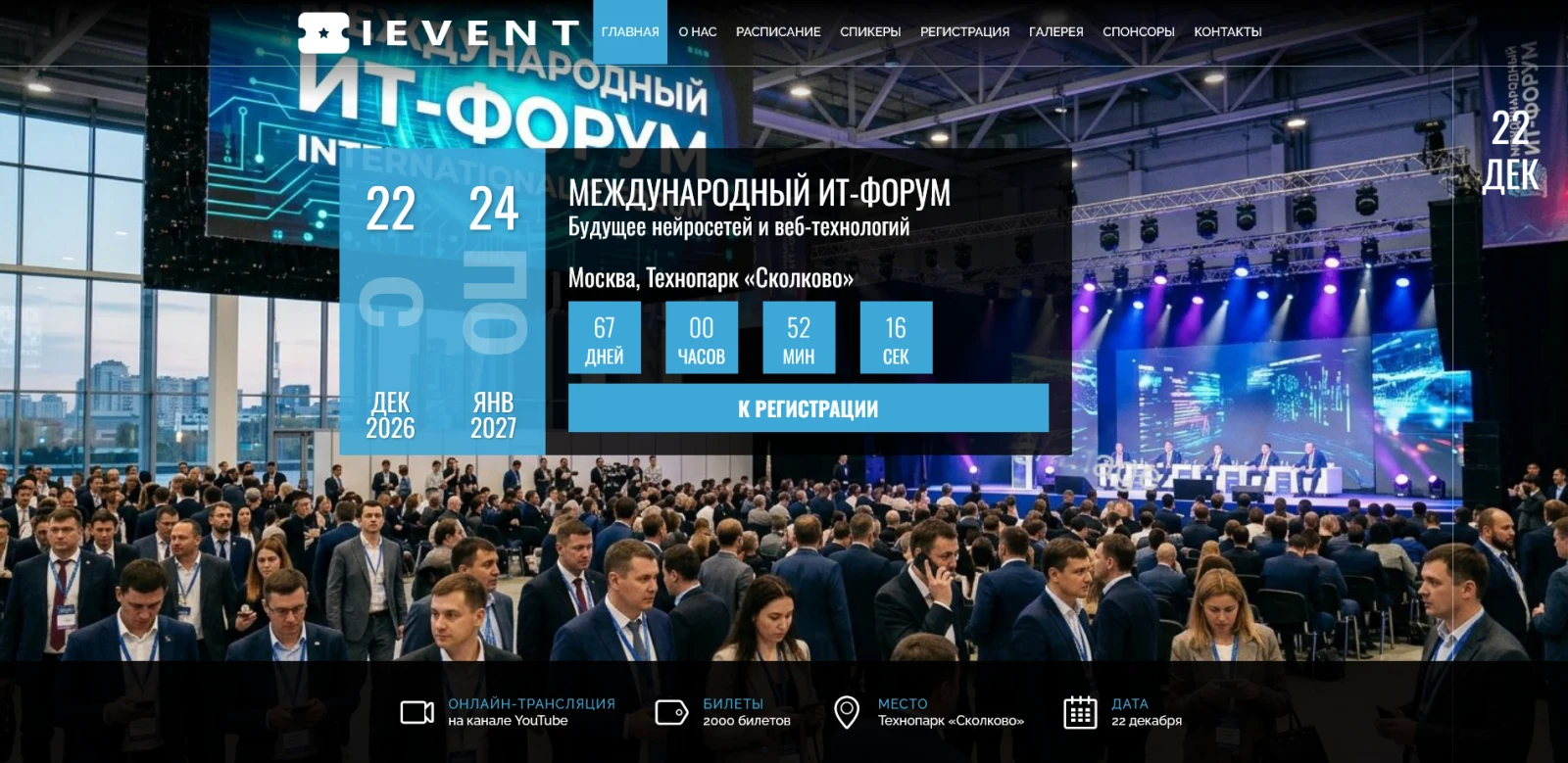
Website header and slider
Key features of the Design+Code event site template
Configure the main menu to facilitate navigation through the site's primary sections.
Display the event date and time.
Upload high-quality images for the background slider.
Activate a countdown timer until the event begins.
Integrate video content that plays when a button on the slide is clicked.
Place buttons with links, such as those leading to a registration form.
Specify the event name and venue.
It is recommended to display the most critical information on the first screen to capture visitor attention.
About the event section
This section is designed to present key information about your event. The recommended structure involves highlighting three main points, with each point described in one to two sentences. The content should cover the theme and purpose of the event, identify the target audience and invited guests, and list the main activities scheduled during the event. Text should be formulated clearly and concisely to ensure rapid comprehension.
Schedule
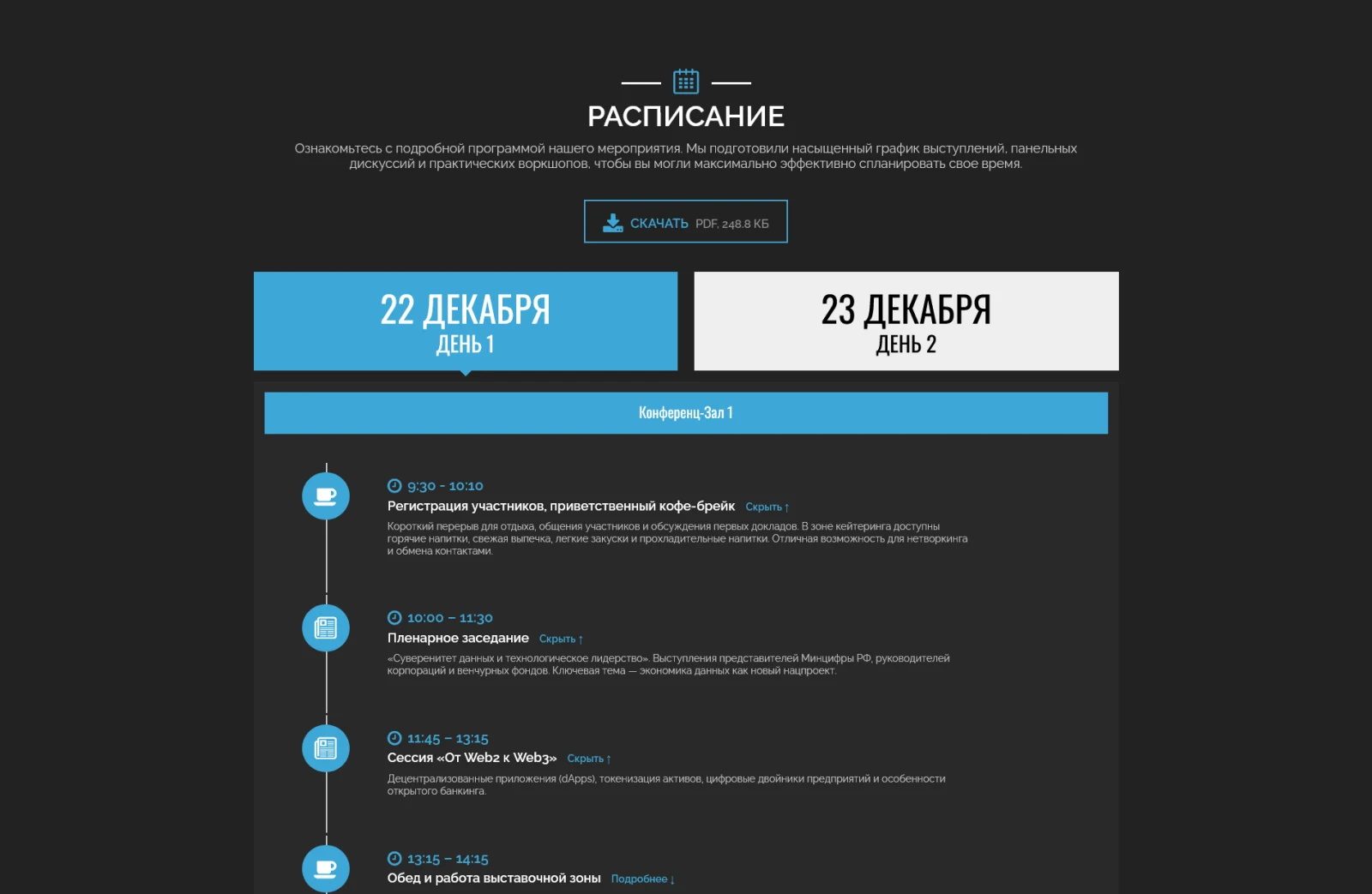
The schedule is a key element of any event site requiring special attention during content filling. The subsection allows structuring information by days, time slots, and event types. Icons and brief descriptions are used for each item. All program elements are covered: from participant registration to coffee breaks. Information must be comprehensive but presented in the most concise form for ease of perception.
Media center
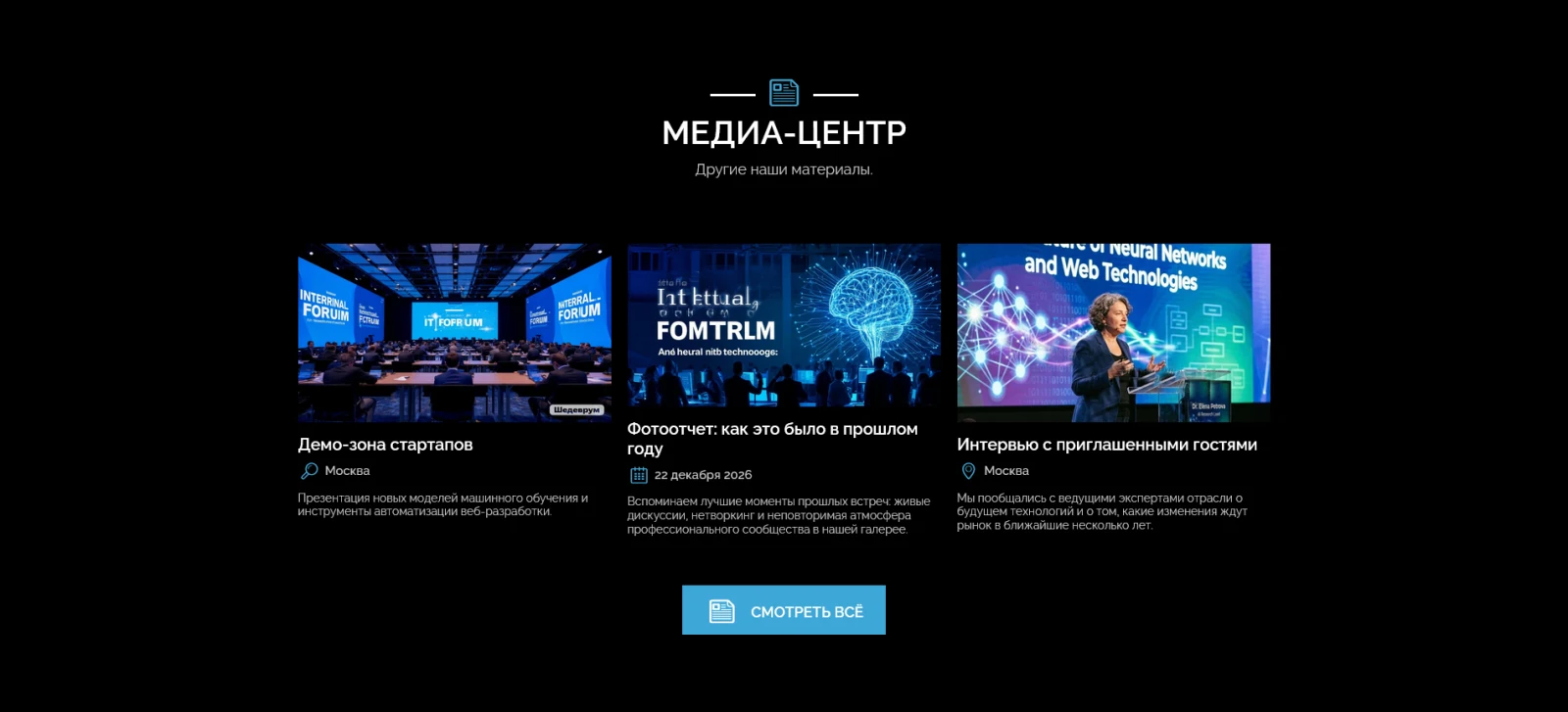
This section is designed for hosting materials from archived events or announcing key moments of the current event. Its main functions include publishing information about past events, announcing key highlights of the upcoming event, and embedding links to third-party resources. The following block covers speakers and participants.
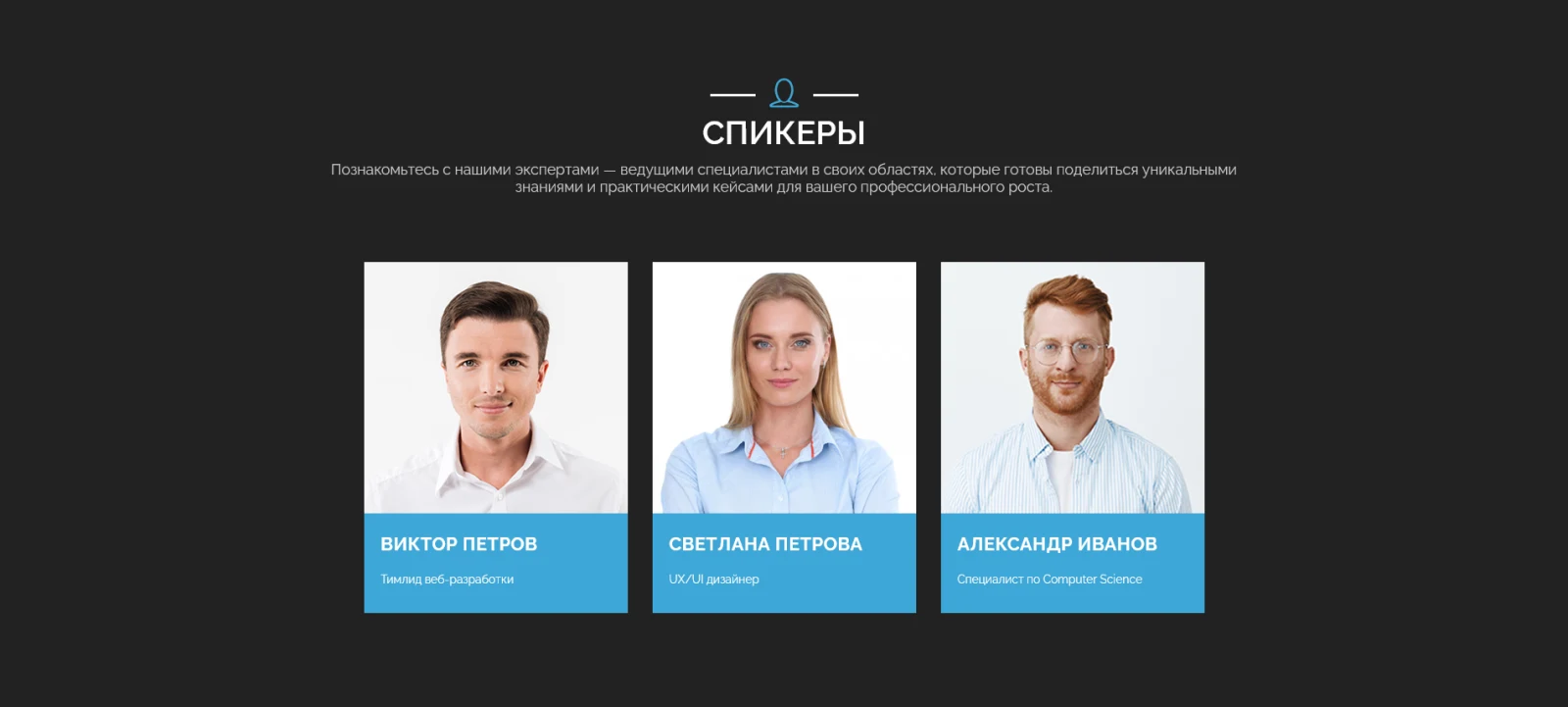
The success of an event depends on the quality of participants and invited speakers. This block is designed to present key speakers and participants. For each profile, the name, position, and links to social networks and other resources are displayed. The system supports adding an unlimited number of profiles.
Exhibition plan
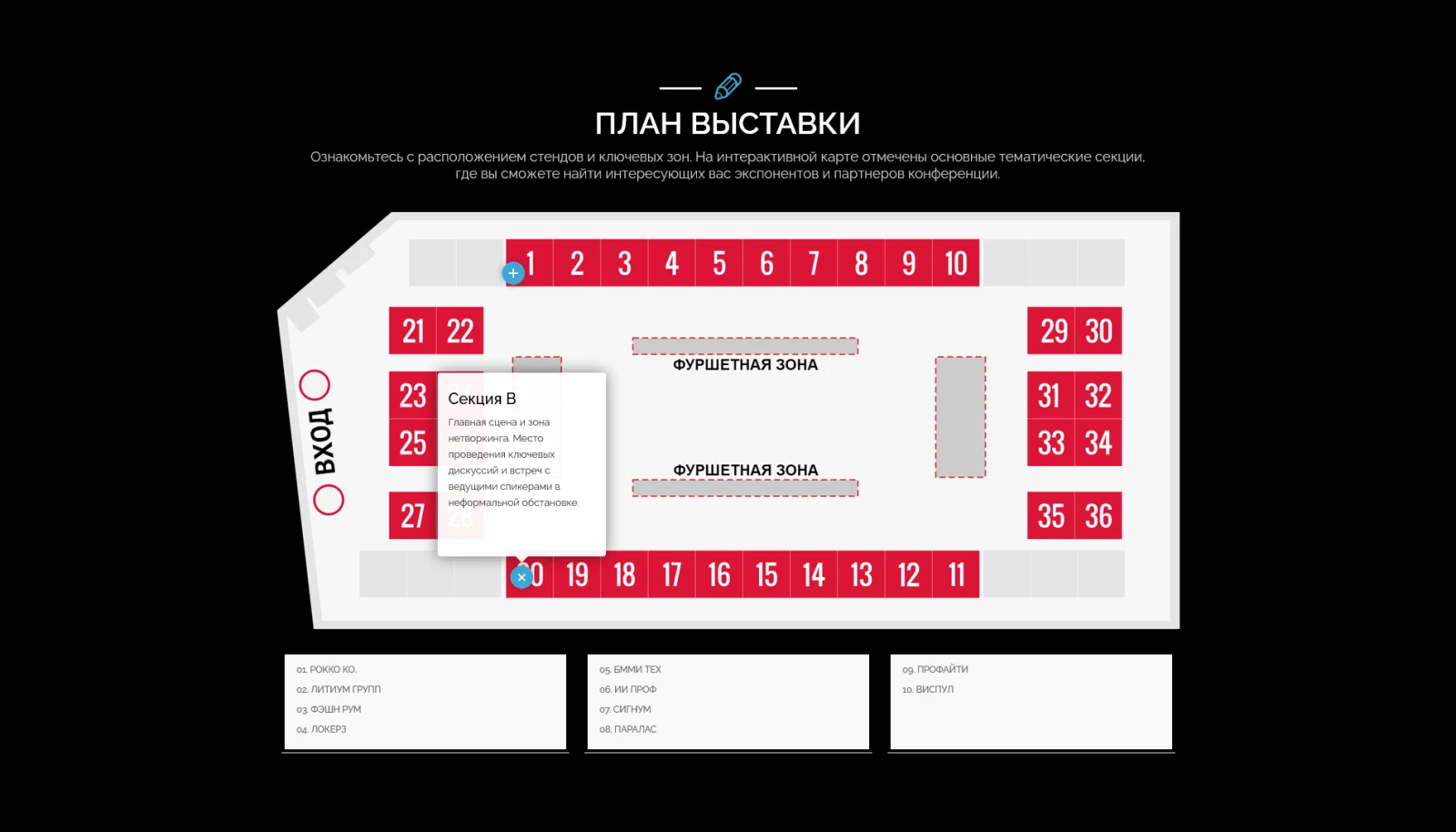
A specialized section for events with an exhibition component. It includes an interactive map of pavilion and venue locations, visual representation of exhibition space zoning, and the ability to add an unlimited number of points on the map for detailed description of each section. The section also includes contact information, a map, and the website footer.
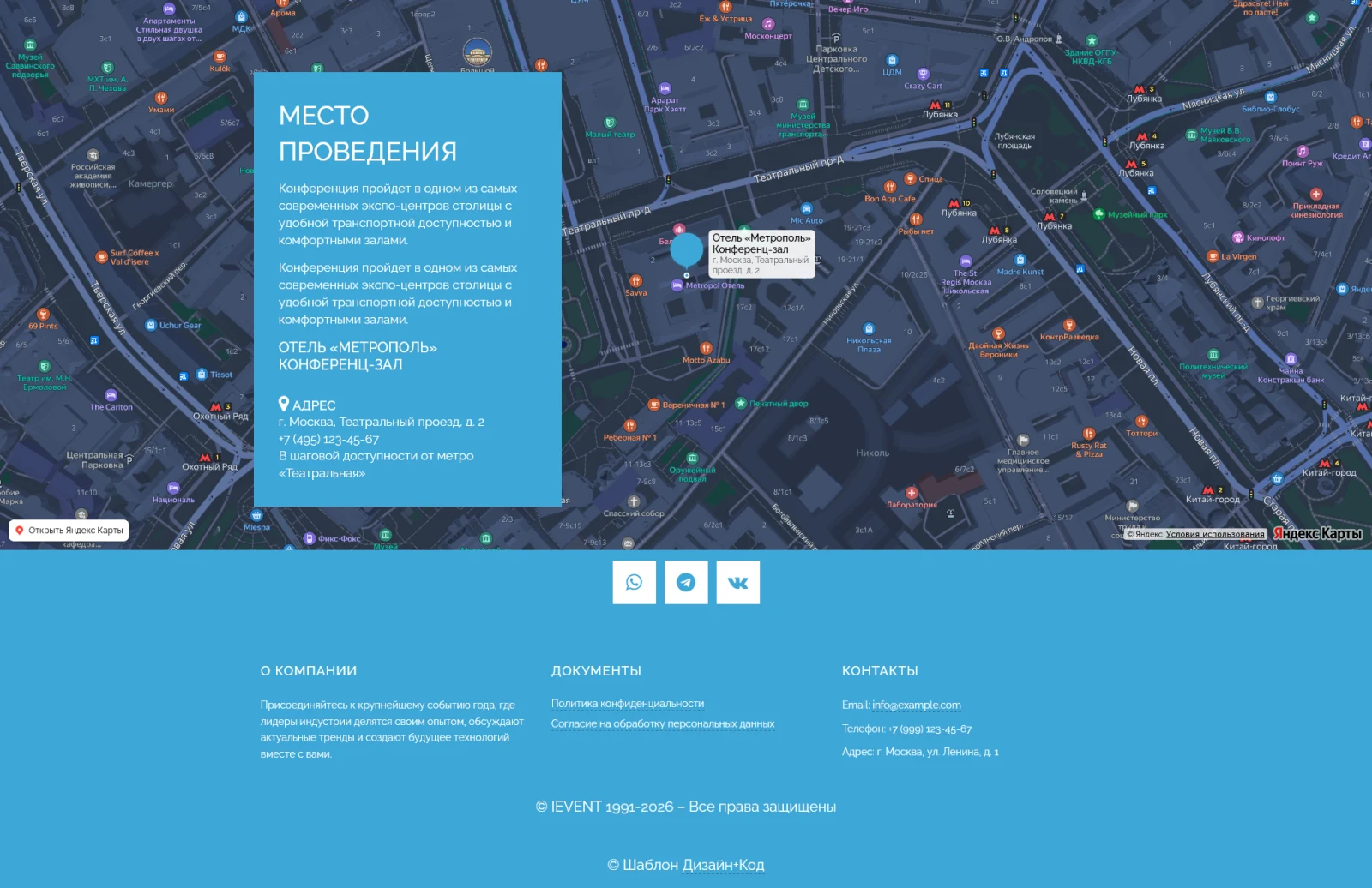
The information section provides detailed contact details and event geolocation. It includes the venue address, an interactive map with the event location, a contact phone number, and additional communication channels. An embedded feedback form is available when needed. The section also displays organizational details and links to the Privacy Policy and Cookie Usage Policy.
The platform additionally supports the following modules: a pricing section with participation package selection, a participant registration form, a testimonials block, a sponsors information section, an event photo gallery, and a frequently asked questions section.
When implementing “Design+Code: Event Website”, General iT can help with installation, adaptation and launch preparation.
USER EXPERIENCE
Solution reviews
How does this solution work in a real project? Share your experience and help others choose.
Be the first to share your experience
There are no reviews of this solution on git.ru yet. Tell us what worked well and what could be improved.
✓
Verified purchaseAdd a key if you wish. A verified review gets a badge, priority placement and more rating weight.
↗
Open to every clientJust sign in to your account. A key is optional; all reviews are moderated.
INTEC.Universe is a template for an online store built on the 1C-Bitrix platform, featuring a design builder. The solution enables the creation and customization of the storefront's appearance without requiring deep programming skills.
Aspro: Corporate Website of a Modern Company is a professional boxed solution for creating corporate websites across various industries, including manufacturing, construction, sales, educational centers, medical facilities, design studios, and others.
Adaptive template for building corporate websites on any topic. The solution includes a full product catalog with three display modes: list, grid, or table. A default display mode can be set for each section. Feedback forms are available for product orders or inquiries. Product status management includes standard options (in stock, on order, expected) and the ability to create custom statuses.
The displayed price covers the solution itself. Platform licensing, installation and customisation are checked separately. If the page offers bundles, select the required option before submitting a request.
How do I check compatibility?
Compare the supported editions and solution version in the technical details with your project. Before installing on a live website, we recommend making a backup and checking the solution in a test environment.
Is there a trial?
The developer lists a trial of 3 days. The trial button opens the installer in your website control panel. Check the required features and compatibility before purchasing.
How much does this solution’s renewal cost?
The current renewal price is 4,495 ₽. Before you order, a manager will confirm the renewal period and whether it applies to your licence.
Can you help with implementation?
We can help launch a website using the selected template, agreeing on its structure, content migration and integrations. The schedule and cost depend on the project and are quoted separately.
Statistics and interaction recording
Public pages use basic statistics. Our recording and Yandex Webvisor require your permission. You can keep basic statistics or disable all analytics.
Operator: General IT Rus LLC, INN 2310208877. Statistics and recording help improve the website.
Basic statistics: pageviews, a random daily ID, a public URL and time. The ID lasts until Moscow midnight. Original records: up to 48 hours; totals: up to 7 years.
Campaign tags and a technical identifier are sent by our server to the existing Yandex tag. Visitor IP, User-Agent and cookies are not included in this transfer. If selected, its browser code collects technical data, cookies, actions and masked page snapshots; recordings last 15 days. Inputs, chat and account areas are hidden.
Interaction recording requires permission: clicks, scrolling, technical information and filtered public-page snapshots. Events: up to 7 years; IP and snapshots: up to 90 days.
Permission is remembered for up to 365 days; full opt-out remains until changed. Basic statistics only disables recording; Disable all analytics stops new analytics. Previously sent data is not automatically deleted. Withdrawal and requests: support@git.ru. Full terms are linked below.
Your browser requests no tracking: analytics is off.