
Before and After Comparison
The Before and After comparison component allows users to visually compare two images using a slider. By moving the slider, the user can view the original and detailed versions side by side to assess their similarities or differences. The component pulls image data from information blocks: the 'Before' state displays the announcement image, while the 'After' state shows the detailed image.
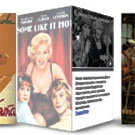
3D Gallery
The component displays a list of elements with a 3D rotation effect on hover. Images are taken from the preview image and the detailed image of the element, while text is sourced from the preview description. Component settings match the standard 1C-Bitrix 'News List' (news.list) component: sorting, selection of the information block, number of items per page, and other parameters.

Unused file cleanup
The module is designed to automatically search for and remove files that are no longer used in the Bitrix system. This includes resources uploaded to the server but not linked to infoblock elements, products, articles, or other objects. The software scans the contents of the /upload/ directories and compares them with the database.

Website Parser
The module is designed for automated content migration from external websites. It extracts elements, news items, and products using CSS selectors and saves them to information blocks. Users can select a specific information block section for data placement. The tool supports processing multiple pages. In the demo version, extraction is limited to two pages only.

Puzzles
The module implements a simple 'Assemble the Puzzle' mini-game on the site. It divides a selected image into numerous shuffled square fragments. The user must restore the original image by dragging the fragments with a mouse. Game configuration is straightforward: the image is selected from the media library or site structure, and difficulty is set by the number of fragments.

Video from Rutube
The component displays video clips from Rutube channels or playlists. Titles, thumbnails, and video files are automatically fetched from Rutube without using information blocks. Playback occurs in a popup window via the standard Rutube player. Component settings allow specifying the number of clips displayed per page and the update interval for the list.

YouTube Gallery
The module displays YouTube videos in an adaptive gallery. To publish a video, create an element in the information block and provide the video link. Thumbnails and the video player are generated automatically. Filtering by information block sections is supported. This solution is effective for publishing video testimonials.

YouTube Playlist
The module displays videos from a YouTube playlist. The title, thumbnail, and video content are automatically fetched from YouTube without using information blocks. The component includes two templates. The first allows configuration of the number of columns in the video list and the number of videos per page; playback occurs in a popup window using the standard YouTube player.