Служба поддержки работает 24/7 — мы всегда на связи по вопросам хостинга и серверов.•Открыт прием заявок на аренду выделенных серверов и размещение оборудования в дата-центре.•Напоминаем: рекомендуем включить резервное копирование для дополнительной защиты данных.•Доступна новая линейка VPS/VDS с NVMe-дисками и увеличенной производительностью.•Технические работы на части серверов завершены. Все сервисы работают в штатном режиме.•
Служба поддержки работает 24/7 — мы всегда на связи по вопросам хостинга и серверов.•Открыт прием заявок на аренду выделенных серверов и размещение оборудования в дата-центре.•Напоминаем: рекомендуем включить резервное копирование для дополнительной защиты данных.•Доступна новая линейка VPS/VDS с NVMe-дисками и увеличенной производительностью.•Технические работы на части серверов завершены. Все сервисы работают в штатном режиме.•
Аккаунт в General iT
Вход / Регистрация
Войдите или создайте аккаунт для управления услугами в панели.
The Bquadro: Contact Form module for 1C-Bitrix provides a quick and reliable solution for collecting visitor submissions. Upon installation, an information block is automatically created with preconfigured fields: Name, Phone, E-mail, Comment, City (dropdown selection), File attachment, and Image attachment.
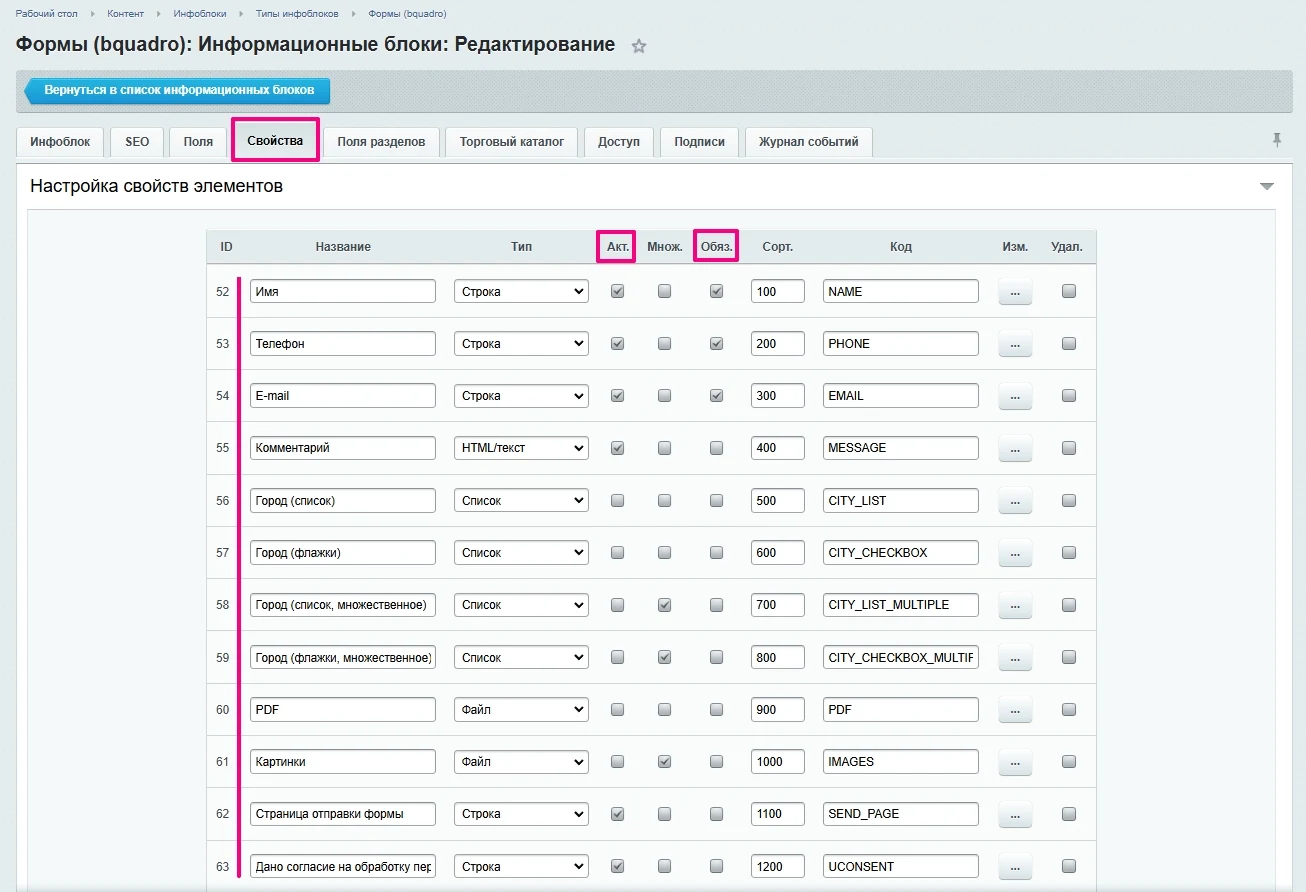
The Bquadro: Contact Form module for 1C-Bitrix provides a quick and reliable solution for collecting visitor submissions. Upon installation, an information block is automatically created with preconfigured fields: Name, Phone, E-mail, Comment, City (dropdown selection), File attachment, and Image attachment. The module includes a dedicated form submission page and a checkbox for consent to personal data processing. In the information block settings, unnecessary fields can be disabled via the 'Active' option, and the requirement to fill them can be set via the 'Required' option. Additionally, custom fields can be added to the form.
Upon installation, the module automatically creates the required email templates.
Captcha Settings
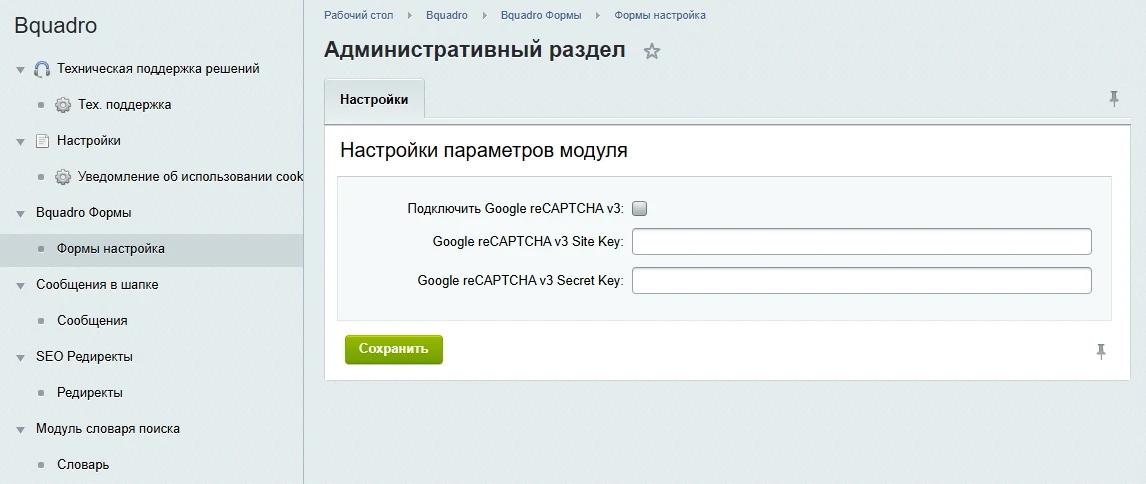
The module uses Google reCAPTCHA v3 to protect against automated actions and block spam. To enable this protection, enter the keys in the module settings. Keys can be obtained from the Google website.
The Bquadro Contact Form module utilizes Google reCAPTCHA v3. Unlike previous versions, this system verifies users automatically and invisibly, requiring no additional actions during form submission.
Data Storage
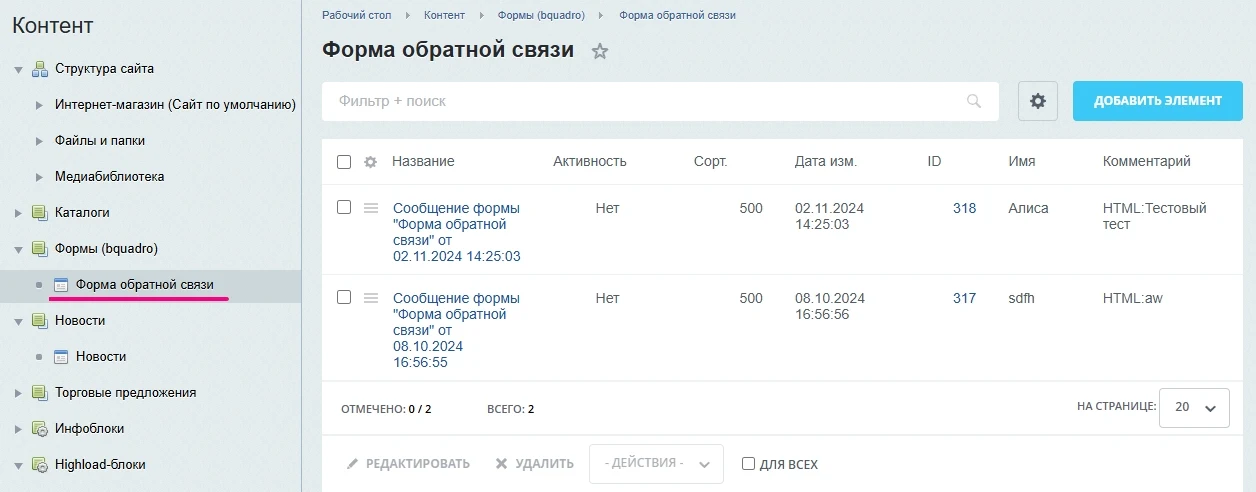
Messages submitted through the form are saved as elements of the corresponding information block. Each request can be opened and viewed individually. The entire list of requests can also be exported to Excel format using standard Bitrix tools.
The contact form provides a direct communication channel between website visitors and resource owners. This tool allows users to express opinions, ask questions, and report issues, helping to improve service quality and increase customer satisfaction.
The module is relevant for the following types of resources:
Corporate websites — for client communication, collecting reviews and suggestions.
Online stores — for clarifying product details, placing orders, and processing returns.
Blogs and news portals — for receiving comments, reader questions, and ideas for new topics.
Service websites — for booking consultations, clarifying service information, and collecting reviews.
Educational platforms — for course-related questions and reporting technical failures.
Non-profit organizations — for accepting volunteer applications, partnership proposals, and donation requests.
The 'Contact Form' module is designed for integration into websites requiring the collection of visitor requests. It enables rapid setup of audience interaction without the need for custom development from scratch.
The solution includes a standard set of fields required for a typical contact form. Installation on the 1C-Bitrix platform is quick, streamlining the web developer's workflow. Once installed, users can configure the field composition and apply custom styles.
General iT can install and configure this module and check how it works on your website.
UPDATE HISTORY
What’s new
18 releases
2.2.7 (20.07.2026)Latest update
Yandex SmartCaptcha addresses updated
2.2.6 (20.03.2026)
Errors fixed
2.2.5 (19.03.2026)
Errors fixed
2.2.4 (20.02.2026)
Errors fixed
2.2.3 (20.02.2026)
Errors fixed
2.2.2 (06.11.2025)
Passing additional fields in the popup via data attributes
2.2.1 (05.11.2025)
Errors fixed
2.2.0 (30.10.2025)
Yandex SmartCaptcha added
2.1.7 (15.09.2025)
Optimization of UI extension connection
2.1.6 (11.07.2025)
Fix
2.1.5 (09.07.2025)
Fix for creating an Information Base during module installation
2.1.4 (24.06.2025)
Errors fixed
2.1.3 (07.04.2025)
Errors fixed
2.1.2 (20.02.2025)
Added sending of goals from forms in the popup
2.1.1 (20.02.2025)
Errors fixed
2.1.0 (17.02.2025)
Events added:
OnBeforeFormSend - called before saving the form to the information block.
OnAfterFormSend - called after saving the form to the information block.
OnFormSendEmail - called before sending the email.
OnBeforeActionFilterRecaptcha - called before checking googleReCaptcha.
OnAfterActionFilterRecaptcha - called after checking googleReCaptcha.
Caching errors fixed.
2.0.2 (10.01.2025)
Minor optimization changes.
Code has been optimized and standardized.
RU translations for some system messages have been added.
If the update is not applied, you must deactivate the module and reinstall it.
2.0.1 (12.12.2024)
Installation fix.
Component installation paths have been corrected.
Extension installation paths have been corrected.
If the update is not applied, you must deactivate the module and reinstall it.
Bquadro: AI Assistant is a module that enables an intelligent online consultant chat on your website. The system loads a specialized database, which the artificial intelligence uses to generate responses and maintain conversations with visitors.
The 'Cookie Usage Notification' module for 1C-Bitrix is designed for quick configuration of cookie usage notifications. The collection and processing of such data are regulated by Federal Law No. 152-FZ 'On Personal Data', which requires obtaining user consent.
Cost Calculation Module for 1C-Bitrix
This tool enables the calculation and control of actual product costs directly within the 1C-Bitrix platform interface. The solution accounts for more than just the purchase price, incorporating expenses for materials, labor, equipment usage, production operations, and electricity consumption.
The module allows sending SMS and/or email to the buyer from the order view mode, for example, to transmit a waybill number.
Recipient contacts are automatically retrieved from the order properties, but can be changed to arbitrary values before sending.
SMS sending relies on the 'SMS for online store' module, which must be installed and configured separately.
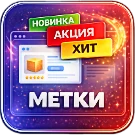
Module for automatic product label installation. Supports stickers: 'New', 'Hit', 'Beneficial', 'Recommended', and others. Compatible with ASPRO templates and the 'Our Offers' product property.
The module automatically displays selected characteristics on product images, allowing customers to immediately see key offers.
Submit a request on the solution page. A manager will check your selection, confirm the terms and arrange the purchase. We can also help with installation and setup.
Is a 1C-Bitrix licence included?
The default price covers the solution itself. If the developer offers a bundle with a 1C-Bitrix licence, you can select it separately on the solution page.
Can I try a solution first?
Available online demos and trial periods are shown on the solution page. The trial length depends on the solution.
How much does renewal cost?
Renewal is calculated as 50% of the full solution price before discounts. A manager will confirm the renewal terms and period before you order.
Can you help implement the solution?
Yes. We can build a website or store based on a template, or install, configure and check a module for compatibility. The scope and cost of the work are agreed separately.
Твой выбор cookie
Необходимые cookie обеспечивают вход, корзину и безопасность. Аналитика помогает улучшать сайт и включается только с твоего разрешения.
Собственная система metrika.git.ru: публичные страницы, случайный идентификатор, устройство и события. Содержимое форм, кабинетов и платёжных страниц не записывается. Исходные события — до 90 дней. Оператор: ООО «Дженерал Ай Ти Рус», ИНН 2310208877.