Служба поддержки работает 24/7 — мы всегда на связи по вопросам хостинга и серверов.•Открыт прием заявок на аренду выделенных серверов и размещение оборудования в дата-центре.•Напоминаем: рекомендуем включить резервное копирование для дополнительной защиты данных.•Доступна новая линейка VPS/VDS с NVMe-дисками и увеличенной производительностью.•Технические работы на части серверов завершены. Все сервисы работают в штатном режиме.•
Служба поддержки работает 24/7 — мы всегда на связи по вопросам хостинга и серверов.•Открыт прием заявок на аренду выделенных серверов и размещение оборудования в дата-центре.•Напоминаем: рекомендуем включить резервное копирование для дополнительной защиты данных.•Доступна новая линейка VPS/VDS с NVMe-дисками и увеличенной производительностью.•Технические работы на части серверов завершены. Все сервисы работают в штатном режиме.•
Аккаунт в General iT
Вход / Регистрация
Войдите или создайте аккаунт для управления услугами в панели.
Pvgroup.Office - Stationery Online Store. Starting from the Start plan with the Design Builder - No. 60160
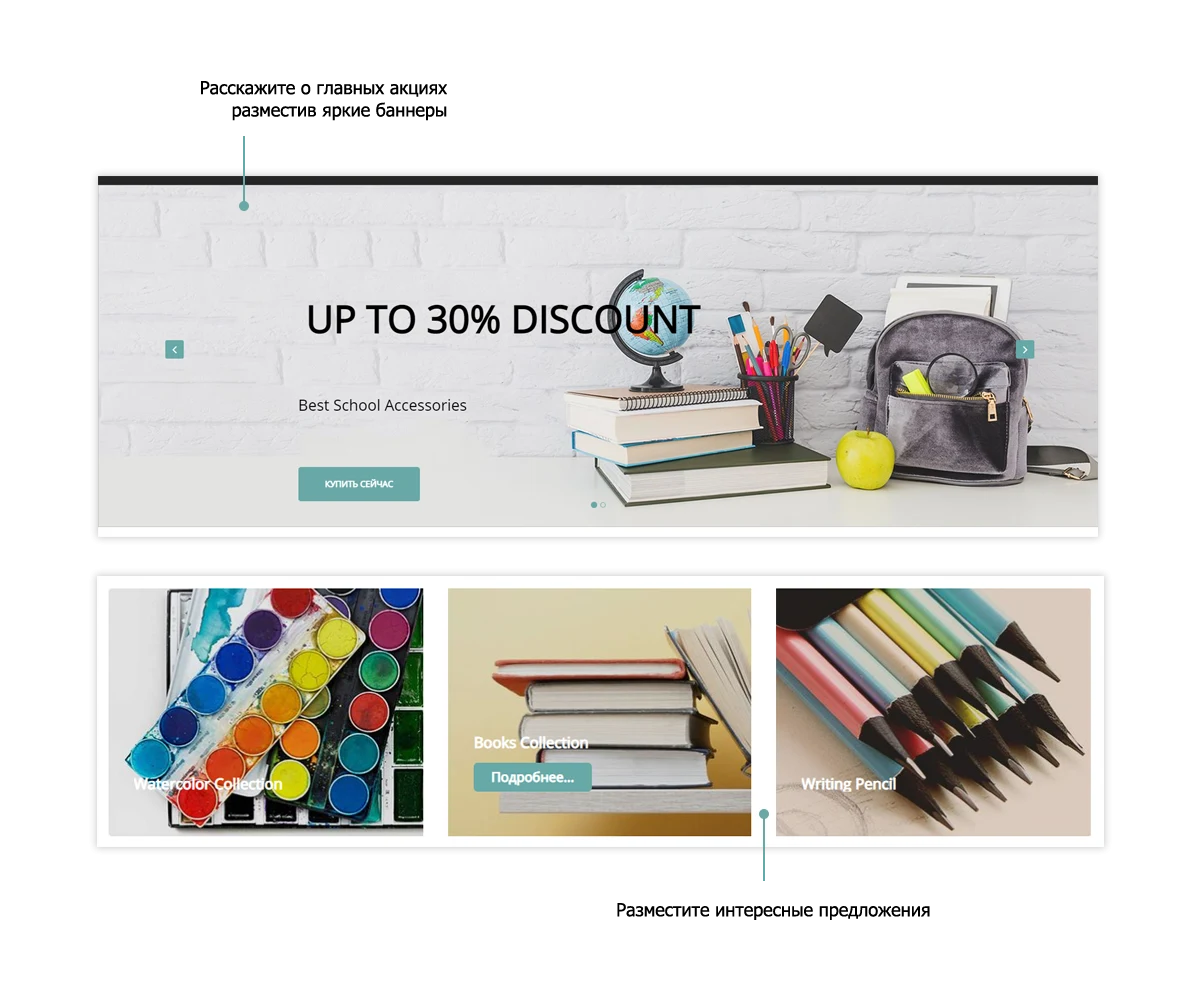
Current versions: 26.0.3 includes a global update to the main page slider with artificial intelligence integration. Version 26.0.2 features global changes to the product card.
The built-in constructor enables unique design creation. Users have access to 15 ready-made color schemes and the ability to configure a custom palette.
Current versions: 26.0.3 includes a global update to the main page slider with artificial intelligence integration. Version 26.0.2 features global changes to the product card.
The built-in constructor enables unique design creation. Users have access to 15 ready-made color schemes and the ability to configure a custom palette. The template offers two header styles, two main menu options (with or without a background), two footer styles, and two catalog menu variants. Functionality allows enabling or disabling promotional banners and the 'Request a Call' feature.
The 'Start' and 'Standard' editions include a shopping catalog with a cart and a 'Buy in One Click' button. Discount creation and order processing are supported. The system complies with 152-FZ requirements, including user agreements. Buyers can select delivery and payment methods. Online payments are processed via Robokassa with automatic order status updates. Administrators receive email notifications for new orders. Buyers are also notified via email if their address field is filled. SMS notifications are sent through the sms.ru gateway. The solution supports multi-regional functionality, smart filtering, and smart search.
The Pvgroup.Office template (ID 60160) is designed for online stores selling stationery and books. The base version includes product search by brand and tags, as well as a callback request function. When using the Small Business or Business editions, switching between them does not require purchasing a new template.
The multi-regional functionality requires the Enhanced Location Selector module. This module determines the visitor's city by IP address, allows city selection from a list in a popup window, and automatically updates contact details and prices based on the selected region. Price changes are available only in the Business edition. The system supports automatic redirection to domains and subdomains, including third-party domains, and auto-fills location data, including during checkout.
The template design features pre-selected color schemes and fonts, so the built-in design constructor is not used.
Other online stores by PvGroup are available in the 'Other Developer Solutions' section.
The Pvgroup.Office template is designed for creating an online stationery store. The design builder for independent interface customization is available starting from the 'Start' tariff.
Pvgroup.Office template for a stationery online store. Version 60160 includes a design builder for creating the homepage. Intended for rapid website launch with a ready-made structure and visual editing tools.
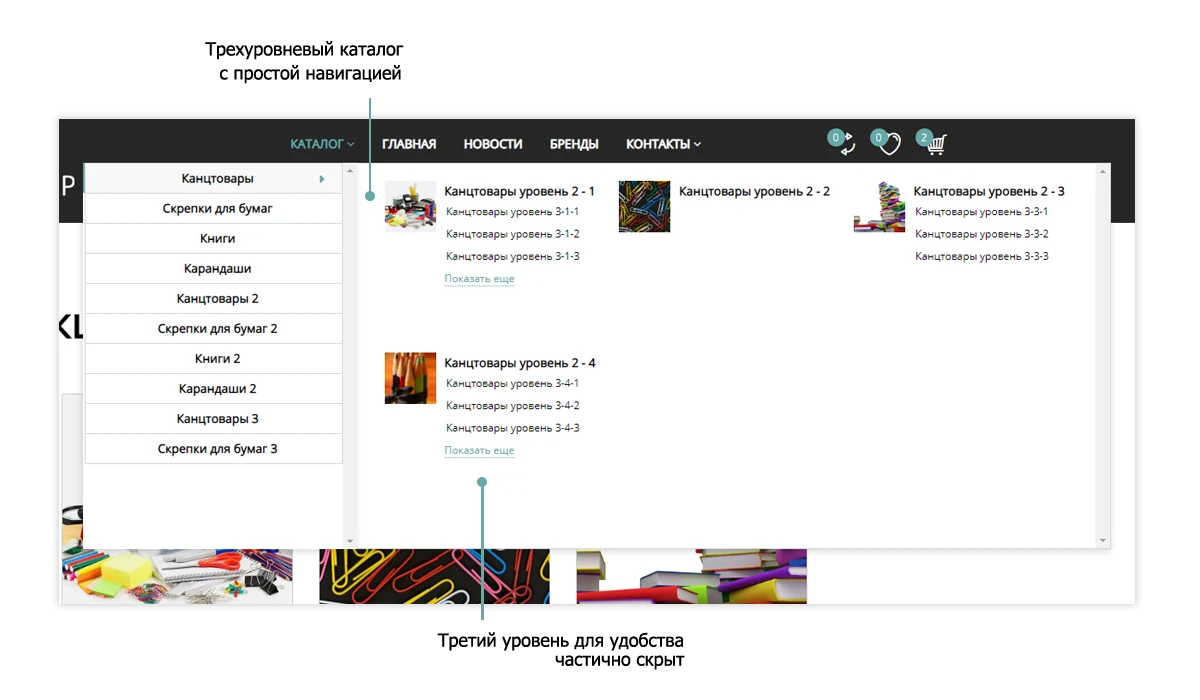
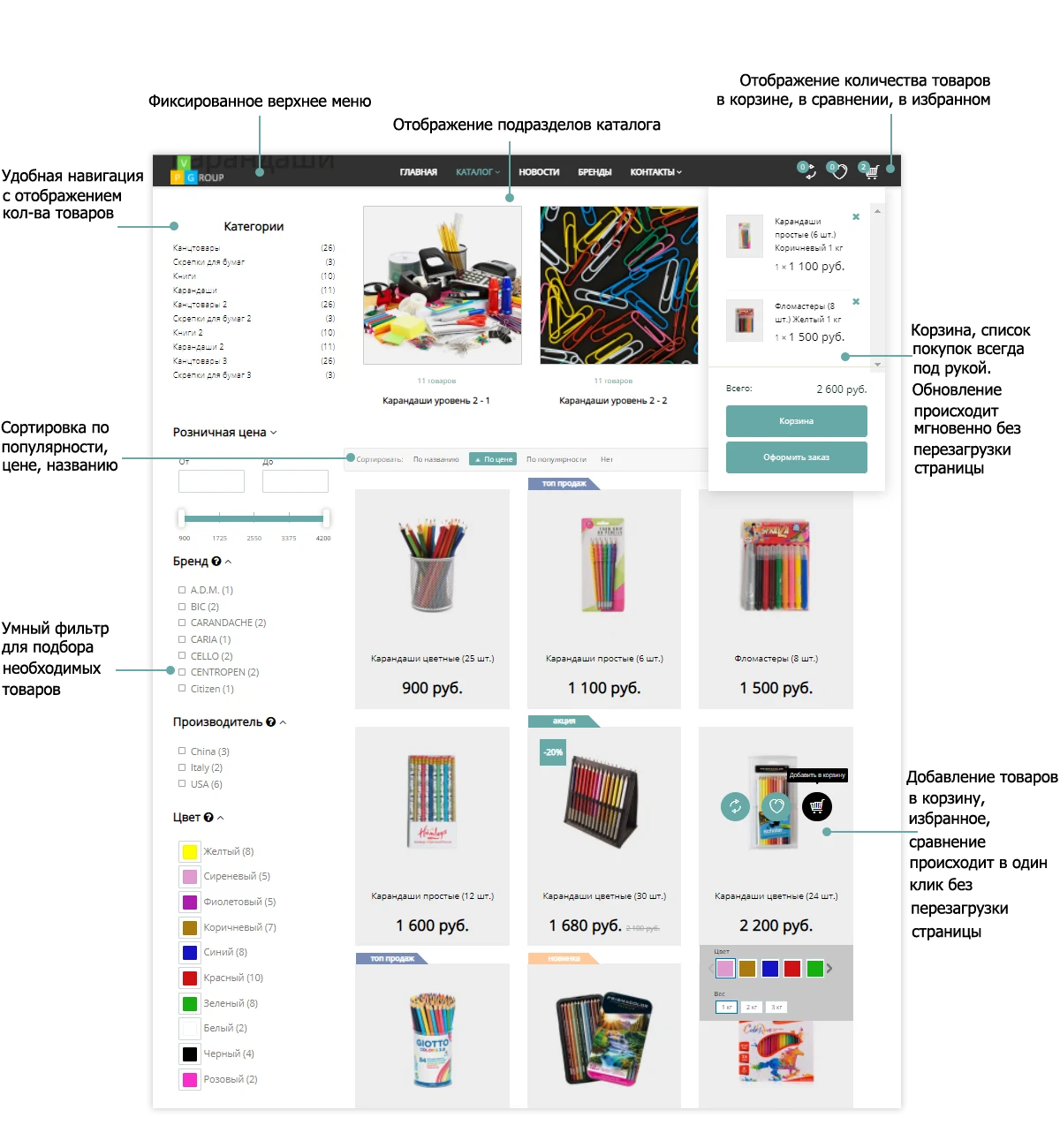
The convenient top menu provides quick access to the main site sections.
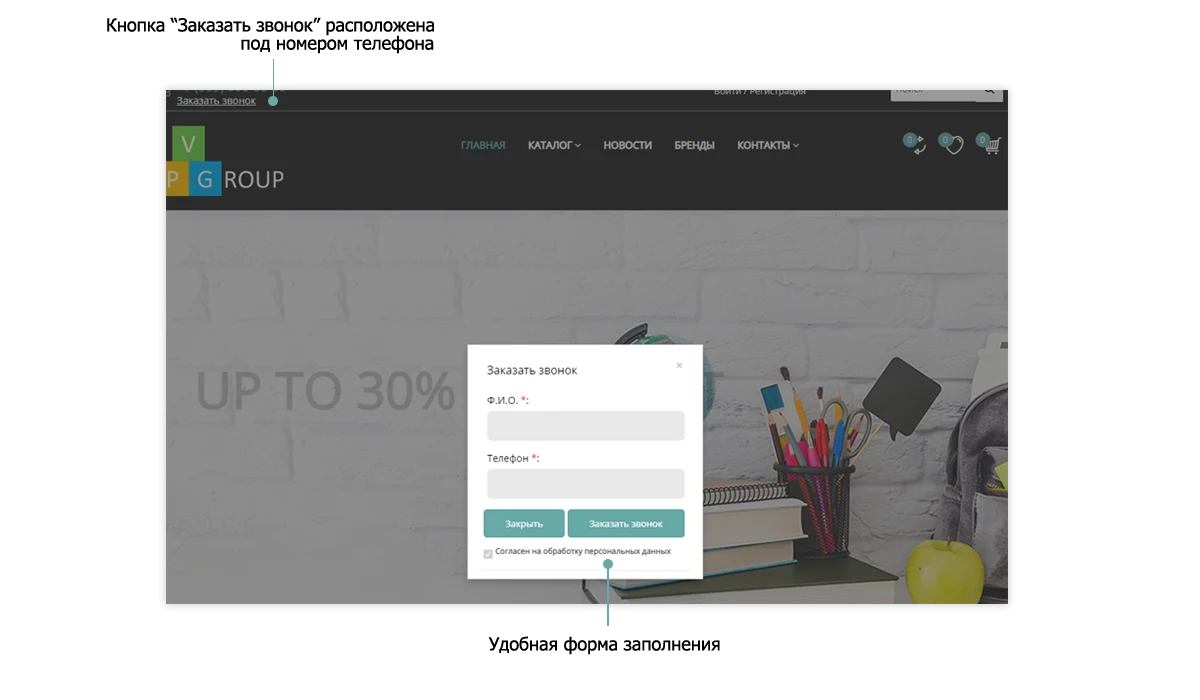
The "Request a Call" feature allows customers to contact you promptly.
Catalog
The product catalog in Pvgroup.Office online stores includes all necessary functionality for customers.
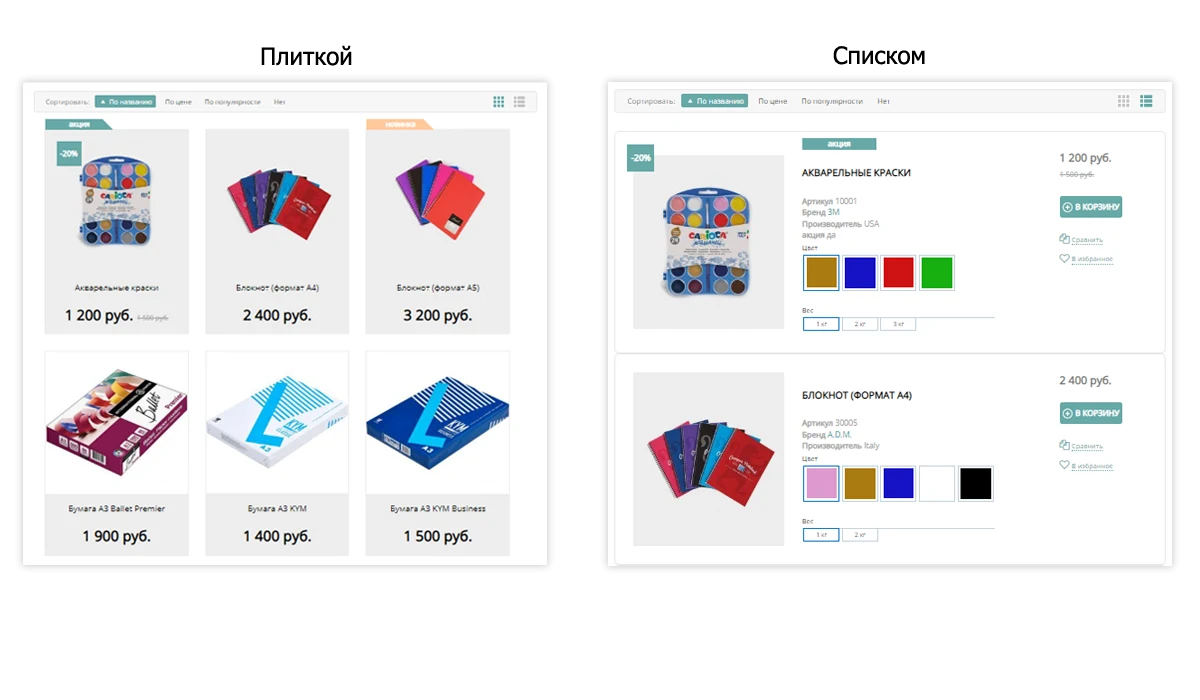
Support for two product catalog display formats.
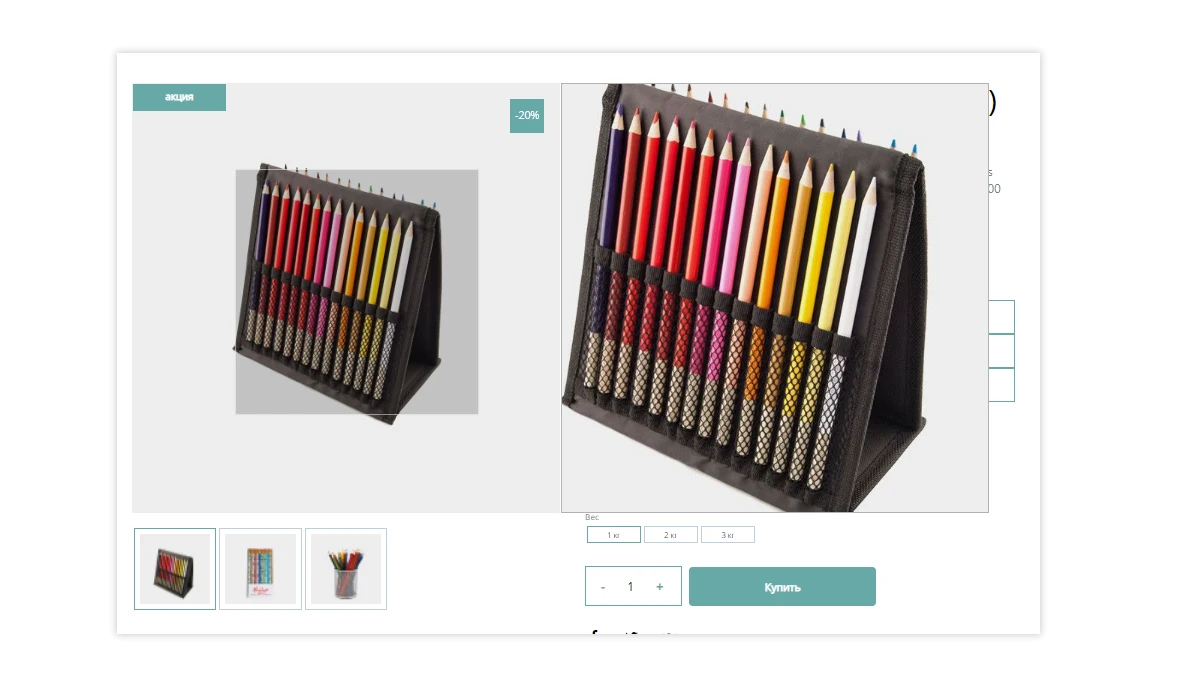
Product Card
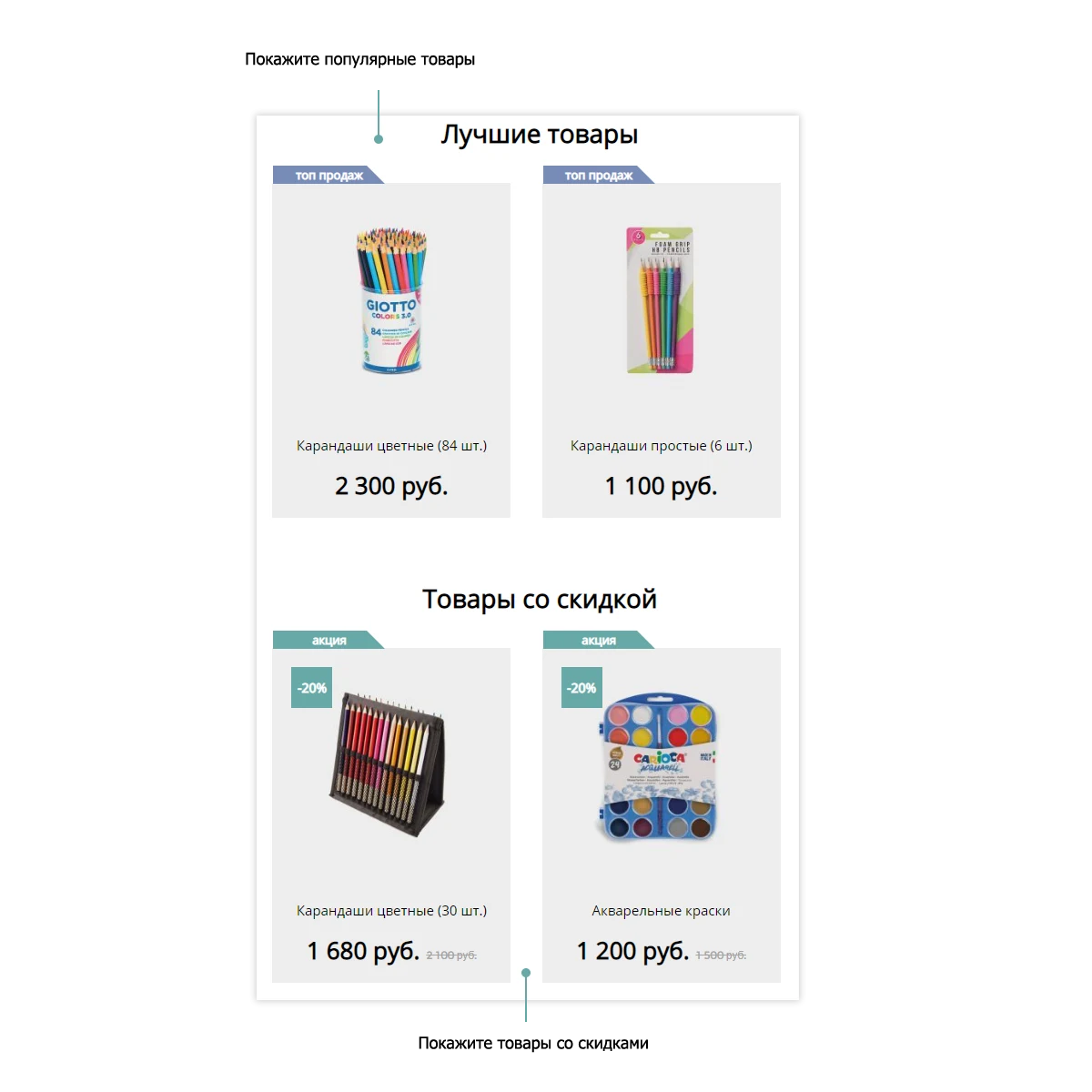
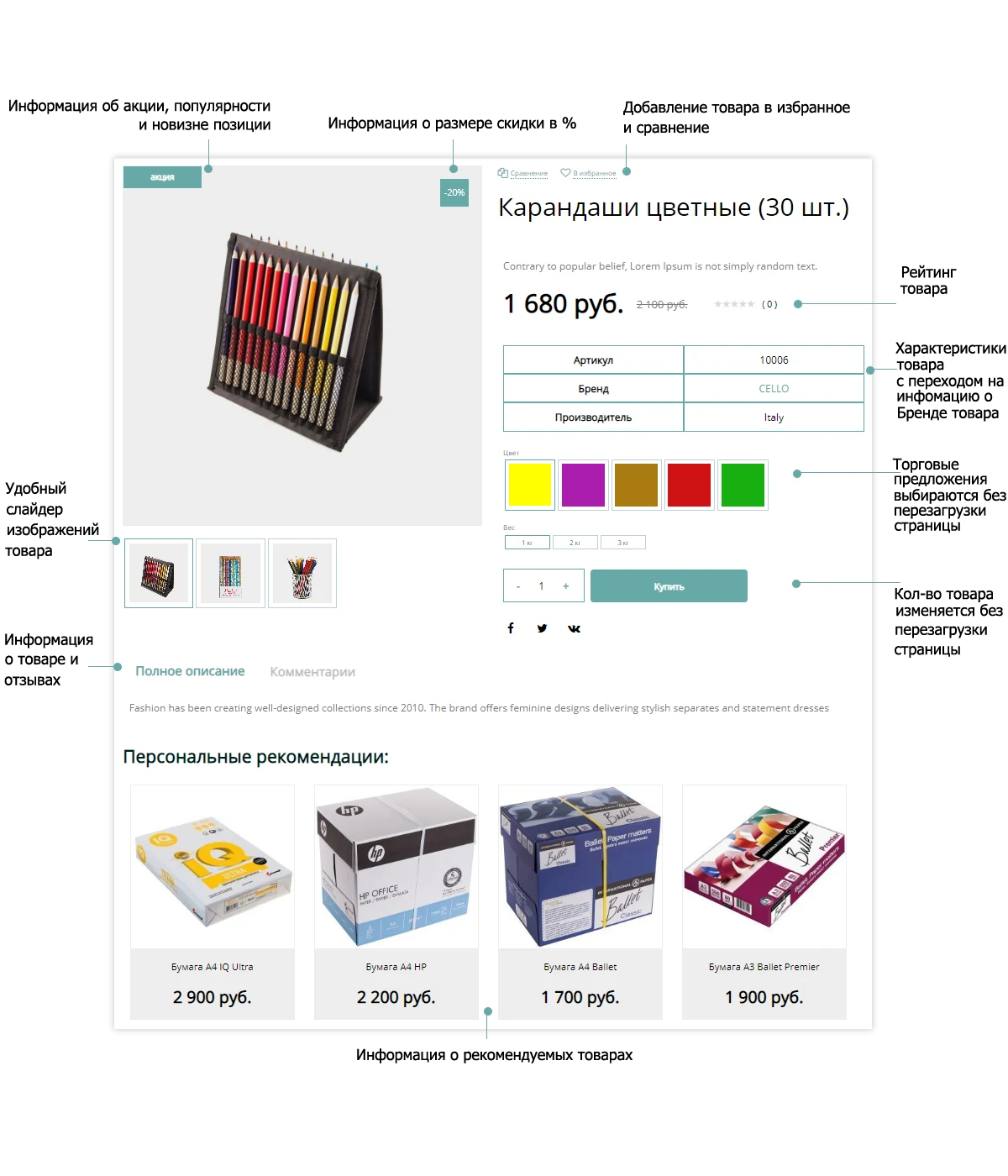
This element is designed to display products for both buyers and sellers. It includes the necessary functional capabilities and marketing tools for effective online store operation.
Have any questions?
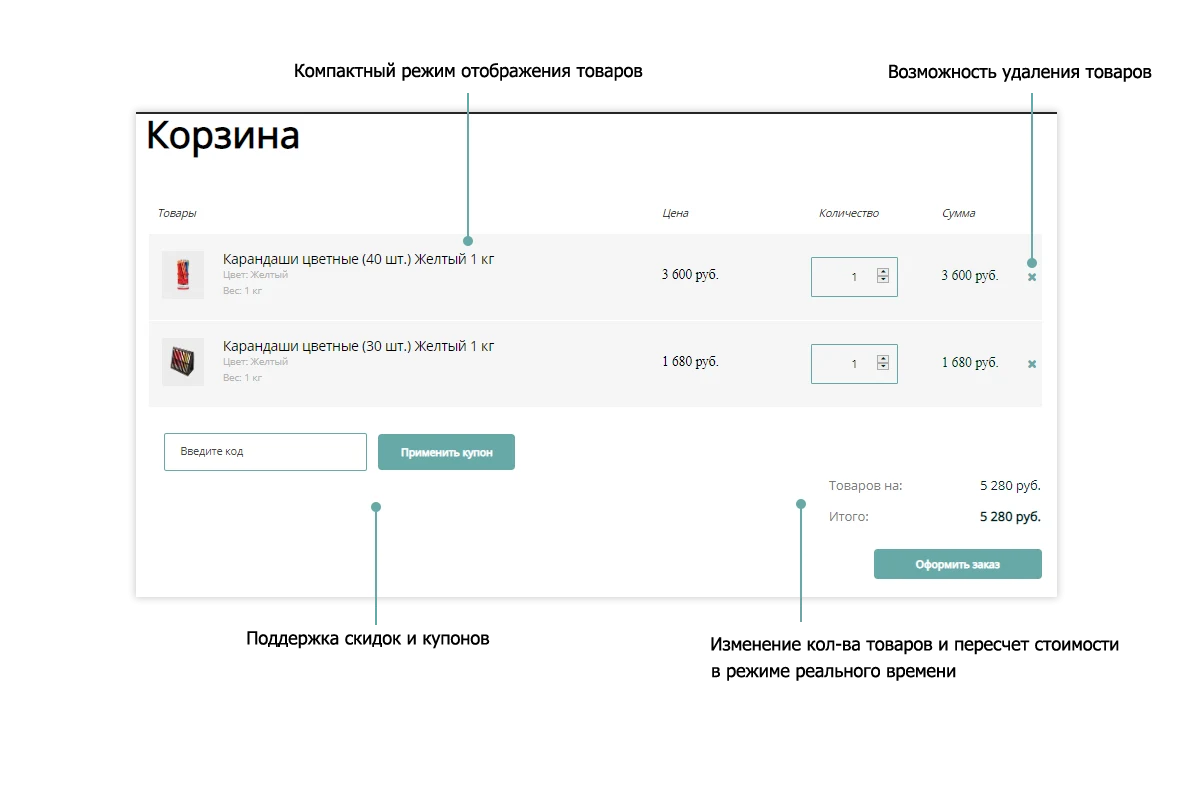
Shopping Cart
An online store built on the PvGroup platform must include a shopping cart feature for order processing.
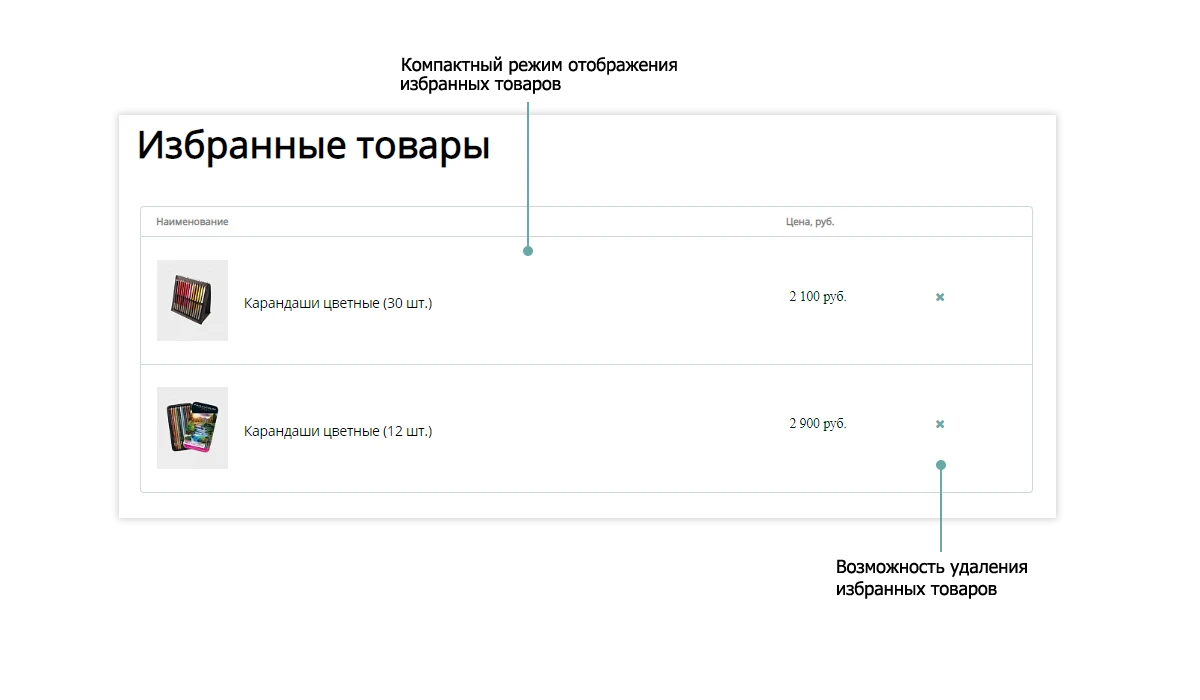
Favorites
The online store supports adding desired items to a dedicated list. This feature allows users to save products of interest and return to them later to complete the purchase.
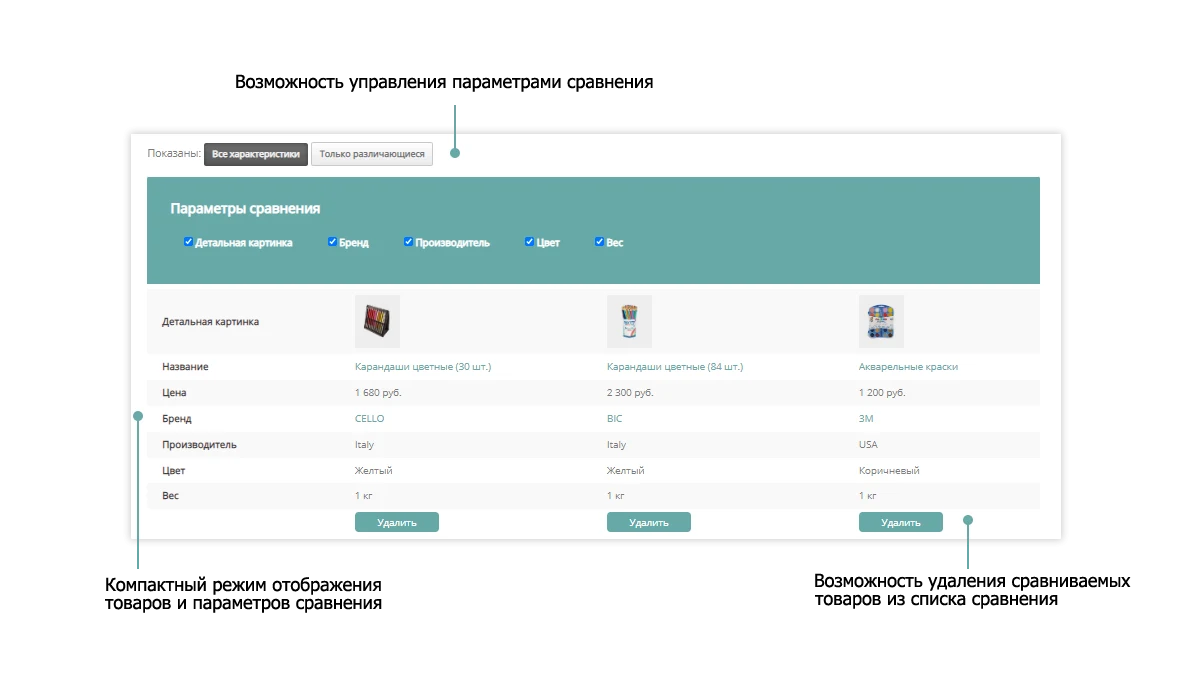
Product comparison
The online store includes a feature that allows users to add items to a dedicated comparison list. This functionality helps customers analyze different product specifications and make informed decisions when placing orders.
Order placement
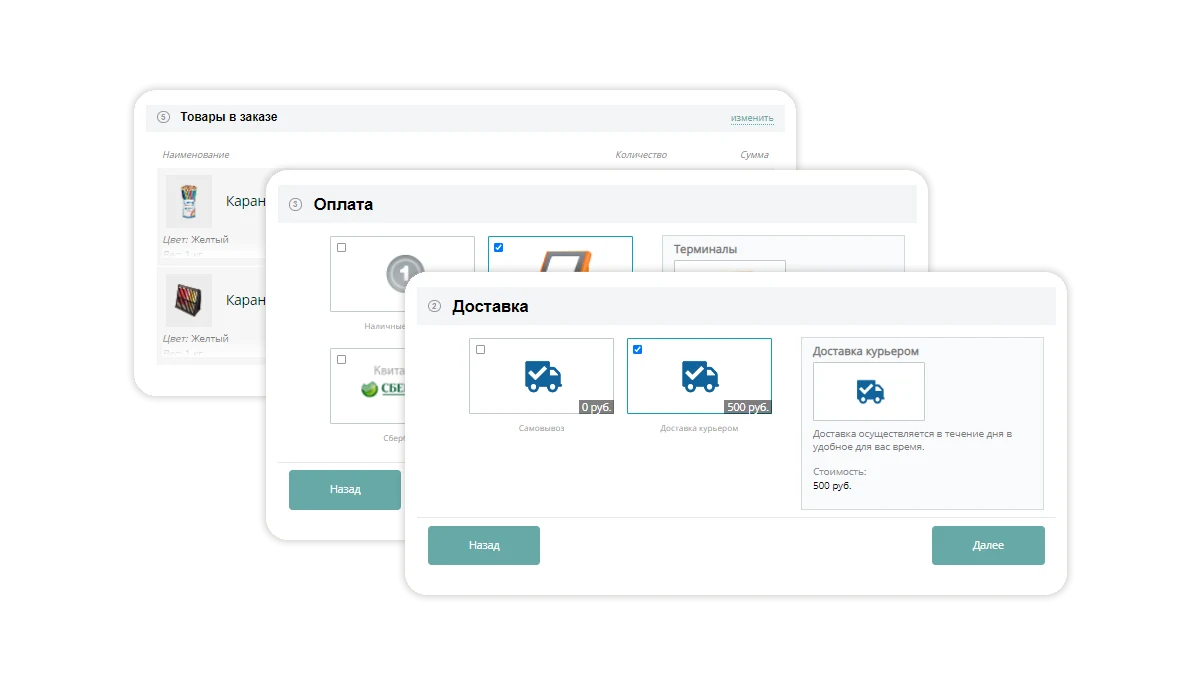
The order placement process consists of several steps, allowing you to select a suitable delivery and payment method. The purchase can be completed without mandatory site registration.
Personal Account
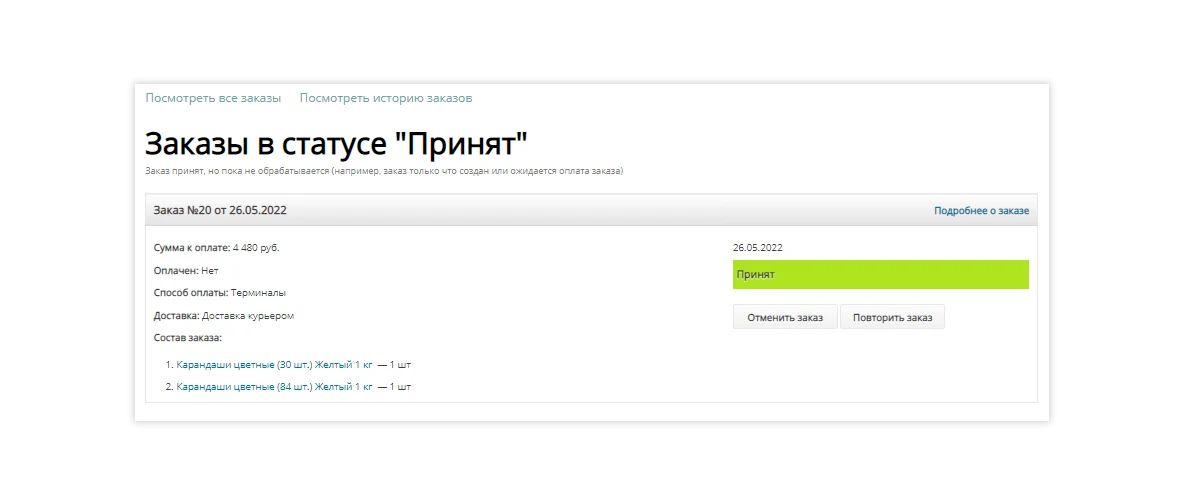
The personal account provides access to order history, allows changing the payment method, and supports order cancellation or reordering.
Brands
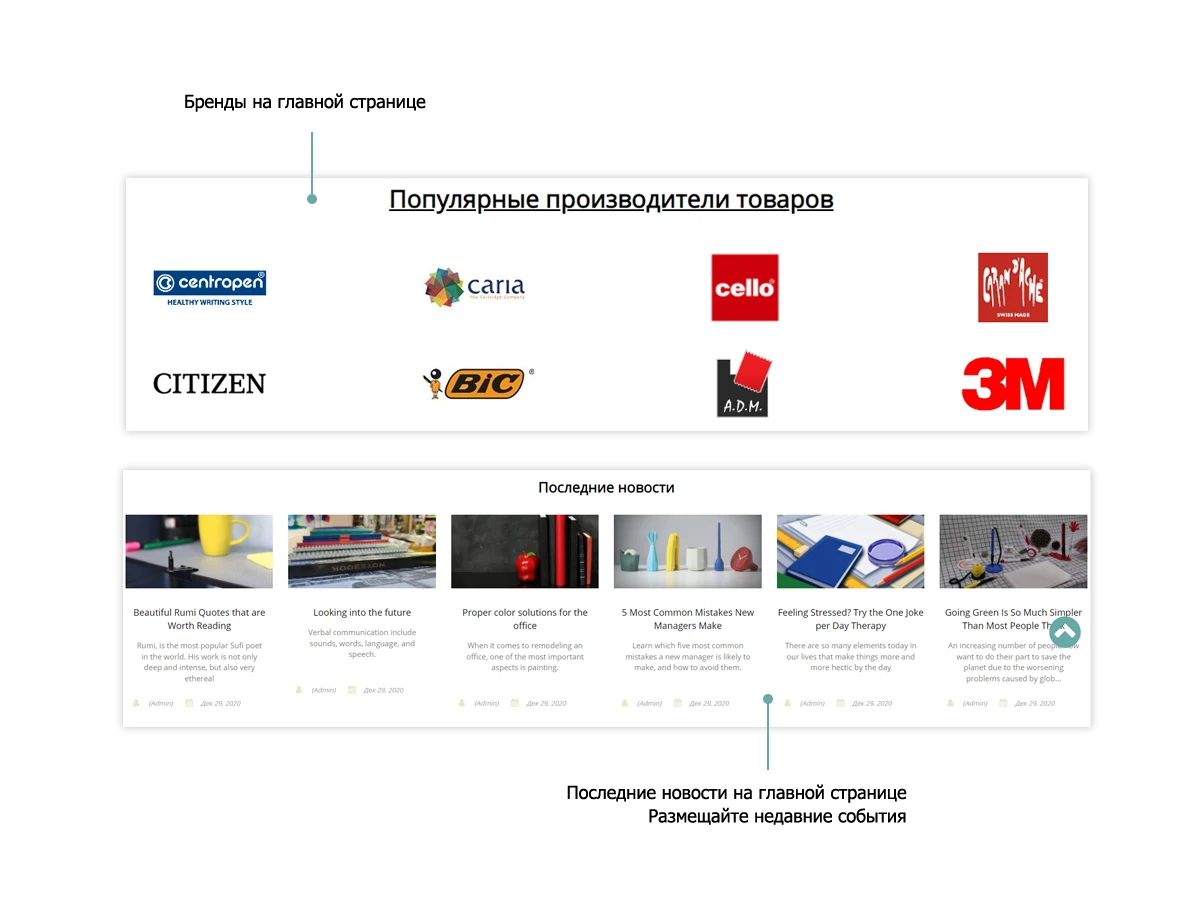
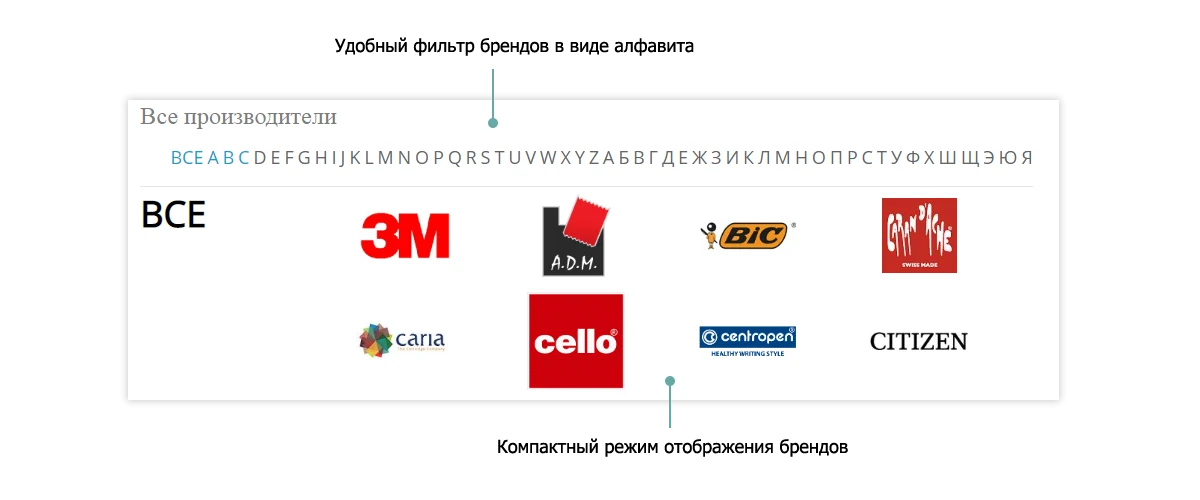
Neglecting manufacturer pages in an online store is a serious oversight. Many customers specifically search for products from particular brands.
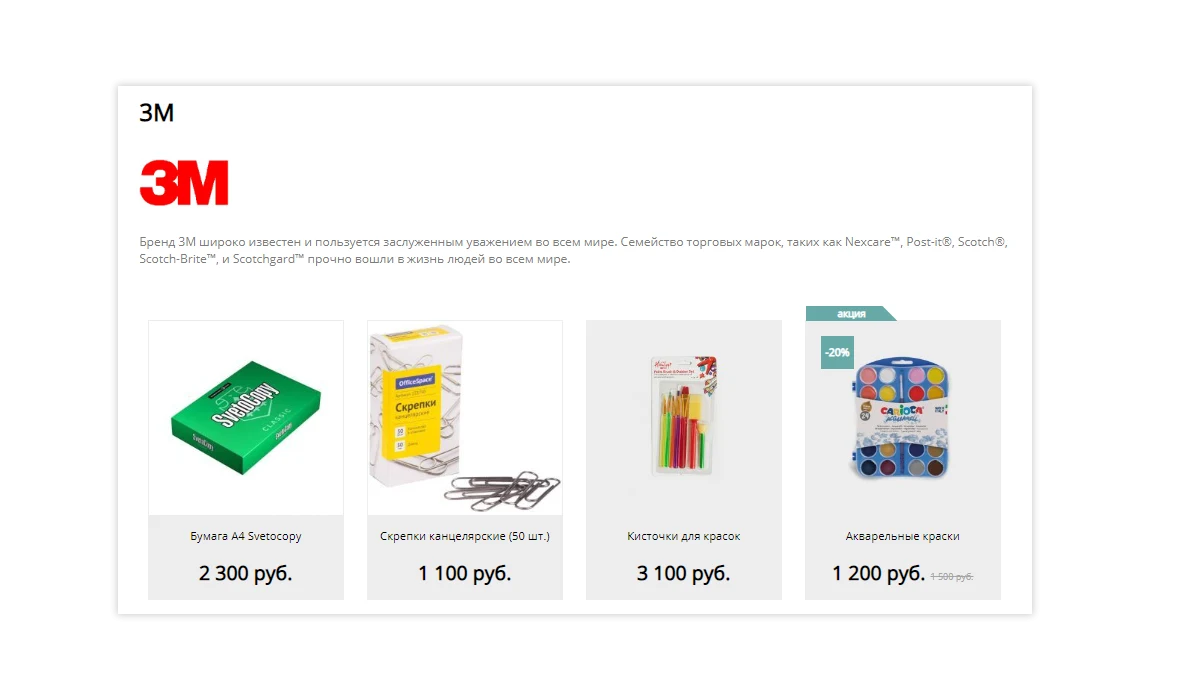
Display products of a specific brand in the online store catalog.
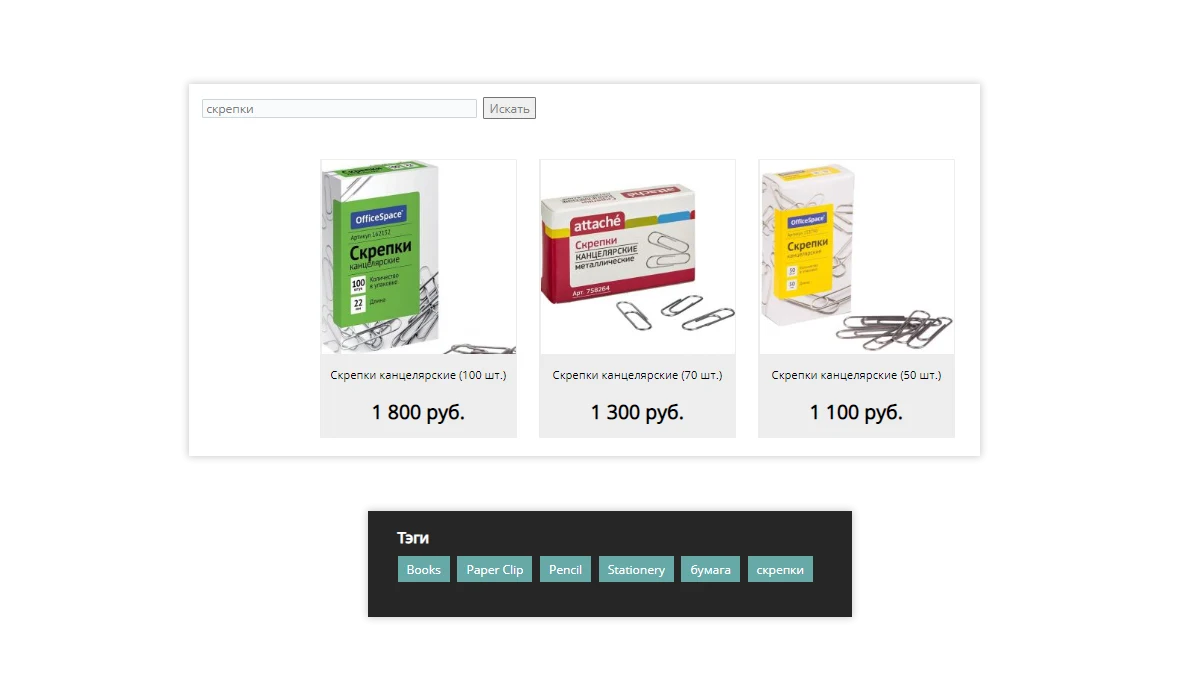
Product search is a core function of any online store. PvGroup solutions implement two search mechanisms: smart search and tag-based search.
Ready to choose this solution for your stationery online store?
General iT can install and configure this solution and build a website or online store based on it.
UPDATE HISTORY
What’s new
12 releases
26.0.3 (16.07.2026)Latest update
1. Global slider update on the main page. Artificial Intelligence (AI) implementation:
- The main page slider has been made adaptive for all devices.
- The site header height has been reduced.
- Artificial Intelligence (AI) has been integrated into the slider to dynamically change the header background and text color based on the image.
Attention! Create a backup before updating.
26.0.2 (29.05.2026)
1. The following changes have been made to the product card:
- The appearance of the attributes in the upper section of the product card has been updated.
- A maximum of 3 attributes are now displayed in the upper section of the product card.
- An "All Attributes" button has been added, which smoothly scrolls to the full list of attributes.
- A new "Attributes" tab has been added, containing the full list of attributes.
- The appearance of the tabs has been updated.
Attention! Create a backup before updating.
26.0.1 (03.05.2026)
1. Technical update.
Attention! Create a backup before updating.
23.0.5 (29.10.2024)
1. Fixed an installation error on 1C-Bitrix versions 24.100 and above.
Attention! Create a backup before updating.
23.0.4 (26.07.2023)
1. Technical update.
Attention! Create a backup before updating.
23.0.3 (21.07.2023)
1. Design Builder has been added. You now receive:
- 15 color schemes plus the ability to create your own.
- Two header options.
- Two footer options.
- Two main menu options: with background and without background.
- Two catalog menu options.
- The ability to enable or disable promotional banners.
- The ability to enable or disable the "Request a Call" function.
Attention! Create a backup before updating.
23.0.2 (19.05.2023)
1. The following features have been added in the Start and Standard editions:
- Shopping cart.
- Order checkout.
- Compliance with Federal Law No. 152-FZ. User agreements.
- Delivery method selection.
- Payment method selection.
- Acceptance of online payments via Robokassa with automatic order payment status update.
- Email notification to the administrator about a new order.
- Email notification to the buyer about a new order, if the field is filled.
- SMS notification about a new order via the sms.ru SMS gateway.
- Ability to add discounts.
Attention! Create a backup before updating.
23.0.1 (05.04.2023)
1. Support for the Start and Standard editions has been added. You receive the following:
- Product catalog with a "Buy in one click" button.
- Multi-region support.
- Smart filter.
- Smart search.
- Product search by brands.
- Product search by tags.
- "Request a call" function.
- Quick transition to Small Business and Business editions. You will not need to purchase a new template.
Attention! Create a backup before updating.
22.0.5 (12.02.2023)
1. Multi-region support has been added. This module is purchased separately.
- City detection based on IP address and the ability to select a city from a list in a convenient and stylish popup window.
- Automatic update of contact details depending on the selected city.
- Automatic price update depending on the selected city (this function works in the Business edition).
- Automatic redirection to domains/subdomains, including third-party domains.
- Automatic location filling, including during order checkout.
Attention! Create a backup before updating.
22.0.4 (25.01.2023)
1. Compatibility with PHP 8.x.
2. Improved shopping cart.
Attention! Create a backup before updating.
22.0.3 (29.11.2022)
1. Improved the top catalog menu. Displays three levels of sections.
2. Added display of two catalog views: grid and list.
3. Added 'Add to Favorites' and 'Add to Compare' in the product card.
4. Brands. Added display of products for each brand.
Versions 26.0.3 and 26.0.2 are currently under moderation. Version 26.0.3 features a global update to the main slider with the integration of artificial intelligence elements. Version 26.0.2 includes a global update to the product card. Installation inquiries require individual consideration.
The built-in constructor enables unique design.
Current versions: 26.0.3 includes a global update to the main page slider with artificial intelligence integration; version 26.0.2 features global changes to the product card.
The built-in constructor enables unique design. Users have access to 15 ready-made color schemes and the ability to create a custom one.
Versions: 26.0.3 (global update of the main page slider with AI integration, status: moderation) and 26.0.2 (global update of the product card).
The built-in constructor allows for unique design. There are 15 ready-made color schemes available, plus the option to create a custom one.
The module is designed for companies renting construction, warehouse, event, and other special equipment. The system covers the full operational cycle: from publishing equipment on the website to issuing it to the client, accounting for maintenance schedules and actual availability.
Key capabilities:
A unified center for managing bookings, requests, and maintenance schedules.
The Krayt: Drinks.RETAIL industry-specific online store for alcoholic beverages and food products is a ready-made solution based on a template for 1C-Bitrix partners. The system is designed to organize online sales of specialized goods and includes functionality adapted to the requirements of retail sales of alcohol and related products.
Krayt: LIFE is a vertical e-commerce template for health products, medical equipment, and optics, designed for 1C-Bitrix partners. The solution is tailored to the specifics of selling medical and optical goods, providing the necessary catalog structure and functionality for platform partner operations.
Submit a request on the solution page. A manager will check your selection, confirm the terms and arrange the purchase. We can also help with installation and setup.
Is a 1C-Bitrix licence included?
The default price covers the solution itself. If the developer offers a bundle with a 1C-Bitrix licence, you can select it separately on the solution page.
Can I try a solution first?
Available online demos and trial periods are shown on the solution page. The trial length depends on the solution.
How much does renewal cost?
Renewal is calculated as 50% of the full solution price before discounts. A manager will confirm the renewal terms and period before you order.
Can you help implement the solution?
Yes. We can build a website or store based on a template, or install, configure and check a module for compatibility. The scope and cost of the work are agreed separately.
Твой выбор cookie
Необходимые cookie обеспечивают вход, корзину и безопасность. Аналитика помогает улучшать сайт и включается только с твоего разрешения.
Собственная система metrika.git.ru: публичные страницы, случайный идентификатор, устройство и события. Содержимое форм, кабинетов и платёжных страниц не записывается. Исходные события — до 90 дней. Оператор: ООО «Дженерал Ай Ти Рус», ИНН 2310208877.